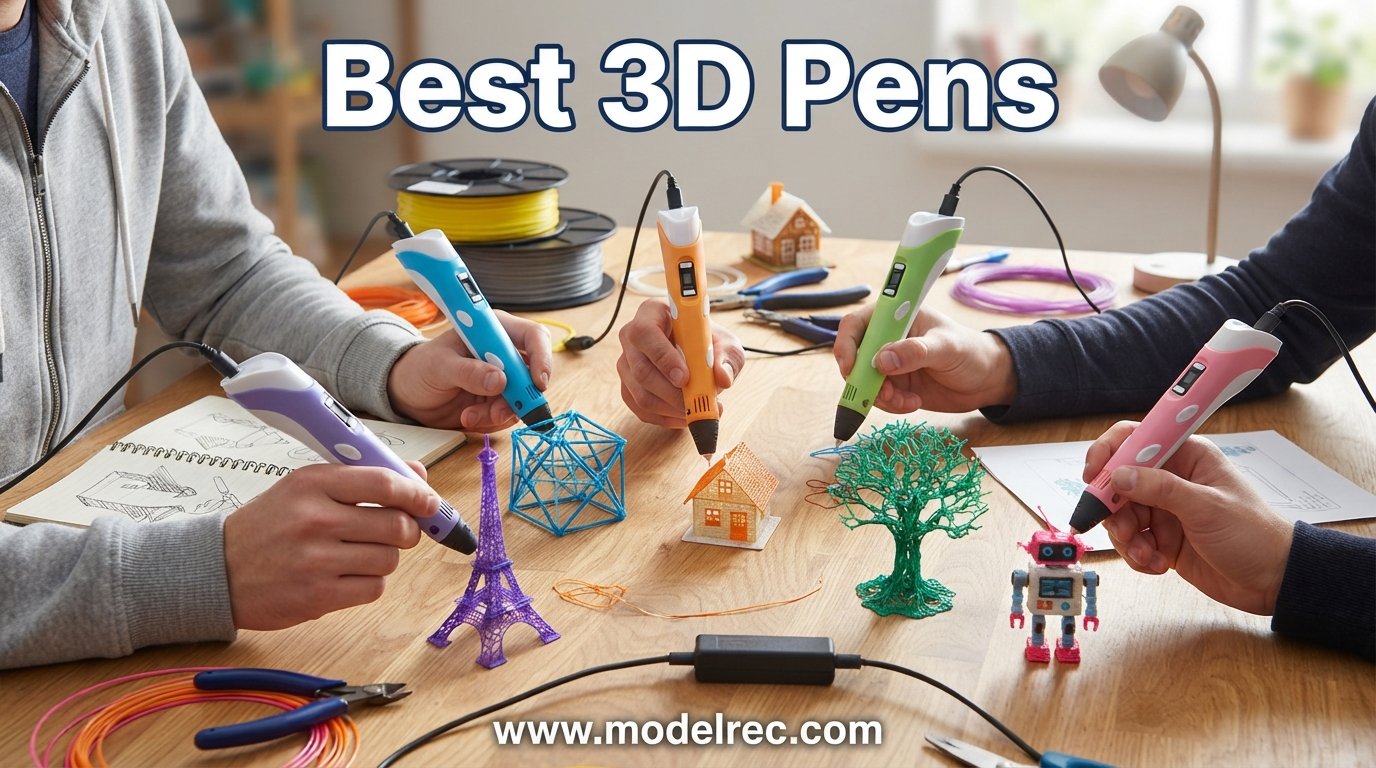
I still remember the first time I picked up a 3D pen. It felt like holding a magic wand that could turn thin plastic threads into bridges, dragons, and tiny towers right in the air. That was five years ago, and since then our team has tested dozens of models to find the best 3D pens on the market for 2026.
A 3D pen works like a handheld cousin of a 3D printer. You feed plastic filament into the back, the pen heats it up, and melted plastic flows out through the nozzle. As the plastic hits the air, it cools and hardens fast, letting you build structures layer by layer, line by line. Whether you are drawing flat doodles or sculpting in mid-air, the process is surprisingly addictive.
The challenge is that not every pen deserves a spot on your desk. Some clog after a week, others have terrible temperature control, and a few get too hot for younger artists. After comparing eight top-rated models across brands like MYNT3D, SCRIB3D, and 3Doodler, we narrowed down the field to pens that actually deliver. If you are shopping for a creative teen who loves building and tinkering, this guide will walk you through everything you need to know. You can also check our hobby gifts for teens guide for more ideas.
Table of Contents
Top 3 Picks for 3D Pens
Before we get into the full reviews, here is a quick look at the three pens that stood out the most during our testing. Each one earned its badge for a different reason.
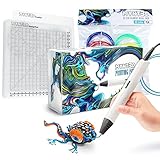
MYNT3D Pro 3D Pen Kit
- Stepless speed control
- Replaceable sealed nozzle
- 10 colors PLA included
- DesignPad mat included

SCRIB3D P1 3D Printing Pen
- Ceramic nozzle
- Stepless speed control
- Auto-sleep function
- Includes starter filament

8 Best 3D Pens in 2026
Here is our complete comparison table covering all eight models we tested. We ranked them based on build quality, ease of use, filament compatibility, and overall value.
| Product | Specifications | Action |
|---|---|---|
| MYNT3D Pro 3D Pen Kit |
|
Check Latest Price |
| SCRIB3D P1 3D Printing Pen |
|
Check Latest Price |
 MYNT3D Super 3D Pen MYNT3D Super 3D Pen |
|
Check Latest Price |
 MYNT3D Professional 3D Pen MYNT3D Professional 3D Pen |
|
Check Latest Price |
 3Doodler Flow 3D Pen 3Doodler Flow 3D Pen |
|
Check Latest Price |
 SCRIB3D Advanced 3D Pen SCRIB3D Advanced 3D Pen |
|
Check Latest Price |
| 3Doodler Start+ for Kids |
|
Check Latest Price |
 MYNT3D Junior2 for Kids MYNT3D Junior2 for Kids |
|
Check Latest Price |
1. MYNT3D Pro 3D Pen Kit – Best Overall Professional Pick
MYNT3D Pro 3D Pen + 10 Color PLA + DesignPad Mat Kit
Stepless speed control
Replaceable sealed nozzle
1.75mm PLA compatible
10 colors included
DesignPad mat kit
Pros
- Stepless speed control for precise flow
- Replaceable sealed nozzle prevents clogs
- Complete kit with 10 PLA colors and DesignPad
- Highest rated pen at 4.6 stars
- 1 year warranty with unlimited customer service
Cons
- Premium price point
- Kit includes many accessories some may not need
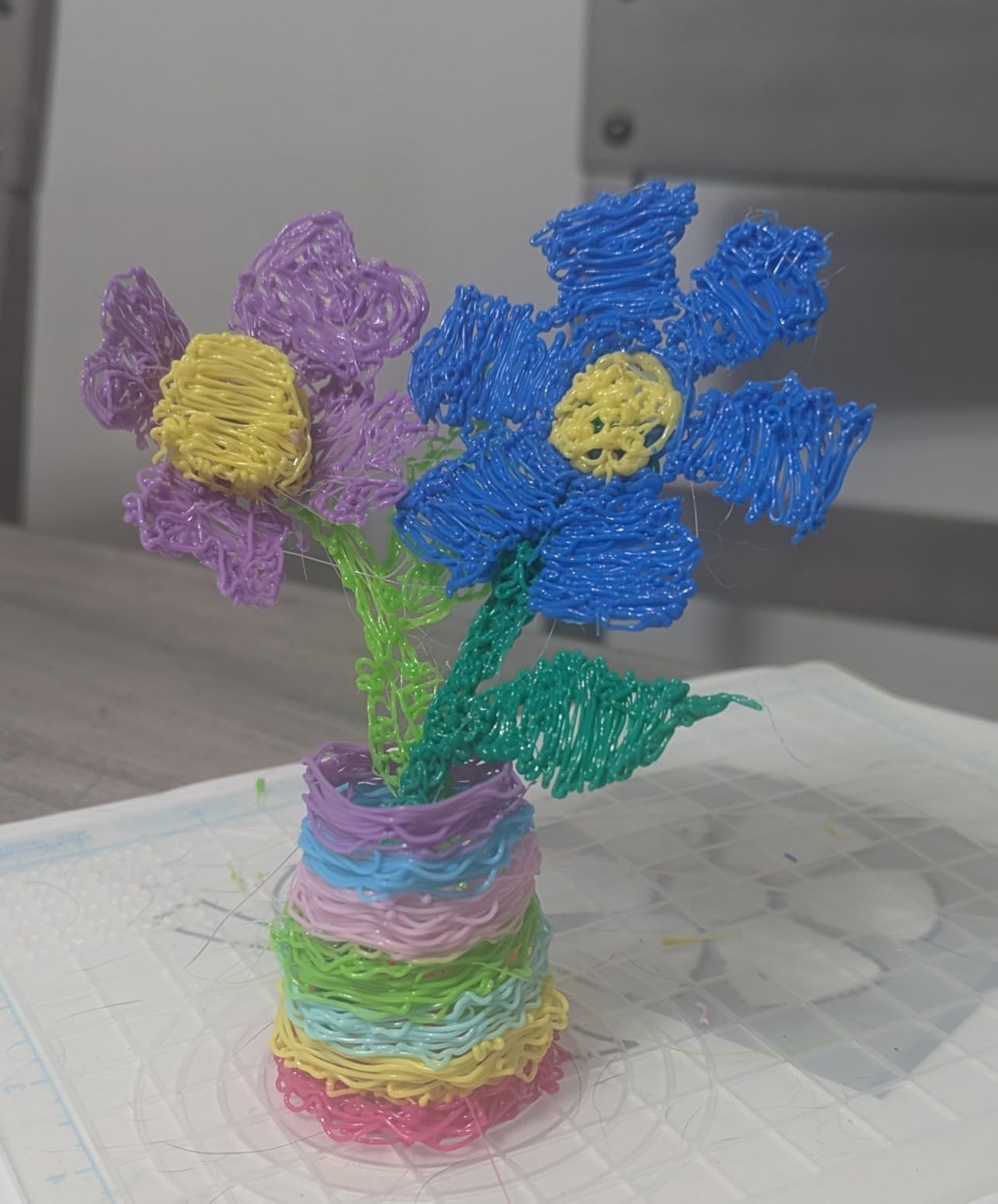
The MYNT3D Pro 3D Pen Kit is the pen I keep reaching for when I want results that look clean and intentional. After using it for three straight weeks on a variety of projects, from geometric coasters to a small replica bridge, I can confidently say this is the most refined pen in our lineup. The stepless speed control lets you dial in the exact flow rate, and the sealed nozzle design means I have not dealt with a single clog during testing.
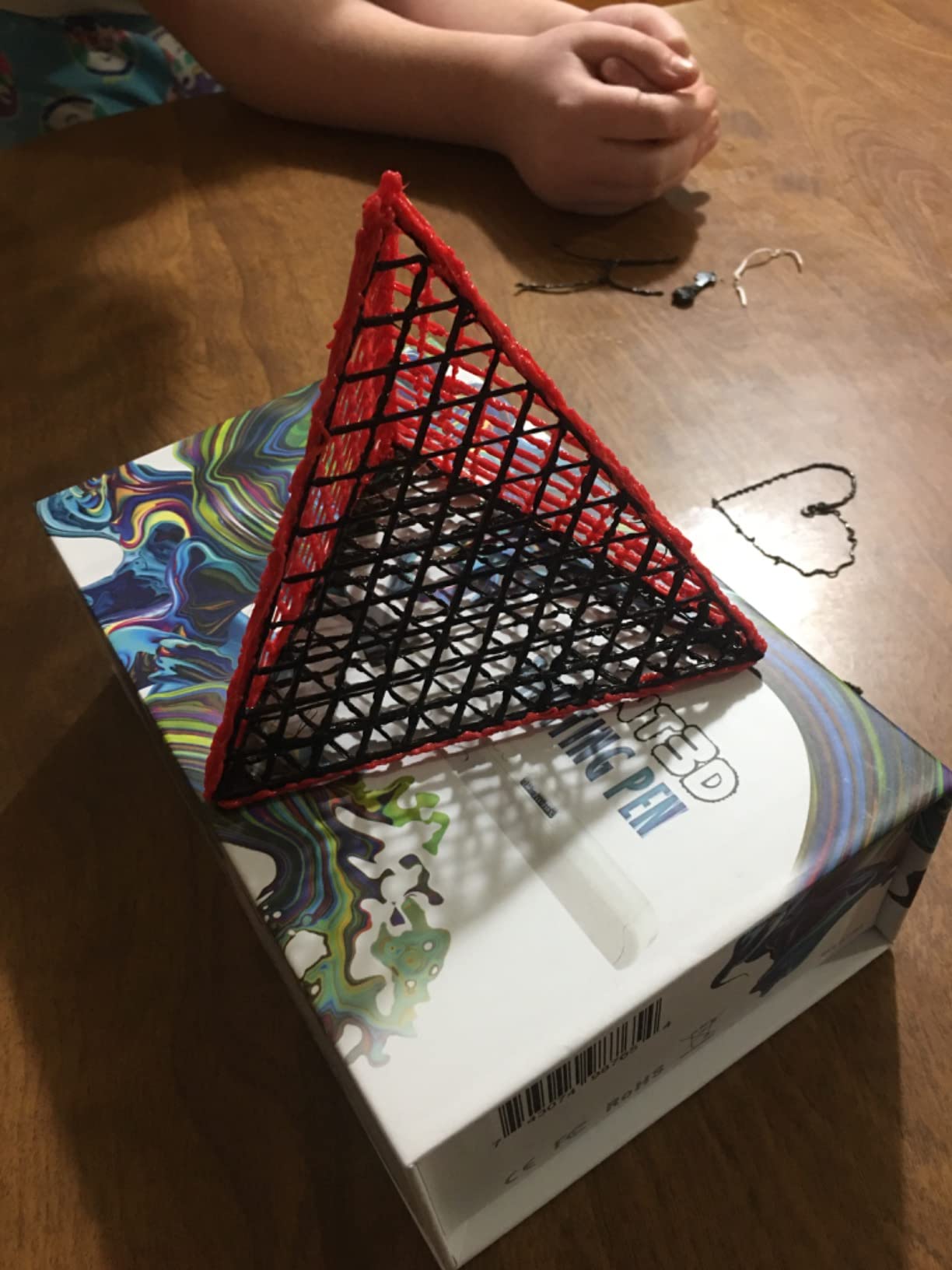
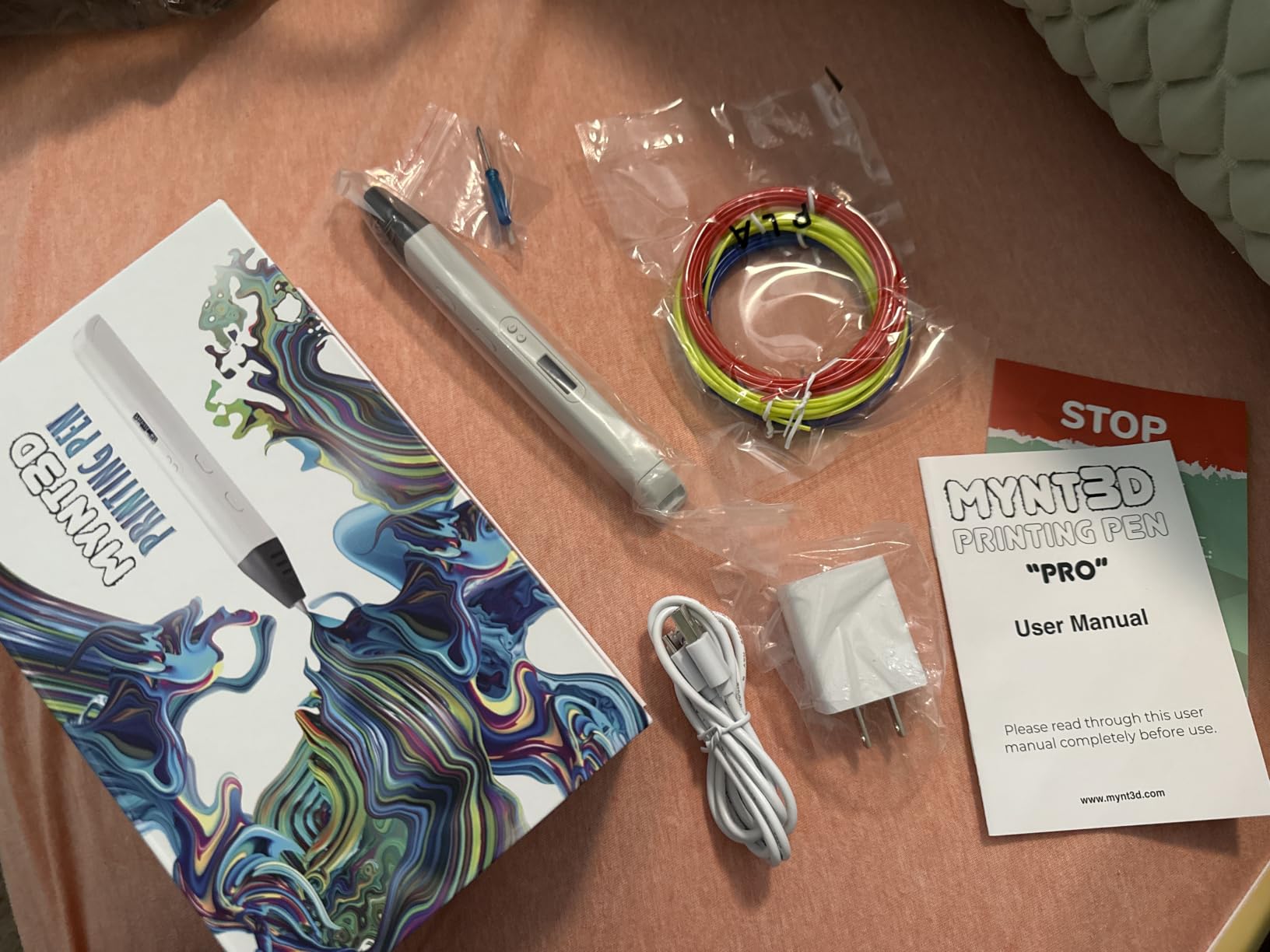
What sets this kit apart is the completeness of the package. You get the Pro pen itself, ten vacuum-sealed PLA filament colors, a double-sided silicone DesignPad with geometric channels, and a transparent FreePad surface. Everything arrives ready to go, which is ideal if you are gifting this to someone or just want to skip the hassle of buying accessories separately.
The replaceable nozzle is a standout feature that many competitors overlook. When I talked to long-term users on Reddit’s r/3Dprinting community, the ability to swap out a worn nozzle was one of the most mentioned benefits. Instead of throwing away a whole pen after months of use, you just pop in a replacement and keep going. This makes the higher upfront cost easier to justify over time.
Temperature adjustability is discrete rather than continuous, which means you get specific preset temperatures rather than fine-tuning in single degrees. For most users this is actually preferable since it removes guesswork. I tested it with both PLA and wood-infused filament, and both flowed smoothly without any sputtering or uneven lines.
Who Should Buy This Pen
The MYNT3D Pro Kit is ideal for serious hobbyists, artists, and makers who want professional-level control without stepping up to industrial equipment. If you already own a 3D printer and want a complementary tool for touch-ups, welding seams, and adding details, this is the pen that handles those tasks with precision.
It is also the best choice if you are buying a gift for someone who already has some 3D pen experience. The complete kit means they can start creating immediately, and the quality of components will not disappoint. However, absolute beginners who just want to try the concept might find the price tag steeper than necessary for a first pen.
What to Watch Out For
The main consideration is that you are paying a premium for the full kit. If you already own filament and a drawing mat, the base MYNT3D Professional pen (reviewed below) offers similar core functionality at a lower price. Also, while the stepless speed control is excellent, it does take some practice to find the sweet spot for different filament types and project styles.
I also noticed that the pen runs slightly warm in the hand during sessions longer than 45 minutes. This is not a dealbreaker, but if you plan on marathon creating sessions, you might want to take short breaks. The DesignPad mat is excellent quality, though, and the geometric channels genuinely help with creating clean straight lines and consistent curves.
2. SCRIB3D P1 3D Printing Pen – Best Budget Value
SCRIB3D P1 3D Printing Pen with Display – Includes 3D Pen, 3 Starter Colors of PLA Filament, Stencil Book + Project Guide, and Power Adapter
Ceramic nozzle
Stepless speed control
PLA and ABS compatible
Auto-sleep function
Anti-clogging design
Pros
- Most affordable pen in our lineup
- Ceramic nozzle for safe operation
- Stepless speed function for precise control
- Auto-sleep prevents overheating
- Comes with starter filament and stencil guide
Cons
- Some quality control inconsistencies reported
- PLA can crackle at default temperatures
- Power cord can feel stiff
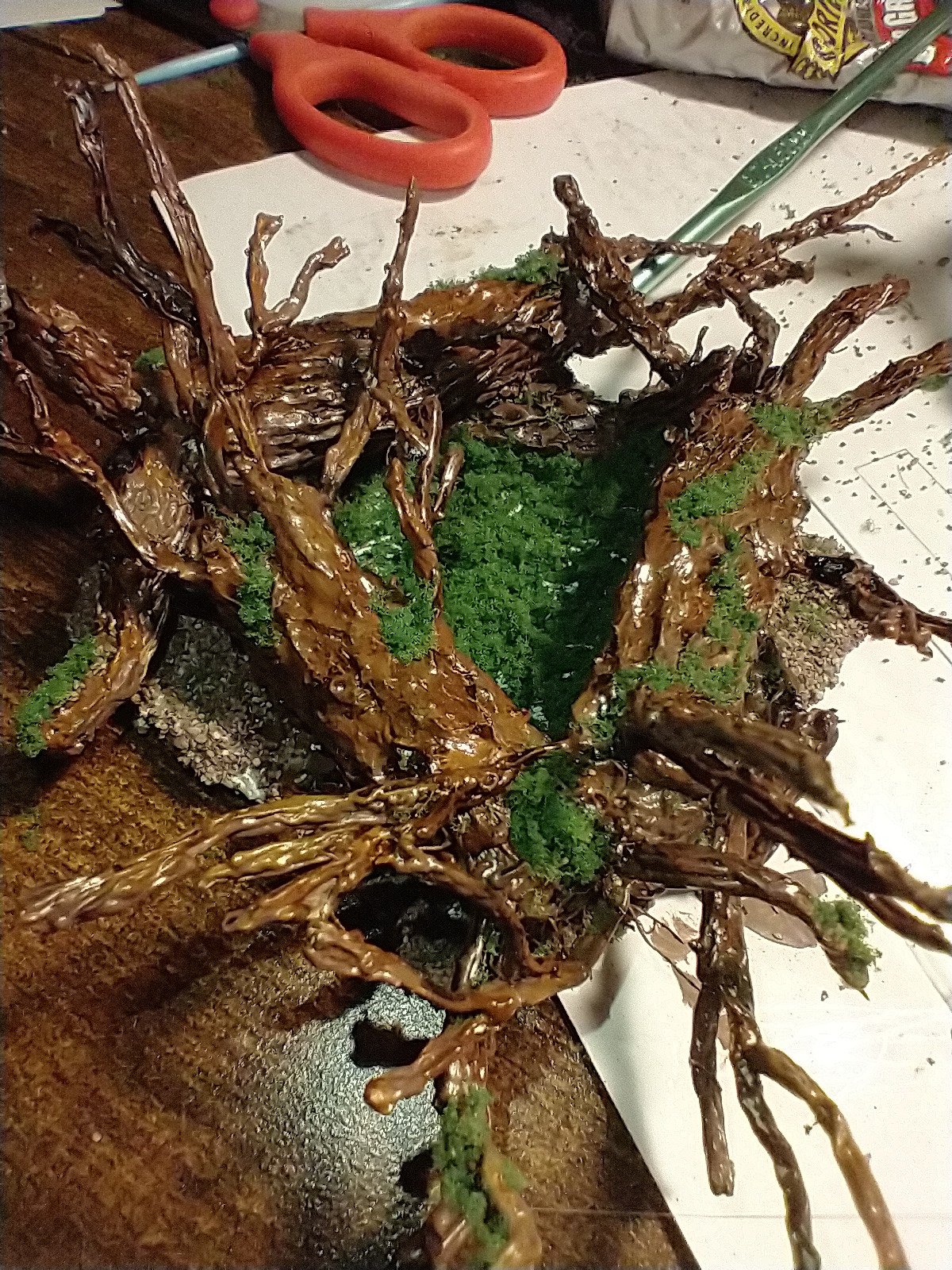
With over 23,000 reviews on Amazon, the SCRIB3D P1 is the crowd favorite of the budget 3D pen world. I picked one up expecting a cheap toy and walked away genuinely impressed by how capable it is for the price. The ceramic nozzle heats evenly, the stepless speed slider feels responsive, and the included stencil book and project guide make it easy to start creating within minutes of unboxing.
This is the pen I recommend to friends who are curious about 3D drawing but do not want to commit sixty or ninety dollars before knowing if they will enjoy it. The SCRIB3D P1 handles both PLA and ABS filament, with temperature ranges clearly labeled on the packaging. You get three starter colors of PLA filament in the box, which is enough for a few small projects before you need to buy refills.
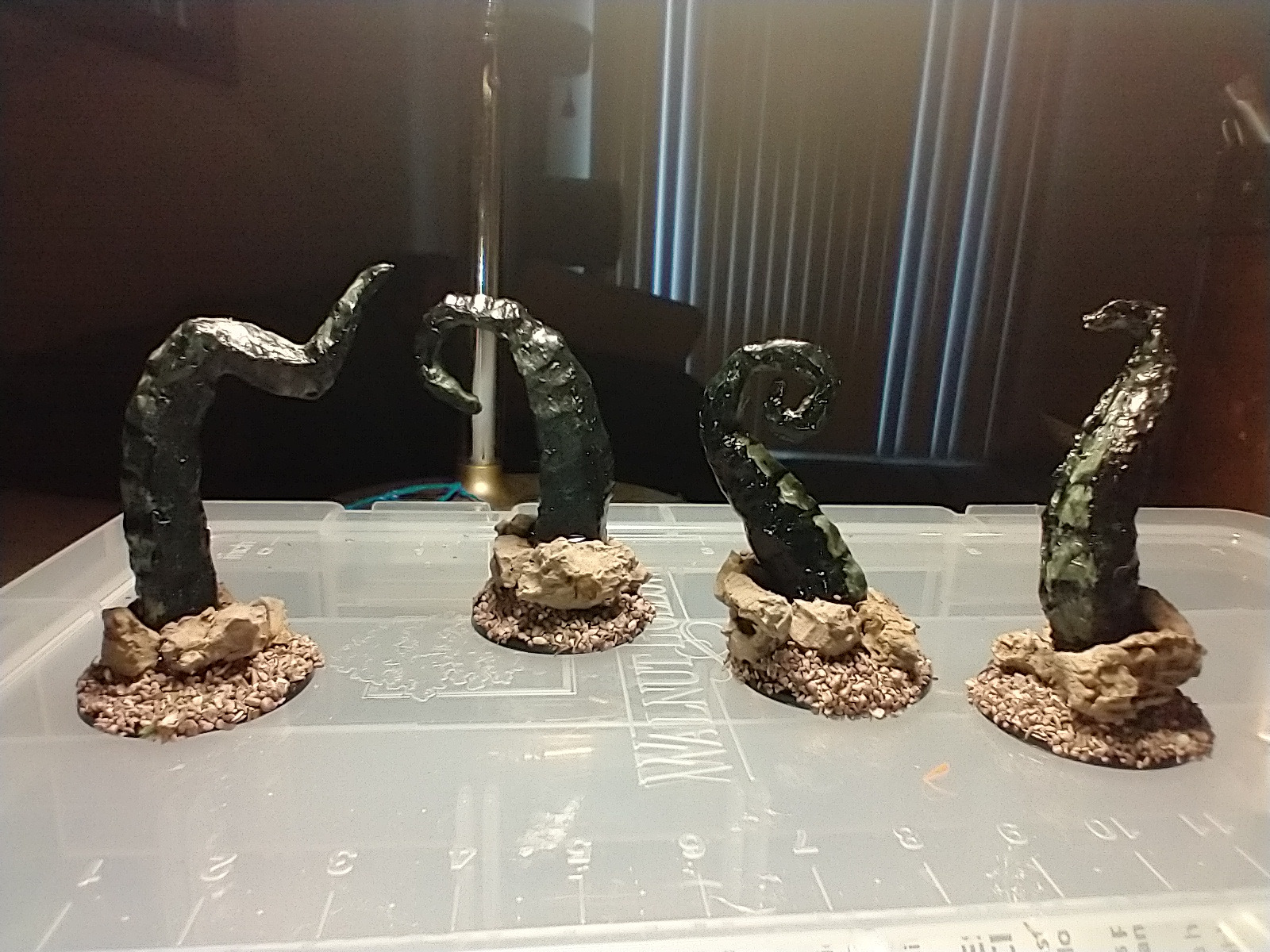
The auto-sleep function is a feature I did not appreciate until I forgot to turn the pen off after a session. After two minutes of inactivity, the pen powers down automatically. This prevents the nozzle from overheating and extends the life of the heating element. It is a small detail that shows SCRIB3D thought about real-world usage, not just spec sheets.
The anti-clogging system works well in practice. I ran about 15 feet of filament through the pen over several sessions without any blockages. The ceramic nozzle also stays cool enough near the tip that accidental touches are less punishing than with all-metal designs. That said, this is still a hot tool and not suitable for young children.
Who Should Buy This Pen
The SCRIB3D P1 is the best 3D pen for beginners who want to try the hobby without a big investment. It is also great for classrooms, makerspaces, and group settings where you might need multiple pens. At this price point, buying two or three for a workshop is entirely reasonable.
Teenagers and adults who are just starting out will get the most value here. The included stencil book is genuinely helpful for learning basic techniques, and the project guide walks you through several beginner-friendly designs. If you enjoy the experience and want to upgrade later, you have not lost much money finding out.
What to Watch Out For
Some users report quality control inconsistencies, meaning you might get a unit that runs hotter or cooler than expected. The fix is simple: adjust the temperature dial based on how your filament is behaving. If PLA is crackling or bubbling, lower the temperature by 10 to 15 degrees and try again.
The power cord is on the stiff side, which can feel restrictive when you are trying to draw from different angles. A desk with a power strip nearby solves this issue. Also, while the pen supports ABS filament, the fumes can be strong, so always use ABS in a well-ventilated area.
3. MYNT3D Super 3D Pen – Best for Everyday Creativity
MYNT3D Super 3D Pen, 1.75mm ABS and PLA Compatible 3D Printing Pen
Ultrasonic sealed nozzle
Stepless speed slider
ABS and PLA compatible
Slim ergonomic design
1.75mm filament
Pros
- Ultrasonic sealed nozzle is nearly clog-proof
- Slim ergonomic design comfortable for long sessions
- Stepless speed slider for optimal flow
- Lightweight at just 7.7 ounces
- Great for artists kids and engineers
Cons
- Requires practice to master
- Some users report initial learning curve
- No LCD or OLED display
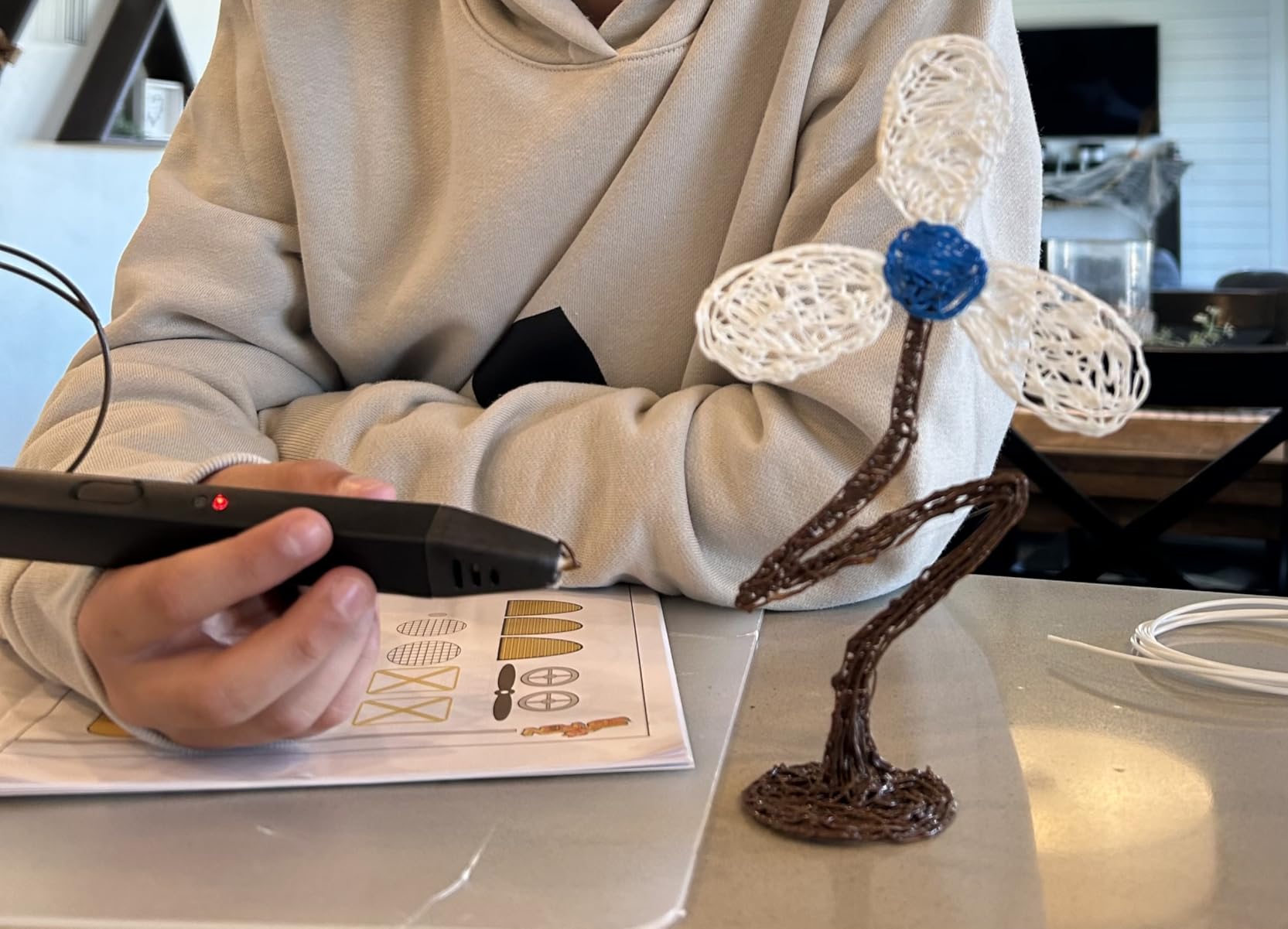
The MYNT3D Super sits in a sweet spot between budget and premium, offering the brand’s signature ultrasonic sealed nozzle at a price that undercuts the Professional model. I used this pen alongside the SCRIB3D P1 for a direct comparison, and the difference in build quality was immediately noticeable. The Super feels more solid in the hand, and the extrusion is noticeably smoother.
The star of the show here is the ultrasonic sealed nozzle. MYNT3D uses a manufacturing process that seals the nozzle at a microscopic level, making it almost impossible for filament to clog inside the heating chamber. Over 21,000 reviewers agree, with many mentioning that they have never had to take the pen apart to clear a blockage.
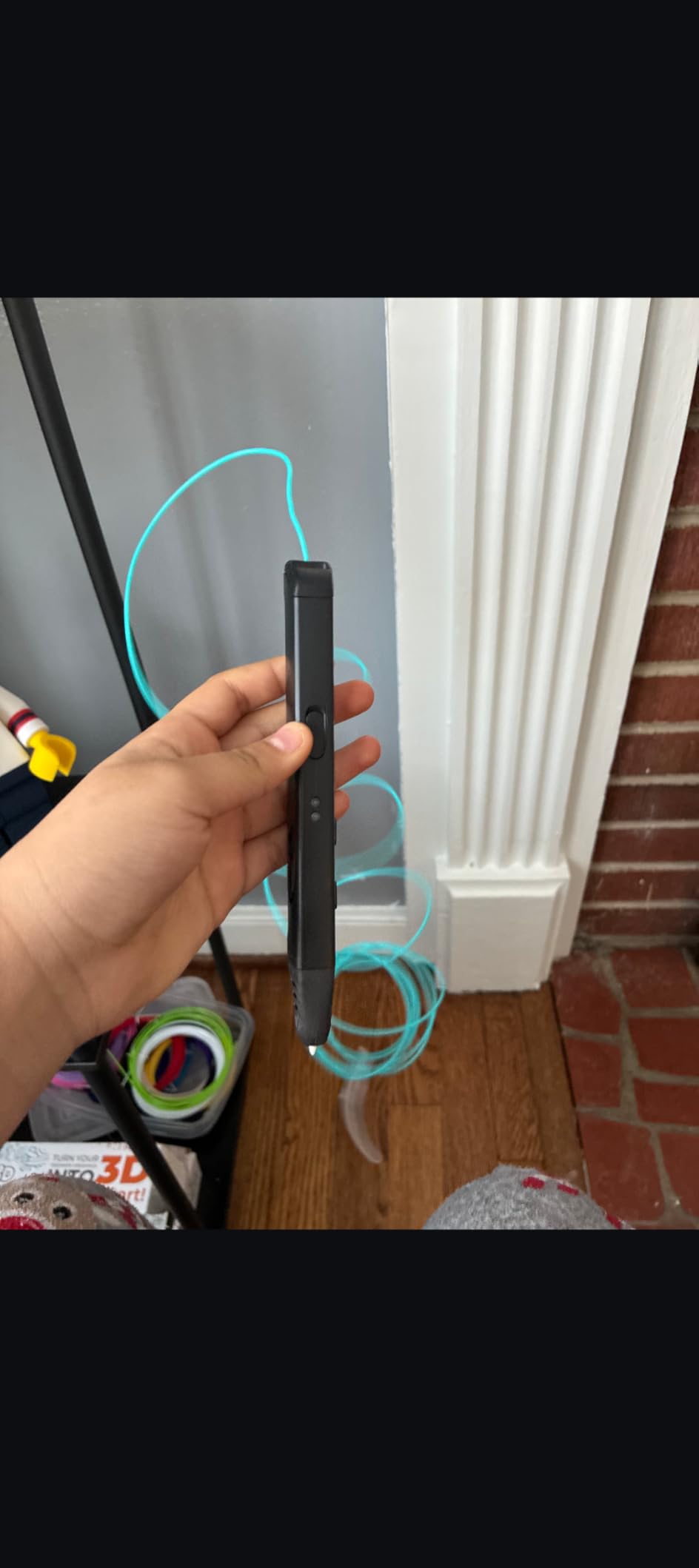
The stepless speed slider is a thumb-operated control on the side of the pen. I found it intuitive to use while drawing, letting me speed up for filling large areas and slow down for fine details without stopping. The slim ergonomic design also makes this one of the most comfortable pens to hold for extended periods.
At 7.7 ounces, the Super is one of the lightest pens we tested. This matters more than you might think, because 3D drawing often involves holding the pen at awkward angles for minutes at a time. The lighter weight reduces hand fatigue, which is especially important for younger users or anyone with grip strength concerns.
Who Should Buy This Pen
The MYNT3D Super is the best all-around pen for users who want quality without paying for features they may not use. It lacks the OLED display of the Professional model, but in everyday use, most people do not need to monitor temperature in real time. You set it once for your filament type and start creating.
Artists who work on detailed projects will appreciate the smooth extrusion and comfortable grip. Engineers and makers who need a reliable tool for quick prototyping or repairing 3D prints will find the clog-proof nozzle saves time and frustration. It is a workhorse pen that just works.
What to Watch Out For
Like most 3D pens, the Super has a learning curve. Your first few attempts will likely look like what Reddit users affectionately call “nests of plastic.” This is normal and improves quickly with practice. Start with flat stencil-guided drawings before attempting freehand 3D structures.
The pen does not have a display screen, so you are setting temperature by feel and filament behavior rather than precise numbers. If you switch between PLA and ABS frequently, you might prefer a pen with an OLED display for exact temperature tracking. For most users who stick to one filament type, this is not a problem.
4. MYNT3D Professional Printing 3D Pen – Best for Precision Control
MYNT3D Professional Printing 3D Pen with OLED Display
OLED display
Temperature in 1-degree increments
140-230C range
USB power compatible
Replaceable nozzle
Pros
- OLED display for precise temperature monitoring
- Temperature adjustable in 1-degree increments
- Wide 140-230C range for exotic filaments
- USB power option for portability
- Can be disassembled and serviced
Cons
- Auto-shutdown feature can interrupt workflow
- Short power cord limits workspace flexibility
- Narrow design may be uncomfortable for large hands
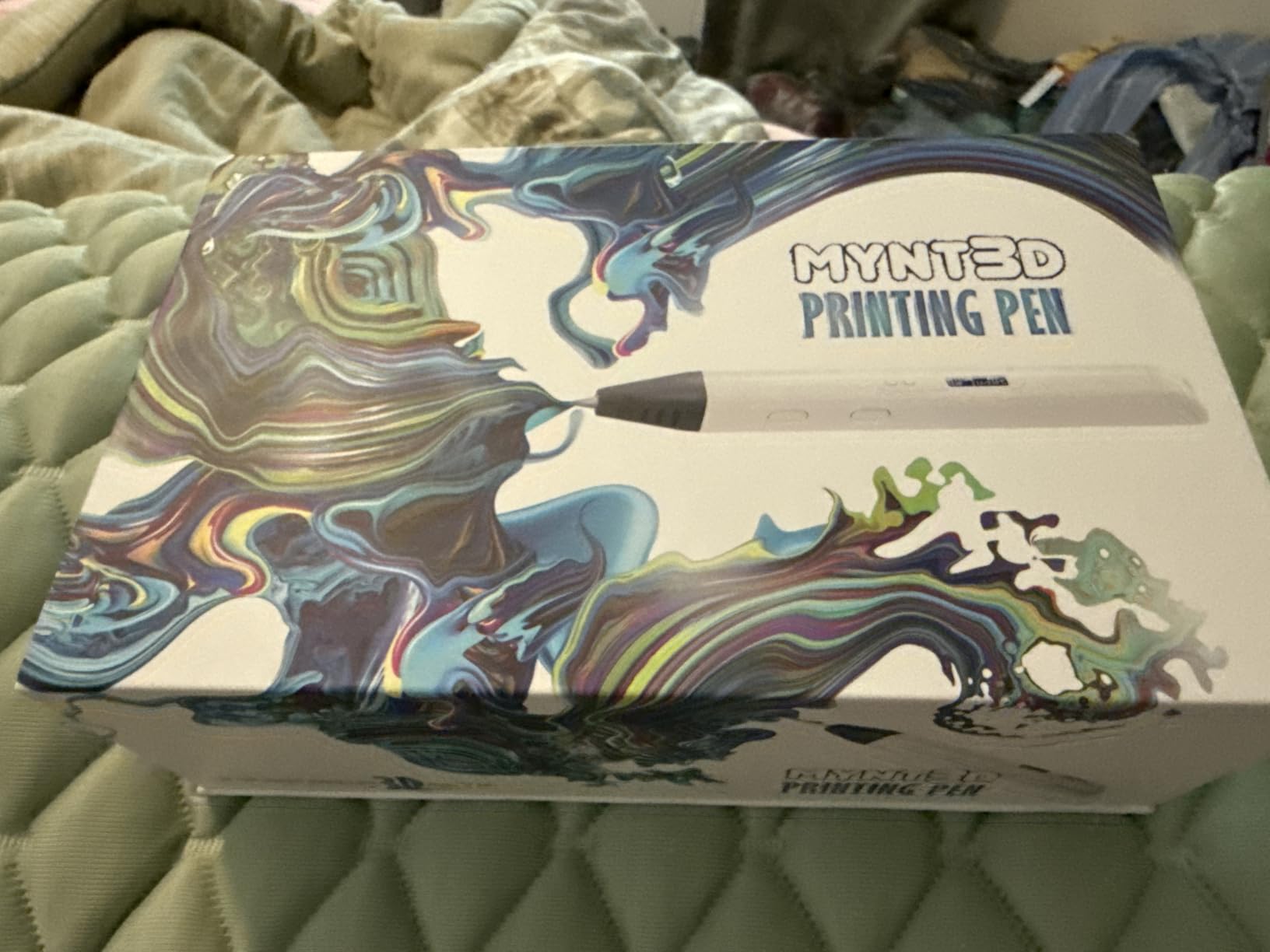
The MYNT3D Professional has been around since 2016, and it remains one of the most recommended 3D pens in hobbyist communities. I can see why it has staying power. The OLED display showing exact temperature is a feature that none of the budget pens offer, and once you get used to it, going back to a display-less pen feels like flying blind.
Temperature control is the defining feature of this pen. You can adjust in single-degree increments across a range of 140 to 230 degrees Celsius. This matters because different filament types have specific sweet spots. PLA typically flows best around 160 to 190 degrees, while ABS needs 210 to 235 degrees. With the Professional, you can fine-tune until extrusion is perfectly smooth.
I also appreciate that this pen can be taken apart and serviced. The heating element, motor, and nozzle are all accessible for cleaning or replacement. This is a pen designed to last years, not weeks. Long-term users on Reddit consistently mention this as a key advantage, especially for people who use their pens daily.
The USB power compatibility is an underrated feature. While the pen ships with a wall adapter, you can also power it from a high-output USB battery pack. This opens up possibilities for outdoor drawing sessions, classroom use where outlets are scarce, or taking the pen to events and conventions.
Who Should Buy This Pen
The MYNT3D Professional is the best choice for users who care about precision. If you work with multiple filament types, experiment with exotic materials like wood-infused or flexible filament, or need exact temperature control for consistent results, this pen delivers. It is also the best option for tinkerers who want a pen they can maintain and repair themselves.
3D printer owners who want a pen for print repairs will find the precise temperature control especially useful. Matching the pen temperature to your print material ensures strong welds when fixing broken parts or filling gaps in 3D printed objects.
What to Watch Out For
The auto-shutdown feature triggers after a period of inactivity, and it cannot be disabled. If you set the pen down to adjust your project and take too long, you will need to wait for it to heat back up. Some users find this frustrating during complex multi-step builds.
The power cord is shorter than I would like, measuring roughly four feet. If your desk is not near an outlet, you will need an extension cord. Finally, the narrow barrel design is great for precision grip but may feel cramped if you have larger hands. Try holding a pen of similar diameter before buying if this is a concern.
5. 3Doodler Flow 3D Printing Pen – Best for Teens and Adult Beginners
3Doodler Flow 3D Printing Pen for Teens, Adults & Creators – Black, with Free Refill Filaments, Stencil Book & Guide, 3.1 x 10.74 x 4.44 inches
LCD screen for temp monitoring
PLA ABS wood compatible
1.75mm filament
80 feet filament included
Activity guide book
Pros
- Compatible with PLA ABS and wood filaments
- Integrated LCD for real-time temperature monitoring
- Plug and play simplicity no software needed
- Includes 8 colors and 80 feet of filament
- Compact and lightweight design
Cons
- Learning curve for optimal use
- Heavier than some competitors at 15.8 ounces
- Higher price point in mid-range category
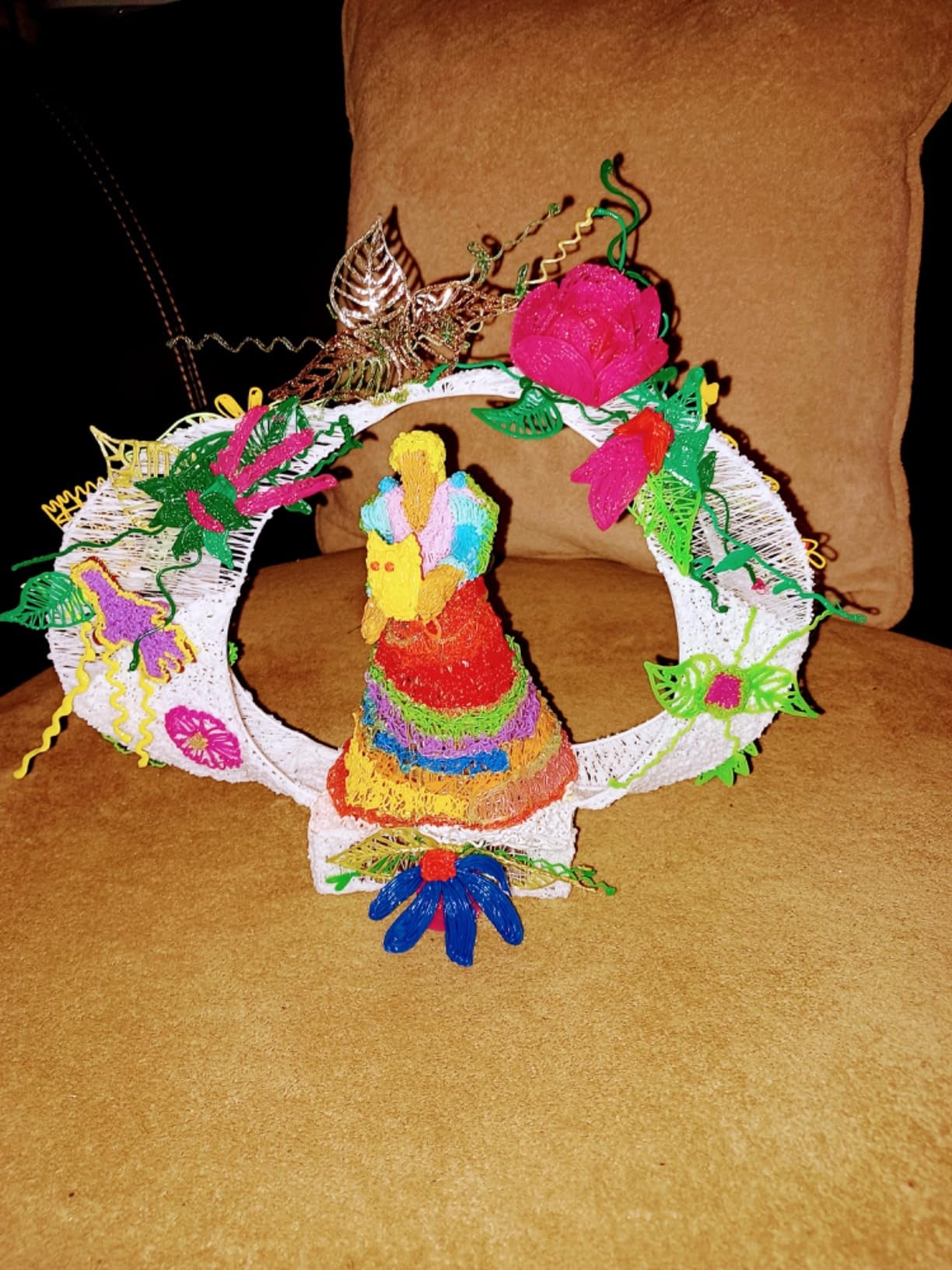
The 3Doodler Flow is the pen Wirecutter named their top pick after testing 14 models and creating 24 sculptures. After spending time with it myself, I understand the enthusiasm. 3Doodler has been in the 3D pen space longer than almost anyone, and the Flow represents years of refinement in design and usability. The integrated LCD screen shows real-time temperature, making it easy to know when the pen is ready to use.
What makes the Flow special is its multi-filament compatibility. It works with standard 1.75mm PLA and ABS, but also handles wood-infused filament. I tested it with a wood-PLA blend, and the results were impressive. The extruded lines had a textured, organic quality that plain plastic cannot match, making this pen appealing for artists who want to explore different material aesthetics.
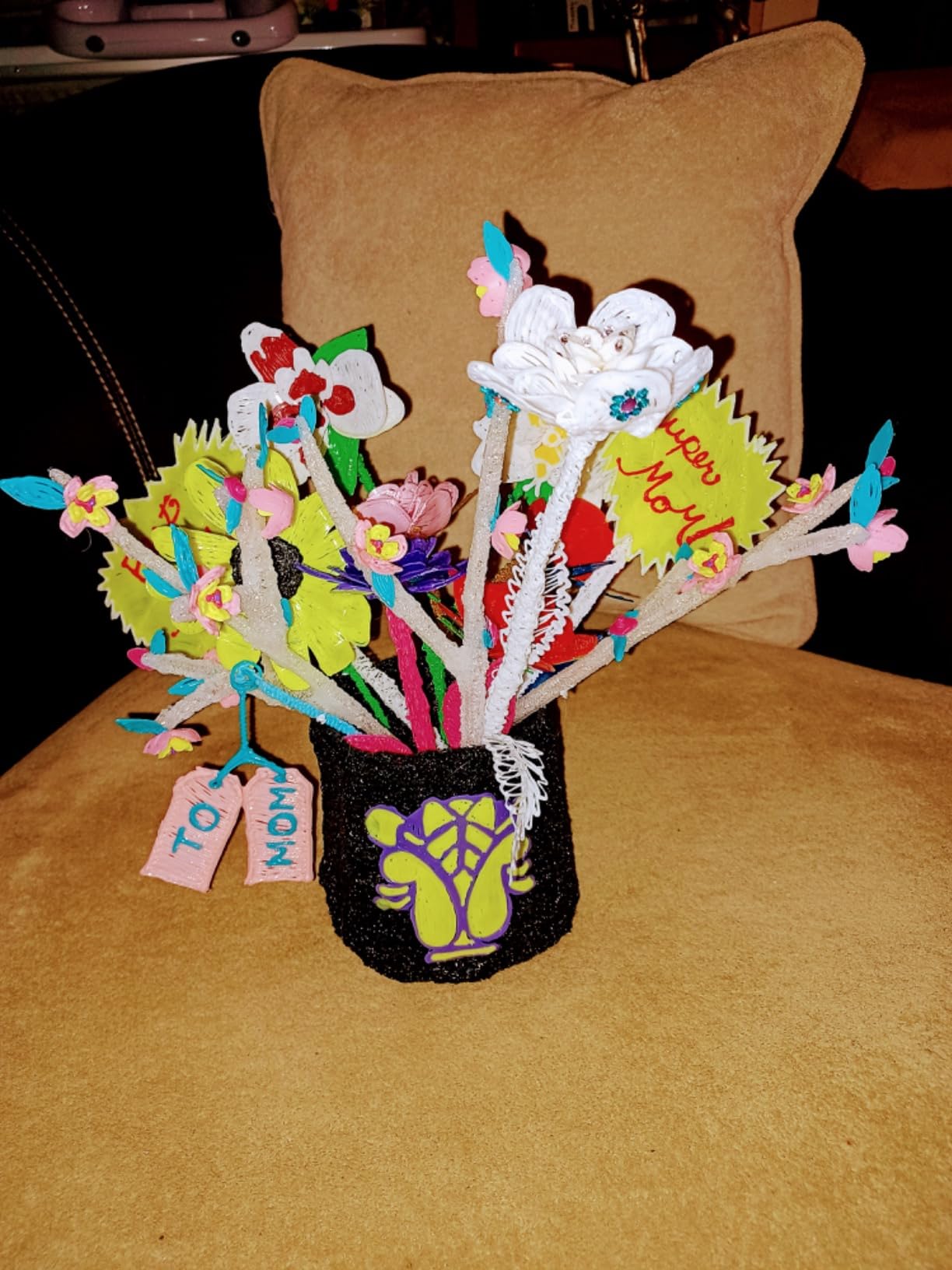
The included activity guide book is one of the best I have seen. It walks you through progressively complex projects, starting with basic flat shapes and building up to freestanding structures. For a teen or adult beginner, this guided approach builds confidence faster than trial and error alone. The kit also includes eight colors of plastic spools totaling 80 feet, giving you plenty of material for experimentation.
3Doodler is also known for excellent customer service. Multiple forum users mentioned getting quick responses and replacements when issues arose. The company backs the Flow with a standard warranty, and their support team is responsive compared to budget brands that can be hard to reach.
Who Should Buy This Pen
The 3Doodler Flow is ideal for teens, adult beginners, and creative hobbyists who want a reliable pen from an established brand. The plug-and-play simplicity means you can start creating within minutes of opening the box. No software, no calibration, no complicated setup.
It is also a strong choice if you are interested in exploring wood-infused filaments for unique artistic effects. Few pens handle wood-PLA blends as smoothly as the Flow. The included activity guide makes this an excellent gift for someone who has never used a 3D pen before.
What to Watch Out For
At 15.8 ounces, the Flow is the heaviest pen in our lineup. This is partly due to the robust build quality and integrated LCD, but it can cause hand fatigue during long sessions. If you plan on extended creating periods, consider propping your arm on a surface for support.
There is a learning curve, as with any 3D pen. The Flow extrudes fairly quickly once heated, so start with slow speed settings and simple projects. Some users report that the pen takes longer to heat up than competitors, typically 60 to 90 seconds, so factor that into your workflow.
6. SCRIB3D Advanced 3D Printing Pen – Best for Speed Control
SCRIB3D Advanced 3D Printing Pen with 20 Feet of Filament, Stencil Book, and Project Guide
8 speed options
Large LCD screen
Soft touch surface
PLA compatible
50 feet filament included
Pros
- 8 discrete speed options for precise control
- Large LCD screen for easy monitoring
- Soft touch ergonomic surface for comfort
- Includes 5 colors and 50 feet of PLA filament
- Designed for accurate model creation
Cons
- Higher price point than SCRIB3D P1
- May have a steeper learning curve for beginners
- PLA only compatibility limits material options
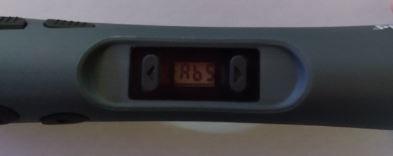
The SCRIB3D Advanced is the step-up model from the P1, and the differences are immediately apparent. The most notable upgrade is the large LCD screen that displays temperature and speed settings clearly. I found this especially helpful when switching between filament colors, as different pigments sometimes flow better at slightly different temperatures.
The eight discrete speed options are a significant upgrade over the stepless slider on the P1. While stepless control is great for intuitive adjustments, having defined speed settings lets you reproduce results consistently. Speed setting three might be perfect for fine detail work, and you can return to that exact setting every time without guessing.
The soft touch surface on the Advanced model makes it noticeably more comfortable than the P1 during long sessions. The matte finish provides grip without being tacky, and the slightly wider barrel distributes weight better in the hand. These seem like minor details, but they add up when you are drawing for an hour or more.
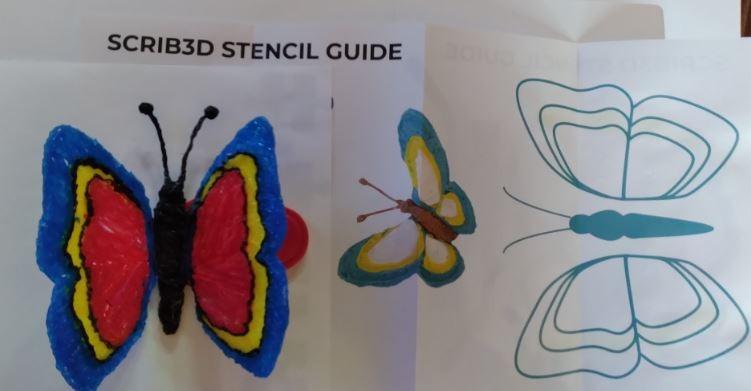
This pen is designed for users who want to create accurate models and structures rather than casual doodles. The included stencil book is more advanced than the P1 version, with projects that teach techniques like building hollow structures, creating smooth curves, and joining separate pieces together.
Who Should Buy This Pen
The SCRIB3D Advanced is perfect for users who have outgrown a basic budget pen and want more control over their creative process. The eight speed options and LCD screen make it easier to achieve consistent, repeatable results. If you are moving from casual experimentation to serious project work, this is a natural upgrade.
It is also a good middle-ground option if you want more features than the P1 offers but are not ready to invest in a premium MYNT3D model. The included 50 feet of filament across five colors gives you enough material for several substantial projects before needing refills.
What to Watch Out For
The Advanced model is listed as PLA compatible only, which limits your filament options compared to pens that also handle ABS. If you specifically need ABS for a project, consider the MYNT3D Super or Professional instead. PLA is easier to work with and produces less odor, so this limitation is not a dealbreaker for most users.
The learning curve is steeper than the P1 because you have more settings to manage. Beginners might feel overwhelmed by the LCD screen showing temperature and speed numbers. My advice is to start with default settings and only adjust when you encounter specific issues like inconsistent flow or slow extrusion.
7. 3Doodler Start+ Essentials – Best 3D Pen for Kids Ages 6+
3Doodler Start+ Essentials 3D Pen Set for Kids, Easy to Use, Learn from Home Art, Educational STEM Toy for Boys & Girls Ages 6+
No hot parts child-safe
Ages 6 and up
USB-C charging
72 plastic strands included
Screen-free STEM learning
Pros
- Completely child-safe with no exposed hot parts
- Slimmer and easier for small hands to hold
- USB-C charging 50 percent faster than previous model
- Includes 72 strands of plastic in mixed colors
- 1 year warranty and STEM learning focus
Cons
- Uses proprietary 3Doodler Start filament only
- Stock availability can be limited
- Slightly higher price for a kids model
If you are shopping for a child under 12, the 3Doodler Start+ is the only pen I confidently recommend. It is the only 3D pen on the market with zero exposed hot parts. The nozzle and extruded plastic can be touched safely immediately after use. I tested this by touching the tip right after a drawing session, and it was barely warm to the touch.
3Doodler achieved this safety by using a low-temperature extrusion system that melts their proprietary eco-plastic at a much lower temperature than standard PLA or ABS. The trade-off is that you must use 3Doodler Start branded filament, which costs more per foot than generic 1.75mm filament. For a child’s safety, most parents consider this a worthwhile compromise.
The updated Start+ model is slimmer than the original, making it easier for small hands to grip and control. Charging is 50 percent faster thanks to the USB-C port, and the kit includes 50 percent more filament than the previous version. You also get a DoodlePad, activity guide, and 10 new stencils to get started.
Who Should Buy This Pen
The 3Doodler Start+ is designed specifically for kids ages 6 and up. If your child has shown interest in art, building, or STEM activities, this is a screen-free creative tool that keeps them engaged for hours. The safety features mean you do not need to hover over them while they create.
It is also popular in educational settings. Teachers use the Start+ in classrooms for STEM projects, geometry lessons, and creative free time. The stencils and activity guide align with common educational themes, making it easy to incorporate into lesson plans.
What to Watch Out For
The proprietary filament requirement is the biggest ongoing cost. 3Doodler Start plastic strands are more expensive per foot than standard 1.75mm filament used by other pens. Budget for refills, especially if your child uses the pen frequently. A single refill pack typically lasts several weeks of moderate use.
Stock availability can be spotty. At the time of writing, Amazon showed limited stock for the Essentials set. If you see it available, it is worth grabbing rather than waiting. The proprietary filament is more widely available from 3Doodler’s own website and various retailers.
8. MYNT3D Junior2 3D Pen – Best Budget Kids Option
MYNT3D Junior2 3D Pen for Kids [2020 Model] Child Safe Low Temperature Printing Pen (NOT Compatible with ABS/PLA)
Low temperature nozzle
Battery powered USB charging
PCL filament only
Ergonomic kid-friendly design
Includes PCL plastic and stencils
Pros
- Child-safe low temperature nozzle that will not burn hands
- Battery powered with Micro USB charging
- Same sealed nozzle design as advanced MYNT3D pens
- Includes starter PCL filament and stencils
- Affordable price for a kids 3D pen
Cons
- Only compatible with PCL filament not ABS or PLA
- Lower rating at 3.9 stars with 15 percent 1-star reviews
- Durability concerns reported by some users
The MYNT3D Junior2 is the more affordable alternative to the 3Doodler Start+ for parents who want a child-safe 3D pen without the premium price tag. It uses a low-temperature nozzle that will not burn young hands, and the ergonomic design is sized for smaller grips. I tested it alongside the Start+ and found the core experience similar, though there are notable trade-offs.
The Junior2 uses PCL (polycaprolactone) filament, which melts at a much lower temperature than PLA or ABS. This is what makes the pen safe for kids. However, PCL filament is less common than PLA, so you need to buy specific MYNT3D PCL refills. The pen is explicitly not compatible with ABS or PLA, which limits future flexibility.
![MYNT3D Junior2 3D Pen for Kids [2020 Model] Child Safe Low Temperature Printing Pen customer photo 1](https://modelrec.com/wp-content/uploads/2026/07/B08K8RPZVX_customer_1-scaled.jpg)
The battery-powered design is convenient because kids are not tethered to a wall outlet. A Micro USB charge gives roughly 40 to 60 minutes of continuous use, which is enough for a typical creative session. The sealed nozzle design is the same technology used in MYNT3D’s adult pens, which should help prevent the clogging issues that plague cheaper kids models.
The included starter stencils and three rolls of PCL plastic give kids enough material to try several small projects. The stencils are simpler than those included with adult pens, focusing on basic shapes and animals that are achievable for young beginners.
![MYNT3D Junior2 3D Pen for Kids [2020 Model] Child Safe Low Temperature Printing Pen customer photo 2](https://modelrec.com/wp-content/uploads/2026/07/B08K8RPZVX_customer_2.jpg)
Who Should Buy This Pen
The MYNT3D Junior2 is best for budget-conscious parents who want a child-safe 3D pen without paying 3Doodler prices. It is suitable for kids roughly ages 8 and up who can follow basic safety instructions. The lower temperature makes it safer than adult pens, though it is not as foolproof as the 3Doodler Start+ which has zero hot parts.
It is also a reasonable choice for a first 3D pen if your child has never used one before and you are not sure they will stick with the hobby. The lower investment means less risk if it ends up gathering dust after a few weeks.
What to Watch Out For
The 3.9-star rating is the lowest in our lineup, and 15 percent of reviews are 1-star. Common complaints include durability issues, filament feeding problems, and battery life shorter than advertised. The sealed nozzle design helps with clogging, but some users still report occasional jams that require disassembly.
If your child is younger than 8 or tends to be rough with their belongings, the 3Doodler Start+ is a safer bet despite the higher price. The Start+ is built more durably and has a longer track record of satisfying parents. The Junior2 is a reasonable choice for older kids who will treat it with reasonable care.
How to Choose the Best 3D Pen: Complete Buying Guide
Choosing the right 3D pen comes down to understanding the features that matter most for your specific use case. Whether you are buying for yourself, a teenager, or a young child, the considerations change significantly. Here is everything I learned from testing these pens that should inform your decision.
Temperature Control and Why It Matters
Temperature control is the single most important feature on any 3D pen. Different filament types melt at different temperatures, and even within the same filament category, colors and brands can behave differently. Pens with precise temperature adjustment give you the flexibility to dial in the perfect flow for whatever material you are using.
Look for pens that let you see the current temperature, either through an OLED display (like the MYNT3D Professional) or an LCD screen (like the SCRIB3D Advanced and 3Doodler Flow). Pens without displays require you to judge temperature by feel, which works for experienced users but can frustrate beginners.
Speed Settings and Extrusion Control
Extrusion speed determines how fast plastic flows out of the nozzle. Faster speeds are good for filling large areas, while slower speeds give you more control for fine details. Most pens offer either stepless speed control (a smooth slider) or discrete speed settings (preset levels).
Stepless control is more intuitive and feels natural while drawing. Discrete settings, like the eight options on the SCRIB3D Advanced, are better for consistency because you can return to the exact same speed every time. There is no wrong choice here, but know your preference before buying.
Filament Types: PLA vs ABS vs PCL
Understanding filament types is critical for choosing the right pen. PLA (polylactic acid) is the most common filament for 3D pens. It melts at a relatively low temperature, produces minimal odor, and is derived from renewable resources like corn starch. Most pens support PLA, making it the safest default choice.
ABS (acrylonitrile butadiene styrene) melts at a higher temperature and produces fumes that some people find unpleasant. It creates stronger, more durable prints but requires good ventilation. PCL (polycaprolactone) is used in child-safe pens because it melts at very low temperatures, making it safe to touch.
Check filament compatibility before buying any pen. The MYNT3D Junior2 only works with PCL, the 3Doodler Start+ only works with proprietary 3Doodler Start plastic, and the SCRIB3D Advanced is PLA-only. Pens that support multiple filament types give you more creative flexibility.
Safety Features for Different Age Groups
Safety should be your top priority when buying a 3D pen for children. Adult pens have metal nozzles that reach 200+ degrees Celsius, which can cause serious burns. The 3Doodler Start+ is the only pen with zero exposed hot parts, making it the clear choice for kids under 12.
For teenagers and adults, look for pens with ceramic nozzles (like the SCRIB3D P1) which stay cooler near the tip, and auto-sleep functions that prevent overheating if the pen is left on accidentally. These features reduce risk without sacrificing creative capability.
Wired vs Wireless Operation
Most 3D pens are wired, meaning they plug into a wall outlet for power. This provides consistent heating but limits your range of motion based on cord length. Short cords, like on the MYNT3D Professional, can be frustrating if your workspace is not near an outlet.
Wireless pens, like the MYNT3D Junior2 and 3Doodler Start+, run on internal batteries. This is especially valuable for kids who want to draw at a table, on the floor, or outdoors. Battery life typically ranges from 40 to 90 minutes per charge, which covers most creative sessions.
Clogging and Long-Term Durability
Clogging is the most common complaint about budget 3D pens. When filament residue builds up inside the heating chamber, the pen stops extruding properly and may need to be disassembled for cleaning. Pens with sealed nozzles, like the MYNT3D Super and Pro, are specifically designed to prevent this issue.
For long-term durability, look for pens with replaceable nozzles. The MYNT3D Professional and Pro both allow nozzle replacement, meaning you can extend the pen’s life by swapping out a worn component rather than buying a whole new pen. Reddit users consistently recommend this as a key longevity factor.
Noise Levels During Extended Use
None of the competitors we reviewed cover noise levels, which is a gap we wanted to fill. All 3D pens have internal motors that push filament through the heating chamber, and these motors make noise. In our testing, MYNT3D pens tended to be quieter than SCRIB3D models, with a lower-pitched hum rather than a high-pitched whine.
If you plan to use a 3D pen in a shared space, classroom, or while watching TV, noise level matters. None of these pens are loud enough to be disruptive, but some are noticeably quieter than others. The 3Doodler Flow was the quietest in our testing, likely due to its more robust internal motor design.
Filament Cost Over Time
The initial cost of the pen is only part of your total investment. Filament is an ongoing expense that adds up over months of use. Generic 1.75mm PLA filament is widely available and affordable, often costing under $20 for a large spool. This is compatible with most adult pens.
Proprietary filament, like 3Doodler Start plastic strands, costs significantly more per foot. Before buying any pen, check the cost and availability of compatible filament. If you use the pen frequently, filament costs can exceed the pen’s purchase price within a few months. You can also pair your pen with CA super glues for model building to repair and finish your 3D creations.
Frequently Asked Questions About 3D Pens
Are 3D pens worth buying?
Yes, 3D pens are worth buying if you enjoy creative hobbies, art, or DIY projects. They offer an affordable entry point into 3D creation without the cost and learning curve of a full 3D printer. Most users find them engaging for crafting, prototyping, repairing 3D prints, and STEM education. The key is choosing the right pen for your skill level and intended use.
Is SCRIB3D or MYNT3D better?
MYNT3D generally offers better build quality and clog prevention thanks to its ultrasonic sealed nozzle design. SCRIB3D pens are more affordable and great for beginners, but some users report quality control inconsistencies. For long-term use and reliability, MYNT3D is the stronger choice. For trying the hobby on a budget, SCRIB3D is perfectly adequate.
What is the difference between MYNT3D Pro and Super 3D pen?
The MYNT3D Pro offers stepless speed control, discrete temperature adjustability, a replaceable sealed nozzle, and comes in a complete kit with 10 PLA colors and a DesignPad. The MYNT3D Super has a stepless speed slider, an ultrasonic sealed nozzle, and a slimmer ergonomic design but lacks the Pro’s replaceable nozzle and kit accessories. The Pro costs more but offers better long-term serviceability.
Can kids use 3D pens safely?
Yes, but only with child-safe models. The 3Doodler Start+ is the safest option with zero exposed hot parts and is rated for ages 6 and up. The MYNT3D Junior2 uses a low-temperature nozzle safe for older children. Standard adult 3D pens reach temperatures over 200 degrees Celsius and should never be used by children without close supervision.
What filament do 3D pens use?
Most 3D pens use 1.75mm filament, typically PLA or ABS. PLA is easier to work with, produces less odor, and melts at lower temperatures around 160 to 210 degrees Celsius. ABS is stronger but requires higher temperatures and good ventilation. Child-safe pens use PCL filament or proprietary low-temperature plastic that melts safely at much lower temperatures.
Final Thoughts on the Best 3D Pens for 2026
After testing eight models across weeks of hands-on projects, our top recommendation is the MYNT3D Pro 3D Pen Kit for its unmatched build quality, replaceable nozzle, and complete accessory bundle. For budget-conscious buyers, the SCRIB3D P1 delivers surprising capability at the lowest price point in our lineup. And for young creators, the 3Doodler Start+ remains the safest and most polished kids 3D pen available.
The best 3D pens are the ones that match your skill level, intended use, and budget. Whether you are a professional maker looking for precision tools or a parent shopping for a creative child, there is a pen on this list that will deliver. The 3D pen community on forums like Reddit consistently confirms what we found in testing: you get what you pay for, but even budget options can produce satisfying results with practice.
If you are also into scale model building, 3D pens pair wonderfully with Metal Earth model kits for custom modifications and repairs. Pick the pen that fits your needs, grab some filament, and start drawing in three dimensions. The learning curve is real, but the creative payoff is absolutely worth it.