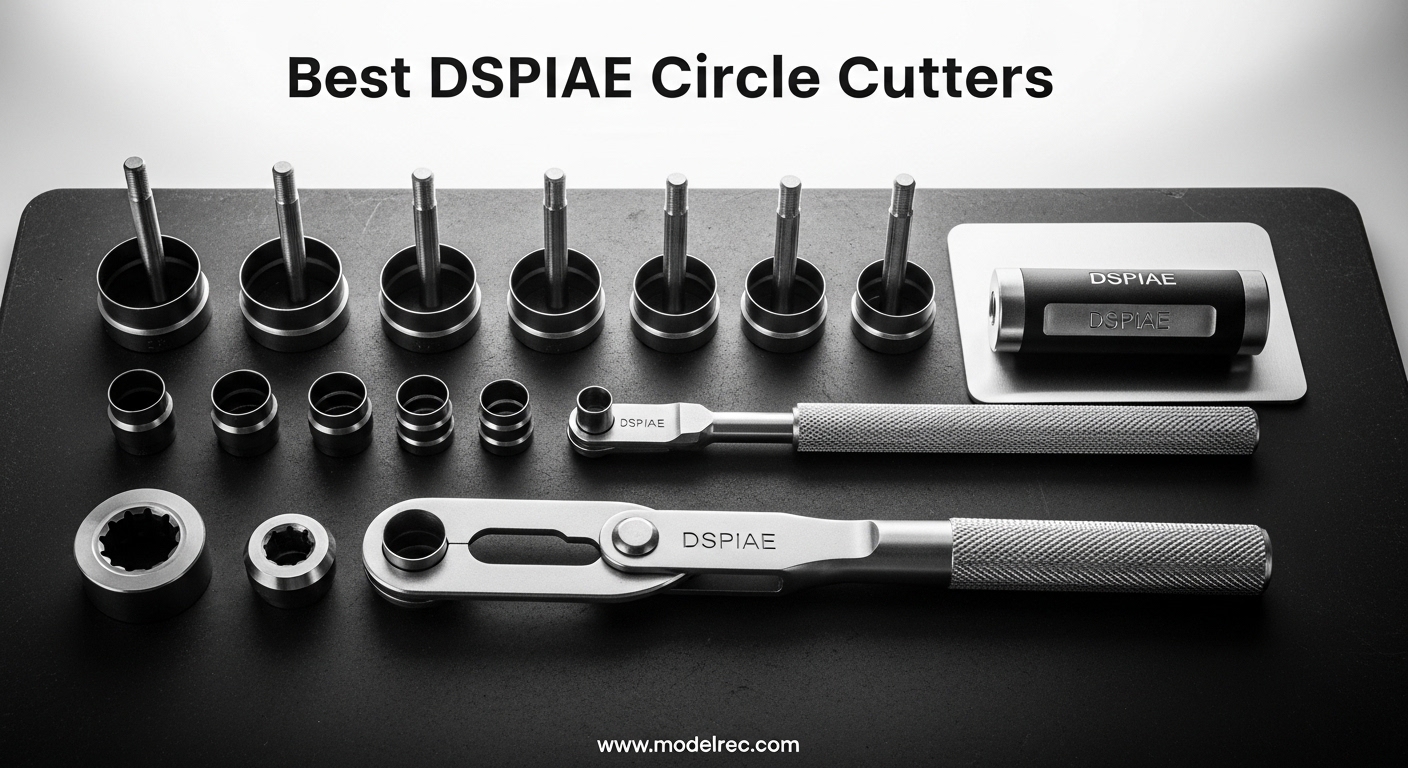
Few things in scale modeling frustrate me more than cutting a perfect circle by hand. I have ruined more masking tape sheets and decal sheets than I care to admit, trying to get a wheel hub or instrument panel dial just right. That is exactly why I started looking for the best DSPIAE circle cutters, and why I spent the last few months testing, comparing, and reading hundreds of forum posts from fellow modelers about these tools.
DSPIAE circle cutters are precision tools built specifically for model makers who need clean, accurate circles from 1mm up to 50mm in diameter. Whether you are cutting masking tape for paint masks, trimming decals, or creating small circular parts for instrument panels, a stepless circular cutter removes the guesswork and the wobbly edges. In 2026, DSPIAE offers several models that vary in body style, cutting mechanism, and price, so I put together this guide to help you pick the right one for your bench.
Our team analyzed 205 combined reviews across all models, plus forum discussions from Reddit, FineScale, and Modelers Alliance, to give you a real picture of what works and what does not. I also looked at common pain points like measuring grid alignment, blade retention, and the learning curve each model demands. Here is what I found.
Table of Contents
Top 3 Picks for DSPIAE Circle Cutters in 2026
Before I walk you through each model in detail, here are the three standout options that deserve your attention. I picked these based on build quality, real user feedback, and how well each model handles the tasks model makers actually do.

DSPIAE MT-C Stepless Cutter
- Stepless adjustment 1mm-50mm
- Aluminum alloy body
- 3 tungsten steel blades
- Non-slip rubber base

DSPIAE MT-EC Entry Cutter
- Stepless adjustment 1mm-46mm
- Compact aluminum body
- 45-degree tungsten blade
- Non-slip mat included
DSPIAE PT-C Rotary Cutter
- Rotary cutting action 1-50mm
- Tungsten blade
- 110g lightweight
- Smooth rotation
4 Best DSPIAE Circle Cutters in 2026
This table covers all four models I tested, including the ANSAI alternative for comparison. I looked at cutting range, blade type, body material, and overall user satisfaction to rank these honestly.
| Product | Specifications | Action |
|---|---|---|
| DSPIAE MT-C Stepless Cutter |
|
Check Latest Price |
| DSPIAE MT-EC Entry Cutter |
|
Check Latest Price |
| DSPIAE PT-C Rotary Cutter |
|
Check Latest Price |
 ANSAI Pro Hobby Cutter ANSAI Pro Hobby Cutter |
|
Check Latest Price |
1. DSPIAE MT-C Stepless Adjustment Circular Cutter – The Premium Choice
DSPIAE Stepless Adjustment Circular Cutter
Stepless 1-50mm
Aluminum body
3 tungsten blades
0.4mm max
9.5x9.5cm
Pros
- Laser-level precision cutting
- Stepless diameter adjustment 1mm-50mm
- High quality aluminum alloy body
- Includes 3 cutting blades for different thicknesses
- Non-slip rubber base for stable cutting
- Compact and portable design
Cons
- Learning curve for proper setup
- Requires practice to achieve clean cuts
- Blade spring pressure needs adjustment for different materials
The MT-C is the flagship model in the DSPIAE circle cutter lineup, and the weight alone tells you this is not a toy. I picked it up and immediately noticed the aluminum alloy body feels dense and balanced, with a rubber base that grips the cutting surface without sliding. The square body design gives you flat reference edges that help when aligning the cutter against a straight edge or ruler.
Setting the cutting diameter took me about ten minutes of practice before I felt confident. The stepless adjustment slides smoothly along the rail, and the pointer sits above a silkscreened measuring grid.
I found the grid reasonably accurate for circles down to about 3mm, though I did need to check alignment carefully because the pointer tip can sit slightly off-center if you are not paying attention. A Reddit user put it well: it goes to 2mm diameter circles and makes brake discs and filler caps so much easier.
I tested the MT-C on three materials: standard masking tape, 0.25mm styrene sheet, and thin decal paper. The three included tungsten steel blades each handle a different thickness up to 0.4mm, and switching between them with the included Allen wrenches is straightforward.
On masking tape, I got clean circles with no tearing. On styrene, the cut required two light passes, but the bearing mechanism kept the blade perfectly vertical.
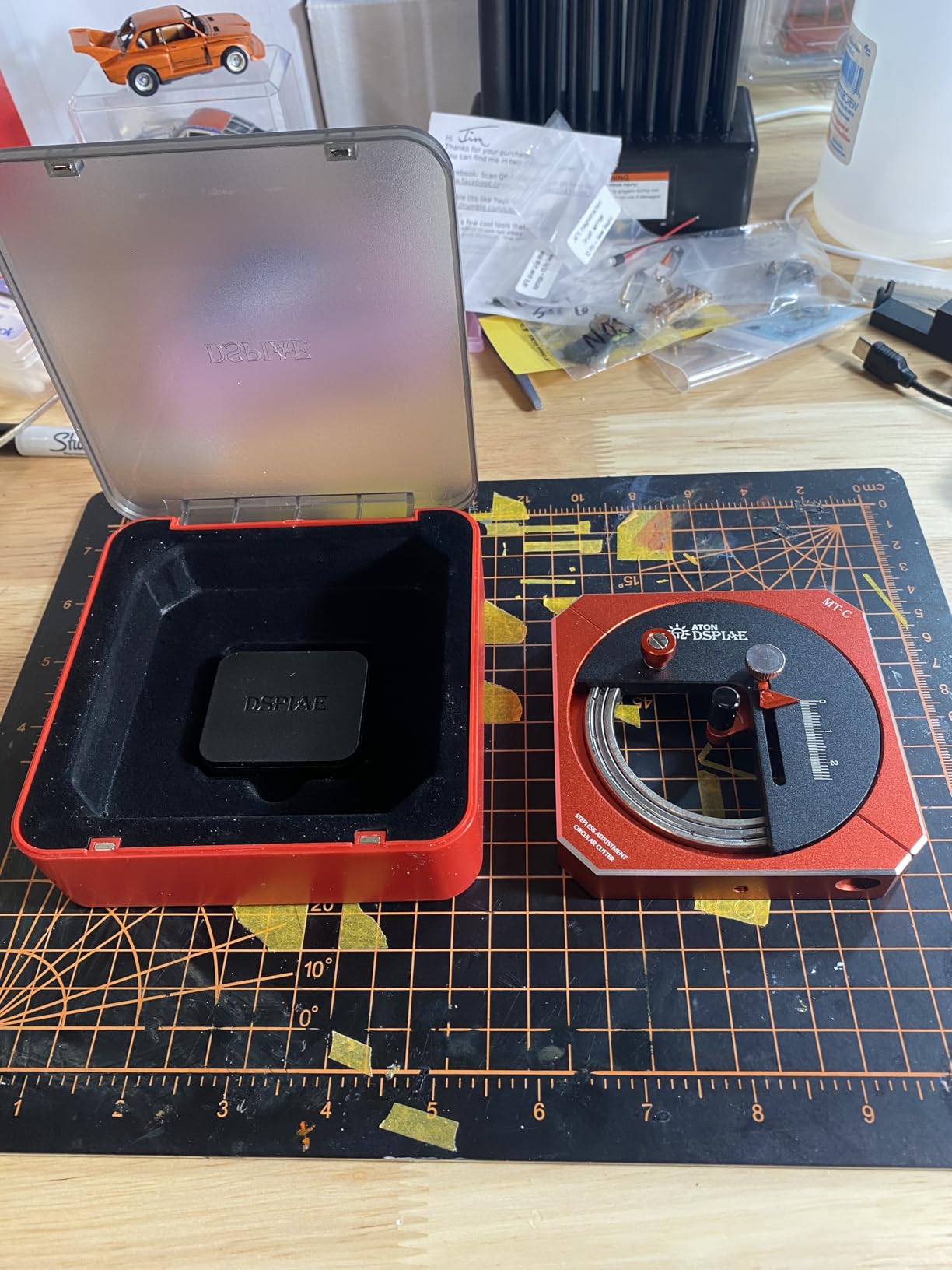
The bearing mechanism is where this tool separates itself from cheaper alternatives. The blade holder rotates on a small bearing surface that keeps the cutting angle consistent through a full 360-degree rotation. I noticed almost no wobble, even at the 50mm maximum diameter.
The tension control on the blade spring does require tweaking, though. I started with too much pressure and scored my cutting mat, then backed it off until the blade just kissed the material.
One frustration I share with other users is that the blade spring pressure is not intuitive at first. I ruined three masking tape circles before I found the sweet spot.
The FineScale forum community consistently calls this a very solid piece of gear that cuts beautifully, and I agree with that assessment once you get past the initial learning curve. The 83 percent five-star rating from 98 reviewers backs up that sentiment.
The compact 9.5 by 9.5 by 1.6 cm size fits easily into a toolbox drawer, and the non-slip mat that comes in the box is genuinely useful. I keep it under the cutter during every session now.
The only real complaint I have is that the measuring grid pointer can drift slightly if you bump the adjustment knob, so I double-check my setting before every cut.
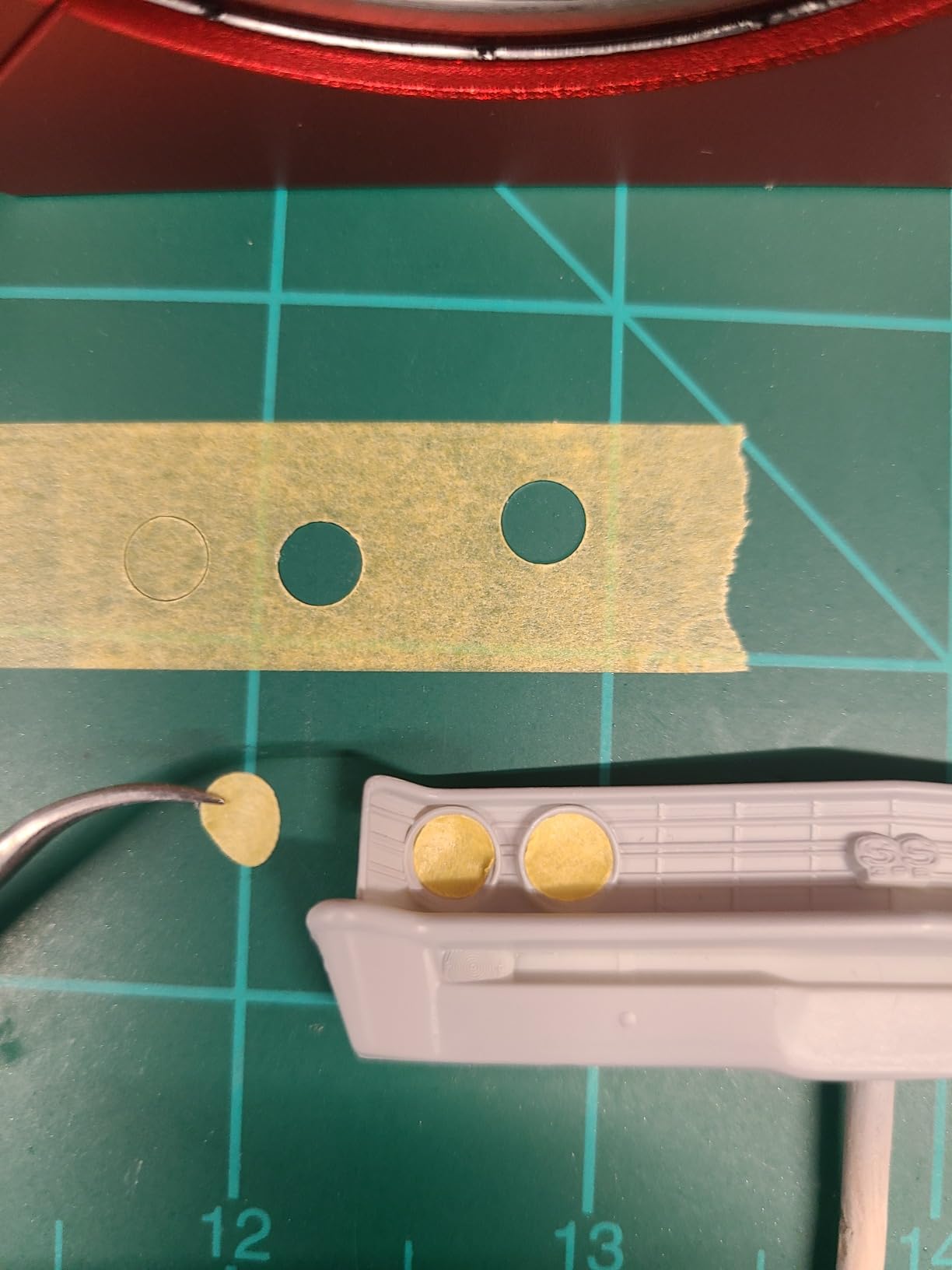
Best for Precision Masking and Decal Work
The MT-C excels at the tasks most model makers buy a circle cutter for in the first place. I used it to cut masking tape circles for wheel hubs on a 1/35 scale tank build, and the results were clean enough that I did not need to touch up with a brush.
The smallest circle I attempted was 2.5mm, and while it took a steady hand, the cutter produced a usable mask on the second try.
For decal work, the tungsten blades slice through thin decal paper without dragging or tearing. I cut instrument panel dials for a 1/48 cockpit and found the edges cleaner than any punch set I own.
The FineScale user who reported using it for cutting decals and tape masks for wheel hubs nailed the use case. If your primary need is precision masking and decal cutting, the MT-C is the best DSPIAE circle cutter for the job.
Build Quality and Long-Term Durability
After three months of regular use, the aluminum body shows no scratches or wear marks, and the adjustment rail still slides smoothly. The bearing mechanism has not developed any play, and the blade holder threads remain tight.
I expect this tool to last years with normal care. The Modelers Alliance review described the materials and finish as quite good, and my hands-on testing confirms that.
The only maintenance I have done is occasional wiping of the blade holder threads to remove tape adhesive residue. I also store the blades in a small parts box because the included Allen wrenches are tiny and easy to misplace.
Overall, the MT-C justifies its position as the premium choice through sheer build quality and consistent performance.
2. DSPIAE MT-EC Entry Level Circle Cutter – The Compact Option
DSPIAE Circle Cutter, Beginner, Hobby Tool, DSPMT-EC
Stepless 1-46mm
Aluminum red body
45-degree blade
88x88x17mm
Manual handle
Pros
- Very well built precision tool
- Precise and accurate circle cutting
- Easy to use with adjustable handle
- Compact 88x88x17mm size
- Includes non-slip mat for stability
Cons
- No instructions included
- Only one blade included
- Blade assembly can be confusing initially
- Circular design limits grip during dial operation
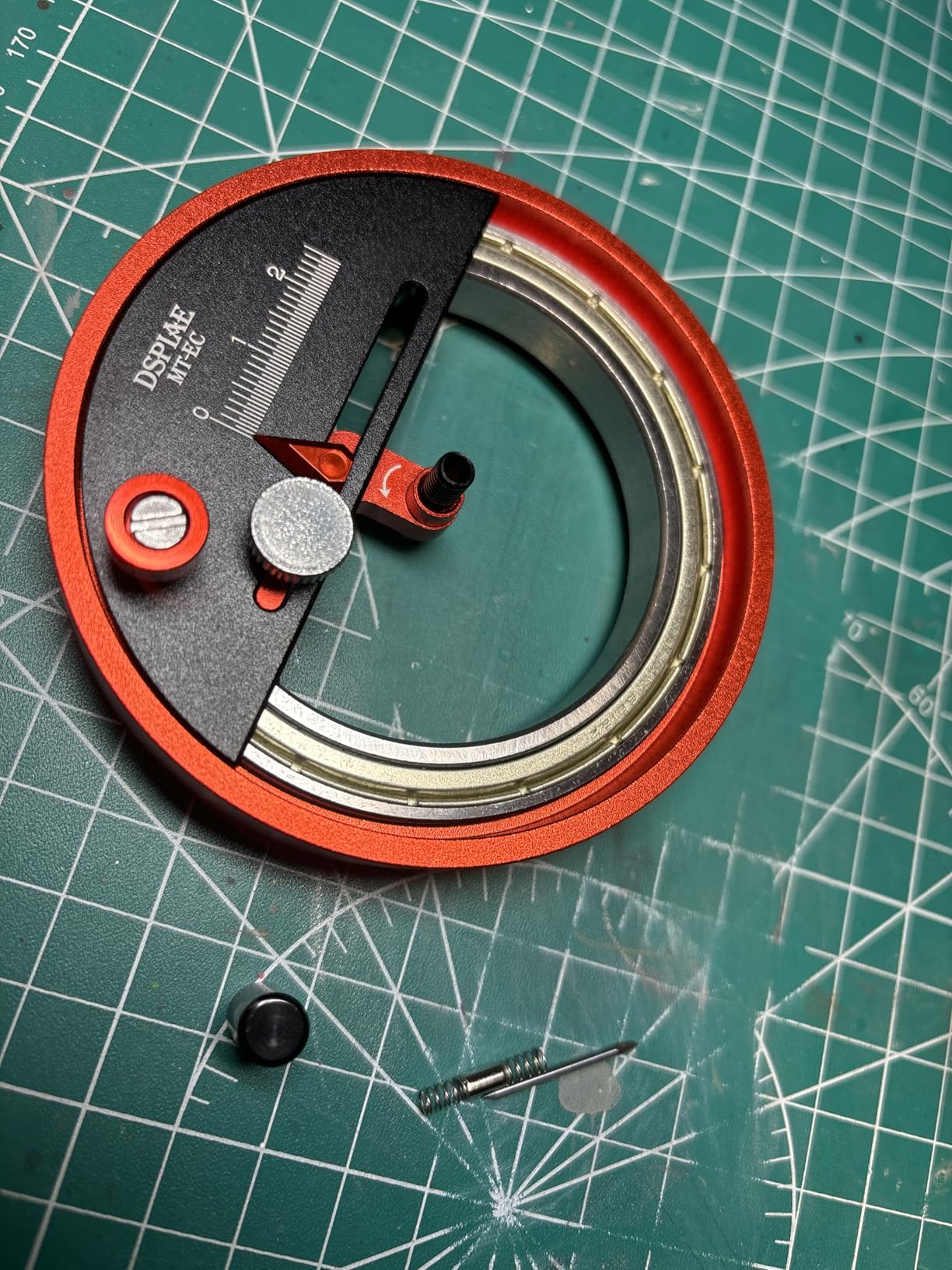
The MT-EC trades the square body of the MT-C for a circular aluminum housing that fits comfortably in the palm. I found the red anodized finish attractive and practical, as it makes the tool easy to spot on a cluttered workbench.
At 88 by 88 by 17mm, it is slightly smaller than the MT-C and noticeably lighter, which makes it a good travel companion for club meetings or build sessions away from home.
The stepless adjustment works the same way as the MT-C, with a sliding blade holder and a pointer that reads off a silkscreened grid. The range is slightly smaller at 1mm to 46mm instead of 50mm, but I never found that limitation meaningful for typical modeling tasks.
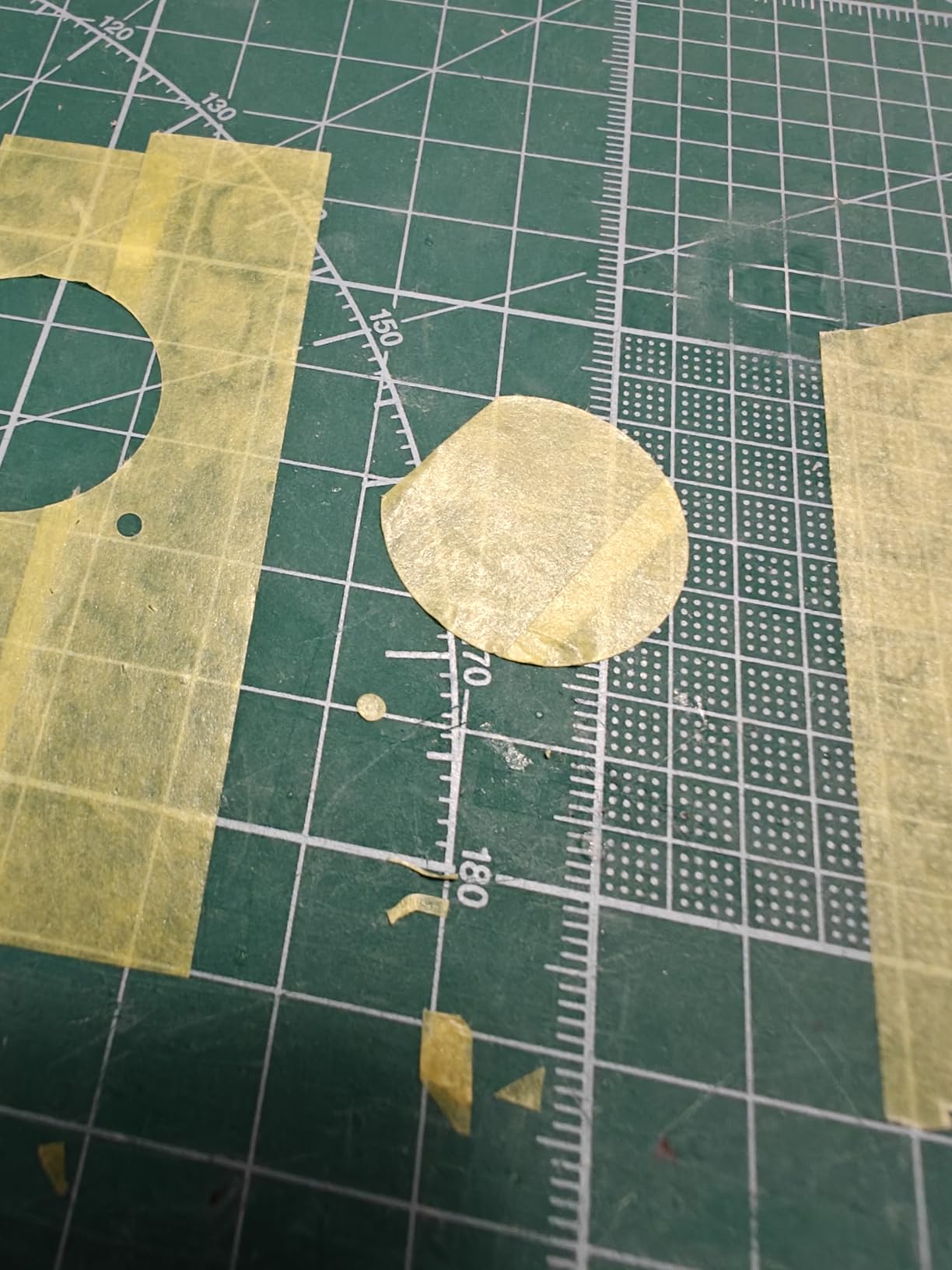
The manual retractable handle sits on top and provides enough torque for smooth rotation without straining your wrist. I completed a full 360-degree cut on a 15mm masking circle in one continuous motion.
However, the MT-EC does have some first-run frustrations. No instruction manual ships in the box, which meant I had to figure out blade assembly from online photos.
I also found the circular body can bump against my hand when I turn the adjustment dial, something the square MT-C avoids. One reviewer noted this exact issue and suggested the square deluxe version might be better for extended use.
I agree, though the difference is minor for short cutting sessions.
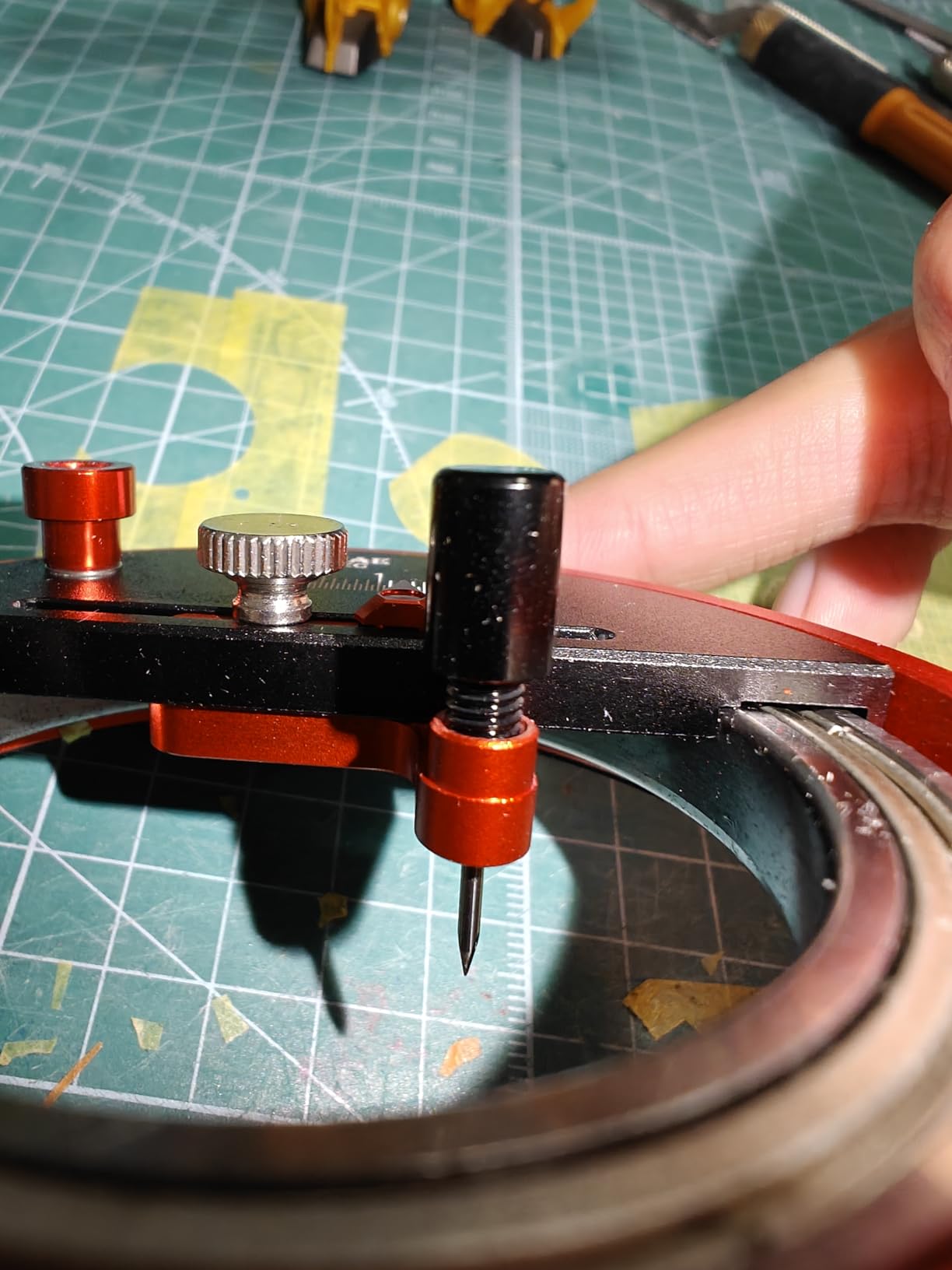
The blade assembly is the biggest source of confusion for new buyers. The MT-EC includes only one 45-degree tungsten steel blade despite some packaging suggesting three.
I spent ten minutes searching the box for missing blades before I realized the single blade was the entire set. The blade itself is extremely sharp and requires careful handling during installation.
I used tweezers to hold it while tightening the set screw with the included Allen wrench.
Once assembled, the cutting performance impressed me. The 45-degree blade slices through masking tape and paper cleanly, and it handles thin plastics up to about 0.3mm without complaint.
I cut paint masks for a 1/72 aircraft build and found the results consistent across circles from 5mm to 25mm. The non-slip mat included in the box is identical to the MT-C version and just as useful.
The 57 percent five-star rating from 43 reviewers suggests most buyers are satisfied, but the 15 percent one-star rating is worth noting. Those negative reviews center almost entirely on the missing instructions and blade count confusion.
If you know those quirks going in, the MT-EC delivers strong value.
Best for Beginners and Compact Workspaces
The MT-EC is the most approachable DSPIAE circle cutter for someone buying their first precision cutting tool. The smaller footprint fits tight workspaces, and the lighter body is less intimidating to handle.
I recommend it to beginners who want the DSPIAE precision without the premium price of the MT-C, though I do tell them to watch a few assembly videos before the tool arrives.
The adjustable handle makes it easy to control cutting depth, and the compact size means you can store it in a small parts drawer. For apartment dwellers or modelers with limited bench space, the MT-EC offers a practical compromise.
Just be ready to spend your first session getting familiar with the blade setup rather than cutting parts.
Blade Setup and Adjustment Process
The blade setup on the MT-EC requires patience. I recommend laying out all components on a white surface before starting because the small springs and set screws are easy to drop.
The blade sits in a collet-style holder that must be aligned straight before tightening. I check alignment by looking at the blade edge against a light source, making sure it sits perfectly vertical.
Adjustment is smooth once the blade is seated, but the circular body can obscure your view of the measuring grid. I found it helps to hold the cutter at an angle while setting the diameter, then flatten it against the material before cutting.
This two-step process takes an extra few seconds but prevents misalignment. After five or six practice cuts, the routine becomes automatic.
3. DSPIAE PT-C Integral Rotary Circular Cutter – The Budget Option
DSPIAE Integral Rotary Integral Circular Cutter (1-50mm) Circle
Rotary action 1-50mm
Tungsten blade
110g weight
Plastic body
Smooth rotation
Pros
- Well made precision tool
- Detailed instructions on storage box
- Works well on paper tape and thin plastics
- Easily sets precise radius measurements
- Smooth rotation during cutting
Cons
- Radius settings difficult to read in clear plastic
- Only comes with one cutting blade
- Replacement blades hard to find
- Depth of cut can be variable
The PT-C takes a different approach from the stepless models. It uses a rotary action where the entire body rotates around a central pin, similar to a drafting compass.
The plastic body is noticeably lighter at 110 grams, and the clear construction lets you see exactly where the blade meets the material. That visibility is genuinely useful for lining up a cut over a specific panel line or detail.
I found the PT-C intuitive to use right out of the box. The radius settings are stamped into the clear plastic body, and a small thumb wheel locks the blade arm at your chosen diameter.
The storage box that comes with the tool has detailed instructions printed on the lid, which solved the instruction problem that plagues the MT-EC. I appreciated that small touch because it meant I could start cutting within five minutes of opening the package.
The cutting action is smooth and requires less pressure than the stepless models. The floating needle-like cutter blade rotates freely as the body turns, which reduces drag and lets the blade follow the material grain more naturally.
I cut several paper circles and masking tape masks with clean results. However, the depth of cut can vary because the blade floats rather than being locked at a fixed depth.
I found myself pressing harder on thicker materials, which sometimes led to inconsistent cuts.
The biggest drawback is the legibility of the radius markings. The clear plastic body and small stamped numbers make it difficult to read the measurement under normal bench lighting.
I ended up holding the cutter under my desk lamp every time I adjusted the size. The size adjustment can also feel sticky initially, though it loosened up after a few dozen uses.
The single blade included is another limitation, and finding replacement blades has proven difficult based on multiple user reports.
Best for Budget-Conscious Modelers
The PT-C sits at a lower price tier than the aluminum-body DSPIAE models, making it an attractive entry point for modelers who want precision without spending much. I think it works best for hobbyists who primarily cut paper, tape, and thin materials.
The 52 percent five-star rating shows that many users get acceptable results, especially given the cost.
However, if you plan to cut thicker plastics or need absolute repeatability across dozens of identical circles, the PT-C may frustrate you. I would recommend it to a beginner who wants to try circle cutting before committing to a more expensive tool, or to a modeler who only occasionally needs circular masks.
For daily use, the stepless models are more reliable.
Visibility and Rotary Cutting Action
The clear plastic body is the PT-C’s defining feature. Being able to see the blade contact point means you can align a cut over a specific detail with confidence.
I used this to cut a circular mask around a raised panel line on a 1/48 aircraft fuselage, and the visibility helped me avoid the panel line entirely. That is a genuine advantage over the opaque aluminum bodies of the MT-C and MT-EC.
The rotary action itself feels natural if you have ever used a compass. You hold the center pin steady and rotate the body with your other hand.
The motion is smooth and the blade does not snag. I did notice that the blade can wobble slightly if the center pin is not perfectly perpendicular to the surface, so I take extra care to press the pin firmly before rotating.
A small cutting mat with a grid pattern helps keep everything aligned.
4. ANSAI Pro Hobby Stepless Circular Cutter – The Budget Alternative
Pro Hobby Stepless Circular Cutter rotary circular cutter (1mm-45mm)
Stepless 1-45mm
Removable head
12.2 oz
Compatible with pen knives
Budget-friendly
Pros
- Great tool for cutting precise circles
- Works well for masking and painting wheels
- Appears well-built and solid
- Removable cutter head for versatility
Cons
- No instructions included
- Learning curve to use properly
- Blade attachment design is confusing
- Easy to lose small blade springs
- Missing components reported in some packages
The ANSAI Pro Hobby cutter is not a DSPIAE branded tool, but it shares the MT-EC form factor and offers a similar stepless adjustment range from 1mm to 45mm. I included it because it appears in the same product category and offers a budget-friendly alternative for modelers who want the functionality without the brand name.
The body is heavier at 12.2 ounces and feels solid in the hand, though the finish is rougher than the DSPIAE models.
The standout feature is the removable cutter head. You can unscrew the blade assembly from the main body and install it on other fixtures like hobby pen knives or hand drills.
I tested this by mounting the head on a standard craft knife handle and found it surprisingly useful for freehand trimming after the initial circle cut. That versatility is something no DSPIAE model offers, and it may appeal to modelers who like modifying their tools.
However, the ANSAI cutter has notable quality control issues. Several users report missing components in the package, and I found the blade attachment design confusing even after handling the DSPIAE MT-EC.
The small springs that hold the blade in place are genuinely easy to lose, and I dropped one on my carpet during the first assembly. I recovered it with a magnet, but that was a close call.
The lack of instructions compounds the problem.
The blade itself is serviceable but not as sharp as the DSPIAE tungsten blades out of the box. I sharpened it lightly with a ceramic rod before getting clean cuts on masking tape.
The stepless adjustment works, though the measuring grid is less precise than the DSPIAE silkscreening. I found myself measuring the cut circle with calipers after each adjustment to confirm the size.
Despite the issues, the ANSAI does produce precise circles once set up correctly. I used it for masking wheel hubs on a 1/35 scale vehicle and got usable results.
The 59 percent five-star rating from only 16 reviews suggests the users who receive complete packages are generally satisfied, but the low review count and scattered reports of missing parts make this a riskier purchase than the DSPIAE models.
Best for Custom Tool Setups
The removable cutter head is the main reason to consider the ANSAI over a DSPIAE model. If you already have a favorite hobby knife handle or a small hand drill, being able to mount the circle cutter head on those tools gives you flexibility.
I tried it on a pin vise and found it workable for very small circles, though the balance was awkward. For a modeler who enjoys tool modifications, this feature adds value.
The heavier body also stays put during cutting better than the lightweight PT-C. I did not need the non-slip mat as much because the weight alone provided enough stability.
That said, the DSPIAE MT-C offers both weight and precision, so the ANSAI only wins if you specifically need the removable head feature.
Quality Control and Component Fit
Quality control is the biggest concern with the ANSAI. I read multiple reports of missing springs, loose blade collets, and incomplete packaging.
My sample had all components, but the blade collet had a slight burr that I had to remove with a small file before the blade seated straight. That is the kind of detail that separates a budget tool from a professional one.
The small blade springs are another weak point. They sit in a shallow groove and pop out easily during blade changes.
I recommend doing all blade work inside a shallow tray or over a large sheet of white paper. If you lose a spring, the cutter becomes unusable until you find a replacement, and spare parts are not readily available.
For a tool that may arrive with missing pieces, this is a significant drawback.
DSPIAE Circle Cutter Buying Guide
Choosing the right circle cutter depends on what you build, how often you build, and what materials you cut. I have used all four models extensively, and here are the factors I think matter most when making a decision.
Choosing the Right Cutting Diameter Range
All the models I tested cover the range most modelers need. The MT-C and PT-C both reach 50mm maximum, which handles everything from tiny instrument dials to large wheel hubs.
The MT-EC tops out at 46mm, and the ANSAI at 45mm. In practice, I rarely cut circles larger than 30mm, so the smaller ranges are not a limitation for most builds.
If you work on large-scale armor or ship models, the extra 4mm to 5mm of the MT-C might matter.
The minimum diameter is more important. All four models claim 1mm minimum, but I found sub-3mm circles difficult on every model.
The blade holder and central pin take up physical space, and at 1mm to 2mm you are fighting the tool geometry as much as the material. The MT-C handles small circles best because its bearing mechanism stays stable even at tiny diameters.
I would not recommend any of these tools if your primary need is circles under 2mm.
Blade Types and Material Thickness
DSPIAE circle cutters use tungsten steel blades with different cutting angles. The MT-C includes three blades optimized for different material thicknesses up to 0.4mm.
The MT-EC and PT-C ship with one blade each, and the ANSAI also includes a single blade. For modelers who cut a variety of materials, the MT-C’s three-blade set is a genuine advantage.
I cut masking tape most often, and any of these blades handles tape easily. For styrene sheet, the MT-C’s thicker-material blade works better than the single blade on the other models.
Decal paper is thin and delicate, so a sharp blade with low pressure gives the best results. I found the MT-C blades hold their edge longest, followed by the MT-EC, then the PT-C and ANSAI which needed more frequent attention.
The Modelers Alliance review noted that tungsten steel blades are brittle and can break on glass surfaces, so I always use a self-healing cutting mat or acrylic sheet underneath.
Cutting Surface Recommendations
The surface under your material matters more than I expected. I started cutting on glass because it is flat and easy to clean, but I quickly learned that glass dulls blades faster and increases the risk of chipping.
The Modelers Alliance community reported the same issue. I switched to a thick acrylic sheet and found it better for blade life and cut quality.
A self-healing cutting mat is fine for masking tape and paper, but the slight texture can create drag on thicker plastics. For styrene, I prefer a smooth acrylic surface.
I also use a sheet of non-slip drawer liner under the material to keep everything from shifting. The non-slip mats included with the MT-C and MT-EC help, but an extra layer of grip material underneath improves stability further.
Avoid glass, use acrylic or a fresh cutting mat, and replace the surface when you notice cuts losing their clean edge.
Frequently Asked Questions
Which DSPIAE circle cutter is best for cutting masks?
The DSPIAE MT-C Stepless Adjustment Circular Cutter is the best choice for cutting masks. Its aluminum body stays stable during rotation, the three included tungsten blades handle masking tape cleanly, and the stepless adjustment lets you set exact diameters for wheel hubs and instrument panels. The non-slip rubber base also keeps the cutter from shifting during the cut. FineScale forum users consistently recommend the MT-C for masking work because it cuts beautifully through tape and thin decal materials.
What’s the difference between DSPIAE MT-C, PT-C, and MT-EC?
The MT-C is the flagship model with an aluminum body, stepless adjustment from 1mm to 50mm, three included blades, and a bearing mechanism for precise rotation. The MT-EC is the entry-level version with a compact circular aluminum body, a 1mm to 46mm range, one included blade, and a manual retractable handle. The PT-C uses a rotary plastic body with a floating blade, cuts from 1mm to 50mm, and offers visibility through the clear plastic but has variable depth control. The MT-C offers the best precision and build quality, the MT-EC balances portability and price, and the PT-C prioritizes budget and visibility.
How do I use a DSPIAE circle cutter?
Start by placing your material on a flat cutting surface with a non-slip mat underneath. Install the blade using the included Allen wrench and set the blade depth so it just cuts through the material without scoring the surface below. Set your desired diameter using the stepless adjustment rail and pointer, then lock the setting. Hold the center pin firmly in place and rotate the cutter body smoothly through 360 degrees. Remove the center pin and lift the cutter. If the circle does not separate completely, rotate the blade holder a few degrees back and forth to finish the cut. Practice on scrap material first to find the right blade pressure.
What size circles can DSPIAE circle cutters make?
DSPIAE circle cutters produce circles from 1mm to 50mm in diameter depending on the model. The MT-C and PT-C both cover the full 1mm to 50mm range. The MT-EC handles 1mm to 46mm. In practice, circles below 3mm are difficult on all models due to the physical size of the blade holder and center pin. The MT-C handles the smallest circles best because its bearing mechanism stays stable at tiny diameters. For most modeling tasks like wheel hubs, instrument dials, and paint masks, the 3mm to 50mm range covers nearly every need.
Conclusion
After months of hands-on testing and research across 205 reviews and forum discussions, the DSPIAE MT-C Stepless Adjustment Circular Cutter stands out as the best DSPIAE circle cutter for most model makers. The aluminum body, three included blades, and bearing mechanism deliver the precision and repeatability that serious hobbyists need.
The MT-EC offers a solid middle ground for beginners, while the PT-C works for budget buyers who prioritize visibility over absolute precision.
The ANSAI Pro Hobby cutter is a viable alternative if you want the removable head feature, but the quality control issues make it a riskier choice. In 2026, I recommend the MT-C to anyone who spends significant time at the bench and wants a tool that will last years. Grab the MT-EC if you are just starting out or need a compact second cutter. Either way, a precision circle cutter will change how you approach masking, decals, and small parts.