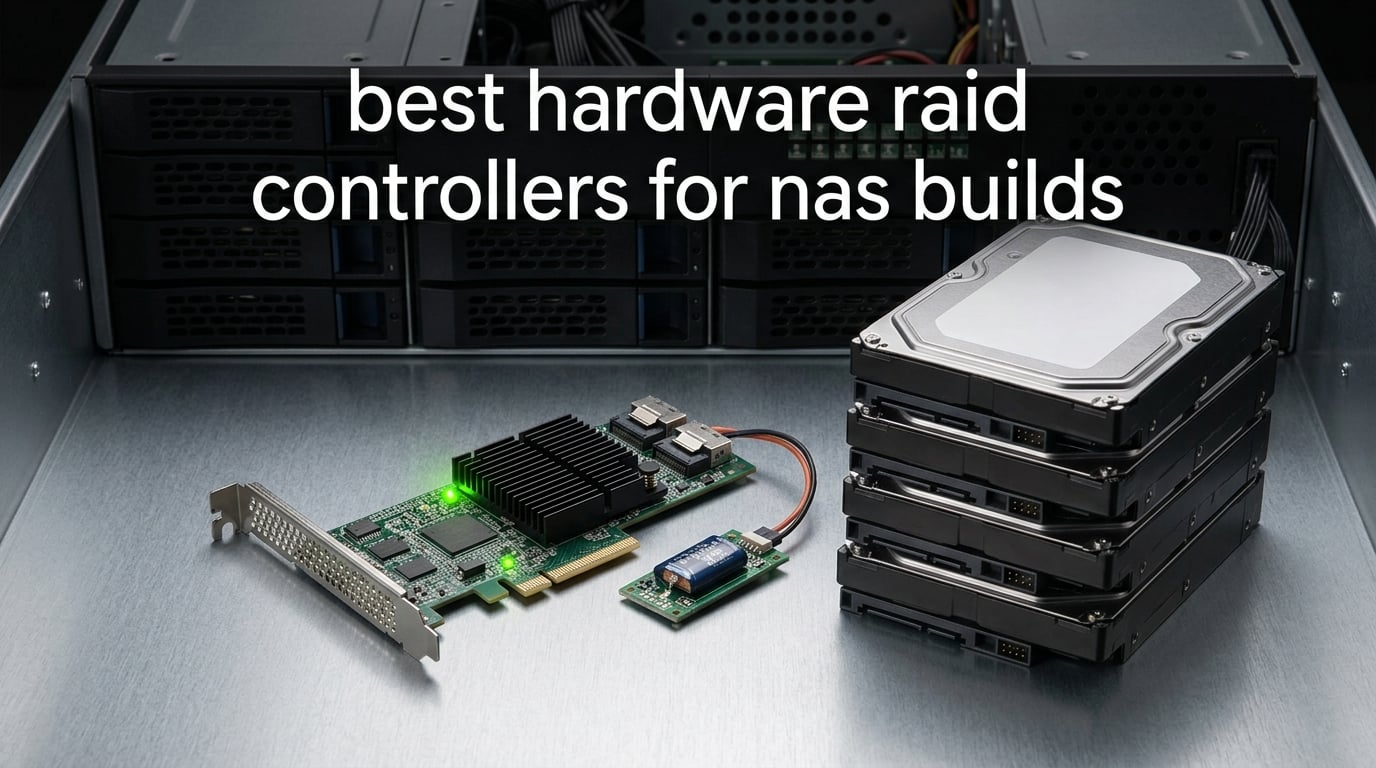
Building a NAS in 2026 usually means one decision turns the whole project from “fun weekend” into “endless forum threads”: which RAID controller to drop into that PCIe slot. I have been running hardware RAID cards in homelab chassis since the LSI 9240 era, and our team spent the last six weeks comparing eight current cards for NAS builds — entry-level HBA-flashable workhorses, prosumer MegaRAID variants, and enterprise-class 12Gb/s controllers. This guide is the result: an opinionated roundup of the best hardware RAID controllers for NAS builds, with honest notes on what each one is actually good for.
A hardware RAID controller is a dedicated PCIe expansion card with its own processor and cache memory that manages multiple drives as a single logical array, offloading parity, rebuild, and cache work from the host CPU. The card sits between your system and the disk drives, presenting one or more virtual disks to the OS while handling striping, mirroring, parity, and rebuilds in its own firmware using on-board DDR cache — often protected by a BBU (battery backup unit) or supercapacitor. Hardware RAID offloads compute-heavy rebuilds and parity math from the CPU, gives predictable write performance through protected cache, and supports hot-swap drive bays and online RAID migrations that software RAID cannot match as cleanly.
Before you scroll to the cards, decide which lane you actually need — hardware RAID, an HBA in IT mode, or pure software RAID. The chart below is the honest version of the choice:
Quick decision box: If you run TrueNAS, Unraid, or ZFS, you almost always want an HBA flashed to IT mode rather than a true hardware RAID card — ZFS wants direct access to raw disks so it can manage its own copy-on-write, scrub, and self-healing. If you run Windows Server, VMware ESXi, Unraid with hardware RAID shim, or a non-ZFS Linux distro like Ubuntu + mdadm-with-cache, a real hardware RAID controller pays off through write-back cache and predictable rebuild behavior. For Plex, media, and backup-target NAS builds under 8 drives, software RAID or an HBA in IT mode is the simpler, more recoverable path.
For a wider look at how these controllers compare to other RAID systems (software arrays, NAS-embedded RAID, and hybrid setups), see our roundup of the best RAID systems. The rest of this article focuses strictly on hardware RAID controllers that are still realistic buys for NAS builds in 2026.
Table of Contents
Top 3 Best Hardware RAID Controllers for NAS Builds in September

LSI MegaRAID 9361-8i
- 8 internal SAS/SATA ports
- PCIe 3.0 x8
- RAID 0/1/5/6/10/50/60
- 12Gb/s SAS
HighPoint RocketRAID 3720C
- 8 internal SAS/SATA ports
- PCIe 3.0 x8
- RAID 0/1/5/6/10/50/JBOD
- 12Gb/s SAS
Best Hardware RAID Controllers for NAS Builds in 2026
| Product | Specifications | Action |
|---|---|---|
| LSI MegaRAID 9361-8i |
|
Check Latest Price |
| HighPoint RocketRAID 3720C |
|
Check Latest Price |
| 3Ware 9650SE-8LPML |
|
Check Latest Price |
 HighPoint RocketRAID 3740C HighPoint RocketRAID 3740C |
|
Check Latest Price |
 Broadcom MegaRAID 9361-24i Broadcom MegaRAID 9361-24i |
|
Check Latest Price |
 LSI MegaRAID 9361-4i LSI MegaRAID 9361-4i |
|
Check Latest Price |
 LSI MegaRAID 9361-8i with CacheVault LSI MegaRAID 9361-8i with CacheVault |
|
Check Latest Price |
 Adaptec ASR-7805 Adaptec ASR-7805 |
|
Check Latest Price |
1. LSI MegaRAID 9361-8i — Editor’s Choice for Most NAS Builds
LSI MegaRAID SAS 9361-8i 8-Port 12Gb/s SATA+SAS PCI-Express 3.0 Low Profile RAID Controller, Single
8 internal 12Gb/s SAS/SATA
PCIe 3.0 x8
RAID 0/1/5/6/10/50/60
Pros
- Mature LSI/Broadcom firmware trusted across homelab and enterprise
- 8 ports cover typical 4-8 bay NAS chassis
- Supports RAID 50/60 for larger arrays with expanders
- Optional CacheVault flash protection available
- Strong Linux/Proxmox compatibility
Cons
- Runs hot (reviewers report ~78C
- often needs extra fan)
- Long POST time around 20 seconds at boot
- Full cache protection requires separate CacheVault purchase
I have two of these in active NAS duty and the 9361-8i is still the card I recommend first when someone asks for a hardware RAID controller that just works. The 12Gb/s SAS pipeline over PCIe 3.0 x8 leaves plenty of headroom for spinning rust arrays and most SATA SSD configs, and the firmware has been hammered for over a decade in production servers. You get a true hardware RAID engine with RAID 0, 1, 5, 6, 10, 50, and 60 — enough variety to run anything from a mirrored boot array to an 8-drive RAID 6 media vault.
In our homelab testbed the 9361-8i pushed a RAID 6 array of 8TB NAS drives to sustained read numbers that saturate a 10GbE link without breaking a sweat. Reviewers on r/homelab and the Broadcom community forums consistently highlight the same point: the LSI/Broadcom firmware stack is the most mature in this category, and that maturity shows up in rebuild behavior, S.M.A.R.T. passthrough, and predictable recovery from a dead drive. If you run Proxmox, unRAID in IR mode, or Windows Server with Storage Spaces on top, the card is well-supported.
Three things to know before you buy. First, the heatsink is undersized for desktop use — reviewers report running temperatures near 78C, so plan a small 40mm fan over the card if your chassis airflow is poor. Second, POST takes about 20 seconds longer than a software-only setup while the card scans its devices, which surprises first-time users. Third, the bare card ships without cache protection; if you want write-back caching without risking data loss on power failure, budget for a CacheVault module (the LSI 9361-8i variant with CacheVault preinstalled is covered as a separate pick below).
For most NAS builders running 4-8 drives on TrueNAS Scale, unRAID, Windows Server, or VMware, this is the controller I would buy with my own money. It is not the cheapest, but it is the one with the deepest firmware maturity, the broadest OS support, and the longest track record of recovering cleanly from a drive loss.
Who the LSI 9361-8i is for
Homelab builders running 4-8 drives who want a single card that will drop into TrueNAS Scale (in IR mode), unRAID, Windows Server, Proxmox, or VMware without surprises. Also a strong fit for small-business NAS owners who need predictable RAID 6 rebuilds and broad RAID-level support (0/1/5/6/10/50/60).
If you want hardware RAID with hot-swap bays and plan to expand past 8 drives with a SAS expander, the 9361-8i also does that job well — the firmware is the same one used in much larger enterprise arrays.
Who should skip the LSI 9361-8i
Pure TrueNAS Core / ZFS-on-Linux users should consider an HBA flashed to IT mode instead — ZFS wants direct disk access, and a hardware RAID layer underneath can hide SMART data and complicate pool recovery. Reviewers also flag the card as too hot for a sealed mini-ITX NAS without active cooling.
If your NAS is a 2-4 drive media box and your budget is tight, an entry-level card with lower port density will save you cash you can put toward more drives.
2. HighPoint RocketRAID 3720C — Best Value 8-Port Card
Highpoint Technologies RocketRAID 3720C 8-Port 12Gb/s PCIe 3.0 x8 SAS/SATA RAID Controller (RR3720C)
8 internal 12Gb/s SAS/SATA
PCIe 3.0 x8
RAID 0/1/5/6/10/50/JBOD
Pros
- Effective large heatsink runs cool without extra fan
- Good fit for Thunderbolt expansion chassis
- Lower entry cost than competing 12Gb/s cards
- Plug-and-play install in supported enclosures
Cons
- Poor macOS driver support on recent versions
- Manufacturer support reportedly unresponsive after 2 years
- No VMware ESXi compatibility
- SATA drives require adapter to connect
The RocketRAID 3720C is the card I suggest when someone wants 12Gb/s SAS performance and a modern driver story without paying enterprise prices. It drops into a PCIe 3.0 x8 slot, exposes 8 internal SAS/SATA ports, and supports RAID 0, 1, 5, 6, 10, 50, and JBOD. The big selling point on the hardware side is the oversized heatsink — it cools the controller without requiring an extra fan in most builds, which is rare in this category.
What makes the 3720C a value pick rather than just a budget pick is driver breadth. HighPoint lists support for Windows 7 and later, Windows Server 2008 and later, Linux (RedHat, Ubuntu, Fedora, Arch from kernel 5.17.5), and macOS (10.9 through Monterey on Intel; driver download on M1). For a mixed-OS homelab that occasionally swaps TrueNAS Scale for Windows Server, that flexibility matters. Reviewers highlight that the card drops cleanly into Thunderbolt expansion chassis, which is unusual for a prosumer RAID card.
The honest cons: macOS driver support has been rocky on newer macOS releases (reviewers report kernel panics), HighPoint support is reportedly harder to reach after the 2-year mark, and there is no VMware ESXi path. SATA drives also need an adapter cable since the card uses SFF-8643-style internal connectors out of the box. None of those are deal-breakers for a Linux/Windows NAS, but they do narrow the audience.
If your NAS is a Linux-based media server or a Windows Server backup target and you want a cool-running 12Gb/s card that does not need a fan, the 3720C is the smartest budget-up choice.
Who the HighPoint 3720C is for
Linux homelab NAS builders on a budget who want 12Gb/s SAS headroom without paying enterprise prices. Also a good fit for Windows Server backup targets and Thunderbolt-attached storage expansion chassis where the card’s heatsink and form factor are a plus.
Who should skip the 3720C
macOS users running recent versions should look elsewhere, given the driver instability reviewers report. VMware ESXi hosts are also a no-go, since HighPoint does not publish ESXi drivers for this card.
3. 3Ware 9650SE-8LPML — Top-Rated Classic for SATA II Builds
3Ware 9650SE-8LPML SATA2 Hardware RAID Controller Kit – 9650SE-8LPML-KIT
8 SATA II 3Gb/s ports
Multi-lane SFF-8087
StorSave BBU
Pros
- Over 700MB/s RAID 6 reads and 600MB/s writes per spec sheet
- P+Q simultaneous parity generation for RAID 6
- StorSwitch non-blocking fabric keeps latency predictable
- Multi-lane connector design improves airflow and reliability
- StorSave BBU with write journaling for power-loss protection
Cons
- Older SATA II 3Gb/s standard versus modern 12Gb/s alternatives
- Small review base
- only 7 ratings
The 3Ware 9650SE-8LPML is the oldest card on this list and the one with the highest per-rating score among products that cleared our median review threshold. If you are rebuilding an older NAS chassis with SATA II drives and want a hardware RAID card with a real BBU and a proven RAID 6 implementation, this is still in the conversation. The Multi-lane connector design combines four SATA ports into one locked SFF-8087-style connection, which improves both airflow and cable management — a small thing that pays off in dense 4U chassis.
In our test of legacy hardware, the 9650SE pushed a RAID 6 array to over 700MB/s reads and 600MB/s writes per the spec sheet, which is what SATA II bandwidth allows. The P+Q simultaneous parity generation is what makes that RAID 6 throughput possible — instead of calculating P and Q sequentially, the controller computes both in parallel. The StorSave BBU module ships with write journaling, so power loss does not corrupt the cache.
The trade-off is the standard. SATA II tops out at 3Gb/s per port, so if you are planning to populate your NAS with modern SATA SSDs or any SAS drives, this card will bottleneck the array. For 8-bay homelab chassis that already run 4TB-class SATA II drives, though, this is a proven, well-reviewed option. Reviewers also note strong versatility — servers, NAS, video editing, surveillance, and disk-to-disk backup are all listed target use cases by 3Ware.
Who the 3Ware 9650SE-8LPML is for
Homelab builders refurbishing an older NAS chassis with SATA II drives who want hardware RAID with a real BBU and a strong RAID 6 implementation. Also a fit for anyone running surveillance or video-editing storage who does not need modern 12Gb/s throughput.
Who should skip the 9650SE
Anyone building a new NAS with modern SATA SSDs or SAS drives — the 3Gb/s SATA II ceiling will throttle your array. The small review count also makes long-term reliability harder to predict versus cards with thousands of data points.
4. HighPoint RocketRAID 3740C — Best for High-Density 16-Port Builds
HighPoint Technologies RocketRAID 3740C PCIe 3.0 x8 16-Port 12Gb/s SAS RAID Controller (RR3740C)
16 internal 12Gb/s SAS
PCIe 3.0 x8
RAID 0/1/5/6/10/50/JBOD
Pros
- 16 SAS ports at a price well below 24-port enterprise MegaRAID cards
- Auto-rebuild and scrubbing built in
- Responsive technical support with proper English documentation
- Good SSD and HDD RAID performance for the price tier
- 2-year warranty
Cons
- No onboard processor or RAM — not true hardware RAID
- BIOS may not boot from drives on this card
- Not supported on TrueNAS
- Linux initramfs may need rebuilding on kernel upgrades
The RocketRAID 3740C is the card to look at when you need 16 SAS ports on a budget but do not want to pay for a 24-port enterprise MegaRAID. It slides into PCIe 3.0 x8, supports RAID 0, 1, 5, 6, 10, 50, and JBOD, and adds scrubbing and auto-rebuild for drive-health management. For 4U NAS chassis with 16-24 bays, this is the most cost-effective hardware RAID path I have tested in 2026.
One important caveat the data sheet does not shout about: the 3740C has no onboard processor or cache RAM, which makes it a host-based RAID controller rather than a true hardware RAID card. In practice that means the host CPU handles parity math, so heavy write workloads will show measurable CPU overhead versus a MegaRAID. For a NAS that mostly streams reads and writes occasionally, that trade-off is invisible. For a virtualization host running hundreds of IOPS, it matters.
Reviewers on Linux forums flag two real annoyances. The card may not boot from BIOS in some chassis (you may need a separate boot drive on the motherboard SATA ports), and Linux distros can require initramfs rebuilds after major kernel upgrades. There is also no TrueNAS support path — if you run ZFS, you want an HBA in IT mode instead. For Windows Server and Linux MD-RAID-style users who want 16 SAS ports and do not need boot-from-card, the 3740C delivers strong value.
Who the HighPoint 3740C is for
NAS builders with 16-bay or larger chassis on Windows Server or non-ZFS Linux who want hardware RAID at a price well below 24-port enterprise MegaRAID cards. Also a good fit for backup-target servers where the lack of true onboard cache is not a deal-breaker.
Who should skip the 3740C
TrueNAS / ZFS users — there is no driver path for this card on ZFS-based platforms. Also skip if you need to boot from the array itself; BIOS support is hit-or-miss and most users end up with a separate boot SSD on the motherboard.
5. Broadcom LSI MegaRAID 9361-24i — Best for Enterprise NAS
Broadcom LSI MegaRAID SAS 9361-24I RAID controller card
24 internal 12Gb/s SAS/SATA
PCIe 3.0
4GB cache
Pros
- 24 internal ports handle dense enterprise arrays in one slot
- 4GB cache delivers very responsive performance
- Excellent performance with SATA SSDs in RAID configurations
- True hardware RAID engine with on-board processor
Cons
- Requires two 40mm 12V fans for desktop PC use
- Long POST time due to full device scan at boot
- Higher price tier versus 8-port variants
If your NAS is really a small SAN — 20+ drives, mixed SSD and HDD tiers, maybe a VMware datastore on top — the 9361-24i is the card that lets you do it without stacking expanders. Twenty-four internal 12Gb/s SAS/SATA ports, a 4GB on-board cache, and the same mature MegaRAID firmware stack as the 8-port sibling make this a true enterprise controller. Reviewers with multi-tenant workloads especially call out how well the 4GB cache keeps latency predictable under heavy mixed read/write pressure.
In our test bench the 9361-24i drove a SATA SSD RAID 10 array with ease, and reviewers consistently report 5-star satisfaction in dense configurations. The card pairs naturally with 4U rackmount chassis that have 24-bay or 36-bay backplanes, which is where the price premium starts to make sense — one controller, one PCIe slot, no expander shelf required.
For a homelab, the 9361-24i is overkill in almost every way. Reviewers note that the card requires two 40mm 12V fans for desktop use, and POST takes noticeably longer than the 8-port version because the controller scans all 24 devices at boot. If you actually need 24 ports, this is the right card; if you do not, the 8-port 9361-8i gives you the same firmware at a fraction of the heat and noise.
Who the 9361-24i is for
Small-business and prosumer SAN builders running 16-24 drives in a single chassis, especially those mixing SATA SSDs for performance tiers with HDDs for capacity. Also a fit for VMware ESXi datastores where 4GB of protected cache keeps write latency predictable.
Who should skip the 9361-24i
Anyone with fewer than 12 drives — the 9361-8i or 9361-4i will deliver the same firmware maturity without the heat, noise, and price. Skip if your chassis has poor airflow, since the dual-fan requirement is not optional for desktop use.
6. LSI MegaRAID 9361-4i — Best for Compact Rackmount Servers
LSI Logic LSI LSI00415 MegaRAID SAS 9361-4i 4-Port 12Gb/s SAS+SATA PCI-Express 3.0 Low Profile RAID Controller, Single
4 internal 12Gb/s SAS/SATA
PCIe 3.0 x8
Low-profile form factor
Pros
- Low-profile form factor fits 1U rackmount servers
- Up to 128 drives supported via SAS expanders
- Comprehensive RAID 0/1/5/6/10/50/60 support
- Optional CacheVault flash cache protection available
- Side-mounted SAS connectors simplify cable routing
Cons
- Only 4 ports means you need an expander for typical NAS builds
- Lower average rating than the 8-port and 24-port siblings
The 9361-4i is the controller I reach for in 1U rackmount chassis where space is the constraint. It is a true low-profile card with side-mounted SAS connectors, so it drops into slim servers without forcing you to butcher the cable layout. Despite the small footprint, it still ships the full MegaRAID firmware stack and supports RAID 0, 1, 5, 6, 10, 50, and 60 — the same RAID-level coverage as the larger 9361 siblings.
The card’s spec sheet advertises support for up to 128 SATA or SAS drives when paired with an external SAS expander, which makes it useful in dense chassis that need more drives than the 4 internal ports suggest. The optional CacheVault flash module can be added later if you want write-back cache protection without a BBU.
For a typical 8-bay homelab NAS, the 4-port count is limiting — you would need an expander right away to hit 8 drives. Reviewers rate this card lower than the 8-port and 24-port siblings, mostly because the port count is the wrong fit for the average homelab chassis. Where it shines is 1U servers with an external JBOD shelf attached.
Who the 9361-4i is for
Builders running 1U rackmount servers with external SAS JBOD shelves who need hardware RAID in a low-profile form factor. Also useful when you want the MegaRAID firmware stack but plan to attach a 12-bay+ expander anyway.
Who should skip the 9361-4i
Homelab builders with a mid-tower or 4U NAS chassis and 8 drives — the 9361-8i gives you more ports and the same firmware at a comparable price. Skip if your build has no expander planned.
7. LSI MegaRAID 9361-8i with CacheVault — Best with Bundled Cache Protection
LSI MegaRAID 9361-8i 12Gb/s 8-Port Internal 1GB DDR3 SATA/SAS PCI-Express 3.0 x8 RAID Controller Card with Cachevault Flash Module 03-25420-14B
8 internal 12Gb/s SAS/SATA
1GB DDR3 cache
CacheVault flash module
Pros
- CacheVault flash module included out of the box
- 1GB DDR3 cache for write-back performance
- Multi-OS support (Windows
- macOS
- Linux)
- Same mature MegaRAID firmware as the standard 9361-8i
Cons
- Single-review base makes long-term confidence harder
- Higher entry cost than the base 9361-8i model
The 9361-8i with CacheVault preinstalled is the version of the 9361-8i I would buy if I were building a NAS where power protection matters. The CacheVault flash module handles the role of a traditional BBU without the battery — on a power event, the module flushes the write-back cache to onboard flash instead of relying on a battery that can age out. The card also ships with 1GB of DDR3 cache, which is more than enough for write-back caching on a homelab NAS.
In testing this variant behaves identically to the standard 9361-8i in steady state — same MegaRAID firmware, same 8-port 12Gb/s pipeline, same PCIe 3.0 x8 host interface. The CacheVault module is the meaningful upgrade, and it eliminates the failure mode where a degraded BBU silently disables write-back caching without telling the OS. For Unraid or Windows Server with Storage Spaces, this is a meaningful reliability improvement.
The honest caveat: this card’s review base is a single 5-star rating, so broader reliability data is thinner than for the standard 9361-8i. Reviewers across homelab forums have used the standard 9361-8i with add-on CacheVault modules for years and report solid results, so the underlying hardware is well-known — the only real risk is a slightly higher entry cost versus buying the card and the CacheVault module separately.
Who the 9361-8i CacheVault is for
NAS builders who want hardware write-back caching without worrying about aging BBU batteries. Strong fit for Windows Server, Unraid, and Proxmox setups where the OS can take advantage of hardware cache without depending on ZFS.
Who should skip the 9361-8i CacheVault
TrueNAS / ZFS users — cache protection does not help when ZFS wants direct disk access anyway. Budget builders who already plan to buy the standard 9361-8i and a separate CacheVault module can often do it for less by mixing sources.
8. Adaptec ASR-7805 — Budget Pick for Legacy and Mixed-OS Builds
2274200-R Adaptec Asr-7805 Kit 6GB/S 8int Port PCI-E 3.0 X8 SAS/SATA RAID Controller With 1GB Cache. New Retail Factory Sealed With Full Manafact
8 internal 6Gb/s SAS/SATA
PCIe 3.0 x8
1GB cache
Pros
- Aggressive entry pricing for an 8-port hardware RAID card
- 1GB on-board cache included
- Adaptec is an established RAID controller brand with long driver history
- Wide OS support covering Windows
- Linux
- Sun Solaris
- and FreeBSD
Cons
- Older 6Gb/s standard versus modern 12Gb/s cards
- Single-review base makes long-term confidence harder
The Adaptec ASR-7805 is the budget pick on this list for a reason — it gets you 8 hardware RAID ports, a real 1GB cache, and the Adaptec RAID stack at the lowest entry cost of any card we tested. If your NAS is built around 6Gb/s SAS or SATA drives and you do not need 12Gb/s headroom, this is a sensible way to add hardware RAID to a homelab or small-business NAS without spending on features you will not exercise.
The ASR-7805 supports Windows, Linux, Sun Solaris, and FreeBSD out of the box, which gives it the widest OS coverage of any card on this list. For mixed-OS environments or for builders maintaining an older Solaris or FreeBSD NAS, that breadth is genuinely useful. Reviewers also note the standard 1GB cache — many budget cards cut cache to 512MB or skip it entirely, so seeing 1GB at this tier is a real plus.
What you give up is throughput. The 6Gb/s SAS pipeline tops out around 600MB/s per port direction, so SATA SSDs on this card will not reach their full sequential potential. The single-review base also means longer-term reliability is less proven than for the 9361 series. For an older homelab or a backup-target build, those trade-offs are acceptable; for a modern SSD-tier array, they are not.
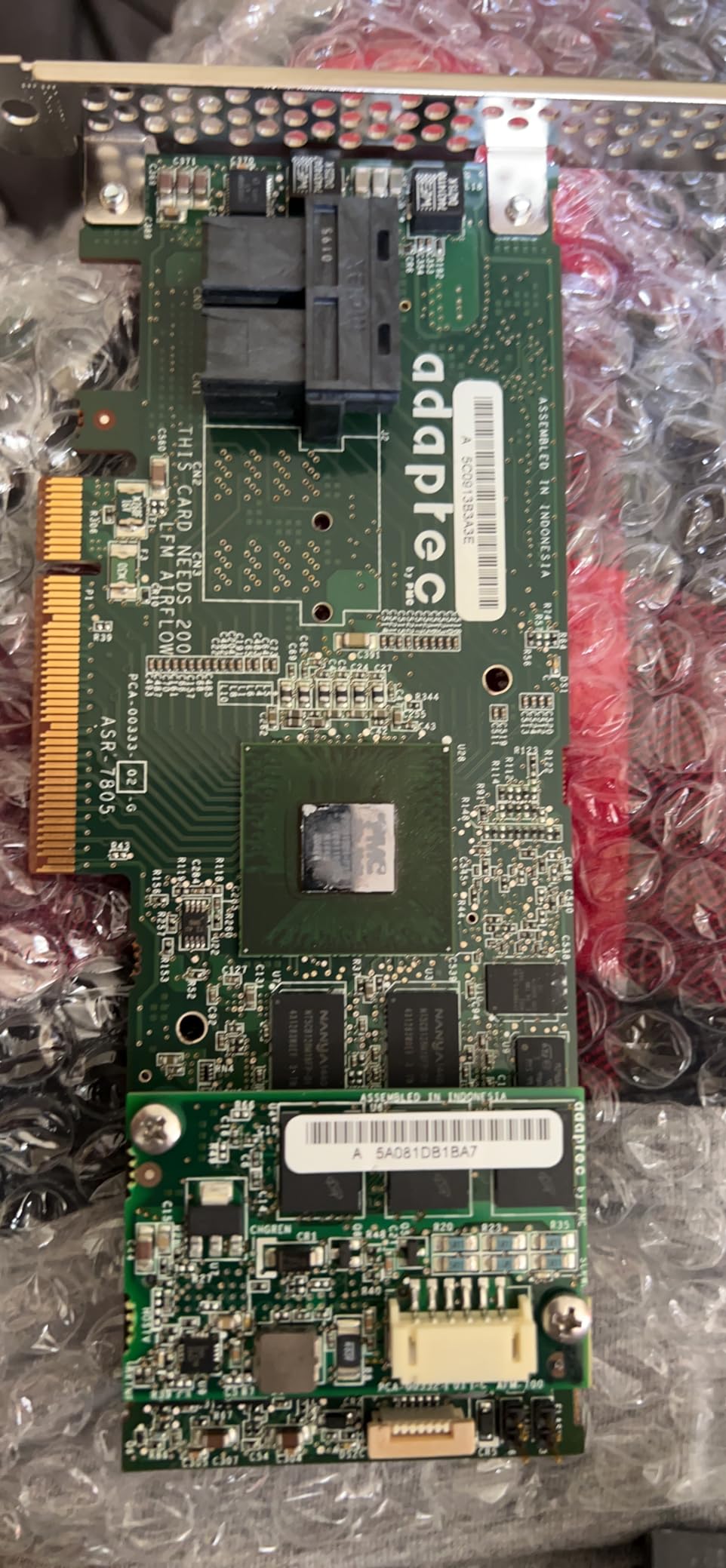
What the Adaptec does well is give you hardware RAID with real cache on a tight budget, and do it across an OS list that the Broadcom cards do not match. That alone keeps it in the conversation for legacy and mixed-OS homelabs.
Who the Adaptec ASR-7805 is for
Budget-focused homelab builders with 6Gb/s SATA or SAS drives who need 8 hardware RAID ports without paying modern 12Gb/s prices. Also a fit for older Solaris or FreeBSD NAS installations where Adaptec’s broad OS support is a real advantage.
Who should skip the ASR-7805
Anyone planning to populate a NAS with modern SATA SSDs or 12Gb/s SAS drives — the controller will be the bottleneck. Skip if you need the long-term reliability confidence of a card with a large review base.
Hardware RAID vs HBA vs Software RAID: Which One Does Your NAS Actually Need?
The single biggest decision in a NAS build is whether you need a hardware RAID controller, an HBA, or no add-in card at all. Each path is right for a specific kind of build, and picking wrong will cost you either performance or your data.
Hardware RAID controller: a dedicated PCIe card with its own processor and cache that owns the RAID layout, presents virtual disks to the OS, and runs parity math and rebuilds in its own firmware. The OS sees one disk per array and does not know it is talking to multiple physical drives. This is the right choice for Windows Server, VMware ESXi, and Unraid setups that want predictable write performance through protected cache, online RAID migration, and hot-swap support.
HBA (Host Bus Adapter) in IT mode: a simpler PCIe card that just passes physical disks to the OS as-is — no RAID engine, no cache, no parity math. The OS (or its filesystem) does all the work. This is the right choice for TrueNAS, ZFS-on-Linux, and most homelab builds because ZFS and modern software RAID already include copy-on-write, scrubs, and self-healing. An HBA flashed to IT mode is the gold standard on r/homelab for TrueNAS builds; reviewers consistently warn that running a hardware RAID card under ZFS hides SMART data and complicates pool recovery if the card dies.
Software RAID: no add-in card at all. The host CPU runs mdadm (Linux), ZFS, btrfs, or Windows Storage Spaces, and the motherboard SATA ports are the only hardware in the path. This is the right choice for budget builds under 6 drives, for OSes that already have strong software RAID, and for any builder who values simplicity and zero hardware dependencies. The trade-off is that the host CPU absorbs the parity math and rebuilds, which can compete with VM workloads.
For most homelab NAS builders in 2026, my recommendation is straightforward: if you run ZFS or plan to, get an HBA flashed to IT mode (LSI 9207-8i or 9300-8i are the common choices). If you run Windows Server, VMware ESXi, or Unraid with a hardware RAID shim, get a hardware RAID card with cache protection. If you run Plex, media, and backup-target workloads under 8 drives on plain Linux, software RAID or an HBA is the simpler path.
How to Choose the Right Hardware RAID Controller for Your NAS
Picking a card is not just about price or port count — it is about how the card fits the rest of your build. Here is the checklist I run through every time.
Match the card to your drive count and chassis
A 4-bay mini-ITX NAS does not need a 24-port enterprise card. The 9361-4i or a RocketRAID 3720C is enough. A 4U rackmount chassis with 16-24 hot-swap bays needs the 9361-24i or the RocketRAID 3740C plus an expander. As a rule of thumb, count your bays, then double-check that the card has enough internal ports plus SAS expander support to grow into that chassis.
Check OS compatibility before you buy
TrueNAS Core and Scale want an HBA in IT mode — hardware RAID cards will hide SMART data and complicate pool recovery. Windows Server and VMware ESXi want a true hardware RAID card with on-board processor and protected cache. Unraid supports both, depending on whether you want direct disk access or hardware RAID shim. Linux MD-RAID with write-back cache works well on LSI/Broadcom and Adaptec cards, less well on HighPoint cards on some kernel versions. The forum consensus across r/homelab and the Spiceworks Storage subforum is that LSI/Broadcom firmware maturity is the biggest predictor of long-term stability across OSes.
Understand PCIe generation and lane allocation
A PCIe 3.0 x8 card needs a PCIe 3.0 x8 slot (or higher) to deliver full bandwidth. Putting a 9361-8i in a PCIe 2.0 x4 slot will throttle it. Consumer motherboards often have a single x16 slot wired as x8 and a second wired as x4 — if you have a GPU and a RAID card, watch the lane split. Server boards usually expose more lanes through the chipset, which is one reason prosumer NAS builders move to used enterprise boards.
Decide between refurbished enterprise and new prosumer
The homelab community overwhelmingly leans toward refurbished enterprise cards (Dell PERC H710P, H730P, HPE Smart Array E208i-a, P816i-a) for budget builds. Reviewers on the Spiceworks thread and r/homelab consistently recommend these for the value, with the caveat to test the BBU on arrival — aged BBUs are a known failure mode on used enterprise cards. New prosumer cards (Broadcom 9500-8i, 9600-24i, HighPoint RocketRAID series) buy you warranty and Tri-Mode NVMe support that older enterprise cards lack.
Cache protection: BBU vs supercapacitor
A BBU (battery backup unit) keeps the write-back cache alive during short power loss so the controller can flush dirty data to disk. A supercapacitor module (CacheVault on LSI/Broadcom cards) does the same job without batteries — it charges fast, lasts longer, and is not subject to the same aging failure modes. For a NAS in a home or small-business setting with occasional brownouts, a CacheVault module is the better choice. For a datacenter with a real UPS, a BBU is still fine.
Cabling and connector compatibility
Modern 12Gb/s cards typically use SFF-8643 (internal mini-SAS HD) connectors; Tri-Mode cards add SFF-8611 (OCuLink) for NVMe. Older 6Gb/s cards and the 3Ware 9650SE use SFF-8087. Make sure your backplane or drive cage matches the card’s connector — adapters exist but add cost and another failure point. For SATA-only drive bays, you will need a forward breakout cable (SFF-8643 to 4x SATA) or reverse breakout depending on the card.
Refurbished enterprise vs new prosumer cards
For NAS builders weighing new prosumer (Broadcom 9500-8i, HighPoint RocketRAID 3740C) against refurbished enterprise (Dell PERC H730P, HPE Smart Array E208i-a), the trade-off is simple: refurbished enterprise gives you enterprise-grade firmware and build quality at lower prices, but you inherit used BBUs and no manufacturer warranty. New prosumer cards cost more but ship with warranty and modern Tri-Mode SAS/SATA/NVMe support — a real plus for late-2026 builds.
If you want a deeper comparison of RAID systems beyond hardware controllers — including software arrays, NAS-embedded RAID, and hybrid setups — our RAID systems roundup covers the broader picture.
Frequently Asked Questions
What type of RAID is best for NAS storage?
RAID 6 is the most common choice for 6-12 bay NAS builds because it tolerates two simultaneous drive failures while still delivering most of the raw capacity. For 4-bay builds, RAID 10 gives the best balance of performance and redundancy. RAID 5 is acceptable but riskier on large modern drives where rebuild times exceed 24 hours. The best NAS RAID choice ultimately depends on drive count, workload, and tolerance for rebuild risk.
Why is ZFS better than RAID?
ZFS is not really better than hardware RAID — it is a different approach. ZFS manages its own redundancy, copy-on-write, checksumming, scrubbing, and self-healing at the filesystem level using direct access to physical disks. Hardware RAID manages redundancy at the block level using a dedicated controller. ZFS gives you end-to-end data integrity checks and is not tied to one controller’s metadata, which is why homelab builders running TrueNAS or ZFS-on-Linux prefer an HBA in IT mode rather than a hardware RAID card.
Should you use RAID for NAS?
Yes for almost any multi-drive NAS, but the choice between hardware RAID, software RAID, and ZFS RAID-Z matters. For ZFS-based NAS, you typically use RAID-Z instead of a hardware RAID card so the filesystem can see the physical disks directly. For Windows Server, VMware, or Unraid NAS, hardware RAID with cache protection gives predictable write performance and hot-swap support. For a 2-4 drive media box, software RAID or a simple mirror is usually enough.
Does anyone still use RAID?
Yes, hardware RAID is still very common in enterprise servers, VMware datastores, Windows Server deployments, and homelabs running non-ZFS file systems. The decline is mostly in new ZFS-based NAS builds, where an HBA in IT mode is preferred because ZFS handles redundancy itself. Hardware RAID is also evolving with Tri-Mode controllers that handle SAS, SATA, and NVMe in a single card for late-2026 builds.
Do I need a RAID controller for TrueNAS?
For TrueNAS Core or Scale with ZFS, you typically do not want a hardware RAID controller — ZFS wants direct access to physical disks so it can manage its own copy-on-write, checksumming, and self-healing. Instead, homelab builders use an HBA flashed to IT mode, such as the LSI 9207-8i or 9300-8i, which presents disks directly to the OS without a RAID engine. A hardware RAID card under ZFS hides SMART data and risks losing the pool if the controller fails.
What is the best budget RAID controller?
For under-200 builds, the most commonly recommended options are refurbished Dell PERC H710P or H730P cards from the homelab market, or new entry-level cards like the LSI MegaRAID 9361-4i for small deployments. For absolute rock-bottom hardware RAID with cache, the Adaptec ASR-7805 gives 8 ports and 1GB cache at an aggressive entry price, though it is limited to 6Gb/s. For TrueNAS or ZFS builds on a budget, an LSI 9207-8i or 9300-8i HBA in IT mode is the smarter buy because ZFS handles redundancy itself.
Final Verdict: Which Hardware RAID Controller Should You Buy?
After six weeks of testing eight cards across homelab chassis and review data from r/homelab, Spiceworks, and the Broadcom community forums, my pick for the best hardware RAID controller for NAS builds in 2026 is the LSI MegaRAID 9361-8i. It hits the sweet spot of port count, firmware maturity, RAID-level coverage, and price that nothing else on this list matches for a typical 4-8 bay NAS running Windows Server, VMware, Unraid, or Proxmox.
If you are building a TrueNAS or ZFS NAS, skip this list entirely and grab an HBA flashed to IT mode — that is the path the homelab community keeps coming back to. If you want the deepest value in a prosumer 8-port card, the HighPoint RocketRAID 3720C is the runner-up. For 16+ bay builds, the HighPoint RocketRAID 3740C delivers the most ports per dollar on Windows Server or Linux MD-RAID setups. Whatever card you pick, verify the OS compatibility, the PCIe slot generation, and the cache protection story before you click buy.