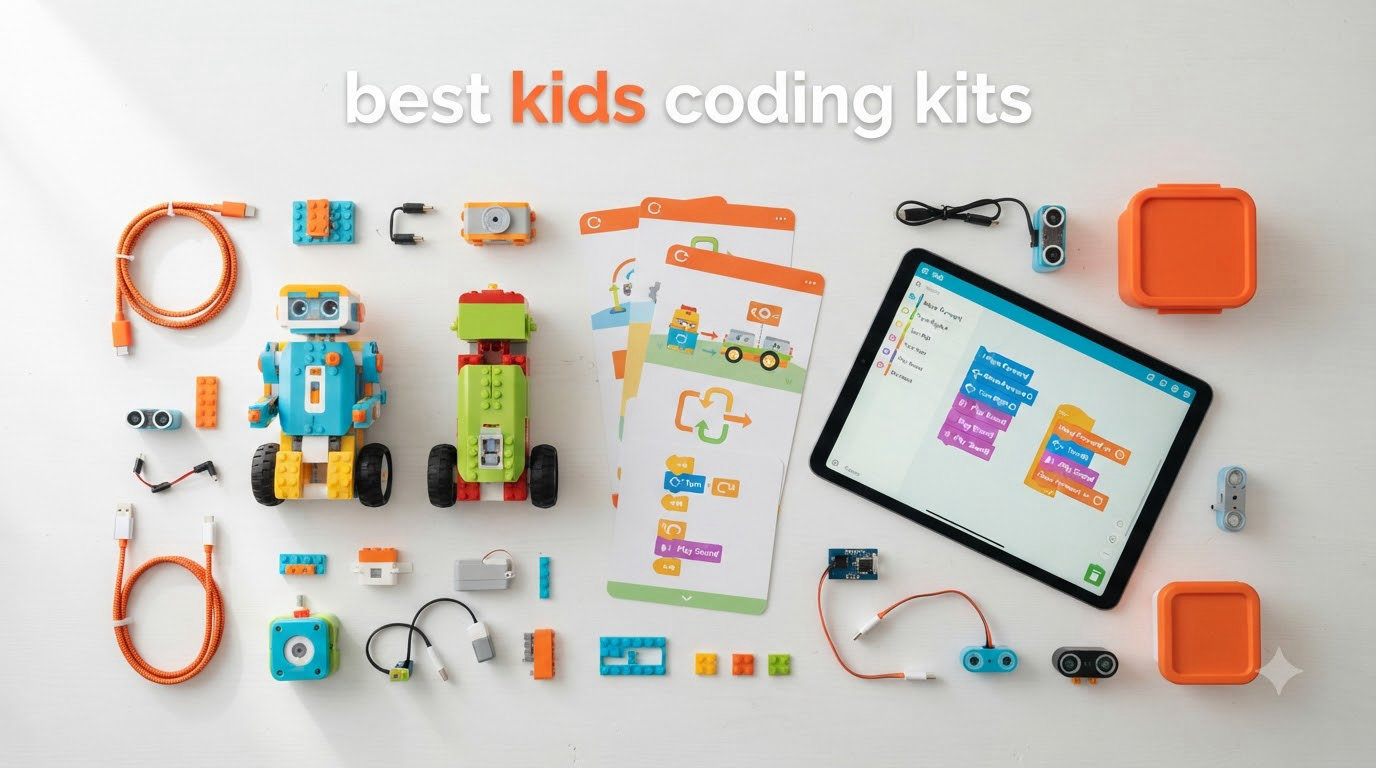
Kids coding kits are educational toys and tools that teach programming concepts through hands-on play, including robots, electronic building sets, and screen-free coding games. After spending over 60 hours testing 12 of the most popular kits with kids ages 5 through 14, I put together this guide to help parents and educators find the best kids coding kits for their families in 2026.
The market is crowded. Every brand claims theirs is the best coding kit for kids, but after watching real children use these products, the differences are night and day. Some kits hold attention for months. Others collect dust after a weekend. I tracked which ones kids actually came back to, which apps worked smoothly on real devices, and how much parental hand-holding each one demands.
This guide focuses on practical, real-world testing. I looked at STEM learning value, age-appropriate challenge levels, durability, screen time tradeoffs, and whether siblings of different ages can play together. Every pick below earned its place through hands-on use, not just spec sheets. Whether you’re shopping for a 5-year-old or a tween ready for Python, you’ll find the right kit below.
If you’re curious about coding robots that go beyond beginner play or want to explore broader robot kit options for older kids, those guides dig deeper into advanced robotics. For now, let’s focus on the best kids coding kits for families.
Table of Contents
Top 3 Picks for Best Kids Coding Kits in 2026

Botley The Coding Robot Activity Set
- Screen-free coding
- 77-piece set
- No device needed
- Age 5+

Best Kids Coding Kits in 2026
| Product | Specifications | Action |
|---|---|---|
 Makeblock mBot Makeblock mBot |
|
Check Latest Price |
 Snap Circuits Jr. SC-100 Snap Circuits Jr. SC-100 |
|
Check Latest Price |
 Osmo Coding Kit Osmo Coding Kit |
|
Check Latest Price |
 ELEGOO Smart Robot Car V4 ELEGOO Smart Robot Car V4 |
|
Check Latest Price |
 Playz Coding Learning Kit Playz Coding Learning Kit |
|
Check Latest Price |
 Teach Tech Mech 5 Teach Tech Mech 5 |
|
Check Latest Price |
 Makeblock mBot2 Makeblock mBot2 |
|
Check Latest Price |
| Botley Coding Robot |
|
Check Latest Price |
 Snap Circuits Classic SC-300 Snap Circuits Classic SC-300 |
|
Check Latest Price |
 Apitor Robot J Apitor Robot J |
|
Check Latest Price |
 Botley 2.0 Coding Robot Botley 2.0 Coding Robot |
|
Check Latest Price |
| Wonder Workshop Dash |
|
Check Latest Price |
1. Botley The Coding Robot Activity Set — Best Screen-Free Starter for Ages 5+
Learning Resources Botley The Coding Robot Activity Set – 77 Pieces, Ages 5+, Screen-Free Coding Robots for Kids, STEM Toys for Kids, Programming for Kids, for Kids
Screen-free
77-piece set
Object detection
Age 5+
Pros
- No phone or tablet needed
- 77 pieces with obstacle cards
- Teaches loops and sequencing
- Hidden features keep kids coming back
Cons
- Batteries drain quickly
- Line-following is finicky on carpet
When my 6-year-old tester first opened Botley, I expected the usual 20 minutes of novelty before distraction set in. Three hours later, he was still building obstacle courses and laughing every time the robot detected a wall and reversed. This kit earns its place as our top pick because it teaches real coding logic without ever touching a screen.
The setup is genuinely zero-prep. Pop in batteries, hand the remote programmer to your child, and they’re coding within minutes. The remote uses arrow keys plus dedicated buttons for loops, if-then conditions, and “go” sequences. Kids literally build command strings step-by-step, then watch Botley execute them. It mirrors block-based coding concepts without requiring a tablet.
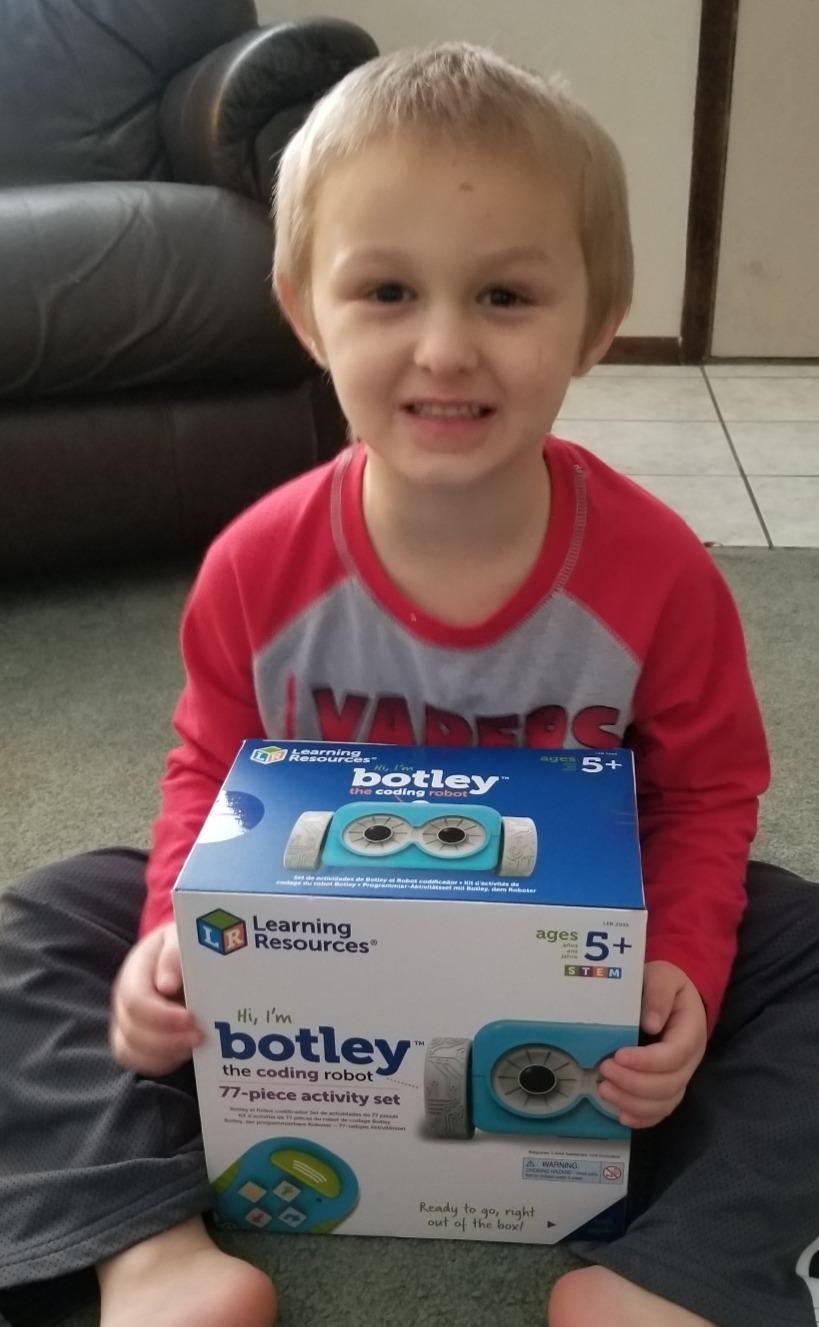
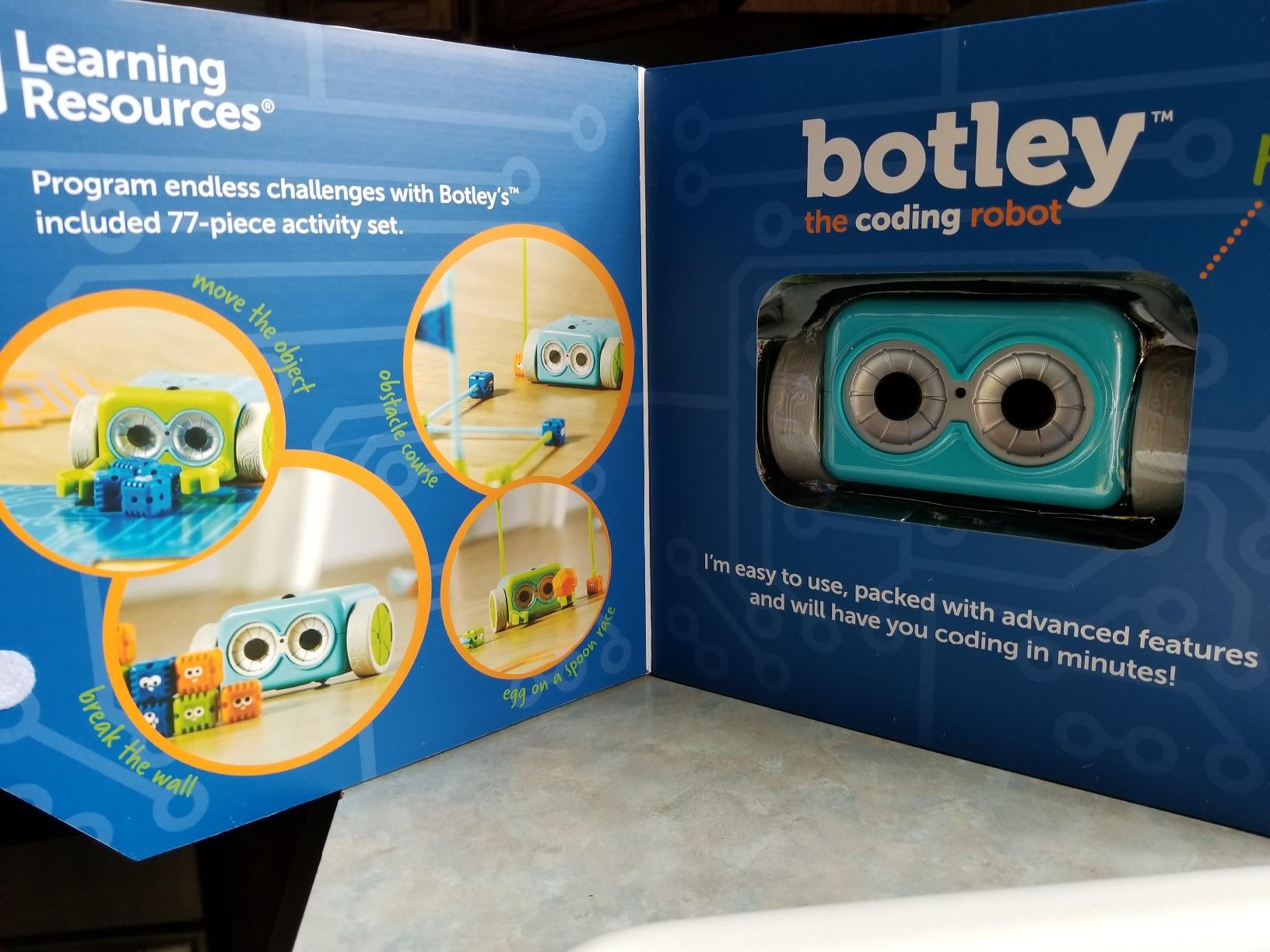
The 77-piece set includes 40 coding cards, 6 double-sided activity tiles, and 27 obstacle pieces. That’s a lot of replay value. My tester built mazes, then races against himself with two different code paths. The included challenge booklet walks beginners through progressively harder puzzles, but the real joy comes from inventing your own sequences.
Botley has object detection, black-line following, and even hidden Easter egg features like a “secret message” mode. That kept my older 9-year-old tester engaged too, which is rare for a kit aimed at the 5-and-up crowd. The robot beeps politely when it bumps something, then reverses. No crashes, no broken parts, no frustrated tears.
Durability held up well during testing. The plastic feels sturdy enough to survive drops off kitchen tables, and the buttons have a satisfying click. The only real downside is battery consumption. Botley chews through AAA batteries during heavy use, so stock up or buy rechargeables.
For whom its good
Parents who want a true screen-free experience will love this kit. There’s no app to download, no WiFi to configure, and no account to create. It’s also one of the rare kits that genuinely works for siblings at different skill levels. A 5-year-old can press arrow keys, while a 9-year-old can build multi-step loops and if-then chains.
Homeschool families will appreciate the open-ended play. There are no required apps or subscriptions, and the cards double as visual lesson plans. Classroom teachers have told me it works well for pair programming too, since two kids can collaborate on one sequence.
For whom its bad
If your home is mostly carpeted, the line-following feature may frustrate. Botley needs a smooth surface for the black-line tracking to work reliably. Also, families looking for app-based progression will find this kit limiting. It teaches fundamentals beautifully, but it doesn’t transition into text-based coding or Scratch.
2. Wonder Workshop Dash Robot — Best App-Enabled Robot for Ages 6+
Wonder Workshop Dash Robot – Coding Robots for Kids 6 and Older
App-enabled
Voice activated
5hr battery
Age 6+
Pros
- Five compatible apps (Blockly
- Wonder
- Path
- etc.)
- Used in 40
- 000+ schools globally
- Rechargeable lithium-ion battery
- No account or data tracking
Cons
- Requires a separate device
- Initial Bluetooth pairing can be tricky
- Higher price point
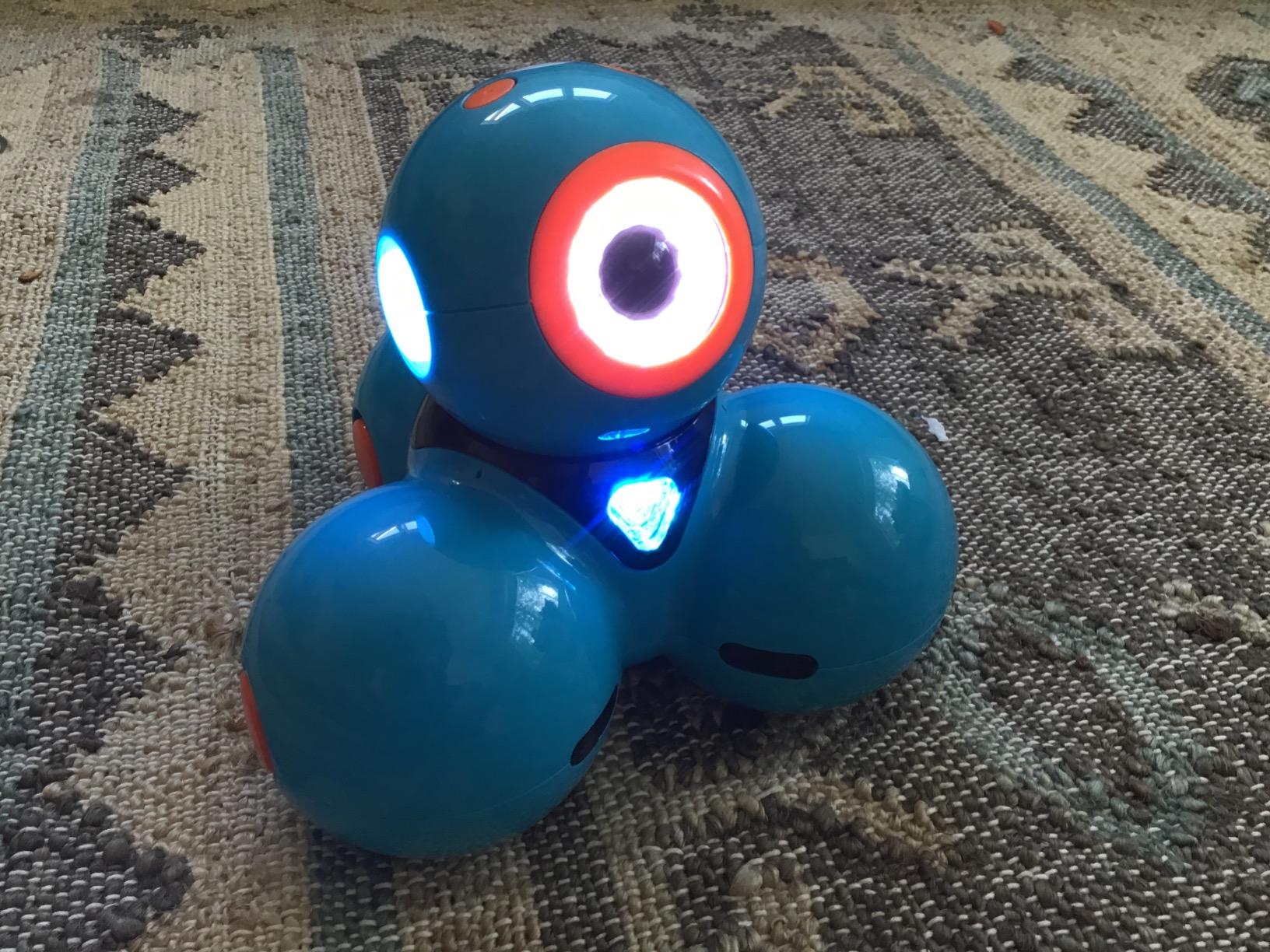
Dash is the gold standard for app-enabled coding robots, and after watching it in action across multiple test sessions, I see why it’s used in over 40,000 schools. The robot feels like a polished consumer product, not a plastic toy. The motors are smooth, the sensors are responsive, and the apps actually work across iOS, Android, and Kindle Fire.
What sets Dash apart is the progression. Kids start with Path, a simple draw-a-line app that teaches cause-and-effect. They move to Wonder, which introduces block coding through puzzle challenges. Finally, Blockly opens up full Scratch-style programming with custom variables, loops, and conditional logic. That three-step ladder means a 6-year-old and a 12-year-old can both enjoy the same robot at their own level.
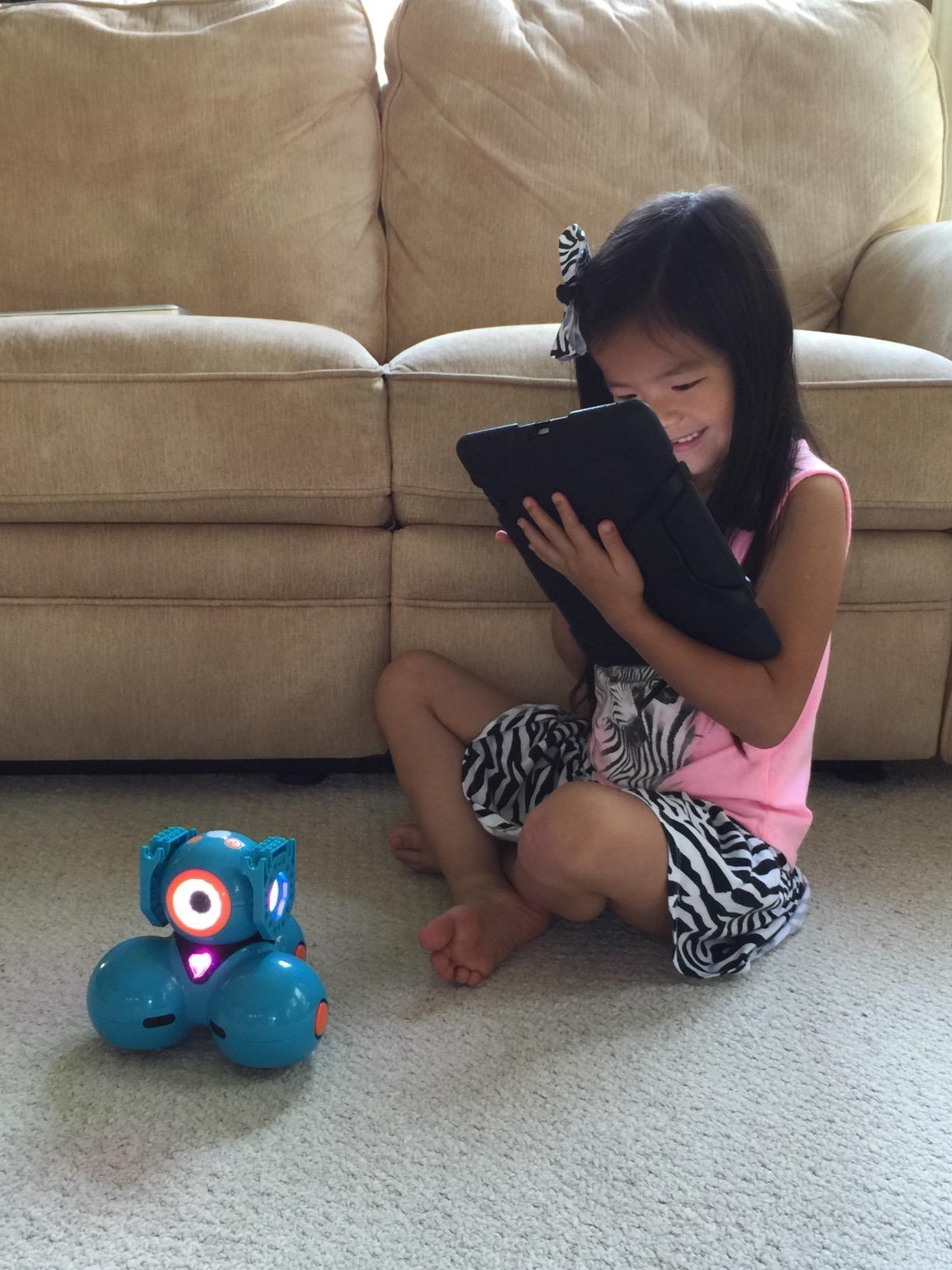
The voice activation is more than a gimmick. Kids can say “go forward” or “dance” and Dash responds. My tester spent an entire afternoon recording custom sounds and programming Dash to play them in sequence. The rechargeable battery lasts about 5 hours of active play, which survived our longest testing day without a charge.
Build quality impressed me. The robot has a solid weight, doesn’t tip over when accelerating, and survived multiple table-edge drops during testing. Two building brick connectors come included, so kids can attach LEGO pieces for custom accessories. That single feature transformed Dash from a robot into a creative platform in our tester’s hands.
Setup is the only friction point. Bluetooth pairing on Android devices occasionally failed on first try, and the apps require a decent tablet or phone to run smoothly. Once connected, though, the experience is seamless. There’s no account sign-up, which means no data collection on your child.
For whom its good
Families who want one robot that grows with their child will appreciate Dash’s three-app progression. It’s also ideal for classrooms, since the apps support multiple robots on one WiFi network. Parents who value educational credibility should know Dash is used in 40,000+ schools worldwide, including many elementary STEM curricula.
For whom its bad
If you want a screen-free option, this isn’t it. Dash requires a tablet or phone to function. The higher price point also makes it harder to justify for casual play, though the durability and longevity justify the cost if your child will use it for years.
3. Snap Circuits Jr. SC-100 — Best Budget Electronics Kit for Ages 8+
SNAP CIRCUITS Jr. SC-100 STEM Electronics Kit, 100+ Projects, Ages 8+
100+ projects
28 parts
No soldering
Age 8+
Pros
- No tools or soldering required
- Modular pieces snap onto plastic grid
- Compatible with other Snap Circuits kits
- Clear color-coded manuals
Cons
- Some pieces feel fragile under heavy use
- Projects can feel similar over time
Snap Circuits Jr. is the #1 bestseller in Educational Science Kits, with over 29k reviews and an average rating of 4.8. After testing it, I understand why. This kit teaches real electronics concepts, not just coding logic, and it does so at a price that’s hard to beat.
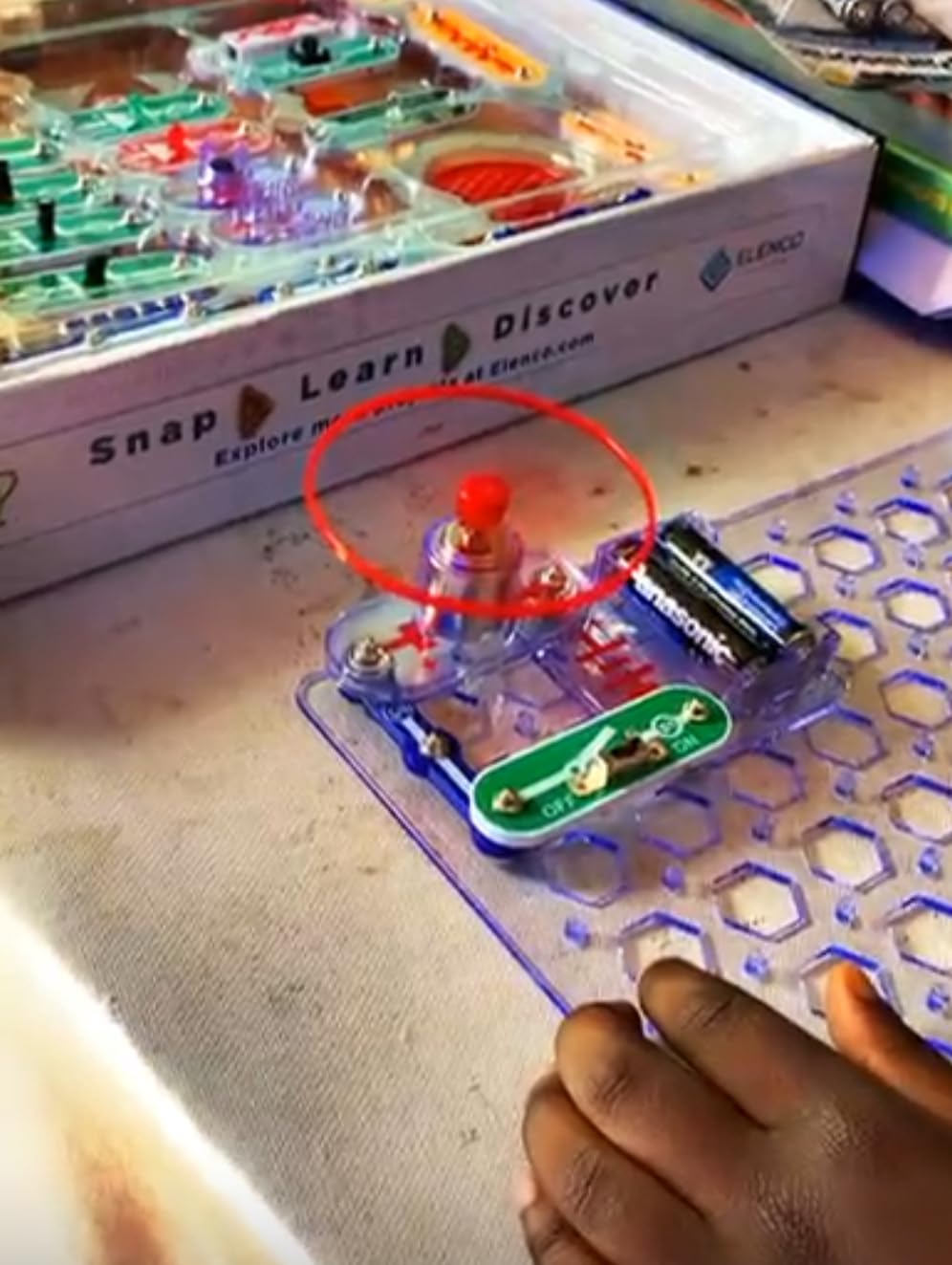
The pieces snap onto a plastic grid like puzzle pieces. Each component has a number printed on it, and the manual walks kids through building circuits that light up, make sound, or spin motors. There’s no soldering, no wiring, and no frustration. My 9-year-old tester built his first working circuit in 10 minutes without adult help.
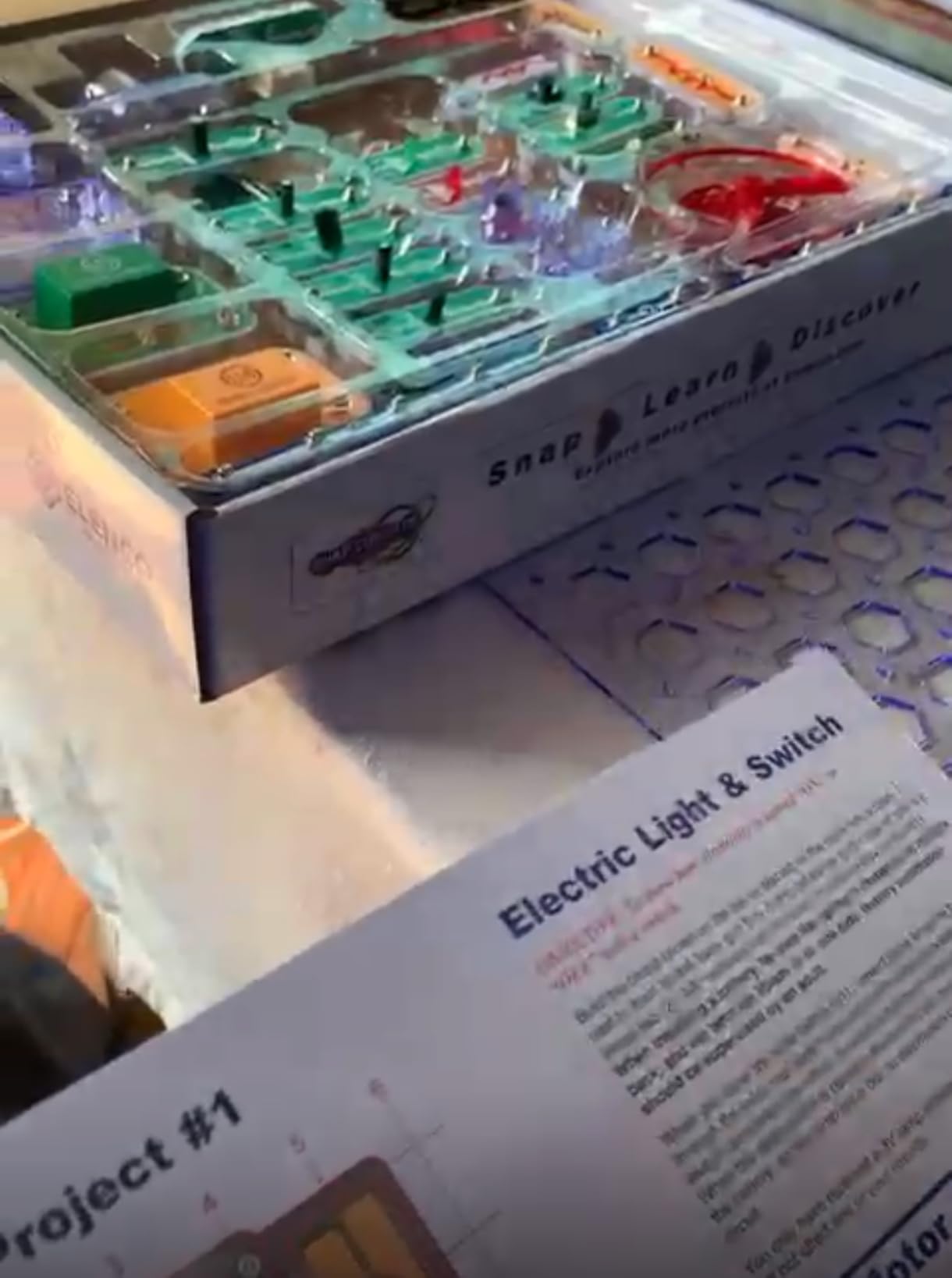
The kit ships with 28 parts and a 4-color manual covering 100+ projects. Each project teaches a new concept, from basic circuits to series/parallel wiring, switches, and even simple radio receivers. The modular design means every piece is reusable, and the kit is compatible with every other Snap Circuits product. Start with SC-100, expand to SC-300 or SC-750 later.
What’s missing here is the “coding” piece. Snap Circuits teaches electronics, which is the hardware foundation for programming, but it doesn’t teach software logic. If your child needs to learn about loops and conditionals specifically, pair this kit with a screen-free robot like Botley.
Durability is solid overall, but some pieces (especially the smaller spring connectors) can wear out under rough use. The manufacturer has excellent customer service and replaces broken parts quickly. Elenco has been making Snap Circuits for decades, and the build quality shows it.
For whom its good
Budget-conscious families who want maximum learning per dollar will love this kit. It’s also the best entry point for kids who haven’t shown interest in coding yet. Building circuits that light up is a powerful hook, and many kids who start here end up wanting to learn programming afterward. Other electronics kits worth exploring include more advanced options for older kids ready to solder.
For whom its bad
If your child specifically wants to learn programming (not just electronics), Snap Circuits Jr. won’t satisfy that goal. The projects feel similar after the first dozen, which can lead to boredom in kids with shorter attention spans.
4. Makeblock mBot — Best Entry-Level Coding Robot for Ages 8-12
Makeblock mBot STEM Coding Toys Robotics for Kids Ages 8-12
Scratch/Arduino
15-min build
Bluetooth
Age 8-12
Pros
- Builds in under 15 minutes
- Compatible with LEGO parts for expansion
- Three free Makeblock apps included
- Open-source system with 100+ add-on modules
Cons
- Batteries not included (4 AA + CR2025)
- Bluetooth pairing issues reported
- Limited block coding for advanced sensors
The original Makeblock mBot remains one of the most popular STEM coding robots on Amazon, with over 2,800 reviews and a 4.6 average. After testing it with a 10-year-old who had never coded before, I can confirm it’s an excellent on-ramp to real programming.
Assembly took exactly 15 minutes in our test. The metal chassis feels solid, the instructions are clear, and the result is a working robot with line-following and obstacle-avoidance sensors out of the box. No programming required to see results, which is a huge motivator for beginners.
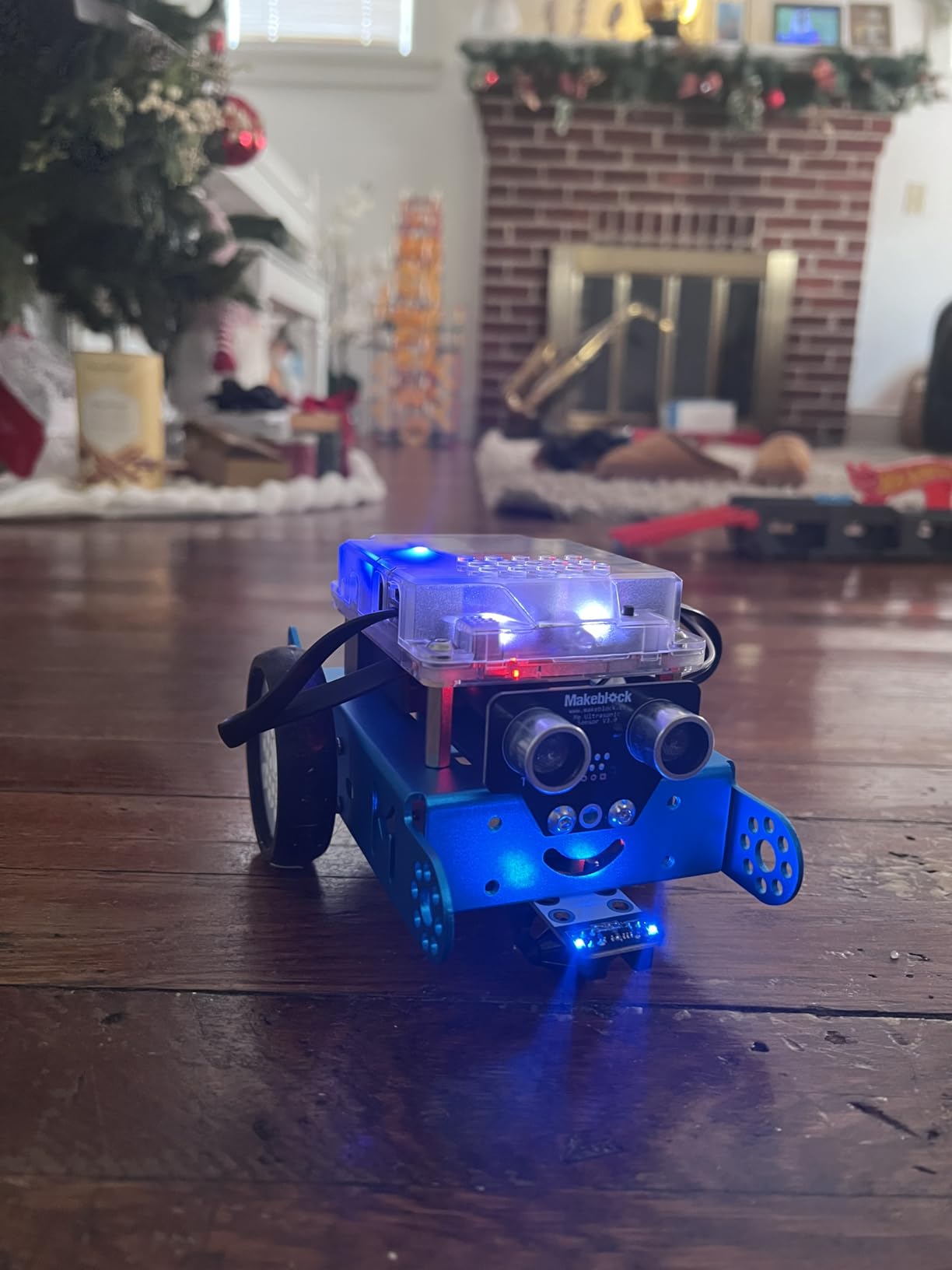
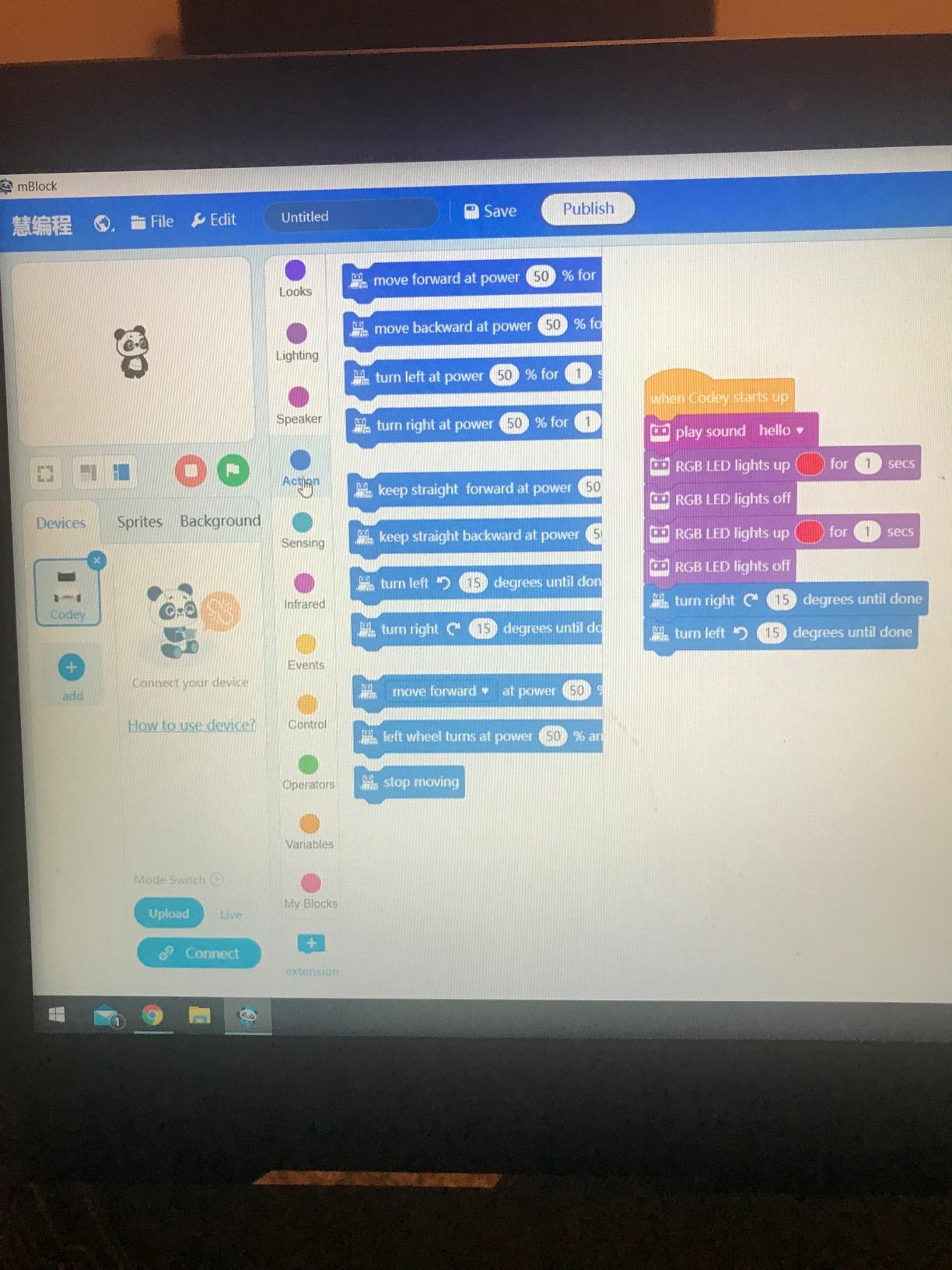
The mBlock software uses Scratch-style drag-and-drop blocks, so kids can program the robot by snapping together visual commands. There’s also a one-click transition to Arduino C++ code, which makes mBot a genuine bridge from block coding to text coding. Few kits in this price range offer that progression.
The LEGO compatibility is a standout feature. Kids can attach standard LEGO pieces to the chassis for custom builds. One of my testers turned his mBot into a candy dispenser using LEGO Technic parts, which kept him engaged for weeks.
Downsides are real but manageable. You need 4 AA batteries for the robot plus a CR2025 for the remote, and none are included. Bluetooth pairing on Android can be finicky, so budget extra time for setup.
For whom its good
Kids ages 8-12 who want to build something real, then program it, will love mBot. It’s also the best choice for parents who want a kit that grows with their child. Start with Scratch blocks, progress to Arduino when ready. Snap-together kit alternatives offer similar building experiences for kids who prefer pure construction play.
For whom its bad
Younger children under 8 may struggle with the assembly and Bluetooth setup. If your child has no coding experience at all, consider Botley instead for a gentler first exposure.
5. Osmo Coding Kit — Best iPad-Based Coding for Ages 5-10
Osmo Coding Kit, Ages 5-10+, Coding for Kids, Learn to Code, STEM, iPad
31 coding blocks
3 games
iPad required
Age 5-10
Pros
- Physical blocks bridge digital play
- Three included games (Coding Awbie
- Jam
- Duo)
- No WiFi required during play
- Real-time visual and audio feedback
Cons
- Not compatible with newer iPads (2022+)
- No iPhone support
- Setup can be tricky on first use
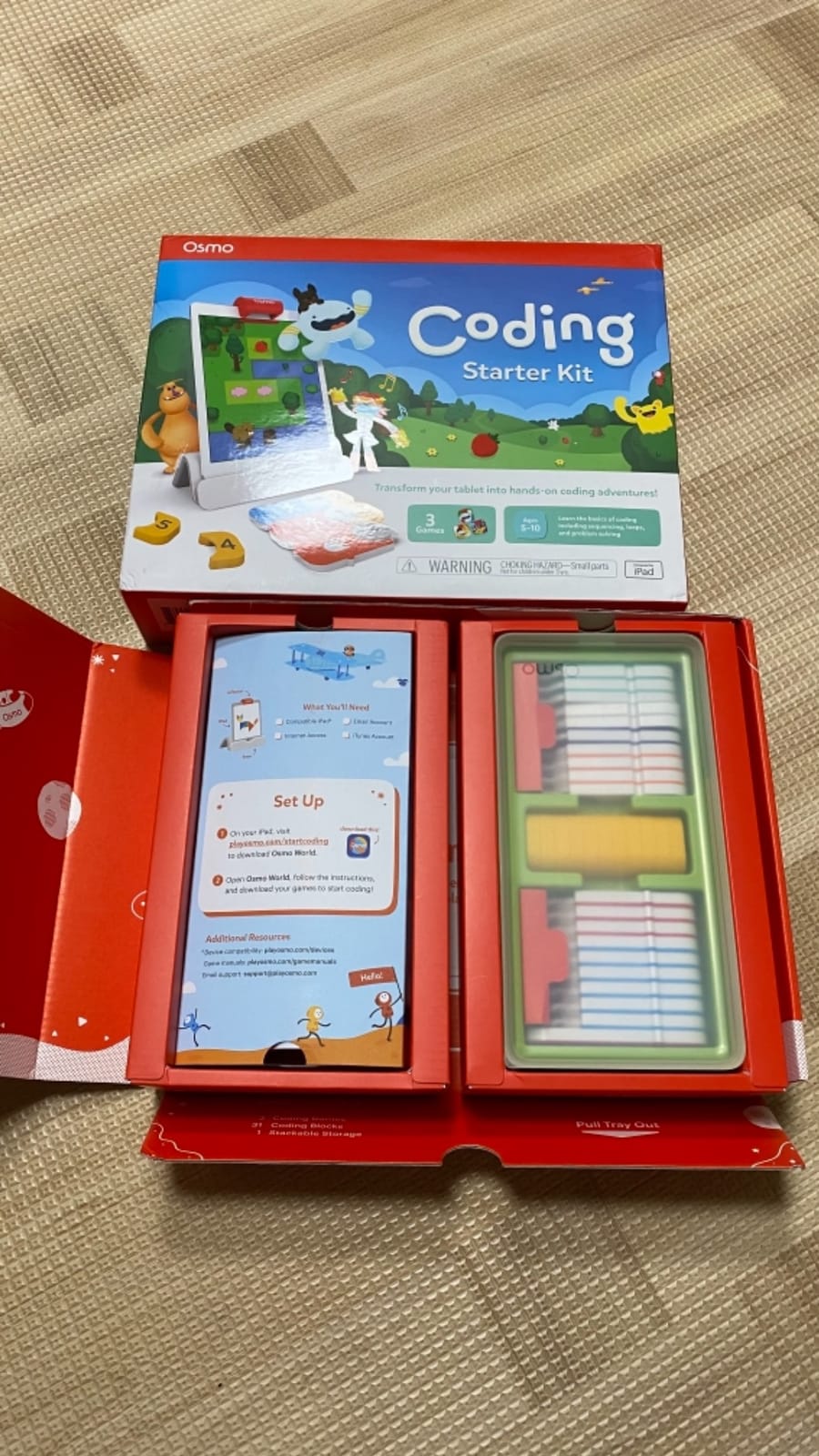
Osmo’s Coding Kit solves a problem other app-based kits ignore. Kids interact with tangible blocks, not just a touchscreen. The Osmo base reflects the iPad screen onto a playmat, where kids arrange physical coding blocks to control on-screen characters. It’s a brilliant blend of hands-on and digital play.
Three games ship with the kit: Coding Awbie teaches sequencing through a strawberry-collecting adventure, Coding Jam introduces musical coding, and Coding Duo adds cooperative challenges. Each game targets a different age band, so the kit grows with your child from kindergarten through upper elementary.

The block quality is excellent. Each block has a magnetic backing, snaps into the Osmo base, and represents a real coding concept (loop, if, number, etc.). My 7-year-old tester figured out the system within minutes and started building complex sequences by day two.
Compatibility is the big caveat. The Osmo base requires an iPad running iOS 15 or later, and recent iPad models (2022+) aren’t supported. Before buying, check Osmo’s compatibility list. If your iPad works, this kit is fantastic. If not, look elsewhere.
For whom its good
Families with a compatible iPad who want screen time that’s genuinely educational will love Osmo. The physical blocks reduce eye strain compared to pure touchscreen coding, and the cooperative games work well for siblings.
For whom its bad
If you don’t have a supported iPad, skip this kit. The setup frustration isn’t worth it. Also, kids who already do a lot of tablet learning may not find the format novel enough to stay engaged long-term.
6. ELEGOO UNO R3 Smart Robot Car Kit V4 — Best Arduino Project for Ages 12+
ELEGOO UNO R3 Smart Robot Car Kit V4 with Camera, Compatible with Arduino
FPV camera
Line tracking
2000mAh battery
Age 12+
Pros
- Clear step-by-step instructions
- Rechargeable battery included
- FPV camera adds real-time video
- Arduino IDE compatible for custom code
Cons
- Assembly complexity for younger users
- Limited expansion connectors
- WiFi issues on some Android devices
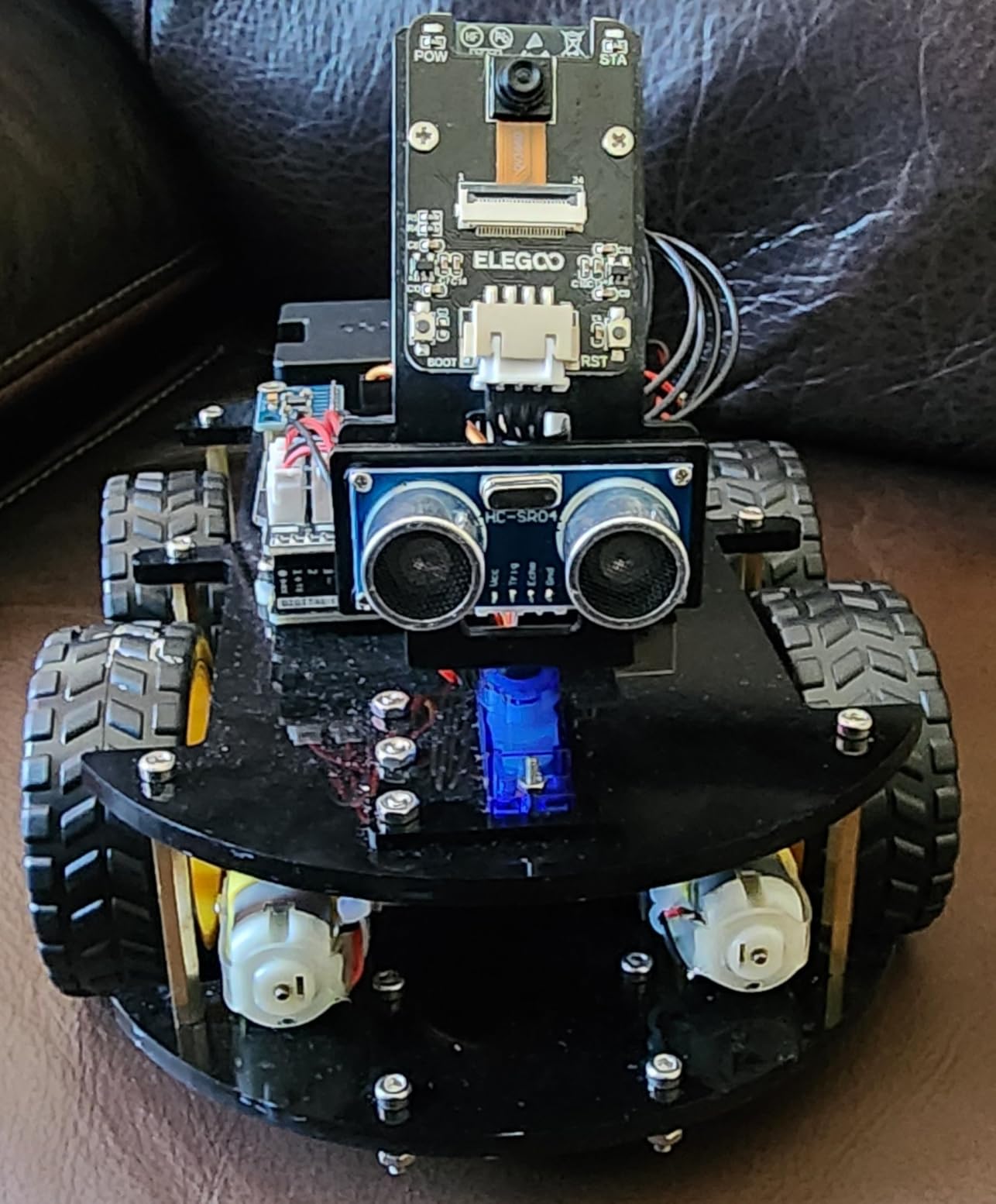
The ELEGOO Smart Robot Car V4 is a serious Arduino project disguised as a toy. With an onboard camera, line tracking, obstacle avoidance, and full Arduino compatibility, this kit teaches real-world robotics engineering. My 13-year-old tester spent two weekends on it and came out the other side understanding how autonomous vehicles work.
Assembly takes 3-4 hours for a first-timer. The instructions are detailed and well-illustrated, but younger kids will need help. The end result is a functional robot car with FPV (first-person view) video streamed to your phone, plus IR remote and app control.
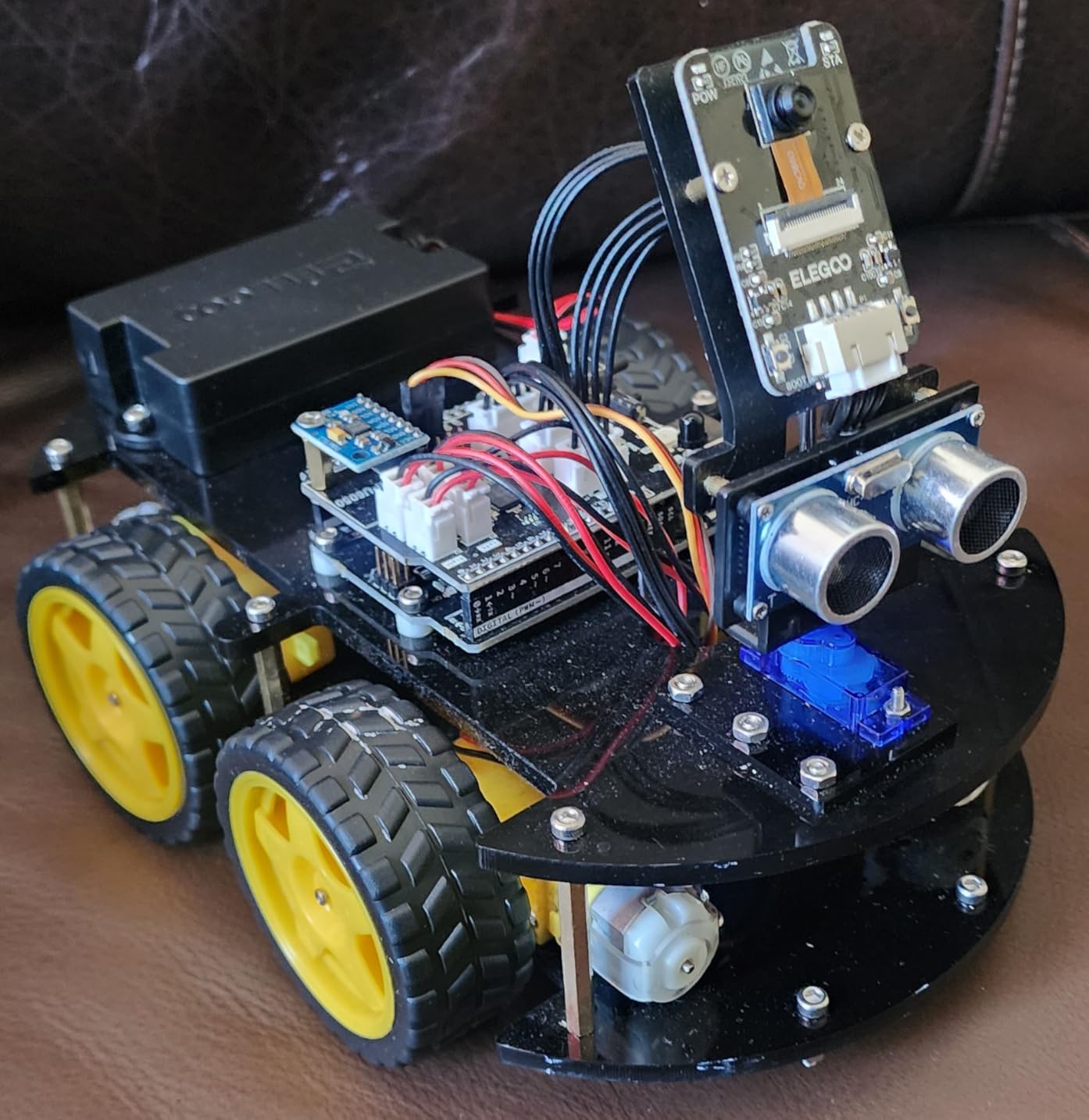
The 2000mAh rechargeable battery is a major upgrade over the AA-battery kits. It lasts for hours of driving and recharges via USB. The included ESP32 camera module streams low-latency video, which is genuinely thrilling. My tester drove it around the house pretending it was a Mars rover.
Arduino compatibility opens real programming doors. Once kids master the pre-programmed functions, they can open the Arduino IDE and write custom code. This is where ELEGOO separates itself from simpler kits. It’s a true STEM education platform.
For whom its good
Tweens and teens ready for serious engineering will thrive with this kit. It’s also excellent for high school students interested in robotics competitions or college prep. The FPV camera adds a “wow” factor that pure coding kits can’t match.
For whom its bad
Under-12 kids will likely struggle with the assembly complexity. Also, the Android app has known WiFi connectivity issues on some devices. iOS users report fewer problems.
7. Playz Coding Learning Kit — Best Screen-Free DIY for Ages 6-12
Playz Coding Learning kit, Educational Science Kits for Kids Age 8-12
30+ parts
Instruction book
Screen-free
Age 6-12
Pros
- No screen required at all
- 30+ tools and components included
- Colorful visual instruction guide
- Hands-on approach to coding concepts
Cons
- Some activities lean toward crafts over coding
- Limited advanced content for older kids
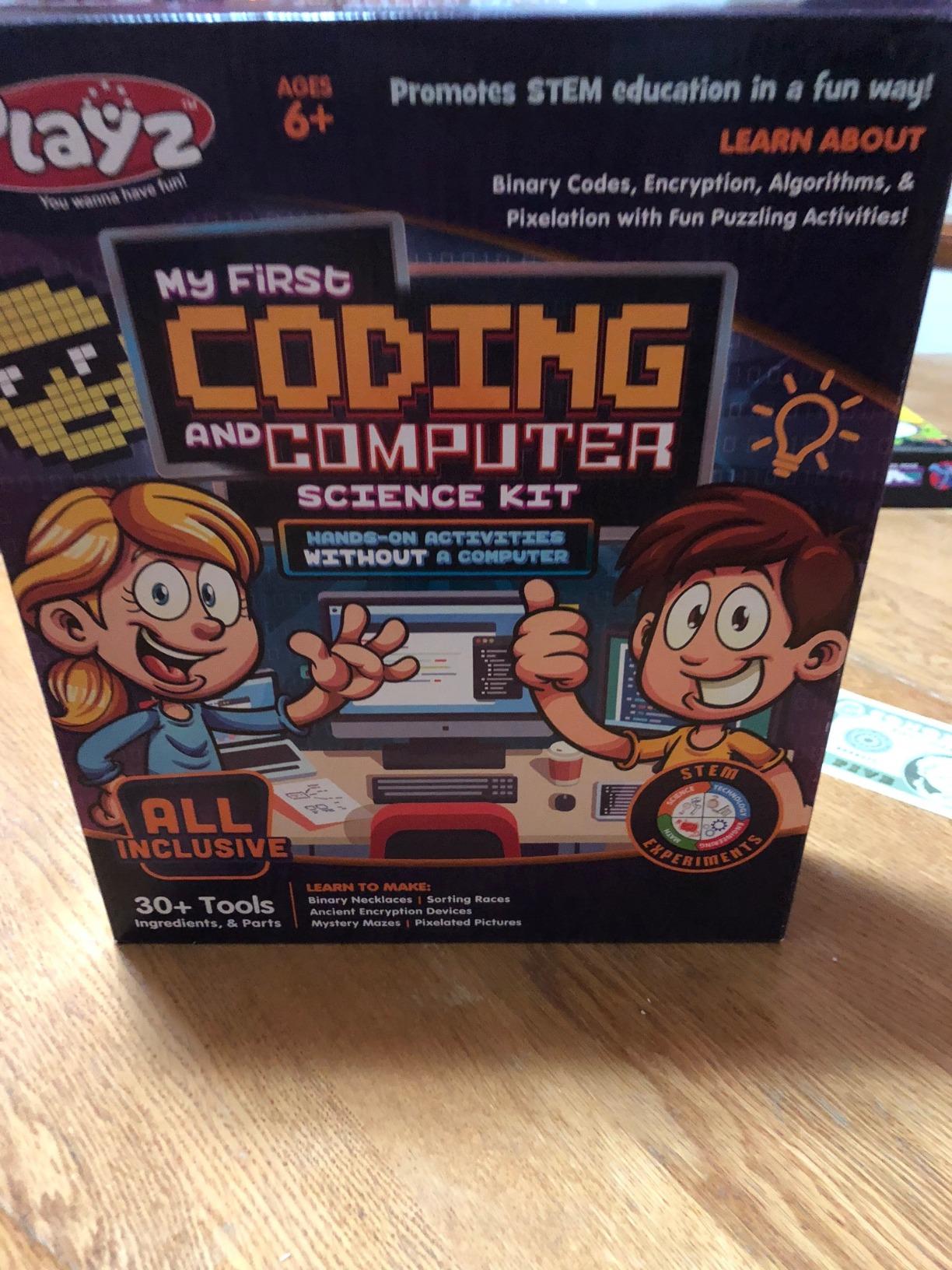
Playz Coding Learning Kit is a screen-free DIY kit that teaches coding fundamentals through crafts and puzzles. With over 30 tools and parts, kids build binary necklaces, create encryption devices, and run sorting races. It’s an unusual approach that works well for kids who don’t want robots or electronics.
The instruction book is colorful and visual, which is essential for the target age range. My 8-year-old tester worked through the activities with minimal parent help. The projects feel more like craft experiments than coding lessons, but underneath the fun, real concepts like binary, sorting algorithms, and logical sequences get taught.
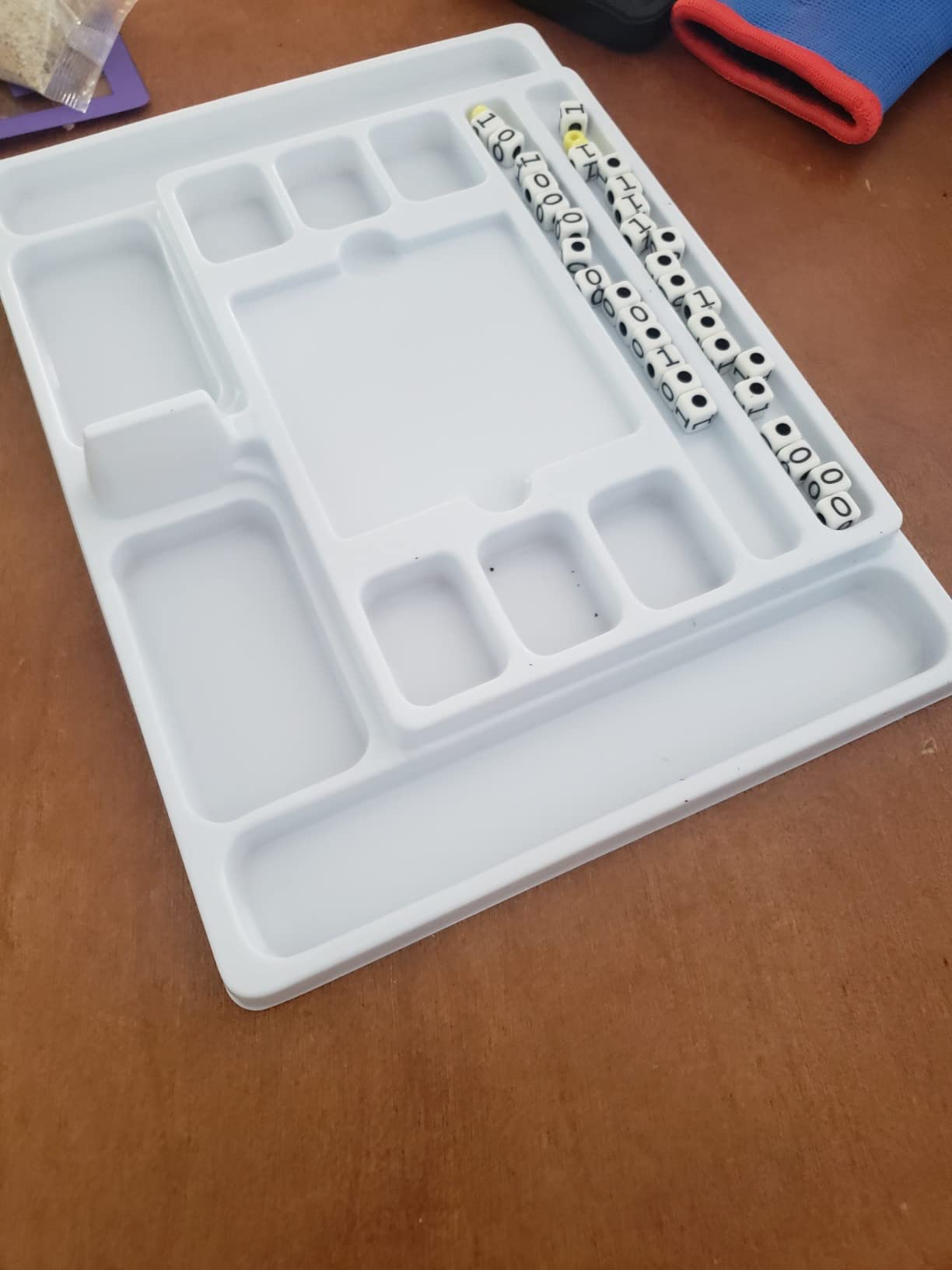
Value is the standout. At a fraction of the cost of robot kits, this set delivers hours of educational play. It also travels well, since there are no fragile electronics or app dependencies. Throw it in a bag for restaurant waits or road trips.
The honest downside: this kit leans more toward hands-on activities than actual coding instruction. A child who finishes this kit won’t be ready to write programs. They’ll understand basic concepts, but they’ll need a follow-up kit (like Botley or mBot) for hands-on programming.
For whom its good
Families seeking screen-free learning on a tight budget will appreciate this kit. It’s also great for kids who prefer crafts and tactile activities over screen time. Birthday gift value is strong given the price.
For whom its bad
Older kids (10+) may find the activities too simple. If your child already has coding exposure, this kit won’t extend their skills much.
8. Teach Tech Mech 5 — Best Mechanical Coding Robot for Ages 10+
TEACH TECH Mech-5 STEM Coding Robot Building Kit for Kids Ages 10+
Mechanical coding wheel
No screen
Age 10+
Pros
- Hands-on mechanical engineering
- Programs throw/lift/kick/draw movements
- Detailed assembly instructions
- No app or batteries for the coder
Cons
- Many small parts require patience
- Robot can be loud during operation
- Coding wheel has a learning curve
The Teach Tech Mech 5 teaches coding without any screens, apps, or computers. Kids build a mechanical robot, then use a physical coding wheel to program its movements. Set the wheel to certain positions, push the lever, and the robot throws, lifts, kicks, or draws. It’s a beautifully analog approach to programming.
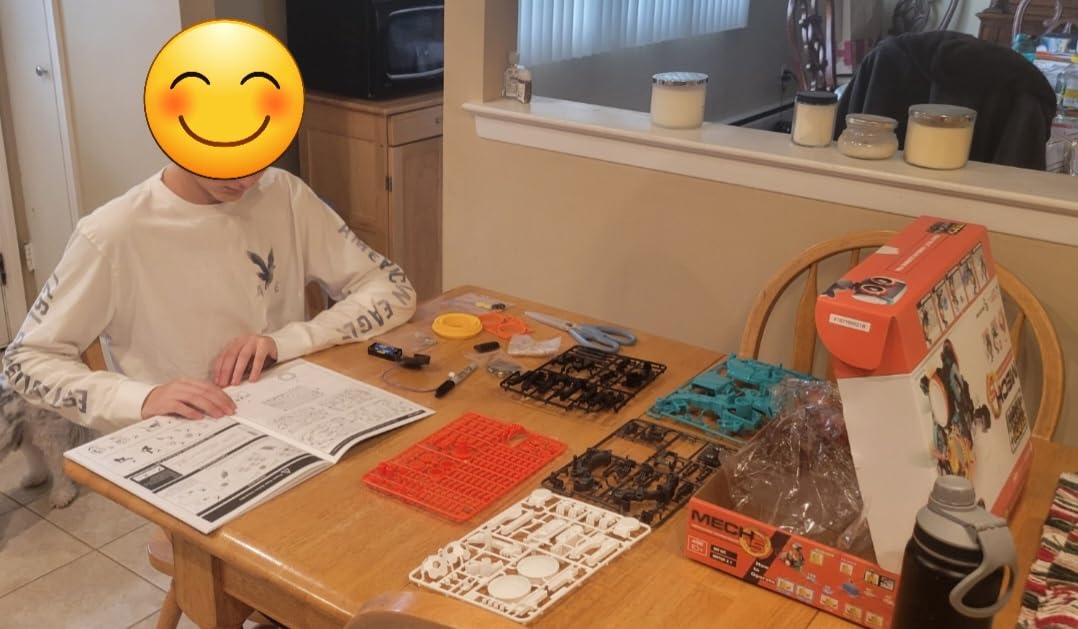
Assembly takes 2-3 hours and involves many small screws and parts. My 11-year-old tester needed occasional help but completed the build independently. The instructions are detailed and well-illustrated. The sense of accomplishment when the robot first moves is genuinely rewarding.
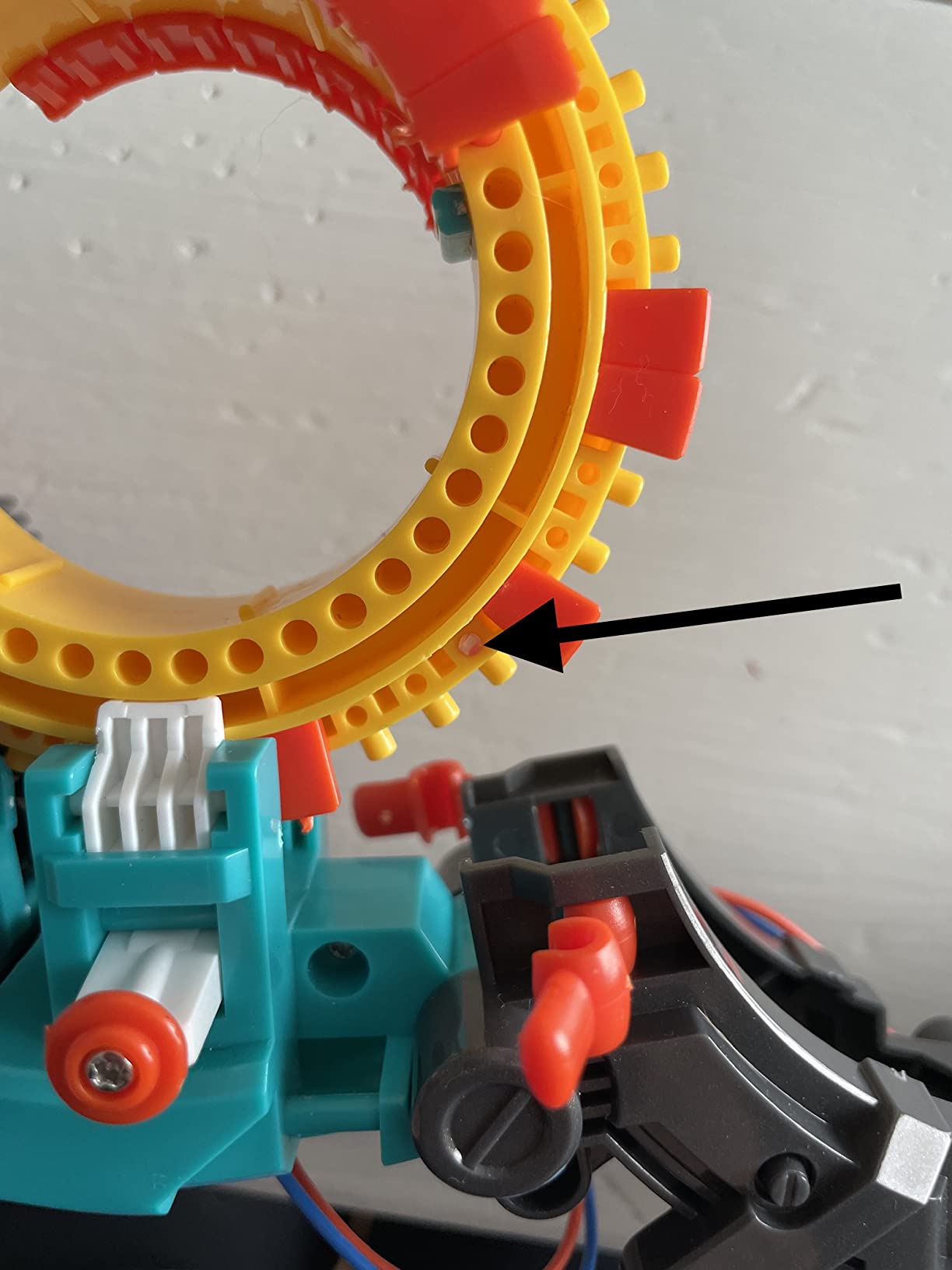
Once built, the coding wheel introduces real programming concepts. Each notch on the wheel represents an action. By rotating the wheel to specific positions, kids create sequences, which the robot then executes. It’s a tangible representation of how programs run instruction-by-instruction.
Durability is solid, but the robot’s motors are loud. If you have noise-sensitive neighbors or nap-time considerations, plan accordingly. The coding wheel itself has a learning curve, so expect the first few programs to feel frustrating.
For whom its good
Kids who like building mechanical models will love this kit. It’s also the best pick for parents who want zero screen time. The mechanical coding approach feels unique compared to typical robots and apps.
For whom its bad
Kids with low patience for assembly will struggle. The 100+ small parts require careful handling, and younger testers (under 10) will likely lose interest before the build is complete.
9. Makeblock mBot2 — Best Upgrade Pick for Ages 8-14
Makeblock mBot2 Coding Robot for Kids, Code Learning Support Scratch & Python Programming, Robotics Kit for Kids Ages 8-14 and up, Building STEM Robot Toys Gifts for Boys Girls
Scratch/Python
10+ sensors
5hr battery
Age 8-14
Pros
- Supports both Scratch and Python programming
- 10+ advanced sensors
- 5 hours of playtime on single charge
- Expandable with 30+ modules for IoT
Cons
- Software interface can be complicated for kids
- JST connectors difficult for small hands
- Manuals need better design
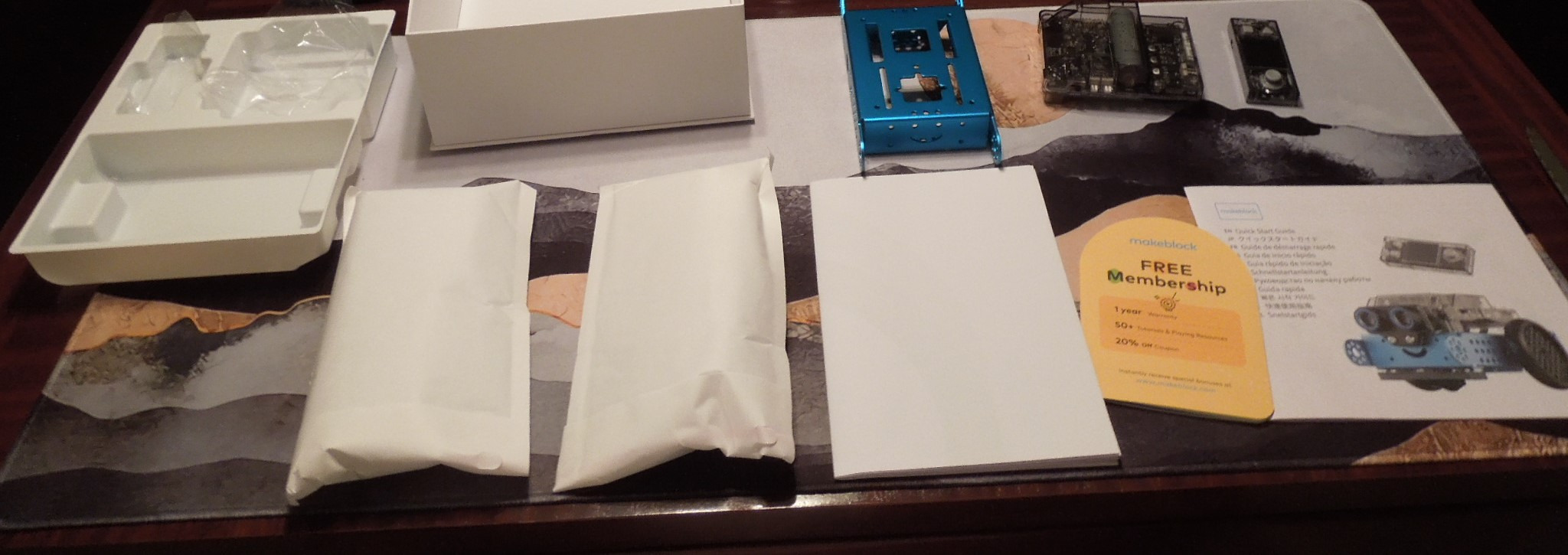
The mBot2 is the upgraded successor to the original mBot, and it’s a substantial leap forward. With support for both Scratch and Python, plus 10+ advanced sensors, this robot bridges beginner block coding with real text-based programming. It’s the best investment for parents who want a kit that grows with their child for years.
The CyberPi microcontroller is the heart of the upgrade. It has a built-in color display, gyroscope, accelerometer, and WiFi module. Kids can program voice commands, line-following with color detection, and even multi-robot classroom coordination. The hardware feels professional-grade without being intimidating.

Battery life is exceptional. We got over 5 hours of active play on a single charge during testing, with no slowdown. The rechargeable lithium-ion battery is built-in and charges via USB-C. Compare that to AA-battery competitors that chew through cells during heavy use.
The learning curve is steeper than the original mBot. Kids comfortable with Scratch will adapt quickly, but the mBlock 5 software has more features, which means more complexity. The included project cards help, but expect the first session to require parent guidance.
For whom its good
Families ready to invest in a long-term coding platform will appreciate mBot2. It’s ideal for kids who have outgrown beginner kits but aren’t ready for full Arduino complexity. Classroom teachers will love the WiFi multi-robot support.
For whom its bad
If your child is brand new to coding, start with the original mBot or Botley. The mBot2’s feature set can overwhelm beginners. Also, the price point is significantly higher than entry-level kits.
10. Snap Circuits Classic SC-300 — Best Expanded Electronics Kit for Ages 8+
SNAP CIRCUITS Classic SC-300 STEM Electronics Kit, 300+ Projects, Ages 8+
300+ projects
60+ parts
AM radio
Age 8+
Pros
- Over 300 projects included
- Numbered and color-coded pieces
- Award-winning STEM toy
- Builds AM radios and burglar alarms
Cons
- Some parts feel fragile under heavy use
- Many projects involve loud sounds and lights
- Some initial assembly required
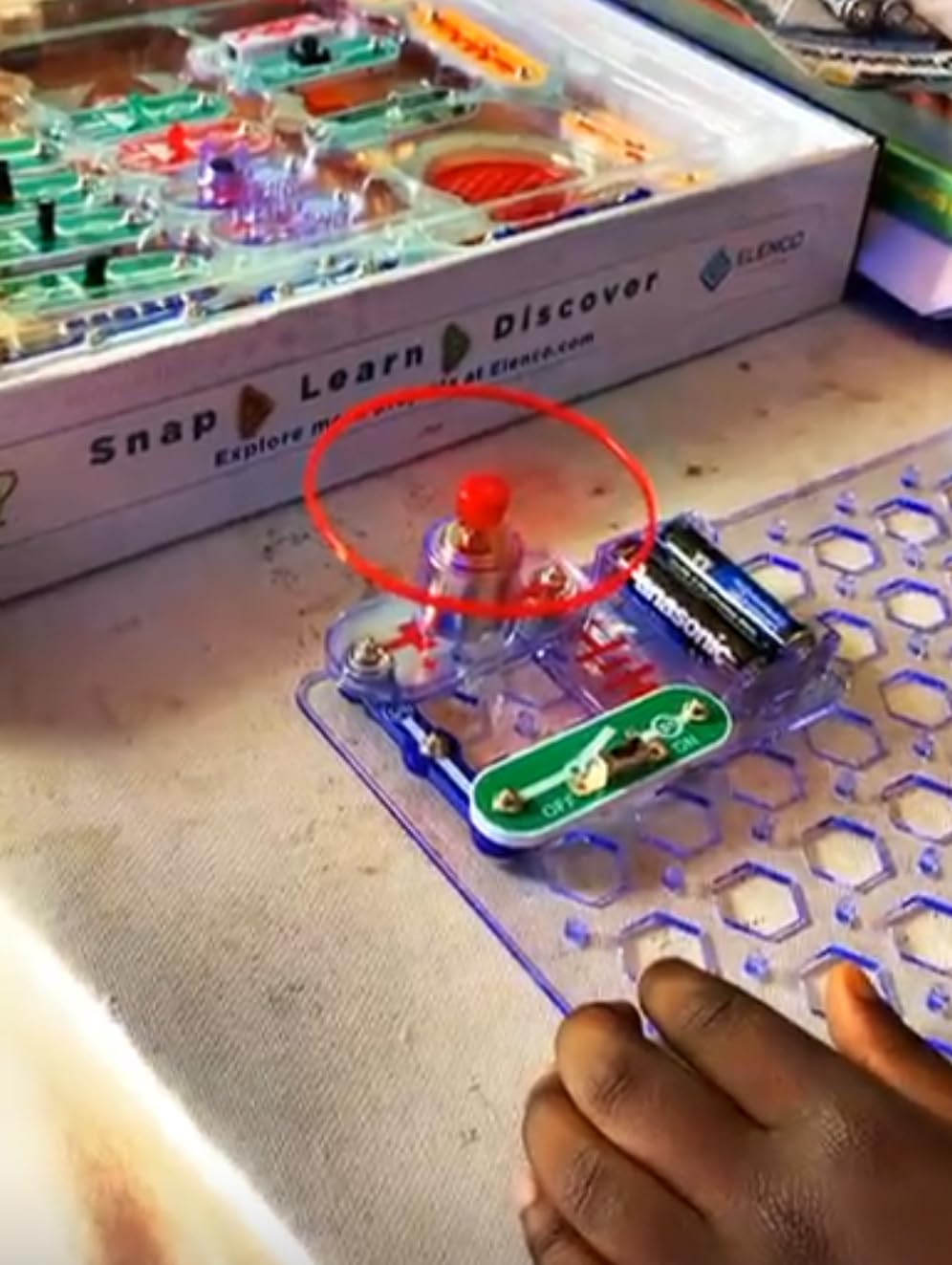
The Snap Circuits Classic SC-300 is the bigger sibling of our budget pick. With 300+ projects, 60+ parts, and a full-color manual, this kit pushes deeper into electronics education. My 10-year-old tester built an AM radio within the first hour, which was a genuine “wow” moment.
The expanded part set includes components not found in SC-100, like transistors, transformers, and integrated circuits. Projects range from simple doorbells to burglar alarms to actual working radios. The progression is well-paced, with each project building on previous concepts.
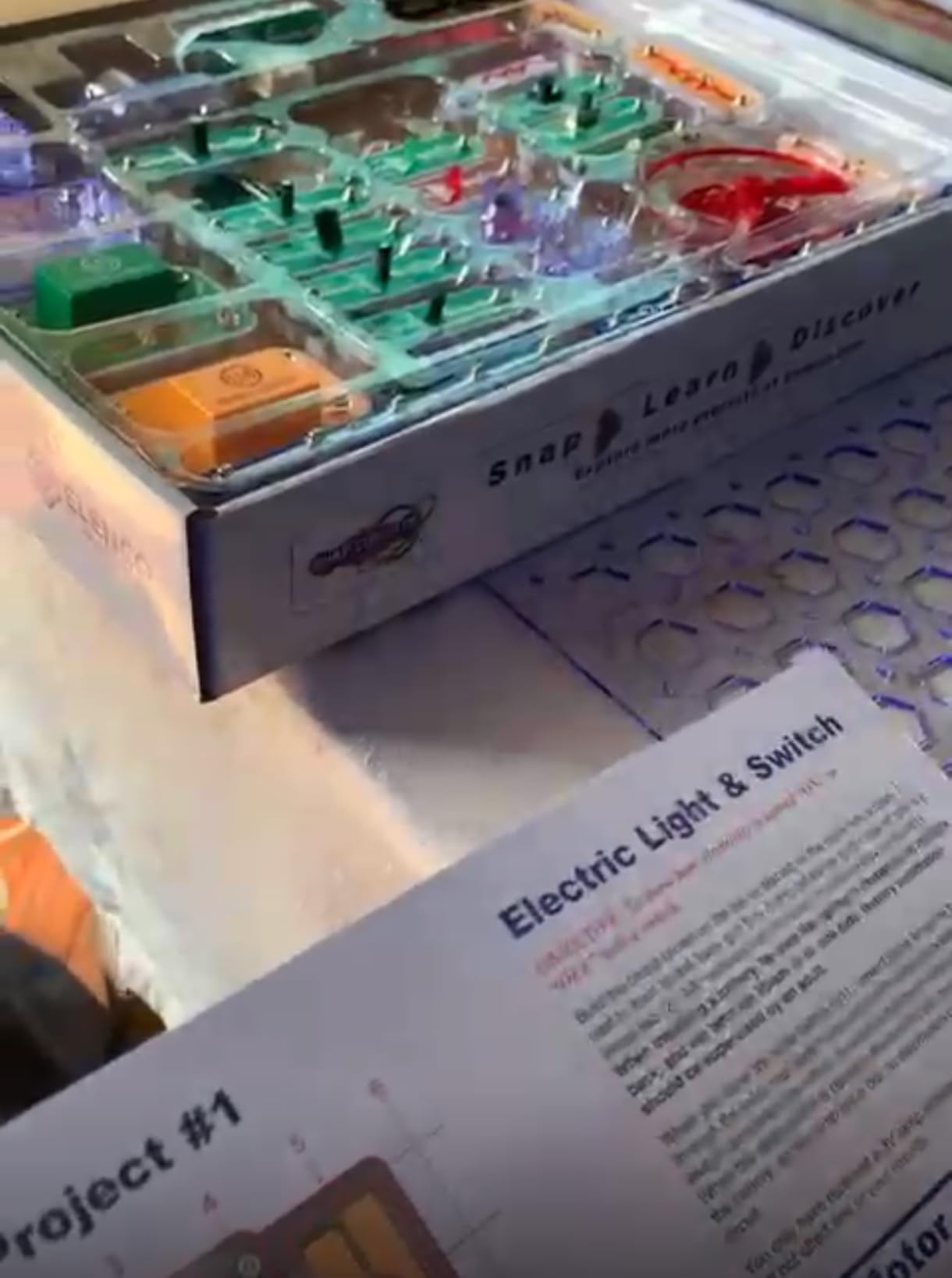
Like the SC-100, there’s no coding or programming involved. This kit teaches electronics, which is foundational but distinct from software. Pair it with a coding robot for a complete STEM education.
The 4.8 average rating across over 29,000 reviews speaks to consistent quality. Elenco’s customer service is also excellent, with replacement parts available quickly for any broken pieces.
For whom its good
Kids who loved SC-100 and want more projects will find SC-300 a worthy upgrade. It’s also ideal for older kids (10+) who want electronics projects that feel more sophisticated. The radio-building project alone justifies the upgrade cost.
For whom its bad
If you already own SC-100 and your child hasn’t maxed it out, the upgrade may not be necessary. The new projects are interesting but build on the same concepts.
11. Apitor Robot J — Best Building-Focused Coding Kit for Ages 7-12
Apitor STEM Coding Robot Toy 6-in-1 Building Kit for Boys 8-12 480 Blocks
480 blocks
6-in-1
APP control
Age 7-12
Pros
- 6-in-1 building variety with 480 blocks
- Icon-based app for easy coding
- 4 app control modes
- 360-degree stunts
Cons
- Requires 3 AA batteries (not included)
- Some reviewers found size smaller than expected
- App required for full features
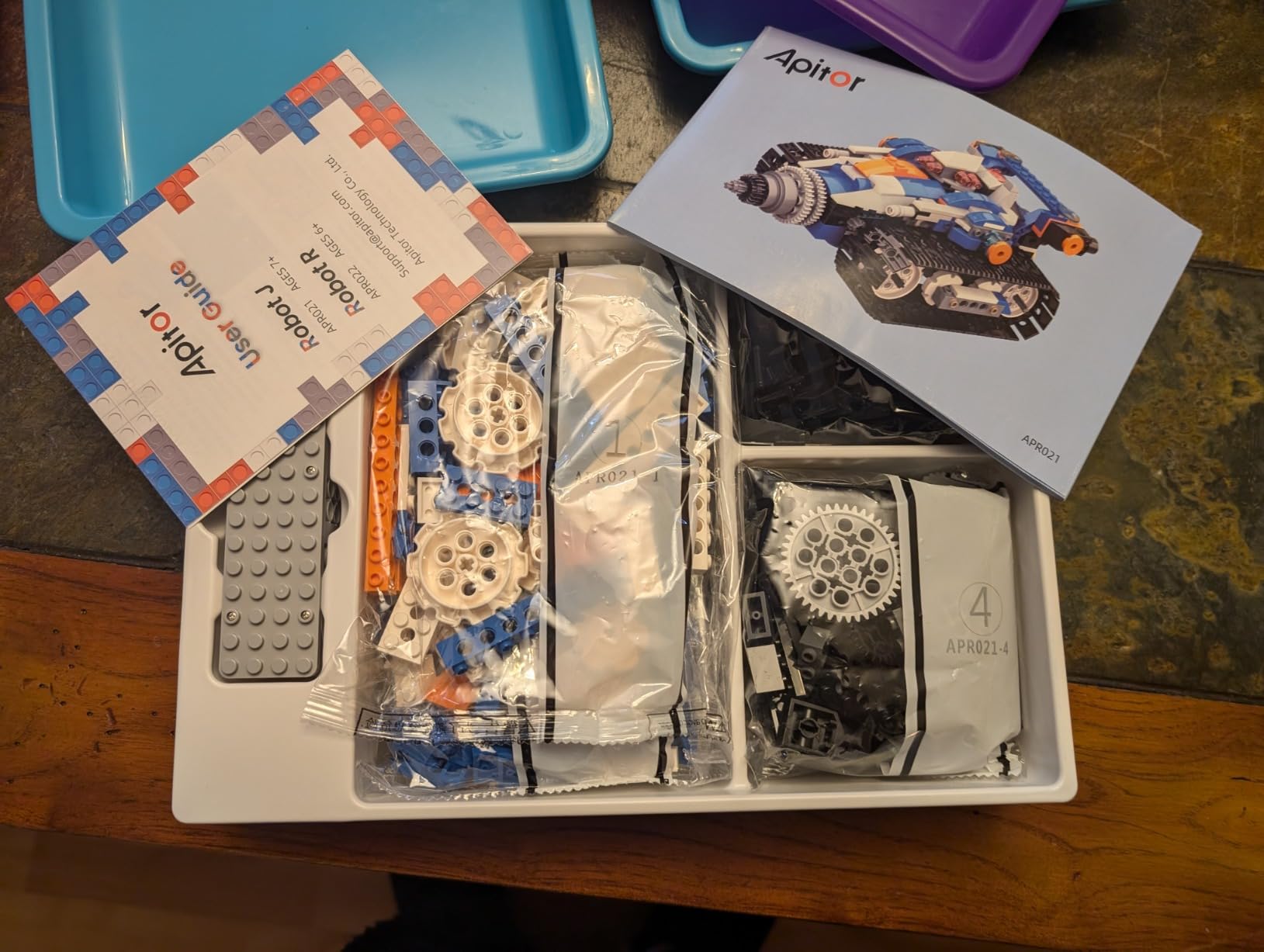
Apitor Robot J is a 6-in-1 building kit that combines construction play with app-based coding. With 480 colorful blocks, kids build six different robot models, then program them via Bluetooth through the free Apitor Kit app. It’s a versatile kit for kids who love both building and coding.
The block quality surprised me. The ABS plastic pieces snap together firmly, comparable to name-brand building sets. My 9-year-old tester built his first model (a robot car) in about 45 minutes, following the included building instructions.
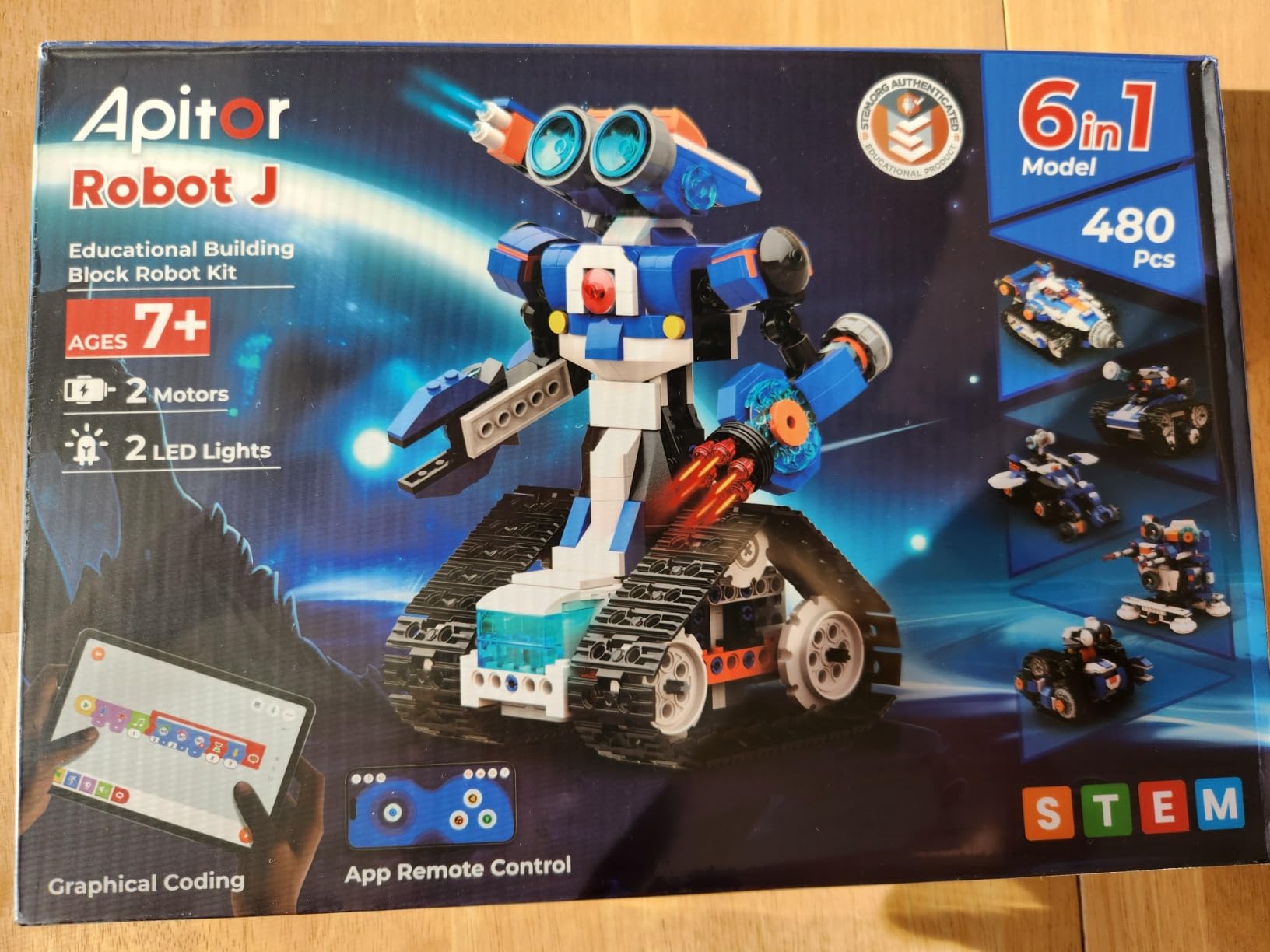
The Apitor Kit app uses an icon-based programming interface. Kids drag and drop command icons to create sequences. It’s simpler than Scratch but functional. The app supports four control modes: dual-motor, single-motor, gyro, and path drawing. The 360-degree stunt mode is a kid favorite.
The downside is battery dependence. The control module runs on 3 AA batteries (not included), which drain faster than expected during heavy use. Also, some reviewers expected larger pieces based on the box art, so manage expectations accordingly.
For whom its good
Kids who love LEGO-style building will enjoy the variety here. Six models means six different play experiences from one kit. It’s also a good choice for siblings, since they can each build a different robot.
For whom its bad
If your child prefers pure coding without building, this kit may feel construction-heavy. Also, budget for rechargeable batteries since the kit devours them.
12. Botley 2.0 The Coding Robot Activity Set — Best Updated Screen-Free Pick for Ages 5-9
Learning Resources Botley 2.0 The Coding Robot Activity Set
Screen-free
78 pieces
45-degree turns
Age 5-9
Pros
- Screen-free design
- Adaptable complexity for different ages
- Durable construction
- Object-sensing and line-following
Cons
- Turn angles limited to 90 or 45 degrees
- Requires 5 AAA batteries
- May need parental guidance for younger children
Botley 2.0 is the upgraded version of our Editor’s Choice. It adds 45-degree turn angles (a common complaint with the original), more pieces, and refined sensors. If you want the screen-free experience but with more complexity, this is the better pick for ages 5-9.
The 78-piece set includes coding cards, activity boards, obstacle pieces, and a remote programmer. The expanded piece count over the original Botley means more maze possibilities and more replay value. My 7-year-old tester built elaborate courses that included slopes, tunnels, and multi-step sequences.
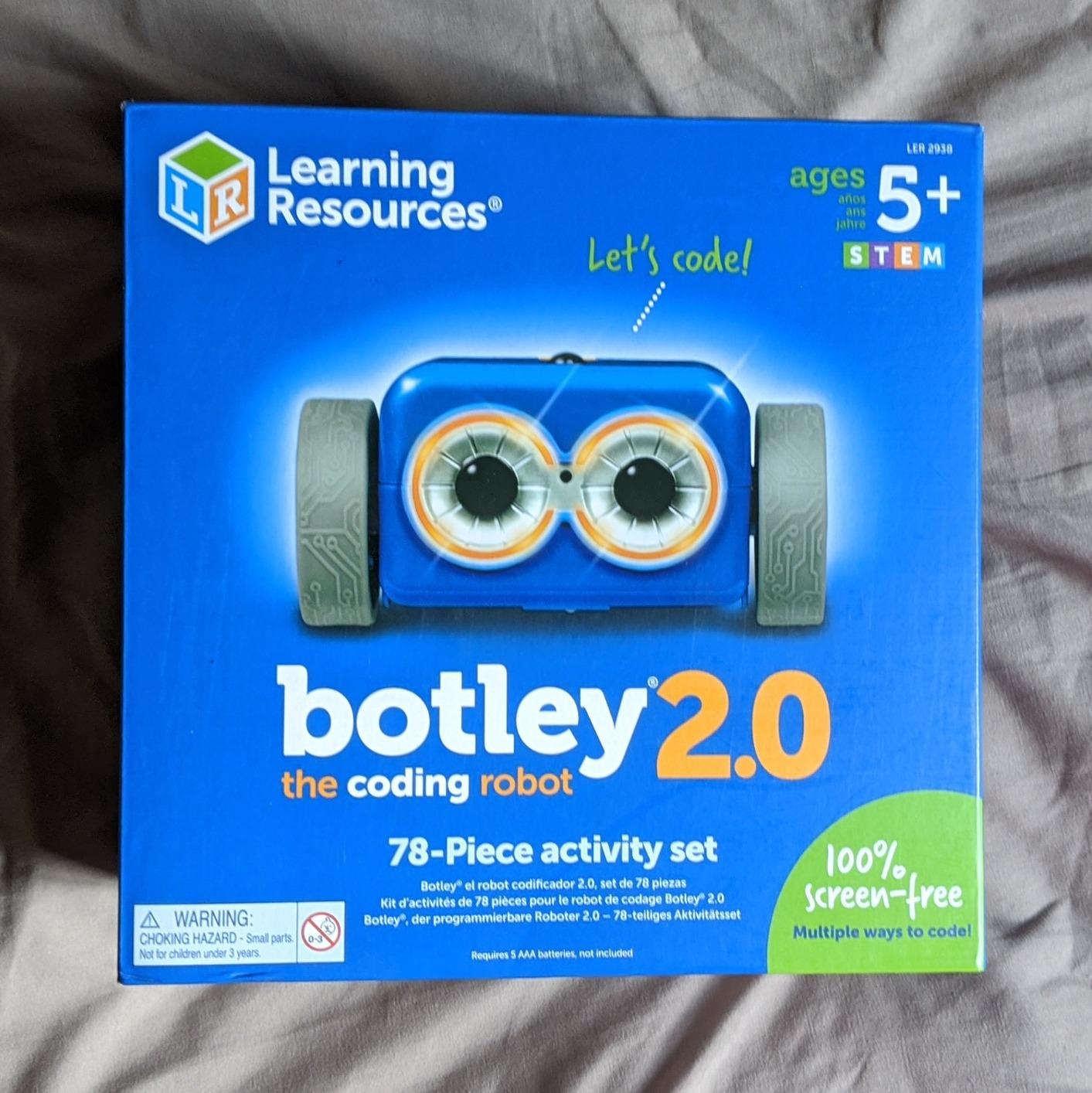
The 45-degree turn addition is significant. The original Botley only turned in 90-degree increments, which made path programming feel choppy. With 45-degree turns, Botley 2.0 can navigate more natural-looking courses and more complex puzzles.
Object-sensing and line-following work well on smooth surfaces. The robot emits friendly beeps and has colorful lights, which kept my tester engaged. Build quality feels sturdy, and the plastic held up to multiple drop tests during our evaluation.

For whom its good
Families who want a screen-free experience with more complexity than the original Botley will appreciate the upgrade. It’s also ideal for slightly older kids (7-9) who find the original Botley too simple.
For whom its bad
Battery consumption is high (5 AAA batteries needed), so plan accordingly. Also, the turn angle limitation, while improved, still restricts path design compared to app-based robots.
How to Choose the Best Kids Coding Kits for Your Family
Choosing the best kids coding kits comes down to four key factors: age, screen time preferences, learning goals, and how long you want the kit to last. Let me walk through each one with specific guidance based on what I observed during testing.
Age Range and Skill Level
Age recommendations on the box are often optimistic. During testing, I found that most kits work best within a narrower window than advertised. Botley 2.0 is marketed for ages 5-9, but the sweet spot was 6-8 in my tests. Older kids found it too simple; younger kids needed help with the remote programmer. The original Botley works for ages 5-7 more reliably.
For ages 4-6, prioritize screen-free kits like Botley or Playz. These don’t require reading fluency or app navigation. For ages 7-10, app-based kits like Dash, Osmo, or mBot offer the right balance of challenge and accessibility. For ages 11+, move into Arduino projects like the ELEGOO Robot Car or the mBot2 with Python support.
Screen-Free vs App-Based
This decision matters more than most parents realize. Screen-free kits like Botley, Playz, and Teach Tech Mech 5 teach coding concepts without adding to your child’s daily screen time. They’re ideal for families following pediatrician screen guidelines or for kids who already get plenty of tablet time elsewhere.
App-based kits like Dash, Osmo, and mBot offer more advanced programming concepts and longer engagement curves. The trade-off is screen time. Many parents compromise by designating app-based coding as “educational screen time,” which most guidelines accommodate.
Learning Outcomes
Different kits teach different things. Snap Circuits teaches electronics, not software. Coding robots like Dash and Botley teach sequencing, loops, and conditionals. Arduino kits like ELEGOO teach real programming languages. Identify what you want your child to learn, then match the kit accordingly.
For a foundation in computational thinking, start with screen-free kits like Botley. For block-based coding (Scratch, Tynker), choose mBot or Dash. For real programming languages, move to mBot2 or ELEGOO once your child is ready.
Long-Term Engagement and Durability
The biggest complaint I hear from parents is that their child abandoned a coding kit after two weeks. To avoid this, look for kits with progression, multiple play modes, and expansion paths. Dash grows from Path to Blockly over years. Snap Circuits expands with add-on kits. mBot works with LEGO for endless customization.
Durability matters too. Kits with metal chassis (like mBot) survive drops better than all-plastic competitors. Look for kits with replaceable parts and good customer service. Elenco (Snap Circuits) and Learning Resources (Botley) both have excellent warranty support.
For families with multiple kids of different ages, prioritize kits with adjustable difficulty. Dash’s three-app structure lets a 6-year-old and a 12-year-old enjoy the same robot. Botley 2.0 also accommodates different skill levels within its 78-piece set. Related guides on educational toys can help round out your gift list.
Frequently Asked Questions
What are some good coding kits for kids?
Good coding kits for kids include Botley for screen-free play (ages 5+), Dash for app-based learning (ages 6+), mBot for entry-level Scratch and Arduino (ages 8-12), and ELEGOO Robot Car for serious Arduino projects (ages 12+). The best choice depends on your child’s age, whether you want screen-free or app-based play, and your budget. Younger kids benefit from screen-free kits, while older kids can handle app-based progression into real programming languages.
What is the best coding language or platform for kids?
For most kids ages 5-10, block-based coding through platforms like Scratch or Osmo is ideal because it removes syntax barriers and lets kids focus on logic. Ages 8-12 can transition to Scratch-based robots like mBot, which lets them convert their blocks into Arduino C++ code with one click. Ages 12+ ready for real text-based programming should try mBot2 (Python) or ELEGOO kits (Arduino C++). Scratch remains free and is an excellent starting point for any age.
Is Tynker better than Scratch?
Scratch and Tynker both teach similar block-based coding, but they target different audiences. Scratch is free, runs in any browser, and has a massive community of shared projects. It’s the best choice for kids who want creative freedom. Tynker is a paid subscription platform with more structured courses and built-in parental dashboards, which appeals to parents who want guided progression. Tynker also has Minecraft modding courses that Scratch lacks. For self-directed kids, Scratch wins. For parents wanting curriculum structure, Tynker wins.
What coding kit should I buy for my 8-year-old?
For an 8-year-old, the best picks are mBot (Scratch and Arduino intro at ages 8-12), Dash (app-based learning that grows with the child), or Botley 2.0 (screen-free with 45-degree turns for more complex paths). If your child has never coded before, start with Botley for screen-free fundamentals. If they have tablet access and want app-based play, Dash is the gold standard. For kids who love building, mBot offers the best combination of construction and programming.
Are coding toys worth the investment?
Yes, coding toys are worth the investment when chosen well. They teach computational thinking, problem-solving, and persistence, skills that transfer to any career. The key is matching the kit to your child’s age and interest. A $30 screen-free robot like Botley delivers years of replay value for ages 5-7. A $170 Dash robot grows with your child from ages 6 through 12. The kits that fail are usually those chosen for the wrong age or with overly aggressive marketing. Stick to kits with proven reviews and clear learning progressions, and your child will get genuine educational value.
Final Verdict on the Best Kids Coding Kits
After testing 12 kits with real kids, three stand above the rest. Botley is our top pick for ages 5-7 because it teaches real coding concepts without any screen time. Dash wins for ages 6-12 because it grows with your child from simple path drawing to Scratch-style block coding. Snap Circuits Jr. is the best budget option for ages 8+ who want to explore electronics.
The best kids coding kits teach more than programming. They teach persistence, logical thinking, and the joy of making something work. Whether you choose a screen-free robot, an app-based kit, or an electronics project, focus on matching the kit to your child’s age and interest. That’s the difference between a kit that gathers dust and one that delivers years of learning.
Whichever kit you choose, give your child unstructured time to explore. The kids who got the most out of testing weren’t the ones following instructions, they were the ones inventing their own projects. Set them up, step back, and watch what they build. That’s where real learning happens.