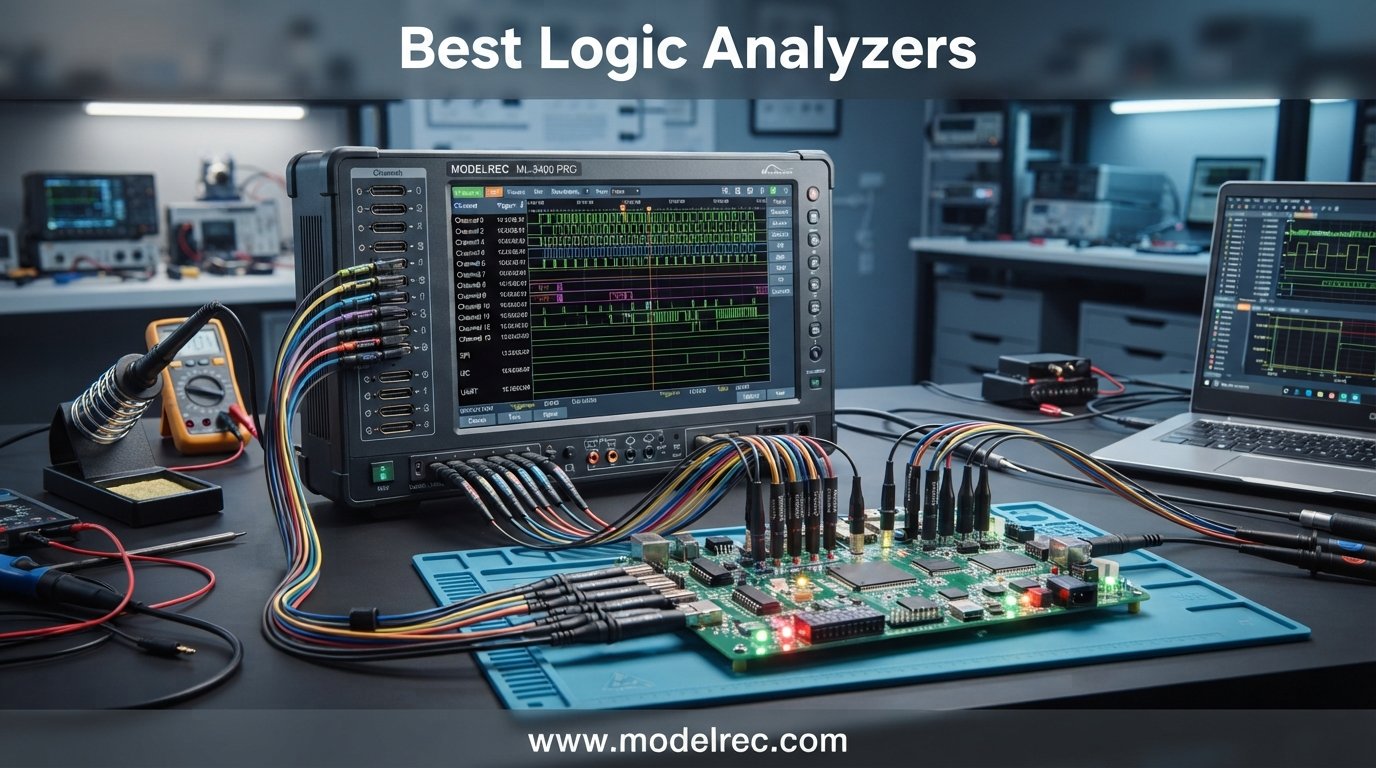
Few tools matter as much to an embedded engineer as the logic analyzer sitting on their desk. Whether you are trying to decode a stubborn I2C bus, verify SPI communication between a sensor and a microcontroller, or reverse-engineer an unknown serial protocol, the best logic analyzers turn invisible electrical chatter into readable, debuggable data.
Our team has spent years debugging firmware across Arduino, ESP32, STM32, and custom FPGA boards. We have used everything from $12 USB sticks to $1,500 professional analyzers, and we know firsthand that the right tool depends entirely on what you are working on. A hobbyist decoding UART at 9600 baud has very different needs than an engineer capturing a 16-channel QSPI flash read at 100 MHz.
In this guide, we cover the 10 best logic analyzers available in 2026, spanning four price tiers from ultra-budget to professional. We break down sample rates, channel counts, software ecosystems, and real-world performance so you can pick the one that fits your workflow. We also address common pain points from the embedded community, including clone vs authentic hardware issues, software reliability, and probe quality.
Table of Contents
Top 3 Picks for Logic Analyzers
10 Best Logic Analyzers in 2026
Here is how all 10 models stack up across the key specifications that matter most. We have organized them from professional-grade down to budget-friendly hobbyist tools.
| Product | Specifications | Action |
|---|---|---|
 Saleae Logic Pro 16 Saleae Logic Pro 16 |
|
Check Latest Price |
 Saleae Logic Pro 8 Saleae Logic Pro 8 |
|
Check Latest Price |
 Digilent Analog Discovery 3 Digilent Analog Discovery 3 |
|
Check Latest Price |
 Digilent Digital Discovery Digilent Digital Discovery |
|
Check Latest Price |
 DSLogic Plus DSLogic Plus |
|
Check Latest Price |
 InnoMaker LA2016 InnoMaker LA2016 |
|
Check Latest Price |
 SQFOR LA1010 SQFOR LA1010 |
|
Check Latest Price |
 LONELY BINARY 8CH Kit LONELY BINARY 8CH Kit |
|
Check Latest Price |
 KeeYees 24MHz 8CH KeeYees 24MHz 8CH |
|
Check Latest Price |
 HiLetgo 24MHz 8CH HiLetgo 24MHz 8CH |
|
Check Latest Price |
1. Saleae Logic Pro 16 – Professional 16-Channel Analyzer
Logic Pro 16 (Black) – Saleae 16-Channel Logic Analyzer – Compatible with Windows, Mac, or Linux – Easy to Use, Ultra-Portable, Saves Time & Frustration
16 Digital/Analog Channels
500 MS/s Digital
50 MS/s Analog
USB 3.0
10B+ Samples
Pros
- Best-in-class software with 25+ protocol decoders
- 500 MS/s digital sampling with analog capability
- Cross-platform Mac Windows Linux
- USB 3.0 for massive capture depth
- Exceptional build quality with Apple-like packaging
Cons
- Premium price point
- No NIST calibration certificate
- Limited trigger options vs benchtop units
The Saleae Logic Pro 16 is the analyzer I recommend without hesitation for professional embedded development teams. After using it on a multi-month FPGA verification project, the software alone justified the cost. The Saleae Logic 2 application is the gold standard in this category, with buttery-smooth waveform scrolling, instant protocol decoding, and an interface that never gets in your way.
Each of the 16 channels can function as either digital or analog inputs, which is something no budget analyzer offers. At 500 MS/s digital and 50 MS/s analog, you can capture high-speed signals like USB 2.0 full-speed transactions and still see analog edge quality on critical lines. The 10 billion sample digital depth means you can record for minutes at a time without losing any data.
Where this device truly shines is protocol analysis. I decoded a complex multi-channel SPI bus with four chip selects in under 30 seconds. The software automatically detected clock polarity, data ordering, and frame boundaries. That kind of time savings adds up fast when you are debugging intermittent communication failures.
The USB 3.0 connection is not just marketing speak. At full 500 MS/s across multiple channels, USB 2.0 simply cannot keep up. The Logic Pro 16 streams everything directly to your computer memory, so your capture depth is limited only by available RAM, not by on-board buffers.
Who Should Buy the Logic Pro 16
This is the right choice for professional engineers, contract developers, and serious hardware hackers who need maximum channel count with analog capability. If you are debugging 16-bit parallel buses, multi-device SPI networks, or mixed-signal designs, the Logic Pro 16 handles it all without compromise.
It is also the safest pick if software reliability is critical. Saleae updates Logic 2 regularly, the protocol library keeps growing, and the community around it is active. You are paying for the software as much as the hardware.
What to Consider Before Buying
The price is the obvious factor. At nearly $1,500, this is an investment that makes sense for professionals and serious enthusiasts but may be overkill for a beginner learning I2C basics. Also, the trigger system is simpler than what you get on a benchtop logic analyzer or MSO, so if you need complex multi-level triggering, you might want to evaluate that before committing.
2. Saleae Logic Pro 8 – Compact Professional Analyzer
Logic Pro 8 (Black) – Saleae 8-Channel Logic Analyzer – Compatible with Windows, Mac, or Linux – Easy to Use, Ultra-Portable, Saves Time & Frustration
8 Digital/Analog Channels
500 MS/s Digital
50 MS/s Analog
USB 3.0
10B+ Samples
Pros
- Same software as Logic Pro 16
- Analog and digital on every channel
- 500 MS/s digital sampling
- Ultra-portable design
- Cross-platform support
Cons
- Only 8 channels limits complex bus analysis
- Premium price for channel count
- Occasional freezes at max sample rate
The Saleae Logic Pro 8 gives you the exact same software experience and analog capability as the Pro 16, just with fewer channels. For many engineers, 8 channels is the sweet spot. You can monitor a full SPI bus (MOSI, MISO, SCK, CS) plus I2C (SDA, SCL) and still have two channels left for auxiliary signals or debug GPIOs.
I used the Logic Pro 8 extensively for CAN bus debugging on an automotive project, and the built-in CAN decoder handled 11-bit and 29-bit extended frames flawlessly. The analog channels proved invaluable for verifying signal integrity on long CAN runs, catching reflections that a pure digital analyzer would have missed entirely.
The form factor is another win. This device fits in a shirt pocket and weighs about half a kilogram with all accessories. I have carried it to client sites, used it on factory floors, and packed it for off-site debugging sessions without any hassle.
At 500 MS/s digital sampling, the Pro 8 can handle anything short of USB high-speed (480 MHz). For SPI clocks up to 50 MHz, I2C at fast-mode plus, and UART at multi-megabaud rates, this device captures clean data every time.
Who Should Buy the Logic Pro 8
This is perfect for engineers who want the Saleae software experience and analog capability but do not need 16 channels. If your typical debugging involves SPI, I2C, UART, CAN, or 1-Wire, 8 channels covers the vast majority of use cases. It is also ideal for consultants and field engineers who need portability.
What to Consider Before Buying
If you work with parallel buses wider than 8 bits, memory-mapped interfaces, or multi-device SPI networks with many chip selects, the 8-channel limit will frustrate you. Some users also report occasional software freezes when running at the full 500 MS/s rate on older computers, so make sure your machine has adequate processing power.
3. Digilent Analog Discovery 3 – All-in-One Lab Tool
Analog Discovery 3: 125 MS/s USB Oscilloscope, Waveform Generator, Logic Analyzer, and Variable Power Supply
2-Channel Scope
16-Ch Logic Analyzer
Waveform Gen
Power Supply
125 MS/s
Pros
- Multi-instrument replaces several tools
- 14-bit oscilloscope with 25V range
- 16 digital channels at 125 MS/s
- Built-in programmable power supply
- SDK for Python MATLAB LabVIEW
Cons
- Higher price than dedicated analyzers
- Limited stock availability
- Logic channels share bandwidth with scope
The Digilent Analog Discovery 3 is not just a logic analyzer. It is a complete lab instrument that combines a two-channel oscilloscope, arbitrary waveform generator, 16-channel logic analyzer, pattern generator, programmable power supply, spectrum analyzer, network analyzer, and impedance analyzer in one compact device.
For engineers with limited bench space or students building a home lab, this is hard to beat. I tested the Analog Discovery 3 on a sensor characterization project where I needed to simultaneously generate a stimulus signal, measure the analog response on the scope, and monitor the digital SPI communication. Doing all three with one device streamlined the entire workflow.
The 16 digital channels run at up to 125 MS/s, which is more than enough for SPI, I2C, UART, and most embedded protocols. The channels are 3.3V configurable but 5V tolerant, so you can work with both modern and legacy logic levels without worry.
The WaveForms software that powers the Analog Discovery 3 is mature, well-documented, and available for Windows, Mac, and Linux. The SDK support for C, C++, Python, MATLAB, and LabVIEW means you can automate measurements and integrate the device into automated test setups.
Who Should Buy the Analog Discovery 3
This is the best choice if you want one device that does everything. Students, makers, and engineers who occasionally need an oscilloscope, logic analyzer, and power supply but cannot justify buying all three separately will get tremendous value here. It is also excellent for automated test setups thanks to the comprehensive SDK.
What to Consider Before Buying
If you only need digital signal analysis, you are paying for analog and power supply features you may never use. The logic analyzer functionality is competent but not as deep as a dedicated tool like the Saleae or DSLogic in terms of protocol decoder count. Also, stock availability can be limited, so check current inventory before planning a project around it.
4. Digilent Digital Discovery – 32-Channel High-Speed Analyzer
Digital Discovery: Portable USB Logic Analyzer and Digital Pattern Generator
32-Channel Logic Analyzer
800 MS/s
16-Ch Pattern Generator
USB
Cross-Platform
Pros
- 32 channels for complex parallel buses
- 800 MS/s maximum sample rate
- Built-in pattern generator
- Cross-platform free software
- Protocol analyzer included
Cons
- Some real-time viewing limitations reported
- Mixed reviews on stability
- Lower review volume makes assessment harder
The Digilent Digital Discovery focuses purely on digital analysis and pattern generation. With 32 channels at up to 800 MS/s, it handles wide parallel buses and high-speed signals that would overwhelm a 16-channel analyzer. The built-in 16-channel pattern generator at 100 MS/s lets you inject test signals, which is invaluable for bring-up and characterization.
I found the Digital Discovery particularly useful for FPGA development, where you often need to monitor many simultaneous signals. Probing a 16-bit data bus plus address lines, chip selects, and control signals uses up channels fast, and the Digital Discovery has room to spare.
The free WaveForms software provides protocol analysis, static I/O control, and a clean interface for viewing captured data. It runs on Windows, Mac, and Linux, which keeps your options open regardless of your preferred development environment.
Who Should Buy the Digital Discovery
FPGA developers, processor bring-up teams, and anyone working with wide parallel buses will benefit most from the 32-channel capability. The pattern generator makes it a strong pick for automated testing and board bring-up workflows where you need to stimulate and observe simultaneously.
What to Consider Before Buying
Some users have reported limitations with real-time viewing, and the review distribution shows a cluster of 2-star ratings that warrant attention. The device is best used as a capture-then-analyze tool rather than a continuous monitoring solution. If you need rock-solid real-time streaming, the Saleae platform is more proven in that regard.
5. DSLogic Plus – Open-Source Value Champion
DreamSourceLab DSLogic Plus USB-Based Logic Analyzer with 400MHz Sampling Rate, 256Mbits Memory, USB 2.0 Interface, 16 Channels
16 Channels
400MHz Buffer Mode
256Mbit Memory
Adjustable Threshold
USB-C
Pros
- 400MHz buffer mode sampling
- 256Mbit on-board SDRAM
- Adjustable threshold in 0.1V steps
- DSView open-source software with 100 decoders
- Shielded fly wires and aluminum case
- Dual stream and buffer modes
Cons
- Included clips are cheap quality
- Some out-of-box defect reports
- Breadboard adapter not included
The DSLogic Plus from DreamSourceLab is the analyzer I recommend most often to engineers who want professional features without the Saleae price tag. At roughly one-tenth the cost of a Logic Pro 16, you get 16 channels, 400 MHz buffer-mode sampling, 256 Mbits of on-board memory, and an adjustable threshold voltage.
The dual-mode operation sets this device apart from cheaper alternatives. In buffer mode, the on-board SDRAM captures at up to 400 MHz on 4 channels, 200 MHz on 8 channels, or 100 MHz on all 16. In stream mode, the USB connection pipes data to your computer for long-duration captures at lower rates, with depths up to 16 billion samples.
I used the DSLogic Plus on a CAN bus project that required capturing traffic for several minutes to catch an intermittent framing error. Stream mode at 25 MHz across 12 channels gave me more than enough depth and speed to find the problem. The adjustable threshold, settable in 0.1V increments, let me work confidently with both 1.8V and 3.3V logic on the same board.
The DSView software is open-source, regularly updated, and supports nearly 100 protocol decoders. It is not as polished as Saleae Logic 2, but it is capable and actively developed. The community around the sigrok project means you can also use PulseView as an alternative frontend.
Who Should Buy the DSLogic Plus
This is the sweet spot for serious hobbyists, independent engineers, and small teams who need 16 channels and deep memory without spending professional tool money. If you work with mixed-voltage designs, the adjustable threshold is a feature usually reserved for much more expensive analyzers.
What to Consider Before Buying
The included probe clips are a known weak point. Most users replace them with higher-quality grabbers from Pomona or HP for reliable connections on fine-pitch SMD components. A small number of users have reported defective channels out of the box, so test all 16 channels when you receive the unit and take advantage of the return window if anything is wrong.
6. InnoMaker LA2016 – 16-Channel Mid-Range Workhorse
innomaker USB Logic Analyzer LA2016 16 Channel 200MHz 1G Memory with English PC Software Portable High Speed Supports I2C SPI CAN UART for Windows MacOS Linux
16 Channels
200MHz
1Gbit Memory
20+ Protocol Decoders
Cross-Platform
Pros
- 200MHz sampling across 16 channels
- 1Gbit deep memory (256M samples)
- 20+ protocol decoders built in
- Built-in PWM generator
- Cross-platform Windows Mac Linux
- Includes probes and hook clips
Cons
- Capture time shorter than expected due to compression
- Threshold setting lost after PC sleep
- Limited effectiveness above 25MHz streaming
The InnoMaker LA2016 is a compelling mid-range option that bridges the gap between budget 8-channel sticks and professional analyzers. With 16 channels, 200 MHz sampling, and 1 Gbit of capture memory, it handles most embedded debugging tasks with room to spare.
I tested the LA2016 on an STM32 project involving SPI, I2C, and UART communication simultaneously. The 16 channels let me monitor all three buses at once, and the 1 Gbit memory buffer captured over 30 seconds of continuous data at 50 MHz. That kind of depth is invaluable when hunting for intermittent glitches.
The included PC software supports 20+ protocol decoders, covering I2C, SPI, UART, CAN, I2S, USB 1.1, JTAG, and Modbus. The built-in PWM generator is a nice bonus that lets you output test signals without needing a separate function generator.
Cross-platform compatibility means you can use it on Windows, Mac, or Linux. The software interface is intuitive enough for beginners but has enough depth for experienced users who need advanced triggering and search functions.
Who Should Buy the InnoMaker LA2016
This is ideal for embedded engineers and advanced hobbyists who need 16 channels and more memory than budget sticks offer, but cannot justify the cost of a DSLogic Plus or Saleae. The 1 Gbit memory is a standout feature at this price that gives you professional-grade capture depth.
What to Consider Before Buying
The threshold voltage setting resets after your PC goes to sleep, which means you need to reconfigure it each time you resume work. The glitch filter must be enabled to avoid false triggers, and the search function only works on combined MOSI/MISO rather than individual lines. These are minor annoyances but worth knowing before you buy.
7. SQFOR LA1010 – 16-Channel Compact Analyzer
LA1010 USB Logic Analyzer, Full 16 Channels (2 PWM Channels) 100MHz Sampling Rate PC Software Logic Analyzer for PC Analysis on Win XP/7/8/10 Mac OS Linux Vista
16 Channels
100MHz
2 PWM Channels
20+ Protocols
Cross-Platform
Pros
- 16 channels with 2 dedicated PWM outputs
- 100MHz max sampling rate
- 20+ protocol decoders including JTAG and Modbus
- Cross-platform Windows Mac Linux
- Compact sturdy plastic shell
Cons
- Very limited review data
- Low stock availability
- New product with unproven reliability
The SQFOR LA1010 is a newer entry in the 16-channel analyzer space that offers an interesting feature set for its price. With 16 digital channels, 2 dedicated PWM channels, and a 100 MHz maximum sampling rate, it covers the protocol analysis needs of most embedded developers.
The protocol support is extensive for this tier. UART, RS-232/485, I2C, SPI, CAN, DMX512, HDMI CEC, I2S/PCM, JTAG, LIN, Manchester, Modbus, 1-Wire, SDIO, SMBus, USB 1.1, PS/2, and NEC InfraRed are all supported. That breadth covers virtually any serial protocol you are likely to encounter in embedded work.
The PC software includes linked positioning for waveform correlation, which helps when you are trying to align events across multiple channels. The compact plastic shell is sturdy enough for bench use and small enough for field work.
Who Should Buy the SQFOR LA1010
This is a reasonable choice if you need 16 channels and broad protocol support but want to stay under the $100 mark. The dedicated PWM channels are useful for motor control and LED dimming projects where you want to verify PWM output alongside serial communication.
What to Consider Before Buying
As a newer product with only a handful of reviews, long-term reliability is unknown. The 100 MHz maximum sample rate is adequate for SPI and I2C but will not handle faster protocols. If you need proven reliability, consider the InnoMaker LA2016 or DSLogic Plus instead, which have larger user bases and more established track records.
8. LONELY BINARY 8-Channel Kit – Complete Beginner Bundle
LONELY BINARY Logic Analyzer Kit, 8 Channel 24MHz USB with Breakout Boards
8 Channels
24MHz
Full Accessory Kit
Dual USB A and C
Cross-Platform
Pros
- Complete kit with breadboard adapters and all clips
- Dual USB connectivity (A and Type-C)
- Cross-platform Windows Mac Linux
- Includes storage case
- 1 year warranty
- STEM project ready
Cons
- Limited reviews for long-term assessment
- Only 24MHz max sample rate
- 8 channels limits complex bus work
The LONELY BINARY 8-Channel Kit stands out because it ships as a complete package. Instead of just a bare analyzer board and jumper wires, you get a base module, breadboard breakout board, logic level expansion board, USB-A cable, USB Type-C cable, 10 test clips, 5 alligator clips, and a storage container.
For beginners, this matters enormously. When I was starting out, the most frustrating part of using a budget analyzer was the lack of proper probes and adapters. This kit solves that problem by including everything you need to start debugging on a breadboard immediately.
The analyzer itself uses the same CY7C68013A chip found in most budget 8-channel sticks, running at 24 MHz across 8 channels. It is compatible with Sigrok, PulseView, and Saleae Logic 1.x software. The dual USB connectivity (both Type-A and Type-C included) means you can use it with modern laptops that only have USB-C ports.
The 1-year warranty is a nice touch for a product in this price range, and the included storage container keeps everything organized between projects.
Who Should Buy the LONELY BINARY Kit
This is the ideal first logic analyzer for students, STEM educators, and anyone just starting with embedded development. The complete accessory bundle means you will not need to buy additional probes or adapters separately. It is also a good gift option for someone getting into electronics.
What to Consider Before Buying
The 24 MHz sample rate and 8 channels limit this to slower protocols like I2C, basic SPI, UART, and 1-Wire. You will not be able to reliably capture high-speed SPI above a few MHz or analyze CAN bus at full speed. The limited review base also means you are taking a chance on a less-proven product compared to the HiLetgo or KeeYees.
9. KeeYees 24MHz 8-Channel – Budget Analyzer with Test Clips
KeeYees USB Logic Analyzer Device with 12PCS 6 Colors Test Hook Clip Set USB Cable 24MHz 8CH 8 Channel UART IIC SPI Debug for Arduino FPGA M100 SCM
8 Channels
24MHz
12 Test Hook Clips
6 Colors
Sigrok Compatible
Pros
- Includes 12 color-coded test hook clips
- Sigrok and open-source software compatible
- Tangle-free cable design
- GitHub tutorials and demo code included
- Good value for hobbyist use
Cons
- Limited stock availability
- 8 channels at 24MHz is basic
- Budget build quality
The KeeYees 24MHz 8-channel analyzer is similar to the HiLetgo but includes a set of 12 color-coded test hook clips that make probing much easier. For a few dollars more than the bare HiLetgo board, you get proper SMD IC test hooks that grip fine-pitch pins reliably.
I keep one of these in my travel kit for quick debugging sessions. It handles I2C, UART, and basic SPI without any issues, and the included clips mean I can probe surface-mount components without holding wires in place by hand. The 6-color coding helps keep track of which channel is connected to which signal.
Compatibility with Sigrok and PulseView gives you access to protocol decoders for RS232, SPI, I2C, 1-Wire, and more. The KeeYees team also provides tutorial manuals, demo code, and burning tools on GitHub, which is helpful for beginners learning the ropes.
The tangle-free cable design is a small but appreciated detail. Budget analyzer wires are notoriously fragile and prone to tangling, so any improvement here extends the practical lifespan of the tool.
Who Should Buy the KeeYees Analyzer
This is a great pick for hobbyists who want a step up from the bare HiLetgo board. The included test clips save you a separate purchase and make the analyzer immediately usable on real circuits. Arduino and ESP32 developers working with I2C sensors and UART communication will find it perfectly adequate.
What to Consider Before Buying
Stock availability is frequently limited, so you may need to wait or check alternative sellers. The 24 MHz, 8-channel specification is entry-level and will not support fast SPI, CAN, or USB analysis. This is a learning tool and quick-debug companion, not a primary instrument for professional work.
10. HiLetgo 24MHz 8-Channel – The $12 Gateway Analyzer
HiLetgo USB Logic Analyzer Device with EMI Ferrite Ring USB Cable 24MHz 8CH 24MHz 8 Channel UART IIC SPI Debug
8 Channels
24MHz
CY7C68013A
USB 2.0
Sigrok Compatible
Pros
- Lowest cost entry point for logic analysis
- Works with Sigrok PulseView and Saleae Logic
- 8 channels sufficient for I2C UART basic SPI
- USB powered no external supply needed
- Compact and extremely portable
- EMI ferrite ring included
Cons
- No on-board capture buffer
- No probes included only jumper wires
- Limited to 5.25V input
- Occasional lockups at full 24MHz
- No bundled software
The HiLetgo 24MHz 8-channel analyzer is the number one bestseller in the logic analyzer category on Amazon, and for good reason. For the price of a fast-food meal, you get a functional logic analyzer that can decode I2C, SPI, and UART signals at hobbyist-level speeds.
This is the device I recommend to every beginner who asks “should I buy a logic analyzer?” The answer is yes, and this is the one to start with. It lowers the barrier to entry so dramatically that there is no reason not to have one in your toolkit. I have used it to debug I2C sensor communication, verify UART baud rates, and reverse-engineer unknown serial protocols on cheap consumer electronics.
The CY7C68013A microcontroller at its heart is the same chip used in dozens of clone analyzers. It works with Sigrok and PulseView for open-source protocol analysis, and it is also recognized by the older Saleae Logic 1.x software (though not Logic 2). The EMI ferrite ring on the USB cable helps reduce noise pickup during captures.
Keep your expectations realistic. This device has no on-board memory, so it streams data directly over USB and depends on your computer for capture depth. At full 24 MHz sample rate, you may experience occasional lockups if your computer cannot keep up. For sub-MHz signals like standard I2C and UART, it works flawlessly.
Who Should Buy the HiLetgo Analyzer
Anyone curious about logic analysis who does not want to spend more than $15. Arduino beginners, Raspberry Pi tinkerers, students learning embedded systems, and even experienced engineers who want a disposable backup tool. Keep one in your bag for those moments when you need to quickly check if a signal is toggling.
What to Consider Before Buying
You get what you pay for. No probes are included, only basic jumper wires that are awkward for breadboard work. The input voltage is limited to 5.25V maximum, so you must be careful not to connect it to higher-voltage circuits. And since there is no on-board buffer, your capture quality depends heavily on your computer’s performance and USB controller quality.
How to Choose the Best Logic Analyzer for Your Needs?
Choosing among the best logic analyzers comes down to four key factors: sample rate, channel count, software ecosystem, and budget. Let me break down each one based on real-world experience.
Sample Rate Requirements by Protocol
The Nyquist sampling theorem says you need to sample at least twice as fast as your highest signal frequency. In practice, you want 5x to 10x oversampling for clean captures. Here are practical minimums based on our testing: I2C standard mode (100 kHz) needs at least 1 MHz sampling; I2C fast mode (400 kHz) needs 4 MHz; SPI at 1 MHz clock needs 10 MHz sampling; SPI at 10 MHz clock needs 100 MHz sampling; CAN bus at 1 Mbps needs 10 MHz sampling; UART at 115200 baud needs 1 MHz sampling; USB 1.1 full-speed (12 Mbps) needs 100 MHz sampling.
If you are working with SPI clocks above 10 MHz or any protocol running at megahertz speeds, you need a tool with at least 100 MHz sample rate. The budget 24 MHz sticks will alias and give you garbage data.
Channel Count: How Many Do You Really Need?
For I2C, you need 2 channels (SDA and SCL). For SPI, you need 4 channels minimum (MOSI, MISO, SCK, CS). For UART, 1 channel is enough for one direction, 2 for bidirectional. For CAN, 1 or 2 channels (CAN_H and CAN_L or the decoded single-ended signal).
Where channel count matters most is when you are debugging multiple buses simultaneously or working with parallel interfaces. Memory-mapped buses, 16-bit data buses, and multi-device SPI networks can consume 16 or more channels quickly. If you regularly find yourself wishing you had more channels, upgrade.
Streaming Mode vs Buffer Mode
Buffer mode uses on-board memory to capture at maximum speed for a short duration. The DSLogic Plus can hit 400 MHz in buffer mode because the data goes straight to its 256 Mbit SDRAM. The trade-off is limited capture time.
Streaming mode sends data over USB to your computer in real time, enabling very long captures but at reduced sample rates. The Saleae Logic Pro 16 streams at up to 500 MS/s over USB 3.0, limited only by your computer’s RAM.
For intermittent glitches that happen once every few minutes, you want streaming mode with maximum capture depth. For capturing fast single events like a USB enumeration sequence, buffer mode gives you the speed you need.
Software Ecosystem: The Hidden Differentiator
Saleae Logic 2 is the benchmark for logic analyzer software. It is polished, reliable, and constantly updated with new protocol decoders. You are paying for this software when you buy a Saleae device.
Sigrok and PulseView are the open-source alternatives. They support a massive range of hardware and protocols, but the interface is less polished and the learning curve is steeper. The DSLogic uses DSView, which is based on Sigrok but adds a cleaner UI.
InnoMaker, Kingst, and other mid-range brands include their own proprietary software. Quality varies significantly, so read user reviews specifically about software experience before buying.
Probe Quality Matters More Than You Think
A recurring complaint across forums is poor probe quality on budget analyzers. The same-color wires, fragile clips, and unreliable connections turn debugging sessions into exercises in frustration. Consider budgeting an extra $15 to $30 for quality grabber probes from Pomona, HP, or other established brands if your analyzer ships with basic jumpers.
FAQs
What is the best logic analyzer for beginners?
The HiLetgo 24MHz 8-channel analyzer is the best starting point for beginners. At around $13, it lets you learn I2C, SPI, and UART debugging without a significant investment. Pair it with the free Sigrok PulseView software for protocol decoding. If you want a complete kit with all accessories included, the LONELY BINARY 8-channel kit is the better beginner choice.
What sample rate do I need for SPI and I2C?
For I2C at 100 kHz, sample at 1 MHz minimum. For I2C fast mode at 400 kHz, use 4 MHz. For SPI at 1 MHz clock, sample at 10 MHz. For SPI at 10 MHz clock, you need 100 MHz sampling. As a rule of thumb, sample at 5 to 10 times your highest signal frequency to avoid aliasing and capture clean data.
Is a cheap $15 logic analyzer worth buying?
Yes, a cheap 24 MHz 8-channel analyzer like the HiLetgo is worth it for basic protocol debugging at low speeds. It handles I2C, UART, and slow SPI reliably when used with Sigrok PulseView. However, it will not work for fast SPI above a few MHz, CAN bus, or USB analysis. It also lacks on-board memory and quality probes.
What is the difference between streaming and buffer mode?
Buffer mode uses on-board memory to capture at maximum speed for a short duration, ideal for fast single events. Streaming mode sends data over USB to your computer in real time, enabling very long captures at reduced sample rates. Devices like the DSLogic Plus support both modes, while budget sticks only stream.
How many channels do I need for protocol debugging?
I2C needs 2 channels, SPI needs 4 channels minimum, UART needs 1 to 2 channels, and CAN needs 1 to 2 channels. An 8-channel analyzer covers most common protocols. If you debug multiple buses simultaneously or work with parallel interfaces, consider a 16-channel analyzer like the DSLogic Plus or Saleae Logic Pro 16.
Final Thoughts on the Best Logic Analyzers in 2026
The best logic analyzers in 2026 span a massive price range, and the right choice depends entirely on your work. For professional embedded development, the Saleae Logic Pro 16 remains the benchmark with unmatched software and 16 analog-capable channels. The DSLogic Plus offers the best value-to-performance ratio with 400 MHz buffer mode and open-source software. And for beginners or budget-conscious makers, the HiLetgo 24MHz stick is the cheapest meaningful entry point into digital signal analysis.
Whatever you choose, prioritize the software ecosystem as much as the hardware specs. A well-supported, regularly updated software package will save you more time than an extra 100 MHz of sample rate that you cannot reliably trigger or decode. Start with your protocol needs, match the sample rate and channel count accordingly, and invest in quality probes regardless of which analyzer you pick.