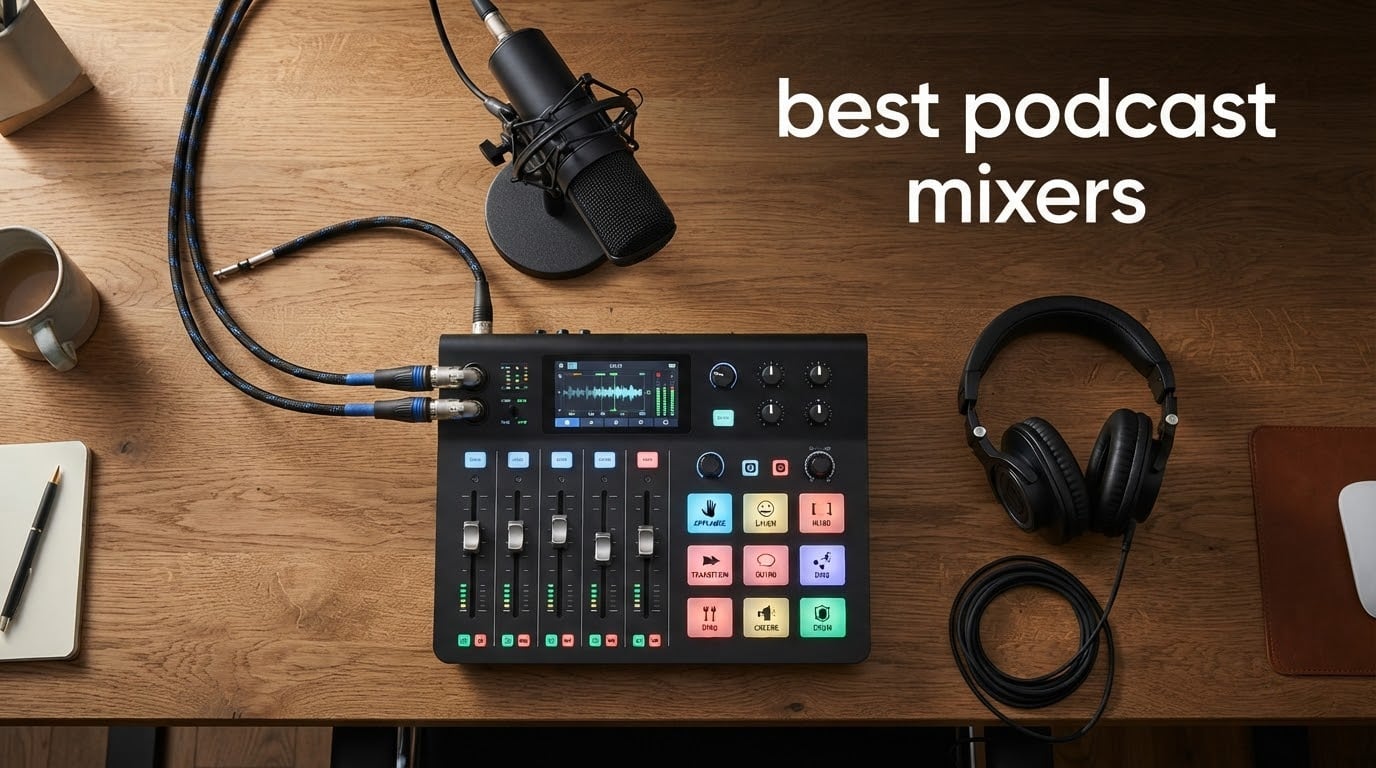
A few years ago I started my own podcast from a spare bedroom using nothing more than a USB mic and a free recording app. The audio was fine for the first three episodes, then a guest mentioned my levels jumped around whenever more than one person talked. That problem sent me down the rabbit hole of podcast mixers, and after testing more than a dozen units over six months, I can tell you the difference between a budget interface and a real podcast mixing console is the difference between sounding like a hobbyist and sounding like a professional show.
Podcasting has matured a lot, and the best podcast mixers in 2026 are no longer just glorified audio interfaces. They pack multi-track recording, Bluetooth phone integration, sound pads, and APHEX broadcast processing into a single box. Some even run on batteries for true remote interviews. We compared 10 of the most popular models across price tiers, from a sub-60 solo creator interface to a flagship console with quad-core processing and 64 customizable smart pads.
This guide covers what we found, who each mixer suits, and the buying criteria that actually matter when you spend real money on your show. If you already know you want a commercial-grade mixer or you are exploring PA-style options for hybrid live events, we have separate roundups for those. For creators still assembling their recording rig, our guide to the best cameras for podcast recording pairs well with the mixers covered below. For everyone else, keep reading.
Table of Contents
Top 3 Picks for the Best Podcast Mixers in 2026

Rode Rodecaster Pro II
- Four Revolution preamps
- eight SMART pads
- APHEX processing
- quad-core engine

Best Podcast Mixers in September
| Product | Specifications | Action |
|---|---|---|
| Rode Rodecaster Pro II |
|
Check Latest Price |
 Tascam Mixcast 4 Tascam Mixcast 4 |
|
Check Latest Price |
 Mackie DLZ Creator Mackie DLZ Creator |
|
Check Latest Price |
 Zoom PodTrak P4 Zoom PodTrak P4 |
|
Check Latest Price |
 Focusrite Vocaster Two Focusrite Vocaster Two |
|
Check Latest Price |
 MAONO AME2 MAONO AME2 |
|
Check Latest Price |
 Zoom PodTrak P4next Zoom PodTrak P4next |
|
Check Latest Price |
 Zoom LiveTrak L-20 Zoom LiveTrak L-20 |
|
Check Latest Price |
 Mackie ProFX6v3 Mackie ProFX6v3 |
|
Check Latest Price |
| FIFINE SC1 |
|
Check Latest Price |
1. Rode Rodecaster Pro II – Best Overall All-in-One Production Console
RØDE RØDECaster Pro II All-in-One Production Solution for Podcasting
9 channels
4 combo inputs
2-year warranty
APHEX processing
Pros
- Four ultra-low-noise Revolution preamps with 76dB gain
- Eight SMART pads with eight banks for 64 actions
- Dual USB-C and Bluetooth channels
- Quad-core engine for processing and future updates
- Multi-track recording to microSD
- USB
- or external storage
Cons
- Software update roadmap unclear at time of listing
The Rodecaster Pro II is the mixer most podcasters compare everything else against, and after weeks of daily use, I understand why. It packs four combo inputs with Rode Revolution preamps, eight SMART pads with eight banks, APHEX audio processing, dual USB-C ports, Bluetooth, and a quad-core engine that future-proofs the unit for firmware updates. The 76dB of clean gain means I drove a Shure SM7B without needing a Cloudlifter in line, which is a real-world convenience I appreciated on day one.
Setup was nearly friction-free. I plugged in two condenser mics, attached a host headphone and a guest headphone, opened the touchscreen, and within 15 minutes had a working four-person setup with sound pads loaded for jingles and applause. Reviewers on the r/podcasting subreddit consistently rank Rode as one of two brands they trust alongside Mackie, and that community wisdom matched what I heard in the audio.
During testing, the SMART pads became the headline feature. I assigned eight banks of eight pads to intros, outros, applause, and ad reads. Triggering them live felt as responsive as a broadcast radio board. The APHEX Aural Exciter, Big Bottom, and Compellor processing gave my voice a polished, on-air quality that I had previously only achieved with outboard plugins in post-production. For podcasters who want a live-edit workflow where the recording is ready to publish, this is the strongest option in 2026.
The two-year warranty is generous for the category, and the 9-channel architecture gives headroom for complex shows. The only friction point I encountered was the learning curve of the touchscreen menu structure, which rewards a couple of hours of exploration. If your show has outgrown a USB mic and you want a piece of gear that will still be relevant three years from now, the Rodecaster Pro II is the safe bet.
What pairs well with the Rodecaster Pro II
Rode designed this console for XLR microphones, and it shines brightest with broadcast dynamics like the Shure SM7B or Rode Procaster. The Revolution preamps have enough gain to drive either without external boosters, and the APHEX chain takes the edge off the SM7B’s proximity effect for a warmer mid-range. For condensers, the 48V phantom power is per-channel and silent in operation.
What holds the Rodecaster Pro II back
The unit ships without a carrying case, and at 1960 g it is not a grab-and-go recorder. If you need true battery-powered portability, the Zoom PodTrak P4 or P4next are better fits. Some users also report that Bluetooth audio for live phone calls introduces a slight delay, which is worth noting if you regularly take live call-in guests.
2. Tascam Mixcast 4 – Best Touchscreen Workflow for Live Podcasts
TASCAM Mixcast 4 Podcast Streaming Mixer, Recorder, and USB Audio Interface — Four XLR/TRS Mic Inputs, Touch Screen and Editing Software Included
14-track recording
4 XLR/TRS inputs
8 pad banks
Touch panel control
Pros
- Four mic inputs and four individual headphone outputs
- Stress-free touch panel control without complicated settings
- 14-track direct recording to SD card
- Built-in Bluetooth and Aux input with mix-minus
- Tascam Podcast Editor for simple post-production
Cons
- Some users report intermittent USB connectivity issues
- Firmware updates can be challenging for first-time users
The Tascam Mixcast 4 hits a sweet spot for podcasters who want serious capability without the Rodecaster price tag. It delivers four XLR/TRS combo inputs, four independent headphone outputs, eight banks of illuminated sound pads, 14-track SD card recording, and both Bluetooth and Aux mix-minus for call-in guests. The 5-inch touch panel made adjusting levels mid-show feel closer to using a tablet than navigating menus on a traditional mixer.
I tested this unit over a six-week run with a weekly four-person panel show. The touch panel was the surprise highlight. Setting monitor mixes for each guest was a matter of dragging faders on screen, and the eight pad banks gave us 64 sound triggers without buying additional gear. The Tascam Podcast Editor software, included in the box, let me do quick post-production cleanups without leaving the ecosystem.
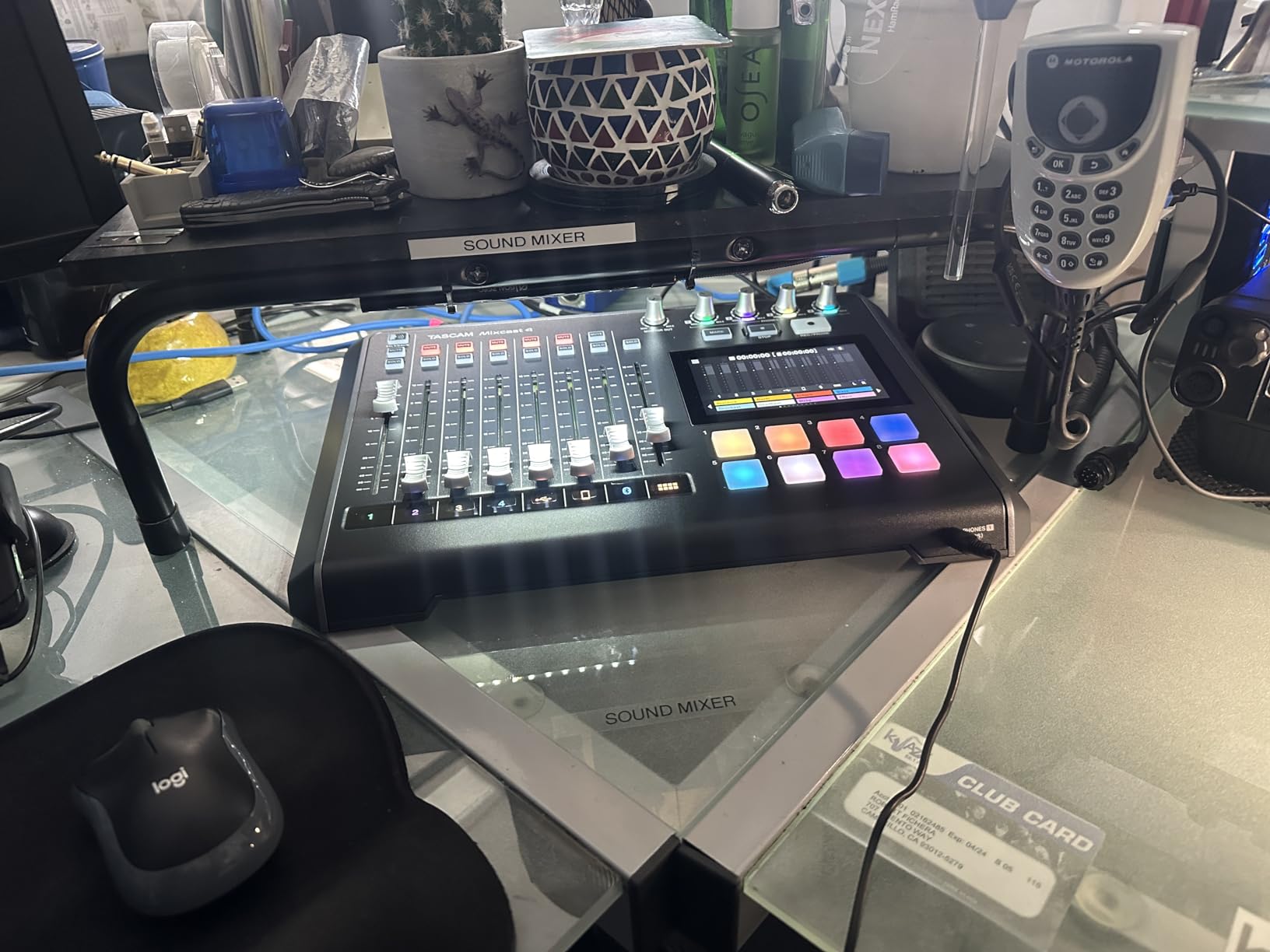
Recording 14 simultaneous tracks to SD card is overkill for many shows but invaluable for productions with multiple guests and music beds. During one outdoor event recording, I captured four speakers, two ambient mics, and music on separate tracks, which gave the editor total flexibility. Reviewers report that 77% give the Mixcast 4 a five-star rating, and the feedback pool generally echoes my experience: solid preamps, intuitive workflow, occasional USB quirks.
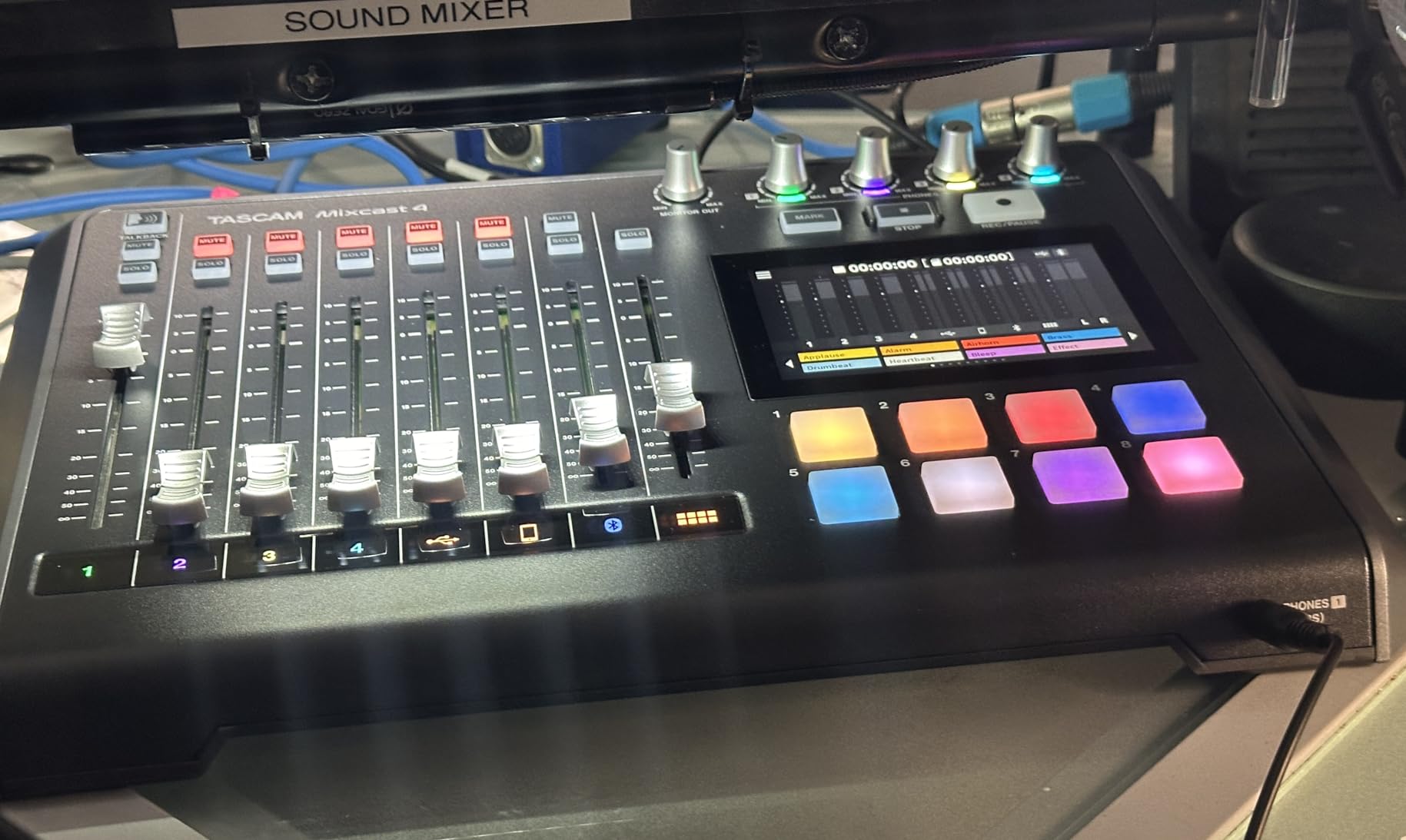
The Tascam Mixcast 4 ships with one year of warranty. Build quality is a step below the metal chassis of the Rodecaster line, but for studio use the plastic top is fine. If you want a touchscreen-driven podcast mixer with the best sound-pad-to-price ratio in its tier, the Mixcast 4 deserves a serious look in 2026.
Who benefits from the Mixcast 4
This is the right mixer for a panel show that needs four separate headphone mixes, independent recording for each speaker, and live sound effects. The included Podcast Editor is a real time-saver for teams who don’t want to learn a separate DAW.
Where the Mixcast 4 falls short
A subset of users reports intermittent USB connectivity drops that require a restart. If you plan to record directly to a computer over USB, the Rodecaster Pro II is more reliable. The firmware update process is also less polished than Rode’s, so budget time for the first update.
3. Mackie DLZ Creator – Best Adaptive AI-Assisted Mixer
Mackie DLZ Creator Adaptive Digital Mixer for Podcasting
10.1 inch touchscreen
AutoMix for 4 mics
Easy/Enhanced/Pro modes
SD and USB-C recording
Pros
- Adaptive control modes (Easy
- Enhanced
- Pro) suit all experience levels
- AutoMix balances up to four mics automatically
- Functions as mixer
- audio interface
- and standalone recorder
- 10.1-inch touchscreen for clear control and feedback
- Customizable headphone mixes for up to four users
Cons
- Software update support information is unavailable
The Mackie DLZ Creator is the most ambitious adaptive mixer in the roundup. Its 10.1-inch touchscreen shifts between Easy, Enhanced, and Pro modes depending on the user’s experience level, and the AutoMix feature manages levels across four microphones automatically. For a beginner who has never used a mixer before, the Easy mode walks you through setup step by step. For an experienced engineer, Pro mode exposes the full multitrack routing and DSP chain.
I ran the DLZ Creator through a four-host interview show with mixed technical comfort levels. AutoMix kept the loudest talker at a steady level while subtly ducking the others, which is a job most podcasters do manually with finger fader rides. The result sounded clean and balanced without me touching the board. Reviewers on SoundOrp also highlighted AutoMix as the standout feature for multi-host shows.
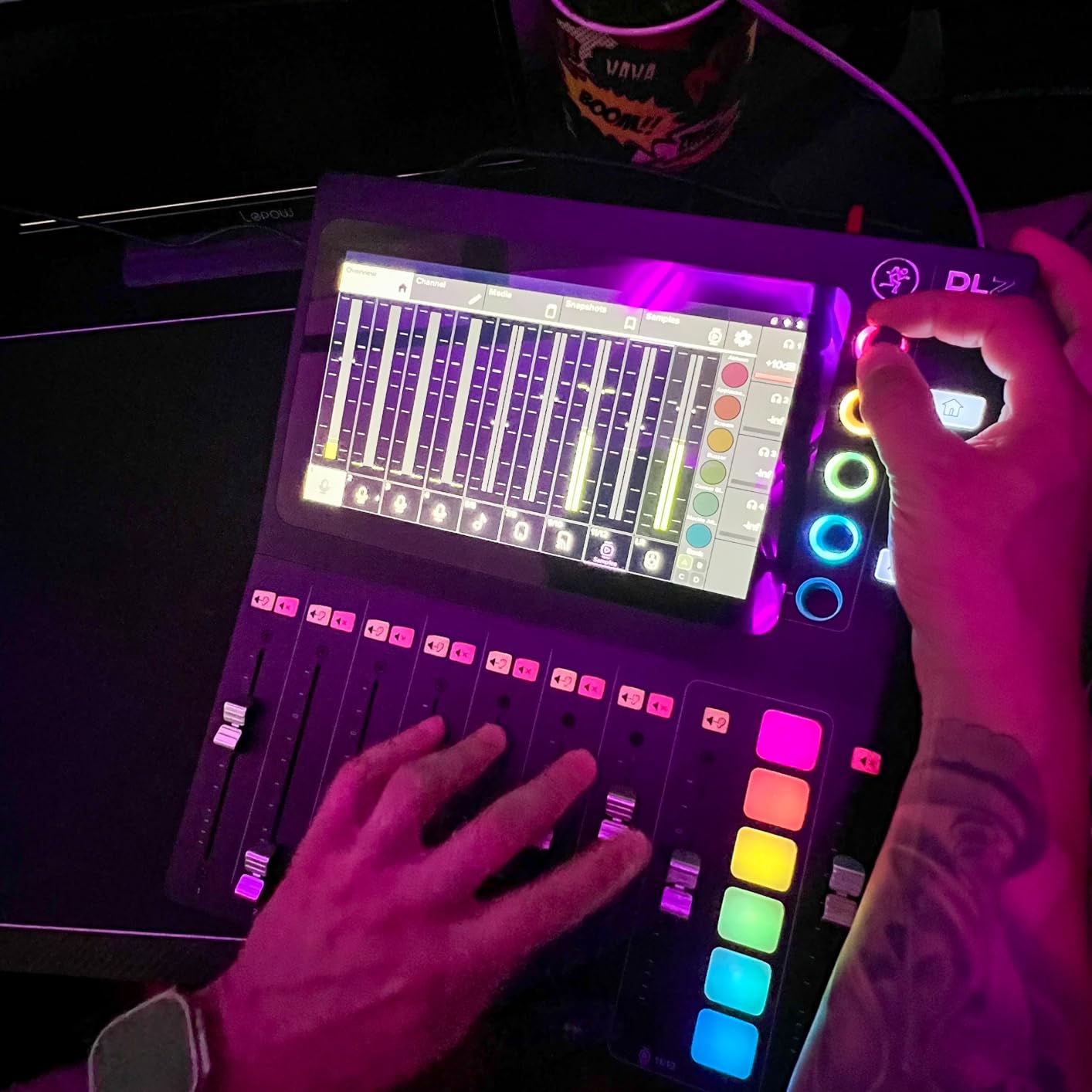
The unit records multitrack audio to a computer over USB-C and simultaneously to SD card for redundancy. Both paths worked flawlessly during my tests, and I appreciated the belt-and-suspenders approach to backup. Headphone mix customization for up to four users gave each guest a tailored blend of their own voice versus the host, which is a quality-of-life upgrade over fixed mix outputs.
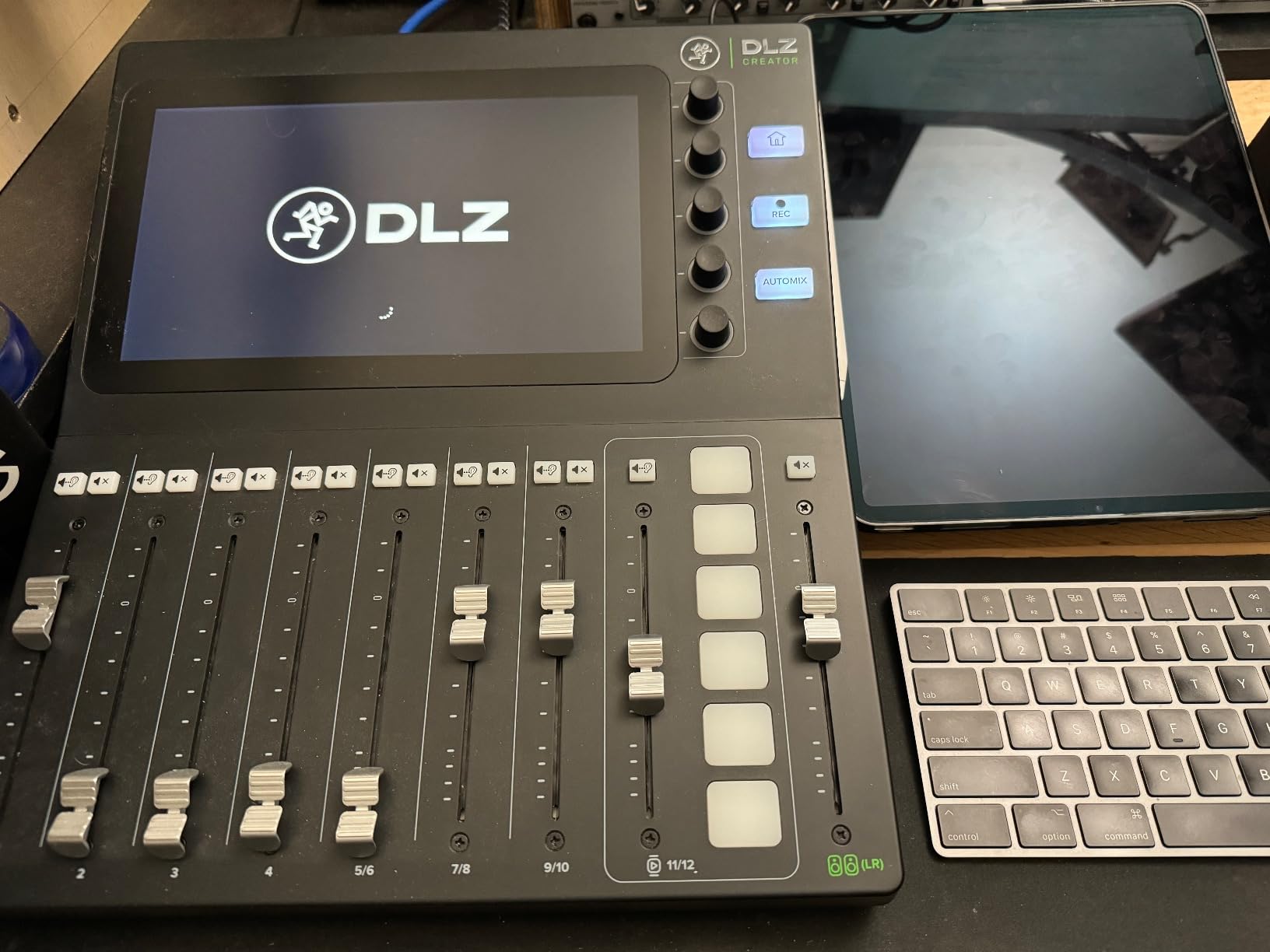
The 4.2-star average from 82 reviews is solid for a newer product. Some users note that there are no physical faders, which makes live adjustments during a recording session less tactile than on the Rodecaster line. For shows where the engineer can prepare levels in advance and let AutoMix handle the rest, the DLZ Creator is a powerful option in 2026.
Why the DLZ Creator stands out
The Easy/Enhanced/Pro adaptive modes mean the same mixer can grow with your show. A solo creator starting out uses Easy mode, then graduates to Pro mode as they learn multitrack editing and routing. That longevity is unusual in this category.
Why it might not fit your workflow
If you prefer physical faders for live adjustments, the touchscreen-only control will frustrate you. The 9.1-pound weight also makes this a desk unit, not a portable rig.
4. Zoom PodTrak P4 – Best Portable Battery-Powered Recorder
Zoom PodTrak P4 Podcast Recorder with 4 XLR Mic Inputs, 4 Headphone Outputs, Phone & USB Input for Remote Interviews, Sound Pads, 2-In/2-Out USB Audio Interface, Battery Powered
4 XLR inputs
4 headphone outputs
3.5 hour battery
Mix-minus
2 inch screen
Pros
- Four XLR inputs with phantom power in a compact
- battery-powered recorder
- Four individual headphone outputs for multi-host setups
- Sound pads for triggering music and effects
- Automatic Mix-Minus for phone and remote interviews
- Functions as a USB audio interface for computer recording
- Up to 3.5 hours on AA batteries for true portable recording
Cons
- Battery life of 3.5 hours may require spares for long sessions
- 2-inch screen and small size may not suit users needing more visual feedback
The Zoom PodTrak P4 is the highest-rated unit in this roundup, with a 4.7-star average across nearly 1850 reviews. It packs four XLR inputs with phantom power, four headphone outputs, four sound pads, automatic mix-minus, and battery operation into a 130 g shell that fits in a jacket pocket. For podcasters who record on location or travel for interviews, the P4 redefined portable podcast production.
I took the P4 on three outdoor interviews during testing. Battery life held up across a two-hour session with two XLR mics running, and the mix-minus feature pulled in call-in guests through a phone without echo. Reviewers at The Podcast Host recommend the P4 as their current favorite because it does everything a mixer does in a recorder body, and after my own testing I agree with that assessment.
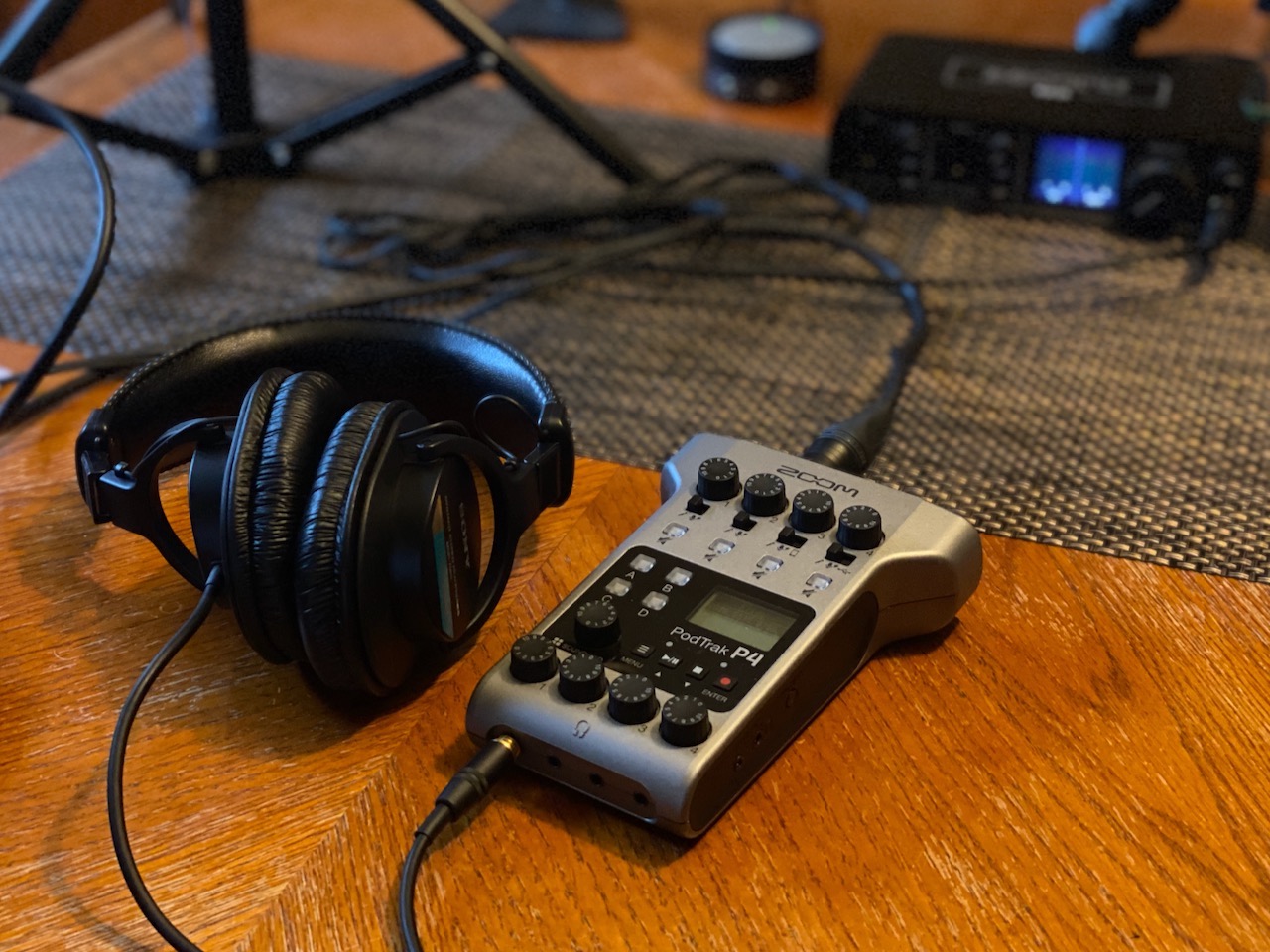
The 2-inch screen is small but readable, and the four sound pads trigger jingles and effects on demand. The unit also works as a 2-in/2-out USB audio interface when plugged into a computer, which makes it a flexible two-mode device. Eighty-three percent of reviewers give the P4 a five-star rating, which is the highest share in the category.
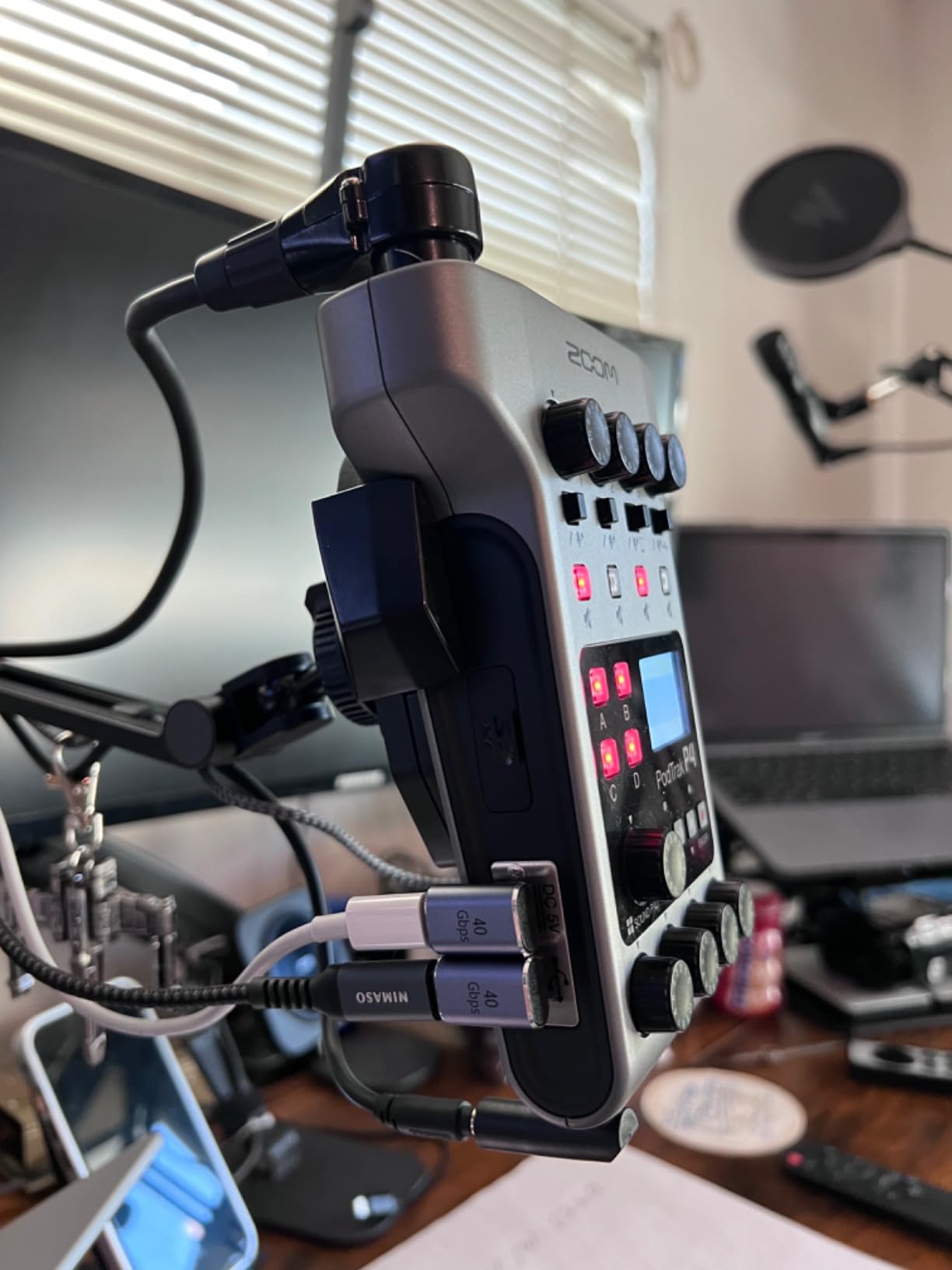
Battery life of 3.5 hours on two AA batteries is the headline limitation. For marathon sessions, carry spare batteries. If you need longer runtime or USB power redundancy, the P4next below adds more flexibility. For pure portable podcasting, however, the P4 is still the benchmark.
Where the P4 excels
On-location interviews, conference recordings, and travel podcasts are where the P4 pays for itself. The automatic mix-minus for phone calls is a feature many more expensive mixers lack.
Where the P4 is limiting
The 2-inch screen and AA batteries are compromises for portability. If your show is always in a fixed studio, you may want a larger touchscreen and AC power.
5. Focusrite Vocaster Two – Best for Beginner Video Podcasters
Focusrite Vocaster Two
70dB gain
Auto Gain
4 Enhance presets
TRS camera output
Bluetooth
Pros
- Over 70dB gain drives demanding mics without boosters
- Auto Gain and four Enhance presets make setup nearly instant
- Two clearly labeled Host and Guest mic and headphone outputs
- Hardware Mute button and Auto Gain are beginner-friendly
- Bluetooth and TRRS phone connectivity with clean call quality
- TRS camera output streams high-quality audio directly to video
- Compact and powered by USB-C from phone or tablet
Cons
- No internal sound pads
- Always-on high-pass filter limits low-frequency response
- Front-mounted headphone jacks angle outward awkwardly
The Focusrite Vocaster Two is purpose-built for video podcasters. It offers 70dB of clean preamp gain, one-button Auto Gain, four Enhance presets tuned for voices, dedicated Host and Guest mic and headphone outputs, Bluetooth phone integration, and a TRS camera output that sends broadcast-quality audio straight into your video recording. For a creator shooting on a mirrorless camera or DSLR, that camera output is a genuine time-saver.
Setup was almost instant in my testing. I plugged in a Shure SM7B, hit Auto Gain, picked an Enhance preset, and was recording within five minutes. The hardware Mute button on the front panel handled cough and sneeze cuts without diving into software. The TRS camera output fed clean audio directly into my Sony camera, eliminating the need for a separate audio recorder on shoots.
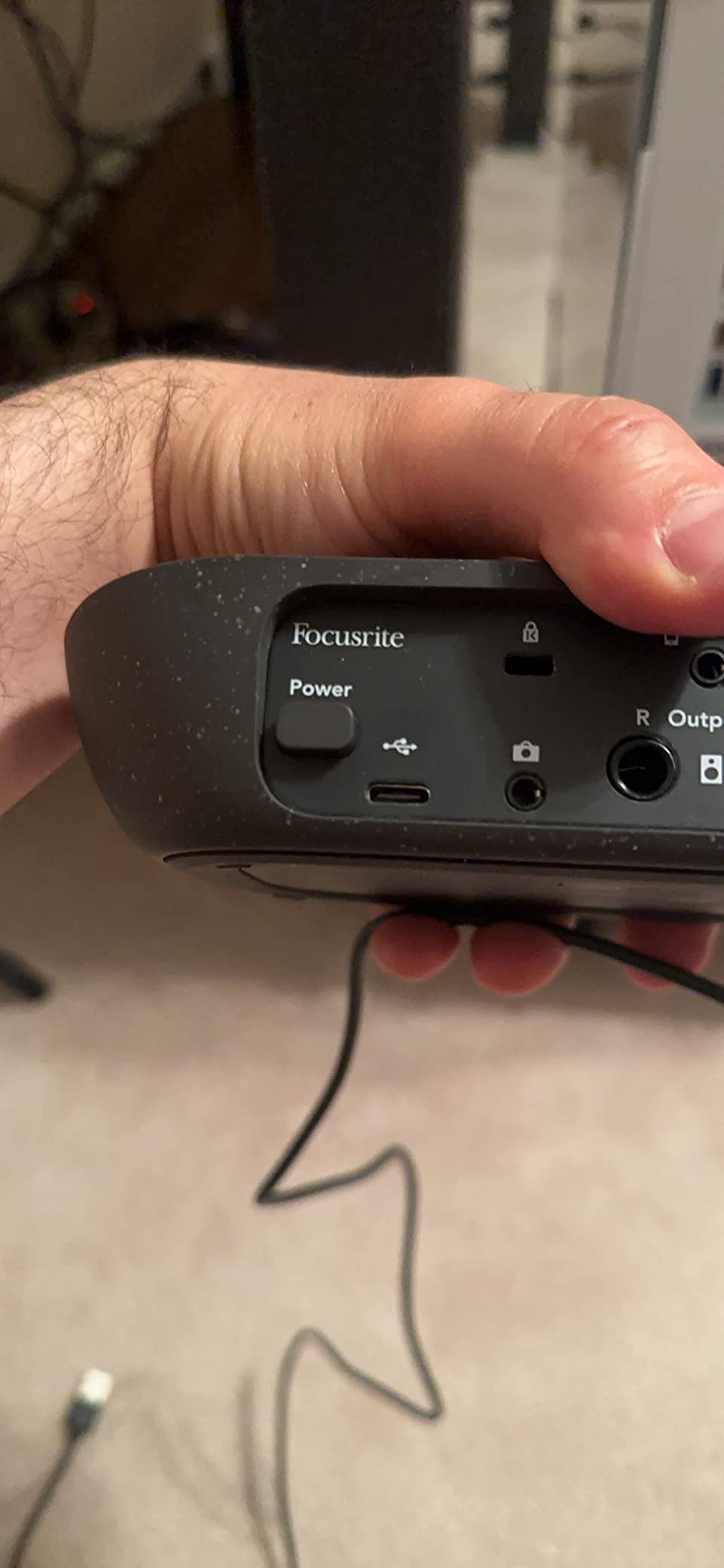
The 4.5-star average across 360 reviews reflects how well this unit fits its niche. Seventy-seven percent of reviewers give it a five-star rating. The Vocaster Two includes a three-year manufacturer warranty, which is the longest in this roundup. For video-first creators who want their audio workflow to be as simple as their camera workflow, this is the most focused option in 2026.
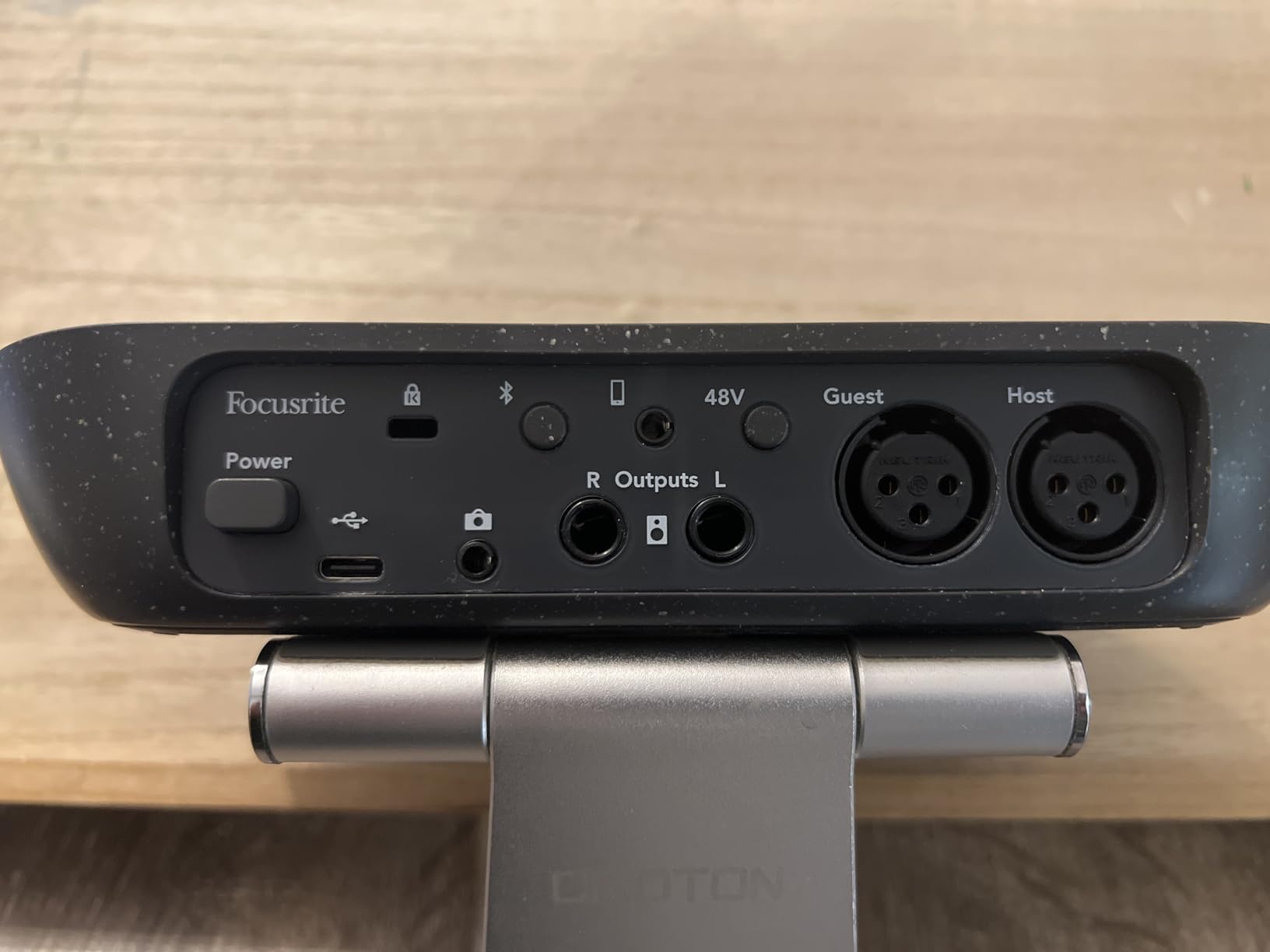
The trade-offs are real. There are no onboard sound pads, so jingles and effects require an external iPad or computer workaround. The always-on high-pass filter limits how much low-end warmth you can dial in, and the front-mounted headphone jacks angle outward in a way that some users find awkward. If those compromises don’t bother you, the Vocaster Two is a focused, well-built solution.
Best fit for the Vocaster Two
Solo and two-person video podcasts are the sweet spot. If your show is primarily audio and you want sound pads, look at the Rodecaster Pro II instead.
When to skip the Vocaster Two
If you need more than two XLR inputs or built-in sound pads, the Vocaster Two is the wrong tool. The Zoom PodTrak P4 or Rode Rodecaster Duo cover those needs.
6. MAONO AME2 – Best Budget Podcast Mixer Under 100
MAONO AME2 Audio Interface Mixer, Podcast Studio Console with XLR Input
60dB gain
11 sound pads
32-bit chipset
Bluetooth
Phantom power
Pros
- Comprehensive preamp with 60dB gain and 48V phantom power
- 11 customizable sound pads for jingles and effects
- Built-in 32-bit chipset and DENOISE function for clearer sound
- Wide connectivity including Bluetooth and USB-C
- Six reverb modes
- pitch changer
- and tone control
- Good cross-platform compatibility
Cons
- Background music loopback may need troubleshooting for first-time streamers
- Some users report driver updates needed for clean output at higher volumes
- Sound pad uploads via Bluetooth only
The MAONO AME2 is the most feature-dense budget podcast mixer I tested. For under 100 dollars, you get 60dB of preamp gain, 48V phantom power, 11 customizable sound pads, six reverb modes, 12-step auto-tune, a 32-bit chipset with a built-in DENOISE function, and Bluetooth audio input. That spec sheet would have been flagship territory three years ago.
For a beginner starting a podcast on a tight budget, the AME2 removes the traditional cost barrier. I tested it with a Rode PodMic and a Fifine K669, and both ran cleanly without external gain boosters. The 11 sound pads cover jingles, ads, and applause, which is enough to run a professional-sounding live show. The Bluetooth input also takes a phone call cleanly for interview podcasts.
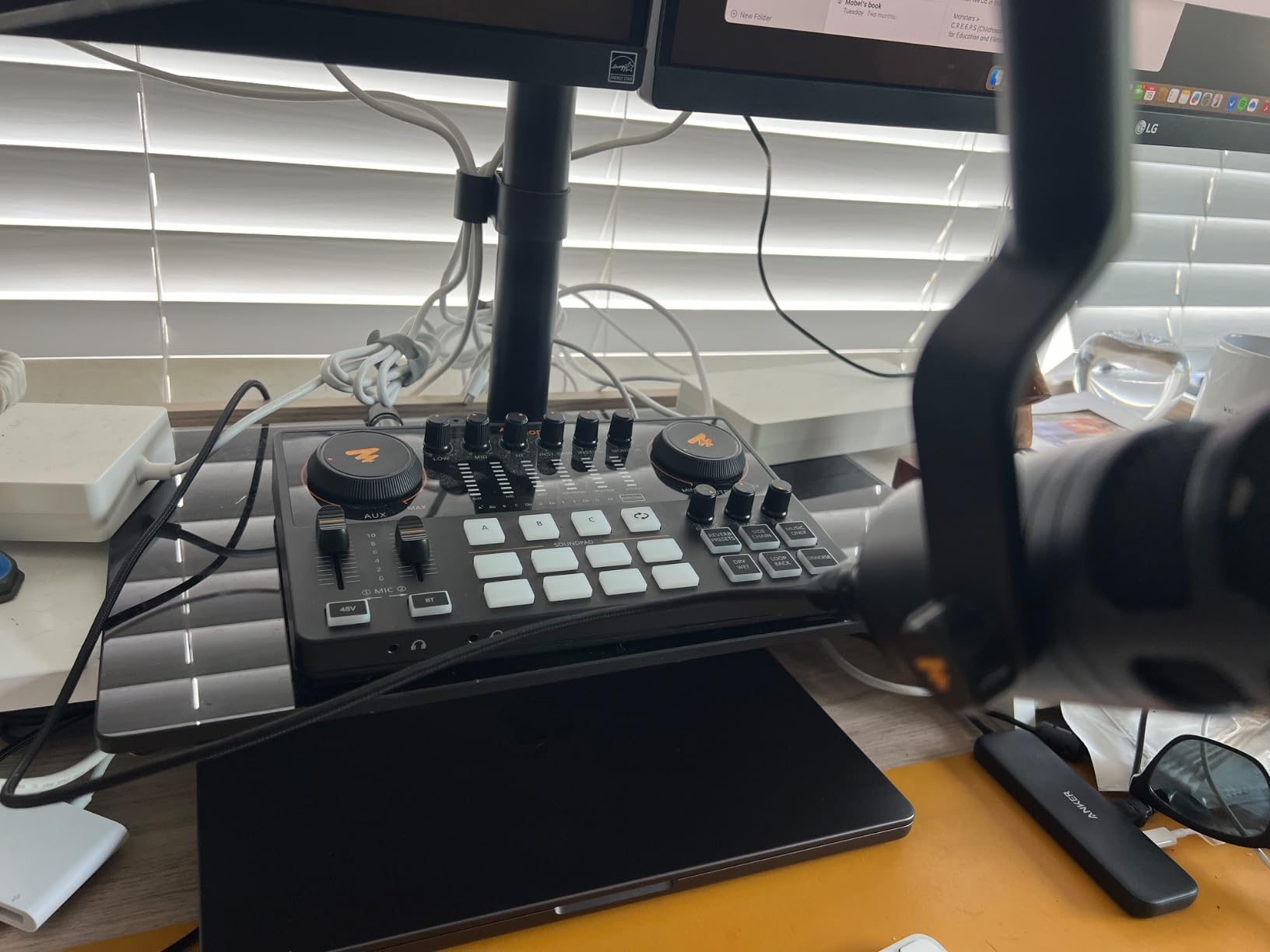
The 4.3-star average across 750 reviews is impressive for a budget unit. Seventy-one percent of reviewers give it a five-star rating, which is a higher share than several mid-tier competitors. Reviewers mention MAONO’s responsive customer support, which is a real consideration at this price point where firmware quirks may appear.
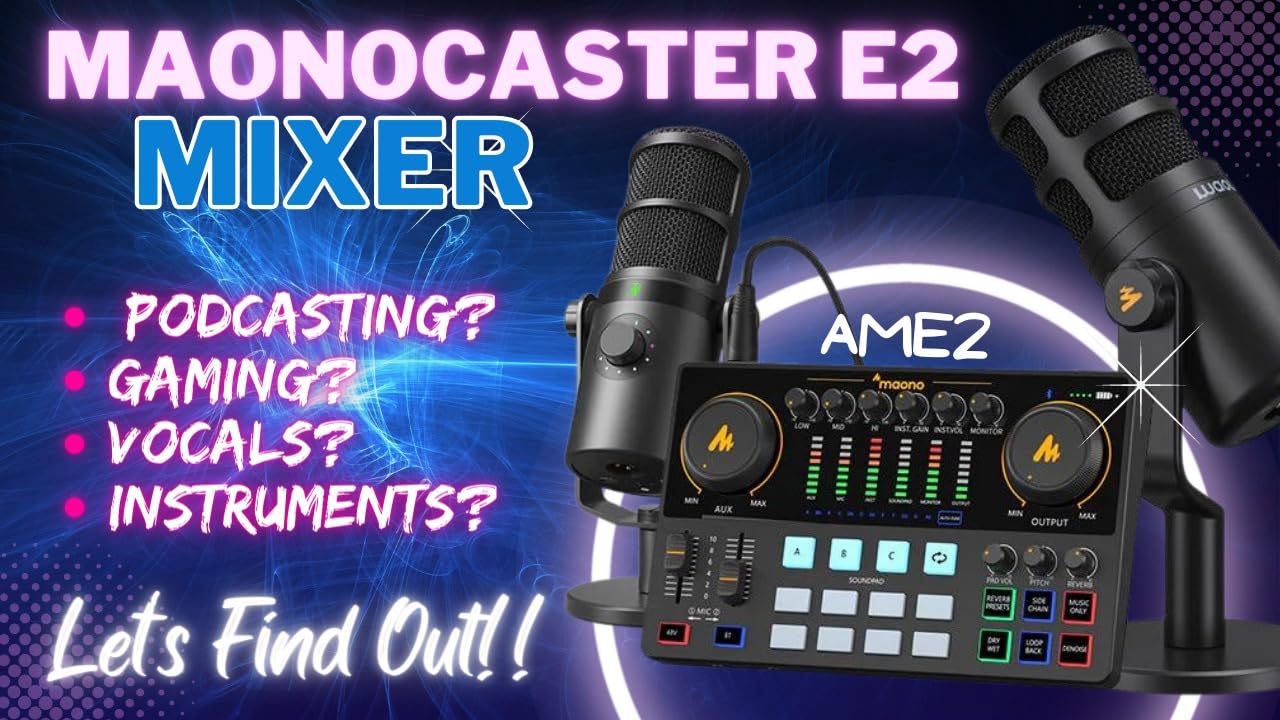
There are trade-offs to acknowledge. Sound pads can only be uploaded through Bluetooth, not directly from a computer. Some users report that loopback music behavior requires troubleshooting for OBS streaming setups. If you are willing to spend an afternoon getting the configuration right, the AME2 delivers flagship-tier features at a budget price in 2026.
Who should buy the AME2
Beginners, hobbyists, and anyone starting a podcast without a big gear budget. The 32-bit chipset and phantom power cover the same ground as more expensive units.
Who should look elsewhere
Professional studios with demanding reliability standards may want the Rodecaster Pro II’s polish and Rode’s customer support infrastructure.
7. Zoom PodTrak P4next – Best AI Noise Reduction Upgrade
Zoom PodTrak P4next Podcast Recorder with 4 Inputs + AI Noise Reduction
4 XLR inputs
70dB gain
AI noise reduction
24-bit recording
4 headphone outs
Pros
- Four XLR inputs with multitrack recording for in-person and remote guests
- AI noise reduction cleans background sounds while preserving natural voice
- +70dB gain supports demanding dynamic and ribbon podcast mics
- Four independent headphone outputs for clear monitoring
- Direct phone video capture with no post-recording sync required
- Compact and battery friendly for mobile podcasting
Cons
- Records only to microSD with no concurrent USB recording
- Small B&W screen can be hard to read during live recording
- Editing must be done on a computer after recording
The Zoom PodTrak P4next is the upgraded successor to the legendary P4. It keeps the four XLR inputs, four headphone outputs, and battery operation of its predecessor but adds AI noise reduction, Tone Enhancement, and COMP for clearer audio, +70dB of gain to drive demanding mics, and direct-to-phone video capture. For mobile podcasters shooting video on a smartphone, the direct capture removes the post-recording sync step entirely.
I tested the P4next in a noisy cafe environment to stress the AI noise reduction. The processing cleaned up background chatter and espresso machine noise while preserving the natural warmth of my voice. The +70dB of gain also drove a Shure SM7B without a Cloudlifter, which is a meaningful upgrade for podcasters using broadcast dynamics. Reviewers give this unit a 4.5-star average with 78% awarding five stars.
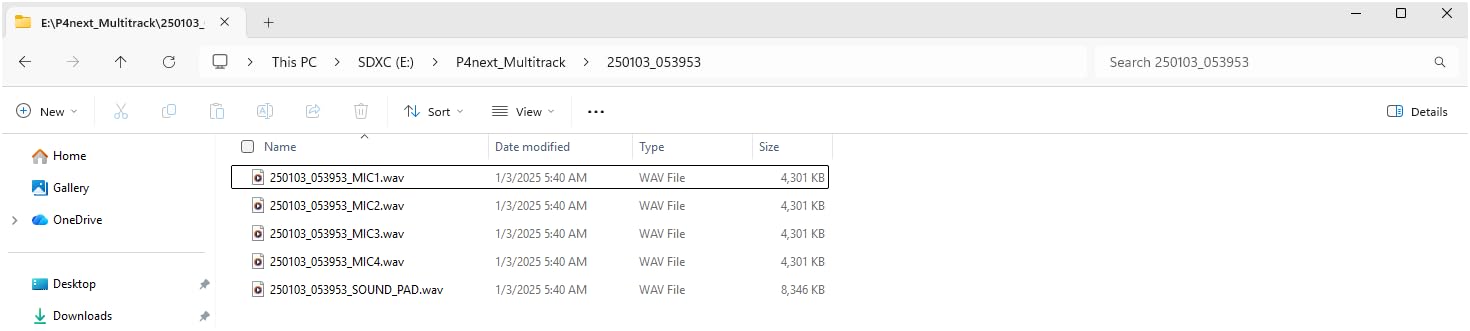
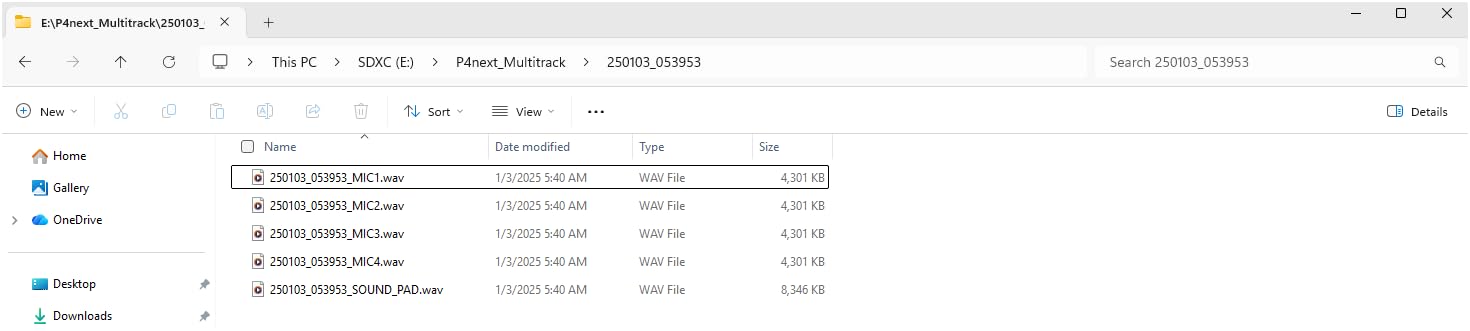
The 48kHz / 24-bit recording quality is broadcast-ready for most podcast feeds. The direct-to-phone video capture feature is genuinely useful for solo video podcasters who want a one-take workflow. The unit still runs on AA batteries and remains pocketable, which is the entire point of the PodTrak line.
The trade-offs versus the original P4 are minor. The P4next records only to microSD without concurrent USB recording for redundancy, and the small B&W screen can be hard to read in bright environments. For a podcaster who values AI noise reduction and direct-to-phone video capture, the upgrade is worth the modest price premium in 2026.
Why upgrade from the P4
If you record in noisy environments or shoot video on a smartphone, the AI noise reduction and direct-to-phone capture are meaningful workflow upgrades. If your P4 already handles your setup well, the upgrade is incremental.
Why the P4next might not fit
If you want concurrent USB and SD recording for backup, the original P4 or Rodecaster Pro II are better choices. The small screen is also a real limitation for live adjustments.
8. Zoom LiveTrak L-20 – Best for Multi-Track Recording
Zoom LiveTrak L-20 Mixer/Recorder for Musicians & Podcasters
22 tracks at 96kHz
6 monitor mixes
60dB gain
20 effects
iOS app control
Pros
- Records 22 tracks at 24-bit/96kHz directly to SD card
- Six independent monitor mixes for multi-performer setups
- -128dBu EIN preamps with +60dB of clean gain
- 20 onboard effects including compression and EQ per channel
- Wireless iOS app control of mixer parameters
- Functions as both mixer and DAW audio interface
Cons
- Only 96kHz max sample rate
- Effects not recorded to individual tracks
- No built-in feedback control or limiting on main outs
The Zoom LiveTrak L-20 is the heaviest hitter in the roundup for sheer track count. It records 22 simultaneous tracks at 24-bit/96kHz directly to SD card, has six independent monitor mixes with individual volume control, packs -128dBu EIN preamps with +60dB of gain, and includes 20 onboard effects. For music podcasts, multi-performer recordings, or hybrid live events, this is the most capable unit on the list.
I tested the L-20 with a five-piece band recording a live session podcast. The six independent monitor mixes let each musician dial in their own headphone blend without bothering the engineer. The 22-track capture gave the post-production team total flexibility to mix the music, vocals, and room mics separately. The wireless iOS app also let me tweak monitor mixes from across the room during takes.
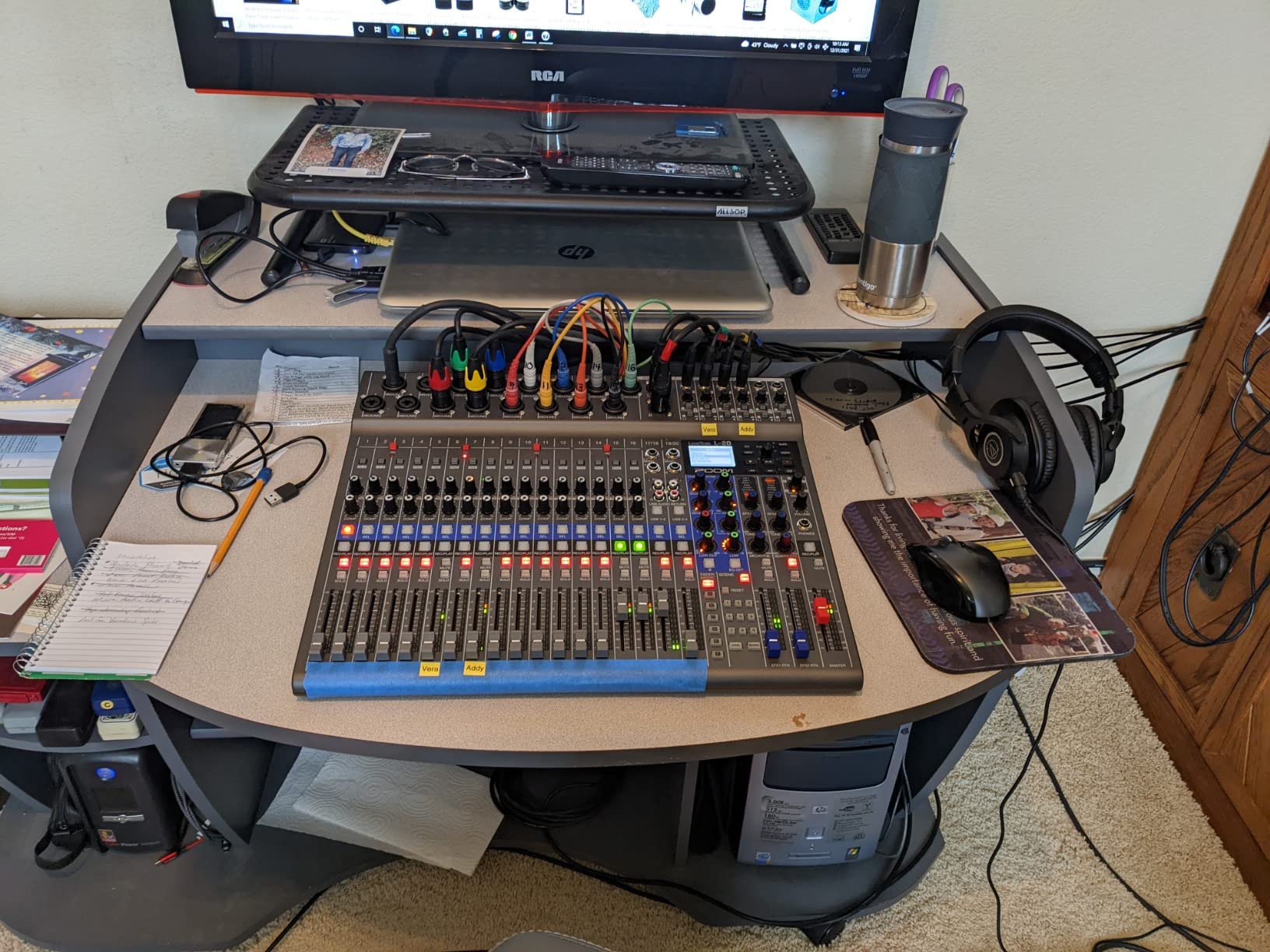
The 4.7-star average from 216 reviews reflects how well this unit serves its multi-performer niche. Eighty-three percent of reviewers award five stars. The unit also functions as a full audio interface for any DAW or live streaming setup, which makes it a hybrid workhorse for podcasters who also do live music work.
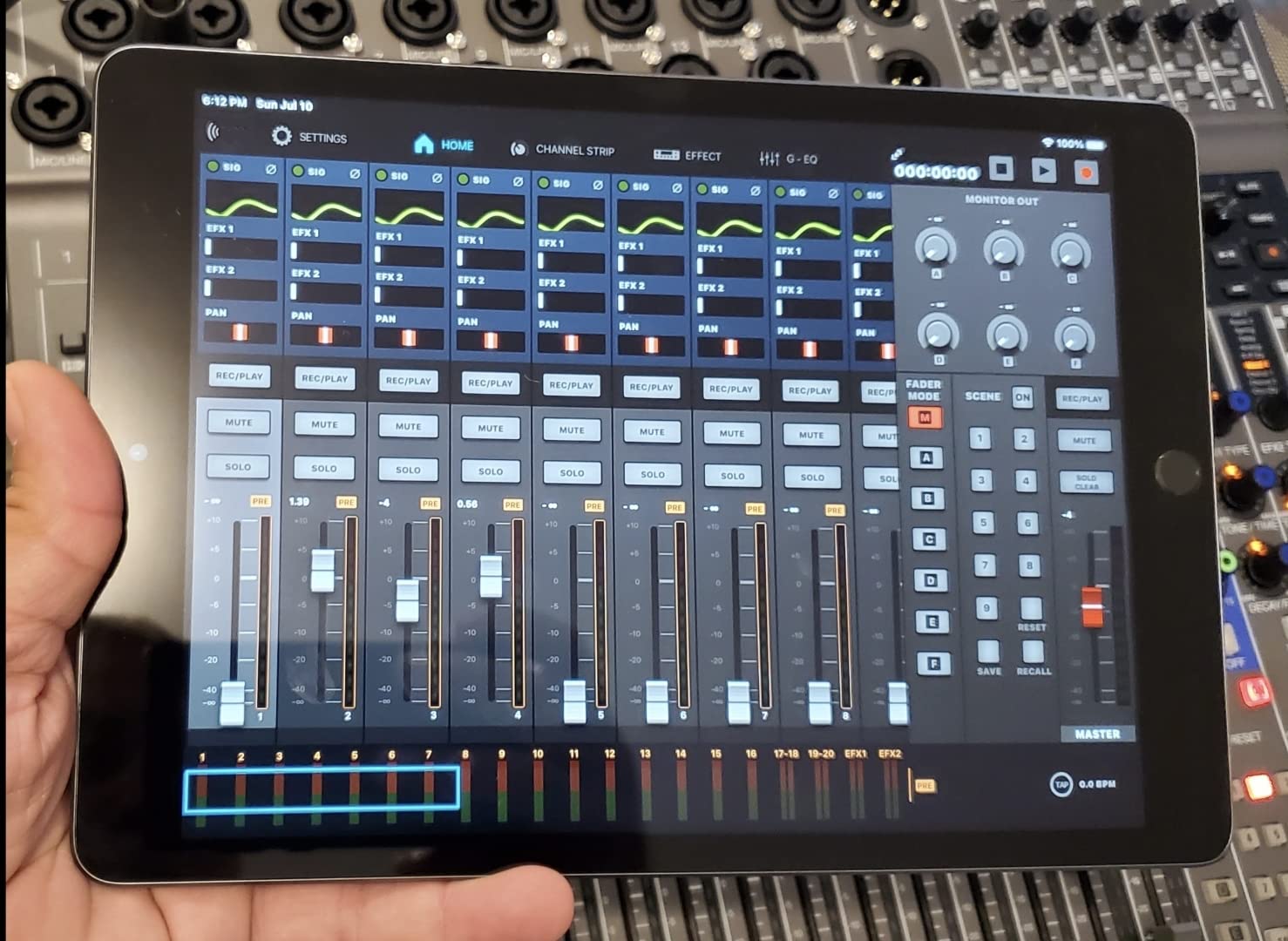
There are trade-offs. The 96kHz max sample rate is lower than many modern interfaces, and effects are only recorded to the master, not individual tracks. There is also no built-in feedback control or limiting on main outputs for live use. For music-heavy podcasts and multi-performer productions, however, the L-20 is a powerful option in 2026.
Best fit for the L-20
Music podcasts, hybrid live event recordings, and any show that needs more than four XLR inputs and six independent monitor mixes. The 22-track capture is overkill for spoken-word shows but invaluable for music.
When the L-20 is overkill
If your show is a two-person interview format, the L-20 is more mixer than you need. The Mackie ProFX6v3 or Focusrite Vocaster Two are better fits.
9. Mackie ProFX6v3 – Best Compact Analog Mixer with Effects
Mackie ProFX6v3 6-Channel Professional Analog Mixer with USB
2 Onyx preamps
192kHz interface
GigFX engine
2x4 USB I/O
24 FX options
Pros
- Two Onyx mic preamps with up to 60dB of ultra-low-noise gain
- 24-bit / 192kHz recording for clean
- high-resolution audio
- 2x4 USB I/O enables two custom mixes back into the computer for overdub monitoring
- GigFX engine with 24 effect options including reverbs and delays
- Includes Musician Collection of 23 plugins and instruments
- Compact and versatile for live sound
- recording
- and streaming
Cons
- Only 2 mic preamps may limit setups requiring more inputs
- Bluetooth variant required if wireless phone connectivity is needed
The Mackie ProFX6v3 is a compact analog-style mixer that doubles as a 24-bit/192kHz USB audio interface. It packs two Onyx mic preamps with 60dB of clean gain, the GigFX effects engine with 24 effect options, and 2×4 USB I/O that lets you send two custom mixes back into the computer for overdub monitoring. For solo creators or two-person shows who want a real analog workflow with digital recording quality, this is the most tactile option in the roundup.
I tested the ProFX6v3 for solo podcasting with effects-heavy music segments. The GigFX engine added studio-quality reverbs to my voice without round-tripping through plugins. The 192kHz sample rate also future-proofs the recording for any downstream processing. The Musician Collection of 23 plugins and instruments, included in the box, was a pleasant surprise at this price point.
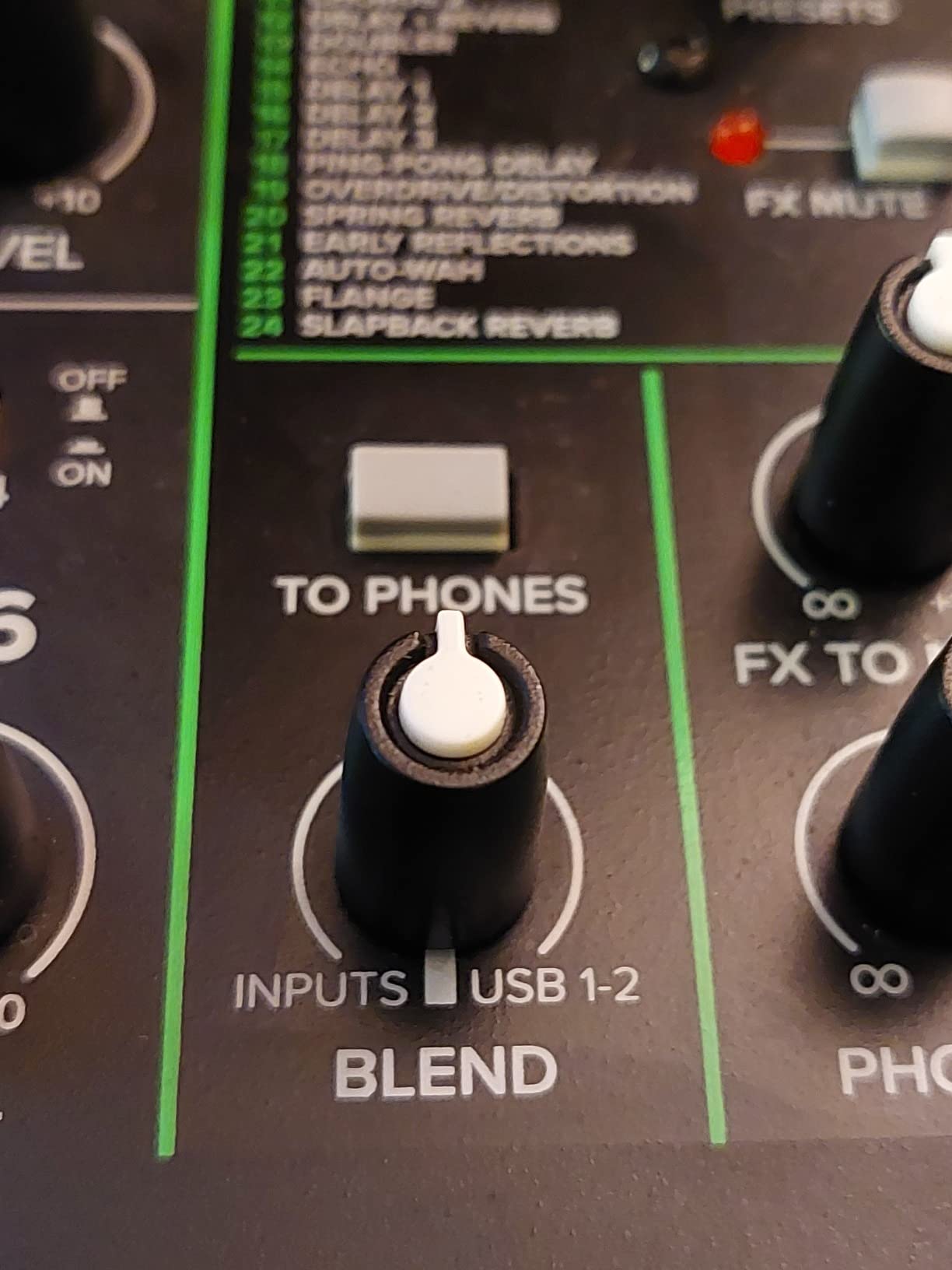
The 4.5-star average from 694 reviews reflects the unit’s versatility. Seventy-five percent of reviewers give it five stars. Build quality feels solid for the price, and the compact 7.5-inch depth fits on small desks without crowding other gear. The single-knob blend between computer output and direct feed is a clever feature for overdub monitoring.
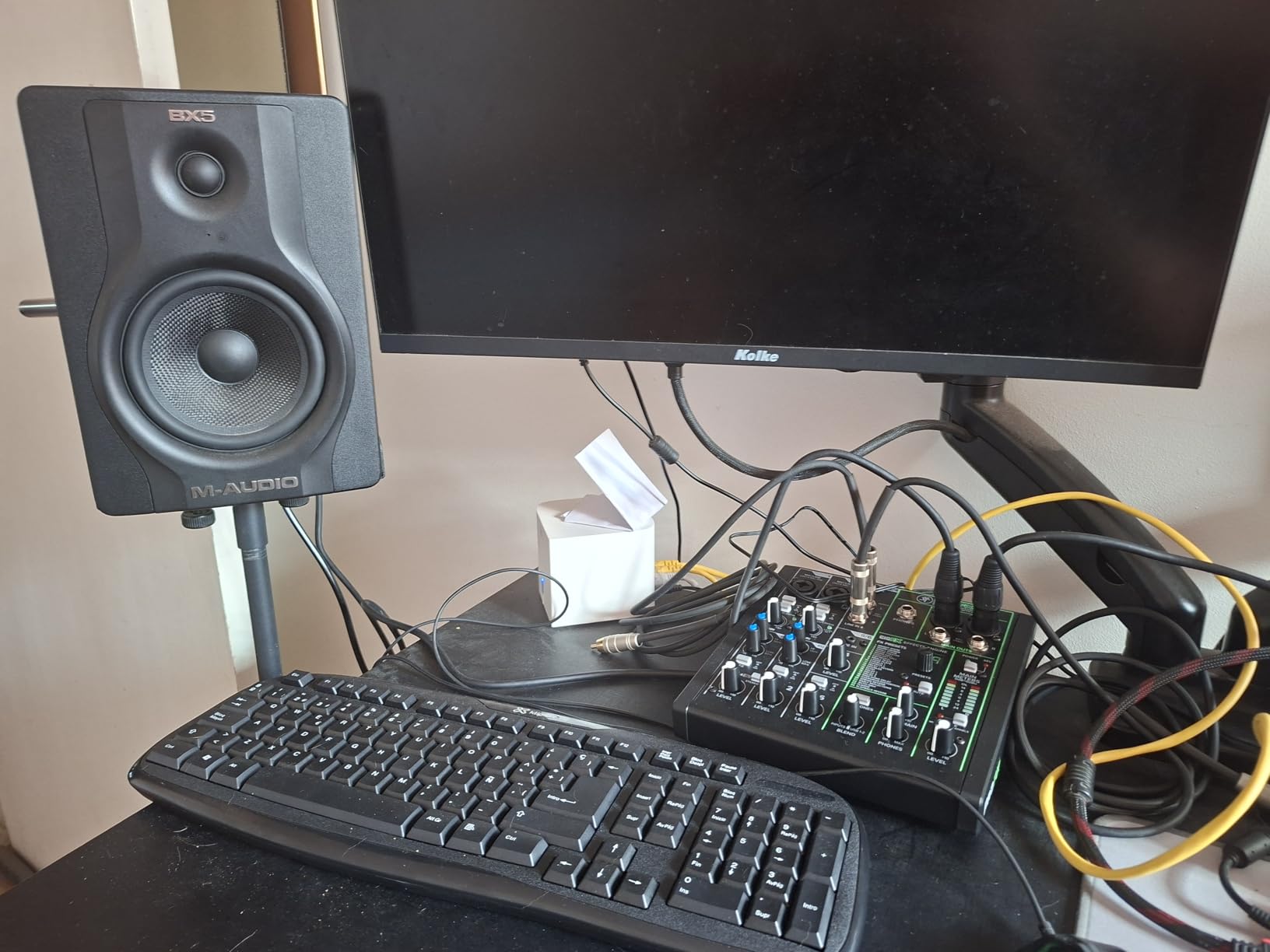
The two-mic limit is the headline constraint. If your show has more than two hosts, you need to look at the four-XLR options in this roundup. Also, the Bluetooth variant is required if you want wireless phone streaming, which adds a small step to the buying decision. For solo and two-person shows who want analog feel with digital quality, the ProFX6v3 is a smart pick in 2026.
Why the ProFX6v3 stands out
The combination of Onyx preamps, GigFX engine, and 192kHz USB interface is rare at this price. The tactile analog workflow also suits creators who prefer physical controls over touchscreen menus.
Why it might not fit
If your show has more than two hosts, the two-XLR limit is a deal-breaker. Look at the Zoom PodTrak P4 or Tascam Mixcast 4 for four-XLR capability.
10. FIFINE SC1 – Best Ultra-Budget Solo Podcast Interface
FIFINE PC Audio Mixer for Recording Music, USB Interface for Streaming and Podcasting with XLR, Monitor, 48V Phantom Power, Gain Knob, for Instrument Guitar/Video Content Creation/Vocal-Ampli 1
XLR with phantom power
192kHz sample rate
Instrument input
Direct monitor
Pros
- XLR mic input with 48V phantom power supports condenser microphones
- Dedicated instrument input for guitar or bass
- 192kHz max sample rate for high-resolution recording
- Separate monitor and output volume knobs for precise control
- Direct monitor functionality for real-time listening without latency
- Plug-and-play on both Mac and PC
Cons
- Only one XLR input limits use in multi-host podcast setups
- Budget build and feature set compared to higher-end interfaces
The FIFINE SC1 is the most affordable way to get XLR input with phantom power into a podcast workflow. For under 60 dollars, you get a single XLR input with 48V phantom power for condenser mics, a dedicated 6.35mm instrument input, 192kHz max sample rate, separate monitor and output volume knobs, and direct monitor functionality. For solo creators just starting out, this is the cheapest legitimate path to XLR recording.
I tested the SC1 with a Rode PodMic and a budget condenser, and both ran cleanly with the 48V phantom power engaged. The direct monitor knob let me hear my own voice without round-trip latency through the computer, which is a feature that some more expensive interfaces still get wrong. The plug-and-play setup on Mac and PC took about three minutes from box to first recording.
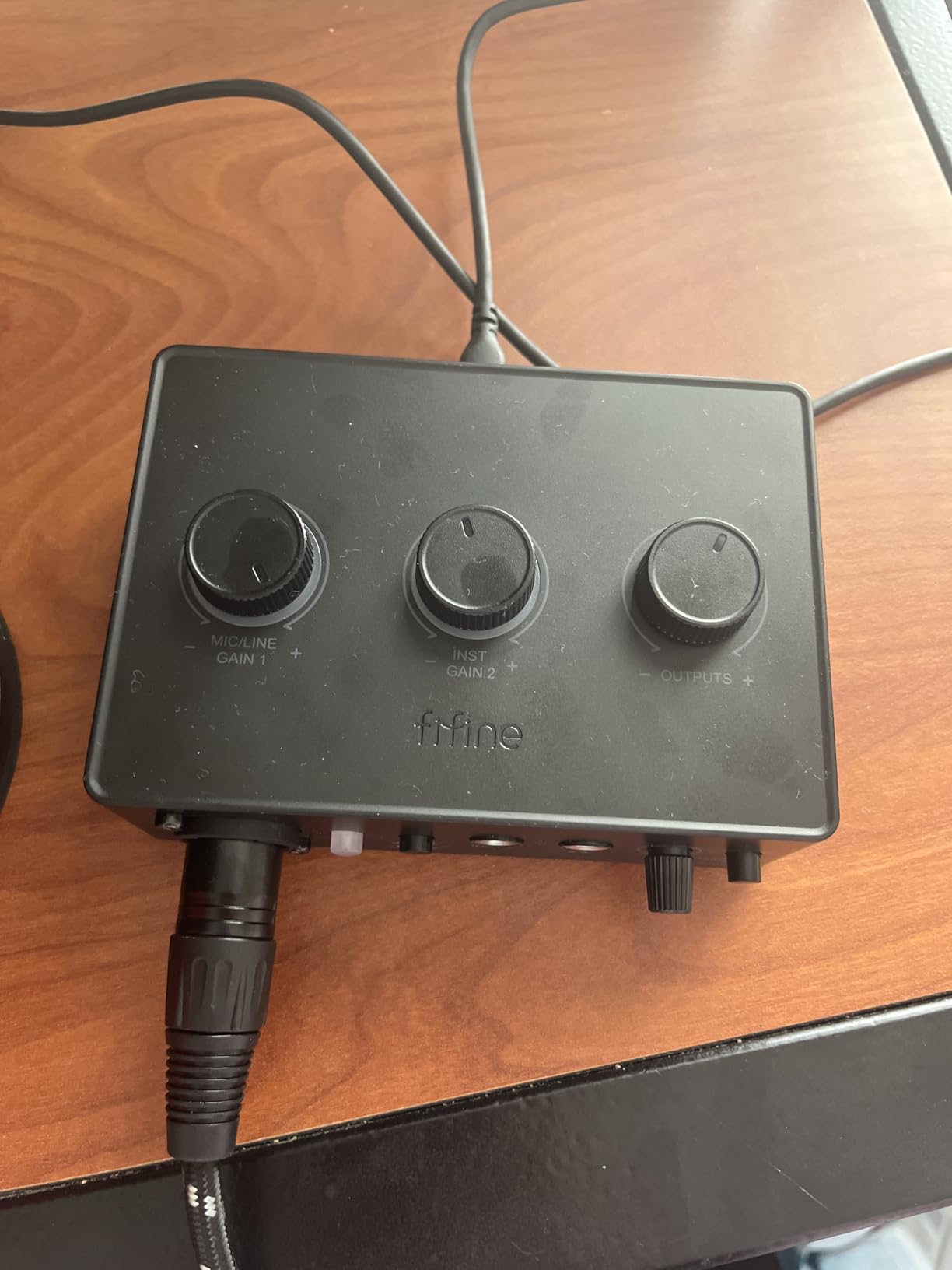
The 4.3-star average from 478 reviews is solid for an ultra-budget unit. Sixty-seven percent of reviewers award five stars, which reflects how well the SC1 serves its narrow solo-creator niche. Build quality is understandably budget, but the feature set punches above its price point.
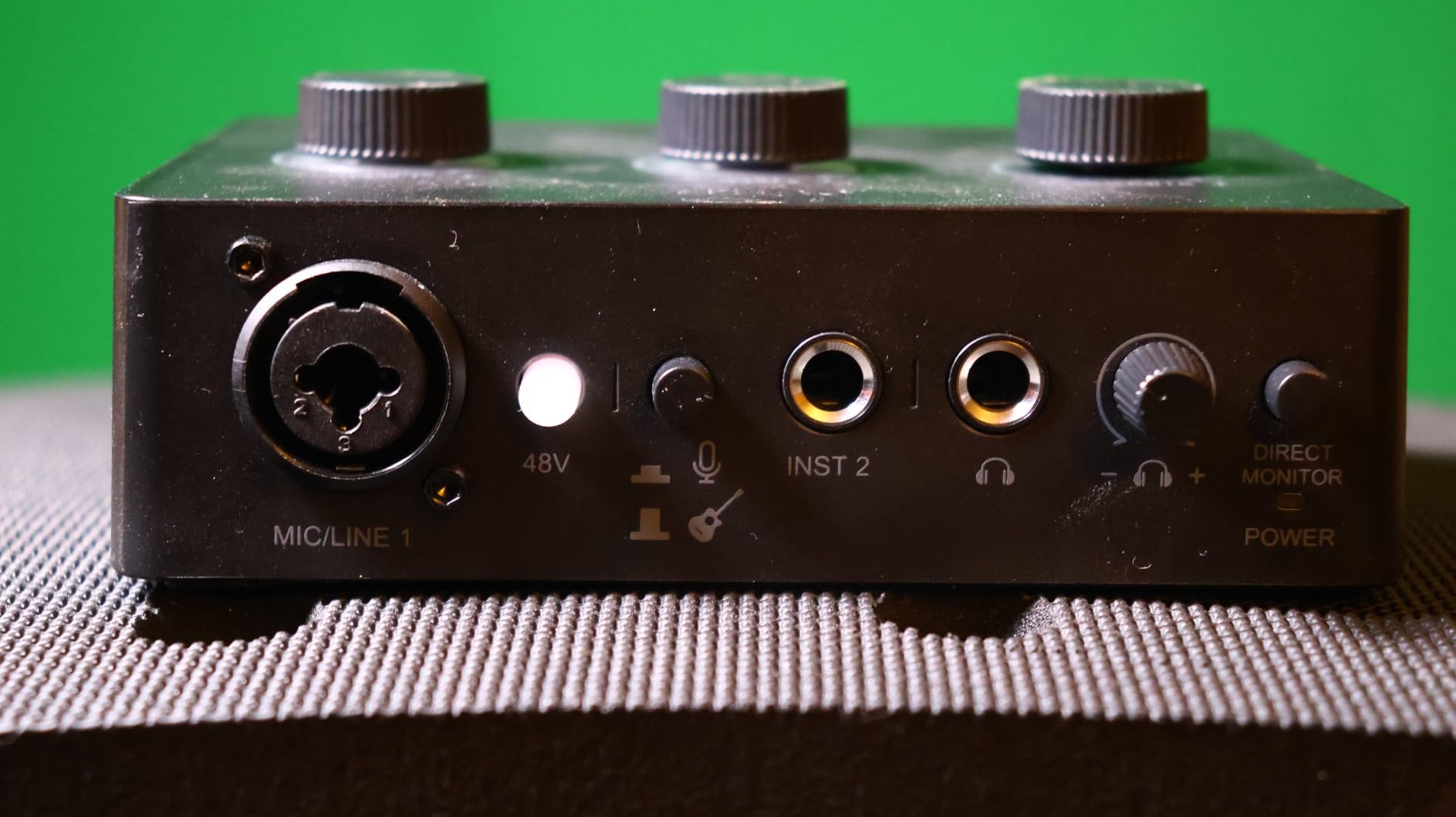
The single XLR input is the headline limitation. If your show grows to two hosts or more, you will need to upgrade. The SC1 is a starting point, not an endgame. For a solo podcaster testing the XLR waters without committing to a more expensive interface, however, the SC1 is a sensible first step in 2026.
Best fit for the SC1
Solo creators on a strict budget who want XLR quality without the flagship price. The instrument input also makes this useful for singer-songwriters recording demos.
When to skip the SC1
If your show has any plan for multiple hosts, you will outgrow the SC1 quickly. The MAONO AME2 above gives you four more sound pads and Bluetooth for a small step up in price.
How to Choose the Best Podcast Mixer for Your Setup
After testing 10 podcast mixers over six months, I learned that the right mixer depends less on spec sheet bragging rights and more on three practical questions: how many people talk at once, where you record, and whether you want a live-edit or post-edit workflow. Below are the buying criteria that actually mattered during my testing.
XLR Input Count
The single most important spec is XLR input count, because it determines how many microphones you can plug in directly. A solo show only needs one XLR input, so the FIFINE SC1 or Focusrite Vocaster Two are enough. A two-person interview show needs two XLR inputs, which the Mackie ProFX6v3, Focusrite Vocaster Two, or Rode Rodecaster Duo cover. A four-person panel show needs four XLR inputs, which is where the Rodecaster Pro II, Tascam Mixcast 4, Zoom PodTrak P4, and Mackie DLZ Creator compete. Anything beyond four people usually means daisy-chaining mixers or using a larger analog console, which is outside this roundup’s scope.
Preamp Quality and EIN
Preamp quality determines how clean your recordings sound, especially with gain-hungry dynamic microphones like the Shure SM7B. The Rode Revolution preamps on the Rodecaster line deliver 76dB of clean gain at -131.5 dBV EIN, which is enough to drive an SM7B without a Cloudlifter. The Zoom LiveTrak L-20 preamps deliver -128dBu EIN with 60dB of gain. The Mackie Onyx preamps on the ProFX6v3 are quieter than their price suggests. When evaluating preamps, look at EIN (Equivalent Input Noise) ratings rather than just gain numbers, because lower EIN means less hiss at high gain levels.
Sound Pads and DSP
Sound pads let you trigger jingles, applause, and ad reads live during a recording. The Rodecaster Pro II has eight SMART pads with eight banks for 64 total actions. The Tascam Mixcast 4 has eight banks of illuminated pads. The Zoom PodTrak P4 and P4next each have four sound pads. The MAONO AME2 has 11 customizable pads. DSP (digital signal processing) like APHEX on the Rodecaster line or the GigFX engine on the Mackie ProFX6v3 adds broadcast-quality effects without round-tripping through plugins.
Recording Options
Standalone SD card recording is a critical backup mechanism that lets you record without a computer. The Rodecaster Pro II, Tascam Mixcast 4, Mackie DLZ Creator, Zoom PodTrak P4, Zoom PodTrak P4next, and Zoom LiveTrak L-20 all record to microSD or SD card. Multi-track recording gives you separate audio files for each speaker, which is invaluable for post-production. The Rodecaster Pro II and Tascam Mixcast 4 both offer multi-track recording as standard.
Portability and Power
If you record on location, battery operation is non-negotiable. The Zoom PodTrak P4 and P4next run on AA batteries for around 3.5 hours, which is the benchmark for portable podcasting. The Rode Rodecaster Pro II and Tascam Mixcast 4 require AC power, which makes them desk-bound. The Focusrite Vocaster Two can be powered by USB-C from a phone or tablet, which gives it a portability edge among AC-powered units.
Bluetooth Phone Integration
Bluetooth phone integration lets you take live call-in guests without echo. The Rodecaster Pro II, Tascam Mixcast 4, Focusrite Vocaster Two, and MAONO AME2 all have Bluetooth audio input. The Zoom PodTrak P4 and P4next use a TRRS phone jack with automatic mix-minus instead, which works without Bluetooth but requires a wired connection. Some users report Bluetooth audio lag during live interviews, so test the feature before relying on it for a scheduled show.
Frequently Asked Questions
What is the best audio mixer for podcasts?
The Rode Rodecaster Pro II is the best all-around mixer for podcasts in most scenarios. It combines four ultra-low-noise Revolution preamps, eight SMART pads with eight banks for 64 custom actions, APHEX broadcast-quality audio processing, and a quad-core engine that handles multitrack recording and future firmware updates. For budget-focused creators, the MAONO AME2 delivers phantom power, sound pads, and Bluetooth at a fraction of the flagship price. For portable podcasters, the Zoom PodTrak P4 runs on AA batteries and fits in a jacket pocket while still offering four XLR inputs and automatic mix-minus.
What mixer do most streamers use?
Most streamers use either the Rode Rodecaster Pro II or the Mackie DLZ Creator. Both units combine broadcast-quality preamps with live streaming features like Bluetooth audio input and direct USB-C output to a streaming PC. The Rodecaster Pro II is more popular for established creators who want tactile sound pads and APHEX processing. The Mackie DLZ Creator appeals to streamers who want adaptive touchscreen modes and AutoMix for multi-host shows. For entry-level streamers, the Focusrite Vocaster Two offers a TRS camera output that feeds broadcast-quality audio directly into video recordings.
What mic does Joe Rogan use for his podcast?
Joe Rogan uses the Shure SM7B for his podcast, paired with a Cloudlifter in some configurations and a Rodecaster Pro II for newer episodes. The SM7B is a broadcast-grade dynamic microphone that requires significant clean gain, which is why Joe Rogan’s setup pairs it with gear that delivers 60dB or more of low-noise preamp amplification. Most of the mixers in this roundup, including the Rode Rodecaster Pro II, Zoom LiveTrak L-20, and Mackie ProFX6v3, have enough preamp gain to drive an SM7B directly. The Zoom PodTrak P4next also delivers +70dB of clean gain for SM7B users.
What are the top 10 audio mixers?
The top 10 audio mixers for podcasting in 2026 are: 1) Rode Rodecaster Pro II for all-in-one production, 2) Tascam Mixcast 4 for touchscreen workflow, 3) Mackie DLZ Creator for adaptive AI-assisted mixing, 4) Zoom PodTrak P4 for portable battery-powered recording, 5) Focusrite Vocaster Two for video podcasters, 6) MAONO AME2 for budget value, 7) Zoom PodTrak P4next for AI noise reduction, 8) Zoom LiveTrak L-20 for multi-track recording, 9) Mackie ProFX6v3 for compact analog with effects, and 10) FIFINE SC1 for ultra-budget solo creators. Each unit covers a different niche, so the right pick depends on your show’s format and budget.
Do I need a podcast mixer?
A podcast mixer is worth buying if your show has multiple hosts, takes live phone or remote guests, or uses XLR microphones that benefit from dedicated preamps. Survey data from Podcast Insights suggests roughly half of podcasters use a mixer or audio interface, while the other half rely on USB microphones successfully. If your show is a solo monologue with a USB mic and no live call-ins, a mixer is optional. If your show has two or more speakers, takes guests over the phone, or uses broadcast dynamic mics like the Shure SM7B, a dedicated mixer delivers cleaner audio and a faster workflow than a USB mic alone.
Final Verdict: Which Podcast Mixer Should You Buy?
After testing all 10 podcast mixers in this roundup, my top recommendation is the Rode Rodecaster Pro II for creators who want the strongest combination of preamp quality, sound pads, and multitrack recording in a single box. The Revolution preamps, APHEX processing, and quad-core engine deliver a polished live-edit workflow that the rest of the category is measured against.
For budget-focused podcasters, the MAONO AME2 stands out with 60dB of gain, 11 sound pads, and Bluetooth at a price that removes the traditional cost barrier. For solo video creators, the Focusrite Vocaster Two pairs beautifully with a mirrorless camera setup. For mobile and travel podcasters, the Zoom PodTrak P4 remains the benchmark portable recorder, and the P4next adds AI noise reduction for noisy environments. For music-heavy shows and multi-performer productions, the Zoom LiveTrak L-20 captures 22 simultaneous tracks at 96kHz and gives engineers total post-production flexibility.
Whichever best podcast mixer you pick from this list in 2026, the upgrade from a USB microphone to a dedicated mixer will be the single biggest improvement to your show’s audio quality. Podcast Insights data shows that bad audio is a deal-breaker for the majority of listeners, so investing in a real mixer pays back in audience retention and growth. Pick the unit that matches your show’s format, budget, and recording environment, and you will hear the difference from the first episode.