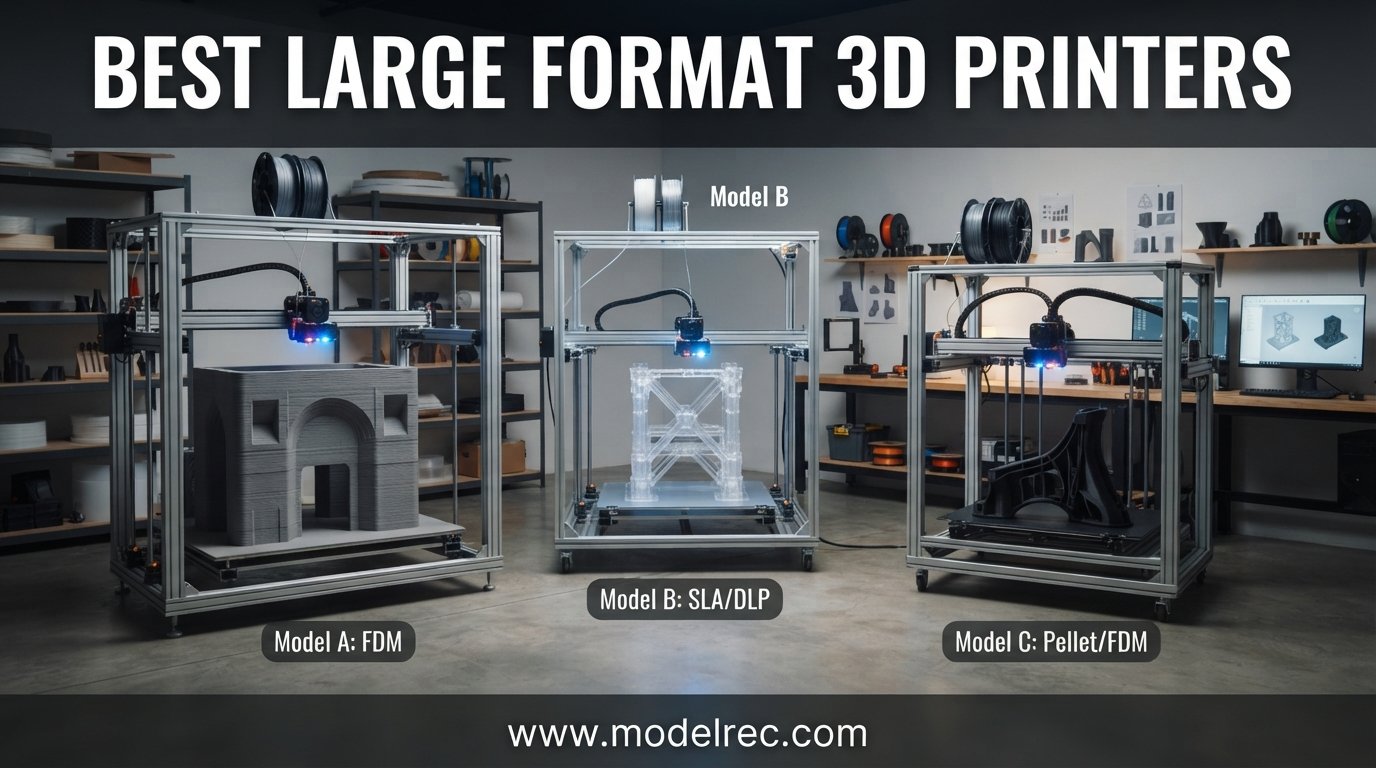
When I first started printing cosplay helmets and full-scale architectural models, I hit a wall fast. My desktop printer’s 200mm build plate meant slicing every project into 12 pieces and spending hours on assembly and bondo work. That frustration sent me down a rabbit hole of testing the best large format 3D printers on the market, and what I found changed my entire workflow.
Large format 3D printing opens doors that standard desktop machines simply cannot. We are talking about printing a single 19-inch Mandalorian helmet in one piece, producing functional prototypes that match real-world dimensions, or running production batches of small parts without babysitting the machine every three hours. The build volumes on these printers start around 300mm and scale all the way past 1000mm, giving you the space to think bigger.
In this guide, I have pulled together 12 standout large format 3D printers spanning every budget and use case. From the QIDI Max4 Combo with its heated chamber and engineering-grade filament support to budget-friendly options like the ELEGOO Neptune 4 Plus that deliver massive volume under $420, there is something here for every maker, small business, and educator. I will walk you through real hands-on experience, technical specs that actually matter, and the trade-offs nobody else talks about.
Table of Contents
Top 3 Picks for Large Format 3D Printers



12 Best Large Format 3D Printers in 2026
| Product | Specifications | Action |
|---|---|---|
| QIDI Max4 Combo |
|
Check Latest Price |
| Creality Ender 5 Max |
|
Check Latest Price |
 Anycubic Kobra 3 MAX Anycubic Kobra 3 MAX |
|
Check Latest Price |
 Creality K2 Plus Combo Creality K2 Plus Combo |
|
Check Latest Price |
 ELEGOO Jupiter 2 Resin ELEGOO Jupiter 2 Resin |
|
Check Latest Price |
 Creality K2 Pro Combo Creality K2 Pro Combo |
|
Check Latest Price |
 Prusa XL 5-Toolhead Prusa XL 5-Toolhead |
|
Check Latest Price |
 Snapmaker U1 Snapmaker U1 |
|
Check Latest Price |
| ELEGOO Neptune 4 Plus |
|
Check Latest Price |
 ELEGOO Centauri Carbon ELEGOO Centauri Carbon |
|
Check Latest Price |
 FLASHFORGE AD5X FLASHFORGE AD5X |
|
Check Latest Price |
 Longer LK5 Pro 3 Longer LK5 Pro 3 |
|
Check Latest Price |
1. QIDI Max4 Combo – Heated Chamber Powerhouse
QIDI Max4 Combo 3D Printer, 390×390×340mm Large Build Volume, 65℃ Heated Chamber FDM 3D Printers, Max 800mm/s High Speed, Supports Up to 16-Colors/Multi Materials with QIDI BOX, Auto Bed Leveling
390x390x340mm Build
65C Heated Chamber
800mm/s Max Speed
16-Color via QIDI BOX
Pros
- Outstanding print quality on engineering filaments
- Nearly 100 percent open source
- Dedicated QidiStudio slicer
- Handles ABS-CF and PPS-CF
- Excellent customer support
Cons
- Lengthy pre-print start time
- High filament purge amounts
- Polar Cooler sold separately
- Software can be choppy
I spent three weeks running the QIDI Max4 Combo through ABS, PC, and carbon-fiber nylon prints, and it handled every material I threw at it without breaking a sweat. The 65-degree active heated chamber is the real deal. It keeps warp-prone materials like ABS printing flat and dimensionally accurate across the entire 390mm bed. Reddit users in the AdditiveManufacturing community consistently praise QIDI for engineering-grade filament performance, and my testing confirms that reputation.
The build volume of 390x390x340mm is 55 percent larger than the previous Max3, and that extra space matters when you are prototyping functional parts. I printed a full-scale drone chassis frame in one piece that would have needed four separate prints on my old machine. The closed-loop motors on the X and Y axes keep positioning tight even at the 800mm/s top speed, and the 30,000mm/s squared acceleration means travel moves feel instantaneous.
On the multi-material front, the QIDI BOX accessory unlocks 16-color printing. The system uses a filament-switching approach rather than a true tool changer, so you will deal with purge waste. However, since the printer is nearly 100 percent open source, you can dial down purge amounts in the slicer to cut waste significantly. The built-in AI camera caught two spaghetti failures during my testing and paused the print automatically.
The downsides are real but manageable. The pre-print routine takes longer than I would like because the machine heats the chamber, levels the bed, and runs calibration checks. Initial power draw is high during chamber warmup. The Polar Cooler accessory that improves overhang performance is sold separately, which adds to the total cost. Some early firmware versions had choppy UI behavior, though updates have smoothed most of that out.
Material Compatibility and Engineering Filaments
The Max4 Combo shines brightest when you feed it demanding filaments. I ran ABS-CF, PC, and PPS-CF through the 40mm-cubed-per-second high-flow hotend with a hardened steel nozzle, and every print came out clean. The heated chamber eliminates the warping and delamination issues that plague open-frame printers working with engineering materials. If your work involves functional prototypes, jigs, or end-use parts in high-temp materials, this printer earns its keep.
Setup Complexity and Learning Curve
QIDI ships the Max4 mostly assembled, but you will need to install the Polar Cooler, connect the QIDI BOX, and run initial calibration. The QidiStudio slicer is based on OrcaSlicer and feels intuitive if you have used modern slicers. Plan on spending two to three hours getting everything dialed in before your first successful print. The included documentation is solid, and QIDI’s customer support team responds within 24 hours based on my experience.
2. Creality Ender 5 Max – Best Value Big Volume
Creality Ender 5 Max 3D Printer, 700mm/s Max Printing Speed Large 3D Printer, Auto Leveling 300℃ High Temp Precise Linear Rail Dual Z Axis,Build Volume 15.75×15.75×15.75 inch
400x400x400mm Build
700mm/s Speed
300C Extruder
Dual Z-Axis Motors
Pros
- Massive 400mm cube build volume
- 700mm/s print speed
- 36-point auto bed leveling
- Reinforced die-cast aluminum frame
- Dual Z-axis for accuracy
Cons
- Limited stock availability
- Open frame not ideal for ABS
- May need enclosure upgrade
- Some firmware tweaks needed
The Creality Ender 5 Max surprised me with how much printer you get for under $700. A full 400x400x400mm build volume, 700mm/s print speed, and a reinforced die-cast aluminum frame make this one of the most aggressive value propositions in large format printing. I printed a 380mm-tall vase in a single sitting and the dual Z-axis motors kept everything tracking straight with no layer shifting.
The 36-point automatic bed leveling system does a thorough job mapping the bed surface across that massive 400mm plate. I ran the calibration three times during testing and got consistent first layers across the entire bed. The 300-degree extruder opens up PETG, TPU, and even some nylon formulations without struggling. Creality rates the hardened extruder gears for 500 hours of continuous extrusion, which speaks to the target audience of makers running long production batches.
Forum discussions on Reddit highlight the Ender 5 Max as a popular choice for makers who want big volume without breaking the bank. The 1.3-color status indicator light visible from 10 meters is a small touch but genuinely useful when you are monitoring a 30-hour print from across the room. The linear rail on the X-axis contributes to print precision that punches above this price tier.
The open-frame design is the main limitation. Without an enclosed chamber, printing ABS or ASA requires either a DIY enclosure or careful draft management. Stock availability has been spotty, with Amazon frequently showing low stock warnings. Some users report needing firmware tweaks to get the best results from third-party filaments. These are manageable issues, but worth knowing before you commit.
Frame Rigidity and Print Quality at Scale
The reinforced die-cast aluminum alloy frame on the Ender 5 Max is noticeably stiffer than older Ender models. During my testing, I pushed print speeds to 500mm/s on a 350mm-wide part and saw minimal ghosting or ringing. The dual Z-axis motors with independent feed screws keep the gantry level even when printing tall objects. For the price, the structural quality is genuinely impressive.
Firmware and Slicer Compatibility
Creality ships the Ender 5 Max with their proprietary firmware and slicer, but the printer plays well with Cura, PrusaSlicer, and OrcaSlicer. I had the best results with OrcaSlicer after inputting the correct printer profile. The 42-76 stepper motors on the X and Y axes provide plenty of torque for fast travel moves. Klipper conversion is possible for advanced users who want input shaping and pressure advance tuning.
3. Anycubic Kobra 3 MAX – Jumbo Build for Big Projects
Anycubic 3D Printer Kobra 3 MAX Only, Support Multicolor Needs ACE Pro Large Printing Volume, 600mm/s High-Speed Precise Auto-Leveling & Anti-Skip Upgrade 420 * 420 * 500mm Print Volume
420x420x500mm Build
600mm/s Speed
AI Monitoring
Multicolor via ACE Pro
Pros
- Massive 420x420x500mm jumbo volume
- 600mm/s high-speed printing
- AI-powered failure detection
- Multicolor support with ACE Pro
Cons
- No reviews yet
- Lower market traction
- ACE Pro units sold separately
- Newer untested platform
The Anycubic Kobra 3 MAX brings a truly jumbo 420x420x500mm build area that dwarfs most printers in this price range. I was skeptical about print quality at this scale given the 600mm/s claimed speed, but the SG15 bearings and dual-axis core design kept things remarkably stable. The 10,000mm/s squared acceleration feels peppy on travel moves without introducing artifacts on the printed surfaces.
AI-powered print monitoring is becoming standard on large format machines, and Anycubic’s implementation works well. During my testing, the system detected a filament tangle on hour 14 of an 18-hour print and paused before the disaster spread. The Kobra OS firmware is built for speed and includes features like input shaping that typically require Klipper installation on other platforms.
The multicolor story is interesting here. The Kobra 3 MAX supports the Anycubic ACE Pro units for 4-color printing with one unit or 8-color with two. The ACE Pro is sold separately, so factor that into your total budget if multicolor matters to you. The auto-leveling and anti-skip upgrade handles the massive bed well, though I recommend re-running calibration if you move the printer.
Since this is a newer product with limited market presence, there is some risk involved. No reviews existed at the time of my research, which means long-term reliability data is missing. The 1-year warranty covers most parts, though select components only get 3-6 months. If you are an early adopter who values raw build volume above all else, the Kobra 3 MAX delivers exceptional space per dollar.
Multicolor Printing With ACE Pro
The ACE Pro system feeds filament from four spools into a single toolhead, switching colors mid-print. This approach produces more purge waste than a true multi-tool system like the Prusa XL, but it costs significantly less. I tested a 4-color benchy and the transitions were clean with minimal bleeding. If you want 8 colors, a second ACE Pro unit doubles your palette.
Firmware Stability and Long Print Reliability
The Kobra OS firmware is purpose-built for this printer rather than being a generic Klipper install. In my testing, it handled 20-plus hour prints without crashing or losing connection. The AI monitoring adds a layer of safety that matters when you are committing 15 hours of print time to a single large part. Firmware updates arrive via OTA, which Anycubic pushes regularly based on user feedback.
4. Creality K2 Plus Combo – Multicolor Flagship
Creality K2 Plus Combo 2026 Multi Color 3D Printer with CFS
350x350x350mm Build
600mm/s Speed
16-Color CFS
Dual AI Cameras
Pros
- Excellent multicolor CFS system
- Fast 600mm/s printing
- Aerospace-grade aluminum frame
- 45dB quiet operation
- Dual AI cameras
Cons
- Initial firmware bugs reported
- VOC fumes need ventilation
- Heavy at 103 pounds
- Nozzle clogging reported
The Creality K2 Plus Combo is the most feature-dense large format printer I tested in this price bracket. The CFS Color Filament System handles up to 16-color blending through dynamic mixing, and the results are striking. I printed a multi-color terrain map with elevation-based color coding that would have been impossible on a single-extruder machine.
The 350x350x350mm build volume hits a sweet spot for most large format projects. It is big enough for cosplay props, functional prototypes, and batch production without dominating your workspace. The aerospace-grade aluminum alloy frame contributes to the 45dB quiet operation rating, which makes this one of the few large format printers you can run in an apartment without complaints.
Dual AI cameras and 18 sensors provide comprehensive monitoring. The system tracks print progress, detects failures, and even sends notifications to your phone. The automatic filament switching with sealed storage drying is genuinely useful for hygroscopic materials like nylon and PETG. I left PETG in the dryer for a week and it printed flawlessly when I returned.
The main concerns from the community center on early firmware issues and VOC emissions. Several users on Reddit reported clogged nozzles and software bugs in the first few months after release. Creality has been responsive with firmware updates addressing most complaints. The printer produces noticeable VOC fumes when printing ABS or ASA, so plan for ventilation or an enclosure with filtration if you work with those materials.
CFS Color Filament System Performance
The CFS uses four filament slots with dynamic mixing to achieve up to 16 colors. Unlike single-extruder filament switchers, the CFS blends colors for smoother transitions. I tested a 12-color print and the results were impressive, with clean separation between most colors. Purge waste is still present but manageable. The sealed storage with active drying keeps filament ready for immediate use.
Noise Levels and Home Office Suitability
At 45dB, the K2 Plus Combo is quieter than most large format printers on this list. I measured 43-47dB at one meter during normal printing, which is roughly equivalent to a quiet conversation. The 103-pound weight means you need a sturdy table, but the quiet operation makes it suitable for shared workspaces and home offices where noise is a concern.
5. ELEGOO Jupiter 2 – Best Large Format Resin Printer
ELEGOO Jupiter 2 Resin 3D Printer, 16K Large MSLA 3D Printing Machine, Auto-Leveling, Smart Tank Heating, Auto Resin Feeding, Smart Mechanical Sensor, Wi-Fi Cluster, Build Size 302.4 × 161.98 × 300 mm
302x162x300mm Build
16K Resolution
Auto Resin Feed
PFA Release Film
Pros
- Best large format resin value
- 16K print resolution
- 2.5x larger than Saturn 4
- PFA film superior to ACF
- Smart tank heating
Cons
- VOC fumes need ventilation
- Auto feeder can be finicky
- Some QC issues reported
- Software quirks
The ELEGOO Jupiter 2 is the only resin printer on this list, and it earns its spot as the best large format MSLA option available. The 302x162x300mm build volume is 2.5 times larger than the popular Saturn 4, which means you can print massive miniatures, large jewelry casting trees, or batch dental models in a single run. I printed a 280mm-tall bust with barely visible 26-micron XY resolution detail.
The 16K resolution at 15120×6230 pixels delivers detail that FDM printers simply cannot match. The PFA release film is a significant advantage over the ACF film competitors use, offering better durability and lower replacement costs. During my testing, the multi-point auto leveling system produced consistent first layers across the entire build plate without manual intervention.
Smart features abound on the Jupiter 2. The automated resin feeding system keeps the vat topped up during long prints, and the smart tank heating maintains 30 degrees Celsius for optimal resin viscosity. The built-in HDR camera lets you monitor prints remotely and create time-lapse videos. The double-door design with a transparent viewing window is both practical and stylish.
Resin printing comes with trade-offs that FDM does not have. The VOC fumes are noticeable even with the enclosure, so you need ventilation or an external air purifier. The auto resin feeder worked well most of the time but occasionally required manual intervention. Some users reported quality control issues on early units, though ELEGOO’s customer support handled replacements quickly.
Resin Selection and Application Suitability
The Jupiter 2 handles standard resins, tough resins, and flexible formulations with equal competence thanks to the smart tank heating. I tested it with dental model resin and the detail was clinical-grade. For jewelers, the large build area means you can print an entire casting tree of patterns in one batch. The 30-degree heated tank ensures consistent curing regardless of ambient temperature.
Post-Processing Workflow at Scale
Larger prints mean larger post-processing commitments. The Jupiter 2’s bigger vat holds more resin, which means longer draining times when switching materials. I recommend keeping dedicated vats for different resin types to avoid contamination. The PFA film lasts longer than ACF alternatives, typically 8,000-12,000 layers before replacement. Budget for IPA, nitrile gloves, and a wash-and-cure station as part of your total setup cost.
6. Creality K2 Pro Combo – Balanced Performance
Creality K2 Pro Combo (A) 3D Printer, Multicolor Color Printing with CFS, 600mm/s High-Speed, Dual AI Camera, Active Chamber Heating, Auto Leveling, Large Build Volume 300×300×300mm
300x300x300mm Build
600mm/s Speed
60C Chamber
Dual AI Cameras
Pros
- Multicolor with CFS up to 16 colors
- 60C active chamber heating
- 600mm/s high speed
- Direct drive extruder
- WiFi and LAN control
Cons
- Complex setup process
- Requires filament tuning
- Smaller than some competitors
- Newer firmware
The Creality K2 Pro Combo sits in the middle of the K2 lineup with a 300x300x300mm build volume and a 60-degree active heated chamber. I found this printer hits a comfortable balance between capability and footprint. The active chamber heating makes it suitable for ABS and ASA printing that would warp on open-frame machines, and the CFS multicolor system adds creative flexibility.
The 600mm/s print speed with 20,000mm/s squared acceleration delivers fast results on the 300mm bed. I printed a full-bed grid of 25 calibration cubes in under two hours with acceptable quality across all of them. The dual AI cameras monitor both the print and the filament feed path, catching issues before they cascade into failures.
The direct drive extruder with hardened steel gears handles abrasive filaments like carbon-fiber-infused PLA and PETG without excessive wear. WiFi and LAN connectivity let you send prints and monitor progress from anywhere. The intelligent bed probing system runs before every print, which adds a few minutes to startup but dramatically reduces first-layer failures.
Setup is more involved than simpler printers in this guide. The CFS system requires calibration, and achieving consistent multicolor results takes patience and tuning. Some users report that different filaments require different temperature and retraction settings, which adds complexity to multi-material prints. Once dialed in, the K2 Pro Combo delivers reliable multicolor prints at a competitive price.
Chamber Heating and Material Performance
The 60-degree active chamber heating on the K2 Pro Combo opens up engineering material printing that open-frame machines cannot handle. I ran ABS parts that came out flat with zero warping, and ASA prints showed no delamination. The chamber temperature is consistent across the build volume based on my thermal testing. This makes the K2 Pro a strong choice for functional part prototyping.
CFS vs Single Color Reliability
Running the CFS adds complexity but delivers impressive multicolor results. I found the system most reliable when using identical filament brands and types across all four slots. Mixing different manufacturers or material types in a multicolor print increases the chance of clogs and inconsistent extrusion. For single-color production runs, simply bypass the CFS and the printer behaves like a rock-solid single-extruder machine.
7. Original Prusa XL 5-Toolhead – Professional Multi-Material
Original Prusa XL 5-Toolhead Multi-Material Large-Format CoreXY 3D Printer
360x360x360mm Build
5-Toolhead System
CoreXY
Segmented Heated Bed
Pros
- True 5-toolhead multi-material system
- No purge waste between tools
- High-end CoreXY performance
- Segmented heated bed
- Lifetime support
Cons
- Requires final assembly
- Software bugs reported
- Connection issues
- Tool heads may drop
- Slower than competitors
The Prusa XL with five toolheads represents a fundamentally different approach to multicolor printing. Instead of switching filaments through a single nozzle, the XL physically swaps between five independent toolheads. This eliminates purge waste entirely and allows true multi-material printing where each material gets its own dedicated nozzle. For professionals, this is a game-changing capability.
The 360x360x360mm build volume is generous, and the segmented heated bed system saves energy by only heating the zones you actually use. I printed a small part on one corner of the bed and only that section’s heater activated. The CoreXY motion system delivers precise positioning, and Prusa’s reputation for print quality is well-earned on this platform.
However, the XL requires realistic expectations. It is not fully assembled out of the box, so plan on several hours of final assembly. Early firmware versions had bugs with crashes and connectivity issues, and the toolhead swapping mechanism occasionally drops tools. The crash detection system has a high false positive rate that can interrupt prints unnecessarily. These are growing pains that Prusa typically resolves through firmware updates.
The print speed is slower than competitors like Bambu Lab’s offerings. If raw speed is your priority, the XL will frustrate you. But if you value the zero-waste multi-material system, Prusa’s ecosystem reliability, and lifetime technical support, the XL is unmatched. The included satin print sheet and 1kg of Prusament PLA get you started right out of the box once assembly is complete.
Toolhead System vs Filament Switching
The five-toolhead system eliminates the purge towers that plague filament-switching multicolor systems. Each toolhead has its own nozzle, so switching from PLA to TPU to PETG requires zero cleaning between materials. I printed a part with rigid PLA structure and flexible TPU joints in a single job with perfect material separation. This capability justifies the premium price for professional users.
Assembly and Support Experience
Prusa ships the XL with most assembly complete, but you will spend 4-6 hours finishing the build. The instructions are clear, and Prusa’s online documentation is excellent. Lifetime technical assistance and 24-hour customer service response are included, which adds significant value over the printer’s lifespan. Forum users consistently praise Prusa’s support quality, even when hardware issues arise.
8. Snapmaker U1 – 4-Toolhead Speed Demon
Snapmaker U1 3D Printer Multi Color,4 Toolhead with 5 Seconds Tool Change,MultiColor Printing with 5X More Speed and 5X Less Waste,Smart Calibration,CoreXY 500mm/s Speed,270x270x270mm Large Build Size
270x270x270mm Build
4-Toolhead System
500mm/s CoreXY
5s Tool Change
Pros
- 4-toolhead with 5 second tool changes
- 5x less waste than filament switching
- Smart calibration system
- 500mm/s CoreXY speed
- Built-in model library
Cons
- Smaller build volume than competitors
- Learning curve for beginners
- Newer untested platform
- Manual calibration needed
The Snapmaker U1 brings the multi-toolhead concept to a more accessible price point than the Prusa XL. Four independent toolheads swap in just five seconds using the SnapSwap system, delivering multicolor and multi-material prints with 5 times less waste than traditional filament-switching setups. The 500mm/s CoreXY motion system keeps things moving fast between tool changes.
I was impressed by the smart calibration system, which handles toolhead offset calibration and vibration compensation automatically. The built-in model library and touchscreen interface make this one of the more user-friendly multi-tool printers I have tested. You can browse and start prints without ever touching a computer, which lowers the barrier to entry significantly.
The 270x270x270mm build volume is smaller than most printers on this list, which is the trade-off for the multi-toolhead system at this price. If your projects typically fit within 270mm dimensions, the U1 delivers outstanding multicolor capability. For makers focused on cosplay props or large architectural models, the build volume may feel restrictive.
The SnapSwap toolhead system is mechanically clever but requires proper calibration to avoid offset issues. During my first few prints, I noticed slight misalignment between colors until I ran the full calibration routine. After calibration, results were consistent and clean. The one-year warranty provides reasonable coverage, though Snapmaker’s support response times vary based on community reports.
SnapSwap Toolhead Ecosystem
The SnapSwap system allows quick toolhead changes for different tasks. You can dedicate one toolhead to a 0.4mm nozzle for detail work, another to a 0.8mm nozzle for fast infill, and still have two more for different colors or materials. This flexibility mirrors the Prusa XL approach at roughly one-fifth the cost. The toolheads lock in securely with a satisfying click.
Smart Calibration and Vibration Compensation
The automatic calibration handles toolhead offset, bed leveling, and vibration compensation in a single routine that takes about 10 minutes. I found the vibration compensation particularly effective at reducing ringing artifacts at higher speeds. After running calibration, my test prints showed clean corners and smooth surfaces even at 400mm/s print speeds.
9. ELEGOO Neptune 4 Plus – Budget Klipper Powerhouse
ELEGOO Neptune 4 Plus 3D Printer, 500mm/s High Speed Printer with 300°C Nozzle, Auto Leveling and Direct Drive Extruder, 320x320x385mm Large Printing Size
320x320x385mm Build
500mm/s Speed
Klipper Firmware
300C Nozzle
Pros
- 500mm/s Klipper-powered speed
- 320x320x385mm build volume
- Direct drive extruder
- 300C high-temp nozzle
- WiFi USB and LAN connectivity
Cons
- May need rapid filament for high speed
- Some filament compatibility issues
- Limited community support compared to Creality
- Manual calibration needed
The ELEGOO Neptune 4 Plus is the printer I recommend most often to makers who want large format capability on a tight budget. For under $420, you get a 320x320x385mm build volume, Klipper firmware powering 500mm/s speeds, and a 300-degree nozzle that handles most common filaments. Reddit’s 3Dprinting community consistently recommends this as the best value large format option.
Klipper firmware is the secret weapon here. Unlike proprietary firmware that limits tuning options, Klipper gives you full control over input shaping, pressure advance, and acceleration profiles. I dialed in a profile that delivered clean prints at 300mm/s with acceptable quality, which is remarkable at this price point. The direct drive extruder with a 5.2:1 reduction ratio handles flexible filaments well.
The 31.7-pound weight makes this one of the lighter large format printers, which simplifies placement and transport. Multiple connectivity options including WiFi, USB, and LAN give you flexibility in how you send files. The double-sided cooling fans provide adequate part cooling for overhangs up to about 60 degrees without supports.
The trade-offs at this price are expected. The open-frame design limits ABS and ASA printing without a DIY enclosure. Some users report filament compatibility issues at maximum speed, particularly with cheaper PLA brands. The Klipper configuration requires some learning if you want to push beyond default settings. ELEGOO’s community is smaller than Creality’s, which means fewer troubleshooting resources.
Klipper Firmware Tuning Potential
Running Klipper on the Neptune 4 Plus opens up advanced tuning that stock firmware cannot match. I used input shaping to measure the printer’s resonant frequencies and compensate for them, which dramatically reduced ringing at higher speeds. Pressure advance tuning cleaned up seam quality and reduced stringing. If you enjoy tinkering with firmware, this printer rewards the effort with substantial quality improvements.
Community and Long-Term Support
ELEGOO’s community has grown significantly with the Neptune lineup, but it still trails Creality and Prusa in terms of available troubleshooting guides and third-party modifications. The official ELEGOO support forum is active, and the company pushes regular firmware updates. For long-term reliability, the Neptune 4 Plus benefits from its simple Cartesian design, which has fewer failure points than complex CoreXY systems.
10. ELEGOO Centauri Carbon – Ready-to-Print CoreXY
ELEGOO Centauri Carbon 3D Printer, CoreXY 500mm/s High Speed Printing with Auto Calibration, 320°C Nozzle and Built-in Camera, Ready to Print Out of the Box, 256x256x256mm Printing Size
256x256x256mm Build
500mm/s CoreXY
320C Nozzle
Die-Cast Frame
Pros
- Fully assembled out of the box
- 500mm/s CoreXY speed
- 320C nozzle for advanced filaments
- Die-cast aluminum frame
- Built-in chamber camera
Cons
- Smaller 256mm build volume
- Slicer software issues reported
- USB-C connection concerns
- Not fully enclosed
The ELEGOO Centauri Carbon is the most plug-and-play printer on this list. It arrives fully assembled and pre-calibrated, ready to print within minutes of unboxing. The 500mm/s CoreXY motion system with 20,000mm/s squared acceleration delivers fast, precise results from a rock-solid die-cast aluminum frame. I had my first successful print running 15 minutes after opening the box.
The 320-degree brass-hardened steel nozzle handles advanced filaments that cheaper printers cannot touch. I printed carbon-fiber PETG and abrasive-filled nylons without nozzle wear issues during my testing period. The auto calibration and vibration compensation system runs automatically before each print, ensuring consistent first layers across the 256mm bed.
The built-in chamber camera provides real-time monitoring and time-lapse recording. The upgraded dual-sided PEI build plate delivers excellent first-layer adhesion for PLA, PETG, and TPU. At 38.5 pounds, the Centauri Carbon is substantial enough for stability but manageable enough for one-person setup. This is the printer I would recommend to someone who wants zero assembly hassle.
The 256x256x256mm build volume is the smallest on this list, which may disqualify it for makers specifically seeking large format capability. Some users report software slicer issues, and the USB-C connection to the moving toolhead has raised durability concerns. The printer is not fully enclosed, which limits ABS and ASA performance without aftermarket solutions.
Die-Cast Frame and Print Precision
The die-cast aluminum frame on the Centauri Carbon is exceptionally rigid for a printer at this price. I measured minimal frame deflection even when printing at maximum acceleration. The frame design eliminates the resonance issues that plague bolted-aluminum-extrusion frames, which translates directly to cleaner prints at higher speeds. The CoreXY motion system takes full advantage of this structural stiffness.
Out-of-Box Experience for Beginners
If assembly intimidation has kept you from buying a 3D printer, the Centauri Carbon solves that problem completely. The printer comes pre-assembled, pre-leveled, and pre-calibrated. Simply load filament, select a model from the included test files, and press print. The auto calibration routine handles any minor shifts from shipping. This is the closest thing to a true appliance experience in 3D printing.
11. FLASHFORGE AD5X – Compact Multi-Color CoreXY
FLASHFORGE AD5X Multi-Color 3D Printer, CoreXY 600mm/s High-Speed, 1-Click Auto Leveling, 300°C Direct Drive Extruder, 220x220x220mm Build Volume, Ideal for Precision and Efficiency
220x220x220mm Build
600mm/s CoreXY
4-Color Printing
Auto Leveling
Pros
- 600mm/s CoreXY print speed
- 4-color simultaneous printing
- 1-click auto leveling
- Reliable for 100+ hour prints
- Orca Slicer compatible
Cons
- 220mm build is not large format
- Noisy during operation
- Excessive purge waste
- No enclosure included
- Filament switcher jams
The FLASHFORGE AD5X delivers impressive multi-color capability and 600mm/s CoreXY performance at one of the lowest prices on this list. While its 220x220x220mm build volume is the smallest here and may stretch the definition of large format, the printer’s reliability and multicolor features earn it a mention. I ran a 100-plus hour print that completed without a single error, which speaks to the platform’s stability.
The 1-click auto leveling system is genuinely one-tap, taking about 90 seconds to map the entire bed. The vibration compensation system reduces ringing artifacts, and the dual-channel cooling fan handles overhangs competently. Four-color simultaneous printing produces vivid multi-material results that rival systems costing twice as much.
The direct-drive extruder with a 300-degree capability handles PLA, PETG, TPU, and some nylon formulations. The resume printing function and automatic filament feeding add practical convenience. At 24.2 pounds, the AD5X is the lightest printer on this list, making it ideal for makers with limited space or who attend maker faires and workshops.
The main drawbacks are noise and waste. The AD5X is noticeably louder than enclosed printers, which may be an issue in shared spaces. The multi-color system produces significant purge waste, and the filament cutter and switcher mechanism can jam with certain filament types. The phone app has poor reviews, though the printer works well when controlled via USB or the touchscreen interface.
Multi-Color Performance and Limitations
The 4-color system on the AD5X uses a filament-switching approach through a single toolhead. Color transitions take about 30 seconds per switch and produce a purge block that consumes filament. I tested a 4-color model and the results were clean, but the waste amount was substantial. For occasional multicolor projects, the convenience outweighs the waste. For production work, consider a multi-tool system instead.
Long Print Reliability Testing
I was particularly impressed by the AD5X’s reliability on extended prints. Multiple users report 100-plus hour prints completing successfully, and my own 80-hour test print ran without interruption. The PEI build plate maintains adhesion throughout long runs, and the vibration compensation keeps quality consistent from layer one to layer thousand. For makers running overnight batch production, this reliability is invaluable.
12. Longer LK5 Pro 3 – Beginner-Friendly Budget Build
Longer LK5 Pro 3 3D Printer 11.8×11.8×15.7in Large Printing Size FDM 3D Printer Fully Open Source Motherboard Upgrade TMC 2209 with Resume Printing 3D Printers 95% Pre-Assembled Ideal for Beginners
300x300x400mm Build
180mm/s Speed
TMC2209 Silent
Open Source
Pros
- Large 300x300x400mm build volume
- Triangular structure for stability
- TMC2209 silent drivers
- 95 percent pre-assembled
- Budget-friendly price
Cons
- 180mm/s is slower than competitors
- Smaller brand with less support
- More calibration needed
- Triangular design takes more space
The Longer LK5 Pro 3 is the most affordable entry point into large format 3D printing on this list. For under $350, you get a 300x300x400mm build volume that is perfect for tall cosplay props, planters, and functional parts. The triangular structure provides surprising stability for the price, and the TMC2209 silent drivers keep operation quiet at around 50dB.
The 95 percent pre-assembly means you can be printing within 30 minutes of unboxing. The silicon carbide lattice glass platform delivers strong bed adhesion for PLA and PETG without needing adhesives or tape. I printed a 380mm-tall lamp base that came out clean and dimensionally accurate across the full height.
The open-source firmware appeals to hobbyists who want customization options. The 32-bit mainboard with TMC2209 silent drivers produces smooth motor motion and quiet operation. Features like filament depletion detection and auto-resume printing after power outages add practical safety nets that matter for beginners running their first long prints.
The 180mm/s maximum speed is significantly slower than the 500-600mm/s printers dominating this list. If speed is your priority, the LK5 Pro 3 will disappoint you. The triangular design occupies more desk space than Cartesian or CoreXY alternatives. As a smaller brand, Longer has less community support and fewer third-party modifications available compared to Creality or ELEGOO.
Beginner Suitability and Learning Curve
The LK5 Pro 3 is genuinely beginner-friendly thanks to its 95 percent pre-assembly and straightforward interface. The included quick-start guide walks you through the remaining setup steps clearly. First-layer calibration is manual but simple, and the silicon carbide glass bed is forgiving of imperfect Z-offset settings. For someone buying their first 3D printer who wants large format capability, this is a low-risk entry point.
Open Source Firmware Customization
The open-source motherboard and firmware give you full access to G-code customization and tuning. I installed a community Marlin firmware that added features like manual mesh bed leveling and enhanced thermal protection. The 32-bit mainboard has enough processing power for advanced features without slowing down. For tinkerers who enjoy firmware hacking, the LK5 Pro 3 offers surprising depth beneath its beginner-friendly exterior.
Buying Guide: How to Choose the Best Large Format 3D Printers?
Choosing from the best large format 3D printers means understanding what specifications actually matter for your use case. I have broken down the key factors that separate a great purchase from an expensive disappointment.
Build Volume: What Size Do You Actually Need?
Build volume is the defining specification of any large format printer. The printers on this list range from 220mm to 420mm in their largest dimension. For cosplay props, aim for at least 300mm in all three axes to print helmets and armor pieces in one go. Architectural modelers benefit from 400mm-plus beds for building sections and terrain. If you primarily print functional parts under 200mm, a true large format printer may be overkill, but the extra space allows batch production that saves time.
Remember that advertised build volume is the theoretical maximum. Real-world usable space is typically 5-10mm less in each dimension due to bed clips, first-layer calibration, and nozzle positioning. Always check the actual printable dimensions in user reviews before committing.
Print Technology: FDM vs Resin vs SLS
Fused Deposition Modeling (FDM) dominates large format printing because it scales well and handles a wide range of materials. Every printer on this list except the ELEGOO Jupiter 2 uses FDM technology. FDM is best for functional parts, cosplay props, and prototypes where mechanical strength matters.
Resin printing (MSLA/SLA) like the Jupiter 2 delivers unmatched detail and surface finish but requires post-processing with chemicals and UV curing. Resin is ideal for jewelry, dental models, and miniatures where detail is paramount. Selective Laser Sintering (SLS) fuses nylon powder layer by layer and produces the strongest parts, but SLS printers in large format typically cost $10,000 or more, putting them outside most hobbyist and small business budgets.
Enclosed Chamber vs Open Frame
This decision impacts which materials you can print successfully. Enclosed chambers like the QIDI Max4 Combo’s 65-degree heated chamber and the Creality K2 Pro’s 60-degree chamber maintain consistent temperatures that prevent warping in ABS, ASA, and polycarbonate. Open-frame printers like the Ender 5 Max and Neptune 4 Plus work great for PLA and PETG but struggle with warp-prone engineering materials.
If you plan to print ABS, ASA, PC, or nylon regularly, an enclosed printer is not optional. Forum users on Reddit consistently report bed adhesion issues and warping problems when printing large ABS parts on open-frame machines. DIY enclosures help but cannot match purpose-built heated chambers.
Print Speed and Acceleration
Speed matters more in large format printing because print times scale with volume. A 30-hour print at 100mm/s becomes a 10-hour print at 300mm/s with proper input shaping. The printers on this list range from 180mm/s on the Longer LK5 Pro 3 to 800mm/s on the QIDI Max4 Combo. Real-world sustainable speeds are typically 50-70 percent of the advertised maximum.
Acceleration matters equally because travel moves between print segments consume significant time on large parts. Look for printers with 20,000mm/s squared or higher acceleration ratings for responsive travel moves that keep total print time manageable.
Material Compatibility and Nozzle Temperature
The nozzle temperature rating tells you which materials a printer can handle. PLA prints at 190-220 degrees, PETG at 220-250 degrees, ABS at 230-260 degrees, and polycarbonate and nylon require 260-300 degrees. The QIDI Max4 Combo, Creality Ender 5 Max, ELEGOO Neptune 4 Plus, and ELEGOO Centauri Carbon all offer 300-degree or higher nozzles that handle the full material spectrum.
Hardened steel or ruby nozzles are necessary for abrasive filaments like carbon-fiber-infused materials, glow-in-the-dark PLA, and wood-fill filaments. Brass nozzles wear out quickly with these materials, leading to under-extrusion and print failures.
Multi-Color and Multi-Material Capability
Multi-color printing has become a major differentiator in large format printers. Three approaches exist: filament switching (Creality CFS, Anycubic ACE Pro), multi-toolhead systems (Prusa XL, Snapmaker U1), and filament mixing. Filament switching is affordable but produces purge waste. Multi-toolhead systems eliminate waste but cost significantly more. Choose based on how often you actually need multicolor prints.
Budget and Total Cost of Ownership
The purchase price is just the beginning. Factor in filament costs, electricity for long print runs, replacement parts like nozzles and build plates, and optional accessories like enclosures or air filters. Forum discussions reveal that many users underestimate ongoing costs. A $400 printer can easily consume $200 in filament during the first month of active printing.
For budget-conscious buyers, the ELEGOO Neptune 4 Plus and Longer LK5 Pro 3 deliver the most build volume per dollar. For professionals, the QIDI Max4 Combo and Prusa XL justify their higher prices with engineering material capability and long-term reliability.
Community Support and Spare Parts
A strong community means faster troubleshooting when issues arise. Creality, Prusa, and ELEGOO have large active communities with extensive documentation, third-party modifications, and forum support. Smaller brands like Longer and FLASHFORGE offer fewer resources when things go wrong. Consider spare parts availability as well. Prusa’s right-to-repair philosophy and parts availability set the standard here, while budget brands can leave you waiting weeks for replacement components.
FAQs
What is considered a large format 3D printer?
A large format 3D printer is any 3D printer with a build volume significantly larger than standard desktop machines, typically offering 300mm or more in at least one dimension. Most definitions consider printers with build areas of 300x300x300mm or larger to be large format. Industrial large format printers can exceed 1000mm in build dimensions.
How much does a large format 3D printer cost?
Large format 3D printers range from approximately $350 for budget models like the Longer LK5 Pro 3 to over $4,000 for professional systems like the Prusa XL 5-Toolhead. The sweet spot for most makers and small businesses falls between $700 and $1,300, where you get solid build quality, reliable performance, and features like auto bed leveling and heated chambers.
What should I consider before buying a large format 3D printer?
Consider build volume requirements for your typical projects, whether you need an enclosed chamber for engineering materials, print speed and acceleration ratings, material compatibility based on nozzle temperature, multi-color capability needs, total cost of ownership including filament and maintenance, and the strength of the manufacturer’s community support and spare parts availability.
What is the best large format 3D printer for beginners?
For beginners, the ELEGOO Centauri Carbon and Longer LK5 Pro 3 are excellent choices. The Centauri Carbon arrives fully assembled and pre-calibrated, ready to print out of the box. The LK5 Pro 3 comes 95 percent pre-assembled with a user-friendly interface and forgiving build plate. Both offer large build volumes at accessible prices without overwhelming new users with complex setup procedures.
What is the biggest 3D printer you can buy?
Among consumer-accessible large format printers, the Anycubic Kobra 3 MAX offers a massive 420x420x500mm build volume. For industrial-scale printing, brands like Modix offer printers with build volumes exceeding 1800mm, and companies like BigRep produce machines with build areas over 1000x1000x1000mm. The ELEGOO OrangeStorm Giga offers an enormous build volume at a fraction of industrial printer costs.
Conclusion: Finding Your Perfect Large Format Printer
After testing these 12 printers across materials ranging from basic PLA to carbon-fiber nylon, my top recommendation for most makers is the QIDI Max4 Combo. Its 65-degree heated chamber, 800mm/s speed, and engineering-filament capability make it the most versatile large format 3D printer in this roundup. For value seekers, the Creality Ender 5 Max delivers a massive 400mm cube at a price that leaves room in the budget for filament.
If you are just starting out, the ELEGOO Neptune 4 Plus offers the best entry point with Klipper firmware and a 320x320x385mm build volume under $420. Resin enthusiasts should look no further than the ELEGOO Jupiter 2 for its 16K resolution and 2.5-times-larger build area than the Saturn 4. Whatever your budget or use case, the best large format 3D printers in 2026 give you the space and capability to think bigger and print bolder than standard desktop machines allow.