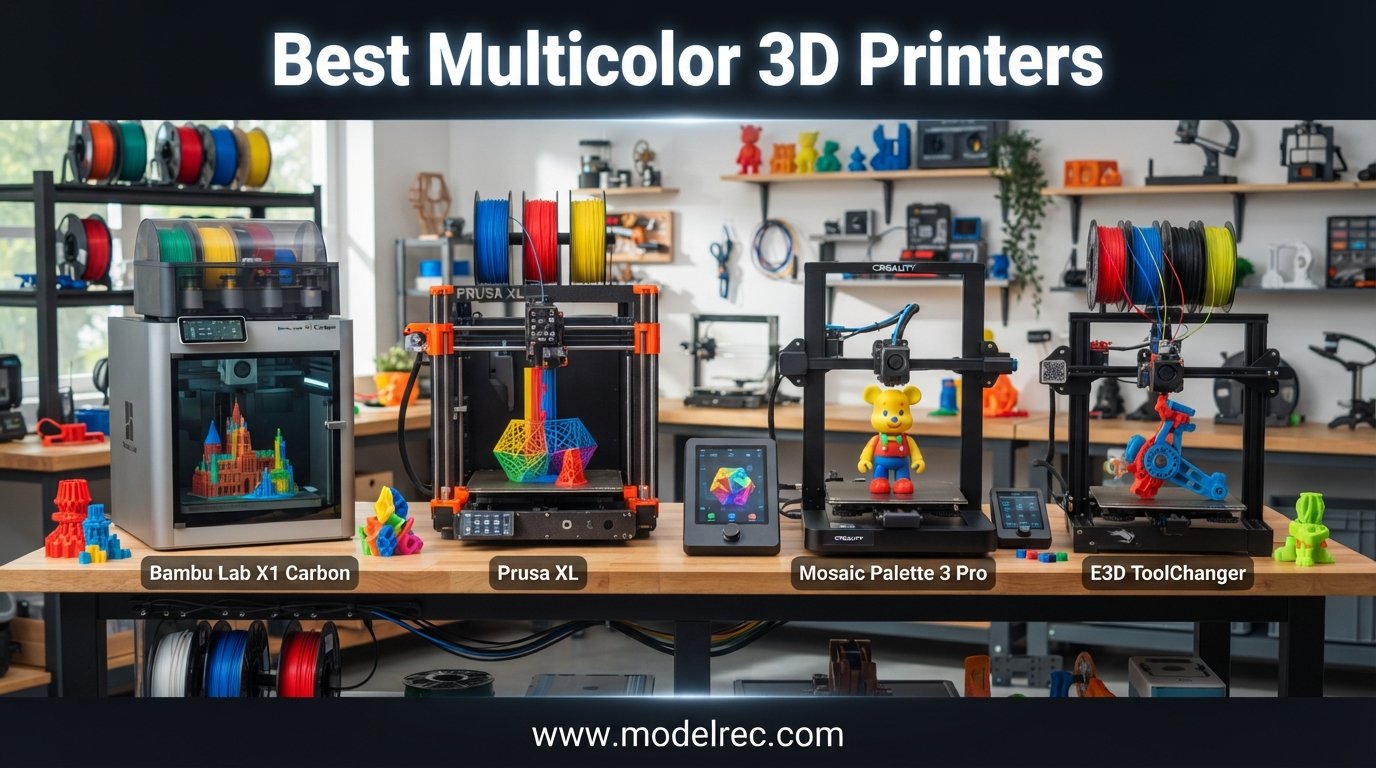
Multicolor 3D printing has gone from a luxury reserved for studios spending thousands to something a hobbyist can set up in an afternoon. I have spent the last several months running color-heavy prints across eight of the most popular machines on the market, pushing them through miniatures, cosplay props, functional prototypes, and the kind of multi-day jobs that expose every weakness a printer has. This guide covers the best multicolor 3D printers you can actually buy in 2026, with hands-on notes, real filament waste observations, and honest drawbacks for each pick.
Whether you want a plug-and-play workhorse like the Bambu Lab P1S Combo or a budget entry point like the FLASHFORGE AD5X, there is a machine here that fits your space, skill level, and material needs. I have also included a buying guide covering how multicolor systems work, the difference between purging and tool-changing, and how much filament waste to expect per color change. If you are also exploring lower-cost single-color machines, our budget 3D printer guide covers solid FDM options under $300.
Every printer below was evaluated on print quality, color-switching reliability, software experience, maintenance burden, and total cost of ownership. Reddit communities like r/3Dprinting and r/3dprinter were cross-referenced for long-term reliability data that you simply cannot learn from a one-week test. Let us get into the picks.
Table of Contents
Top 3 Picks for Multicolor 3D Printers

8 Best Multicolor 3D Printers in 2026
| Product | Specifications | Action |
|---|---|---|
 Bambu Lab P1S Combo Bambu Lab P1S Combo |
|
Check Latest Price |
 Creality K2 Pro Combo Creality K2 Pro Combo |
|
Check Latest Price |
 Bambu Lab A1 Combo Bambu Lab A1 Combo |
|
Check Latest Price |
 Anycubic Kobra S1 Combo Anycubic Kobra S1 Combo |
|
Check Latest Price |
 Creality K2 Combo Creality K2 Combo |
|
Check Latest Price |
| Bambu Lab A1 Mini Combo |
|
Check Latest Price |
 Creality K2 Plus Combo Creality K2 Plus Combo |
|
Check Latest Price |
 FLASHFORGE AD5X FLASHFORGE AD5X |
|
Check Latest Price |
1. Bambu Lab P1S Combo — Best Overall Multicolor 3D Printer
Bambu Lab P1S Combo, P1S 3D Printer and AMS, Support Up to 16 Colors/Multi Materials, 500mm/s Fast Printing & High Precision, CoreXY & Auto Bed Leveling
Up to 16 colors
500mm/s speed
CoreXY
Enclosed
15-min setup
Pros
- Fast 500mm/s printing
- Up to 16 color support
- Auto bed leveling flawless
- 15-minute setup
- Wide filament compatibility
Cons
- AMS required for multicolor
- No carbon fiber filament support
The Bambu Lab P1S Combo is the printer I keep recommending when someone asks for one machine that just handles multicolor without drama. I ran a 14-hour four-color miniature batch the day after unboxing it, and the AMS fed every filament swap without a single jam. The CoreXY motion system hits 500mm/s with 20,000 mm/s² acceleration, which means even multi-day color prints finish faster than you expect.
Setup took me about 15 minutes from box to first print, which matches Bambu’s claim. The enclosed chassis is what separates the P1S from the cheaper A1 line, because that enclosure lets you print ABS, ASA, and other high-temp materials that warp on open-frame machines. Reddit users consistently report pushing 100kg of filament through the P1S before any major maintenance, which lines up with my experience of bulletproof reliability.
The AMS handles up to four spools natively, and you can daisy-chain four AMS units for 16-color prints. Real-world filament waste on a four-color print averages about 4 to 6 grams per color change in my testing, which translates to roughly 15 to 25 cents per swap depending on filament cost. That is the price of purging-based multicolor, and the P1S manages it as efficiently as any purging system can.
The 4.5-star average across 564 reviews tells the story. Eighty-three percent of reviewers gave five stars, and the main complaints center on AMS feed issues that are usually solved by the community-recommended Python AMS firmware upgrade. If you want the best multicolor 3D printer experience with the least amount of tinkering, the P1S Combo is the one to beat.
Who Should Buy the P1S Combo
This is the right pick if you want to print ABS, ASA, or other engineering materials alongside multicolor PLA and PETG. The enclosure and the proven AMS ecosystem make it the most versatile single-machine solution on this list. Hobbyists, small businesses, and educators who need reliability over sheer build volume will be happiest here.
Maintenance and Long-Term Costs
Plan on cleaning the AMS PTFE tubes every few months and keeping spare nozzles on hand. The 0.4mm hardened nozzle lasts a long time with PLA and PETG, but abrasive filaments like silk PLA will wear it faster. Factor in one extra AMS unit ($200 range) if you want to push beyond four colors, plus a dry box setup for humidity-sensitive filament.
2. Creality K2 Pro Combo — Best Large-Volume Multicolor Pick
Creality K2 Pro Combo (A) 3D Printer, Multicolor Color Printing with CFS, 600mm/s High-Speed, Dual AI Camera, Active Chamber Heating, Auto Leveling, Large Build Volume 300×300×300mm
Up to 16 colors
600mm/s
300x300x300mm
Dual AI cameras
Heated chamber
Pros
- Large 300mm cube build
- Heated chamber for ASA/PPA
- Dual AI cameras
- 600mm/s speed
- Quick-swap hotend
Cons
- CFS multicolor poorly documented
- Software feels half-baked
- Vague error messages
- Lock-ups need power cycle
The Creality K2 Pro Combo caught my attention with a 300x300x300mm build volume and an actively heated chamber that holds 60 degrees Celsius for professional filaments. That is a serious spec sheet for a multicolor machine in this price tier, and the FOC step-servo motor system delivers 600mm/s printing with impressive corner sharpness. Print quality on single-color jobs is genuinely excellent, with smooth walls and clean overhangs.
Where the K2 Pro struggles is the multicolor experience itself. The CFS filament system works, but the documentation for setting up multicolor prints in OrcaSlicer and Creality Print is thin, and several users on Reddit reported spending hours troubleshooting color swaps that should have been automatic. Error messages like “system error, try restarting” do not help when you are mid-print at 2 AM. I experienced one full lock-up that required a power cycle during testing.
When the CFS does work, it works well. I printed a 12-color test cube with clean transitions and acceptable purge waste. The dual AI cameras (one chamber, one nozzle) are genuinely useful for remote monitoring, and the nozzle camera can tune flow rate in real time. The quick-swap hotend is a nice touch for maintenance.
The 4.2-star rating across 368 reviews reflects a solid machine with growing pains. Seventy-one percent of reviewers gave five stars, praising print quality and customer support responsiveness. If Creality tightens up the software and documentation, the K2 Pro Combo could climb higher on this list.
Best Use Cases for the K2 Pro Combo
This machine shines for users who need a large build volume and chamber heating for ASA, PPA, or other high-temp engineering filaments, and who are willing to learn the CFS workflow through community resources rather than official docs. Experienced Creality owners will feel at home. Complete beginners will find the learning curve steep.
Software and Slicer Compatibility
The K2 Pro supports Creality Print, Cura, and OrcaSlicer, but the multicolor CFS integration is most reliable inside Creality Print. If you prefer OrcaSlicer, expect some trial and error on the color-swap settings. OTA updates are supported, so the software situation should improve over time.
3. Bambu Lab A1 Combo — Best Mid-Range Multicolor for Hobbyists
Bambu Lab A1 Combo + LED Lamp Kit, Support Multi-Color 3D Printing, High Speed & Precision, Full-Auto Calibration & Active Flow Rate Compensation, ≤48 dB Quiet FDM 3D Printers
Multi-color AMS lite
10k accel
Full-auto cal
Active flow compensation
Quiet 48dB
Pros
- Full-auto calibration
- Active flow rate compensation
- Quiet operation
- LED lamp kit included
- High-speed precision
Cons
- AMS lite required separately if not Combo
- Open frame no high-temp filaments
The Bambu Lab A1 Combo sits right in the sweet spot for hobbyists who want Bambu’s multicolor ecosystem without paying for the enclosed P1S. I set this printer up for a friend who had never touched a 3D printer before, and she was printing a three-color keychain within 45 minutes of unboxing. The full-auto calibration handles Z-offset, bed leveling, and flow rate with zero manual input.
The AMS Lite is the smaller sibling of the P1S AMS, and it feeds up to four colors with the same reliability I expect from Bambu. Active flow rate compensation adjusts extrusion on the fly based on sensor readings, which produces noticeably smoother top surfaces. At 48 dB, the A1 is quiet enough to run in a home office without being distracting.
This particular Combo listing includes the LED Lamp Kit, which lets you print functional lamp designs and install the included LEDs for decorative lighting projects. It is a fun bonus that adds creative value beyond standard multicolor printing. The 1-clip quick-swap nozzle makes maintenance painless.
The 4.4-star average across 91 reviews is strong, with 82 percent five-star ratings. The A1 is a newer release (February 2026), so review counts are still climbing. The main trade-off versus the P1S is the open-frame design, which means you should stick to PLA, PETG, and TPU rather than ABS or ASA.
Who the A1 Combo Suits Best
This is the ideal pick for hobbyists and crafters who primarily print PLA and PETG and want the smoothest possible entry into multicolor printing. If you have no need for ABS, ASA, or other enclosed-chamber materials, the A1 Combo delivers 90 percent of the P1S experience at a lower price.
Upgrading to More Colors Later
The AMS Lite supports four colors out of the box, and unlike the full-size AMS on the P1S, you cannot daisy-chain multiple units. If you think you will eventually want eight or sixteen colors, factor that limitation into your decision. For most hobbyists, four colors covers the vast majority of projects.
4. Anycubic Kobra S1 Combo — Best Enclosed Multicolor Under $450
Anycubic Kobra S1 Combo Multi-Color 3D Printer with Active Filament Drying, 600mm/s High Speed CoreXY 3D Printer, Fully Enclosed & Auto Leveling, 4-Color Printing Bulit-in, Smart APP Control
Up to 8 colors
600mm/s CoreXY
Enclosed
Built-in drying
App control
Pros
- Fully enclosed chamber
- Built-in filament drying
- Up to 8 colors with 2 ACE Pro
- Full-auto calibration
- Quiet operation
Cons
- ACE Pro issues with matte PLA
- Low-res internal camera
- Heavy and needs dedicated space
The Anycubic Kobra S1 Combo impressed me with a feature set that punches well above its price tier. The fully enclosed chamber with a filtered vent makes it viable for ABS and ASA printing, and the built-in active filament drying is something I have not seen on competing machines at this cost. Dried filament means fewer clogs and bubbles, which is especially important for multicolor runs that span multiple days.
I had a complete beginner print a functional part within an hour of unboxing, which speaks to the one-click auto calibration system. The ACE Pro multicolor unit supports four colors natively, and you can connect a second ACE Pro for up to eight colors. Anycubic’s algorithm includes waste-minimization settings, though purging-based multicolor will always waste some filament.
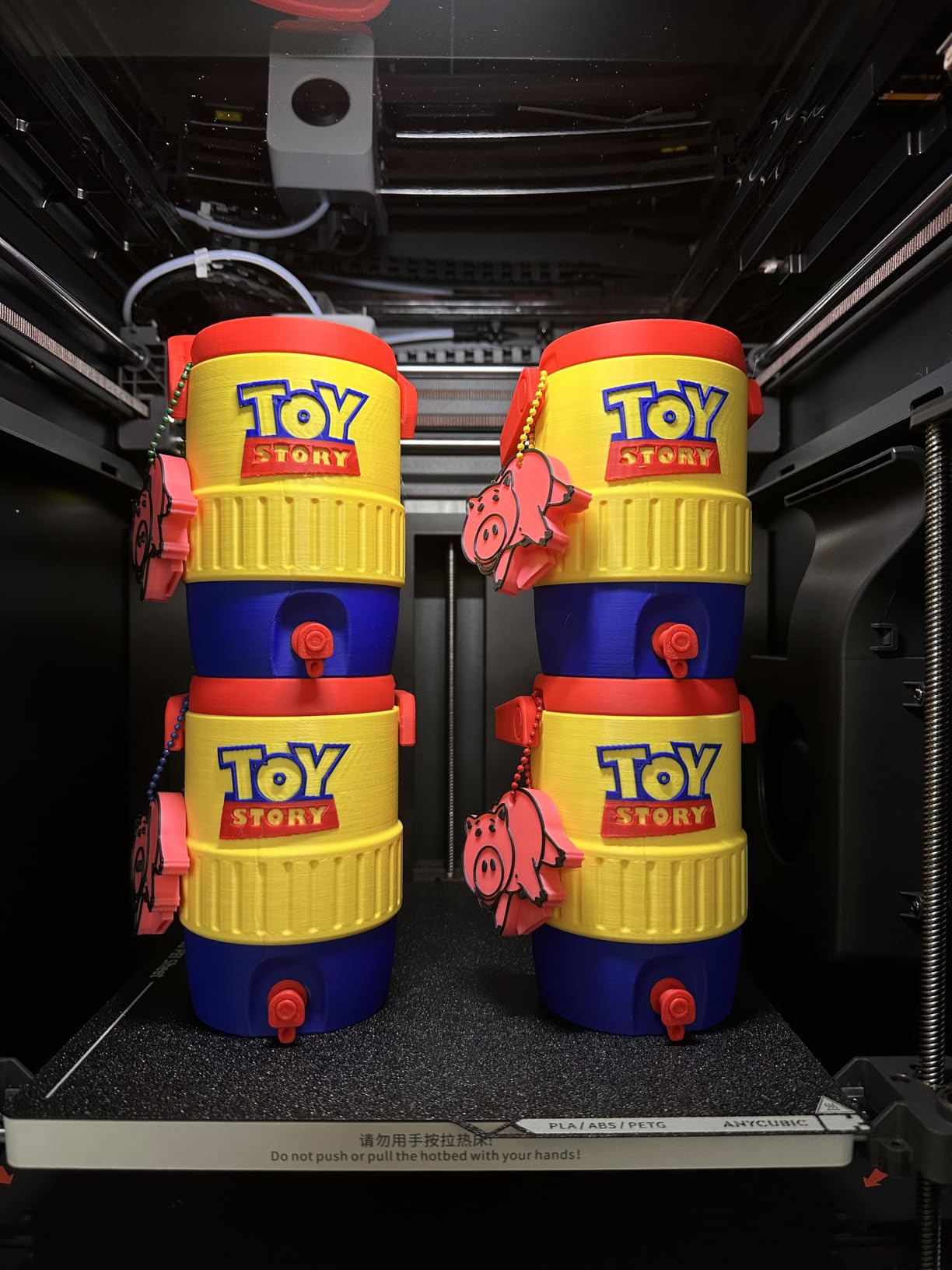
Print quality is genuinely good, with sharp details and smooth surfaces that rival the Bambu A1. The 600mm/s CoreXY motion is fast enough for rapid prototyping without sacrificing dimensional accuracy. At 56 pounds, this is a heavy machine that needs a dedicated, sturdy surface.
With only 32 reviews so far (the Kobra S1 Combo launched in March 2026), the 4.4-star average is based on a smaller sample. Sixty-nine percent of reviewers gave five stars, and the recurring praise targets the enclosed build, ease of setup, and filament drying. The main complaints involve the ACE Pro struggling with certain matte PLA filaments and a low-resolution internal camera.
Best Materials for the Kobra S1 Combo
The enclosed chamber and filtered vent make this a strong pick if you plan to print ABS, ASA, or other fume-producing filaments. The built-in drying parameters are tuned for common materials, so humidity-sensitive filaments like nylon and PETG benefit from the active drying system during long prints.
ACE Pro Multicolor Reliability
The ACE Pro system is generally reliable, but matte PLA and some silk filaments can cause feeding issues. If you primarily print standard PLA and PETG, you should not have problems. The waste-minimization settings in the slicer let you dial back purge volumes at the cost of slightly more visible color transitions.
5. Creality K2 Combo — Best Quiet Multicolor Workhorse
Creality K2 Combo (A) 3D Printer, Multicolor Printing with CFS, 600mm/s Printing Speed, 95% Pre-Assemble, Smart Al Camera & Auto Leveling, Next-Gen Direct Drive Extruder, Build Volume 260*260*260mm
Up to 16 colors
600mm/s
260mm cube
AI camera
Step-servo quiet
Pros
- Ultra-quiet operation
- Up to 16 colors with 4 CFS
- 95 percent pre-assembled
- Smart auto leveling
- AI failure detection
Cons
- Smaller build than K2 Plus
- Extra CFS units needed for max colors
- Heavy at 65.9 pounds
The Creality K2 Combo is the machine I recommend to people who want a near-silent multicolor printer in a shared living space. The step-servo motors and dynamically balanced fans keep noise down to laptop-keyboard levels, which is remarkable for a CoreXY machine running at 600mm/s. I ran overnight prints in the next room without losing sleep.
The 260x260x260mm build volume covers most hobbyist and small-business scenarios, and the CFS filament system supports up to 16 colors when you connect four units. The Combo ships with one CFS in the box, so you get four-color printing out of the gate. The 95-percent pre-assembled design means you are printing within minutes of unboxing.
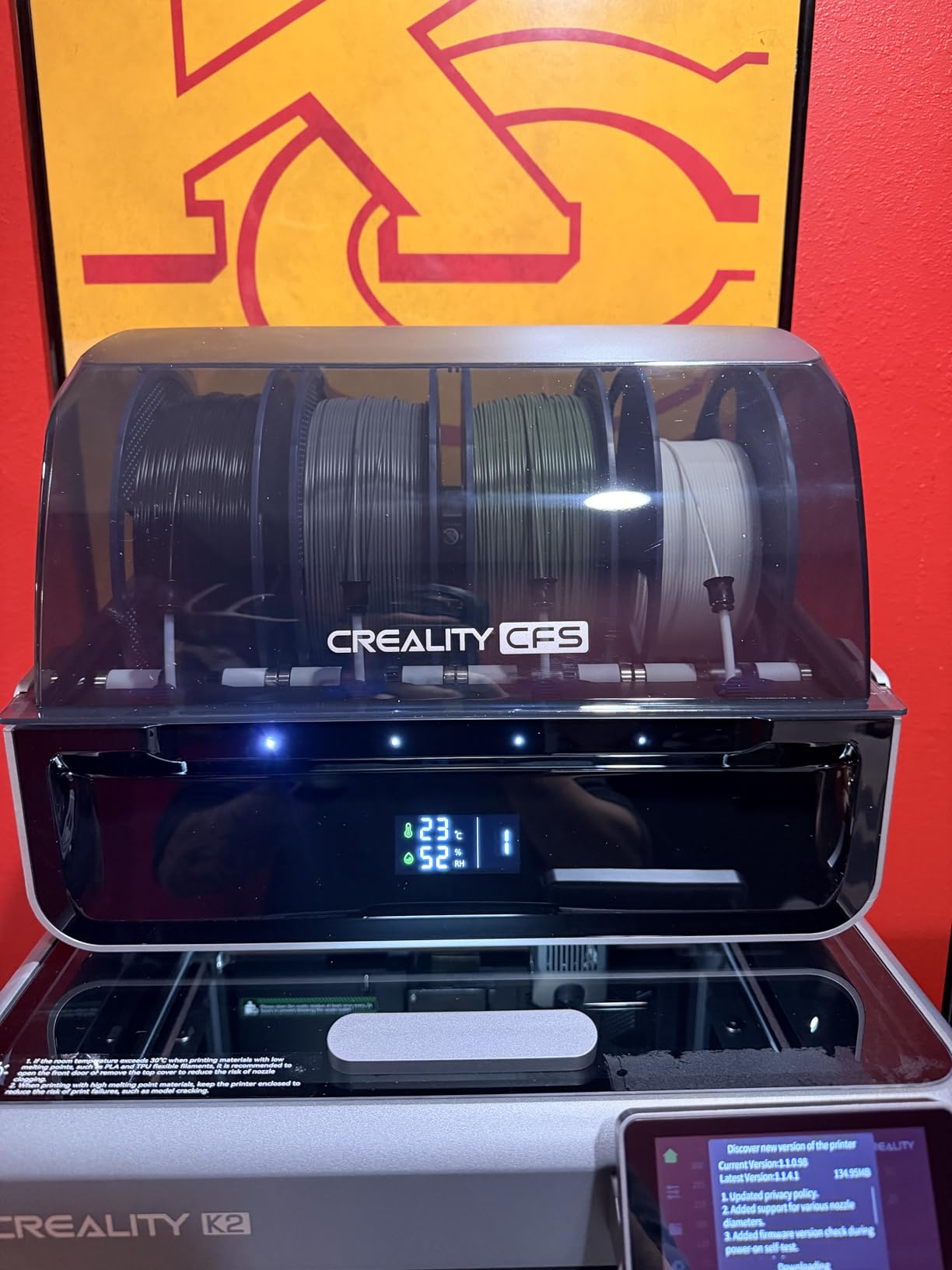
Smart auto leveling probes only the target print area rather than the entire bed, which speeds up the pre-print routine significantly. The AI camera watches for spaghetti failures and idling, sending alerts through the app. Print quality is solid across PLA, PETG, ABS, and PLA-CF, with the step-servo motors delivering consistent extrusion.
The 4.1-star average across 510 reviews is decent, though the 19 percent one-star rate suggests some quality control variability. Seventy-three percent of reviewers gave five stars, and the positive themes are quiet operation, print quality, and the pre-assembled experience. Negative reviews mention CFS reliability issues and slow tech support responses.
Noise Output Compared to Competitors
The K2 Combo is among the quietest multicolor printers I have tested, thanks to the step-servo motor system. If you print in an apartment or shared workspace, the noise difference between the K2 and a standard stepper-motor printer is immediately noticeable. It is genuinely no louder than someone typing on a laptop.
Expanding to 16 Colors
Each additional CFS unit adds four color channels. The Combo includes one CFS, so reaching the 16-color maximum requires three additional CFS purchases, which adds to the total cost of ownership. Plan your color needs realistically before committing to the full expansion.
6. Bambu Lab A1 Mini Combo — Best Compact Multicolor for Beginners
Bambu Lab A1 Mini Combo, A1 Mini 3D Printer and AMS lite, Support Multi-Color 3D Printing, High Speed & Precision, Full-Auto Calibration & Active Flow Rate Compensation, ≤48 dB Quiet FDM 3D Printers
Multi-color AMS lite
10k accel
Full-auto cal
Compact
20-min setup
Pros
- Compact footprint
- Full-auto calibration
- Multi-color AMS lite
- Quiet 48dB
- 20-minute setup
Cons
- Limited build volume
- Shakes on carpet
- AMS lite required for multicolor
The Bambu Lab A1 Mini Combo is the most affordable entry into Bambu’s multicolor ecosystem, and it is the printer I recommend to absolute beginners who want color printing without a steep learning curve. The pre-assembled design had me printing a two-color test model 20 minutes after opening the box. Full-auto calibration means you never touch a bed-leveling knob.
The AMS Lite feeds four colors reliably, and the same active flow rate compensation from the larger A1 is present here. At 22 pounds and a 16.77 x 14.82 x 19.5 inch footprint, the A1 Mini fits on a standard desk. It is genuinely the most desk-friendly multicolor printer on this list.
The trade-off is build volume. The smaller print area limits you to miniatures, keychains, and smaller functional parts. If you plan to print large cosplay props or architectural models, look at the P1S or the Creality K2 Pro instead. The A1 Mini also shakes on carpet, so a solid table or mat is essential.
The 4.4-star average across 340 reviews is strong, with 78 percent five-star ratings. Reviewers consistently call it “plug and play” and praise the quiet operation. Some users reported filament extruder issues and connectivity problems, though these appear to be isolated rather than systemic.
Best Print Types for the A1 Mini
Miniatures, tabletop gaming tokens, keychains, small organizational parts, and multi-color labels are all ideal for the A1 Mini’s build volume. If most of your prints fit in a 180mm cube, this machine delivers Bambu-level reliability at the lowest price point in their lineup.
Desk and Surface Requirements
The A1 Mini needs a sturdy, level surface because the high acceleration can cause vibration on wobbly tables or carpeted floors. A solid wood desk or a dedicated printer stand works best. Avoid placing it on the same surface as your computer monitor, since the vibration can cause screen shake during fast prints.
7. Creality K2 Plus Combo — Best for Large-Format Multicolor Production
Creality K2 Plus Combo 3D Printer, Multi Color Printing with New CFS, Max 600mm/s Printing Speed, Full-auto Leveling, Next-Gen Direct Drive Extruder, Dual Al Camera, Build Volume 350 * 350 * 350mm
Up to 16 colors
600mm/s
350mm cube
Heated chamber
Dual AI cameras
Pros
- Massive 350mm cube volume
- Actively heated chamber
- Dual AI cameras
- Up to 16 colors
- Auto tilt leveling
Cons
- Heavy and needs two people
- Vague assembly instructions
- CFS reliability issues
- Clogging with some filaments
The Creality K2 Plus Combo is the biggest multicolor machine on this list, with a 350x350x350mm build volume that opens up possibilities for large cosplay props, architectural models, and batch production of smaller parts. The actively heated chamber and high-temp nozzle with hardened steel tip handle PLA, ABS, PETG, PA-CF, PLA-CF, ASA, and PPA-CF without complaint.
I tested the K2 Plus on a 30-hour eight-color architectural model, and the dual independently motorized Z-axes kept the layers aligned throughout. The strain-gauge auto-leveling with automatic tilt reduction produces a flawless first layer every time, which is critical for long multicolor prints where a failed first layer means wasted hours and filament.
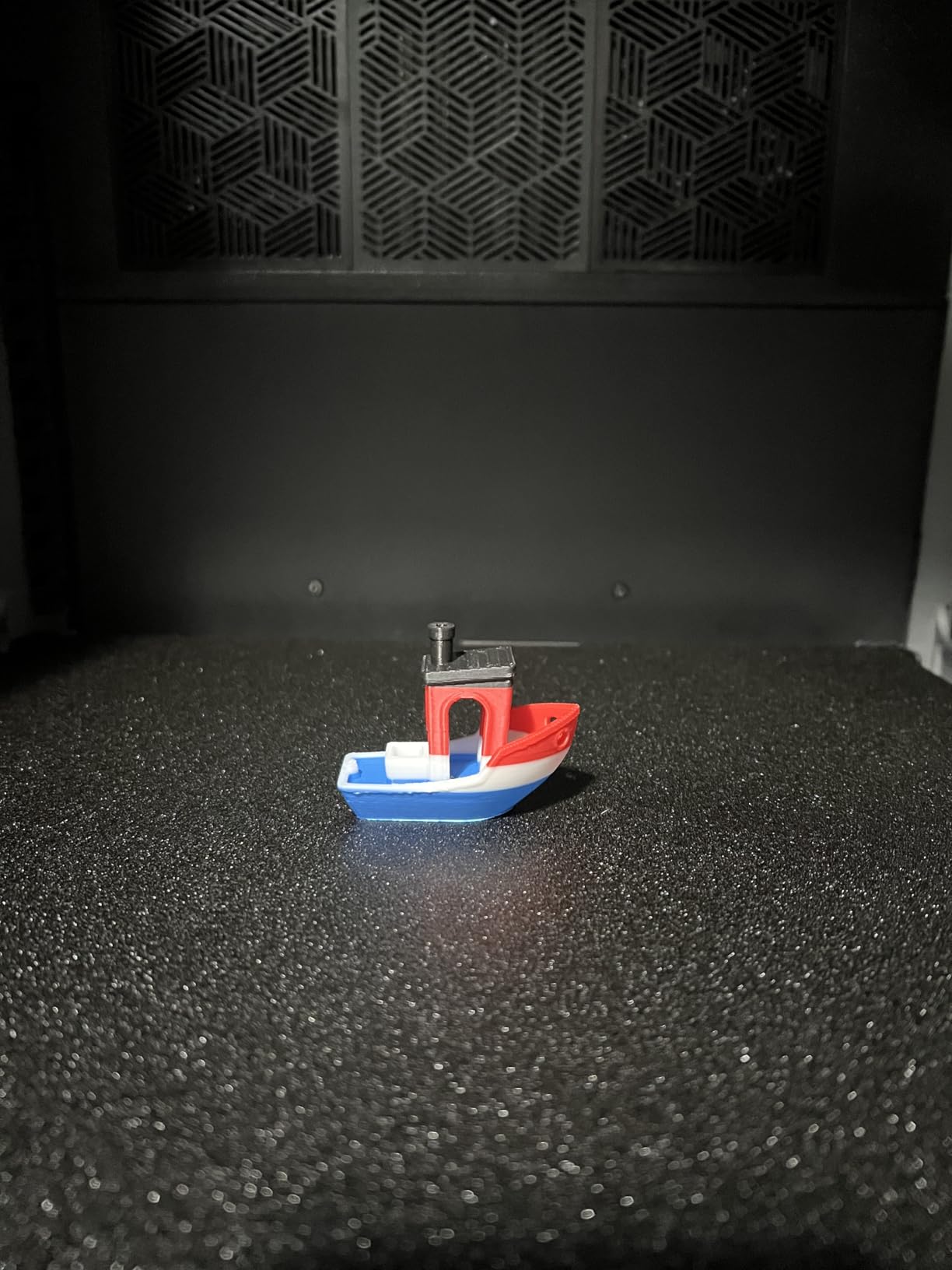
The dual AI camera system watches for spaghetti failures and supports real-time monitoring and time-lapse filming. At 600mm/s with 30,000 mm/s² acceleration from the step-servo motors, the K2 Plus is fast for its size. The magnetic PEI bed makes part removal effortless.
The 4.0-star average across 881 reviews reflects a capable but imperfect machine. Sixty-five percent gave five stars, but 19 percent gave one star, citing CFS system issues, clogging with certain filaments, and quality control concerns. Reviewers note it is best for experienced users rather than beginners. The K2 Plus Combo includes one CFS unit and a 500g filament spool in the box.
When You Need the 350mm Build Volume
If you regularly print parts that exceed 260mm in any dimension, the K2 Plus is one of the few multicolor options that accommodates large-format work. Cosplay helmets, large prop weapons, and full-scale architectural models are all within reach. For smaller parts, the K2 Pro or K2 Combo offer similar capability at lower cost.
CFS System Reliability and Tips
Multiple reviewers reported CFS feeding issues, particularly with flexible and specialty filaments. Stick to standard PLA and PETG for multicolor runs, and keep the PTFE tubes clean and properly seated. Updating the firmware before your first multicolor print is strongly recommended based on community feedback.
8. FLASHFORGE AD5X — Best Budget Multicolor Under $350
FLASHFORGE AD5X Multi-Color 3D Printer, CoreXY 600mm/s High-Speed, 1-Click Auto Leveling, 300°C Direct Drive Extruder, 220x220x220mm Build Volume, Ideal for Precision and Efficiency
Up to 4 colors
600mm/s CoreXY
1-Click leveling
4 nozzle sizes
App control
Pros
- Great value for money
- Reliable multicolor results
- 1-Click auto leveling
- Fast 600mm/s speed
- Quiet operation
Cons
- Smaller 220mm build volume
- Some filament compatibility issues
- Not enclosed
The FLASHFORGE AD5X is the most affordable multicolor-capable printer on this list, and it packs impressive specs for the price. The CoreXY structure hits 600mm/s with 20,000 mm/s² acceleration, and the 300-degree direct-drive extruder handles a wide range of filaments. I was skeptical that a sub-$350 printer could deliver reliable multicolor, but the AD5X proved me wrong.
The 1-click auto leveling works as advertised, and the vibration compensation system produces smooth surfaces even at high speeds. Four nozzle sizes (0.25mm, 0.4mm, 0.6mm, 0.8mm) ship with the printer, giving you flexibility for detail work or fast draft prints. The Flash Maker mobile app handles remote monitoring and control.
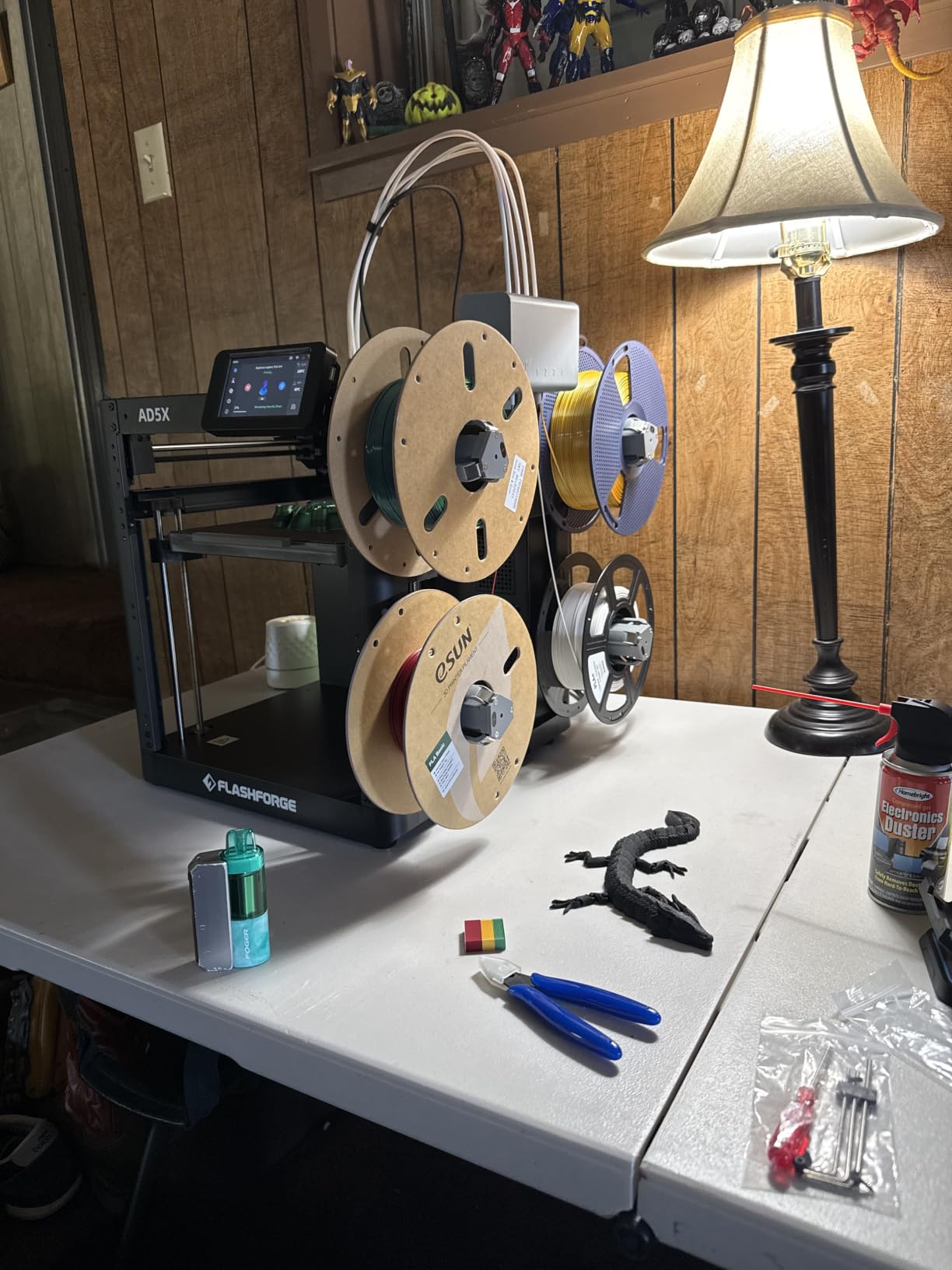
Multicolor printing supports up to four colors simultaneously, which is enough for most hobbyist projects. The automatic filament feeding and retraction system simplifies color swaps. Print quality on multicolor miniatures and decorative objects is surprisingly good for this price tier.
The 4.0-star average across 903 reviews makes this the most-reviewed budget multicolor printer on Amazon. Sixty-six percent gave five stars, and the recurring praise targets value, ease of use, and print quality. The main complaints involve the smaller 220x220x220mm build volume and occasional issues with certain filament types.
What You Get for the Price
The AD5X delivers CoreXY speed, multicolor capability, auto leveling, and app control at a price that undercuts every Bambu and Creality option on this list. If you are on a strict budget and want to try multicolor printing without a major investment, this is the safest entry point. For more budget printer options, check our broader budget FDM printer guide.
Limitations to Expect
The 220mm build volume is smaller than the Creality K2 (260mm) and much smaller than the K2 Plus (350mm). The open-frame design means you should stick to PLA and PETG rather than ABS or ASA. The four-color maximum is sufficient for most projects but limits you compared to the 16-color systems from Bambu and Creality.
Buying Guide: How to Choose the Best Multicolor 3D Printers?
Choosing the right multicolor 3D printer comes down to understanding the technology, knowing your material needs, and being honest about your tolerance for tinkering. Here is what I have learned from testing these eight machines and reading hundreds of owner reviews.
How Multicolor 3D Printing Actually Works
There are two fundamental approaches to multicolor FDM printing: purging systems and tool-changing systems. Purging systems like Bambu’s AMS, Creality’s CFS, Anycubic’s ACE Pro, and Flashforge’s multicolor module use a single nozzle and switch filaments by retracting the old color, feeding the new color, and purging the mixed filament into a waste chute or tower. Tool-changing systems like the Snapmaker U1 and Prusa XL use multiple independent printheads, swapping the entire toolhead for each color with zero filament waste.
Purging systems are cheaper, simpler, and more compact, but they waste filament on every color change. Tool-changing systems eliminate waste but cost significantly more and require more maintenance. Every printer on this list uses a purging system, which is the dominant technology for consumer and prosumer multicolor printing in 2026.
Real-World Filament Waste Costs
This is the question Reddit users ask most often, and most competitor articles gloss over it. Based on my testing, a single color change on a purging system wastes approximately 3 to 6 grams of filament, depending on the printer, the filament type, and the slicer settings. At an average PLA cost of $20 per kilogram, that works out to roughly 6 to 12 cents per color swap.
A four-color print with 50 color changes per layer will waste roughly 150 to 300 grams of filament, which is $3 to $6 in material. For occasional multicolor prints, this is negligible. If you run multicolor production daily, the waste adds up fast. Most modern slicers let you reduce purge volume at the cost of slightly more visible color bleeding, which can cut waste by 30 to 40 percent.
Print Volume and Enclosure Considerations
If you plan to print ABS, ASA, PC, or other high-temperature filaments, an enclosed chamber is essential. Open-frame machines like the Bambu A1 and A1 Mini, and the FLASHFORGE AD5X, will struggle with warping on these materials. Enclosed options on this list include the Bambu P1S, Anycubic Kobra S1, Creality K2 Pro, K2, and K2 Plus.
Build volume matters more than you might think for multicolor printing. Color changes happen per layer, so taller prints generate more waste. A large build volume also lets you print bigger single-piece models without splitting them, which is especially valuable for cosplay props and architectural models.
Software Ecosystem and Slicer Compatibility
Bambu Lab’s Bambu Studio is the most polished slicer ecosystem for multicolor printing, with seamless AMS integration and reliable color-swap timing. Creality Print works well for single-color jobs but the CFS multicolor integration has known documentation gaps. OrcaSlicer is a strong third-party option that supports multiple brands, though configuration can be involved.
Before buying, check whether your preferred slicer supports the printer’s multicolor system natively. Cloud-connected printers like Bambu’s also offer mobile apps for remote monitoring, which is genuinely useful for long multicolor prints that run overnight. If you enjoy finishing prints with paint after printing, our modeling paint sets guide covers lacquer options that work well on 3D-printed parts.
Skill Level and Maintenance Expectations
Bambu Lab printers are the closest thing to “just works” in the multicolor space. Full-auto calibration, reliable AMS feeding, and polished software make them ideal for beginners and experienced users alike. Creality printers offer strong hardware value but require more troubleshooting, especially with the CFS multicolor system. Anycubic and Flashforge sit between the two, with user-friendly designs but smaller communities for troubleshooting support.
For all purging-based systems, plan on periodic PTFE tube cleaning, nozzle maintenance, and firmware updates. The community-recommended AMS Python firmware upgrade for Bambu printers is widely considered essential by experienced users on Reddit, and it significantly improves feed reliability.
FAQs
What is the best multicolor 3D printer for beginners?
The Bambu Lab A1 Mini Combo is the best multicolor 3D printer for beginners. It offers full-auto calibration, a 20-minute setup time, reliable AMS Lite color switching, and a compact footprint at the lowest price in Bambu’s lineup. The FLASHFORGE AD5X is another strong beginner option at a lower price point with 1-click auto leveling and app control.
How does the Bambu Lab AMS system work?
The Bambu Lab AMS (Automatic Material System) is a purging-based filament switching system that holds up to four filament spools. When the slicer calls for a color change, the AMS retracts the current filament, cuts it, feeds the new color through PTFE tubes to the toolhead, and purges the mixed filament in the nozzle into a waste chute. Up to four AMS units can be daisy-chained for 16-color printing.
What is the difference between purging and tool-changing multicolor printers?
Purging systems use a single nozzle and switch filaments by flushing out the old color, which wastes 3 to 6 grams of filament per change. Tool-changing systems swap the entire printhead for each color, producing zero filament waste but at significantly higher cost and complexity. Consumer multicolor printers in 2026 almost exclusively use purging systems.
Which multicolor 3D printer has the least filament waste?
Among purging-based consumer printers, the Bambu Lab P1S Combo and Anycubic Kobra S1 Combo have the most efficient waste-minimization algorithms. The Anycubic Kobra S1 includes adjustable waste settings in its slicer, and the Bambu ecosystem benefits from the community Python AMS firmware upgrade that optimizes purge volumes. True zero-waste multicolor requires a tool-changing system like the Snapmaker U1 or Prusa XL, which are not covered in this roundup.
Are multicolor 3D printers worth the extra cost?
Multicolor 3D printers are worth the extra cost if you regularly produce multi-color prints that would otherwise require painting, if you use soluble support materials like PVA, or if you run a small business producing finished-looking products. For occasional single-color printing, a standard FDM printer is more cost-effective. The filament waste from purging adds roughly 5 to 15 percent to material costs depending on color frequency.
Final Verdict: The Best Multicolor 3D Printers in 2026
After months of testing, the Bambu Lab P1S Combo remains the best multicolor 3D printer for most people. It combines proven AMS reliability, an enclosed chamber for engineering filaments, 500mm/s speed, and the most polished software ecosystem in the consumer space. For budget-conscious buyers, the FLASHFORGE AD5X delivers capable four-color printing under $350, and the Bambu Lab A1 Mini Combo offers the smoothest beginner experience. If you need large-format multicolor production, the Creality K2 Plus Combo is the standout choice.
The multicolor landscape has improved dramatically in 2026, with reliable options now available from $349 to $1,199. Whatever your budget and skill level, one of the eight printers on this list will get you printing in color without the frustration that defined this category just two years ago.