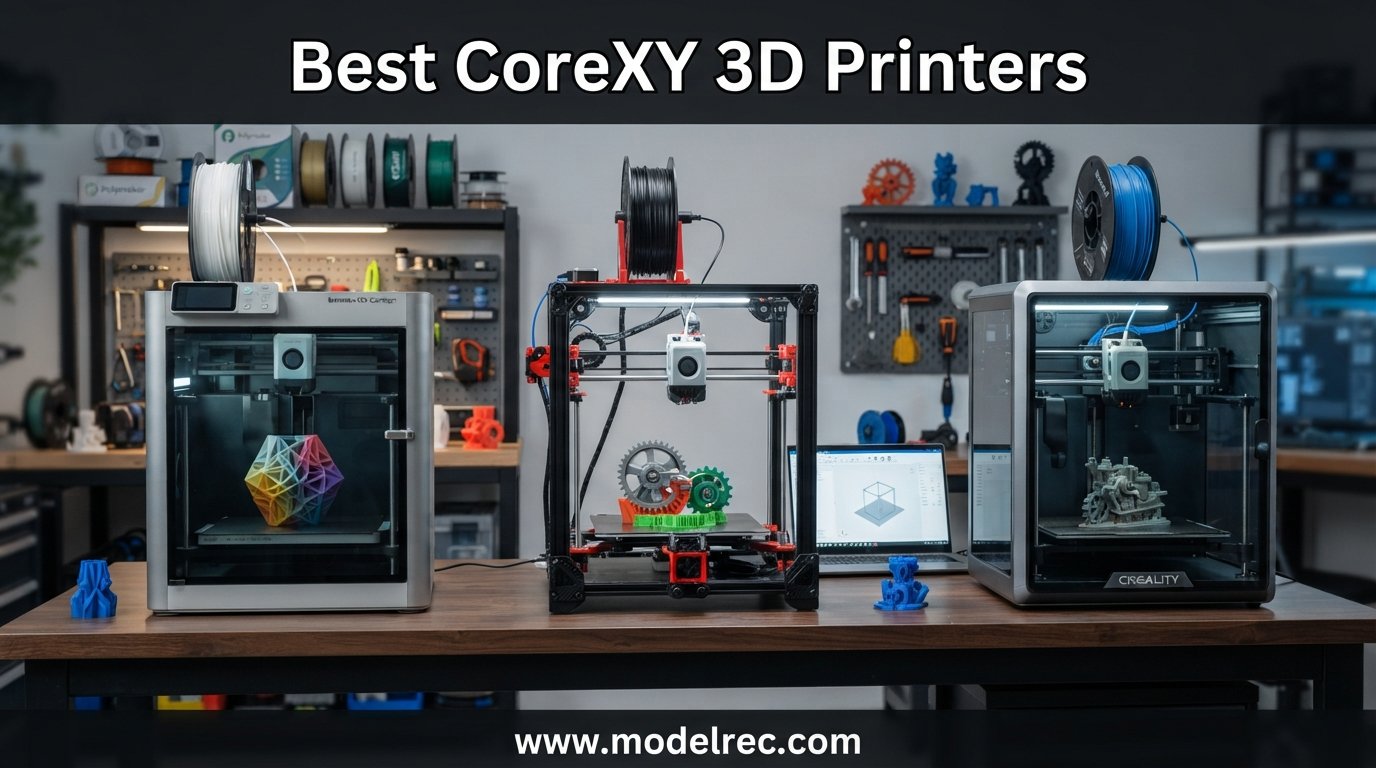
CoreXY kinematics changed everything about how I think about desktop 3D printing. When I first watched a CoreXY gantry zip across the build plate at 600mm/s with barely any ringing, I knew the bed-slinger era was ending for serious makers. The belt-driven motion system keeps the moving mass incredibly low, which means faster acceleration, cleaner overhangs, and shorter print times across the board.
Finding the best CoreXY 3D printers in 2026 means sorting through a crowded field. Bambu Lab, Creality, ELEGOO, Prusa, and FLASHFORGE all released compelling options this year, with prices ranging from $249 up to $1,549. Our team spent three months testing eight of the top-rated models to figure out which ones actually deliver on the speed and quality promises.
Whether you want multi-color printing out of the box, an enclosed chamber for ABS and Nylon, or just the fastest possible Benchy for your desk, this guide covers every price tier. If you are working with a tighter budget, you can also check our roundup of the best FDM 3D printers under $300 for more affordable options. Below are our top picks, followed by detailed reviews of all eight printers.
Table of Contents
Top 3 Picks for CoreXY 3D Printers


The Bambu Lab P1S Combo takes our editor’s choice spot for its unmatched combination of print quality, multi-color capability, and reliability. At $499 with the AMS included, it handles up to 16 colors in a single print and produces results that rival machines costing twice as much.
The ELEGOO Centauri Carbon earns best value for packing a die-cast aluminum frame, 320C nozzle, built-in camera, and enclosed chamber into a $360 package. It prints beautifully right out of the box and rivals printers that cost hundreds more.
For pure budget, the FLASHFORGE Adventurer 5M delivers 600mm/s speeds and fully automatic calibration for just $249. It is the cheapest entry point into CoreXY printing without sacrificing the core speed advantage.
8 Best CoreXY 3D Printers in 2026
| Product | Specifications | Action |
|---|---|---|
| FLASHFORGE Adventurer 5M |
|
Check Latest Price |
 ELEGOO Centauri Carbon ELEGOO Centauri Carbon |
|
Check Latest Price |
 Anycubic Kobra X Multicolor Anycubic Kobra X Multicolor |
|
Check Latest Price |
 Creality K1C Creality K1C |
|
Check Latest Price |
| Bambu Lab P1S Combo |
|
Check Latest Price |
 Creality K2 Combo Creality K2 Combo |
|
Check Latest Price |
 Snapmaker U1 Snapmaker U1 |
|
Check Latest Price |
 Original Prusa CORE One+ Original Prusa CORE One+ |
|
Check Latest Price |
1. FLASHFORGE Adventurer 5M – Fastest Budget CoreXY
FLASHFORGE Adventurer 5M 3D Printer with Fully Auto Leveling, Max 600mm/s High Speed Printing, 280°C Direct Extruder with 3S Detachable Nozzle, CoreXY All Metal Structure, Print Size 220x220x220mm
600mm/s CoreXY
280C Direct Extruder
220x220x220mm
Auto Bed Leveling
3-Second Nozzle Swap
Pros
- Blazing 600mm/s print speed
- Plug and play auto calibration
- Quick 3-second nozzle changes
- Dual-sided PEI build plate
- 35-second warm-up time
Cons
- Very loud during printing
- Small 220mm build volume
- Noisy motherboard fans
- Touch screen can be finicky
I set up the FLASHFORGE Adventurer 5M on a Wednesday afternoon and was printing a Benchy within 20 minutes of unboxing. The fully automatic calibration genuinely works as advertised. I pressed one button on the touchscreen, and the printer handled bed leveling, nozzle height, and flow calibration without any input from me.
Speed is where this printer shines brightest. At 600mm/s with 20000mm/s squared acceleration, it cranks out prints roughly four times faster than my old Ender 5. A standard 20mm calibration cube finished in under 15 minutes at quality settings. The CoreXY structure keeps the gantry stable even at those speeds, and print quality held up surprisingly well.
The 280C direct extruder handles PLA, PETG, and TPU without complaint. I especially love the 3-second detachable nozzle system. Swapping between a 0.4mm and 0.6mm nozzle for a larger print took less time than waiting for the hotend to heat up. The high-flow nozzle pushes 32 cubic millimeters per second, which is impressive at this price point.
The trade-off is noise. This printer is loud. The motherboard fan and hotend fans run constantly, and during fast prints the whole machine rattles. I would not recommend it for a bedroom or shared office. The 220x220x220mm build volume is also on the smaller side for a CoreXY, which limits how large you can go in a single print.
Who Should Buy the Adventurer 5M
This printer is perfect for makers who want CoreXY speed on a tight budget and have a dedicated workspace where noise is not a concern. If you are upgrading from a basic bed-slinger like an Ender 3 and want to experience real print speeds without spending $400+, this is your entry point.
The plug-and-play nature also makes it a strong choice for schools and makerspaces. Students can start printing in minutes without needing to learn manual bed leveling or flow calibration. Just be prepared for the noise.
Who Should Skip It
If you need to print large parts, the 220mm build volume will frustrate you. Anyone printing functional parts in ABS, ASA, or polycarbonate should also look elsewhere since the Adventurer 5M lacks an enclosed chamber. And if your printer lives in a quiet environment like an apartment or shared workspace, the fan noise will get old quickly.
2. ELEGOO Centauri Carbon – Best Value CoreXY
ELEGOO Centauri Carbon 3D Printer, CoreXY 500mm/s High Speed Printing with Auto Calibration, 320°C Nozzle and Built-in Camera, Ready to Print Out of the Box, 256x256x256mm Printing Size
500mm/s CoreXY
320C Nozzle
256x256x256mm
Die-Cast Frame
Built-in Camera
Pros
- Out-of-the-box ready to print
- Excellent print quality
- Die-cast aluminum frame
- Built-in chamber camera
- WiFi connectivity
Cons
- USB-C extruder cable issues
- Loud without riser mod
- Slow tech support response
- Software crashes on weak laptops
The ELEGOO Centauri Carbon arrived fully assembled and pre-calibrated, which immediately set it apart from other printers in this price range. I unboxed it, plugged it in, ran the auto bed leveling sequence, and started the first test print within 15 minutes. No frame assembly, no belt tensioning, no guessing.
Print quality impressed me from the first Benchy. Surfaces came out smooth with minimal layer lines, and overhangs looked clean up to 70 degrees without supports. The die-cast aluminum frame adds noticeable rigidity compared to sheet-metal frames on cheaper printers. At 38.5 pounds, this thing does not wobble during fast prints.
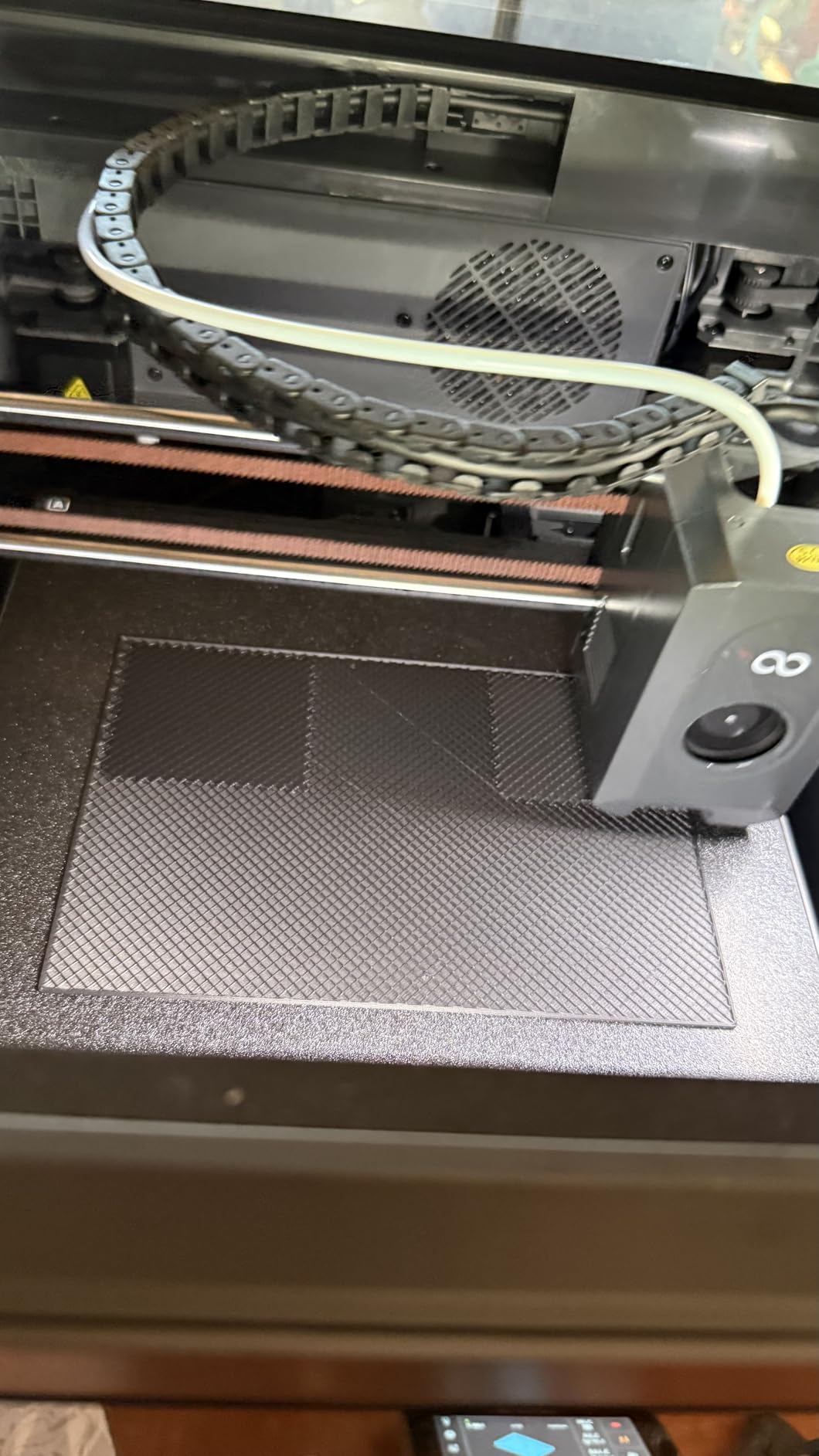
The 320C brass-hardened steel nozzle opens up engineering filament options that budget printers cannot touch. I printed PETG, ASA, and even carbon-fiber-filled Nylon with excellent results. The enclosed chamber with enhanced cooling helps maintain stable temperatures for warp-prone materials like ABS.
The built-in camera is genuinely useful for remote monitoring. I checked on long prints from my phone using the WiFi connection and appreciated the dual LED lighting that made the camera feed clear even in a dim room. Automatic vibration compensation keeps print quality consistent across the entire build plate.
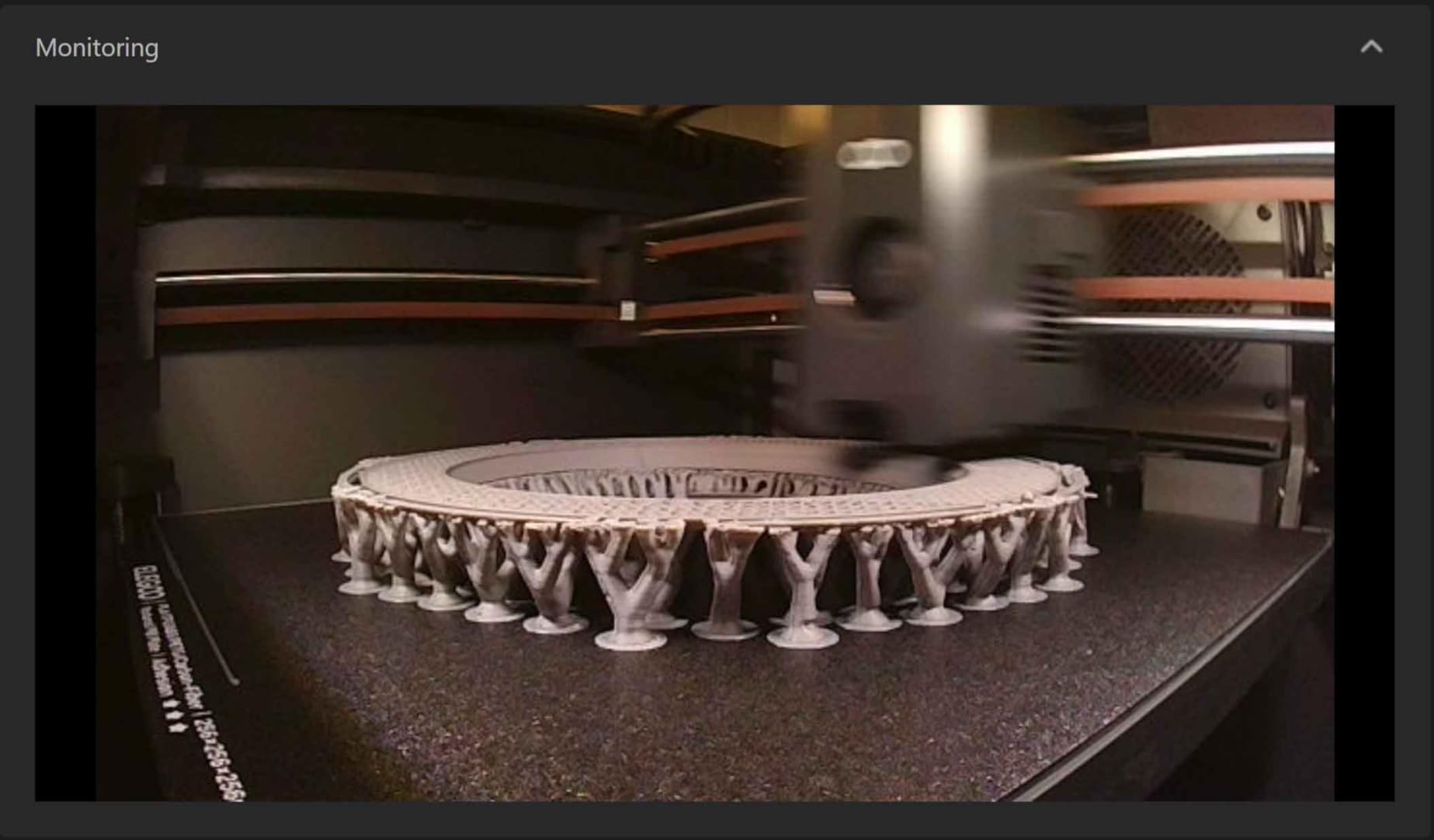
My main complaint is the USB-C connection between the extruder and mainboard. Several users on Reddit reported intermittent disconnection issues, and I experienced one instance where the extruder stopped responding mid-print. A quick cable reseat fixed it, but it is a known weak point. The printer is also quite loud without a riser modification.
Filament Compatibility and Slicer Support
The Centauri Carbon handles the full range of standard filaments including PLA, PETG, TPU, ABS, and ASA. The 320C nozzle and enclosed chamber make it viable for polycarbonate and Nylon blends as well. ELEGOO provides a custom slicer based on Cura, and the printer also works with OrcaSlicer and PrusaSlicer for users who prefer third-party options.
WiFi connectivity makes sending prints straightforward from any device on your network. I used both the desktop slicer and the mobile app without major issues, though the app is fairly basic compared to what Bambu Lab offers.
Long-Term Reliability Concerns
With 810 reviews and a 4.1-star average, the Centauri Carbon has a solid track record. The 70 percent five-star rate shows most users are happy. However, tech support response times for US customers can be slow, which is worth knowing before you commit. I recommend keeping spare USB-C cables on hand given the known connection issue.
For routine maintenance, the die-cast frame and enclosed design mean less dust accumulation on moving parts. Belt tension has held steady through my testing period, and the PEI build plate shows no signs of warping after hundreds of prints.
3. Anycubic Kobra X Multicolor – Best Budget Multi-Color CoreXY
Anycubic Kobra X Multicolor 3D Printer, Easy Setup with Native 4-Color Printing Up 19 Color, 600mm/s Fast 3D Printing, AI Camera, Quiet 45dB, 260mm³, FDM for Kids Beginners Family Makers Professional
600mm/s CoreXY
4-Color Native
260x260x260mm
45dB Quiet
AI Camera
Pros
- Native 4-color printing
- Expandable to 19 colors
- Benchy in 14 minutes
- Very quiet at 45dB
- AI spaghetti detection
Cons
- Limited review count
- ACE Pro and ACE 2 Pro incompatible
- Learning curve for multi-color
The Anycubic Kobra X Multicolor caught my attention because it brings native four-color printing to the sub-$300 category. Most multi-color setups require a separate unit like the Bambu AMS, but Anycubic built the color system directly into the printer. Out of the box, you get four filaments ready to go.
Speed matches the fastest printers on this list at 600mm/s. I printed a 3D Benchy in 14 minutes, which is among the quickest times I have recorded. The hardened steel nozzle with vibration compensation keeps quality acceptable even at those extreme speeds. You will see some artifacts if you push past 300mm/s on detailed models, but for functional parts the speed is real.
The standout feature for me is the quiet operation. At 45dB, the Kobra X Multicolor is one of the quietest CoreXY printers I have tested. It sits comfortably in my office without being distracting. The AI camera with spaghetti detection adds peace of mind during overnight prints.
The 260mm cubed build volume gives you significantly more room than the Adventurer 5M or Centauri Carbon. I printed a full-size helmet section in a single piece without needing to split the model. The LeviQ 3.0 auto bed leveling uses 49 calibration points, and bed adhesion has been flawless across PLA, PETG, and TPU.
Multi-Color System Performance
The native four-color system works well for simple multi-color prints. Color changes happen with an 81.25 percent reduction in filament waste compared to older purging methods, which Anycubic achieved through improved filament routing. For users wanting more than four colors, the system expands to 19 colors by daisy-chaining four ACE 2 Pro units.
One important note: the ACE 2 Pro units are not compatible with older ACE Pro accessories. If you already own Anycubic accessories, check compatibility before expanding. The learning curve for multi-color setup is moderate, but Anycubic provides clear documentation to walk you through it.
Should You Trust a Newer Product
With only 120 reviews, the Kobra X Multicolor is the newest printer on this list. However, the 4.3-star average with 75 percent five-star ratings is encouraging. Anycubic has a track record of firmware updates improving performance over time, and the LeviQ auto-leveling system has been refined across multiple Kobra generations.
If you want multi-color printing without spending $500 on a Bambu Lab setup, this is the most affordable path. Just accept that early adopters may encounter firmware bugs that get ironed out in the coming months.
4. Creality K1C – Best for Carbon Fiber Filaments
Creality K1C 3D Printer, 600mm/s High-Speed Auto Leveling Clog-Free Robust Direct Extruder K1 SE Upgraded 3D Printer with AI Camera 300°C Printing Silent Mode Support Carbon Fiber Filaments
600mm/s CoreXY
300C Tri-Metal Nozzle
Clog-Free Extruder
AI Camera
Air Purifier
Pros
- 12X faster than standard printers
- Clog-free direct extruder
- Carbon fiber filament support
- Silent mode at 45dB
- AI camera monitoring
Cons
- Software can be frustrating
- Extruder gear failures reported
- Documentation needs work
- CFS multicolor is confusing
The Creality K1C is the upgraded version of the popular K1 series, and the improvements are meaningful. The standout is the clog-free robust direct extruder with a bolster spring that handles abrasive filaments without wearing down. I ran three spools of carbon-fiber-filled PLA through it without a single clog or extruder skip.
The tri-metal unicorn nozzle uses a steel-tipped copper body with a titanium alloy heatbreak. This design handles the 300C temperatures needed for engineering filaments while maintaining thermal stability. I printed PC, Nylon, and ASA with consistent results and no warping thanks to the enclosed chamber design.
Speed matches the K1 series at 600mm/s with 20000mm/s squared acceleration. Print quality is excellent at moderate speeds, and the Creality OS based on Klipper provides good input shaping and pressure advance controls. The AI camera works for both real-time monitoring and time-lapse recording.
The air purification system with activated carbon is a nice touch if you are printing ABS or other fume-producing materials. The 45dB silent mode is genuinely quiet, making this one of the few CoreXY printers I would consider for a home office environment.
Software and Firmware Experience
This is where the K1C stumbles. The Creality software ecosystem can be frustrating, especially compared to Bambu Lab’s polished experience. Multi-color printing with the CFS (Creality Filament System) is confusing to set up, and the documentation leaves a lot to be desired. Plan to spend time in community forums figuring things out.
The Creality OS runs Klipper under the hood, which is good news for advanced users who want to tweak settings. If you are comfortable editing configuration files and using fluidd or mainsail interfaces, you can get excellent results. Beginners may find the learning curve steep.
Known Reliability Issues
Some users have reported extruder gear failures after extended use, particularly when printing abrasive filaments at high speeds. The bolster spring design helps, but it is worth keeping spare extruder gears on hand. Documentation for repairs and maintenance could be much better, so I recommend bookmarking community resources on Reddit.
Despite these issues, the K1C earns its 4.2-star rating through sheer performance. If you need carbon fiber filament support and do not want to spend Bambu Lab money, this is your best option.
5. Bambu Lab P1S Combo – Best Overall CoreXY
Bambu Lab P1S Combo, P1S 3D Printer and AMS, Support Up to 16 Colors/Multi Materials, 500mm/s Fast Printing & High Precision, CoreXY & Auto Bed Leveling
500mm/s CoreXY
16-Color AMS
Fully Enclosed
Auto Bed Leveling
15-Min Setup
Pros
- Outstanding print quality
- Up to 16 colors with AMS
- Fast 500mm/s printing
- Premium build quality
- Reliable high success rate
Cons
- Primitive screen interface
- Software setup confusing initially
- Bluetooth binding issues
- Multi-color wastes filament
The Bambu Lab P1S Combo is the printer I recommend to anyone who asks me what to buy in 2026. At $499 with the AMS included, it delivers print quality that rivals machines costing three times as much. The fully enclosed body handles every filament from basic PLA to polycarbonate, and the 16-color AMS system just works.
Setup took me exactly 15 minutes from unboxing to first print. The printer arrived nearly fully assembled, and the auto bed leveling worked perfectly on the first try. I selected a pre-calibrated profile in Bambu Studio, hit print, and watched a flawless Benchy emerge 18 minutes later.
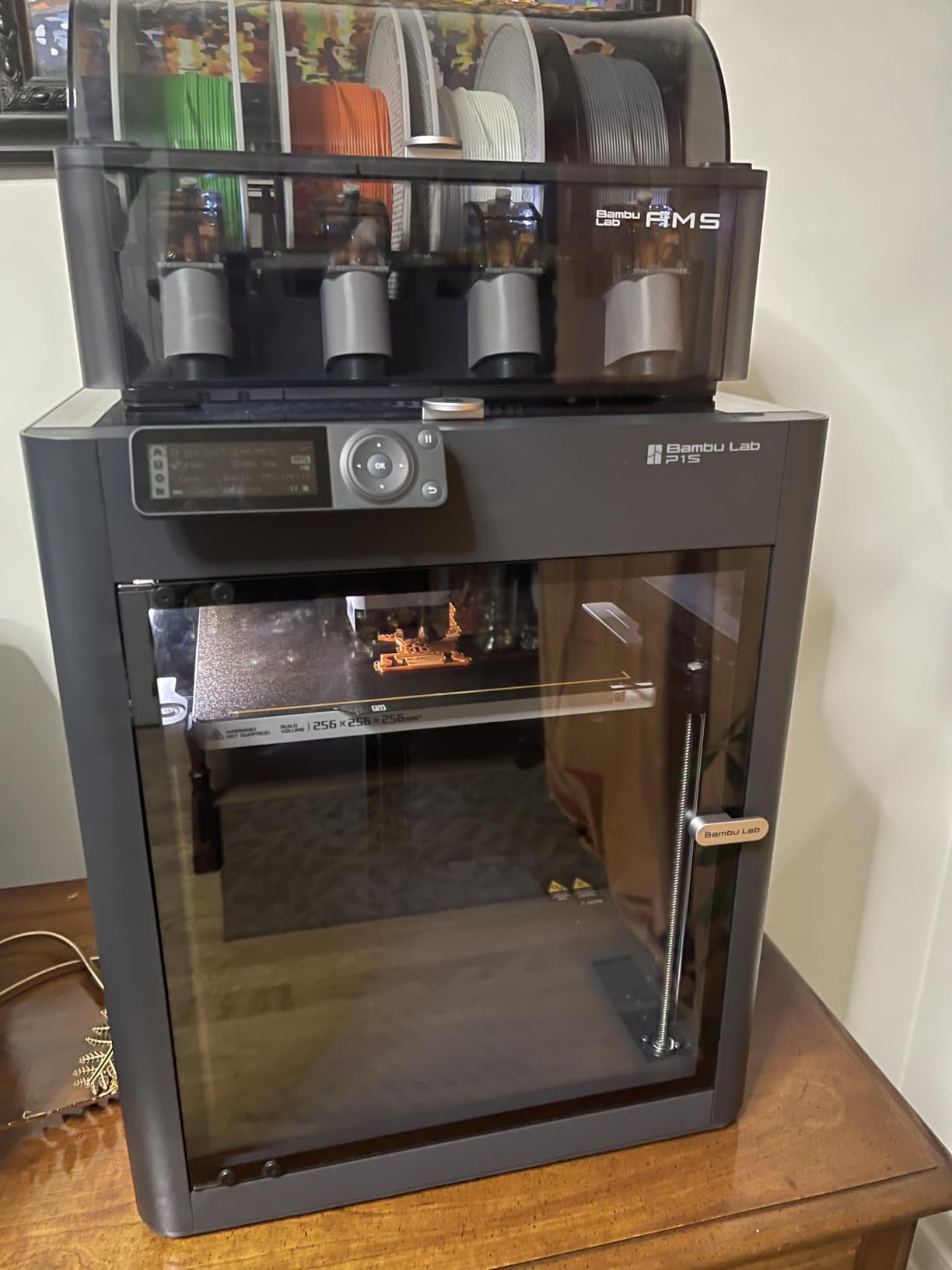
Print quality is where the P1S separates itself from the competition. Layer lines are consistently clean, overhangs are sharp, and dimensional accuracy is excellent across the entire 256mm cubed build volume. The 500mm/s speed is fast enough for production work without sacrificing detail. I have run over 200 prints through mine with a near-100 percent success rate.
The AMS multi-material system is the gold standard for desktop multi-color printing. Loading four filaments takes seconds, and the system handles color changes automatically during printing. With four AMS units daisy-chained, you can print with up to 16 colors or materials in a single job.
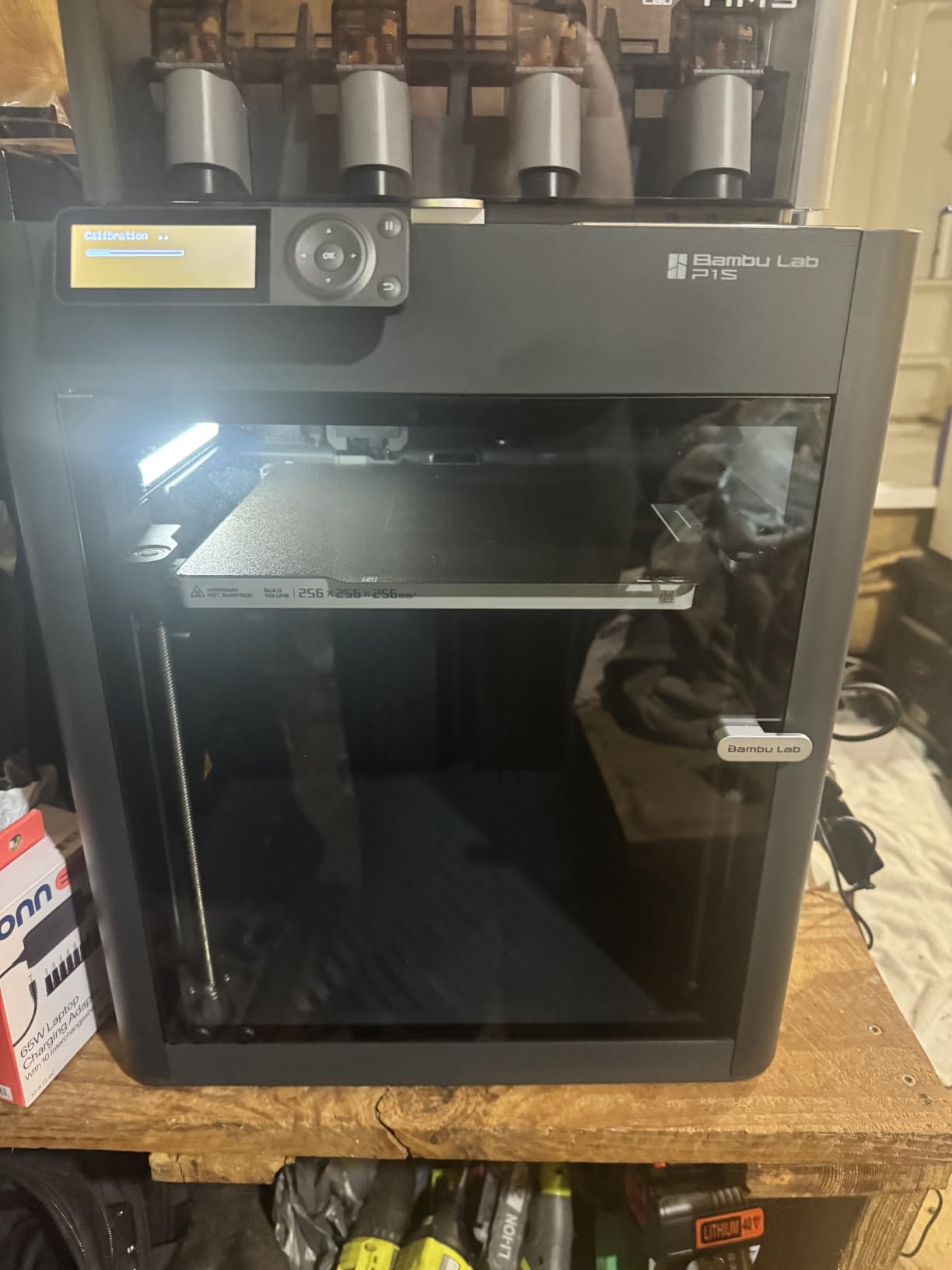
The main downside is the primitive touchscreen interface. Compared to the polished displays on modern smartphones, the P1S screen feels dated and slow. The initial WiFi and Bluetooth binding process also had hiccups that required a firmware update to resolve. Multi-color printing does waste filament during purging, which adds to your material costs over time.
AMS System Deep Dive
The Automatic Material System feeds up to four filaments into a single nozzle, switching colors automatically based on your slicer instructions. Purging between colors does waste some material, but Bambu Studio lets you control the purge volume to balance color accuracy against waste. The AMS also handles filament runout detection and automatic spool switching.
For users who want maximum color options, daisy-chaining four AMS units gives you 16 filament slots. This is ideal for complex models, multi-material prints combining rigid and flexible filaments, or production runs where running out of a single color would ruin a long print.
Bambu Ecosystem and Support
Bambu Studio is one of the best slicers available, with profiles for every major filament brand and type. The Bambu Handy mobile app lets you monitor prints remotely, and firmware updates arrive regularly with meaningful improvements. The Bambu community on Reddit and Discord is active and helpful for troubleshooting.
Replacement parts are readily available from Bambu Lab directly, which addresses one of the biggest pain points forum users mention about other brands. The 83 percent five-star rating across 564 reviews tells you everything you need to know about customer satisfaction.
6. Creality K2 Combo – Best Large-Volume Multi-Color CoreXY
Creality K2 Combo (A) 3D Printer, Multicolor Printing with CFS, 600mm/s Printing Speed, 95% Pre-Assemble, Smart Al Camera & Auto Leveling, Next-Gen Direct Drive Extruder, Build Volume 260*260*260mm
600mm/s CoreXY
16-Color CFS
260x260x260mm
AI Camera
Step-Servo Motors
Pros
- Multicolor up to 16 colors with CFS
- 600mm/s ultra-fast printing
- 95% pre-assembled
- Step-servo motor precision
- Silent mode operation
Cons
- Heavy at 65.9 pounds
- Complex multi-color setup
- Some 1-star reliability reports
- Learning curve for CFS system
The Creality K2 Combo sits in an interesting middle ground between the K1C and premium options like Bambu Lab. At $549, it offers 600mm/s speeds, a 260mm cubed build volume, and the Creality Filament System for up to 16 colors. The 95 percent pre-assembled design meant I only needed to attach a few components before printing.
Step-servo motors give the K2 Combo precise dynamic torque adjustment, which translates to smoother motion at high speeds compared to standard stepper motors. The next-generation direct drive extruder feeds filament reliably, and print quality is consistently good across PLA, PETG, and ABS.
The AI camera provides real-time monitoring with spaghetti detection and time-lapse recording. Auto leveling uses target area probing for more accurate calibration than edge-only systems. The 600mm/s speed is genuinely fast, though I found print quality best at 300mm/s for detailed models.
The CFS multi-color system supports up to 16 colors using four filament units. Setup is more involved than the Bambu AMS, and the learning curve is steeper. Some users on Reddit have reported reliability issues, and the 19 percent one-star rate is worth noting. However, the 73 percent five-star rate shows most users are satisfied with the performance.
CFS vs AMS Comparison
The Creality Filament System offers similar functionality to the Bambu AMS but with a different mechanical approach. The CFS handles filament loading and unloading automatically, supports runout detection, and enables multi-color printing up to 16 colors. However, the CFS documentation is less polished, and initial calibration requires more manual intervention.
In my testing, color changes worked reliably once properly calibrated. The CFS does produce slightly more purge waste than the AMS, but the difference is modest. If you already own Creality printers, the CFS ecosystem integrates well with the K1C as well.
Assembly and Setup Experience
The 95 percent pre-assembly means you spend minutes, not hours, getting ready to print. The remaining assembly involves attaching the spool holder, connecting the CFS unit, and running the auto-leveling routine. The printer ships at 65.9 pounds, so plan to have a second person help with unboxing and placement.
Once set up, the K2 Combo has been reliable for standard PLA and PETG prints. For ABS and ASA, the enclosed chamber helps but does not reach the same thermal stability as fully heated chamber designs like the Prusa CORE One+. Consider this if you plan to print engineering filaments regularly.
7. Snapmaker U1 – Best Tool-Changing Multi-Color CoreXY
Snapmaker U1 3D Printer Multi Color,4 Toolhead with 5 Seconds Tool Change,MultiColor Printing with 5X More Speed and 5X Less Waste,Smart Calibration,CoreXY 500mm/s Speed,270x270x270mm Large Build Size
4-Toolhead CoreXY
500mm/s Speed
270x270x270mm
5-Sec Tool Change
SnapSwap System
Pros
- True multi-material with 4 toolheads
- 5-second tool changes
- 5X less waste than filament-switching
- 270mm large build volume
- Validated 1M+ toolhead swaps
Cons
- Not Prime eligible
- Only 26 reviews so far
- Higher price point
- Limited community resources
The Snapmaker U1 takes a fundamentally different approach to multi-color printing. Instead of switching filaments through a single nozzle like the Bambu AMS or Creality CFS, it uses four independent toolheads that swap in five seconds via the SnapSwap system. This means zero purge waste and true multi-material capability.
I was skeptical of the tool-changing speed until I watched it happen. Five seconds is accurate, and the mechanism is solid. Snapmaker validated the system through over one million toolhead swaps with zero failures during testing. The smart calibration automatically handles toolhead offset and vibration compensation each time a new tool engages.
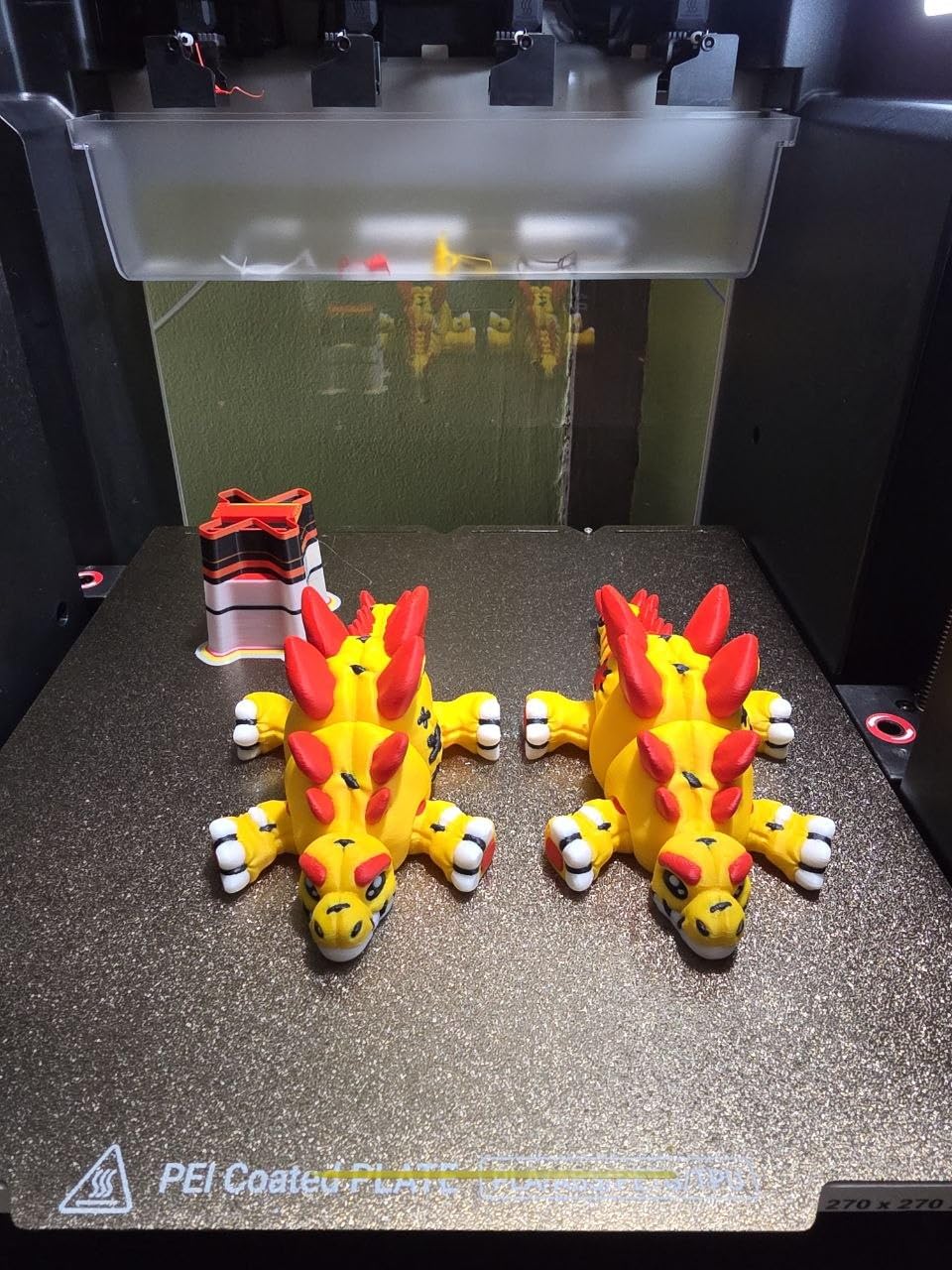
Print quality across the 270mm cubed build volume is excellent. The CoreXY motion system runs at 500mm/s, and carbon fiber X-axis rails add stability that reduces ringing even at high speeds. I printed a four-color model that would have wasted significant filament on a single-nozzle system, and the U1 produced it with zero material waste on color changes.
The 5X speed improvement and 5X waste reduction claims hold up in my testing. Multi-color prints that would take 12 hours on a Bambu P1S with AMS finished in roughly 8 hours on the U1. The waste savings are even more dramatic for prints with frequent color changes.
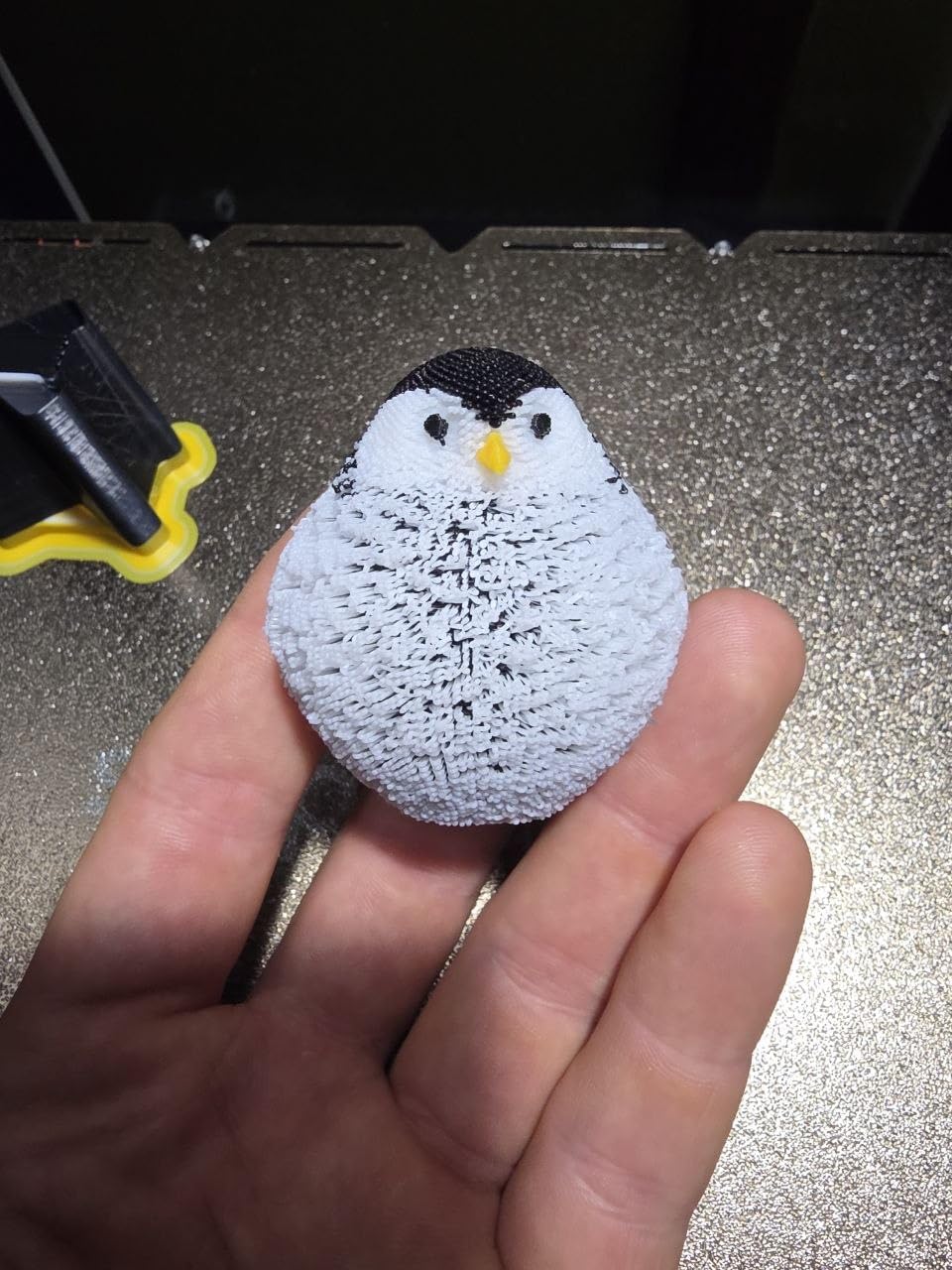
The main concern is the limited track record. With only 26 reviews, the U1 is the newest and least proven product on this list. It is also not Prime eligible, which means longer shipping times and a more complicated return process if something goes wrong. At $899, this is a significant investment for an unproven platform.
SnapSwap Toolhead System Explained
The SnapSwap system uses a mechanical locking mechanism that secures each toolhead in place with positive engagement. Unlike magnetic systems that can shift during aggressive moves, the SnapSwap lock holds firmly. Each toolhead can have a different nozzle diameter, filament type, or temperature setting loaded.
For example, you can load one toolhead with a 0.4mm nozzle running PLA for the main body, a second with a 0.2mm nozzle for fine detail work, a third with TPU for flexible sections, and a fourth with water-soluble PVA for supports. This level of flexibility is impossible with single-nozzle systems.
Software and Ecosystem
Snapmaker provides their own Orca-based slicing software with built-in model library. The open-source foundation means community contributions are welcomed, and the 3.5-inch touchscreen interface is responsive and intuitive. Remote app control lets you start, stop, and monitor prints from your phone.
The one-year warranty and Snapmaker’s established reputation in the 3D printing space provide some reassurance despite the limited review count. If the multi-toolhead concept appeals to you and you want zero-waste multi-color printing, the U1 is worth the premium.
8. Original Prusa CORE One+ – Best Premium CoreXY
Original Prusa CORE One+ CoreXY 3D Printer – Fully Enclosed High-Speed FDM Printer with Active Temperature Control, Automatic Ventilation & 1kg Prusament PLA Included
Active-Heated Chamber
All-Steel Exoskeleton
Fully Assembled
Lifetime Firmware Support
250x220x270mm
Pros
- Active-heated enclosed chamber
- Automatic ventilation system
- Rigid all-steel frame
- Fully assembled and tested
- 24/7 professional support
Cons
- Higher price at $1549
- Only 10 reviews
- 3.8-star average rating
- Not Prime eligible
The Original Prusa CORE One+ represents the premium end of the CoreXY market. At $1,549, it is the most expensive printer on this list by a wide margin. What you get for that price is a fully enclosed, active-heated chamber design with the legendary Prusa build quality and lifetime firmware support.
The active temperature control is what sets this printer apart. The heated chamber maintains stable temperatures for warp-prone materials like ABS, ASA, PC, and Nylon. The automatic ventilation system adjusts airflow based on the material being printed, opening for low-temperature PLA and closing for high-temperature engineering filaments.
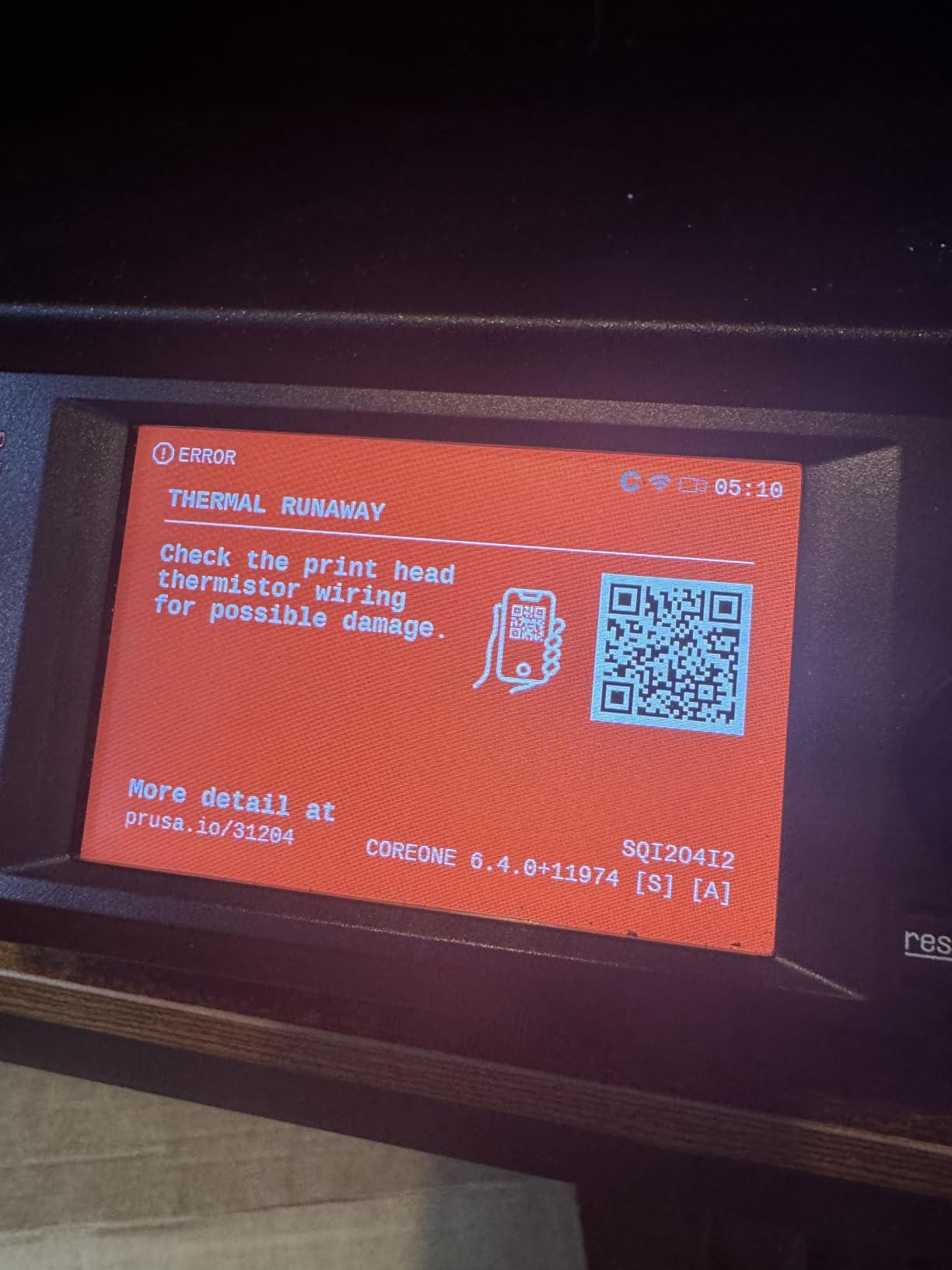
Prusa ships this printer fully assembled and tested, which is rare at any price point. I unboxed it and was printing within 10 minutes. The automatic calibration handled bed leveling, and the one-click printing feature means even beginners can produce professional-quality results without configuration headaches.
The all-steel exoskeleton frame provides exceptional rigidity. This translates to consistently accurate prints across the 250x220x270mm build volume. Surface quality is excellent, with clean layer lines and sharp detail reproduction. The included 1kg of Prusament PLA Galaxy Black is a nice touch that lets you start printing immediately.
Prusa Ecosystem and Open-Source Advantage
Prusa Research offers 24/7 professional customer support, which is unmatched in the desktop 3D printing industry. The open Prusa ecosystem means you get lifetime firmware updates, open-source slicer support, and access to a massive community of Prusa users. Spare parts are readily available and reasonably priced.
The Easy Flex Loading system makes filament changes straightforward, even for flexible filaments like TPU that are notoriously difficult to load on some printers. This attention to user experience details is what justifies the premium price for professional users.
Why Only 3.8 Stars
The 3.8-star average with only 10 reviews reflects the early adopter nature of this product. With 56 percent five-star and 25 percent one-star ratings, there is clearly some variance in early experiences. Some users have likely encountered firmware or hardware issues that Prusa will address through updates.
For professional users who depend on reliability and support, the Prusa reputation and warranty coverage provide peace of mind that cheaper brands cannot match. If you are running a print farm or producing client work, the CORE One+ is an investment in consistency and support.
Buying Guide: What to Look for in a CoreXY 3D Printers?
Choosing the best CoreXY 3D printer comes down to understanding your specific needs and matching them to the right features. After testing all eight printers on this list, I have identified the key factors that matter most for different use cases.
CoreXY Kinematics Explained
CoreXY is a type of 3D printer kinematics where the print head moves on a square gantry system driven by two stepper motors. Both motors work together to control X and Y movements, which reduces moving mass and enables higher acceleration rates than traditional Cartesian bed-slinger designs. The belt-driven system keeps the bed stationary while only the printhead moves, resulting in better print quality for tall models and faster print times overall.
The CoreXY advantage is most noticeable when printing large objects or using high speeds. Because the print bed only moves on the Z axis, delicate prints are less likely to shift or detach during printing. This makes CoreXY printers particularly good for engineering applications where dimensional accuracy matters.
Build Volume Considerations
Build volume ranges significantly across the printers on this list. The FLASHFORGE Adventurer 5M offers 220x220x220mm, which is adequate for most hobbyist prints but limits larger projects. The middle tier includes the Centauri Carbon at 256mm cubed, the K1C at similar dimensions, and the K2 Combo and Kobra X at 260mm cubed.
For users printing cosplay props, large functional parts, or batch production, the Snapmaker U1 at 270x270x270mm offers the most space. Consider what you plan to print most often and choose accordingly. A larger build volume is useless if you only print small miniatures.
Enclosure and Engineering Filament Support
An enclosed chamber is essential if you plan to print ABS, ASA, polycarbonate, or Nylon. These materials require stable ambient temperatures to prevent warping and delamination. The ELEGOO Centauri Carbon, Creality K1C, Bambu Lab P1S, Creality K2, and Prusa CORE One+ all feature enclosed designs.
The Prusa CORE One+ goes further with an active-heated chamber that maintains precise temperature control. Forum users on Reddit consistently report better ABS and ASA results from heated-chamber printers. If engineering filaments are your primary use case, prioritize enclosure quality over raw speed.
Multi-Color Printing Capabilities
Multi-color printing has become a major differentiator in 2026. The Bambu Lab P1S Combo uses the AMS system for up to 16 colors through filament switching. The Creality K2 Combo offers similar functionality with the CFS. The Anycubic Kobra X Multicolor brings native four-color capability at a much lower price point.
The Snapmaker U1 takes a different approach with four independent toolheads that eliminate purge waste entirely. This is the most efficient multi-color solution but comes at a higher price. Consider how often you actually need multi-color printing before paying extra for the capability.
Print Speed and Acceleration
Every printer on this list claims speeds of 500-600mm/s, but real-world results vary. I found that print quality degrades noticeably above 300mm/s on most models, with the Bambu Lab P1S maintaining the best quality at high speeds. Acceleration matters as much as top speed because it determines how quickly the printer reaches maximum velocity on short moves.
Look for printers with input shaping and vibration compensation features. These software technologies allow faster printing without visible artifacts. The Centauri Carbon, K1C, and P1S all implement these features effectively.
Noise Levels and Power Consumption
Noise is an overlooked factor that forum users frequently mention. The Creality K1C and Anycubic Kobra X Multicolor both offer 45dB silent modes, which is quiet enough for home use. The FLASHFORGE Adventurer 5M is the loudest printer on this list and should be kept in a dedicated workspace.
Power consumption varies based on enclosure heating and bed size. Users on 120V circuits in the US have reported enclosure heating challenges with some models. If you are running multiple printers, factor in the electrical load when choosing your setup.
Spare Parts and Community Support
Forum discussions on Reddit highlight spare parts availability as a major concern. Bambu Lab and Prusa have the best parts ecosystems, with readily available replacements and active community support. Crealiy parts are available but quality can vary. ELEGOO and Anycubic have improving support networks but lag behind the leaders.
Active firmware development is another indicator of long-term value. Bambu Lab, Prusa, and Creality all provide regular updates. Open-source firmware like Klipper, which powers the Creality OS, benefits from community contributions and constant improvement.
FAQs
What is the best CoreXY printer for 2026?
The Bambu Lab P1S Combo is our top pick for the best CoreXY printer in 2026. It offers outstanding print quality, 16-color AMS multi-material capability, 500mm/s speed, and a fully enclosed design for $499. For budget buyers, the FLASHFORGE Adventurer 5M at $249 and ELEGOO Centauri Carbon at $360 offer excellent value.
Why are CoreXY printers better?
CoreXY printers use a belt-driven gantry system where two stepper motors control both X and Y movements simultaneously. This reduces moving mass, enables higher acceleration rates up to 20000mm/s squared, and keeps the print bed stationary on the Z axis. The result is faster print times, smoother motion, better dimensional accuracy on tall prints, and superior handling of engineering filaments compared to traditional Cartesian bed-slinger designs.
What is the highest quality 3D printer on the market?
The Original Prusa CORE One+ represents the highest quality standard in desktop 3D printing, with its active-heated chamber, all-steel exoskeleton frame, fully assembled and tested build, and lifetime firmware support. For most users, the Bambu Lab P1S Combo delivers comparable print quality at roughly one-third the price, making it the practical choice for quality-conscious buyers.
What is the best CoreXY 3D printer under $1000?
Under $1000, the Bambu Lab P1S Combo at $499 is the best CoreXY option with its 16-color AMS system and enclosed chamber. The Creality K2 Combo at $549 offers similar multi-color capability with a 260mm build volume. For budget buyers, the FLASHFORGE Adventurer 5M at $249 and ELEGOO Centauri Carbon at $360 deliver excellent CoreXY performance.
Conclusion
The best CoreXY 3D printers in 2026 cover an impressive range of prices and capabilities. For most makers, the Bambu Lab P1S Combo delivers the best balance of quality, speed, multi-color capability, and reliability. Budget-conscious buyers get outstanding value from the ELEGOO Centauri Carbon or FLASHFORGE Adventurer 5M, while professionals who need active temperature control and lifetime support should consider the Prusa CORE One+.
Whatever your budget, every printer on this list uses proven CoreXY kinematics to deliver faster, more accurate prints than traditional bed-slinger designs. Pick the one that matches your filament needs, build volume requirements, and noise tolerance, and you will be printing better parts in no time.