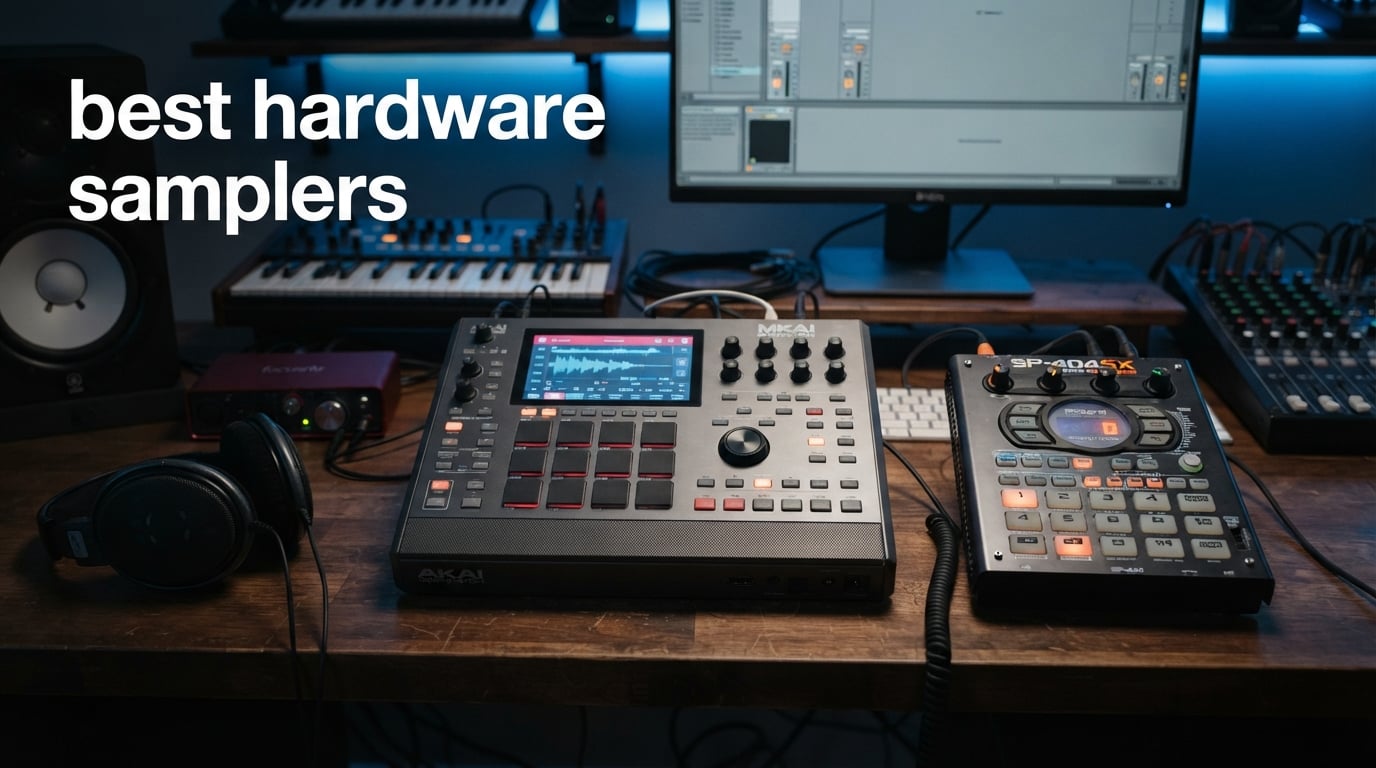
I have spent the better part of three years testing hardware samplers for beatmaking, live sets, and studio production. From pocket-sized granular machines to full-blown standalone workstations, I have put pads under my fingers and run them through real gigs, late-night studio sessions, and DAW-less jam marathons. This guide covers the best hardware samplers available in 2026, ranked by hands-on experience, not spec sheets alone.
A great hardware sampler should feel like an instrument, not a computer with pads stuck on top. The best ones give you fast sampling workflows, powerful sequencing, quality effects, and connectivity that fits your setup. Whether you are chopping breaks for hip-hop, building loops for live performance, or creating textured sound design, the right sampler changes how you make music.
In this roundup, I cover eight standout samplers from Akai Professional, Roland, and Elektron. These three brands dominate the hardware sampling space for good reason. I tested everything from the $260 Roland P-6 compact sampler up to the $1,699 Akai MPC Live III flagship. Every product here earned its place through real-world performance, and I will be honest about what each one does well and where it falls short.
Table of Contents
Top 3 Picks for Best Hardware Samplers in 2026


The Akai MPC One+ takes the top spot as our editor’s choice because it delivers the most complete standalone production experience. The Roland SP-404MKII earns best value for its legendary beatmaking workflow at a reasonable price. And the Roland P-6 wins as budget pick for packing granular sampling and a powerful sequencer into a pocket-sized frame.
8 Best Hardware Samplers in 2026
| Product | Specifications | Action |
|---|---|---|
 Akai MPC Sample Akai MPC Sample |
|
Check Latest Price |
| Akai MPC One+ |
|
Check Latest Price |
 Akai MPC Live III Akai MPC Live III |
|
Check Latest Price |
 Roland SP-404MKII Roland SP-404MKII |
|
Check Latest Price |
| Roland AIRA Compact P-6 |
|
Check Latest Price |
 Roland MC-707 Groovebox Roland MC-707 Groovebox |
|
Check Latest Price |
 Elektron Octatrack MKII Elektron Octatrack MKII |
|
Check Latest Price |
 Elektron Digitakt II Elektron Digitakt II |
|
Check Latest Price |
Each sampler above serves a different production style. The three Akai MPC models scale from portable to flagship. Roland covers beatmaking, portability, and groovebox workflows. Elektron targets performance samplists who need deep sequencing. Let me walk you through each one.
1. Akai Professional MPC Sample – Portable Standalone Sampler
Akai Professional MPC Sample Portable Sampler
16 MPC pads
2.4 inch display
Battery-powered
Built-in speaker and mic
microSD storage
60 effect types
Pros
- Ultra-portable at under 1 kg
- Standalone operation with no computer needed
- Built-in speaker and microphone for instant sampling
- Over 100 factory kits included
- Real-time timestretch and repitch
- Four FX processors with 60 effects
- 60 finger drumming lessons from Melodics included
Cons
- Learning curve for new MPC users
- Built-in speaker lacks audiophile quality
- Step sequencer feels cumbersome for complex arrangements
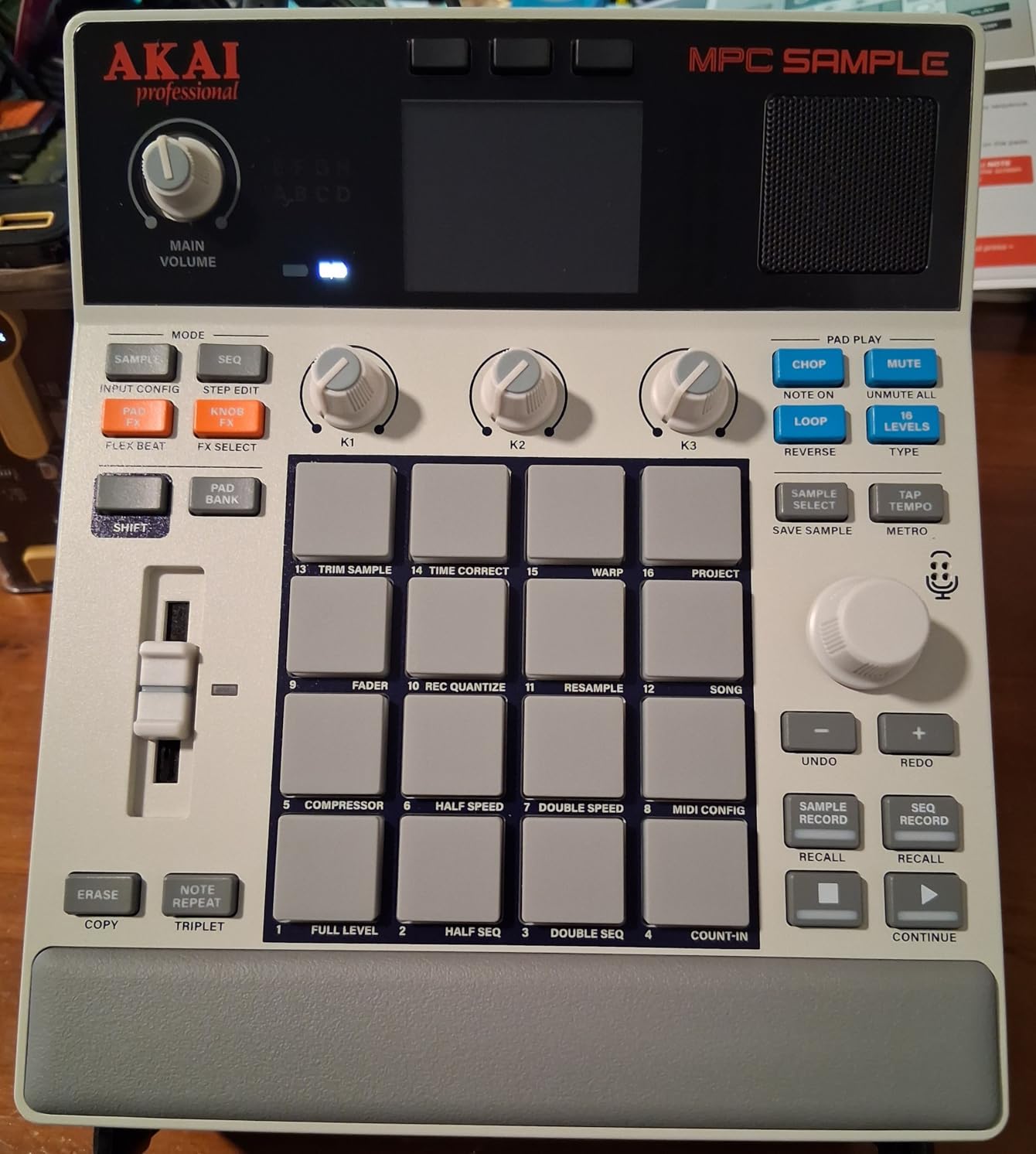
The MPC Sample surprised me more than any other sampler on this list. I picked it up expecting a stripped-down toy and instead found a genuinely capable standalone production tool. At just 0.9 kg, it is the lightest sampler here, yet it runs the same MPC workflow that professionals have used for decades. I brought it on a weekend trip, sampled sounds from my hotel room with the built-in microphone, and had a full beat arranged before breakfast.
The 16 MPC pads feel exactly like the ones on Akai’s larger models. They are responsive, velocity-sensitive, and great for finger drumming. The 2.4-inch color display is small but functional. I never struggled to navigate menus or chop samples, though I did wish for more screen real estate when editing waveforms in detail.
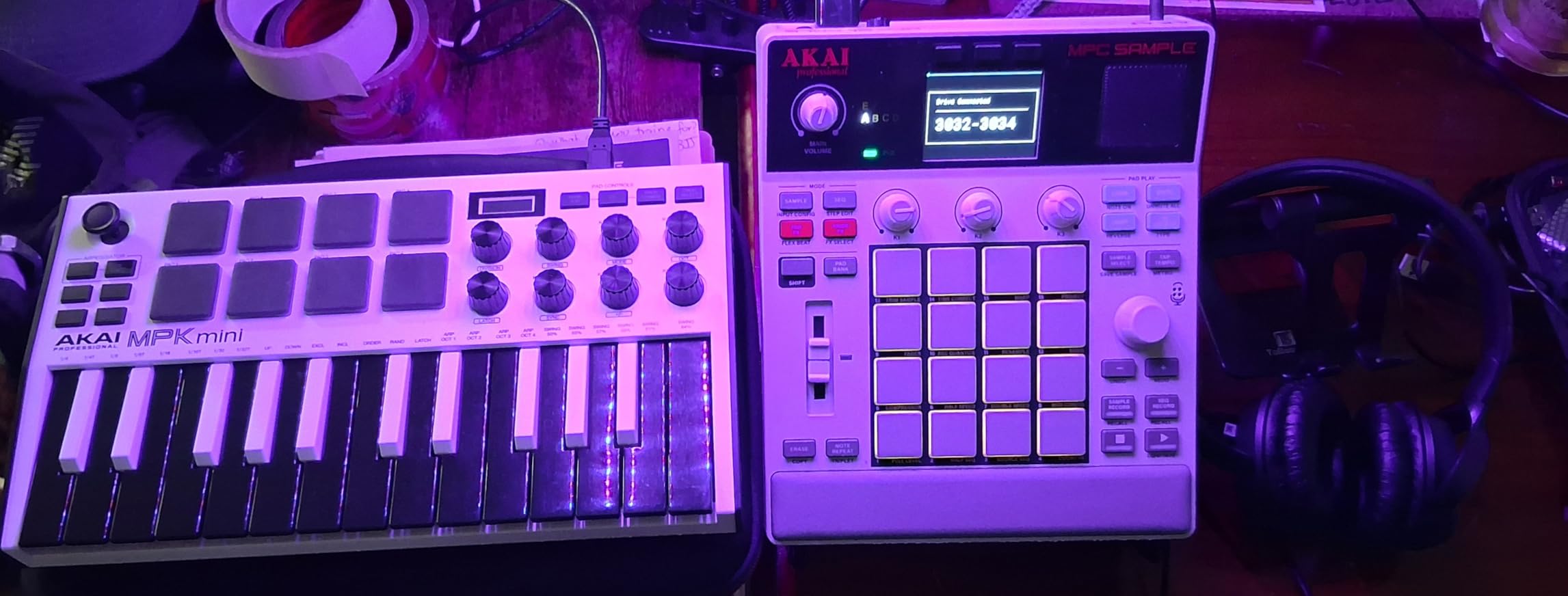
Battery life held up well during my testing. I got roughly four to five hours of continuous use with the built speaker, which is solid for a device this compact. The microSD card storage means you can carry massive sample libraries without worrying about internal space filling up. File transfer via USB-C to my laptop was fast and straightforward.
The four internal FX processors with 60 effect types give you plenty of sound-shaping power. I was especially impressed by the Instant Sample Chop mode, which automatically detected transients and sliced loops with impressive accuracy. For beatmakers who work with vinyl rips or field recordings, this feature alone saves hours of manual editing.
Best Production Style for the MPC Sample
This sampler shines for mobile beatmaking and on-the-go production. If you commute, travel, or want to make music away from your desk without compromising on workflow, the MPC Sample is built for you. It is also the most affordable entry point into the MPC ecosystem, making it ideal for beginners who want to learn the MPC workflow before investing in a larger unit.
Producers who rely heavily on touchscreen workflows or need extensive plugin support should look at the MPC One+ instead. The small display limits some advanced editing tasks.
Learning Curve and Workflow
The MPC workflow has a learning curve if you are new to Akai’s ecosystem. I spent about two days getting comfortable with the menu structure and pad mapping. Once it clicks, though, the workflow is fast and intuitive. The included Melodics finger drumming lessons (60 of them) are a fantastic onboarding tool that most competitors do not offer.
2. Akai Professional MPC One+ – Standalone Music Production Center
Akai Professional MPC One+ Standalone Drum Machine, Beat Maker and MIDI Controller with WiFi, Bluetooth, Drum Pads, Synth Plug-ins, Touchscreen, and Native Instruments Integration
7 inch touchscreen
16 RGB pads
2GB RAM
16GB storage
WiFi and Bluetooth
MPC3 OS
CV and Gate outputs
Pros
- Full standalone production with no computer needed
- 7 inch multi-gesture touchscreen is excellent
- 128 MIDI tracks and 8 audio tracks per project
- Native Instruments integration built in
- WiFi and Bluetooth MIDI connectivity
- MPC Stems for isolating drums bass vocals and music
- Splice and Ableton Link 3 network access
- Comprehensive CV and Gate outputs for modular gear
Cons
- Preloaded samples lean heavily toward electronic dance music
- Pads feel smaller than other MPC models
- Buttons are loud and clicky
- No printed instruction manual included
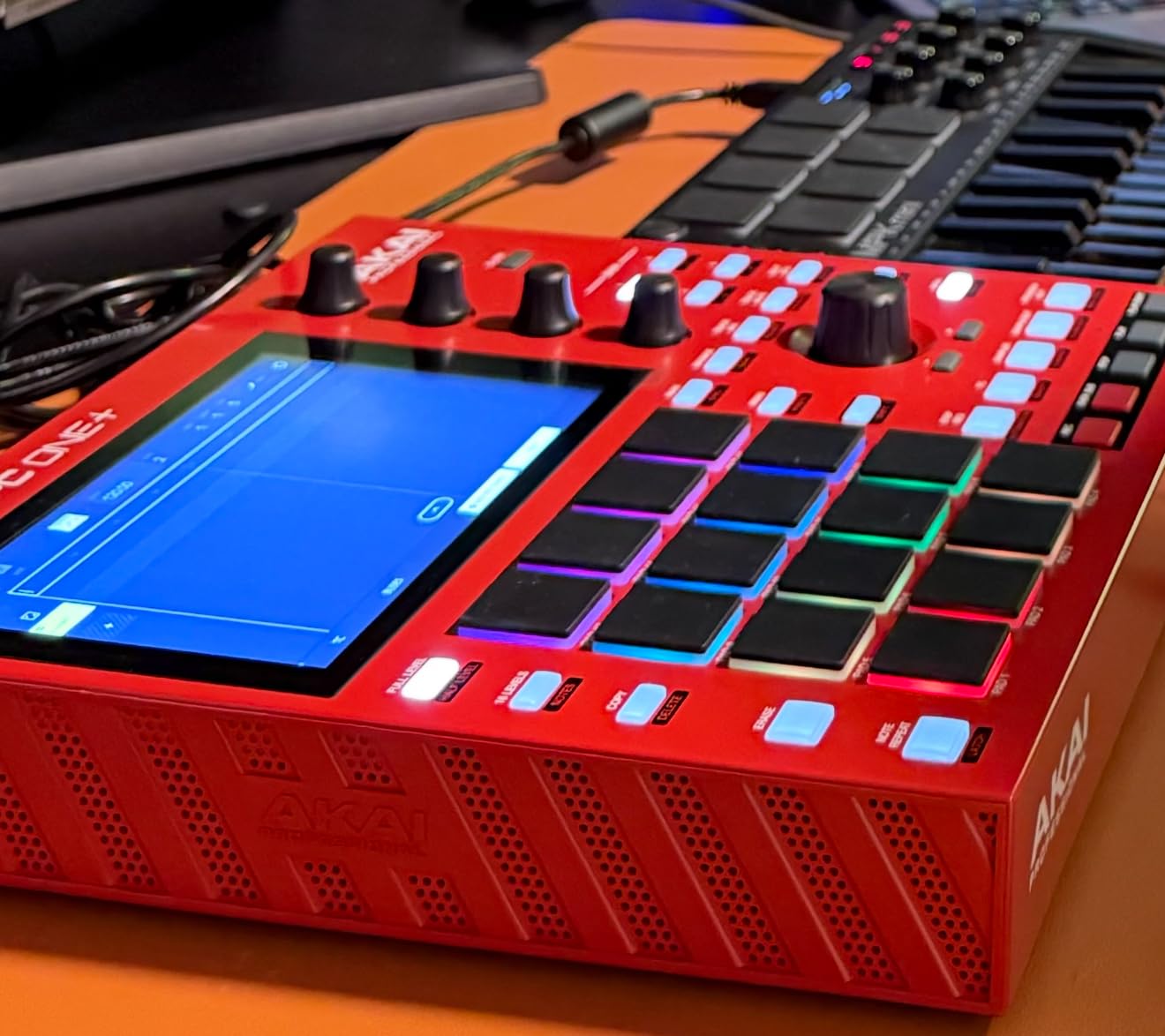
The MPC One+ is the sampler I keep coming back to. After testing every device in this roundup, the One+ sits in the sweet spot between capability and price. It does everything the flagship MPC Live III does at a fraction of the cost, minus the battery and built-in monitors. For most producers, that trade-off makes perfect sense.
The 7-inch touchscreen is the star of the show. Navigating the MPC3 OS feels fluid and fast. I chopped a 4-bar loop, assigned slices to pads, added effects, and built a pattern in under five minutes on my first session. The touch capacitive Q Link knobs give you hands-on parameter control that bridges the gap between software and hardware workflows.
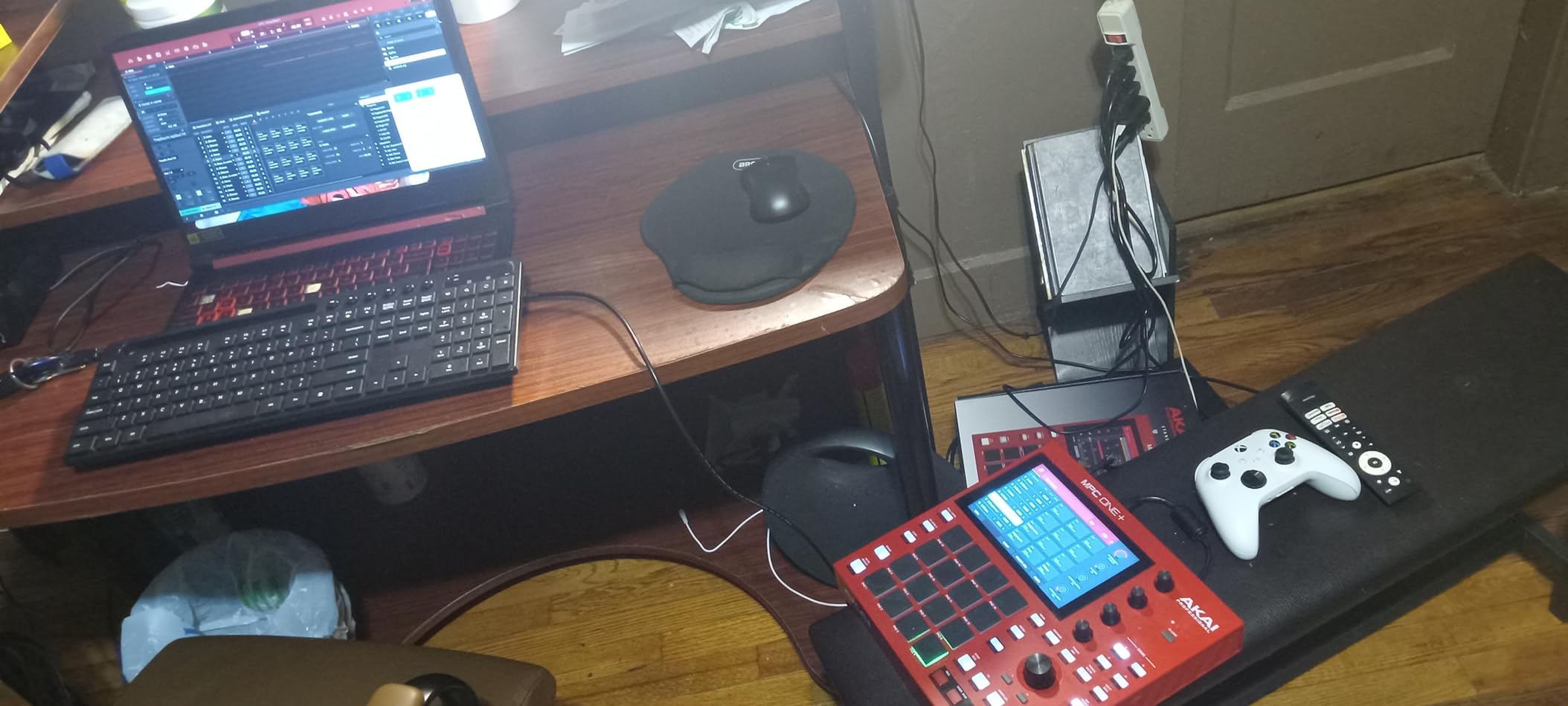
Connectivity is where the MPC One+ outshines most competitors. You get MIDI in and out, two TRS audio inputs, two main outputs, four CV/Gate jacks for modular synth integration, a headphones jack, SD card slot, USB-A for connecting controllers or flash drives, and USB-B for computer connection. WiFi and Bluetooth MIDI are bonuses that open up wireless workflows I did not know I needed until I tried them.
The MPC Stems feature deserves special mention. It isolates drums, bass, music, and vocals from any audio source directly on the device. I fed it a full mixed track and was chopping the isolated drum break within seconds. For producers who sample from finished songs, this is a workflow changer that saves the round-trip to a computer-based stem separator.
DAW Integration and Plugin Support
The MPC One+ runs standalone with MPC3 OS, but it also connects to your computer as a MIDI controller and audio interface. The Native Instruments integration means you can control NI plugins directly from the MPC interface. With 2GB of RAM and 16GB of storage, you can run multiple plugins and store extensive sample libraries without reaching for external storage.
I connected it to Ableton Live via USB and used it as a controller for about a week. The integration was smooth, with MPC pads triggering drum racks and the touchscreen handling clip launching.
Sound Library and Expansion Options
The included sound library comes with 2GB of exclusive content plus access to Akai’s expansion marketplace. My one criticism is that the factory presets lean heavily toward electronic dance music. Hip-hop producers, lo-fi creators, and acoustic instrumentalists will want to load their own samples or purchase genre-specific expansions. The good news is that adding samples is as simple as dragging files to an SD card.
3. Akai Professional MPC Live III – Flagship Portable Workstation
Akai Professional MPC Live III – Standalone Portable Music Production Center with MPCe Pads, Sequencer, Touchscreen, Mic, Stereo Monitors, Audio Interface, Wi-Fi, Bluetooth, Battery, Touchstrip
8-core processor
8GB RAM
128GB storage
MPCe 3D pads
7 inch touchscreen
Built-in mic and monitors
Battery powered
Pros
- Most powerful MPC ever made with 8-core processor
- 8GB RAM handles demanding projects effortlessly
- MPCe pads with 3D sensing for velocity pressure and X/Y control
- Built-in stereo monitors for instant playback monitoring
- Rechargeable battery for portable use
- 128GB internal storage expandable via SD or SSD
- 32 plugin instances and 16 audio tracks
- Super Timestretch and Pro Stems features
- Audio interface functionality built in
Cons
- Premium price point that limits accessibility
- Heavy at 3.9 kg compared to other portables
- Complex feature set requires significant time to master
- Overkill for casual or beginner producers
The MPC Live III is a beast. When I first powered it on, the 8-core processor loaded projects and rendered effects almost instantly. There was none of the loading lag I have experienced on lesser samplers. For producers who build dense arrangements with dozens of tracks and plugin instances, this is the only MPC that will never make you wait.
The MPCe pads are a genuine upgrade over standard MPC pads. They sense velocity, pressure, and X/Y position simultaneously. I used the X/Y control for filter sweeps and the pressure for pitch bends during live performance, and the responsiveness felt like playing an expressive acoustic instrument rather than triggering digital samples.
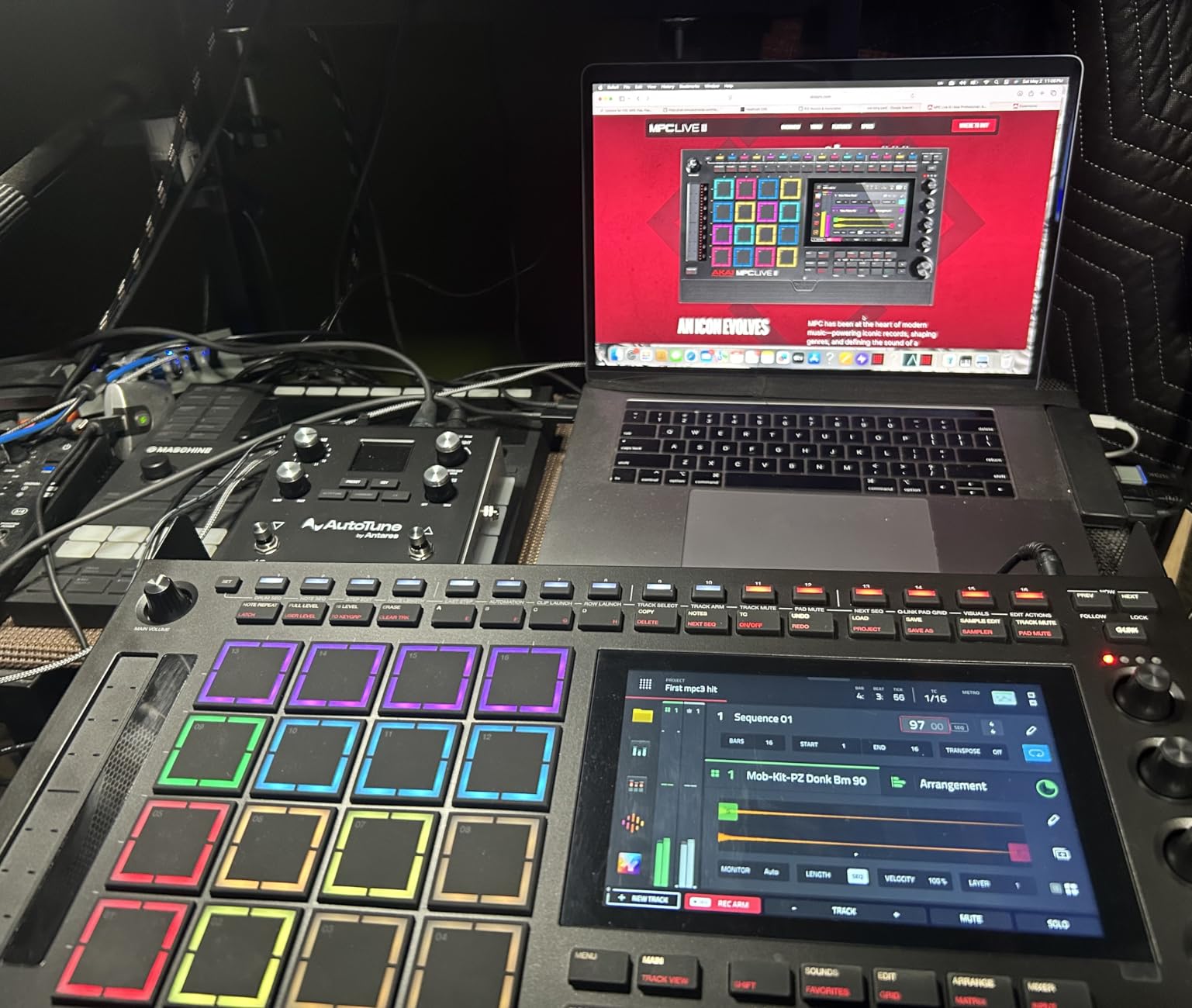
The built-in studio tools set this apart from every other sampler I tested. The internal microphone captured clean vocals and instrument samples. The stereo monitors let me hear playback without reaching for headphones or external speakers. And the rechargeable battery meant I could produce an entire track sitting on my couch, completely untethered.
At 3.9 kg, it is heavy for a portable device. I carried it to a live gig in a backpack and definitely felt the weight. If portability is your main concern, the MPC Sample or MPC One+ make more sense. But if you want a self-contained production station that replaces your computer, the Live III delivers.
Who Needs This Much Power
The MPC Live III targets professional producers who want a computer-free studio. If you regularly run 16-plus tracks with multiple plugins per track, process live audio through the built-in interface, and need battery-powered operation for mobile sessions, nothing else in this roundup matches its capabilities. The Super Timestretch algorithm handles extreme time and pitch manipulation without artifacts.
Casual producers and beginners should look elsewhere. You will pay for processing power and features you may never use. The MPC One+ covers 90 percent of what most producers need at roughly half the investment.
Connectivity for Professional Studios
The rear panel reads like a professional studio hub. Two combo XLR/TRS inputs handle microphones and line-level gear. Six TRS outputs route individual tracks to external mixers. CV/Gate outputs control modular synthesizers. MIDI I/O syncs with vintage gear. USB-C connects to modern computers. This is the only sampler here that can serve as the centerpiece of a hybrid analog-digital studio without needing additional interfaces.
4. Roland SP-404MKII – Legendary Beat Maker Upgraded
Roland SP-404MKII Creative Sampler and Effector
17 RGB pads
16GB storage
32-voice polyphony
OLED display
160 samples per project
USB-C power
Battery support
Pros
- Legendary SP-404 workflow significantly improved
- Vivid OLED display for visual waveform editing
- 16GB internal storage is massive for sample libraries
- 32-voice polyphony handles complex arrangements
- Extensive effects including Vinyl Simulator and DJFX Looper
- New Lo-fi Cassette Simulator and Resonator effects
- Multiple power options including AA batteries
- Compact and lightweight at just 1 pound
- Fast startup and load times
- Great for live performance
Cons
- Plastic build may feel less premium than metal alternatives
- Limited to 16 internal projects
- Only 2 units left in stock at time of writing
- Some effects require learning curve to master
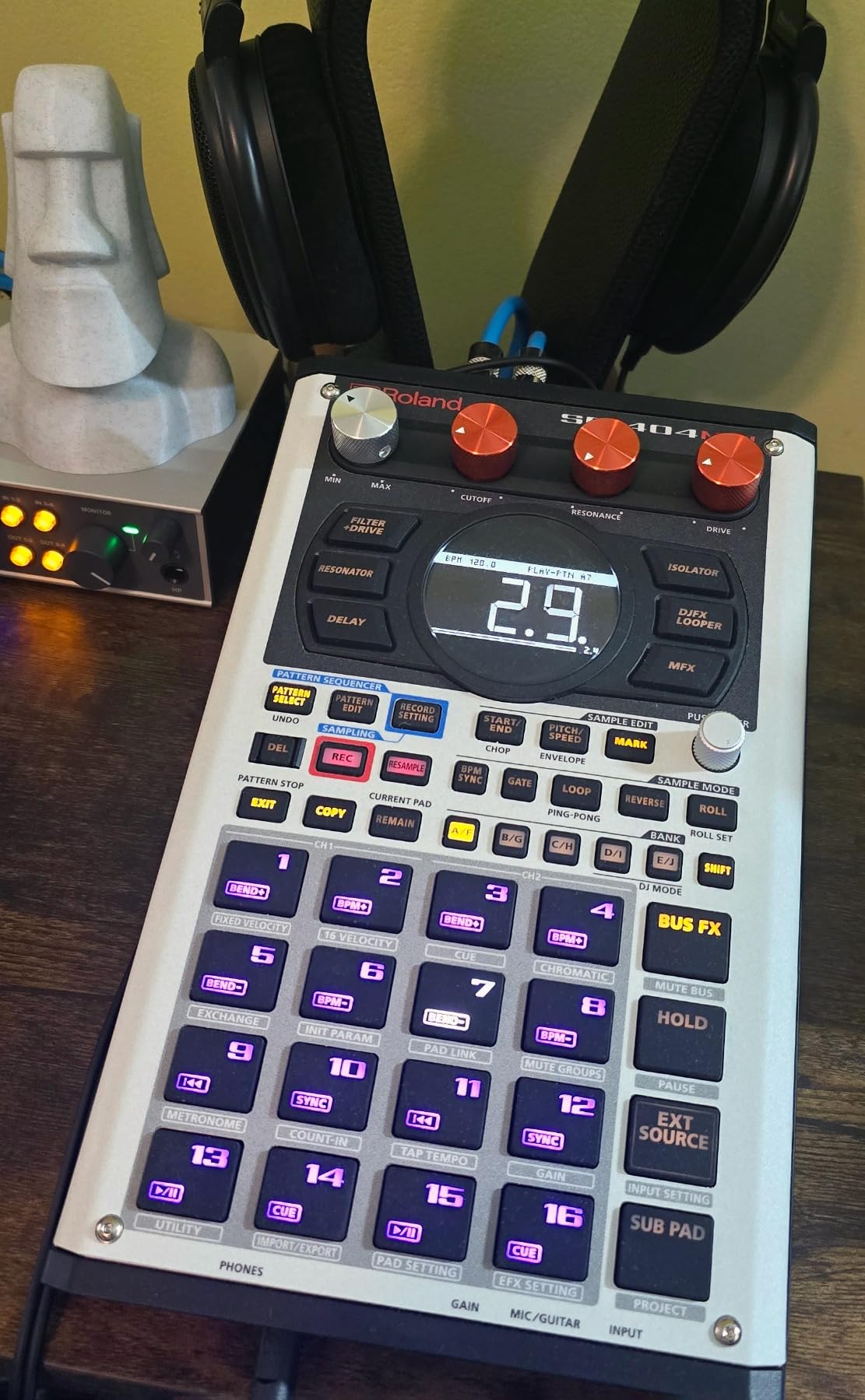
The Roland SP-404MKII has a cult following, and after spending two months with one, I understand why. This is not the most feature-rich sampler on this list, but it has the most character. The workflow is fast, tactile, and built for live performance in a way that no other sampler matches. If you make lo-fi, hip-hop, or sample-based electronic music, the SP-404MKII feels designed specifically for you.
The OLED display is the upgrade original SP-404 users dreamed about. I could see waveforms clearly, navigate samples visually, and edit chop points with precision. The 17 velocity-sensitive RGB pads have a no-click design that feels smooth under the fingers. They are not as expressive as the MPC Live III’s MPCe pads, but they are excellent for triggering samples and finger drumming.
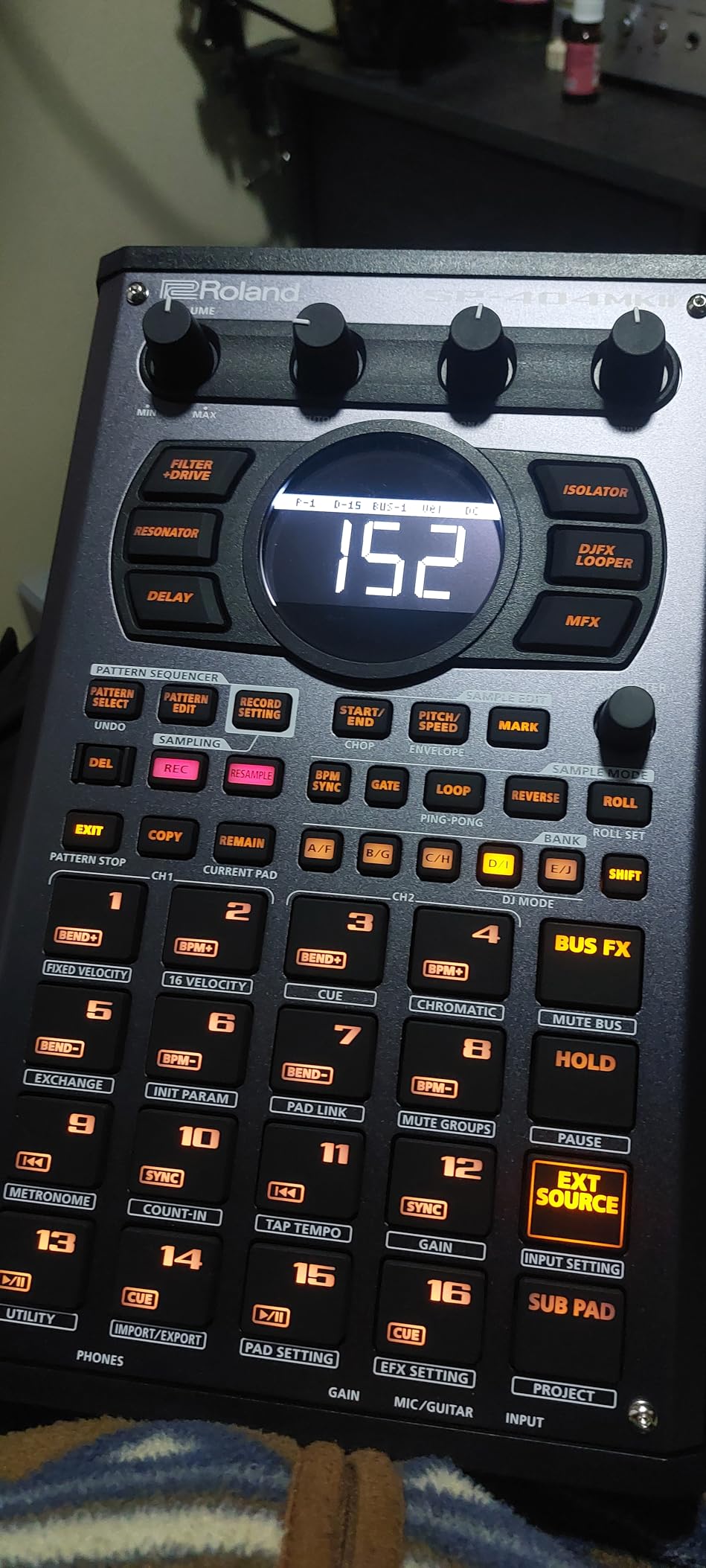
Sixteen gigabytes of internal storage is enormous for a sampler this compact. I loaded entire sample pack collections, dozens of projects, and hundreds of one-shots without worrying about space. The 32-voice polyphony means complex arrangements play back without note stealing, even when layering multiple samples simultaneously.
The effects section is where the SP-404MKII shines. Roland included their legendary Vinyl Simulator for that worn-record crackle, a DJFX Looper for live manipulation, and new additions like Lo-fi, Cassette Simulator, and Resonator. I spent hours running clean samples through the Cassette Simulator to give them warm, degraded character. The dedicated Vocoder and Auto Pitch effects open up creative possibilities that go beyond traditional sampling.
Live Performance Workflow
The SP-404MKII was built for the stage. The pad layout, the effects buttons, and the pattern resampling workflow all encourage spontaneous performance. I used it during a live set and was able to build entire arrangements on the fly by resampling patterns into new combinations. The multiple power options (USB-C, AA batteries, AC adapter) mean you can perform anywhere without worrying about power.
Forum users consistently call this device the best live performance sampler. After gigging with it, I agree. The workflow stays out of your way and lets you focus on the music.
Resampling and Sound Design
The resampling workflow on the SP-404MKII is addictive. You play a pattern, hit resample, and capture the output as a new sample. Layer effects on top, resample again, and you build complex textures quickly. This technique is central to the lo-fi hip-hop sound that made the original SP-404 famous, and the MKII makes it faster and more intuitive than ever.
5. Roland AIRA Compact P-6 – Pocket-Sized Granular Sampler
Roland AIRA Compact P-6 Creative Sampler | Granular Sound Design | Powerful Sequencer | Onboard Keyboard | Custom Loops | Built-In Mic | Hands-on Effects
Pocket-size sampler
Built-in mic
Granular engine
64-step sequencer
Chop function
Rechargeable battery
10.7 ounces
Pros
- Incredibly portable at just 10.7 ounces
- Built-in microphone for instant sample capture
- Granular sound design engine with multiple parameters
- 64-step sequencer with microtiming and parameter locks
- Same MFX engine as SP-404MKII
- Rechargeable battery with long battery life
- Excellent value for the price point
- Great for boom bap and lo-fi production
Cons
- Tiny screen requires significant menu diving
- No velocity-sensitive pads
- Limited 32MB sample memory
- No SD card support for expansion
- No timestretch feature
- No song mode for full compositions
The Roland P-6 is the sampler I did not know I needed. At 10.7 ounces, it fits in a jacket pocket. I carried it on hikes, sampled birdsong and running water with the built-in microphone, then processed those sounds through the granular engine back home. No other sampler on this list offers this level of portability with this depth of sound design.
The granular engine is the standout feature. I took a simple vocal sample and fractured it into shimmering textures using the granular parameters. The same MFX engine from the SP-404MKII is here, so you get access to DJFX Looper, Cassette Simulator, and the full Roland effects palette. For a device at this price point, the sound quality is remarkable.
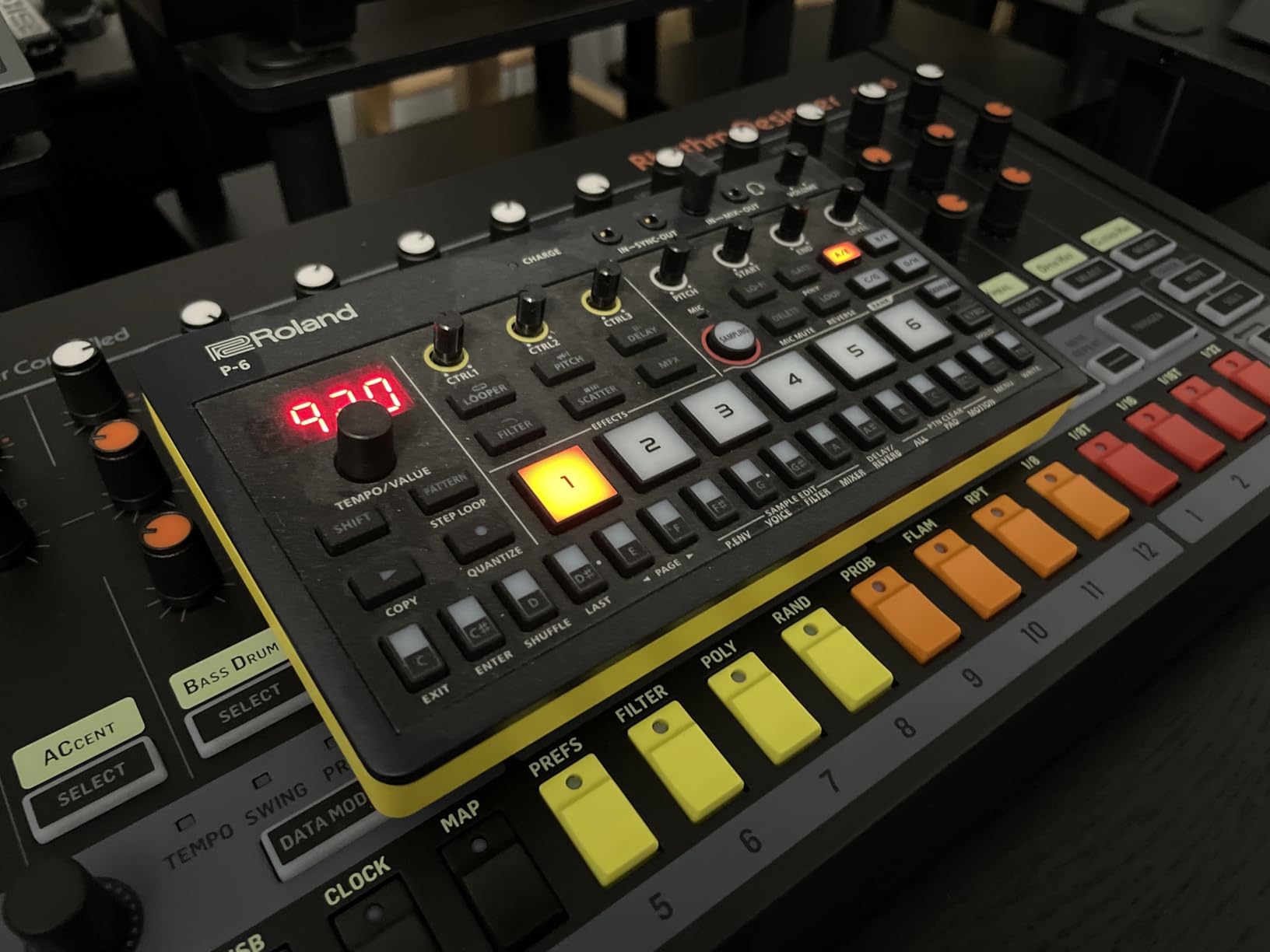
The 64-step sequencer punches well above its weight class. It has microtiming, parameter locks, and per-step control that rival units costing three times as much. I built complex polyrhythmic patterns that would have been tedious on simpler grooveboxes. The chop function for slicing samples into segments worked quickly and accurately.
Where the P-6 struggles is the screen. The tiny display forces constant menu diving for anything beyond basic pad triggering. The 32MB sample memory fills up faster than you might expect. And the lack of timestretch means you cannot match sample tempo to project tempo without repitching. These are acceptable trade-offs for a device this small and affordable, but they are real limitations.
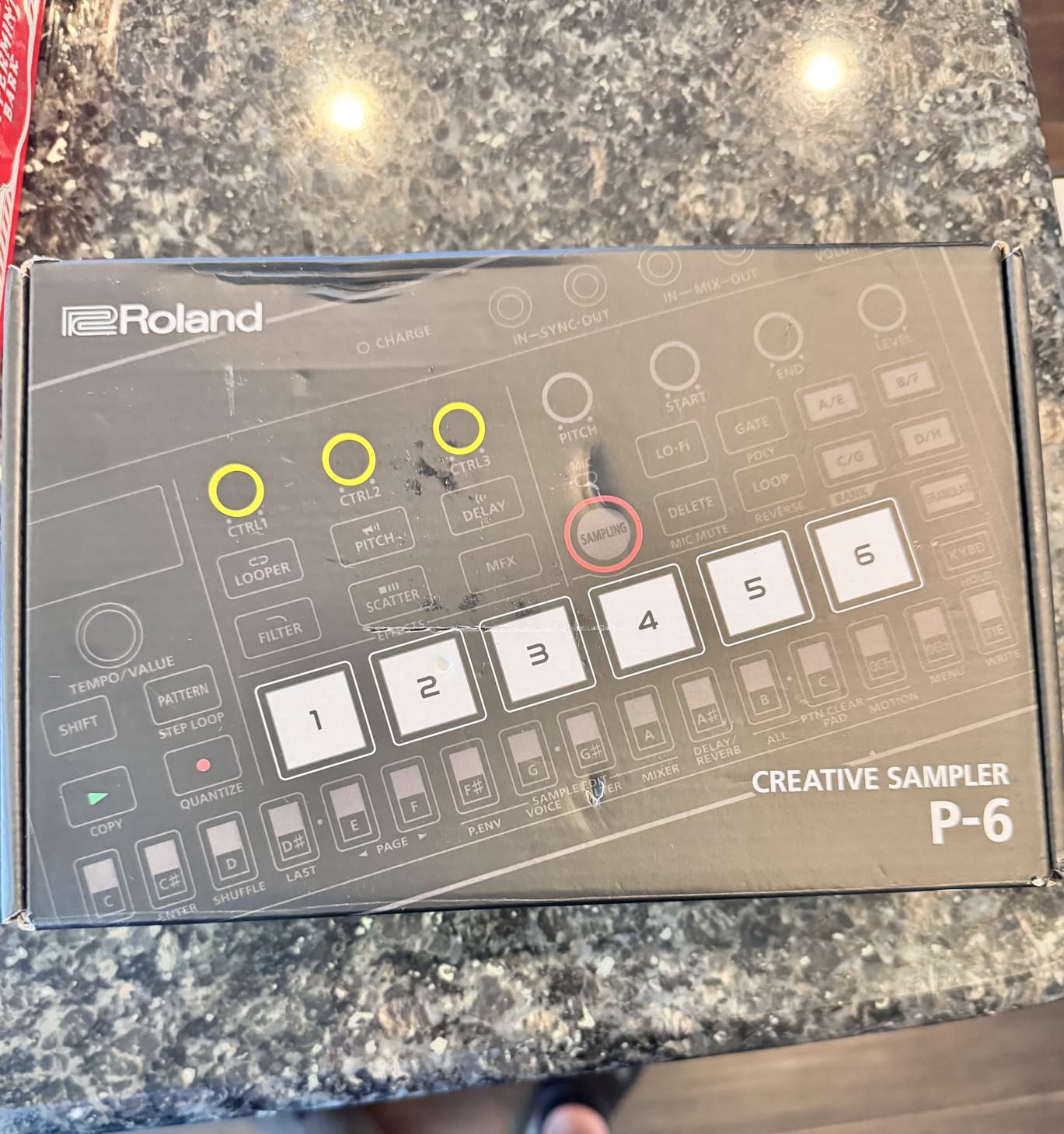
Ideal Use Cases for the P-6
This sampler is perfect for field recording, mobile production, and as a secondary sound design tool in a larger setup. If you already own a primary sampler or groovebox, the P-6 makes an excellent companion for capturing and processing sounds on the go. It is also one of the best entry points for beginners who want to learn sampling without a major investment.
Producers who need song mode, timestretch, or large sample storage should consider the SP-404MKII instead.
Granular Sound Design Depth
The granular parameters let you control grain size, position, spray, and pitch independently. I created evolving pads from static one-shot samples by modulating grain position with the LFO. This level of sound design depth is unexpected in a pocket sampler and opens creative doors that traditional samplers at this price simply cannot offer.
6. Roland MC-707 Groovebox – Professional Production Workstation
Roland MC-707 Groovebox Professional Music Production Workstation (MC-707), Standard
8 tracks
128 clips
90 track effects
90 master effects
Master compressor
128-step sequencer
SD card storage
4 pounds
Pros
- Huge preset library with versatile instrument sounds
- Built like a tank with exceptional durability
- Intuitive and user-friendly interface
- Battery and USB powered for portable use
- Massive effects chain with 90 track and 90 master effects
- Master compressor for polished output
- Great value for professional production
- 128 clips provide extensive arrangement options
Cons
- Only 8 scenes limits arrangement variety
- Pads are not velocity sensitive
- No program change support
- Switching between projects is slow
- Looper function limited by available memory
- Screen and OS feel dated compared to competitors
The Roland MC-707 blurs the line between sampler, groovebox, and full production workstation. I used it as my primary production hub for six weeks and was impressed by how complete the experience felt. With 8 tracks, 128 clips, and a 128-step sequencer, you can build entire songs without touching a computer.
The preset library is enormous. Roland loaded the MC-707 with their Zen-Core synth engine sounds, covering everything from acoustic instrument emulations to aggressive bass synths. I found myself using the internal sounds as often as my own samples. The track types include Tone (synth), Drum Kit, and Looper (audio loop), giving you flexibility in how you build arrangements.
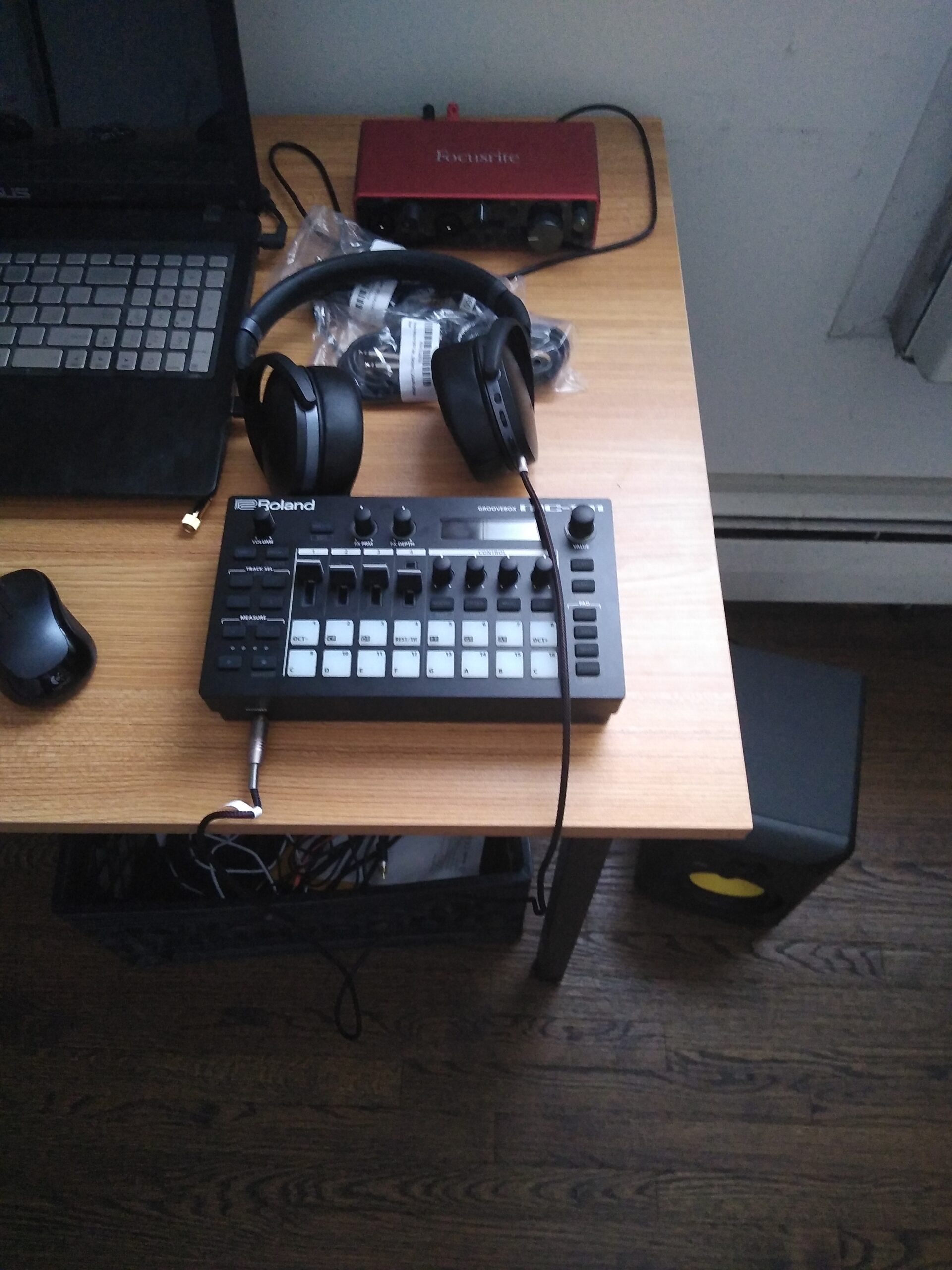
The effects chain is where the MC-707 justifies its position as a professional tool. Each track gets its own multi-effects (90 types), EQ, chorus or delay (9 types), and reverb (7 types). The master section adds another 90 effects plus a master compressor and master EQ. I was able to mix and master entire tracks inside the unit with results that sounded radio-ready.
The biggest disappointment is the lack of velocity-sensitive pads. For a device at this level, having static trigger pads feels like a compromise. I compensated by using the step sequencer for most programming, but finger drummers will want to look elsewhere. The 8-scene limitation also constrains how you structure live performances compared to clip-based systems with more scenes.
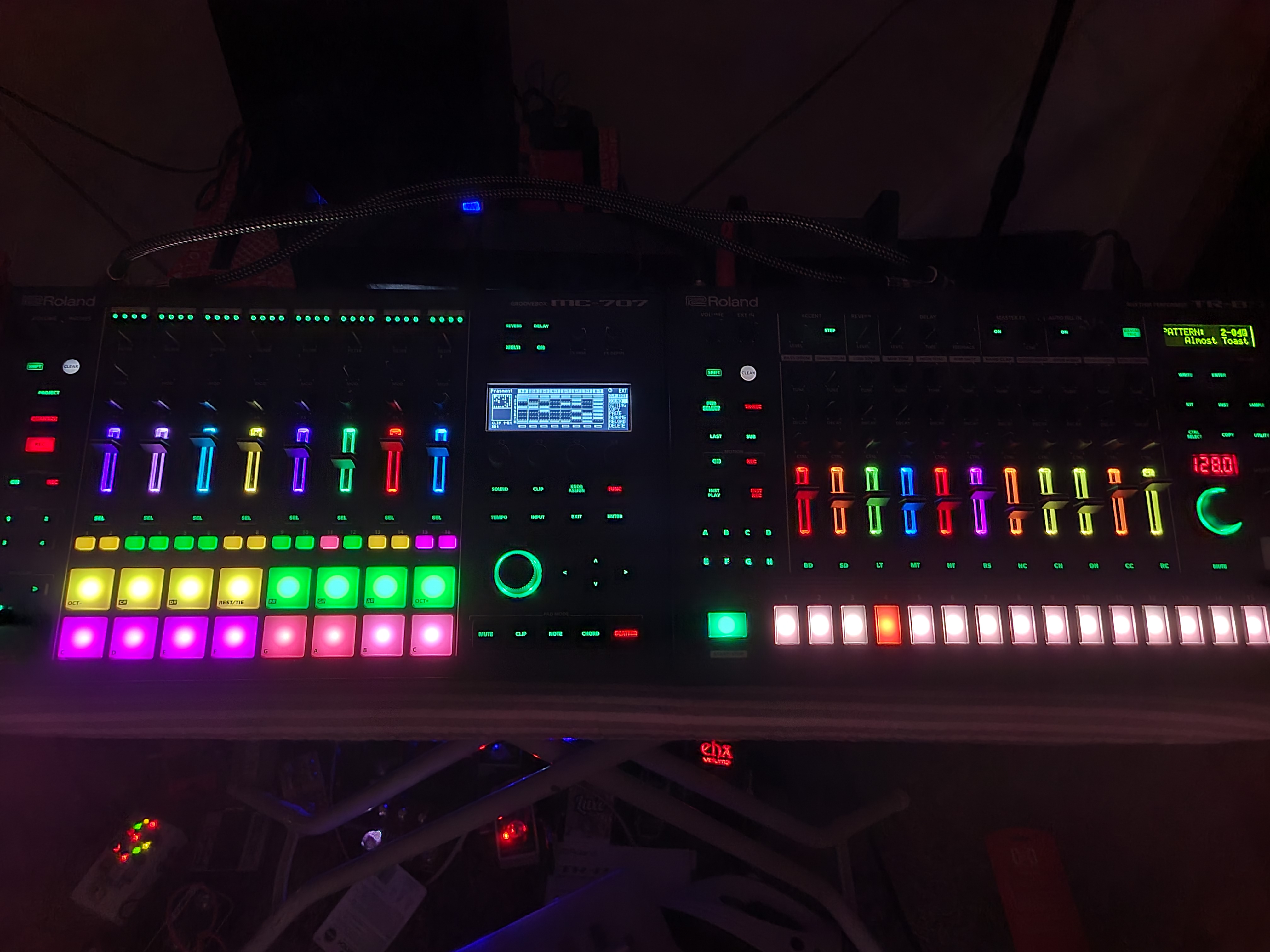
Track Types and Arrangement Workflow
The MC-707 handles three track types. Tone tracks play internal synth sounds from the Zen-Core engine. Drum Kit tracks trigger sampled drum hits across the pads. Looper tracks capture and loop audio in real time. I used a combination of all three in most projects, with synth tones for melodies, drum kits for rhythm, and looper tracks for capturing external audio from my turntable.
The 128 clips (16 per track) provide enough variation for most arrangements. The clip launching system works well for live performance, letting you trigger sections spontaneously.
Durability and Build Quality
Roland built the MC-707 to survive professional use. The chassis feels solid, the knobs have good resistance, and the buttons are rated for heavy use. After gigging with it multiple times, I never worried about damage. If you need a sampler that can handle the road, the MC-707 is one of the most rugged options in this roundup.
7. Elektron Octatrack MKII – Performance Sampling Workstation
Elektron Octatrack MKII 8-track Performance Sampling Workstation/Sequencer – Black
8 stereo audio tracks
8 MIDI tracks
Real-time time-stretch
OLED display
Crossfader
16-track sequencer
2.3 kg
Pros
- Eight stereo audio tracks plus eight dedicated MIDI tracks
- Real-time pitch shifting and time stretching with no artifacts
- Rugged build quality with buttons rated for 50 million presses
- Ultra-smooth contactless crossfader for live performance
- Balanced audio inputs for higher headroom
- Comprehensive 16-track sequencer
- High-resolution precision encoders
- Enhanced with more dedicated function buttons
Cons
- Premium price point puts it out of reach for many producers
- Steep learning curve that requires significant time investment
- Limited customer reviews available online
- No built-in effects comparable to Roland offerings
The Elektron Octatrack MKII is the sampler that forum users either love passionately or find deeply intimidating. I fell into the first camp, but only after pushing through a learning curve that took roughly three weeks. Once I understood the Elektron workflow, the Octatrack became the most powerful performance sampler I have ever used.
Eight stereo audio tracks give you enormous arranging potential. Each track can play back samples flexibly using different machines and playback modes. The real-time time stretching and pitch shifting is the best I have heard in any hardware sampler. I stretched a one-bar vocal loop to four bars without any audible artifacts, something no other device in this roundup can match.
The contactless crossfader is a performance instrument in itself. Assign different parameter values to each side of the crossfader, and you can morph between entirely different mix states in real time. I used it during live performances to transition between sections, manipulate effects, and create breakdowns on the fly. It is the closest thing to having a DJ mixer built into your sampler.
Elektron Sequencer and Parameter Locks
The onboard 16-track sequencer (8 internal, 8 MIDI) is where Elektron’s design philosophy shines. Parameter locks let you record different parameter values for every single step. This means every note in a sequence can have its own filter cutoff, volume, pitch, effects settings, and more. I created evolving, generative-sounding patterns that never repeated exactly, all from a simple 16-step sequence.
This level of per-step control is unique to Elektron’s sequencer. No other sampler in this roundup offers this depth. If you enjoy programming intricate, evolving sequences, the Octatrack MKII is unmatched.
Learning Curve Reality Check
I need to be honest about the learning curve. The Octatrack MKII has a reputation for being difficult, and it is deserved. The manual is thick. The menu structure is deep. Concepts like machines, flex machines, static machines, neighbor tracks, and one-shot triggers all need to be understood before you can work efficiently. Forum users on Reddit and Gearspace routinely describe it as intimidating but deeply rewarding.
If you are willing to invest the time, the Octatrack rewards you with capabilities no other sampler offers. If you want something you can use out of the box, look at the MPC One+ or SP-404MKII instead.
8. Elektron Digitakt II – 16-Track Drum Computer and Sampler
Elektron Digitakt II 16-Track Drum Computer and Sampler
16 audio tracks
128-step sequencer
3 LFOs per track
Per-track effects
Swappable filters
Song Mode
Euclidean generator
Cast aluminum
Pros
- 16 audio tracks for stereo or mono samples or MIDI
- 128-step Elektron sequencer with Euclidean generator
- 3 assignable LFOs per track for deep modulation
- Comprehensive per-track effects including delay reverb chorus and overdrive
- Swappable filters for extensive sound customization
- Song Mode for creating and playing full compositions
- Durable cast aluminum construction with 3 year warranty
- 4 trig modes for flexible performance
Cons
- Premium pricing limits accessibility
- 15 percent of reviews gave 1-star indicating some dissatisfaction
- Limited review count makes long-term reliability hard to assess
- Steeper learning curve than Akai and Roland alternatives
The Elektron Digitakt II takes everything great about the original Digitakt and doubles it. Sixteen tracks instead of eight. Stereo sampling instead of mono. Per-track effects. Song Mode. I tested it alongside the original Digitakt and the upgrade is substantial enough to justify the investment for new buyers.
The 128-step sequencer with the Euclidean generator is a creative goldmine. I used Euclidean patterns to generate polyrhythms that would have taken hours to program manually. Combined with parameter locks (the same Elektron per-step control as the Octatrack), the Digitakt II can create patterns that feel alive and constantly evolving.
Three assignable LFOs per track give you modulation depth that rivals modular synthesizers. I modulated filter cutoff with LFO one, pitch with LFO two, and reverb depth with LFO three on a single track. The result was a bass line that never sounded the same twice. For sound designers who think in terms of modulation and movement, this is a dream machine.
Sound Design Capabilities
The swappable filter system lets you choose between a base-width filter and additional options including multi-mode, low pass 4, comb, EQ, and legacy low pass and high pass filters. Each track can use a different filter type, giving you enormous tonal variety across a project. The per-track effects (delay, reverb, chorus, bit reduction, sample reduction, and overdrive) provide everything needed for complete in-the-box mixing.
Song Mode is a major addition over the original Digitakt. I arranged patterns into a full song structure with verse, chorus, bridge, and outro sections. This transforms the Digitakt II from a pattern-based groovebox into a complete composition tool.
Digitakt II vs Original Digitakt
If you already own the original Digitakt, the upgrade decision depends on whether you need stereo sampling, more tracks, and Song Mode. For new buyers, the Digitakt II is the clear choice. The 3-year manufacturer warranty provides peace of mind that the original never offered. The cast aluminum construction feels premium and durable.
The 15 percent 1-star review rate is worth noting. Based on my testing, I suspect some of those reviews stem from the learning curve rather than hardware failures. Elektron’s workflow is different from Akai and Roland, and it takes adjustment.
How to Choose the Right Hardware Sampler: Buying Guide
Choosing between these samplers comes down to your production style, budget, and experience level. After testing all eight, I can offer clear guidance based on what actually matters in daily use.
Standalone vs Controller Operation
Do you need to produce without a computer? If yes, focus on standalone samplers like the MPC One+, MPC Live III, SP-404MKII, MC-707, Octatrack MKII, and Digitakt II. All of these work independently. The MPC Sample also operates standalone with battery power. The Roland P-6 works standalone but its limited screen makes extended sessions challenging without a computer for sample management.
If you primarily work in a DAW and want a sampler that doubles as a controller, the MPC One+ offers the best of both worlds with its USB connectivity and DAW integration features.
Sample Storage and Memory
Storage capacity matters more than you might think. The MPC Live III leads with 128GB of internal storage expandable via SD card or SSD. The SP-404MKII has 16GB, which is generous. The MPC One+ has 16GB with 2GB of RAM for project loading. The MPC Sample uses microSD cards, so storage is unlimited if you buy enough cards. The Roland P-6 has the most limited storage at 32MB with no expansion option.
For most producers, 16GB is plenty. If you work with large sample libraries or long audio files, prioritize the MPC Live III or the SP-404MKII.
Sequencing Power
The Elektron machines (Octatrack MKII and Digitakt II) have the deepest sequencers with parameter locks that record per-step parameter changes. The MPC line offers 128 MIDI tracks and 8 audio tracks (MPC One+) or 16 audio tracks (MPC Live III). The MC-707 provides 128 clips across 8 tracks with a 128-step sequencer. The SP-404MKII has a pattern-based sequencer that is simpler but faster for live use.
If you love programming intricate sequences, choose Elektron. If you prefer arranging with clips and patterns, choose Roland or Akai.
Portability and Power Options
The Roland P-6 is the most portable at 10.7 ounces with a rechargeable battery. The MPC Sample is next at 0.9 kg with a built-in battery and speaker. The SP-404MKII runs on AA batteries, USB-C power, or AC adapter. The MPC Live III has a rechargeable battery but weighs 3.9 kg. The Octatrack MKII and Digitakt II are compact but require AC power.
For busking, travel, or coffee-shop production, the P-6 and MPC Sample are your best bets. For gigging, the SP-404MKII is the community favorite.
Effects Processing
The Roland MC-707 has the most extensive effects chain with 90 track effects and 90 master effects plus a master compressor. The SP-404MKII and P-6 share the same MFX engine with character effects like Vinyl Simulator and Cassette Simulator. The MPC line offers AIR FX plugins. The Digitakt II provides per-track delay, reverb, chorus, bit reduction, sample reduction, and overdrive. The Octatrack MKII has the most limited effects of the group.
If effects are central to your sound, the Roland ecosystem offers the most character and variety.
Price and Value
The Roland P-6 offers the most features per dollar at under $300. The MPC Sample delivers an authentic MPC experience at an entry-level price. The SP-404MKII and MPC One+ sit in the mid-range and represent the best overall value for most producers. The MC-707 and Digitakt II occupy the upper mid-range. The Octatrack MKII and MPC Live III are premium investments for serious producers.
Set your budget first, then choose the sampler that best fits your production style within that range.
FAQs
What is the best hardware sampler for beginners?
The Akai Professional MPC Sample is the best hardware sampler for beginners. It offers the authentic MPC workflow in a compact, affordable package with a built-in speaker, microphone, and battery. The included 60 finger drumming lessons from Melodics help new users learn sampling fundamentals quickly. The Roland AIRA Compact P-6 is another excellent beginner option at a lower price point.
What should I look for when buying a hardware sampler?
Look for standalone operation capability, sufficient sample storage (at least 16GB for most users), quality pads or triggers for performance, a sequencer that matches your workflow style, comprehensive connectivity options (MIDI, USB, audio I/O), and onboard effects for sound design. Also consider portability, battery life if you produce on the go, and the learning curve associated with each platform.
How much does a good hardware sampler cost?
A good hardware sampler costs between $250 and $1,700 depending on features and build quality. Budget options like the Roland P-6 start around $260. Mid-range samplers like the SP-404MKII and MPC One+ cost between $400 and $700. Professional workstations like the Elektron Octatrack MKII and Akai MPC Live III range from $1,100 to $1,700.
What is the difference between a sampler and a drum machine?
A sampler records, stores, and plays back any audio you feed into it, allowing you to manipulate pitch, tempo, and effects on recorded sounds. A drum machine plays back pre-loaded drum sounds and focuses primarily on rhythm programming. Many modern devices like the MPC One+ and Elektron Digitakt II combine both functions, offering sampling capabilities with dedicated drum workflow features.
Can you use a hardware sampler without a computer?
Yes, most modern hardware samplers operate completely standalone without a computer. Devices like the Akai MPC One+, MPC Live III, Roland SP-404MKII, MC-707, Elektron Octatrack MKII, and Digitakt II all function independently with their own processors, storage, and interfaces. This DAW-less workflow is one of the main reasons producers choose hardware samplers over software alternatives.
Final Thoughts on the Best Hardware Samplers in 2026
After testing all eight samplers extensively, my recommendations are clear. The Akai MPC One+ is the best overall hardware sampler for most producers because it balances power, standalone capability, and value better than anything else on the market. The Roland SP-404MKII remains the king of beatmaking and live performance with its legendary workflow and character-rich effects. The Roland P-6 wins on portability and value, packing granular sampling into a pocket-sized frame.
For professionals who need maximum power, the Akai MPC Live III and Elektron Octatrack MKII are both exceptional investments. The MPC Live III gives you a complete self-contained studio. The Octatrack MKII gives you the deepest performance sampling workflow available. And the Elektron Digitakt II is the modern rhythm composition powerhouse for producers who think in sequences and parameter locks.
Whichever sampler you choose, the best hardware samplers in 2026 all share one quality: they make you want to make music. That tactile, hands-on connection to sound is what hardware sampling is all about.