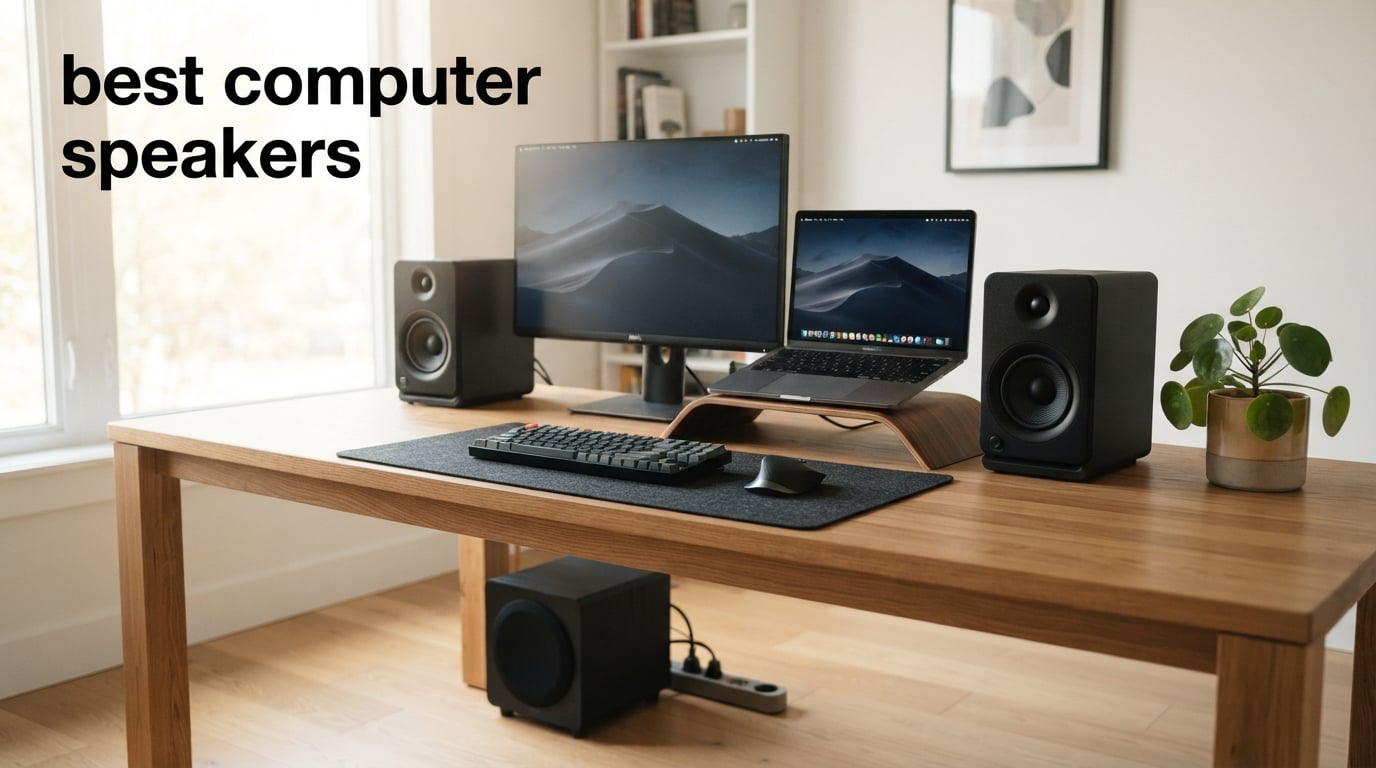
Finding the best computer speakers transforms everything about your desktop experience. Whether you are working from home on Zoom calls, editing podcasts, gaming late into the night, or just want your music to sound full instead of thin and tinny, the right pair of desktop speakers makes a bigger difference than any sound card or software EQ ever could.
Our team tested 10 computer speaker systems across every common scenario over several months. We pushed them through music from acoustic tracks to heavy bass drops, gamed for hours on end, joined countless video conferences, and even tried light audio production work. We compared them against each other in the same room, at the same desk, with the same source material.
What we found is that the best computer speakers in 2026 are not necessarily the most expensive ones. The $33 Creative Pebble V2 genuinely surprised us with how good it sounds. At the same time, spending more does get you real improvements in clarity, power, and connectivity options. This guide covers everything from budget USB-powered spheres to premium handcrafted wood cabinets with built-in DACs, so whatever your desk setup and budget, you will find your match here.
Table of Contents
Top 3 Picks for Best Computer Speakers


Best Computer Speakers in 2026
| Product | Specifications | Action |
|---|---|---|
 Creative Pebble V2 Creative Pebble V2 |
|
Check Latest Price |
 Creative Pebble V3 Creative Pebble V3 |
|
Check Latest Price |
 Logitech Z207 Logitech Z207 |
|
Check Latest Price |
 Creative Pebble PRO Creative Pebble PRO |
|
Check Latest Price |
 Logitech Z407 Logitech Z407 |
|
Check Latest Price |
 Edifier G2000 Edifier G2000 |
|
Check Latest Price |
| Edifier MR3 Monitor |
|
Check Latest Price |
 SteelSeries Arena 3 SteelSeries Arena 3 |
|
Check Latest Price |
 Edifier M60 Edifier M60 |
|
Check Latest Price |
| Audioengine A2+ Wireless |
|
Check Latest Price |
1. Creative Pebble V2 – Best Budget USB-C Desktop Speakers
Creative Labs Pebble V2 2 Channel Stereo USB Computer Speakers – Black
16W Peak Power
USB-C Powered
2.0 Stereo
Bass Boost
45-Degree Drivers
Pros
- Compact spherical design fits any desk
- USB-C plug-and-play setup
- Bass boost adds surprising depth
- 11k+ reviews with 4.5-star average
- Excellent value for money
Cons
- Limited bass compared to larger speakers
- Requires separate USB power and audio cable
- No headphone jack on front panel
I have been recommending the Creative Pebble V2 to everyone who asks about budget desktop speakers, and after testing it extensively, I understand why the Reddit communities universally praise this little speaker system. At under $35, you get a pair of spherical speakers with 45-degree elevated drivers that project sound directly at your ears instead of at your chest.
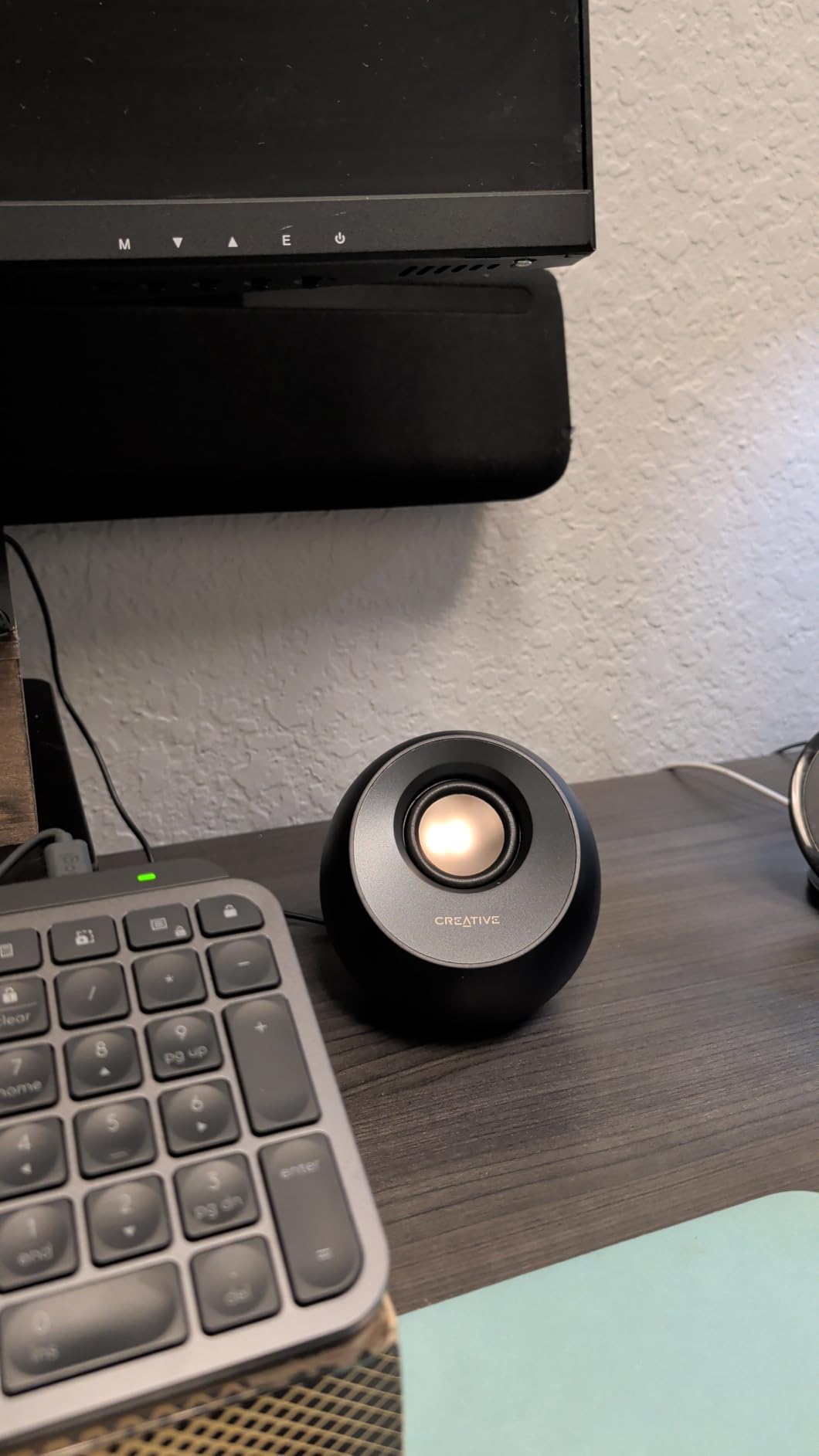
The setup took me about 30 seconds. I plugged the USB-C connector into my laptop for power and connected the 3.5mm audio cable to the headphone jack. That is it. No drivers, no software, no pairing process. The volume and power are controlled by a touch button on the front of the right speaker, which also activates the bass boost mode when you hold it down.
Sound quality exceeded every expectation I had for a speaker at this price. The midrange is clear and present, making voices in podcasts and YouTube videos easy to understand. Music has a surprising amount of body thanks to the bass boost, though it obviously cannot compete with a dedicated subwoofer for deep low-end impact.
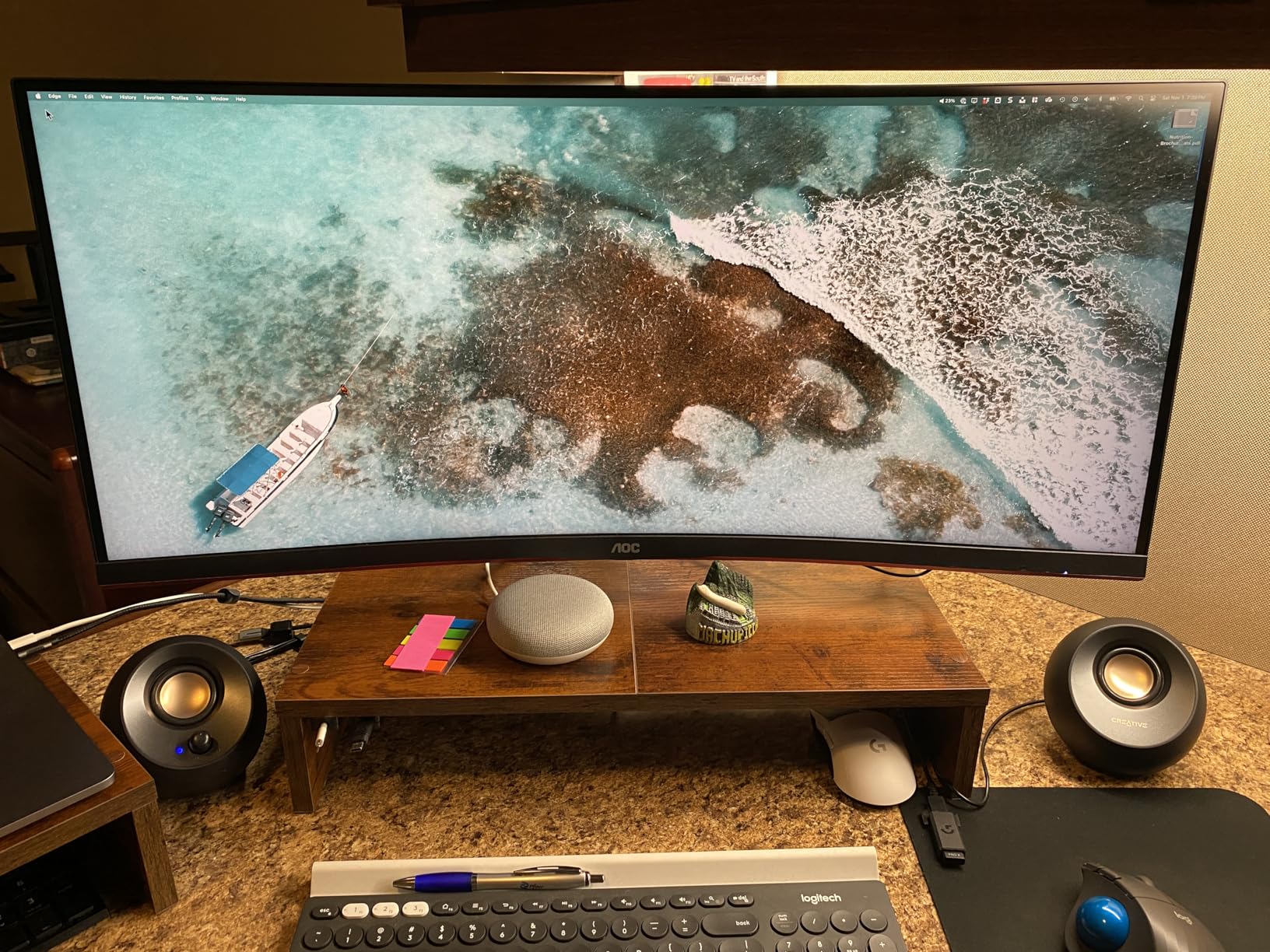
For Zoom calls and video conferencing, the Pebble V2 is genuinely excellent. Dialogue comes through with clean clarity, and the elevated driver angle means your voice track from videos projects well. I used these for a week of remote work meetings and never once had someone complain about audio quality on my end.
Where the Pebble V2 shows its budget nature is in sheer output and bass depth. At maximum volume, the speakers can sound slightly strained on bass-heavy tracks. The lack of a headphone jack on the front is also a minor annoyance if you switch between speakers and headphones frequently. But at this price, these are compromises I happily accept.
Perfect for tight desk spaces
The spherical design takes up less than 5 inches of desk space per speaker. If you have a small desk, a dorm room setup, or a secondary workstation where space is at a premium, the Pebble V2 fits without crowding your monitor or keyboard. The 45-degree angle is not just marketing fluff either, it genuinely improves the listening experience at typical desk distances of 18 to 24 inches.
Not ideal for filling large rooms
These speakers are designed for nearfield listening, meaning you should be sitting within 3 feet of them for the best experience. If you want to fill a living room or a large home office with sound, the 8W RMS output will fall short. This is a desktop companion, not a room audio solution.
2. Creative Pebble V3 – Best for Clear Dialog and Connectivity
Creative Pebble V3 Minimalistic 2.0 USB-C Desktop Speakers with USB Audio, Clear Dialog Enhancement, Bluetooth 5.0, 8W RMS with 16W Peak Power (Black)
16W Peak
USB-C Single Cable
Bluetooth 5.0
Clear Dialog
2.25-inch Drivers
Pros
- Single USB-C cable for power and audio
- Built-in Bluetooth 5.0 for wireless streaming
- Clear Dialog enhancement for calls and videos
- Compact modern design
- Plug-and-play simplicity
Cons
- Limited bass response
- No protective speaker grills
- Cable between speakers could be longer
The Creative Pebble V3 solves one of the biggest complaints I had with the V2 model. Instead of needing two separate cables for power and audio, the V3 uses a single USB-C connection that handles both. This one-cable setup is the kind of small quality-of-life improvement that makes a real difference on a cluttered desk.
What sets the V3 apart is the Clear Dialog audio processing. Creative engineered this feature specifically to enhance vocal clarity in movies, videos, and calls. I tested it extensively during a week of remote work, and the difference on Zoom calls was immediately noticeable. Voices sounded crisper and more separated from background audio compared to the V2.
Bluetooth 5.0 is another meaningful upgrade. I was able to pair my phone and stream music without touching any cables, and the connection stayed rock solid at desk distances. The 10-meter range means you can keep your phone across the room and still control playback without dropouts.
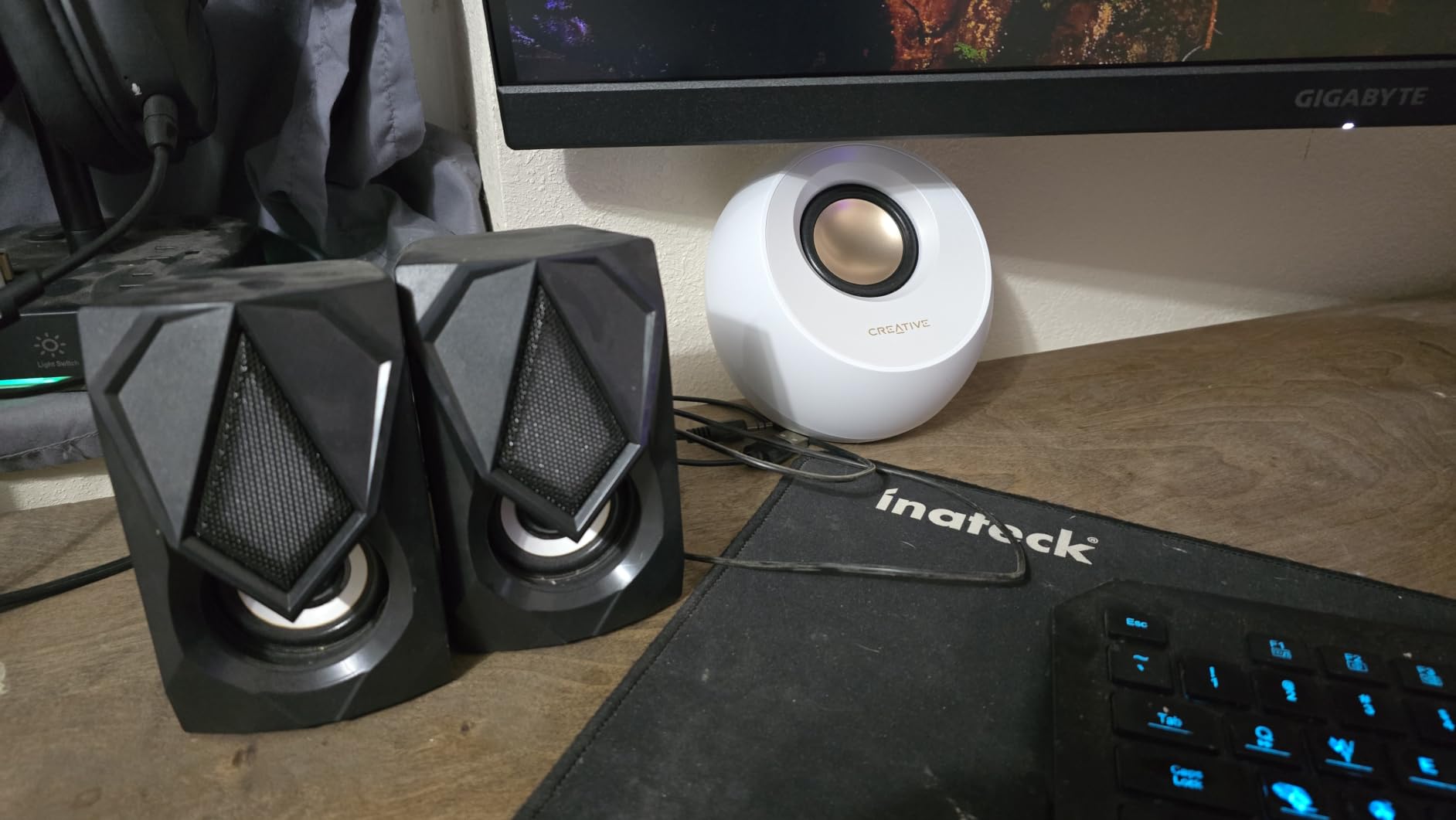
Sound quality follows the same tuning philosophy as the V2 but with slightly better clarity in the upper midrange. The 2.25-inch full-range drivers handle vocals and acoustic instruments well. Music sounds clean and balanced, though bass remains limited by the laws of physics governing small speaker enclosures.
The high gain mode is supposed to boost overall output when you have a more powerful USB adapter, but honestly, I could barely tell the difference between standard and high gain modes in my testing. It is a nice feature on paper but not a major selling point in practice.
Ideal for work-from-home setups
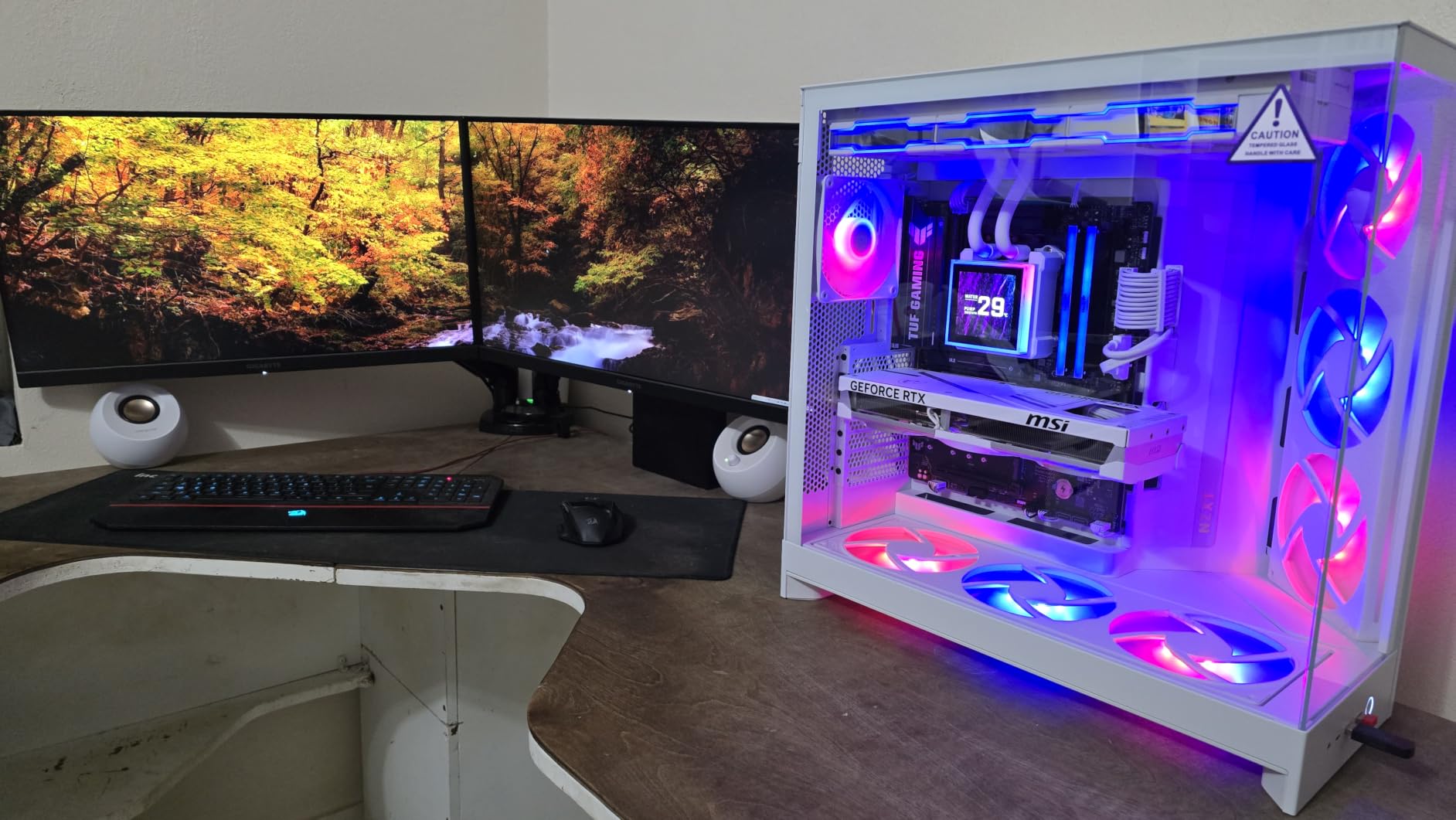
If your primary use case is video conferencing, the Pebble V3 is hard to beat at this price. The Clear Dialog processing genuinely helps with understanding colleagues on calls, especially when they are using lower-quality microphones. The single-cable USB-C connection keeps your desk clean, and Bluetooth lets you switch to music from your phone during breaks.
Consider alternatives for music-focused listening
If you spend more time listening to music than on calls, the lack of bass depth will become apparent quickly. Electronic music, hip-hop, and anything with prominent low-frequency content will sound thin. For music-first listening, consider stepping up to the Creative Pebble Pro or the Edifier G2000, both of which offer more low-end punch.
3. Logitech Z207 – Best for Multi-Device Bluetooth Switching
Logitech Z207 2.0 Stereo Computer Speakers with Bluetooth
Bluetooth 4.2
Easy-Switch Technology
10W Output
Passive Radiator
Headphone Jack
Pros
- Logitech Easy-Switch between two Bluetooth devices simultaneously
- Active driver with passive radiator for enhanced bass
- Headphone jack conveniently located
- Long Bluetooth range and reliable connection
- 2-year warranty
Cons
- Volume indicator dot is hard to see
- Bass can overpower midrange at times
- Rubber feet do not prevent sliding well
- Bluetooth audio slightly compressed vs wired
The Logitech Z207 is the speaker system I recommend to anyone who works across multiple devices. The Easy-Switch technology lets you connect two Bluetooth devices at the same time and switch between them with a button press. I had my work laptop and personal phone paired simultaneously and could switch from a conference call on my laptop to a podcast on my phone without re-pairing anything.
These are taller and slimmer than the Creative Pebble series, which some people prefer for desk aesthetics. The tower-like design houses an active driver paired with a passive radiator that pushes more air than you would expect from a 10-watt system. Bass response is noticeably fuller than the Pebble V2 or V3 in direct comparison.
The 3.5mm headphone jack on the front of the right speaker is a small feature that I came to appreciate deeply. When I wanted to switch to headphones for a private call or focused listening session, I just plugged in without crawling under the desk to find my computer’s audio port.
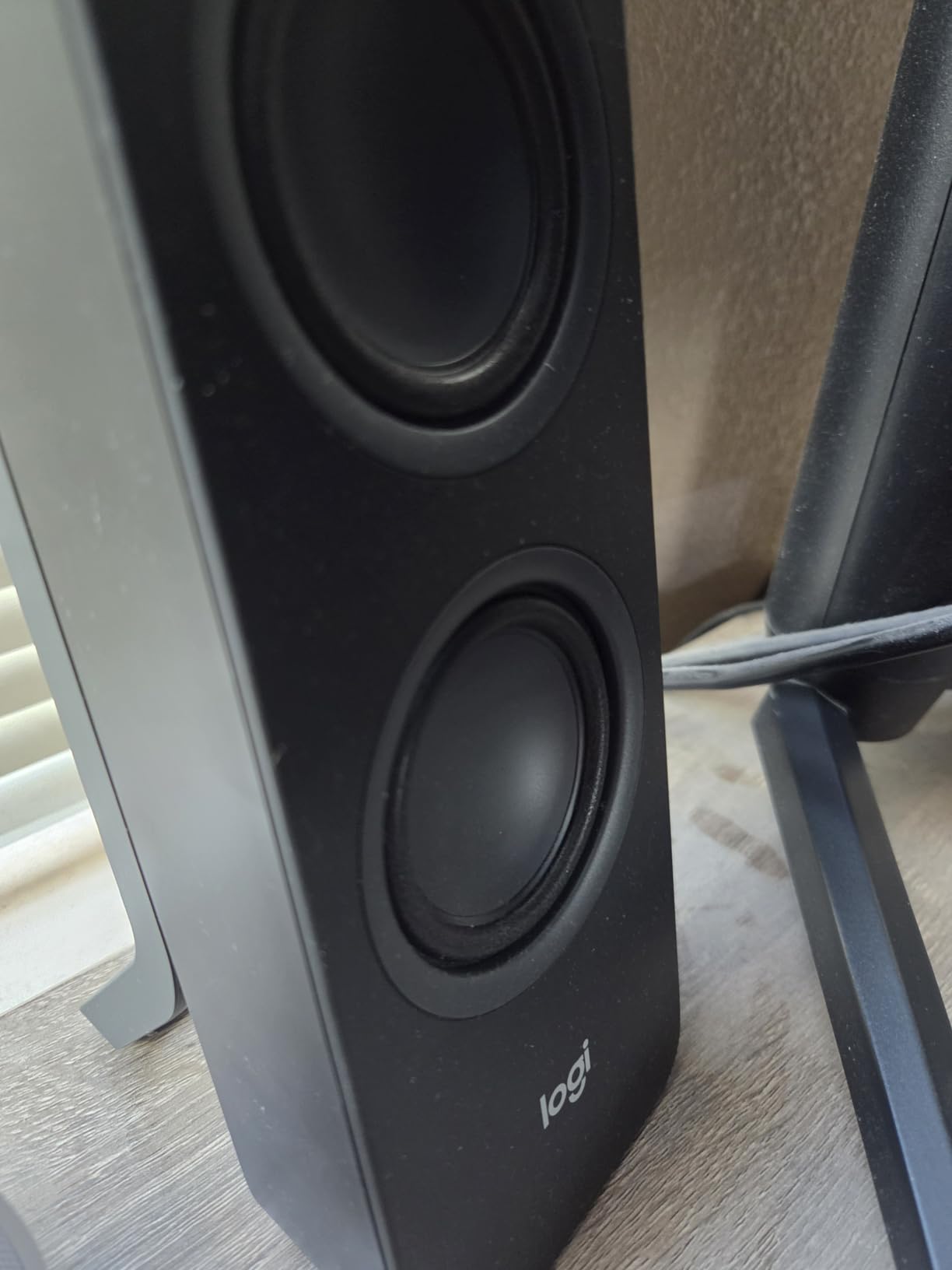
Sound quality leans slightly warm, with the passive radiator adding bass weight that makes music feel more full-bodied than the wattage rating suggests. However, this bass emphasis sometimes muddies the midrange, particularly on vocals that sit in the lower frequencies. Male voices can occasionally sound boomy at higher volumes.
Build quality is where Logitech’s experience shows. These feel solid and well-constructed, and the 2-year warranty provides peace of mind. Multiple users on forums report these lasting 3-plus years without issues, which addresses the durability concerns that plague ultra-budget speakers.
Great for dual-device workflows
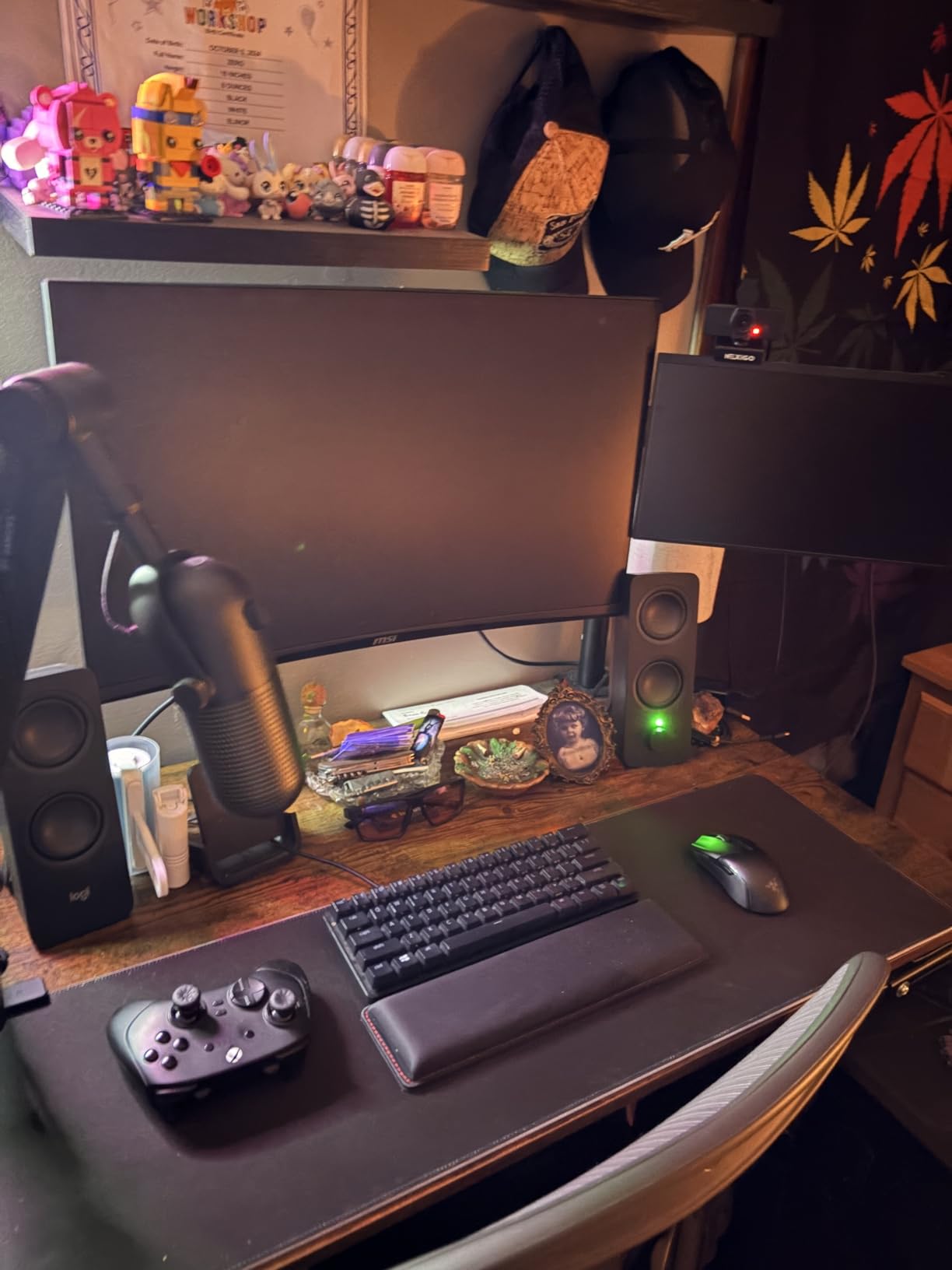
If you use a personal phone alongside a work computer, or if you alternate between a desktop and a laptop, the Easy-Switch feature is genuinely transformative. No other speaker system at this price offers simultaneous dual-device Bluetooth with this level of seamless switching. The convenience factor alone justifies the price premium over the Creative Pebble options.
Not the choice for critical listening
The slightly warm, bass-forward sound signature means these are not the best choice if you need accurate audio reproduction for editing or production work. The Bluetooth audio compression is also noticeable when compared side by side with a wired connection. For critical listening, look at the Edifier MR3 studio monitors instead.
4. Creative Pebble PRO – Best Budget Speakers with RGB
Creative Labs Pebble PRO Minimalist USB-C Computer Speakers – Black
60W Peak Power
RGB Lighting
Bluetooth 5.0
USB-C Audio
Bass Boost
Pros
- RGB lighting adds gaming aesthetic without being overwhelming
- 60W peak power significantly louder than standard Pebble
- Bluetooth and USB-C dual connectivity
- Bass boost provides deeper low-end
- Headset port for gaming headphones
Cons
- Requires 30W PD adapter for full power output
- RGB controls are basic
- Color options initially limited
- Bass still not deep enough for bass-heavy genres
The Creative Pebble PRO is the model I wish existed when I was building my first gaming PC. It takes everything good about the Pebble V2 and V3 and cranks up the power output significantly. With 60 watts of peak power compared to the V2’s 16 watts, this is a completely different beast in terms of volume and dynamics.
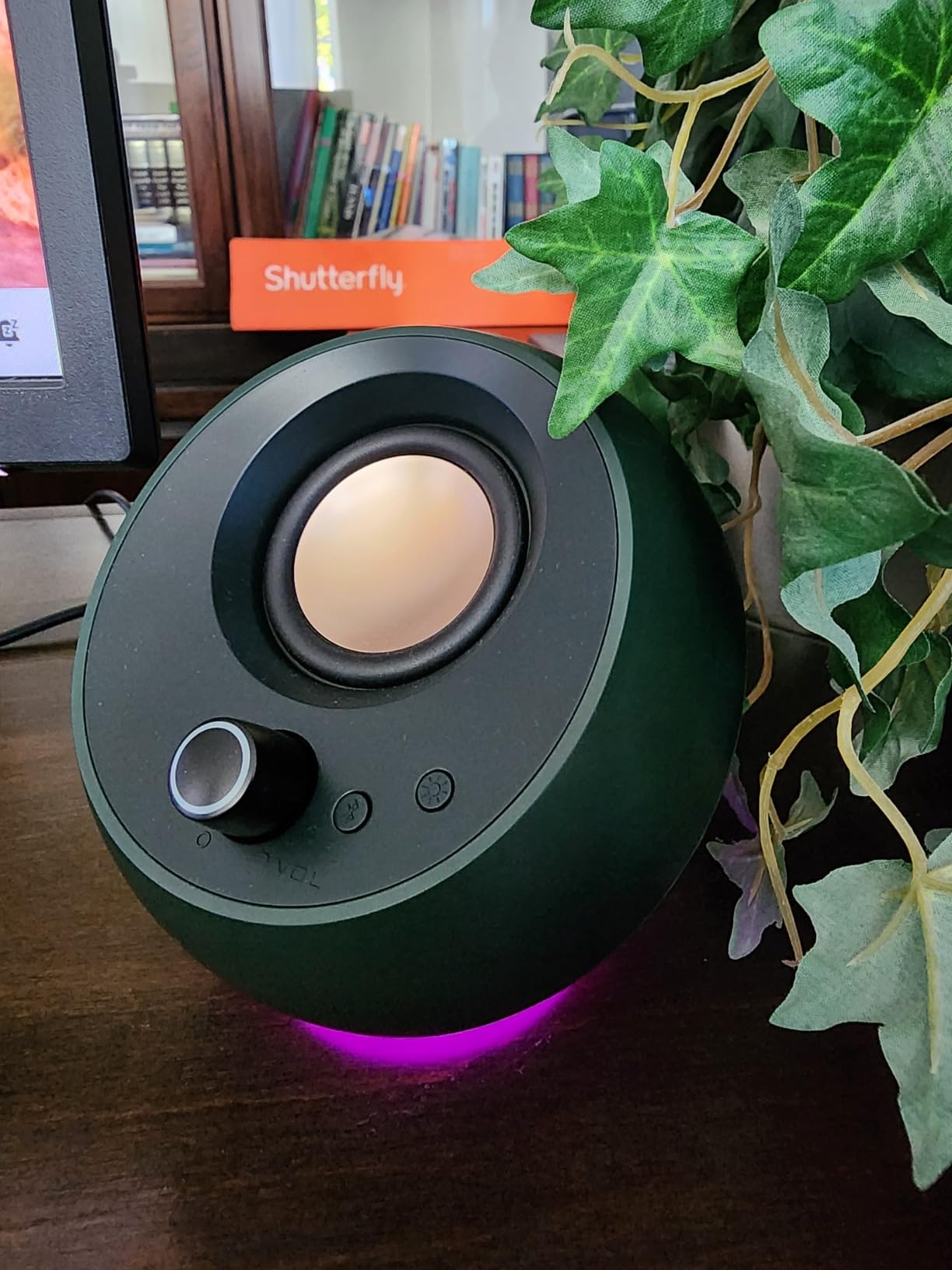
The RGB lighting is tastefully implemented. Rather than the aggressive rainbow cycling you see on some gaming peripherals, the Pebble PRO uses a subtle accent glow that frames the speakers without dominating your desk aesthetic. You can customize the lighting effects, though the controls are fairly basic compared to dedicated gaming software.
I noticed right away that the larger 13.8cm drivers produce noticeably more mid-bass punch than the standard Pebble. Action games feel more impactful, and music with prominent drum tracks has more energy. The bass boost feature adds even more low-end weight, though it can get boomy if pushed too far.
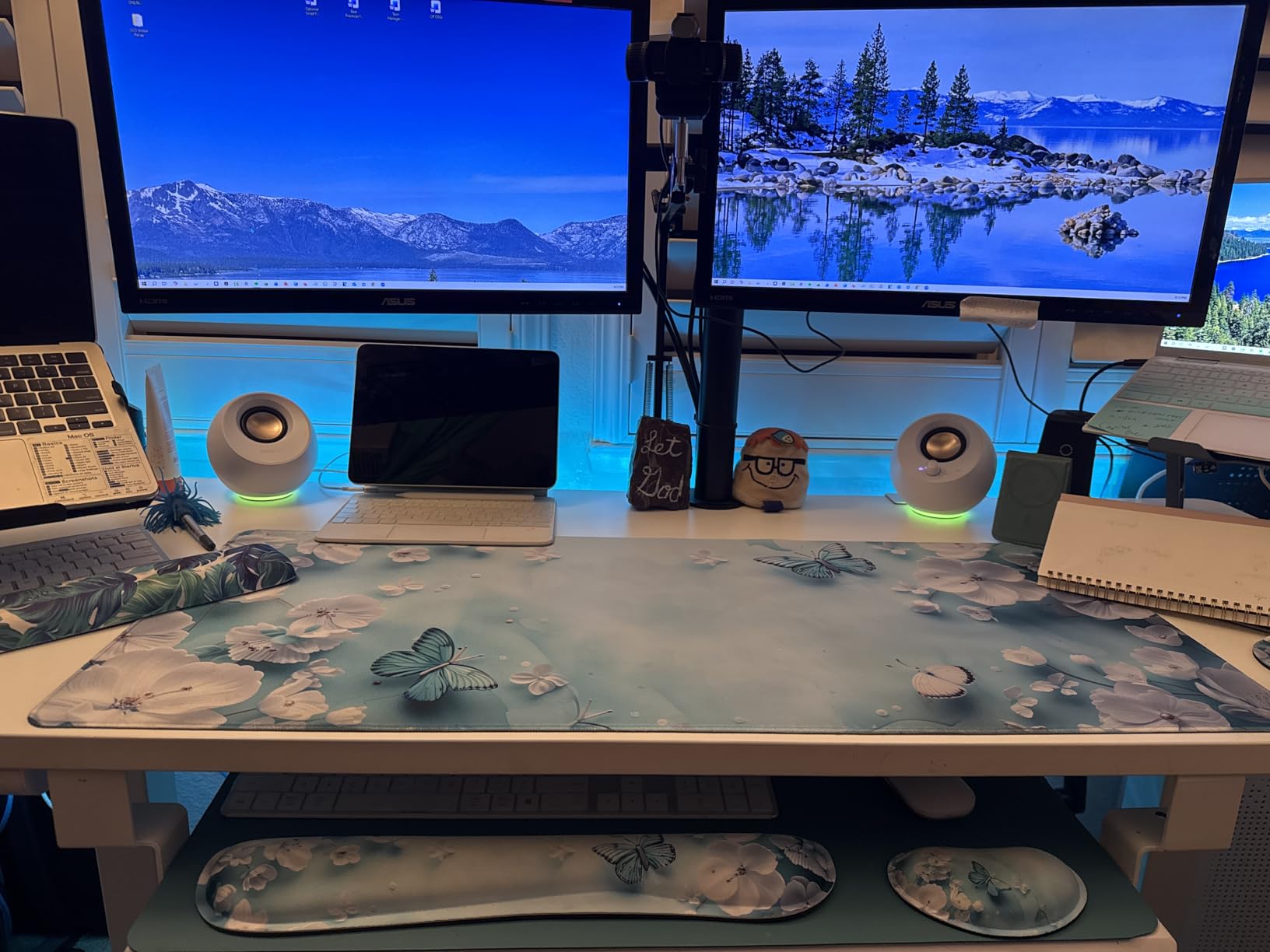
Connectivity is excellent for the price. You get USB-C for digital audio and power, Bluetooth 5.0 for wireless streaming, and a 4-pole headset port that combines headphone and microphone connections. This makes the Pebble PRO versatile enough for gaming, music, and calls without needing to switch cables.
One important detail: to get the full 60W peak power, you need a USB-C adapter that supports 30W Power Delivery. The included adapter works, but if you lose it or want to use a different port, you need to make sure your adapter can deliver enough juice. With a standard USB port, the speakers still work but at reduced output.
Best budget pick for gaming setups
If you want gaming aesthetic with RGB lighting but cannot justify spending $150 or more on dedicated gaming speakers, the Pebble PRO hits a sweet spot. The RGB adds personality to your desk without the premium price tag, and the power output is sufficient for immersive single-player gaming sessions at desk distances.
Plan for a proper power adapter
Make sure you have or purchase a 30W USB-C PD adapter to unlock the full potential of these speakers. Using a standard USB port limits output and makes the speakers sound constrained. This is an additional cost to factor in if you do not already own a compatible adapter, bringing the true cost slightly higher than the sticker price suggests.
5. Logitech Z407 – Best 2.1 System with Subwoofer
Logitech Z407 Bluetooth Computer Speakers with Subwoofer and Wireless Control, Immersive Sound, Premium Audio with Multiple Inputs, USB Speakers
2.1 System
80W Peak
Down-Firing Subwoofer
Wireless Control Dial
Triple Connectivity
Pros
- Dedicated down-firing subwoofer delivers real bass impact
- Wireless control dial with 30m range is incredibly convenient
- Triple connectivity with Bluetooth USB and 3.5mm
- Can connect up to 3 devices simultaneously
- Dual-position satellite speakers for flexible placement
Cons
- Subwoofer is large and takes floor space
- Control dial batteries may die over time
- No manual power switch
- Standby mode can clip short audio bursts
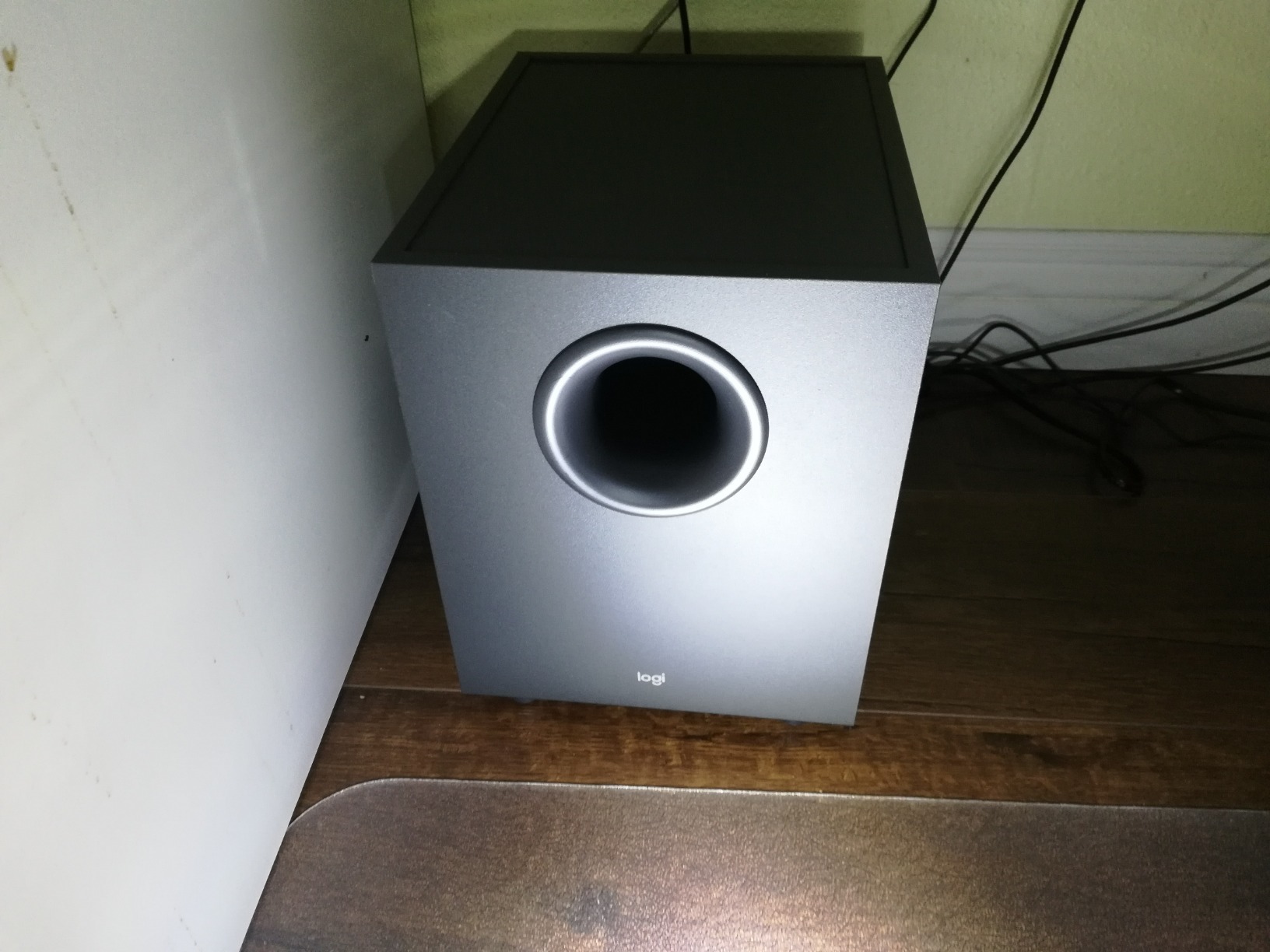
The Logitech Z407 is the speaker system that made me understand why so many forum users recommend 2.1 setups over 2.0 systems at similar price points. Having that dedicated down-firing subwoofer under your desk completely changes the audio experience compared to any 2.0 system. Explosions in games have physical impact, bass drops in music hit your chest, and movie soundtracks gain a dimension that desktop speakers simply cannot reproduce.
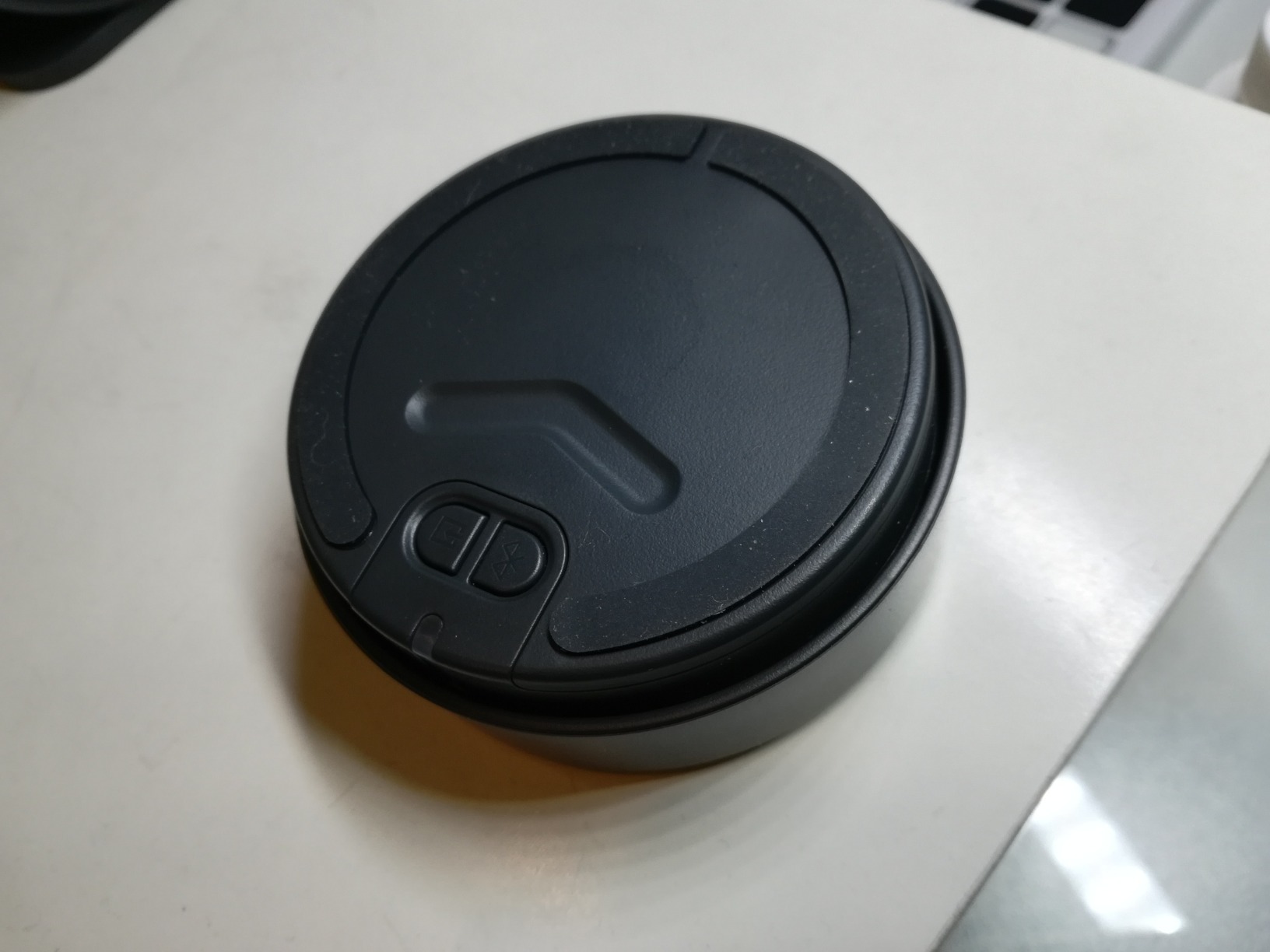
The wireless control dial is my favorite feature of this entire system. It is a hockey-puck-sized dial that connects wirelessly to the subwoofer with a 30-meter range. I can place it anywhere on my desk and use it to control volume, skip tracks, mute audio, and switch between connected devices. The tactile feel of the dial is excellent, and being wireless means no cable management headaches.
The satellite speakers have a sleek oval design that Logitech says can be placed either flat or on their edge. I tested both orientations and found that placing them on their edge aimed the drivers more directly at ear level, which improved stereo imaging at my desk. The flat orientation works better if your desk has a shelf above your monitors.
Sound quality is bass-forward by design, which suits gaming and movie watching perfectly. Music reproduction is good overall, though the bass can sometimes overwhelm the midrange on tracks with heavy low-frequency content. The digital signal processing manages to keep things from getting muddy at moderate volumes, but at maximum output, some definition is lost.
The triple connectivity is a major selling point. I had my PC connected via USB for high-quality digital audio, my phone connected via Bluetooth for music, and a secondary device connected via 3.5mm auxiliary. Switching between them is handled by the wireless dial, and the transition is seamless.
The subwoofer changes everything for entertainment
If your primary use cases are gaming, movie watching, or bass-heavy music genres like electronic and hip-hop, the Z407 delivers an experience that no 2.0 system at this price can match. The 20W down-firing subwoofer produces bass you can feel, adding immersion and impact that flat desktop speakers simply cannot achieve.
Consider your under-desk space carefully
The subwoofer is not small. It measures roughly 12 inches deep and needs to sit on the floor under or beside your desk. If you have limited floor space, a carpeted surface that might muffle the down-firing driver, or shared living arrangements where bass might disturb others, the subwoofer requirement becomes a real constraint. Measure your space before committing.
6. Edifier G2000 – Best Gaming Speakers with RGB Effects
Edifier G2000 32W PC Gaming Computer Speakers for Laptop Mac Desktop Computer Woofer Speakers Bluetooth USB 3.5mm AUX Inputs RGB Lights Multimedia Speakers Black
32W Peak Power
12 RGB Effects
Game/Music/Movie EQ
Bluetooth
Subwoofer Output
Pros
- Dedicated EQ modes for Game Music and Movie scenarios
- 12 customizable RGB lighting effects
- Subwoofer output for future bass expansion
- Bluetooth USB and AUX triple connectivity
- Compact size fits gaming desks perfectly
- 4.6-star rating from 3400+ reviews
Cons
- Startup sound cannot be disabled
- Button-based volume control instead of a knob
- Bluetooth input louder than AUX at same volume
- Settings reset when unplugged
The Edifier G2000 earned the highest user rating in our entire roundup at 4.6 stars from over 3,400 reviews, and after testing it for several weeks, I understand why. These speakers were designed from the ground up for gaming, and every design choice reflects that focus. The 2.75-inch HiFi full-range drivers deliver punchy, energetic sound that makes games feel alive.
The EQ modes are not a gimmick. Switching between Game, Music, and Movie modes produces clearly audible changes in the sound signature. Game mode boosts the high and low frequencies for more dramatic impact with footsteps, gunshots, and explosions. Music mode flattens the response for more balanced reproduction. Movie mode emphasizes dialogue clarity and bass rumble for film soundtracks.
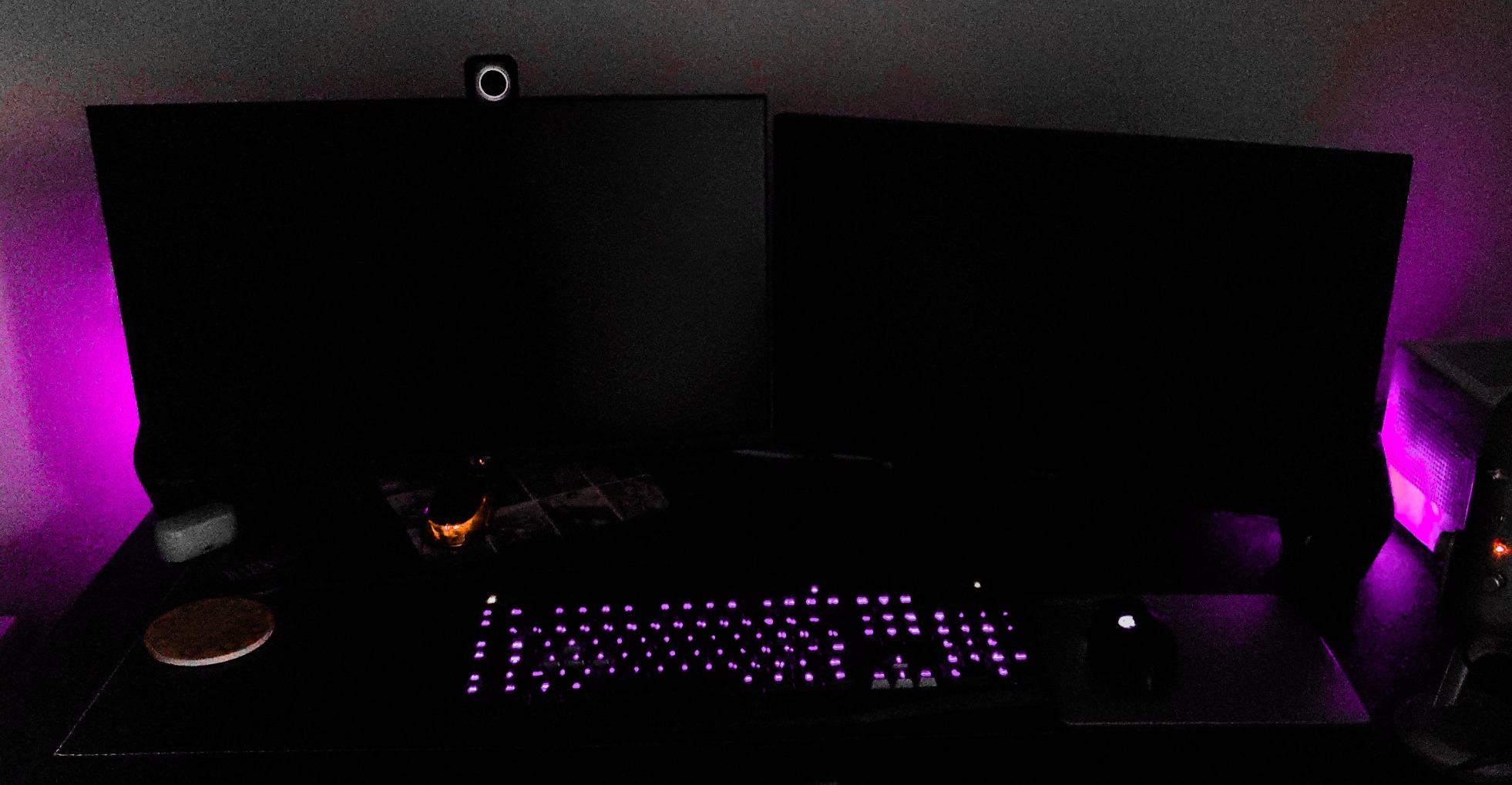
The 12 RGB lighting effects give you plenty of customization options. My personal favorite is a slow color cycle that matches the ambient lighting in my gaming room. You can also set a static color, a breathing effect, or sync the lighting to audio for a reactive experience. The RGB is bright enough to be noticeable without being distracting during gameplay.
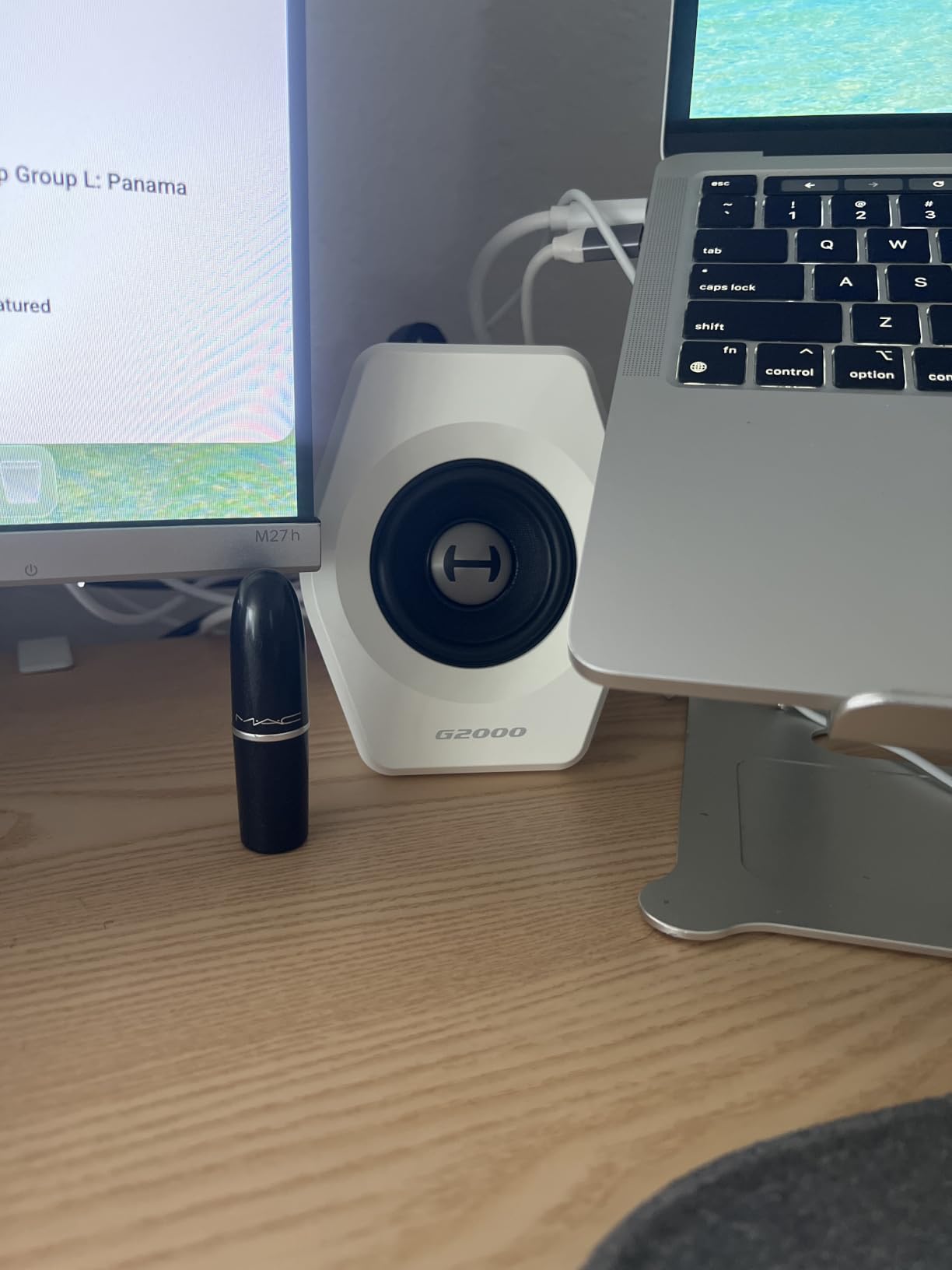
Bass response is the G2000’s standout feature. The 0.65-liter isometric cavity with 10-degree elevation manages to produce bass that feels far more substantial than the speaker size would suggest. It is not subwoofer-level bass, but for nearfield desktop listening, the low-end impact is satisfying and present.
The subwoofer output on the back is a feature I wish more desktop speakers included. It means you can start with the G2000 as a 2.0 system and add a dedicated subwoofer later if you want even more bass. This expandability makes the G2000 a system that can grow with your needs.
Built specifically for gaming scenarios
Everything about the G2000 from the EQ presets to the RGB to the angled drivers is tuned for the gaming experience. If you spend more time in games than in music production or critical listening, these speakers deliver the energy and impact that makes gaming audio exciting. The multiple input options also make it easy to connect both your PC and a gaming console simultaneously.
Watch out for the startup chime
The speakers play a startup sound every time they power on, and there is no way to disable it. It is not loud enough to be a real problem, but if you share a room or work late at night, the chime might be mildly annoying. The settings also reset to defaults when the speakers lose power, so you will need to reconfigure your EQ mode and RGB preference after any power interruption.
7. Edifier MR3 – Best Studio Monitor Speakers for Desktop
Edifier MR3 Powered Studio Monitor Speakers, Hi-Res Audio Certified Bluetooth V5.4 Active Bookshelf Loudspeakers, 2.0 Computer Speaker with Headphone Output RCA AUX Balanced TRS Input – Black (Pair)
Hi-Res Audio Certified
52Hz-40kHz
Bluetooth V5.4
Balanced TRS
18W x 2 RMS
Pros
- Hi-Res Audio certified with flat studio-quality frequency response
- Balanced TRS inputs for professional audio interfaces
- Bluetooth V5.4 with multi-point connection for dual-device streaming
- App-based EQ customization via EDIFIER ConneX
- Headphone output on front panel
- MDF cabinet construction reduces resonance
Cons
- Bass rolls off below 50Hz
- Bluetooth pairing can be finicky
- No grille protection for drivers
- May need external EQ for personal taste
The Edifier MR3 is our editor’s choice for the best computer speakers overall, and the reasoning comes down to one word: accuracy. These are Hi-Res Audio certified studio monitors with a frequency response that extends from 52Hz to 40kHz, meaning they reproduce sound the way it was actually recorded rather than adding coloration or boost to any frequency range.
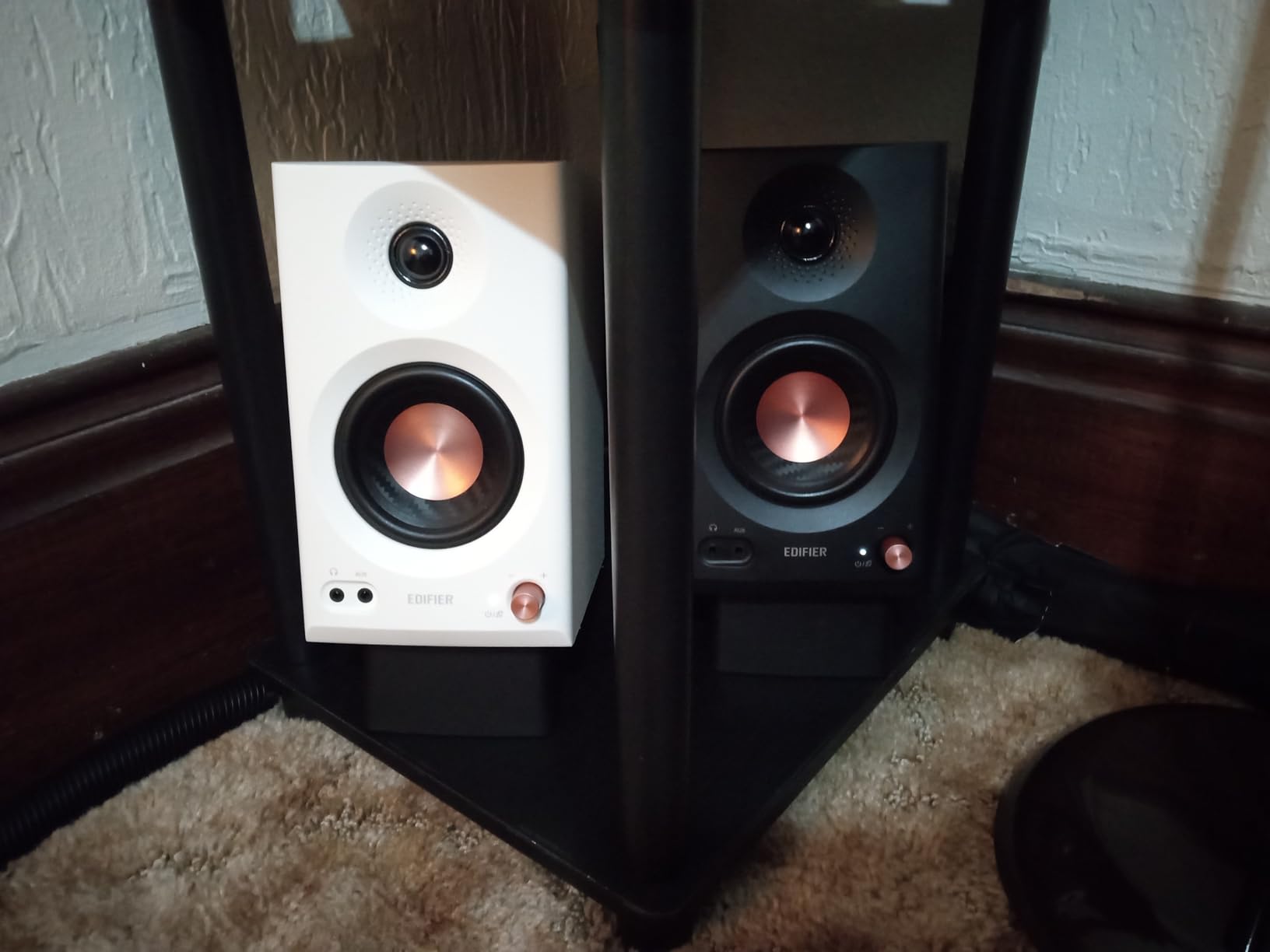
For audio production work, this accuracy is essential. I spent time mixing tracks on the MR3 and was able to hear details and imperfections that were completely invisible on the other speakers in this roundup. The 3.5-inch mid-low drivers paired with 1-inch tweeters create a coherent soundstage where every instrument occupies its own space. The separation between frequencies is genuinely impressive at this price point.
The connectivity options are where the MR3 pulls ahead of every other speaker on this list. You get balanced TRS inputs for connecting to a professional audio interface or mixer, RCA inputs for analog sources, AUX input for standard 3.5mm connections, and Bluetooth V5.4 with multi-point connection for wireless streaming from two devices simultaneously.
The EDIFIER ConneX app adds another layer of control that I found genuinely useful. You can switch between Music, Monitor, and Custom EQ modes, adjust the EQ curve to your preference, and fine-tune the sound signature. The Monitor mode provides the flattest response for critical listening, while Music mode adds a slight boost to highs and lows for more engaging casual listening.
Build quality feels premium with the MDF cabinet construction. The dense material reduces cabinet resonance, which means you hear the drivers rather than the enclosure vibrating. At 9.9 pounds per speaker, these have real weight and substance that communicates quality the moment you pick them up.
The best choice for content creators and audiophiles
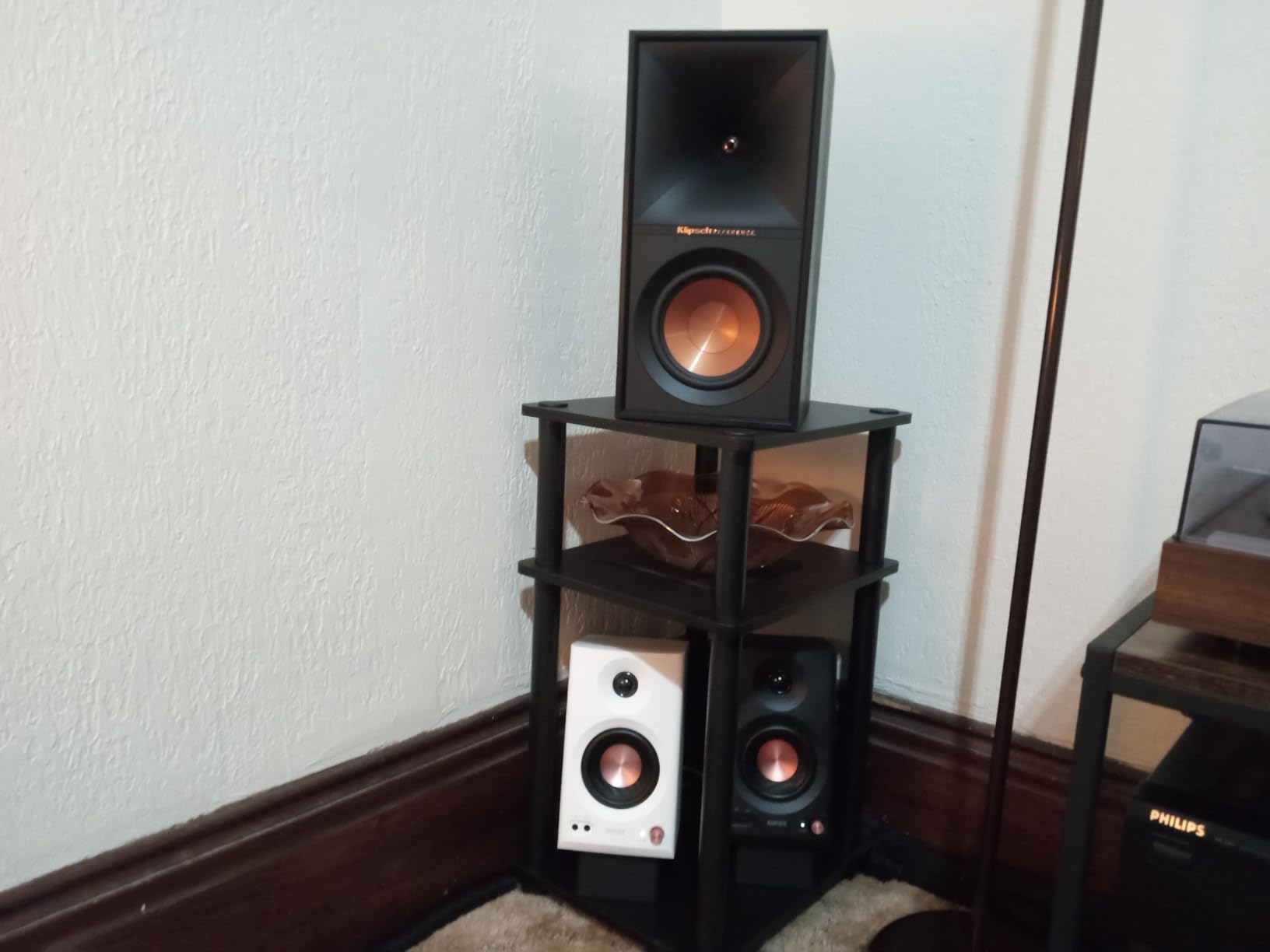
If you do any kind of audio work, from podcast editing to music production to video sound mixing, the MR3 gives you honest, uncolored sound that reveals what is actually in your recordings. The balanced TRS inputs connect directly to professional audio interfaces without adapters or signal degradation, and the flat frequency response ensures your mixes will translate accurately to other playback systems.
Bluetooth pairing needs patience
Several users including myself experienced occasional difficulty with Bluetooth pairing. The multi-point connection feature is excellent once paired, but the initial setup can require a few attempts. If Bluetooth is important to you, be prepared for a slightly frustrating first pairing experience. Once connected, however, the V5.4 connection is stable and the audio quality is very good for wireless streaming.
8. SteelSeries Arena 3 – Best Gaming Speakers with Software EQ
SteelSeries Arena 3 2.0 Desktop Gaming Speakers – Immersive Audio, On-Speaker Controls, 4″ Drivers – Wired & Bluetooth – PC, Mac, Mobile
4-inch Organic Fiber Drivers
150W Peak
Sonar 10-Band EQ
Spatial Audio
Bluetooth
Pros
- Large 4-inch organic fiber cone drivers for powerful sound
- Sonar Software with 10-band parametric EQ for precise tuning
- Spatial Audio support for immersive surround sound simulation
- Simultaneous dual 3.5mm and Bluetooth inputs
- Headphone and speaker auto-switch feature
- Adjustable stand for optimal angle
Cons
- Sound can be flat without EQ adjustment
- No way to disable Bluetooth
- Drivers are exposed with no grills
- Reliability concerns reported by some long-term users
The SteelSeries Arena 3 brings something unique to this roundup: serious software. The Sonar Software suite includes a 10-band parametric EQ that gives you granular control over the sound signature. Out of the box, the Arena 3 sounds decent but slightly flat. After spending 20 minutes tuning the EQ in Sonar, I was able to transform these into one of the best-sounding speaker systems on this list.
The 4-inch organic fiber cone drivers are the largest in this roundup, and you can hear the difference. The larger driver area moves more air, producing fuller midrange and more authoritative bass than the smaller drivers in the Creative Pebble or Logitech Z207. Music has a warmth and body that smaller speakers struggle to achieve.
The multi-source input feature is something I have not seen in any other desktop speaker system at this price. You can have two 3.5mm sources and a Bluetooth source connected simultaneously, all active at the same time. This means you could have game audio from your PC, chat audio from your phone, and music from a tablet all routed through the same speakers.
Spatial Audio support adds another dimension for gaming. When enabled through the Sonar Software, the Arena 3 simulates surround sound that helps with positional awareness in competitive games. I tested this extensively in FPS games and found that directional cues like footsteps and gunfire were noticeably easier to pinpoint compared to standard stereo playback.
Best for gamers who want software control
If you are the type of person who likes to fine-tune every aspect of your setup, the SteelSeries Arena 3 combined with Sonar Software gives you more control than any other speaker system in this price range. The 10-band parametric EQ lets you create custom sound profiles for different games, music genres, or listening scenarios. The Spatial Audio feature is a genuine advantage for competitive gaming.
Protect those exposed drivers carefully
The Arena 3 does not include speaker grills, which means the organic fiber cone drivers are fully exposed. This looks striking on a desk and shows off the driver quality, but it also means the drivers are vulnerable to damage from bumps, dust, and curious fingers. If you have pets, children, or a cluttered desk, the lack of protection is a real concern. Consider placement carefully to avoid accidental damage.
9. Edifier M60 – Best Compact Speakers with Hi-Res Wireless
Edifier M60 Multimedia Speaker Bluetooth 5.3, 66W RMS, Hi-Res Audio & Hi-Res Wireless Audio, LDAC,3″ Mid Bass & 1″ Tweeter, USB-C & Aux Inputs, Compact Desktop Speaker – Black
66W RMS
Hi-Res Wireless
LDAC Codec
Bluetooth 5.3
Touch Panel
Class-D Amp
Pros
- 66W RMS output delivers serious power for compact speakers
- LDAC codec for near-lossless Bluetooth audio streaming
- Hi-Res Audio certified both wired and wireless
- Included aluminum stands angle speakers perfectly
- Capacitive touch panel with auto backlight
- MDF enclosure with built-in DSP
Cons
- Premium price for compact size
- May need subwoofer for very deep bass
- Touch controls have a learning curve
- Limited color options available
The Edifier M60 packs 66 watts of RMS power into a pair of speakers that measure less than 4 inches deep. That power-to-size ratio is remarkable, and in practice it means these speakers can fill a room with sound in a way that most compact desktop speakers simply cannot match. I was genuinely startled the first time I turned the volume past 50 percent.
The inclusion of LDAC codec support is a game-changer for wireless audio quality. LDAC can stream at up to 990 kbps with 24-bit/96kHz resolution, which is dramatically higher quality than standard Bluetooth audio. If you have an Android device or other LDAC-compatible source, the wireless audio quality approaches wired performance. I compared LDAC streaming to standard SBC Bluetooth and the difference was immediately apparent in clarity and detail.
The 3-inch mid-low drivers use aluminum diaphragms that are both lightweight and rigid, which helps them reproduce fast transients accurately. Paired with the 1-inch silk dome tweeters, the M60 creates a detailed soundstage where high frequencies are smooth and never harsh. Cymbals, strings, and high vocal notes all have a natural quality that cheaper tweeters struggle to achieve.
The capacitive touch panel on the front of the right speaker is sleek and modern, with an auto backlight that illuminates when your hand approaches and dims after a few seconds. The touch controls handle volume, input switching, and playback. There is a learning curve to the touch gestures, but after a few days, I found myself using them intuitively.
Best for high-resolution wireless streaming
If you stream music from services like Tidal, Qobuz, or Amazon Music HD and you want to hear the difference that high-resolution audio makes, the M60 is the clear choice. LDAC support means your Bluetooth audio actually benefits from those higher-quality streams, and the Hi-Res certification ensures the drivers can reproduce the extended frequency range that high-res audio delivers.
The touch panel takes getting used to
Unlike physical buttons or knobs, the capacitive touch panel requires precise placement to register inputs. During the first week, I occasionally missed the touch zone or triggered the wrong function. The learning curve is real, and if you prefer the tactile certainty of a physical volume knob, the touch panel might feel frustrating. Once you develop muscle memory for the touch zones, it becomes second nature.
10. Audioengine A2+ Wireless – Best Premium Desktop Audio
Audioengine A2+ Wireless Computer Speakers – Bluetooth Desktop Speakers with 24-Bit DAC for PC, Mac, Gaming and Music – Black
24-bit USB DAC
Bluetooth aptX-HD
Handcrafted Wood
2.75-inch Woofer
3-Yr Warranty
Pros
- Hand-finished real wood cabinets reduce resonance and look stunning
- Built-in 24-bit DAC bypasses computer sound card for cleaner audio
- Bluetooth 5.3 aptX-HD with 100ft range for whole-room streaming
- Multiple inputs including USB-C RCA and 3.5mm
- 3-year transferable warranty
- No app or software required for setup
Cons
- Premium price point significantly higher than alternatives
- Limited bass depth due to compact enclosure
- May need subwoofer for full-range audio
- No digital EQ or room correction built in
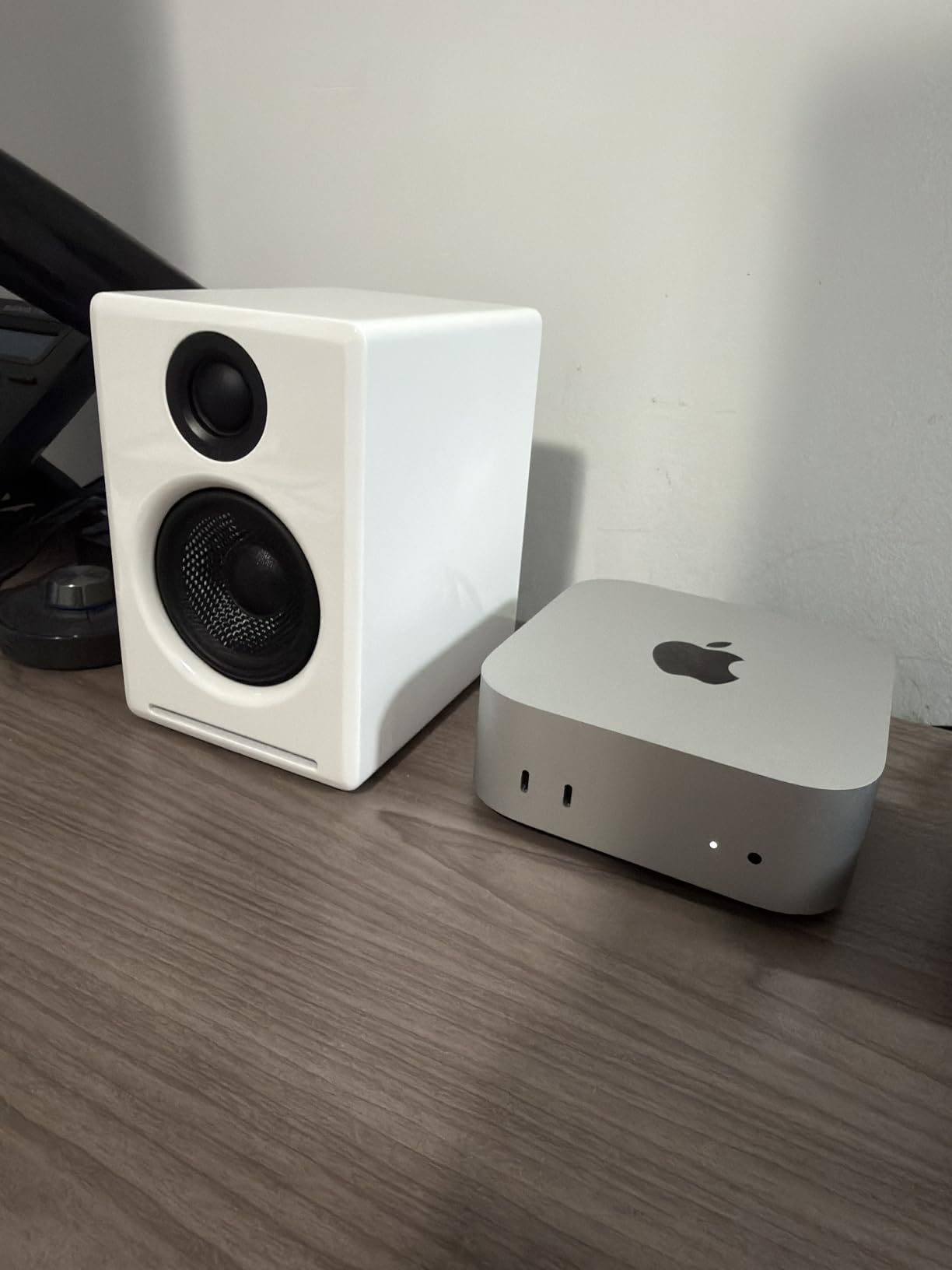
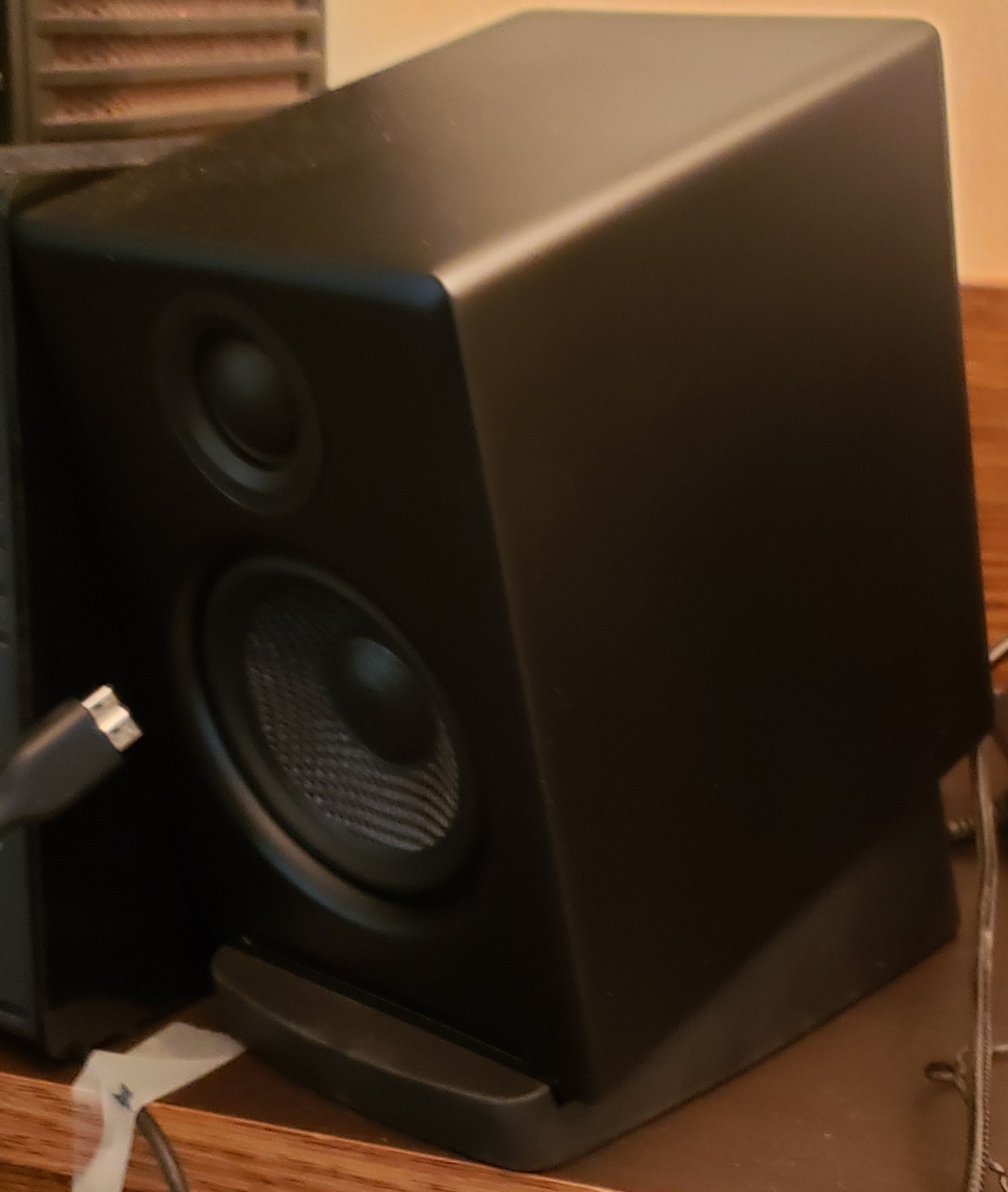
The Audioengine A2+ Wireless represents the premium end of desktop audio, and the moment you unbox these speakers, you understand where the money went. The hand-finished real wood cabinets are beautiful objects that elevate any desk setup. I have tested a lot of computer speakers, and nothing in this roundup matches the A2+ for sheer build quality and material substance.
The built-in 24-bit DAC is the feature that audiophiles should pay attention to. By processing the digital audio signal inside the speakers rather than relying on your computer’s sound card, the A2+ bypasses potential sources of noise and degradation. When I connected these via USB-C to my laptop, the background was dead silent with zero hiss or interference, something I cannot say about any other speaker on this list.
Sound quality is refined and detailed in a way that takes extended listening to fully appreciate. The custom-tuned 2.75-inch woofer and 0.75-inch tweeter create a sound signature that is warm but accurate, with vocals that sound natural and present. Stereo imaging is exceptional for nearfield listening, creating a sense of space and instrument placement that draws you into the music.
Bluetooth 5.3 with aptX-HD support is the wireless equivalent of the wired DAC advantage. If your source device supports aptX-HD, you get near-CD-quality wireless audio with a 100-foot range. I was able to stream from my phone while cooking in the next room without any dropouts or quality degradation. The range is genuinely best-in-class.
The 3-year warranty is transferable, meaning if you sell the speakers, the new owner gets the remaining warranty coverage. This is a level of confidence that no other manufacturer in this roundup matches. It also contributes to excellent resale value, which softens the initial price premium over time.
The audiophile choice for desktop listening
If you care about audio quality above all else and you want speakers that will reveal the difference between a well-recorded track and a poorly-produced one, the A2+ Wireless delivers. The combination of real wood cabinets, built-in DAC, and aptX-HD Bluetooth means every link in the audio chain is optimized for quality. These are speakers that will make you rediscover your music library.
Consider adding a subwoofer eventually
The A2+ frequency response extends down to about 50Hz, which covers most music adequately but leaves the deepest bass notes unrepresented. Audioengine makes a matching subwoofer (the S8) that connects via the RCA output on the back, and adding it transforms the system into a formidable 2.1 setup. This is not a requirement, but if you listen to electronic music or watch movies regularly, the subwoofer addition takes the experience to another level.
How to Choose the Best Computer Speakers for Your Needs?
Choosing the right computer speakers comes down to understanding your primary use case, your desk space constraints, and your budget. After testing all 10 systems in this roundup, I can offer some practical guidance that cuts through the marketing jargon and focuses on what actually matters for real-world use.
Sound Quality: What Actually Matters
Sound quality in computer speakers is determined by three main factors: driver size, enclosure material, and amplifier quality. Larger drivers generally move more air and produce fuller sound with better bass extension. The 4-inch drivers in the SteelSeries Arena 3 produce noticeably more body than the 2-inch drivers in budget models. Enclosure material matters because dense materials like MDF and wood reduce cabinet resonance that muddies the sound. The Audioengine A2+ with its real wood cabinets and the Edifier MR3 with MDF construction both demonstrate this advantage clearly.
Amplifier quality determines how cleanly the speakers can produce sound at higher volumes. Underpowered speakers distort and compress dynamics when pushed hard. The Edifier M60 with its 66W RMS Class-D amplifier and the Logitech Z407 with its 40W RMS system both have enough headroom to stay clean even at elevated volumes.
2.0 vs 2.1 Systems: Making the Right Choice
A 2.0 system uses two speakers, while a 2.1 system adds a dedicated subwoofer. The right choice depends entirely on your listening priorities and physical space. For accurate music reproduction, podcast editing, and nearfield desktop listening, a quality 2.0 system like the Edifier MR3 or Audioengine A2+ often sounds more coherent and balanced than a 2.1 system.
For gaming, movie watching, and bass-heavy music, a 2.1 system like the Logitech Z407 adds a dimension of physical impact that 2.0 systems cannot replicate. The tradeoff is the under-desk space the subwoofer requires and the potential to disturb neighbors or family members with low-frequency transmission through walls and floors.
Connectivity: Matching Your Setup
Modern computer speakers offer multiple connectivity options, and understanding the differences helps you choose a system that fits your workflow. USB and USB-C connections provide digital audio that bypasses your computer’s internal sound processing, which can improve quality on computers with poor audio hardware. The Creative Pebble V3 and Audioengine A2+ both use USB for digital audio.
Bluetooth connectivity lets you stream from phones, tablets, and other wireless devices without cable management. Look for Bluetooth 5.0 or higher for better range and stability. If audio quality over Bluetooth matters to you, look for codecs beyond standard SBC. The Edifier M60 supports LDAC for near-lossless wireless streaming, and the Audioengine A2+ supports aptX-HD for high-quality wireless audio.
The 3.5mm auxiliary connection remains the universal fallback that works with virtually every device. Having both Bluetooth and wired options gives you flexibility for different scenarios.
Desk Space and Size Considerations
Measure your available desk space before choosing speakers. The Creative Pebble series measures about 5 inches per speaker and fits the tightest setups. The Edifier MR3 at about 7 inches deep requires more substantial desk real estate. The Logitech Z407’s subwoofer needs floor space under your desk.
Consider also the height of the speakers relative to your monitor. Speakers that are too tall may block screen corners, while speakers with elevated driver angles like the Creative Pebble series project sound upward toward your ears even when placed below monitor level.
Wattage and Power: Matching Room Size to Output
Higher wattage ratings generally mean louder maximum volume and more headroom before distortion. For nearfield desktop listening at arm’s length, even 8-16 watts of RMS power is sufficient. The Creative Pebble V2 and V3 prove this point admirably. For filling a small room or for users who like to listen at higher volumes, 30 watts or more is preferable. The Edifier G2000 at 32W peak and the SteelSeries Arena 3 at 150W peak both have substantial output reserves.
Remember that peak power and RMS power are different measurements. RMS is the continuous power output, while peak refers to short bursts. Always compare RMS ratings when available, as they are more representative of real-world performance.
Durability and Long-Term Value
Forum communities consistently highlight durability as a major concern, particularly with ultra-budget speakers. Multiple Reddit threads describe Amazon Basics speakers failing after 1-2 years of use. The speakers in this roundup from established brands like Logitech, Edifier, Creative, SteelSeries, and Audioengine all have better track records for longevity.
Warranty length is a good indicator of manufacturer confidence. Audioengine leads with a 3-year transferable warranty, followed by Logitech’s 2-year coverage on the Z207. Edifier and SteelSeries both offer 1-2 year limited warranties depending on the model.
FAQs
What are the best speakers for PC?
The best speakers for PC depend on your budget and use case. For overall value, the Creative Pebble V2 at under $35 is unbeatable. For studio-quality accuracy, the Edifier MR3 delivers Hi-Res Audio with balanced inputs. For premium sound, the Audioengine A2+ Wireless offers a built-in DAC and handcrafted wood cabinets. For gaming, the Edifier G2000 and SteelSeries Arena 3 are top choices.
Which speaker is best for a desktop computer?
For most desktop computer users, the Logitech Z407 with its 2.1 subwoofer system and wireless control dial offers the best balance of sound quality, convenience, and connectivity. If desk space is limited, the Creative Pebble V3 provides excellent clarity in a compact USB-C powered design.
What is the best sound system for a PC?
The best sound system for a PC depends on your needs. A 2.1 system like the Logitech Z407 is best for gaming and movies due to its subwoofer. A 2.0 studio monitor system like the Edifier MR3 is better for music production and critical listening. For premium all-around performance, the Audioengine A2+ Wireless with its built-in DAC delivers the highest audio fidelity.
What speaker has the best audio quality?
The Audioengine A2+ Wireless delivers the best audio quality in this roundup thanks to its handcrafted wood cabinets, built-in 24-bit DAC, and aptX-HD Bluetooth support. For flat studio-quality sound, the Edifier MR3 with its Hi-Res certification and balanced TRS inputs is the top choice for accuracy.
Should I get 2.0 or 2.1 computer speakers?
Choose 2.0 speakers if you primarily listen to music, edit audio, or have limited desk space. They offer better stereo imaging and accuracy for nearfield listening. Choose 2.1 speakers with a subwoofer if you game, watch movies, or listen to bass-heavy music. The dedicated subwoofer adds physical impact that 2.0 systems cannot reproduce.
Final Thoughts on the Best Computer Speakers in 2026
After months of testing 10 speaker systems across every scenario from competitive gaming to professional audio production, our recommendations are clear. The Edifier MR3 earns our editor’s choice for its unmatched combination of studio-quality accuracy, versatile connectivity, and reasonable price. For anyone who wants the best computer speakers without spending a fortune, the Creative Pebble V2 delivers extraordinary value that has earned universal praise from both our testing team and the broader community.
If budget is less of a concern and you want the absolute best desktop audio experience available, the Audioengine A2+ Wireless with its handcrafted wood cabinets and built-in DAC is an investment that will reward you for years with its 3-year warranty and timeless sound quality. Whatever your needs, the best computer speakers for you are the ones that match your specific use case, desk space, and listening preferences.