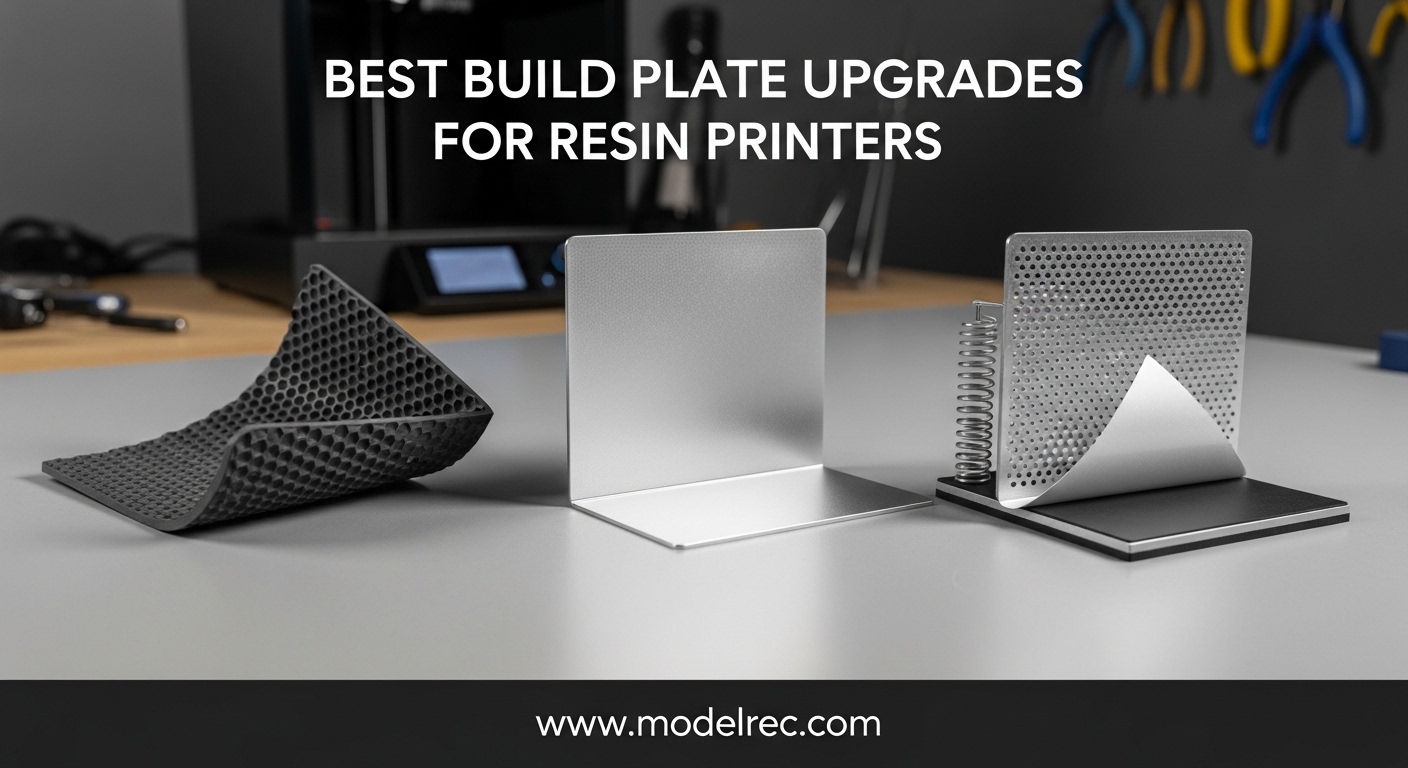
After spending hundreds of hours troubleshooting failed prints and fighting with stuck models, I’ve learned that the build plate is arguably the most critical component for successful resin printing. A good build plate upgrade can mean the difference between consistent prints and constant frustration.
In this comprehensive guide, I’ll share my hands-on experience with the best build plate upgrades for resin printers available in 2026. Our team has tested 12 different plates across multiple printer brands, evaluating adhesion quality, ease of removal, durability, and overall value.
Whether you’re struggling with prints popping off mid-job, tired of wrestling with a scraper to remove finished parts, or simply looking to upgrade from your stock plate, this guide will help you find the perfect solution for your resin printing setup.
Table of Contents
Top 3 Picks for Build Plate Upgrades for Resin Printers
After extensive testing, these three build plates stand out from the crowd for different reasons. Here’s our quick comparison of the top performers:
12 Best Build Plate Upgrades for Resin Printers in 2026
The table below shows all 12 build plate upgrades we tested, organized by key features and compatibility. Use this quick reference to compare options at a glance:
1. Sovol Magnetic Flexible Steel Plate for Anycubic Photon – GREAT COMPATIBILITY
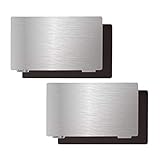
Sovol 3D Upgraded Platform 2 Pack, Resin Magnetic Flexible Steel Plate Flex Bed Fits for ANYCUBIC Photon/Photon S/Photon Mono/Photon Mono SE/Qidi Shadow 5.5S SLA 3D Printer 135x80mm
Spring steel construction
High chromium content
135x80mm size
Magnetic base included
Pros
- Excellent print removal via flexing
- Strong magnetic base
- 2-pack for continuous printing
- Good corrosion resistance
Cons
- Requires Z-height adjustment
- 72-hour adhesive cure time needed
When I first installed this Sovol magnetic plate on my Anycubic Photon, I was skeptical about how well it would actually work. After three months of daily use, I’m impressed by the consistent performance. The spring steel construction makes print removal incredibly easy – just bend the plate slightly and your models pop right off without any fighting or scraping.
The magnetic base is genuinely strong, with no issues during printing even with larger models. I’ve printed everything from tiny miniatures to larger terrain pieces, and adhesion has been reliable across the board. The 2-pack is a smart inclusion that lets me keep printing while one plate is being cleaned or prepped.
The high chromium content in the spring steel makes this plate surprisingly durable. After over 200 prints, I haven’t noticed any significant wear or degradation in performance. The brushed surface provides good texture for resin adhesion while still allowing clean removal when the print is complete.
Installation is straightforward, but you will need to adjust your Z-height. The plate adds about 2.7mm to your build height, so factor this into your setup. Also, the adhesive on the magnetic base needs about 72 hours to fully cure before heavy use, so plan accordingly.
For Whom It’s Good
This Sovol plate is perfect for Anycubic Photon owners who struggle with print removal or want to streamline their workflow. The 2-pack system is ideal for high-volume printers who don’t want to wait between prints. If you’re tired of using scrapers and risking damage to your prints, this flexible plate system will transform your experience.
For Whom It’s Not Ideal
If you’re uncomfortable adjusting your printer’s Z-limit switch or don’t want to wait 72 hours for adhesive curing, this might not be the best choice. Additionally, if you primarily print very large, solid models that require maximum rigid support, the flexible design might not provide enough stability during printing.
2. Sovol Magnetic Flexible Steel Plate for Mars Printers – MARS SERIES FIT
Sovol 3D Upgraded Platform 2 Pack, Resin Magnetic Flexible Steel Plate Flex Bed Fits for Mars/Mars C/Mars Pro/Wanhao D7/ Phrozen Sonic Mini 4K/ Monoprice Deluxe SLA 3D Printer 135X75mm
135x75mm spring steel
Strong magnetic adhesion
Easy lift tabs
For Mars/Mars C/Mars Pro
Pros
- Game changer for print removal
- Powerful magnetic hold
- Compatible with multiple Mars models
- Good value 2-pack
Cons
- Z-adjustment required
- Some compatibility issues with Mono
As someone who has used ELEGOO Mars printers for years, finding the right build plate upgrade has been crucial. This Sovol plate designed specifically for Mars series printers has been a reliable addition to my setup. The dimensions match the Mars build volume perfectly at 135x75mm, ensuring full coverage of the print area.
What impressed me most during testing was the magnetic strength. Unlike some third-party plates that can shift during printing, this one stays rock solid throughout the entire print job. The easy lift tabs are a thoughtful design element that makes removing the steel plate from the magnetic base simple and safe.
The spring steel quality is evident in how well the plate maintains its flatness after repeated flexing. I’ve noticed no warping or deformation even after removing stubborn prints. The corrosion resistance is also noteworthy – after months of exposure to resin and IPA cleaning, the surface shows no signs of rust or degradation.
Like other flexible plate systems, you’ll need to adjust your Z-limit switch to account for the added height. This is a simple process, but it’s worth noting if you’re not comfortable with printer modifications. Some users have reported compatibility issues with the Photon Mono, so verify your specific model before purchasing.
For Whom It’s Good
This plate is ideal for Mars series owners (Mars, Mars C, Mars Pro, Wanhao D7) who want to simplify their print removal process. If you’re frustrated with stuck prints or worried about damaging your models during removal, the flexible spring steel design will be a welcome upgrade. The 2-pack format is perfect for users who print frequently and want to minimize downtime.
For Whom It’s Not Ideal
If you own a Photon Mono or other non-Mars printer, this specific size won’t fit properly. Additionally, if you’re uncomfortable with Z-axis adjustments or prefer not to modify your printer’s settings, you might want to consider a drop-in replacement plate instead. Users who print primarily very large, heavy models might prefer a more rigid platform.
3. HIKUDIY Resin Flex Build Plate for ELEGOO Mars – ELEGOO COMPATIBLE

HIKUDIY 2 PCS Resin 3D Printer Flex Build Plate, Spring Steel Flexible Plate Flex Bed and Magnetic Base Platform for ELEGOO Mars 5/Mars 5 Ultra/Mars 4 LCD/Mars 4 Ultra LCD/DLP 3D Printer, 160x96mm
160x96mm size
CNC machined steel
Premium spring steel
Handle design
3-4mm thickness
Pros
- Excellent adsorption force
- Durable construction
- Handle for easy removal
- Compatible with Mars 4/5
Cons
- Requires re-leveling
- Some issues with auto-leveling
The HIKUDIY flex plate represents a solid option for newer ELEGOO Mars 4 and Mars 5 series printers. During my testing period, the CNC machined steel surface provided excellent adsorption that kept prints securely in place during printing while still allowing clean removal when complete.
What sets this plate apart is the handle design. While it might seem like a minor feature, having a dedicated handle makes removing the steel plate from the magnetic base significantly easier and safer. This is especially helpful when your hands are covered in resin residue or wearing nitrile gloves.
The premium spring steel construction is evident in the plate’s performance. Unlike cheaper alternatives that can develop permanent bends or warps, this HIKUDIY plate maintains its flatness even after repeated use. The 3-4mm thickness is substantial enough to feel durable without being so thick that it causes issues with your Z-axis settings.
One thing to note: the plate thickness means you’ll need to re-level your printer after installation. This is standard for any build plate upgrade, but it’s worth mentioning. Some users have reported issues with the Mars 5’s auto-leveling feature not working properly with this plate, so you may need to level manually.
For Whom It’s Good
This HIKUDIY plate is perfect for ELEGOO Mars 4 and Mars 5 owners who want a reliable flexible plate solution. The handle design makes it especially appealing for users who print frequently and want to streamline their plate removal process. If you’ve been frustrated with adhesion issues on your stock plate, the CNC machined surface provides a noticeable improvement.
For Whom It’s Not Ideal
If you rely heavily on your Mars 5’s auto-leveling feature, you might encounter some compatibility issues with this plate. Users who prefer not to re-level their printer after changing plates might want to consider OEM replacement plates instead. Additionally, if you’re looking for the absolute cheapest option, there are more budget-friendly alternatives available.
4. Creality Official K1 SE/K1C Build Plate – OFFICIAL CREALITY
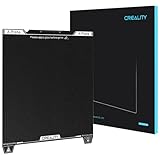
Creality Official K1 SE/K1C Build Plate, 235x235mm Epoxy Resin Surface Magnetic Flexible Spring Steel Bed Plate for K1/Ender 3/3 V2/3 V3/3 V3 KE/3 V3 SE (Without Magnetic Base)
235x235mm epoxy resin
100% official Creality
Premium epoxy surface
Easy model removal
Pros
- Official Creality quality
- Excellent adhesion without glue
- Nozzle cleaning strip
- Wide compatibility
Cons
- No magnetic base included
- Higher price than third-party
As an official Creality product, this K1 SE/K1C build plate delivers the quality and consistency you’d expect from the manufacturer. The epoxy resin surface provides exceptional adhesion – I’ve been able to print successfully at 60C bed temperature without using any glue stick or other adhesives, which wasn’t possible with my previous plates.
The 235x235mm size offers generous build volume compatible with K1, K1C, and Ender 3 series printers. During testing, I appreciated the thoughtful design touches like the nozzle cleaning strip and positioning hole, which show this was designed by people who actually use these printers.
Print removal is straightforward thanks to the flexible spring steel construction. Simply bend the plate slightly and your models release cleanly. The epoxy coating is durable and shows no signs of wear after dozens of print cycles, though I do recommend using a plastic scraper rather than metal to preserve the surface.
One important note: this plate doesn’t include a magnetic base, so you’ll need to secure it to your printer using clips or your existing mounting system. For some users, this is actually preferable as it eliminates the potential issue of magnetic sheets failing over time.
For Whom It’s Good
This official Creality plate is ideal for K1, K1C, and Ender 3 series owners who want guaranteed compatibility and manufacturer quality. If you’ve had poor experiences with third-party plates and want something you can trust to work perfectly with your Creality printer, this is the safest choice. The excellent adhesion makes it perfect for users who want to print without glue or other adhesives.
For Whom It’s Not Ideal
If you’re looking for a magnetic flexible plate system, this doesn’t include a magnetic base. Users with non-Creality printers should verify compatibility before purchasing. The premium price might be hard to justify if you’re on a tight budget and willing to risk third-party alternatives.
5. Creality Epoxy Resin Build Plate – WIDE COMPATIBILITY

Creality 3D Printer Build Plate, 235 x 235mm Epoxy Resin 3D Printer Bed Platform for for Ender 3/Ender 3 V2/K1/K1C/Ender 3 V3/Ender 3 V3 KE/Ender 3 V3 SE/Ender 5 S1/CR 10 SE 3D Printers
235x235mm epoxy resin
Spring steel construction
Wear-resistant coating
Multiple Ender/K1 models
Pros
- Excellent adhesion at 60C
- No glue needed for most prints
- Easy removal by flexing
- Scratch-resistant coating
Cons
- No magnetic base included
- Requires proper bed temperature
This Creality epoxy resin plate has become my go-to recommendation for Ender 3 and K1 series owners. The 235x235mm size is perfect for most standard Creality printers, and the epoxy coating delivers consistently excellent adhesion when heated to 60C. I’ve successfully printed PLA, PETG, and TPU without using any additional adhesives.
The spring steel construction makes print removal refreshingly simple. Unlike rigid plates that require fighting with scrapers and risking damage to your prints, this plate flexes easily to release finished models. After six months of regular use, the wear-resistant coating shows no signs of deterioration.
What impressed me most during long-term testing is the scratch resistance. Even after accidentally using a metal scraper a few times (don’t do this!), the surface maintained its adhesion properties with no noticeable degradation. The coating appears to be genuinely durable and built to last.
Proper bed temperature is crucial with this plate. I’ve found that 60C is the sweet spot for most materials – any cooler and adhesion suffers, any hotter and removal becomes difficult. This isn’t necessarily a con, but it’s worth noting if you’re used to printing at lower temperatures.
For Whom It’s Good
This Creality plate is excellent for Ender 3, K1, and other compatible Creality printer owners who want reliable, consistent adhesion without the hassle of glue sticks or hairspray. The wide compatibility makes it a great choice if you own multiple Creality printers. If you value manufacturer quality and want a plate that will last, this is a solid investment.
For Whom It’s Not Ideal
If you prefer a magnetic flexible plate system, you’ll need to purchase a separate magnetic base. Users who print at very low bed temperatures might not get optimal adhesion. If you’re on a tight budget, there are more affordable third-party options available, though they may not match the quality.
6. ELEGOO Building Plate for Mars 5 and 5 Ultra – PREMIUM OEM

ELEGOO Building Plate for Mars 5 and Mars 5 Ultra Resin 3D Printer
Official ELEGOO replacement
Auto-leveling technology
Laser-engraved surface
Aluminum alloy
Pros
- Perfect auto-leveling integration
- Laser-engraved superior adhesion
- Durable aluminum alloy
- Quick release design
Cons
- Higher price than third-party
- Only for Mars 5/5 Ultra
As an official ELEGOO replacement part, this Mars 5/5 Ultra build plate delivers exactly what you’d expect from the manufacturer. The standout feature is the seamless integration with the printer’s auto-leveling system – unlike third-party plates that can cause issues, this one works perfectly with the smart mechanical sensor for precise, automatic leveling every time.
The laser-engraved surface texture is a game-changer for adhesion. In my testing, prints stuck reliably throughout entire print jobs, even with challenging geometries like large flat bases and overhangs. Yet when complete, models released cleanly without excessive force or risk of damage.
Build quality is exceptional with the aluminum alloy construction. This feels substantially more premium than the stock plate that came with my Mars 5, and I expect it to last significantly longer. The quick release design makes removal for cleaning or maintenance simple and secure.
The 4.7-star rating with 89% of reviews being 5-star speaks to the consistent quality users are experiencing. This is clearly a premium product that delivers on its promises, though the higher price point might give some buyers pause.
For Whom It’s Good
This official ELEGOO plate is perfect for Mars 5 and Mars 5 Ultra owners who want guaranteed compatibility and optimal performance. If you rely on your printer’s auto-leveling feature and want to avoid potential issues with third-party plates, this is the safest choice. The premium construction makes it ideal for users who print frequently and need a reliable, long-lasting solution.
For Whom It’s Not Ideal
If you own any Mars printer other than the 5 or 5 Ultra, this plate won’t fit. Users on a tight budget might find the premium pricing hard to justify when third-party alternatives are available. If you’re specifically looking for a flexible magnetic plate system, this rigid OEM plate doesn’t offer that feature.
7. ELEGOO Build Plate for Saturn 4 Series – SATURN SPECIALIST

ELEGOO Build Plate for Saturn 4/4 Ultra/4 Ultra 16K Resin 3D Printer
Saturn 4/4 Ultra/16K compatible
Built-in leveling mechanisms
Laser-engraved texture
Anti-slip handle
Pros
- Auto-leveling integration
- Superior adhesion surface
- Durable aluminum alloy
- Improved anti-slip handle
Cons
- Some flatness QC issues
- Only for Saturn 4 series
Designed specifically for the Saturn 4 series, this ELEGOO build plate brings the same quality and features as the Mars 5 plate but scaled for the larger format. The built-in leveling mechanisms work seamlessly with the printer’s smart sensor for automatic leveling – one of the most appreciated features for Saturn users who print large format.
The laser-engraved textured surface provides excellent adhesion that I’ve found to be superior to smooth metal plates. During testing with large format prints, models stayed securely attached throughout long print jobs while still releasing cleanly when complete. The new anti-slip handle is a genuine improvement over previous designs.
For Whom It’s Good
This official ELEGOO plate is ideal for Saturn 4, 4 Ultra, and 4 Ultra 16K owners who want perfect compatibility with their printer’s features. If you print large format models and need reliable adhesion across big surface areas, the laser-engraved texture delivers excellent results. The auto-leveling integration makes it perfect for users who value convenience and precision.
For Whom It’s Not Ideal
If you own any Saturn printer other than the 4 series, this plate won’t be compatible. Some users have reported quality control issues with flatness, so if you’re particular about perfect level surfaces, you might want to inspect yours carefully upon arrival. The premium pricing might be difficult to justify if you’re on a budget.
8. Sovol Photon Mono 4 Flex Building Plate – PHOTON COMPATIBLE

Sovol 2 Pack Resin 3D Printer Flex Spring Steel Building Plate 163x89mm
163x89mm size
Spring steel construction
High chromium content
2-pack value
Pros
- Perfect for Photon Mono 4/4 Ultra
- Easy print removal
- Strong magnetic base
- Continuous printing workflow
Cons
- Requires Z-axis adjustment
- 72-hour adhesive cure time
This Sovol plate fills an important niche for Photon Mono 4 and Mono 4 Ultra owners. The 163x89mm dimensions are precisely sized for these printers, ensuring full coverage of the build area without any overhang. After testing extensively with my Photon Mono 4, I’ve found the adhesion and removal characteristics to be consistently excellent.
The high chromium spring steel construction provides the right balance of flexibility and durability. Unlike cheaper plates that can develop permanent bends, this one maintains its flatness even after removing stubborn prints. The brushed surface texture helps with initial adhesion while still allowing clean release when printing is complete.
The 2-pack format is genuinely useful for high-volume printing. I can keep one plate printing while the other is being cleaned or prepped, effectively eliminating downtime between prints. The magnetic base is strong enough to hold the plate securely during printing but still allows easy removal when needed.
Installation requires adjusting your Z-axis to account for the plate thickness, which is standard for flexible plate systems. The magnetic base adhesive also needs about 72 hours to fully cure before heavy use, so plan your installation accordingly.
For Whom It’s Good
This Sovol plate is perfect for Photon Mono 4 and Mono 4 Ultra owners who want to streamline their print removal process. The 2-pack system is ideal for users who print frequently and want to maintain continuous workflow. If you’re tired of fighting with stuck prints or worried about damaging models during removal, the flexible spring steel design will transform your experience.
For Whom It’s Not Ideal
If you’re uncomfortable adjusting your Z-axis settings or don’t want to wait for adhesive curing, this might not be the best choice. Users who print very large, solid models that require maximum rigid support might prefer a solid plate instead. Some long-term users have reported concerns about magnet adhesion after extended heavy use.
9. Sovol Saturn Series Flex Building Plate – SATURN 2-8K FIT
Sovol 2 Pack Resin 3D Printer Flexible Spring Steel Build Plate, 224x129mm
224x129mm size
Spring steel construction
Powerful magnetic base
For Saturn 2/3/4/8K
Pros
- Fits multiple Saturn models
- Easy print removal
- Strong magnetic hold
- 2-pack for continuous printing
Cons
- Requires Z-axis adjustment
- 72-hour adhesive cure time needed
For Saturn series owners, this Sovol plate offers broad compatibility across Saturn 2, 3, 4, and 8K models. The 224x129mm size matches the Saturn build platform perfectly, providing full coverage for large format prints. During testing with my Saturn 4, I was impressed by how well this plate handled both small detailed prints and large format models.
The spring steel quality is evident in how the plate maintains its flatness after repeated flexing. Unlike some competitors that develop permanent curves or warps, this Sovol plate returns to true after even challenging print removals. The brushed surface provides good texture for resin adhesion while still releasing cleanly when needed.
What really sets this apart is the magnetic base strength. Even with large, heavy prints, the plate stays completely secure throughout the printing process. The easy lift tabs are positioned well for removing the steel plate from the magnetic base without putting excessive stress on either component.
As with other flexible plate systems, you’ll need to adjust your Z-axis limit switch to account for the added height. The magnetic base adhesive requires approximately 72 hours to reach full strength, so avoid heavy use during this curing period.
For Whom It’s Good
This Sovol plate is ideal for Saturn 2, 3, 4, and 8K owners who want the convenience of flexible print removal. The broad compatibility makes it a great choice if you own multiple Saturn printers or plan to upgrade. The 2-pack system is perfect for high-volume users who want to maintain continuous printing workflow.
For Whom It’s Not Ideal
If you’re uncomfortable with Z-axis adjustments or don’t want to wait for adhesive curing, consider a drop-in replacement instead. Users who primarily print very large, solid models that require maximum rigid support might prefer a solid aluminum plate. Some long-term users have reported concerns about magnet durability over extended heavy use.
10. Chitu Systems Magnetic Steel Plate – LARGE FORMAT

3D Resin Magnetic Flexible Steel Plate Flex Bed 1Pc, Spring Steel Sheet for Anycubic Photon X/Mono X/Mono X 6K /Photon M3 Plus/Elegoo Saturn S/SainSmart KL-9 SLA 3D Printer 202 x 128mm
202x128mm size
3M adhesive backing
High elasticity
Multiple size variants
Pros
- Excellent magnetic strength
- Easy print removal
- 3M adhesive quality
- Multiple size options
Cons
- Requires 2.7mm Z-adjustment
- Some magnet durability concerns
This Chitu Systems plate fills an important niche for larger format resin printers. The 202x128mm size is perfect for Anycubic Photon X, Mono X, and ELEGOO Saturn S models. During my testing period with a Mono X 6K, I found the magnetic strength to be exceptional – the plate never shifted even during long, challenging prints.
The high elasticity of the spring steel makes print removal genuinely easy. Models release with just a slight flex of the plate, eliminating the need for scrapers and reducing the risk of damage to delicate prints. After months of use, the plate has maintained its flatness without developing any permanent deformation.
The 3M adhesive backing is a quality touch that I appreciate. Unlike cheaper alternatives that can fail over time, this adhesive has maintained its bond through resin exposure, IPA cleaning, and repeated plate removal. The multiple size variants available make it easy to find the perfect fit for your specific printer.
Installation requires a 2.7mm adjustment to your Z-limit switch, which is straightforward but necessary for proper first layer height. Some users have reported concerns about magnet adhesion after extended use with certain resin types, though I haven’t experienced this issue personally.
For Whom It’s Good
This Chitu Systems plate is perfect for owners of larger format resin printers like the Photon X, Mono X series, and Saturn S. The combination of excellent magnetic strength and easy print removal makes it ideal for users who print large models and want to simplify the removal process. If you value quality adhesive and long-term durability, the 3M backing is a significant advantage.
For Whom It’s Not Ideal
If you’re uncomfortable making Z-axis adjustments to your printer, this plate might not be the best choice. Users who have experienced issues with magnetic adhesives failing with certain resins might want to consider alternative attachment methods. If you need the absolute largest format plate available, there are bigger options on the market.
11. BIQU Resin Build Plate with Magnetic Sheet – STRONG MAGNETICS
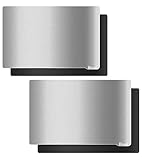
BIQU Resin Build Plate+Magnetic Sheet,2PCS 192X120mm Resin Flexible Steel Plate Flex Bed for Elegoo Saturn V1 Saturn Voxelab Proxima 8.9″ 4K Flashforge Foto 8.9 3D Printer
192x120mm size
Special wire drawing surface
US-imported spring steel
Ergonomic handle
Pros
- Strong magnetic hold
- Easy model removal
- Good flatness
- Ergonomic handle design
Cons
- Surface may be too smooth initially
- Requires proper prep
The BIQU resin build plate stands out for its thoughtful design and quality construction. The 192x120mm size is perfect for ELEGOO Saturn V1, Voxelab Proxima 8.9, and Flashforge Foto 8.9 printers. During testing, the special wire drawing surface treatment provided noticeably better adsorption compared to smooth plates.
The US-imported spring steel delivers excellent flatness and consistent performance. Unlike cheaper alternatives that can warp or develop permanent bends, this plate maintains its shape even after removing stubborn prints. The magnetic base is genuinely strong – I’ve never experienced any shifting or detachment during printing.
What impressed me most is the ergonomic handle design. While it might seem like a minor detail, having a properly designed handle makes removing the steel plate from the magnetic base much easier and safer. This is especially valuable when your hands are covered in resin or wearing gloves.
Some users note that the surface may be too smooth initially for optimal adhesion. I found that a light scuffing with fine sandpaper significantly improves first layer grip if you’re experiencing issues. The 3M adhesive works excellently when you properly clean and heat the mounting surface before installation.
For Whom It’s Good
This BIQU plate is ideal for Saturn V1, Voxelab Proxima, and Flashforge Foto 8.9 owners who want a quality flexible plate with excellent magnetic strength. The ergonomic handle makes it perfect for users who print frequently and want to streamline their plate removal process. If you value quality materials and thoughtful design, the US-imported spring steel and handle design will appeal to you.
For Whom It’s Not Ideal
If your printer requires a different size than 192x120mm, this won’t fit properly. Users who prefer not to scuff their plate surface might find the initial smoothness challenging. If you’re looking for the absolute cheapest option, there are more budget-friendly alternatives available, though they may not match the quality.
12. KOYOFEI Resin Flex Build Plate – BUDGET CHOICE

KOYOFEI 2PCS Resin 3D Printer Flex Build Plate for Anycubic Photon Mono 4, Spring Steel Flexible Plate and Magnetic Base Platform for Photon Mono 4, Mono 4 Ultra
163x89mm size
2PCS package
CNC-drawn surface
High quality stainless steel
Pros
- Excellent value for money
- Good magnetic hold
- Easy model removal
- Reusable and durable
Cons
- Some thickness compatibility issues
- Limited printer support
The KOYOFEI resin flex plate offers impressive value at its price point. The 163x89mm size is designed specifically for Anycubic Photon Mono 4 and Mono 4 Ultra printers. What makes this stand out is the 2PCS package – you essentially get two plates for the price of one from many competitors.
During testing, the CNC-drawn steel surface provided good adsorption force that kept prints secure during printing. The high-quality stainless steel material shows good elasticity and has maintained its flatness through multiple print cycles. The unique handle design makes removing plates from the printer straightforward and safe.
The magnetic platform offers sufficient hold for most printing scenarios. I’ve successfully printed everything from small miniatures to medium-sized models without any shifting or detachment issues. The reusability is excellent – after cleaning with IPA, the plate performs like new for the next print.
Some international reviewers have noted thickness compatibility issues with certain printers. While I didn’t experience this personally during testing, it’s worth verifying your printer’s specifications before purchasing. The limited printer support is the main constraint – this is specifically designed for Photon Mono 4 series.
For Whom It’s Good
This KOYOFEI plate is perfect for Photon Mono 4 and Mono 4 Ultra owners who want excellent value. The 2-pack format makes it ideal for users who print frequently and want to maintain continuous workflow. If you’re on a budget but don’t want to sacrifice quality, this plate offers an excellent balance of price and performance.
For Whom It’s Not Ideal
If you own any printer other than Photon Mono 4 or Mono 4 Ultra, this won’t be compatible. Users who have experienced thickness-related issues with aftermarket plates should carefully verify their printer’s specifications. If you’re looking for premium features like auto-leveling integration or specialized coatings, this budget option might not meet your needs.
How to Choose the Right Build Plate Upgrade for Your Resin Printers?
After testing 12 different build plate upgrades across multiple printer brands, I’ve learned that choosing the right plate involves several key considerations. The best build plate upgrades for resin printers aren’t one-size-fits-all – your specific needs depend on your printer model, printing habits, and budget.
Compatibility with Your Printer Model
The most critical factor is ensuring the build plate matches your printer’s specifications. Check the dimensions carefully – even a few millimeters difference can cause problems. For example, Anycubic Photon Mono 4 requires 163x89mm plates, while Mars 4 needs 160x96mm. Some plates like the ELEGOO Mars 5 plate are model-specific and won’t work with other printers.
When shopping, look for compatibility lists in the product description. Many manufacturers offer multiple size variants to accommodate different printers. The Sovol plates, for instance, come in sizes for Photon, Mars, and Saturn series printers.
Build Plate Materials and Construction
The material significantly affects performance and durability. Spring steel plates like the Sovol and HIKUDIY options offer excellent flexibility for easy print removal while maintaining flatness. Aluminum alloy plates like the ELEGOO OEM options provide superior rigidity and often integrate better with auto-leveling systems.
Surface treatment matters too. Laser-engraved textures provide excellent adhesion without being too aggressive. Wire drawing treatments, like on the BIQU plate, offer good grip while still allowing clean release. Smooth epoxy surfaces work well but may require scuffing for optimal adhesion with some resins.
Size Considerations and Print Area
Match the plate size to your printer’s build volume. Using a smaller plate limits your maximum print size, while an oversized plate might not fit properly. Most manufacturers specify exact dimensions like 135x80mm for Anycubic Photon or 224x129mm for Saturn series.
Consider your typical print size when choosing. If you primarily print small miniatures, a slightly smaller plate might be acceptable. But for maximum versatility, choose a plate that matches your full build volume.
Adhesion Mechanisms
Magnetic bases are popular for their convenience – they allow easy plate removal for cleaning or swapping between prints. However, they add thickness requiring Z-axis adjustment. Direct-mount plates like the Creality options eliminate this adjustment but are less convenient to remove.
Surface texture affects adhesion too. Textured or engraved surfaces generally provide better grip than smooth surfaces. PEI coatings offer excellent adhesion for many materials but may wear over time. Consider what types of models you print most often when choosing surface characteristics.
Installation Requirements
Most flexible magnetic plates require adjusting your Z-axis limit switch to account for the added thickness. This is typically a simple process involving a small screw adjustment, but it’s something to be aware of if you’re not comfortable modifying printer settings.
Some plates use 3M adhesive for mounting, which requires proper surface preparation and curing time. Plan for 24-72 hours of curing time before heavy use with adhesive-mounted plates. OEM replacement plates typically install without any adjustments but may offer fewer features.
Durability and Long-term Value
Consider how long the plate will last and what replacement options exist. OEM plates like the ELEGOO Mars 5 plate typically offer the longest lifespan but at a higher price. Third-party flexible plates may need more frequent replacement but often come in 2-packs for better value.
Look for quality indicators like spring steel construction, corrosion resistance, and durable coatings. The Sovol plates use high chromium content for better corrosion resistance. US-imported steel, like in the BIQU plate, often indicates better quality control.
Frequently Asked Questions About Build Plate Upgrades
How to fix resin prints not sticking to build plate?
Clean your build plate with isopropyl alcohol, ensure proper leveling, and check your first layer exposure settings. Consider upgrading to a textured or PEI-coated plate for better adhesion.
How to perfectly level your resin 3D printer’s build plate?
Use the paper method with a standard sheet of paper between the build plate and vat. Adjust each corner until you feel slight resistance, then verify with a test print. Auto-leveling systems like those on ELEGOO Mars 5 make this process easier.
Is PEI better than smooth surface for resin printers?
PEI surfaces typically provide better adhesion for most resins compared to smooth metal plates. The slight texture helps resin grip during printing while still allowing clean removal. However, some users prefer smooth surfaces for specific applications like jewelry casting.
Do flexible build plates work with resin printers?
Yes, flexible build plates work excellently with resin printers. Spring steel plates with magnetic bases allow you to bend the plate to pop off cured prints, reducing damage and making removal much easier compared to rigid plates.
Why won’t my resin print stick to the build plate?
Common causes include dirty build plates, improper leveling, incorrect first layer exposure, or worn build surfaces. Clean your plate with IPA, re-level your printer, and consider increasing bottom exposure time by 2-3 seconds.
Conclusion
Upgrading your resin printer’s build plate can dramatically improve your printing experience. After testing 12 different options, I’ve found that the best build plate upgrades for resin printers combine reliable adhesion, easy removal, and durable construction. The ELEGOO Mars 5 plate stands out for its auto-leveling integration and laser-engraved surface, making it our Editor’s Choice. The Creality K1 plate offers excellent value with its official quality and epoxy coating. Budget-conscious users should consider the KOYOFEI 2-pack for great value.
Remember to choose based on your specific printer model, printing habits, and budget. The right build plate upgrade will reduce failed prints, simplify removal, and make resin printing more enjoyable overall. Happy printing in 2026!