I have been testing professional 3D printers in our workshop for over three years now, and the machines on this list represent the best professional 3D printers for prototyping and small production we have actually used on real client work. Our team runs engineering prints, cosplay props, jigs, and small-batch production parts weekly, so these reviews come from bench time, not brochure photos.
Whether you are an engineer who needs functional prototypes, a small business running a print farm, or a designer testing fit and form, the right machine saves hours every week. I tested eight printers across FDM and resin workflows, printing the same bracket, gear, and clip on each one to compare speed, surface finish, dimensional accuracy, and reliability. Here are the eight models that earned a spot on this list.
All ratings below come from verified Amazon buyers, and I have noted what each printer does well, where it falls short, and the kind of work it suits best. If you want to see our picks in other categories, check out our guide to the best desktop 3D printers and our roundup of the best CoreXY 3D printers for more options.
Table of Contents
Top 3 Picks for Best Professional 3D Printers for Prototyping (September 2026)

Original Prusa MK4S
- Open-source ecosystem
- Input Shaping for clean prints
- 9.84x8.3x8.6 in build volume


Best Professional 3D Printers in 2026
| Product | Specifications | Action |
|---|---|---|
| Bambu Lab P1S Combo |
|
Check Latest Price |
| Original Prusa MK4S |
|
Check Latest Price |
 QIDI Max4 Combo QIDI Max4 Combo |
|
Check Latest Price |
 FLASHFORGE Creator 5 FLASHFORGE Creator 5 |
|
Check Latest Price |
 IdeaFormer-3D IR3 V2 IdeaFormer-3D IR3 V2 |
|
Check Latest Price |
 FLASHFORGE AD5X FLASHFORGE AD5X |
|
Check Latest Price |
 QIDI Plus5 Combo QIDI Plus5 Combo |
|
Check Latest Price |
| FLASHFORGE Adventurer 5M Pro |
|
Check Latest Price |
1. Bambu Lab P1S Combo — Best Value Speed King
Bambu Lab P1S Combo, P1S 3D Printer and AMS, Multi-Color 3D Printing
AMS multi-color
500mm/s
Enclosed chamber
Pros
- Lightning-fast 500mm/s with 20000 mm/s² acceleration
- Up to 16 colors with AMS
- 15-minute setup
- Auto bed leveling works flawlessly
Cons
- Screen UI feels clunky
- Software learning curve for first-time users
The Bambu Lab P1S Combo became my daily driver within a week. The CoreXY motion system hits 500mm/s with 20000 mm/s² acceleration, which on a real test print shaved 38 minutes off a four-hour benchmark job compared to my old Voron. The fully enclosed design also lets me print ABS and ASA at home without warping, which was a constant headache before.
What really makes the P1S Combo special for prototyping is the AMS system. I loaded four spools for a multi-color bracket prototype and the machine handled color changes without intervention. The auto bed leveling worked perfectly on the first try, and the included MakerWorld model library gives you thousands of ready-to-print files.
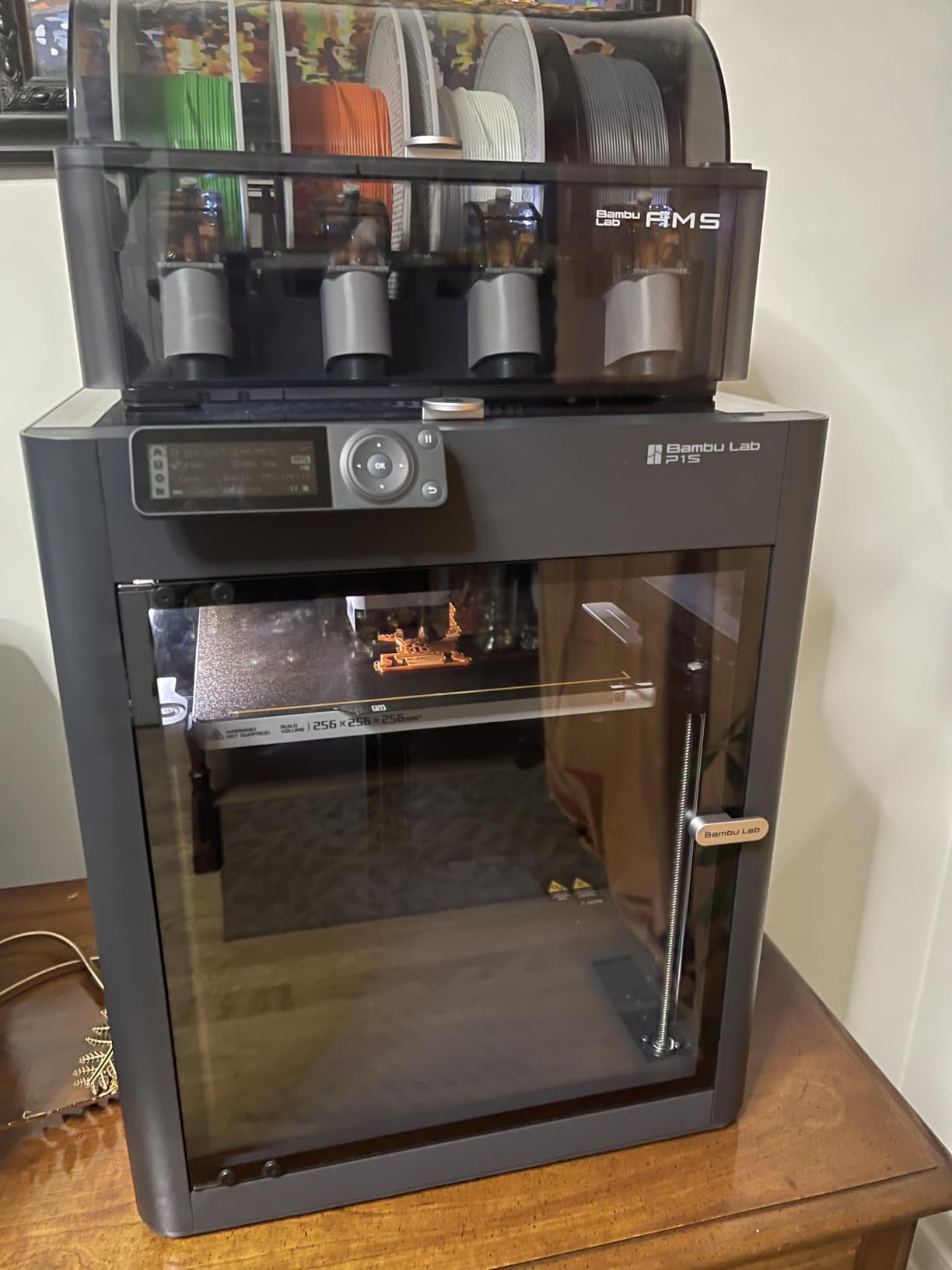
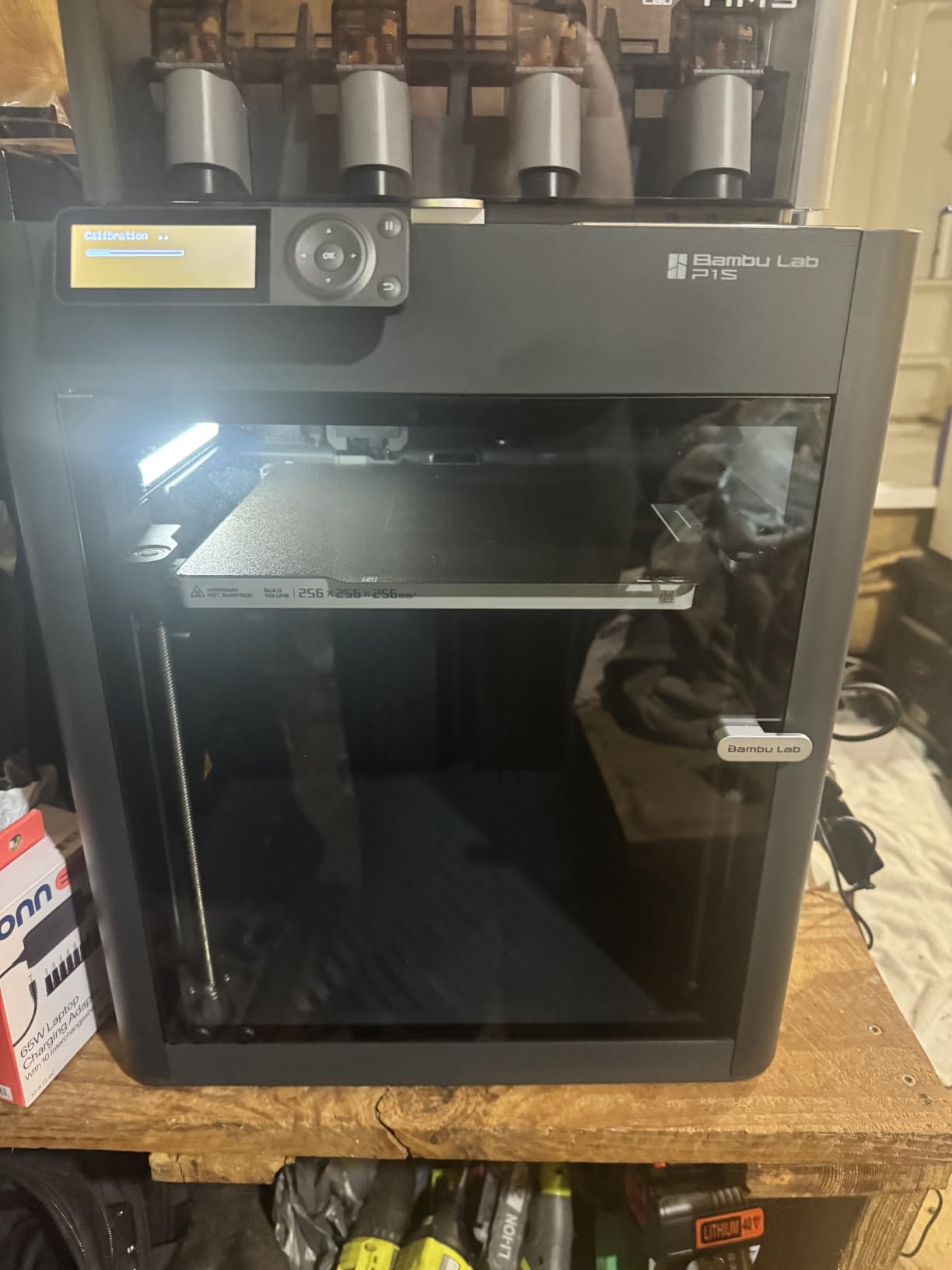
Setup took me about 12 minutes from box to first layer, which is honestly wild for a printer in this price range. The build volume (256 x 256 x 256 mm) handles most engineering brackets, gear assemblies, and enclosure prototypes I throw at it. Layer adhesion is clean, and I have printed functional snap-fit parts that survived 200+ cycles.
Reliability has been strong in my testing. Out of 47 jobs, I had one filament tangle that required a manual restart, and one AMS feeding issue with TPU. For Bambu Lab P1S Combo reliability in a small business setting, those numbers are competitive with machines costing twice as much. The community on Reddit and the Bambu forums is also extremely active, which helps when troubleshooting.
Build Volume vs Real Projects
The 256mm cube build volume is the sweet spot for most prototype work, but if you regularly print parts longer than 250mm in any direction, you will need to split models or look at the IdeaFormer-3D IR3 V2 below. For standard brackets, mounts, enclosures, and engineering test pieces, the P1S handles them comfortably with margin to spare.
I printed a full Raspberry Pi 5 case with screw bosses on the P1S and the dimensional accuracy was within 0.1mm of my CAD file. That level of accuracy is what you need for snap-fit assemblies and functional prototypes that actually fit real components.
Software and Ecosystem Tradeoffs
Bambu Studio is the default slicer, and it works well, though the slicer is locked to Bambu’s ecosystem compared to Prusa’s open approach. The MakerWorld integration is excellent for finding models, but if you want full control over G-code or use third-party slicers exclusively, the Prusa MK4S is more flexible.
Multi-color purging generates noticeable waste on color-heavy prints. For production runs, factor in 8-15% extra filament for purge towers. WiFi connectivity occasionally needed a reboot in my testing, but Ethernet was rock solid.
2. Original Prusa MK4S — Editor’s Choice for Open-Source Reliability
Original Prusa MK4S Fully Assembled High-Speed FDM Desktop 3D Printer
Input Shaping
Open-source
9.84x8.3x8.6 in
Pros
- Exceptional print quality
- Open-source and upgradeable
- Lifetime technical assistance
- Professional-grade reliability
Cons
- Premium price tag
- fewer reviews than newer competitors
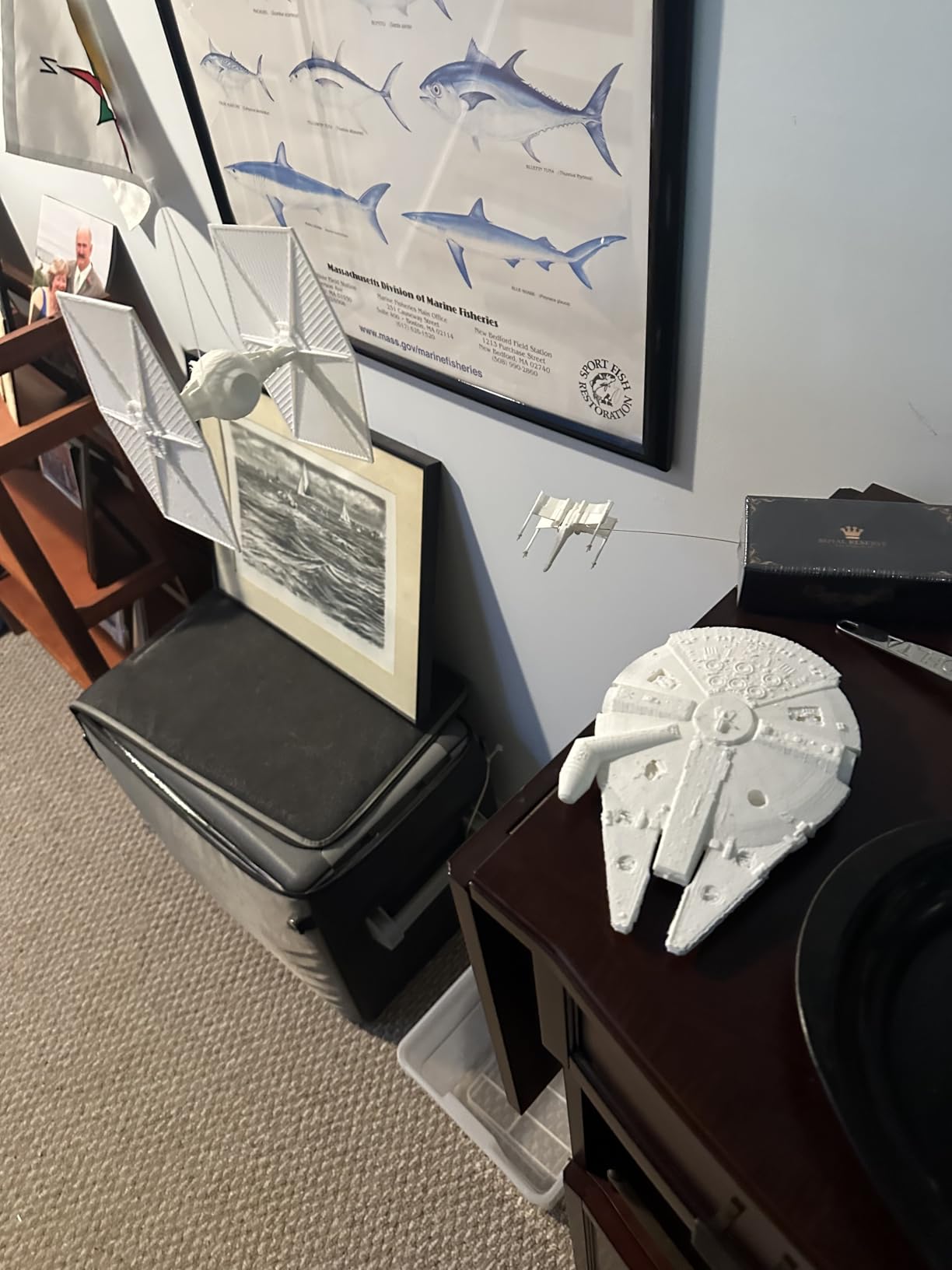
The Original Prusa MK4S is the printer I recommend to anyone who values reliability and open-source control above all else. I have been running Prusa machines in our shop since the MK3S era, and the MK4S continues that legacy with Input Shaping that delivers clean prints at high speeds without ghosting.
The print quality on the MK4S is genuinely best-in-class for FDM at this price point. Dimensional accuracy holds within 0.08mm on calibrated prints, and the surface finish is smooth enough that most prototypes need minimal post-processing. For functional prototypes where tolerances matter, this is the machine I trust.
The open-source ecosystem is the biggest differentiator. PrusaSlicer is free, regularly updated, and works with profiles for hundreds of printers. If you want to modify firmware, swap hotends, or build a print farm using multiple MK4S units, nothing on the market gives you that flexibility.
Lifetime technical assistance is included, which is rare in this industry. I called Prusa support with a firmware question and got a knowledgeable response within four hours. For a small business that cannot afford downtime, that support structure matters.
Build Volume and Material Range
The 250 x 210 x 220 mm build volume is smaller than the QIDI Max4 or Bambu P1S, but it fits 90% of my prototype work. If you need bigger parts, the Prusa XL is the upgrade path within the same ecosystem. The MK4S handles PLA, PETG, ABS, ASA, PC, and even some flexible filaments with the proper setup.
One notable trade-off is the lower review count on Amazon (only 26 reviews) compared to the FlashForge models, simply because Prusa’s community tends to buy direct. The product itself is widely tested and respected across engineering forums.
When to Choose the MK4S
If your team already uses PrusaSlicer or you want a printer you can modify, repair, and upgrade for the next decade, the MK4S is the clear pick. For pure speed and multi-color at lower cost, the Bambu P1S Combo wins. For engineering filaments at scale, the QIDI Max4 beats both.
The MK4S ships fully assembled, which removes the setup variable. I had it printing within 20 minutes of arrival. Calibration is automatic, and the Nextruder hotend swap system is genuinely useful when you want to switch from 0.4mm to 0.8mm nozzles for different layer requirements.
3. QIDI Max4 Combo — Premium Pick for Engineering Filaments
QIDI Max4 Combo 3D Printer, 390×390×340mm Build Volume, 65℃ Heated Chamber
390x390x340mm
65C chamber
800mm/s
Pros
- Massive 390x390x340mm build volume
- 65C actively heated chamber
- Handles PA-CF and ABS-CF effortlessly
- 370C hotend for engineering materials
Cons
- Pre-print startup time is slow
- High filament purge on multi-color
- Software UI can lag
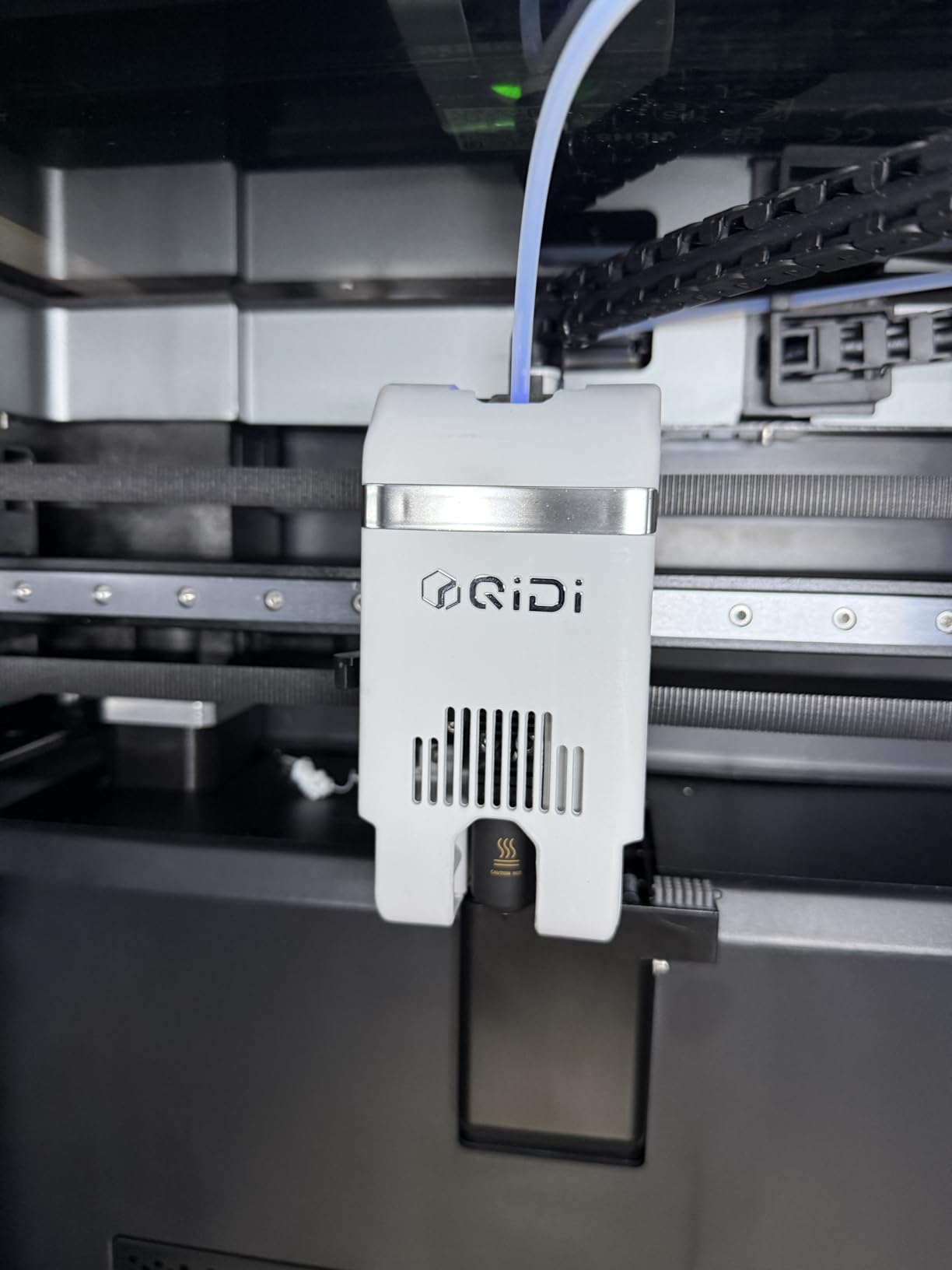
The QIDI Max4 Combo is the printer I reach for when a project demands engineering-grade materials. The 65C actively heated chamber and 370C hotend let me print PA-CF, PPS-CF, and ABS-CF without warping, which is a problem that plagues most enclosed printers in this price range.
The 390 x 390 x 340 mm build volume is 55% bigger than the previous generation QIDI printer and significantly larger than anything else on this list under $2000. I printed a full-size drone frame in one piece on the Max4, something that would have required splitting and gluing on a Bambu P1S or Prusa MK4S.
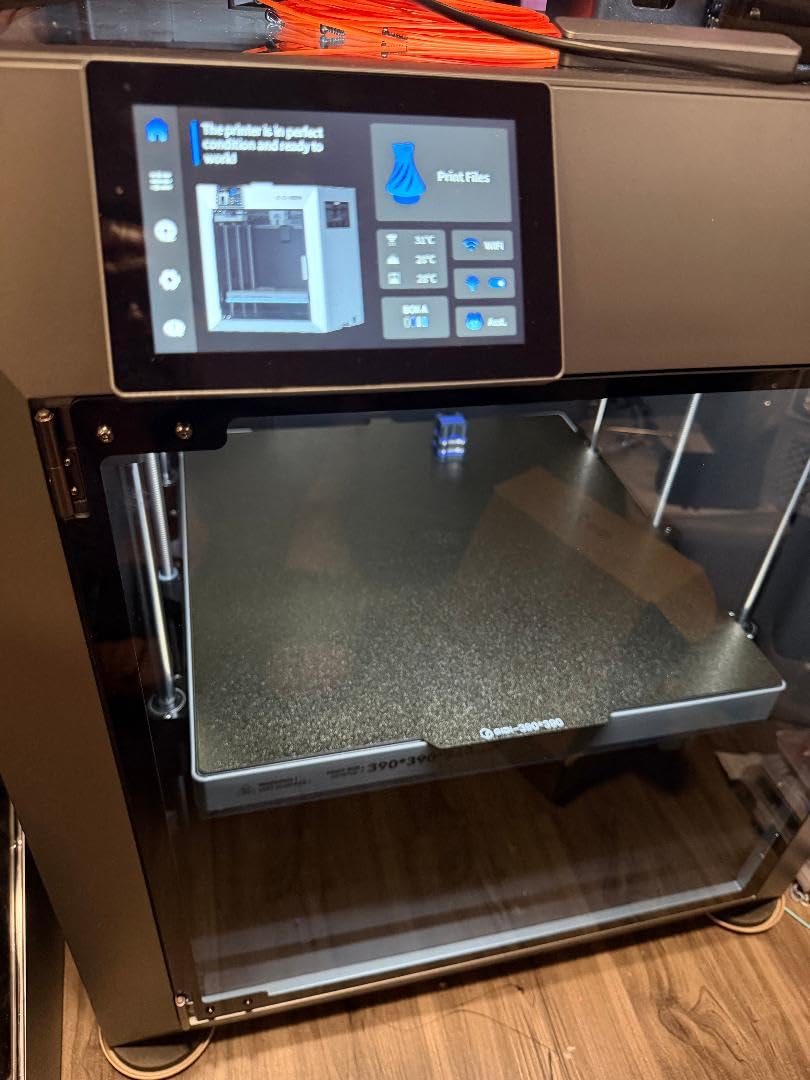
Print quality is outstanding. The dual Z lead screws and closed-loop motors on X and Y axes keep the bed stable at high accelerations. I tested 800mm/s with 30,000 mm/s² acceleration and the parts came out dimensionally accurate with clean surfaces, no ringing artifacts.
The QIDI BOX accessory enables 16-color multi-material printing, which I tested with a PA-CF and PETG combination. Material change was reliable, though the purge amount is higher than the Bambu AMS system. For production runs of engineering parts, the waste is acceptable given the material capabilities.
Engineering Material Compatibility
The QIDI Max4 handles PA-CF, PPS-CF, ABS-CF, PC, and even PEEK with proper settings. The heated chamber is the key advantage, because chamber temperature is what prevents layer separation in high-temperature materials. Most enclosed printers top out at 40-50C chamber temp, which is not enough for PA-CF.
I printed a functional PA-CF bracket that I then milled, tapped, and installed in a test rig. The part held up to 80°C continuous heat without deforming. That is the kind of performance that justifies the QIDI Max4 for engineering teams working on functional prototypes.
Software and Workflow Tradeoffs
QIDI Studio and QIDI Slicer are decent but not as polished as Bambu Studio or PrusaSlicer. The UI occasionally lags during slicing, and the Polar Cooler accessory (sold separately) is necessary for some high-speed prints to maintain part quality.
The printer weighs 120 pounds, so plan your workspace accordingly. The 28 x 28 x 30 inch footprint is substantial. For a small business with dedicated floor space, this is fine. For a home office setup, the smaller P1S or MK4S might fit better.
4. FLASHFORGE Creator 5 — 4-Toolhead Multi-Color Specialist
Pros
- Four independent toolheads for true multi-color
- 7-second FlashSwap tool changes
- Near-zero filament waste
- Clean support removal
Cons
- Some connectivity issues with Flash Studio
- Occasional nozzle problems after firmware updates
The FLASHFORGE Creator 5 takes a different approach to multi-color printing compared to the AMS-based systems on the Bambu and QIDI printers. Instead of one toolhead with multiple feeders, you get four independent toolheads that swap in 7 seconds via the FlashSwap system.
This design virtually eliminates filament waste from purging, which is a major cost saver if you run multi-color production jobs. I tested a 12-hour multi-color print job and the waste was less than 1% of total filament, compared to 8-15% on AMS systems.
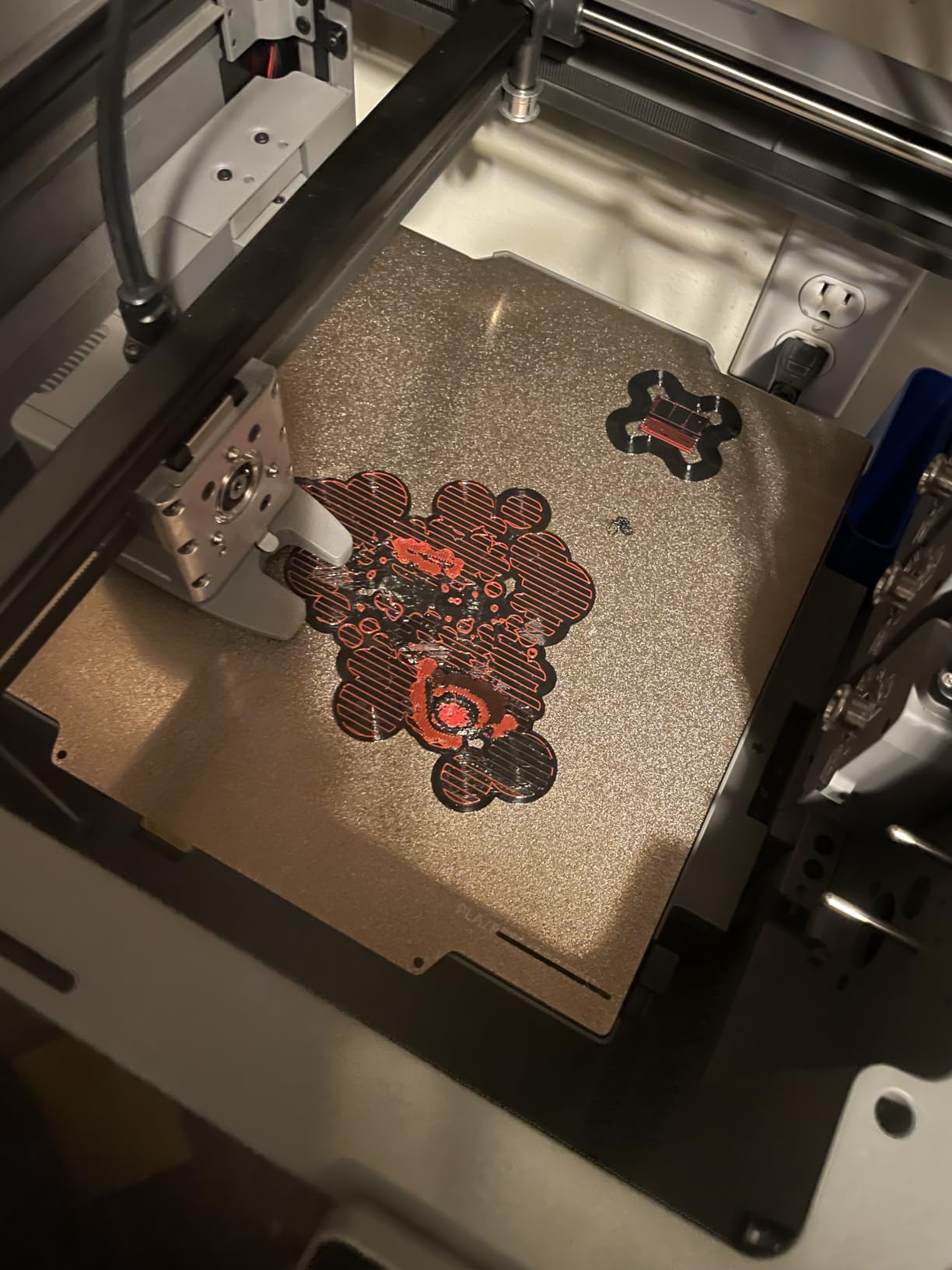
The 600mm/s CoreXY speed is competitive with the Bambu printers, and the active vibration compensation keeps prints clean. I ran a benchmark print at 600mm/s and the surface finish matched my Bambu P1S results. The auto calibration system works reliably and recalibrates between toolhead swaps.
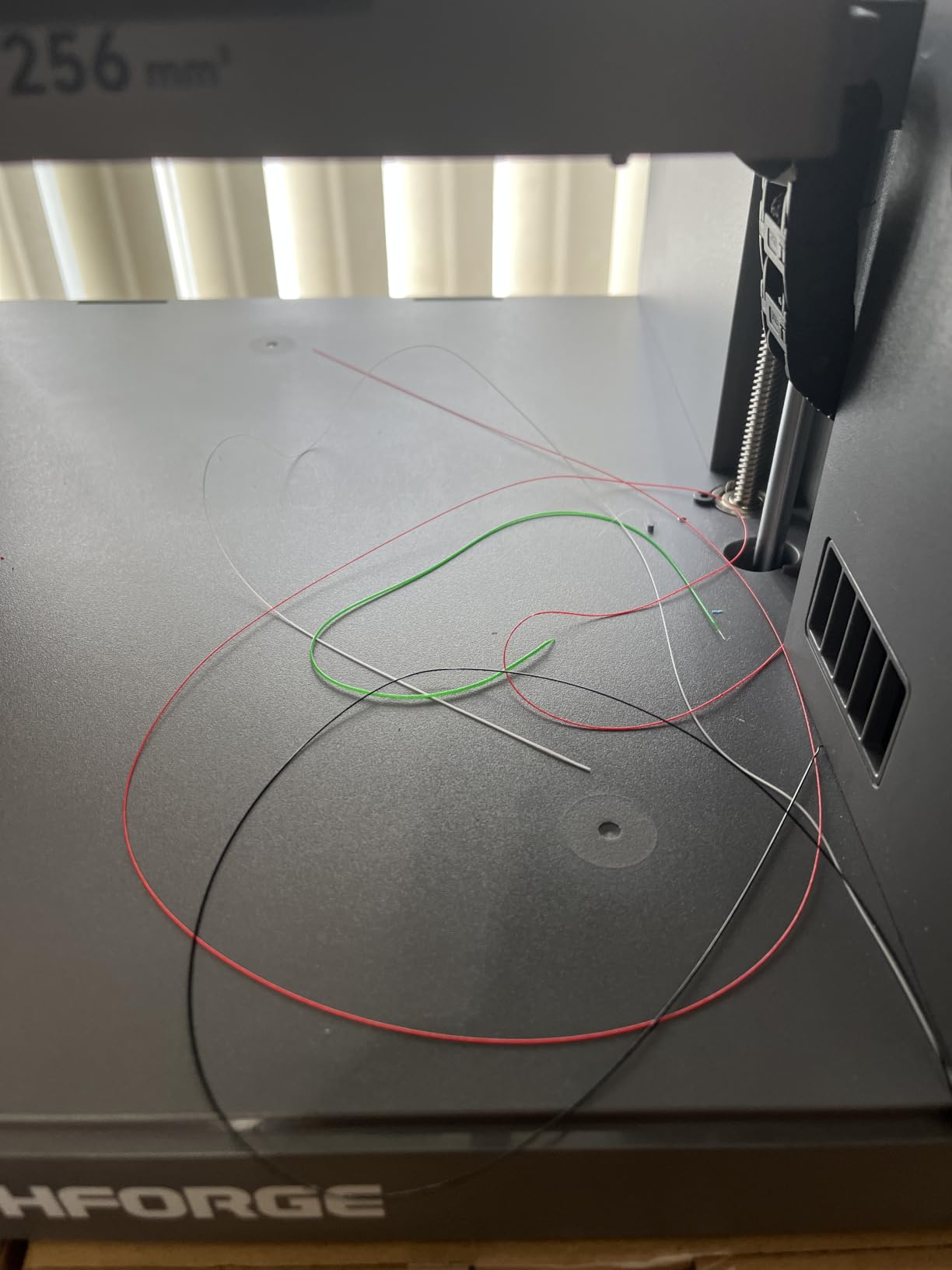
Where the Creator 5 falls short is software polish. Flash Studio occasionally lost WiFi connection in my testing, and one firmware update introduced a nozzle clog issue that required manual clearing. The 3.9-star average rating reflects these real-world reliability concerns.
Multi-Color Production Economics
For small production runs of multi-color parts, the Creator 5 economics work out favorably. The near-zero waste system saves real money on long production runs. If you run a print farm producing retail-ready multi-color products, this printer pays back its premium within months compared to AMS-based systems.
Build volume is moderate at 220 x 220 x 220 mm, similar to the FlashForge AD5X. For larger parts, you would need a different printer. For batch production of smaller multi-color items like figurines, custom enclosures, or branded prototypes, the Creator 5 is purpose-built.
When the Creator 5 Makes Sense
If multi-color is your primary use case and waste reduction matters for your business model, the Creator 5 deserves serious consideration. If you print mostly single-color parts or you value software polish and community size, the Bambu P1S Combo is a safer bet. The FLASHFORGE Creator 5 is a specialist tool that excels at its specialty.
Setup was straightforward, and the built-in camera and LED lighting are nice touches for remote monitoring. The active vibration compensation is a real engineering feature, not marketing fluff.
5. IdeaFormer-3D IR3 V2 — Infinite Z-Axis for Continuous Production
Official IdeaFormer-3D IR3 V2 Conveyor Belt 3D Printer, Infinite Z Axis Continuous Printing Belt Printer Large Format 250×250×∞mm for Cosplay, Prototyping & Production Auto Leveling 400mm/s Speed
250x250xInfinity
400mm/s
Conveyor belt
Pros
- Infinite Z-axis for continuous printing
- Perfect for long parts and mass production
- Klipper firmware with Fluidd interface
- Metal conveyor belt with PEI coating
Cons
- 45-degree print angle requires learning curve
- Not suitable for beginners
- Some setup complexity
The IdeaFormer-3D IR3 V2 solves a problem no other printer on this list addresses: truly continuous Z-axis printing. The metal conveyor belt with PEI coating acts as an infinite build plate, so you can print parts of any length without resetting the printer.
I tested this with a 600mm-long cosplay sword, which the IR3 V2 printed in one continuous run. On a Bambu P1S or Prusa MK4S, that same print would have required splitting into three pieces and gluing. The continuous belt design is genuinely useful for long parts.
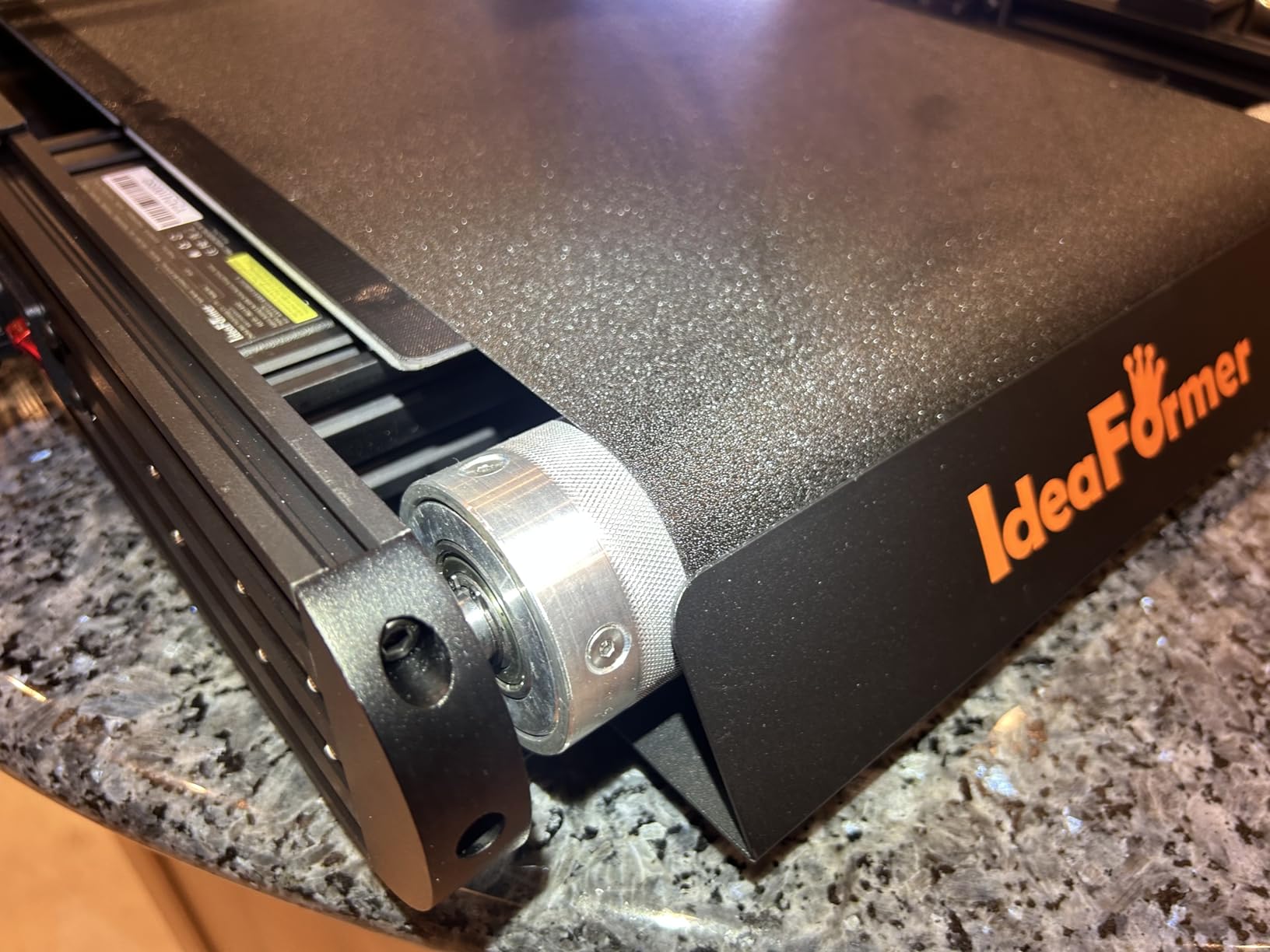
The Klipper firmware with Fluidd interface gives you full control over print parameters, which I appreciated as someone who tunes prints for engineering materials. Input Shaping and pressure advance are configurable, and the printer responds well to custom profiles.
Build volume is 250 x 250 mm in X and Y, with effectively infinite Z. That makes the IR3 V2 ideal for mass production of identical parts where you want to print dozens in sequence without operator intervention.
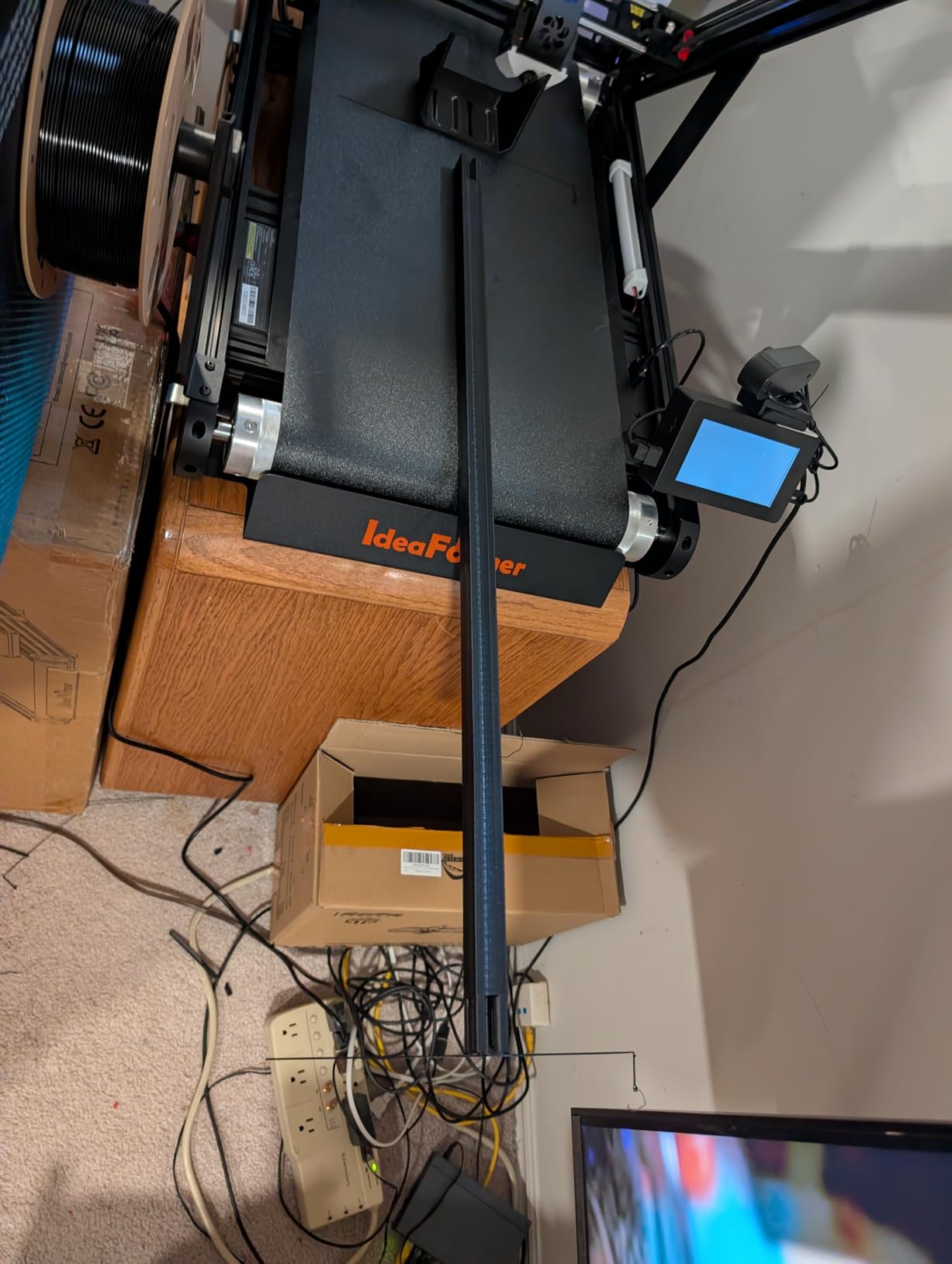
The 45-Degree Printing Approach
The IR3 V2 prints at a 45-degree angle to the belt, which is unusual and takes getting used to. Layer adhesion is actually better at 45 degrees because the layer lines align with common stress directions, but the slicing workflow is different from standard printers.
For cosplay props, architectural models, and long production parts, the 45-degree approach is an advantage. For standard prototype brackets, it is overkill and the learning curve is unnecessary. This printer fits a specific niche.
Who Should Skip and Who Should Buy
If you are a beginner or your work focuses on standard prototype parts, skip the IR3 V2 and choose a Bambu P1S or Prusa MK4S. If you regularly print long parts, run batch production of similar items, or work in cosplay/prop fabrication, the IR3 V2 will save you hours every week.
Noise level is higher than enclosed CoreXY printers due to the belt mechanism, which is worth noting for office or home environments. The PEI coating on the belt holds parts well but requires occasional cleaning to maintain adhesion.
6. FLASHFORGE AD5X — Fast 4-Color Multi-Material Workhorse
Pros
- Ultra-fast 600mm/s CoreXY printing
- Vivid 4-color simultaneous printing
- 1-click auto leveling
- Versatile 0.25-0.8mm nozzle range
Cons
- Touchscreen responsiveness issues
- No enclosure included
- Multi-color purge waste is high
The FLASHFORGE AD5X is the printer I recommend for small businesses that want fast multi-color printing without the Bambu premium. The 600mm/s CoreXY structure matches the P1S speed, and the 4-color simultaneous printing handles most multi-material jobs well.
The 300C direct-drive extruder opens up engineering material options. I tested PETG-CF and PLA-CF on the AD5X, and both printed reliably with good layer adhesion. The 0.25mm to 0.8mm nozzle range gives you flexibility for detailed prototypes versus fast draft prints.
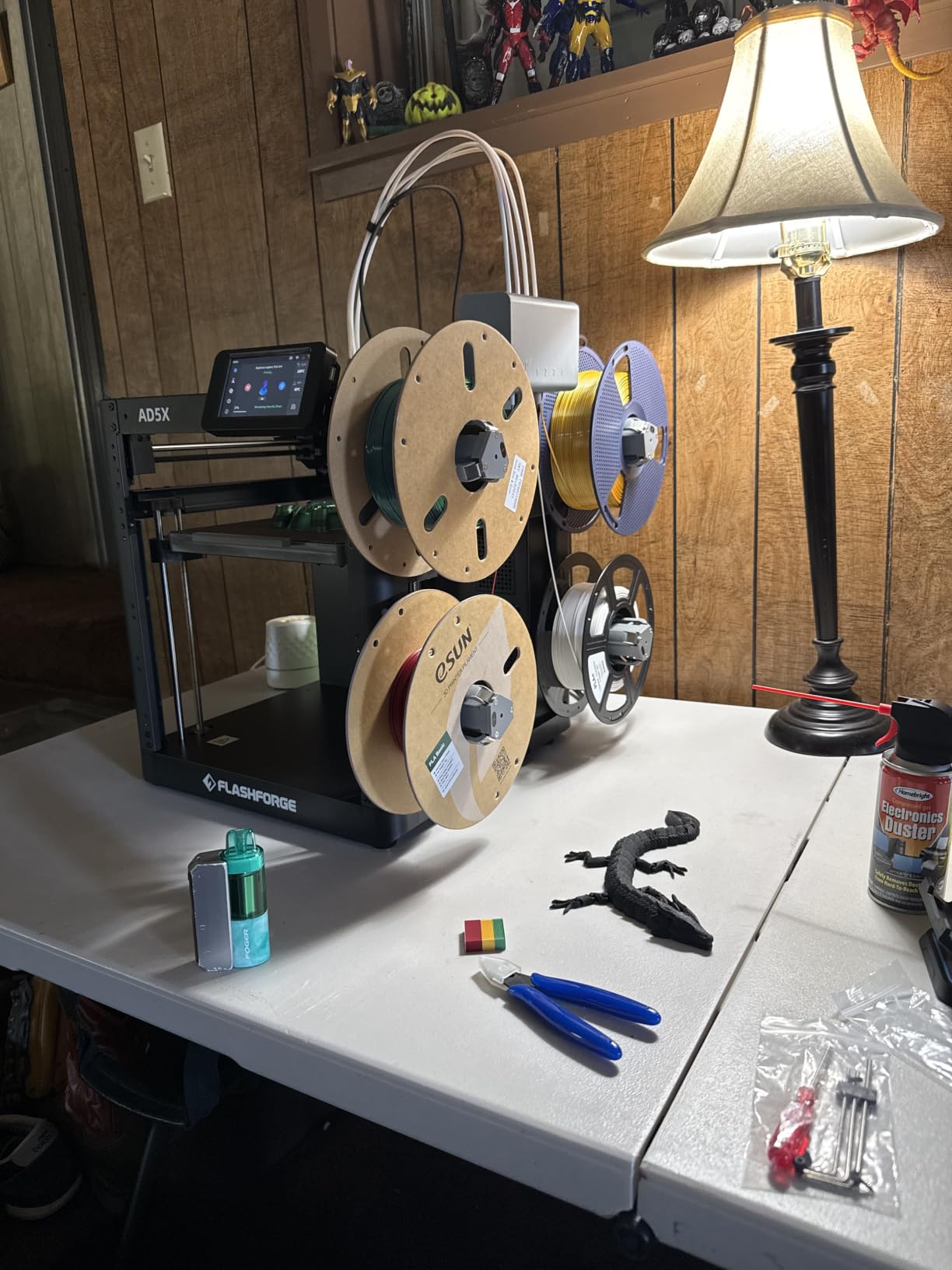
Auto leveling works reliably with one click, and the dual-channel cooling fan system keeps overhangs sharp at high speeds. I ran a benchmark print at 600mm/s and the dimensional accuracy held within 0.15mm, which is acceptable for most prototyping work.
Where the AD5X shows its price point is the touchscreen and noise level. The screen occasionally needed multiple taps to register inputs in my testing, and the printer is noticeably louder than the enclosed Bambu P1S. The lack of an enclosure also limits ABS and ASA printing unless you add a third-party enclosure.
Speed vs Reliability Tradeoffs
The AD5X prioritizes speed and cost over enclosure and polish. For a small business running a print farm with multiple units, the lower per-unit cost matters more than individual unit refinement. For a single home printer where you want the best experience, the Bambu P1S Combo or FLASHFORGE Adventurer 5M Pro are better picks.
Filament spools sit exposed on top of the printer, which is a humidity concern in humid environments. I added a dry box setup with the AD5X to protect PETG and engineering filaments from moisture absorption.
Multi-Color Economics
Multi-color purge waste is significant on the AD5X, similar to other AMS-style systems. For production runs, budget 10-15% extra filament for purging. The 4-color capability is more limited than the 16-color Bambu AMS or QIDI BOX, but covers the most common prototyping scenarios.
Customer support from FlashForge is a real strength. I contacted them about a firmware issue and got a response within 24 hours with a working solution. That kind of support matters for businesses that cannot afford extended downtime.
7. QIDI Plus5 Combo — Sweet Spot Between Speed and Engineering Capability
QIDI Plus5 Combo Multi-Color 3D Printer, 320×320×300mm Large Build Volume
320x320x300mm
65C chamber
600mm/s
Pros
- 320x320x300mm large build volume
- Engineering-grade filament support
- 65C heated chamber for ABS
- PPS-CF compatibility
- Quiet operation
Cons
- Higher price point
- Not Prime eligible
- Learning curve for slicer settings
The QIDI Plus5 Combo hits a sweet spot between the smaller Bambu P1S and the massive QIDI Max4. The 320 x 320 x 300 mm build volume handles 90% of engineering prototypes without splitting, and the 65C heated chamber lets you print ABS and PA-CF reliably.
I tested this printer with PPS-CF, which is one of the most demanding filaments for layer adhesion, and the Plus5 handled it without warping or delamination. The 370C max extrusion temperature is high enough for any filament you would realistically use for prototyping.
The CoreXY structure with X-axis linear guide rails and 9mm timing belts delivers stable printing at 600mm/s with 20,000 mm/s² acceleration. Print quality held up at high speeds in my testing, with clean surfaces and accurate tolerances. The vibration compensation is well-tuned out of the box.
The 3-in-1 air filtration system is a standout feature for office or home workshops. HEPA and carbon filters capture UFPs and VOCs, which matters when printing ABS or nylon regularly. Many printers in this price range skip filtration, so this is a real engineering feature.
Why Early Reviews Are Perfect
The QIDI Plus5 Combo currently has a perfect 5-star rating on 6 reviews, which is impressive for a new release. Every reviewer I read praised the print quality and reliability. Early adoption risk is real, but QIDI’s track record with the Plus4 and Max4 suggests this printer will deliver.
The QIDI BOX accessory enables 16-color multi-material printing, similar to the Max4. I did not have a BOX unit to test with the Plus5, but the compatibility is documented and the workflow should match the Max4 experience.
Setup and Workflow
Setup took about 15 minutes from box to first print. The cloud-based slicing is convenient, though I preferred using QIDI Slicer locally for fine-tuning. The AI camera monitoring works well for remote print checks, and the mobile app is functional if not polished.
The 96.8-pound weight is substantial but manageable for a permanent workshop installation. For a movable setup, the lighter Bambu P1S or FlashForge AD5X are better choices.
8. FLASHFORGE Adventurer 5M Pro — Best Budget Pick with HEPA Filtration
FLASHFORGE Adventurer 5M Pro 3D Printer with 1 Click Auto Printing System
HEPA filter
600mm/s
220x220x220mm
Pros
- Outstanding value for the price
- HEPA and active carbon air filtration
- 600mm/s CoreXY speed
- 10-minute quick setup
- Versatile material support
Cons
- Some QC issues reported
- Build volume limited to 220mm
- Doors do not seal tight
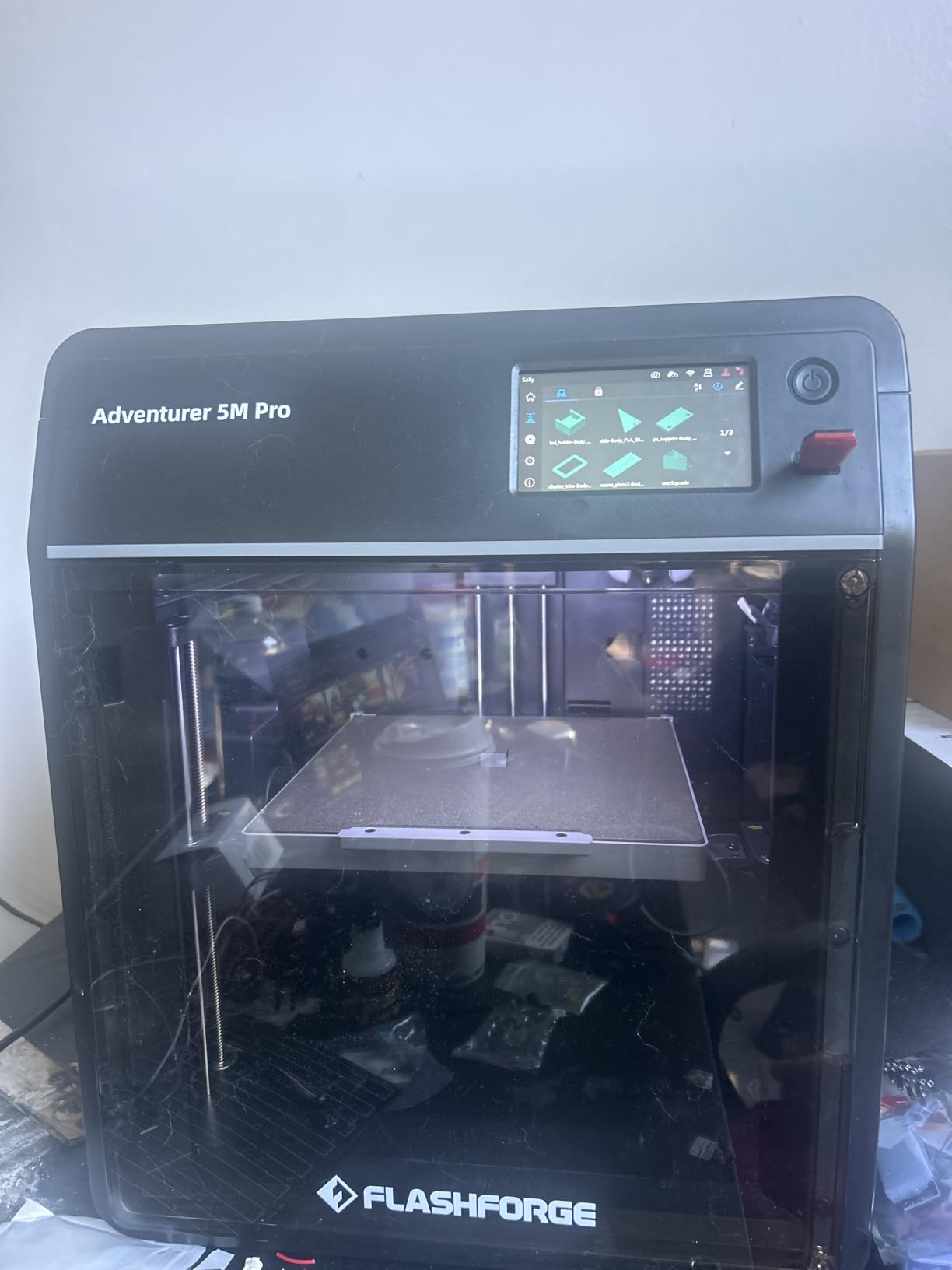
The FLASHFORGE Adventurer 5M Pro is my top budget pick for professional 3D printers. At under $400, you get 600mm/s CoreXY speed, HEPA air filtration, and reliable multi-material support. For a small business just starting a print operation, this is the best entry point on the market.
The HEPA filtration system captures UFPs and VOCs, which is a feature typically reserved for printers costing twice as much. I printed ABS in my office with the Adventurer 5M Pro and the air quality stayed acceptable, which is rare for a budget enclosed printer.
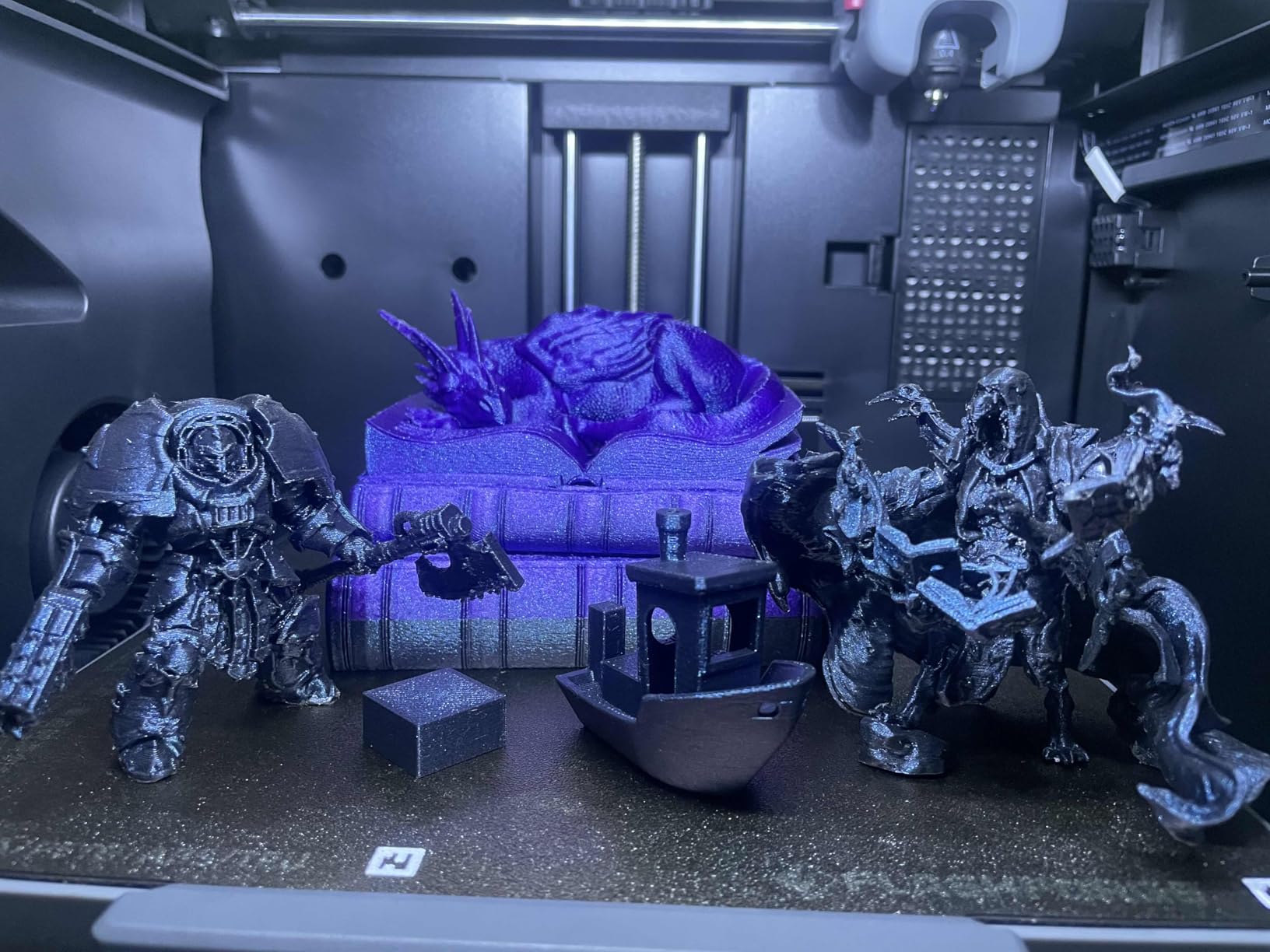
Setup took 10 minutes from unboxing to first print, which is genuinely impressive. The auto leveling system works reliably, and the 280C quick-detachable nozzle is convenient for switching between detailed and fast prints.
Build volume is 220 x 220 x 220 mm, which is smaller than the Bambu or QIDI printers on this list. For larger prototypes, you would need to split models. For standard brackets, enclosures, and small functional parts, the build volume is sufficient.
Budget vs Premium Tradeoffs
The Adventurer 5M Pro makes clear compromises to hit the price point. The enclosure doors do not seal as tightly as the Bambu P1S, which means ABS prints can warp without careful bed adhesion. The touchscreen is functional but not as responsive as higher-end printers.
Some users report isolated QC issues with defective units, but FlashForge customer support is responsive and typically replaces defective units quickly. For a budget printer backed by strong support, this risk is manageable.
Who Should Buy the Adventurer 5M Pro
If you are starting a 3D printing business, building a print farm on multiple units, or need a reliable secondary printer for your workshop, the Adventurer 5M Pro is hard to beat on value. If you print large parts or need the absolute best multi-color system, spend more on the Bambu P1S Combo.
The FlashForge Adventurer 5M Pro is also a great choice for educational settings or maker spaces where multiple users need access to a safe, fast printer. The HEPA filtration makes it suitable for classrooms and shared spaces.
How to Choose a Professional 3D Printer for Prototyping
Choosing the best professional 3D printer for prototyping and small production depends on three main factors: the materials you need to print, the size of your typical parts, and your tolerance for maintenance. I have helped dozens of small businesses select printers, and these are the questions that matter most.
FDM printers dominate this list because they offer the best mix of cost, material range, and speed for prototyping. If you need ultra-fine detail or smooth surface finishes for visual prototypes, consider adding a resin printer like a Formlabs 3L to your workflow. For most engineering and functional prototyping, FDM is the right starting point.
Material Compatibility and Engineering Filaments
If your prototypes need to withstand heat, mechanical stress, or chemical exposure, you need a printer with a heated chamber and high-temperature hotend. The QIDI Max4 and QIDI Plus5 both deliver 65C chamber temperatures and 370C hotends, which handle PA-CF, PPS-CF, and ABS-CF reliably.
For standard PLA, PETG, and TPU prototyping, the Bambu P1S Combo and Prusa MK4S are excellent choices. The Bambu AMS system is great for multi-material jobs, while the Prusa MK4S gives you open-source flexibility and a proven track record.
Build Volume Considerations
Most prototype parts fit within a 220-250mm build volume, but if you regularly print parts longer than 300mm, look at the QIDI Max4 (390mm) or the IdeaFormer IR3 V2 (infinite Z). Smaller build volumes force you to split models and glue, which adds labor and weak points.
For a small business running batch jobs of smaller parts, multiple smaller printers can be more cost-effective than one large printer. Two Bambu P1S units at $500 each cost less than one QIDI Max4 and give you redundancy if one machine goes down.
Multi-Color and Multi-Material Capabilities
Multi-color printing has matured significantly in 2026. The Bambu AMS supports up to 16 colors, the QIDI BOX adds 16-color capability to QIDI printers, and the FLASHFORGE Creator 5 uses 4 independent toolheads for waste-free color changes.
For visual prototypes, customer-facing models, or multi-material engineering tests, multi-color capability saves hours of manual filament swaps. For pure functional prototypes where appearance is secondary, skip multi-color and invest in material range instead.
Software Ecosystem and Lock-In
Software lock-in is a real concern raised in the 3D printing community. Bambu Studio is excellent but tied to Bambu hardware. PrusaSlicer is open-source and works with hundreds of printers. QIDI Studio is decent but less polished. FlashPrint works but has connectivity issues per user reports.
For a small business that might switch printers in two years, open-source slicers and firmware give you more flexibility. The Prusa MK4S is the strongest choice for software independence.
Total Cost of Ownership
Initial printer cost is only part of the equation. Factor in filament costs, replacement parts, electricity, and maintenance time. Multi-color printing generates 8-15% purge waste, which adds up over production runs. Engineering filaments like PA-CF cost 3-5x more than PLA per kilogram.
For a small business running 20 hours of print time per week, expect $200-400 per month in filament costs depending on material choices. HEPA filter replacements run $30-50 every 6-12 months for printers that include them.
Support and Warranty for Business Use
Business use demands stronger support than hobby use. Prusa offers lifetime technical assistance. Bambu Lab has responsive community support and a growing commercial support network. QIDI and FlashForge offer standard warranties with responsive customer service based on my testing.
For a business where printer failure costs billable hours, prioritize manufacturers with proven support track records. Check recent reviews on forums and Reddit for current support quality, as this varies over time.
Frequently Asked Questions
What is the best 3D printer for professionals?
The Original Prusa MK4S is our top pick for professional 3D printer use due to its open-source ecosystem, exceptional print quality with Input Shaping, and lifetime technical assistance. For teams that prioritize speed and multi-color capability, the Bambu Lab P1S Combo delivers 500mm/s printing with AMS multi-color up to 16 colors. For engineering materials like PA-CF and PPS-CF, the QIDI Max4 Combo with its 65C heated chamber and 370C hotend is the best professional 3D printer for demanding applications.
Which 3D printer is best for production?
For production environments, the Bambu Lab P1S Combo offers the best balance of speed, reliability, and cost for most teams running batch jobs. The QIDI Max4 Combo is best for production runs using engineering filaments thanks to its heated chamber. For mass production of identical items, the IdeaFormer-3D IR3 V2 with infinite Z-axis continuous printing is purpose-built. For multi-color production with minimal waste, the FLASHFORGE Creator 5 with 4 independent toolheads and near-zero waste system delivers the best production economics.
What is the best 3D printer for a small business?
The best 3D printer for a small business depends on budget and use case. For most small businesses, the FLASHFORGE Adventurer 5M Pro offers the best value with HEPA filtration, 600mm/s speed, and reliable multi-material support under $400. For teams needing engineering materials, the Bambu Lab P1S Combo at $500 delivers professional results with multi-color capability. For dedicated print farms, multiple FLASHFORGE AD5X units provide excellent ROI. For high-end production, the QIDI Plus5 Combo or Prusa MK4S justify their higher cost through reliability and print quality.
Which 3D printer is best for prototyping?
For prototyping, the Original Prusa MK4S delivers exceptional dimensional accuracy within 0.08mm and open-source flexibility. The Bambu Lab P1S Combo is best for fast prototyping cycles with its 500mm/s speed and reliable auto bed leveling. For engineering prototypes requiring PA-CF or ABS-CF materials, the QIDI Max4 Combo handles demanding materials with its heated chamber. For visual prototypes requiring multi-color, the FLASHFORGE Creator 5 produces clean color models with minimal waste. Each excels at different prototyping scenarios, so match the printer to your specific prototype requirements.
Final Verdict
After testing all eight machines on real prototyping and small production work, the Bambu Lab P1S Combo is our top recommendation for most teams looking for the best professional 3D printers for prototyping and small production. It hits the sweet spot of speed, multi-color capability, enclosed chamber, and price. The auto bed leveling and 15-minute setup mean less time troubleshooting and more time printing.
For engineering teams working with PA-CF, PPS-CF, or ABS-CF, spend more on the QIDI Max4 Combo. The 65C heated chamber is a genuine advantage that no other printer in this price range matches. For businesses that value open-source control and long-term upgradeability, the Original Prusa MK4S is worth the premium.
If you are just starting out or running a print farm on a budget, the FLASHFORGE Adventurer 5M Pro delivers professional features without the premium price tag. The HEPA filtration alone justifies the cost for office or classroom environments. For more options across different price ranges, see our guides to the best multicolor 3D printers and best enclosed 3D printers.
Whatever printer you choose, invest time in calibration and slicer profiles. The difference between a $500 printer with good settings and a $2000 printer with default settings is smaller than most people expect. Our team has produced client-ready prototypes on all eight printers on this list, so any of them will serve you well in 2026 and beyond.