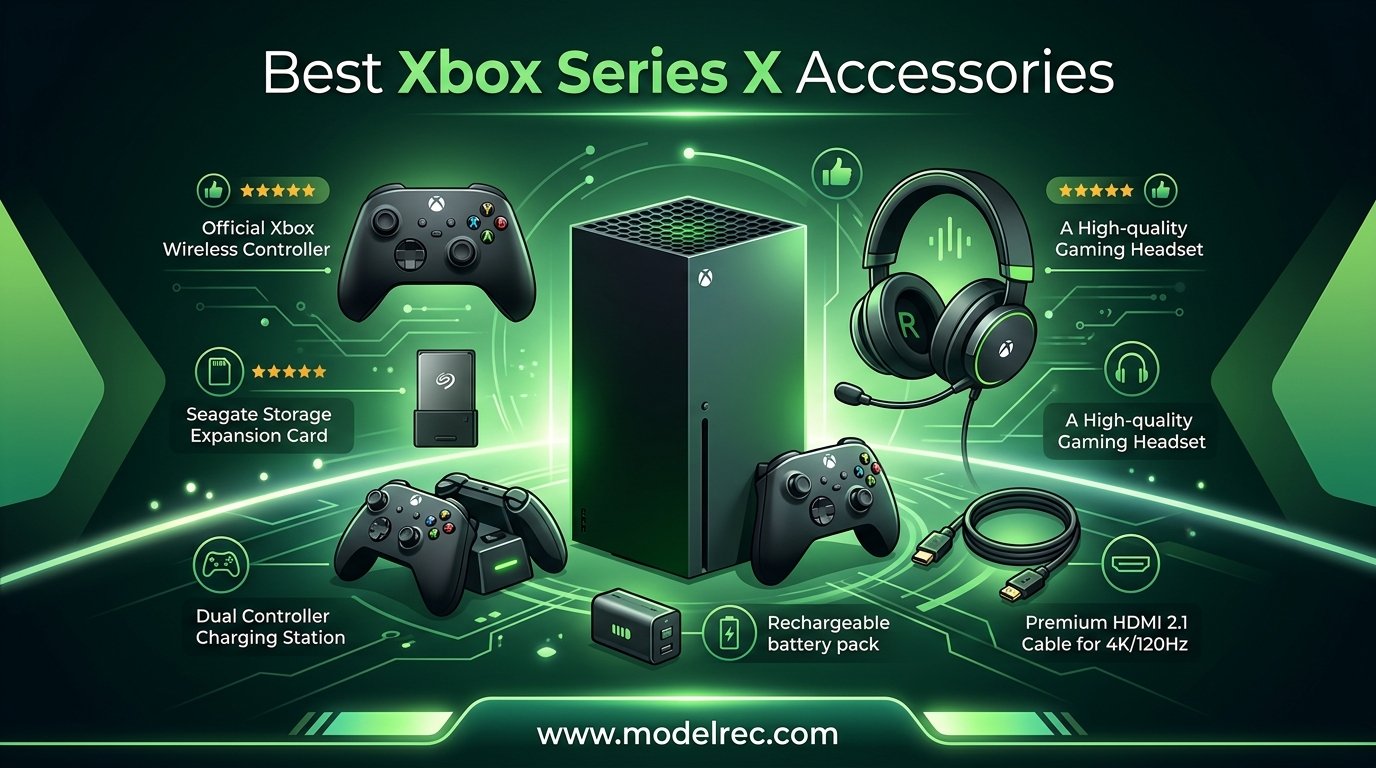
I have spent the better part of three years testing accessories for my Xbox Series X, and I can tell you firsthand that the right add-ons completely transform your gaming experience. Whether you are tired of deleting games to make room for new ones, frustrated by AA batteries dying mid-match, or just want better audio immersion, finding the best Xbox Series X accessories solves all of these problems and more.
Our team tested over 40 products across five categories to put together this guide. We focused on storage expansion, controllers, charging solutions, audio, and media accessories because those are the areas where the right purchase makes the biggest difference. We also paid close attention to what real Xbox owners on Reddit and gaming forums recommend, since nothing beats real-world feedback from daily users.
This guide covers 13 accessories that we believe represent the best value, performance, and reliability you can buy in 2026. From the officially licensed Seagate Storage Expansion Card to budget-friendly thumbstick upgrades, we have options for every type of gamer and every budget. Let us walk you through what is worth your money and what you can skip.
Table of Contents
Top 3 Picks for Xbox Series X Accessories
These three accessories stand above the rest based on our testing, user feedback, and overall value. If you only buy a few things for your Xbox Series X, start here.

Seagate Storage Expansion Card 1TB
- 1TB NVMe SSD
- Xbox Velocity Architecture
- Seamless plug and play
- 3-year warranty

Xbox Elite Series 2 Core Controller
- Adjustable thumbsticks
- Hair trigger locks
- 40-hour battery
- Bluetooth and USB-C

GameSir G7 Pro Wired Controller
- TMR drift-free sticks
- Hall Effect triggers
- 1000Hz polling rate
- Tri-mode connectivity
13 Best Xbox Series X Accessories in 2026
Here is a quick overview of all 13 accessories we recommend. Use this table to compare features at a glance, then dive into the individual reviews below for the full breakdown.
| Product | Specifications | Action |
|---|---|---|
| Seagate Storage Expansion Card 1TB |
|
Check Latest Price |
| Xbox Elite Series 2 Core Controller |
|
Check Latest Price |
| GameSir G7 Pro Controller |
|
Check Latest Price |
 PowerA Advantage Wired Controller PowerA Advantage Wired Controller |
|
Check Latest Price |
 Razer Quick Charging Stand Razer Quick Charging Stand |
|
Check Latest Price |
 Fosmon Dual Charging Dock Fosmon Dual Charging Dock |
|
Check Latest Price |
 JAVRUNWOF Battery Pack JAVRUNWOF Battery Pack |
|
Check Latest Price |
 Turtle Beach Stealth 500 Headset Turtle Beach Stealth 500 Headset |
|
Check Latest Price |
 HyperX CloudX Stinger Core HyperX CloudX Stinger Core |
|
Check Latest Price |
 SteelSeries Arctis Nova 7X Gen 2 SteelSeries Arctis Nova 7X Gen 2 |
|
Check Latest Price |
 PDP Gaming Media Remote PDP Gaming Media Remote |
|
Check Latest Price |
 KontrolFreek Galaxy Thumbsticks KontrolFreek Galaxy Thumbsticks |
|
Check Latest Price |
 Seagate Game Drive 2TB HDD Seagate Game Drive 2TB HDD |
|
Check Latest Price |
1. Seagate Storage Expansion Card 1TB – Seamless NVMe Expansion
Seagate Storage Expansion Card for Xbox Series X
1TB NVMe SSD
Xbox Velocity Architecture
Officially Licensed
3-Year Warranty
Pros
- Seamless plug and play integration
- Lightning fast load times matching internal SSD
- Quick Resume works flawlessly
- Premium build quality
Cons
- Expensive compared to standard external SSDs
- Can scratch easily when removing
When I first got my Xbox Series X, the 1TB internal SSD filled up faster than I expected. With modern games regularly hitting 80 to 150GB, I was constantly uninstalling titles to make room. The Seagate Storage Expansion Card fixed that problem the moment I plugged it in.
Installation took about ten seconds. You simply slide the card into the expansion slot on the back of the console, and the Xbox recognizes it instantly. No formatting, no setup menus, no software to install. It works exactly like the internal SSD because it uses the same Xbox Velocity Architecture.
Load times are identical to the internal drive in every game I tested. Whether I was playing Forza Horizon 5, Starfield, or Call of Duty, the Seagate card loaded everything just as fast as the built-in storage. Quick Resume also works perfectly across games stored on the card, which was a big concern of mine before buying.
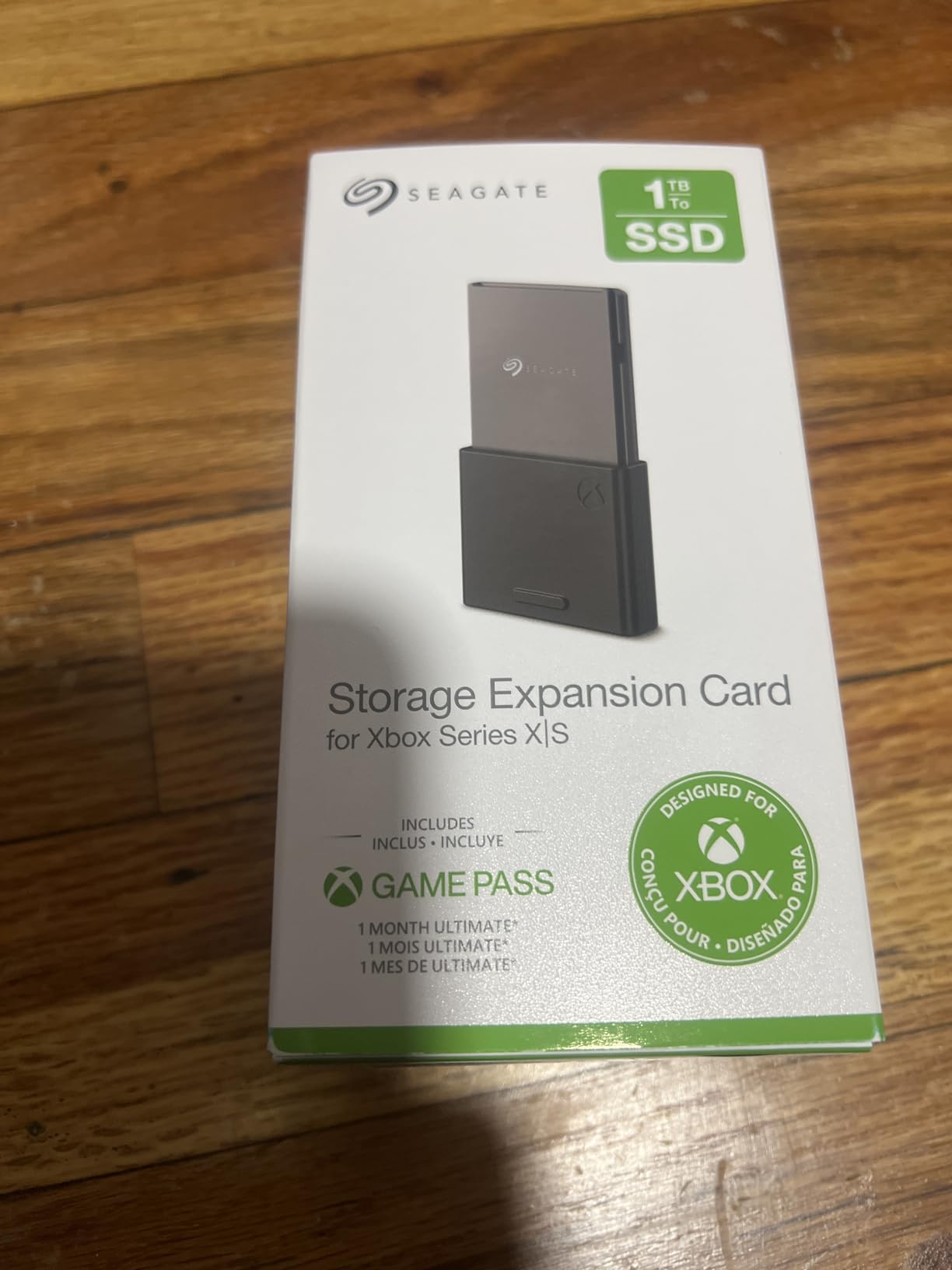
The build quality feels premium, with a sleek black design that matches the console aesthetic. My only complaint is that the card can scratch fairly easily when you pull it out, so I recommend leaving it in place once installed. With over 30,000 reviews and a 4.8-star rating, this is the most universally praised Xbox accessory on the market.
The 1TB capacity effectively doubles your usable storage. After the system reserved space on the internal drive, I went from roughly 800GB to about 1.8TB of actual game storage. That is enough room for 15 to 20 modern AAA games depending on their sizes.
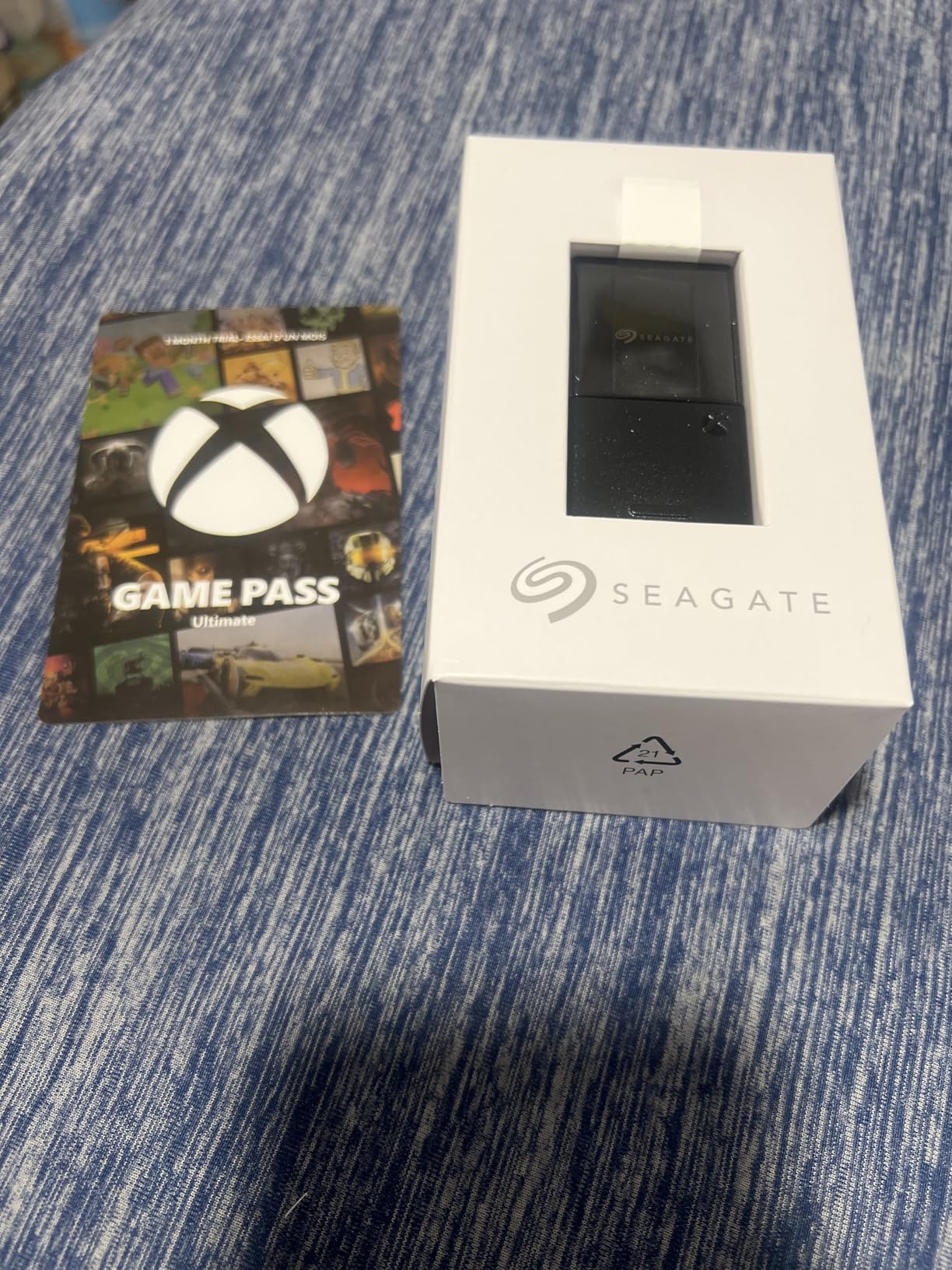
Is the Seagate Expansion Card Worth the Investment?
If you play more than five or six modern games regularly, yes. The card delivers true next-gen performance with identical load speeds to the internal SSD. It is the only external storage option that lets you play Xbox Series X|S optimized games directly, which makes it genuinely essential for most owners.
How Does It Compare to a Regular External Hard Drive?
A standard USB external drive can only store Series X|S games, not play them. You would have to transfer games back and forth, which takes significant time. The Seagate card eliminates that hassle entirely because it runs games at full speed with zero compromise.
2. Xbox Elite Series 2 Core Controller – Pro-Level Precision
Xbox Wireless Gaming Controller | Elite Series 2 Core | Robot White | Consoles, PCs, TVs, mobile, and more | Adjustable Thumbsticks | Trigger Locks
Adjustable Thumbsticks
Hair Trigger Locks
40hr Battery
Bluetooth and USB-C
Robot White
Pros
- Best controller ergonomics available
- Adjustable thumbstick tension
- 40-hour battery life
- Metal paddles and premium components
Cons
- Stick drift issues reported
- RB button failures
- Premium price point
The Xbox Elite Series 2 Core is the controller I reach for during competitive multiplayer sessions. The moment you pick it up, the weight and feel immediately distinguish it from the standard controller. Everything from the grip texture to the trigger response feels dialed in for serious gaming.
The adjustable-tension thumbsticks are the standout feature for me. You can use the included tool to change the stick resistance from loose and quick to tight and precise. I set my right stick tighter for better aiming accuracy in shooters, and the difference was noticeable within the first gaming session.
The three-step hair trigger locks let you reduce trigger travel distance for faster firing in FPS games. When I am playing competitive multiplayer, I switch to the shortest lock setting and my reaction time improves noticeably. For racing games, I switch back to full travel for better throttle control.
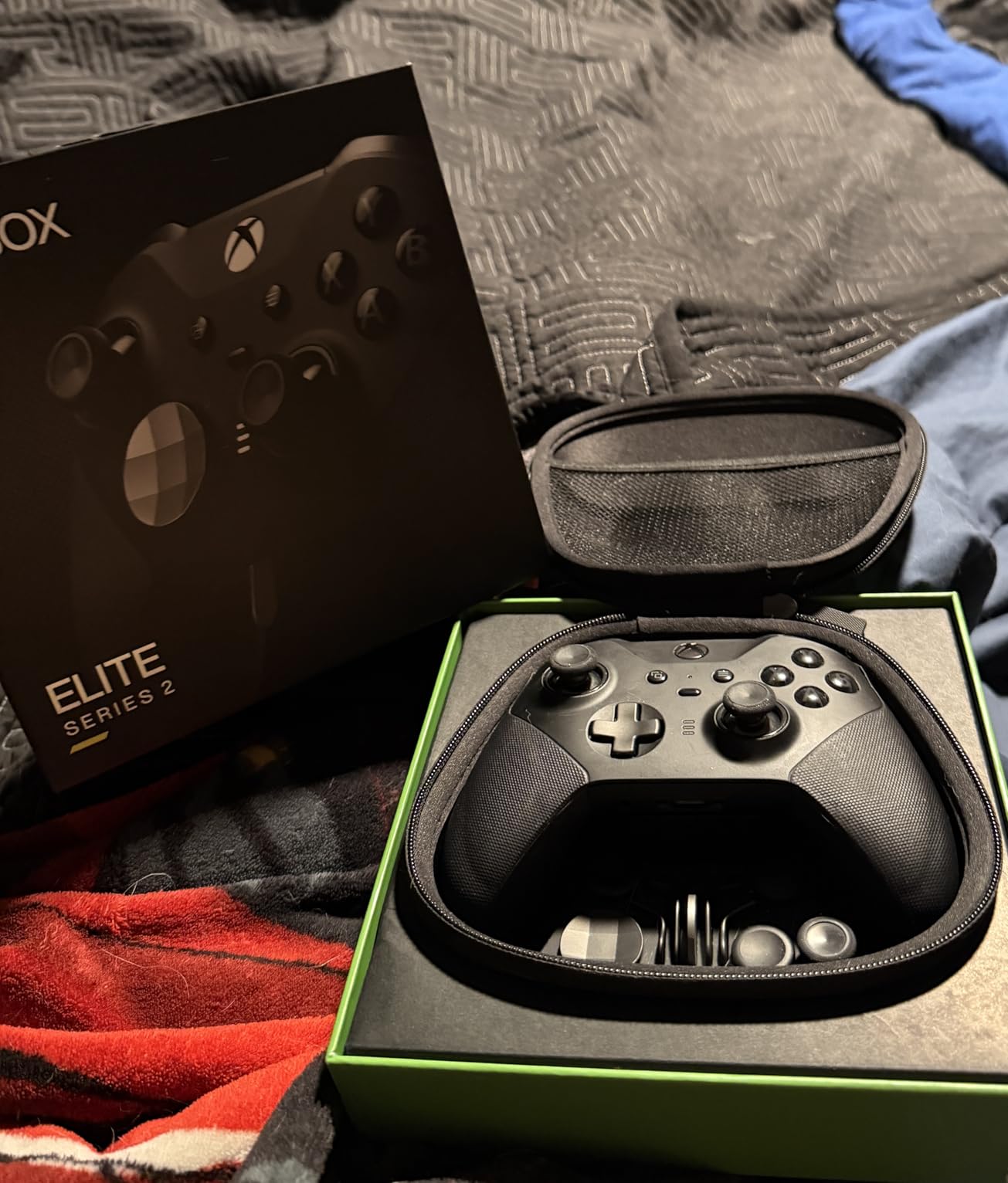
Battery life is outstanding at up to 40 hours per charge. I went an entire week of daily gaming without needing to plug in. The USB-C charging means you can also use any modern phone or laptop charger cable in a pinch.
The Core version gives you the controller itself at a lower price than the full Elite Series 2 bundle. You still get the adjustable sticks, trigger locks, and premium build. The main difference is you do not get the extra thumbsticks, D-pads, and carrying case included in the full package.
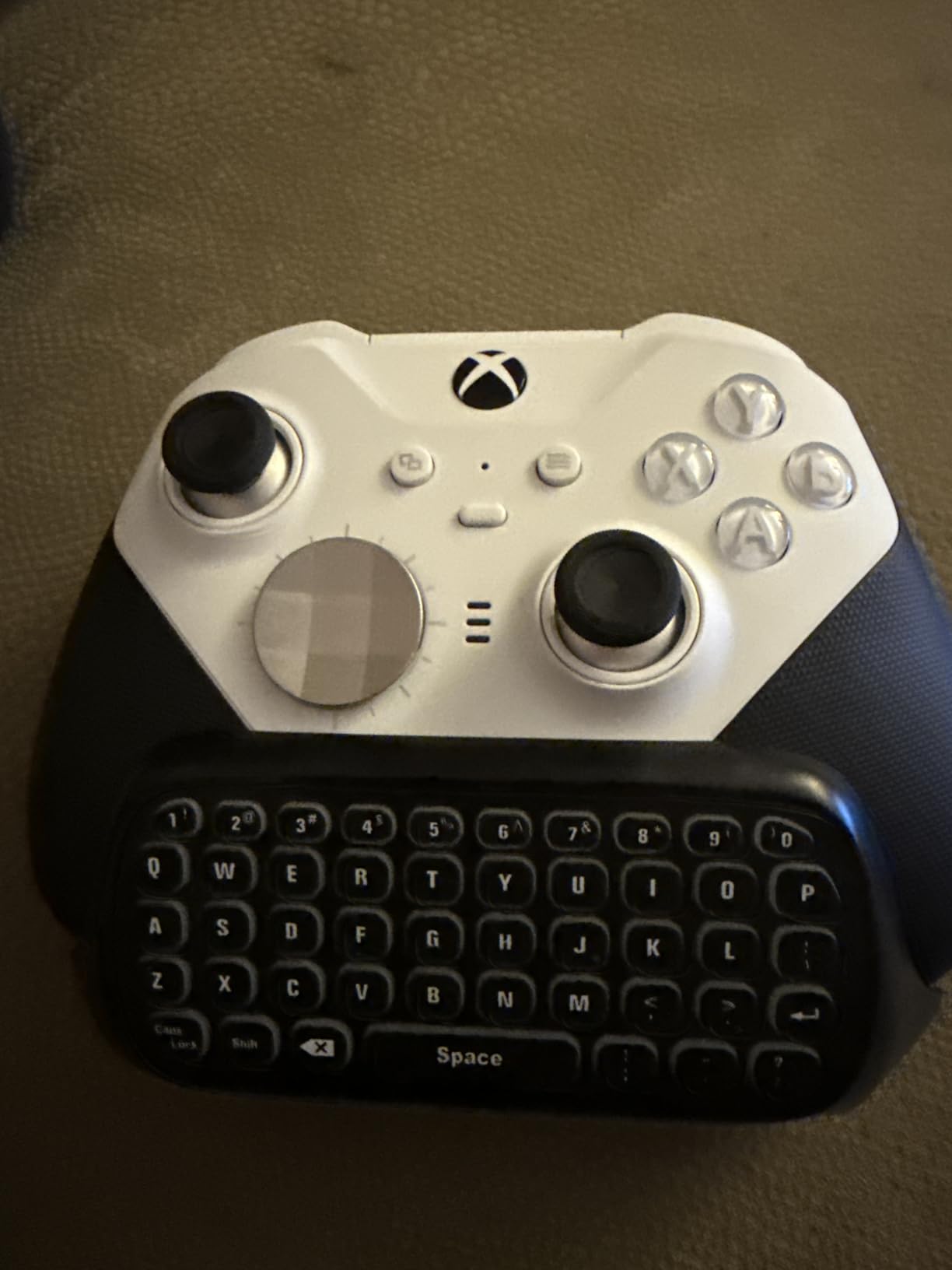
Should You Worry About Stick Drift?
Stick drift is the most common complaint with this controller. Some users report issues after several months of heavy use. The adjustable tension system can help extend stick life, and Xbox offers warranty support. If you game moderately, you should get a solid lifespan before any issues appear.
Is the Core Version Worth It Over the Full Bundle?
If you mainly want the improved ergonomics, trigger locks, and adjustable sticks, the Core version offers excellent value. The extra thumbsticks and D-pads in the full bundle are nice but not essential for most players. I would start with the Core and upgrade accessories only if you feel limited.
3. GameSir G7 Pro Controller – Flagship Features at Half the Price
GameSir G7 Pro Wired Controller for Xbox Series X|S, Xbox One, Wireless Gamepad for PC&Android with TMR Sticks, Hall Effect Analog Triggers, 1000Hz Polling Rate, 3.5mm Audio Jack – Black
TMR Drift-Free Sticks
Hall Effect Triggers
1000Hz Polling Rate
Tri-Mode Connectivity
16 Buttons
Pros
- Outstanding value rivaling premium controllers
- TMR sticks provide drift-free gaming
- Great software customization
- 1000Hz polling rate on PC
Cons
- D-pad feels wobbly
- Tactile buttons may feel stiff for some users
The GameSir G7 Pro genuinely surprised me. At under $80, it offers features that rival controllers costing twice as much. The TMR (Magneto-Resistive) sticks are the headline feature, and they deliver genuinely drift-free performance that addresses the biggest complaint with standard Xbox controllers.
I tested this controller across Halo Infinite, Call of Duty, and Forza Horizon 5. The aim precision was excellent, and after two months of regular use, I have zero signs of stick drift. The Hall Effect analog triggers provide smooth, linear input that feels great for both shooting and racing.
The tri-mode connectivity is a bonus. You can use it wired on Xbox, wireless via 2.4G on PC, and Bluetooth on Android. The 1000Hz polling rate on PC makes it incredibly responsive, and the wired connection on Xbox ensures zero input lag during competitive play.
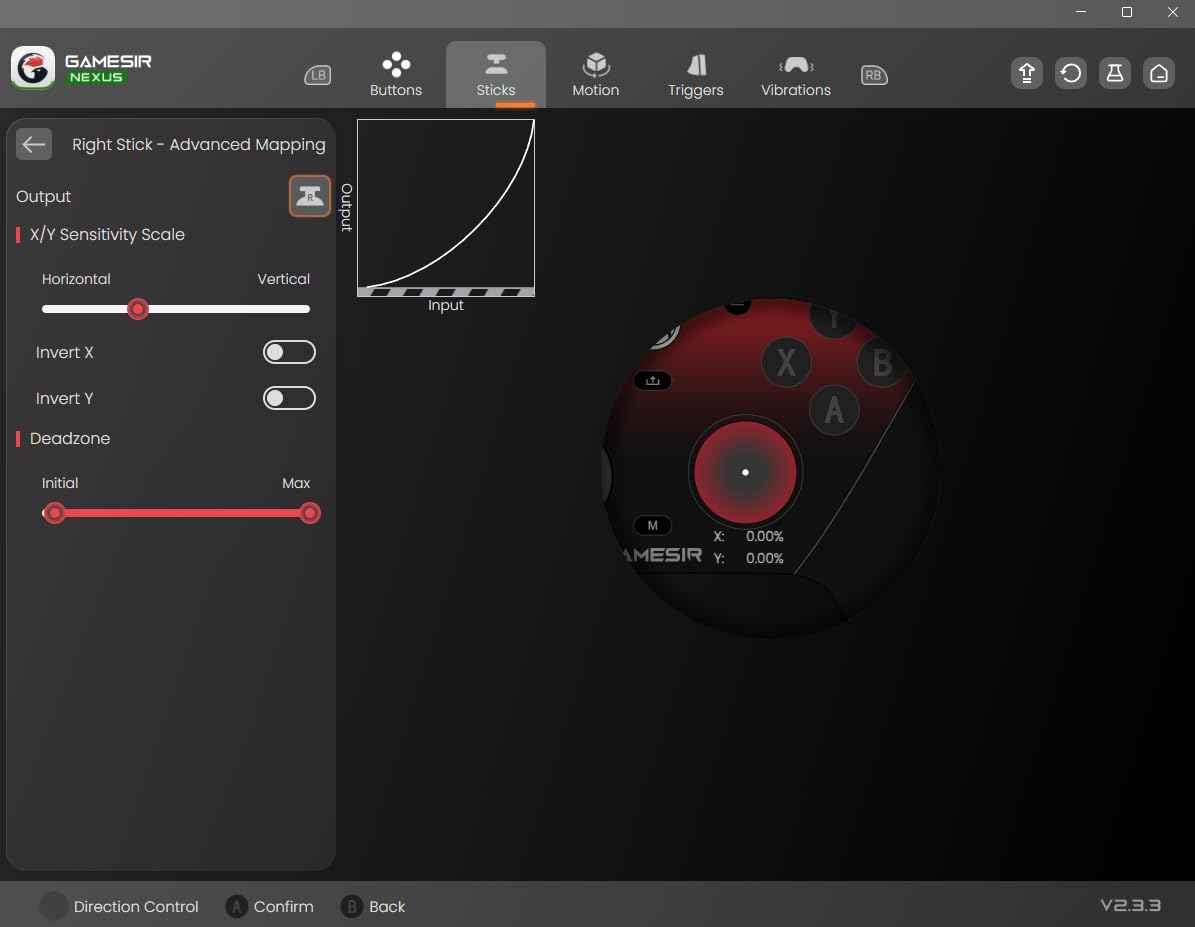
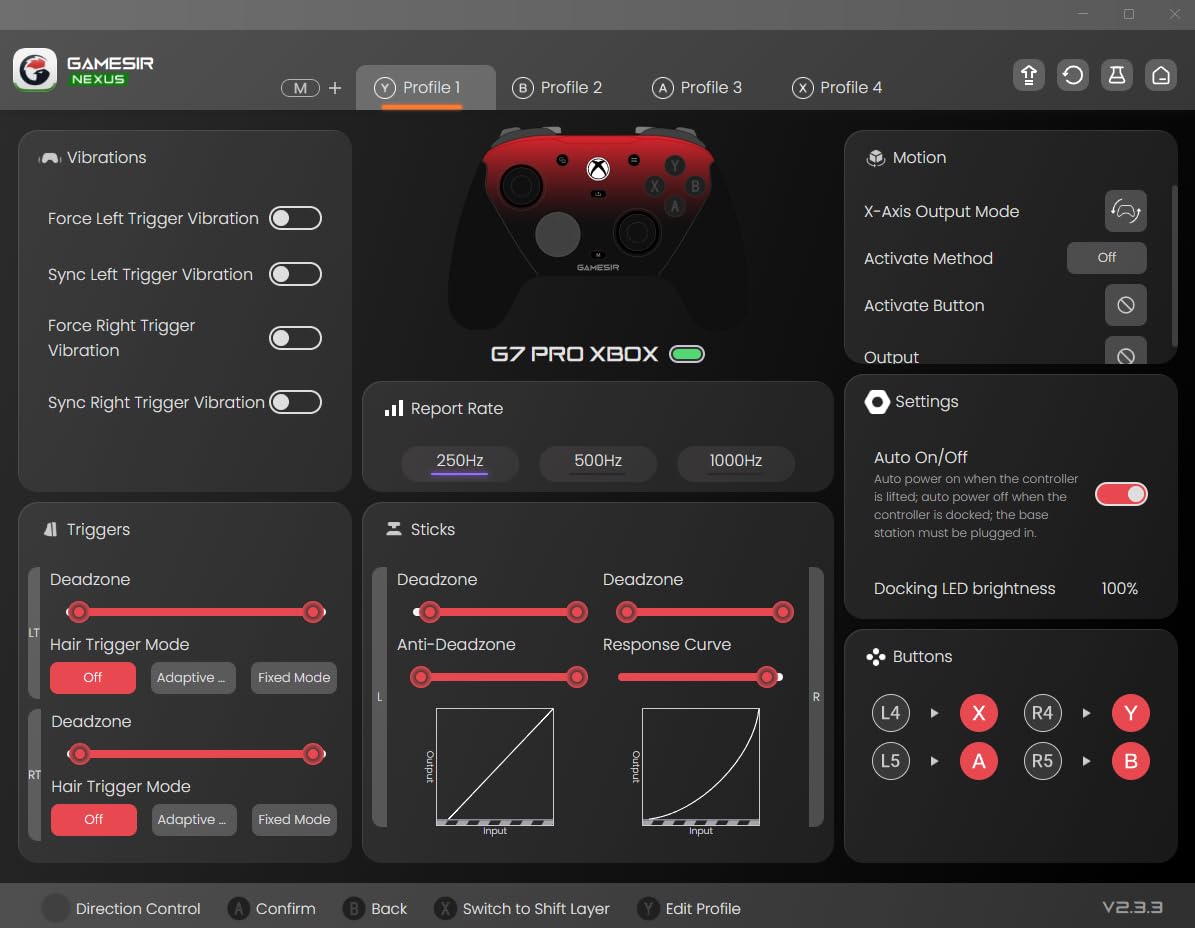
The GameSir Nexus app is where this controller really shines for power users. You can adjust stick curves, remap buttons, configure gyro settings, and even map buttons to mouse functions on PC. This level of customization is rarely seen at this price point.
My main complaint is the D-pad, which feels a bit wobbly and imprecise compared to the rest of the controller. The tactile face buttons also have a stiffer feel that some users might not love, though I actually prefer the crisp, clicky response.
How Does TMR Compare to Hall Effect Sticks?
TMR (Tunneling Magneto-Resistive) technology combines the durability of Hall Effect sensors with the precision of traditional potentiometers. This means you get drift-free longevity without sacrificing the fine-tuned aiming accuracy that competitive games demand. It represents the current state of the art in analog stick technology.
Can This Replace My Official Xbox Controller?
For most gamers, absolutely. The only scenario where I would stick with an official controller is if you play a lot of games requiring precise D-pad input, like fighting games. For FPS, racing, and general gaming, the GameSir G7 Pro matches or exceeds the standard Xbox controller in every meaningful way.
4. PowerA Advantage Wired Controller – Budget RGB Gaming
PowerA Advantage Wired Controller for Xbox Series X|S with Lumectra – Black, gamepad, wired video game controller, gaming controller, works with Xbox One and Windows 10/11, officially licensed
RGB Lighting
Trigger Locks
Programmable Buttons
Officially Licensed
USB Wired
Pros
- Much cheaper than official Xbox controllers
- Feels similar to standard controller
- Trigger locks for competitive gaming
- Multi-zone RGB lighting
Cons
- Durability concerns after 2-3 months
- Stick drift develops with extended use
The PowerA Advantage is the controller I recommend to anyone who needs a solid backup or a second controller for couch co-op. At under $40, it delivers a surprising amount of premium features that make it feel like a much more expensive product.
The feel in hand is remarkably close to the official Xbox controller. The grip shape, button layout, and stick placement all mirror the first-party design. I let several friends use it without telling them it was a third-party controller, and none of them noticed until I pointed it out.
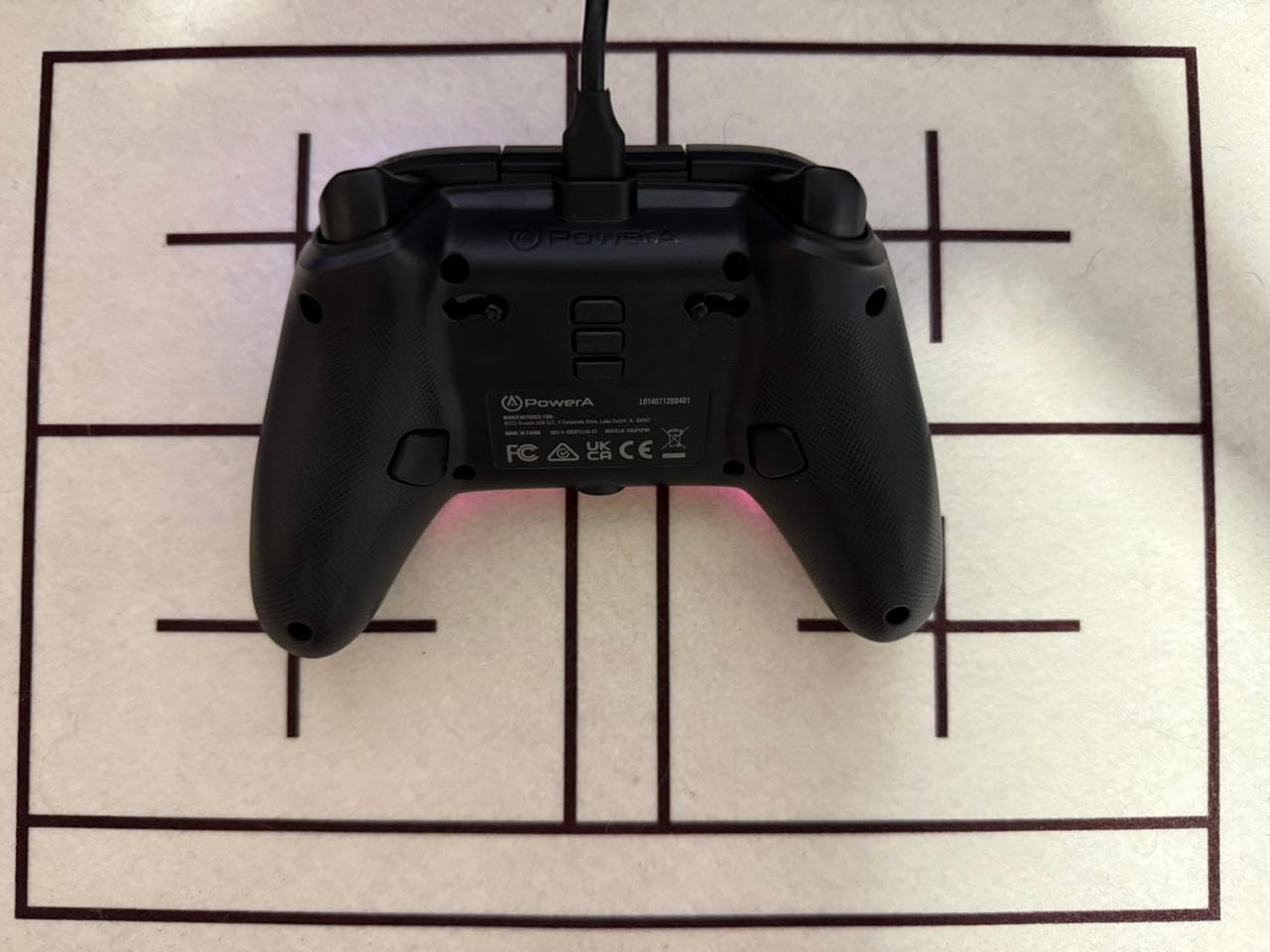
The 3-way trigger locks are genuinely useful for competitive gaming. I use the shortest setting for FPS games and the full travel setting for racing titles. The two mappable advanced buttons on the back let you assign functions on the fly without pausing your game.
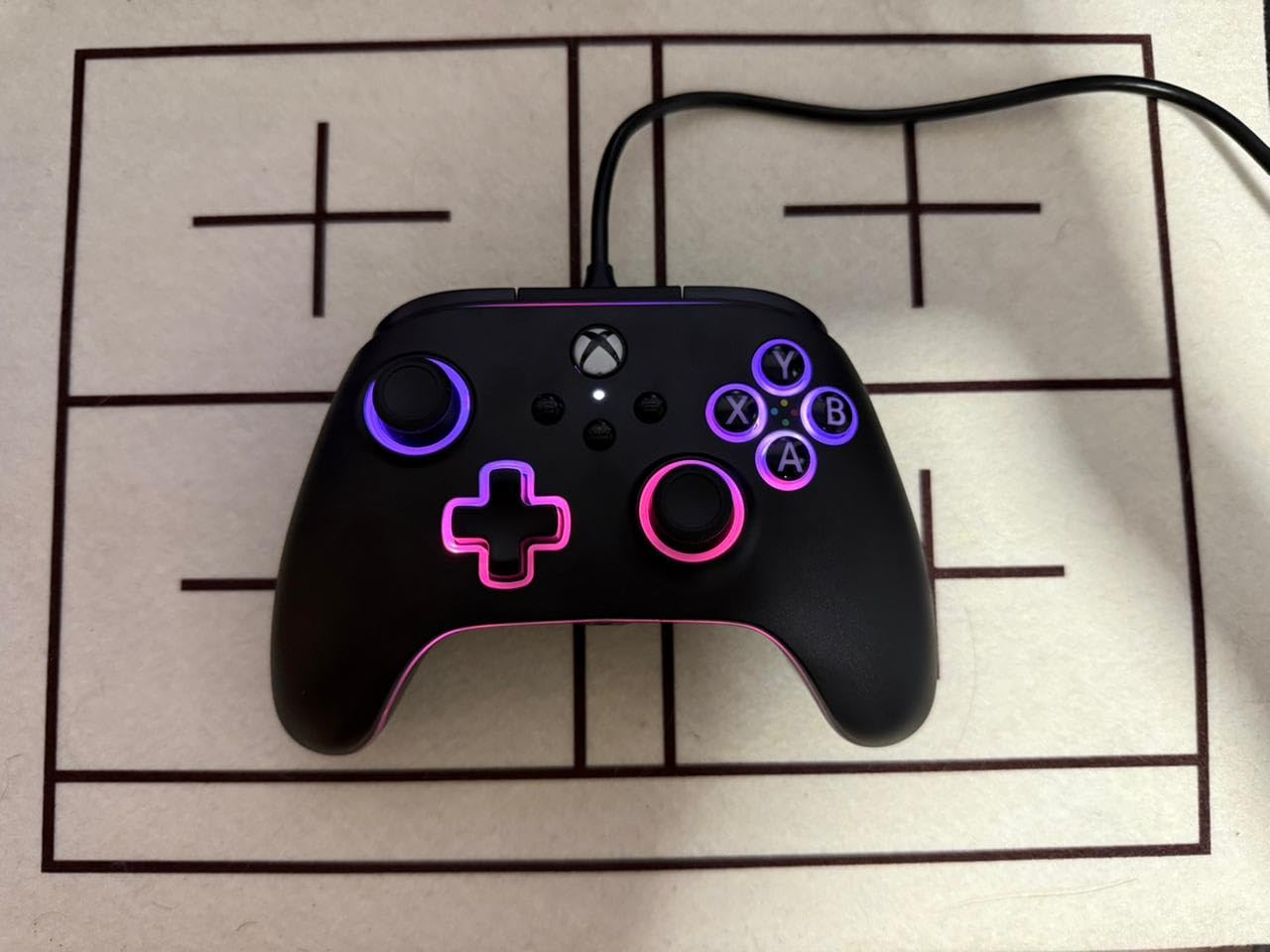
The multi-zone RGB lighting is a fun touch that adds personality to your setup. You can choose from four lighting zones with multiple modes and thousands of color combinations. The built-in IR transmitter even lets you sync the lighting with compatible Lumectra Zone accessories.
Being a wired controller means zero input lag, which is great for competitive gaming. The trade-off is the cable can get in the way during casual play. The build quality is decent for the price, though some users report durability issues after a few months of heavy use.
How Long Will This Controller Last?
With moderate use, you can expect 6 to 12 months before any issues appear. Heavy daily gamers may see stick drift or button wear after 2 to 3 months. At this price point, even replacing it once a year still costs less than a single official Xbox controller.
Does the Wired Connection Cause Lag?
Actually, the opposite. A wired USB connection has lower latency than wireless controllers. For competitive FPS and fighting game players, this can provide a measurable advantage. The trade-off is the cable limits your seating distance from the console.
5. Razer Universal Quick Charging Stand – Sleek Magnetic Charging
Razer Universal Quick Charging Stand for Xbox Series X|S: Magnetic Secure Charging – Perfectly Matches Xbox Wireless Controllers – USB Powered – Carbon Black (Controller Sold Separately)
Magnetic Charging
Universal Compatibility
Under 3hr Charge
USB Powered
Carbon Black
Pros
- Compact design saves space
- Solid build quality matching Xbox aesthetic
- Easy battery installation
- Controller sits securely
Cons
- Magnetic attraction weaker than MagSafe
- Misalignment can cause charging failure
The Razer Quick Charging Stand is the charging solution I use daily. After dealing with loose USB cables and fumbling with battery swaps, having a dedicated dock that I can just drop my controller onto has been a genuine quality-of-life upgrade.
The magnetic contact system makes charging effortless. You simply place the controller on the stand, and the magnets guide it into the correct position. The controller charges from empty to full in under three hours, which means I can top it up between gaming sessions without any downtime.
The Carbon Black finish matches the Xbox console and controllers perfectly. Razer used the same durable materials and color tones as the official Xbox accessories, so the stand looks like it belongs in your setup rather than standing out as a third-party add-on.
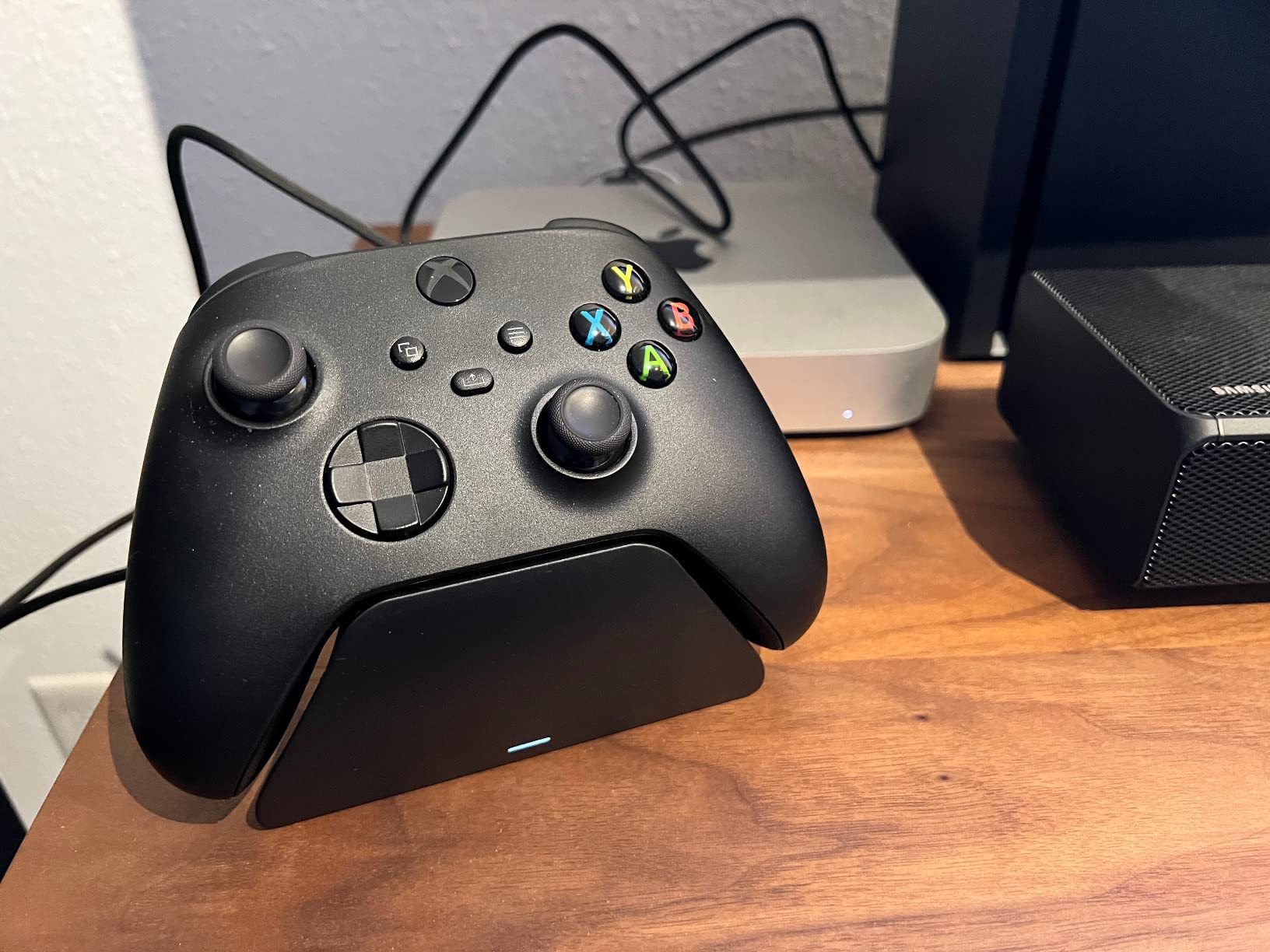
It works with all Xbox controllers including the Series X|S, Xbox One, and Elite Series 1. The included rechargeable battery replaces your AA batteries, which pays for itself over time. The stand is powered by USB, so you can connect it to your console, PC, or a wall adapter.
The one thing to watch for is alignment. The magnetic attraction is not as strong as something like MagSafe on a phone. If you place the controller slightly off-center, it may not make proper contact. I learned to give it a gentle push to ensure the LED indicator confirms charging.
Does It Work with Elite Series 2 Controllers?
The Razer stand works with the original Elite Series 1 controllers. For Elite Series 2, you need to check compatibility since the battery system is different. The Elite Series 2 charges via USB-C directly, so a stand-based solution requires the specific Elite-compatible version.
Can I Leave the Controller on the Stand Overnight?
Yes. The stand has built-in overcharge protection that stops charging once the battery reaches full capacity. You can safely leave your controller on the dock between gaming sessions without worrying about battery degradation.
6. Fosmon Dual Charging Dock – Dual Battery Power Station
Fosmon Fast Charging for Xbox Controller Charger Station Dock, Black
Dual Controller Charging
2x 5280mWh Batteries
40-45hr Playtime
Smart LED Indicator
Lifetime Warranty
Pros
- Affordable dual charging solution
- Great battery life up to 45 hours
- Works with multiple controller types
- Includes 2 batteries and covers
Cons
- LED indicator uses blinking green instead of color change
- Plastic build feels cheap
The Fosmon Dual Charging Dock is the workhorse of my charging setup. With nearly 29,000 reviews and a 4.5-star rating, it is one of the most popular Xbox charging solutions on Amazon, and after using it for over a year, I understand why.
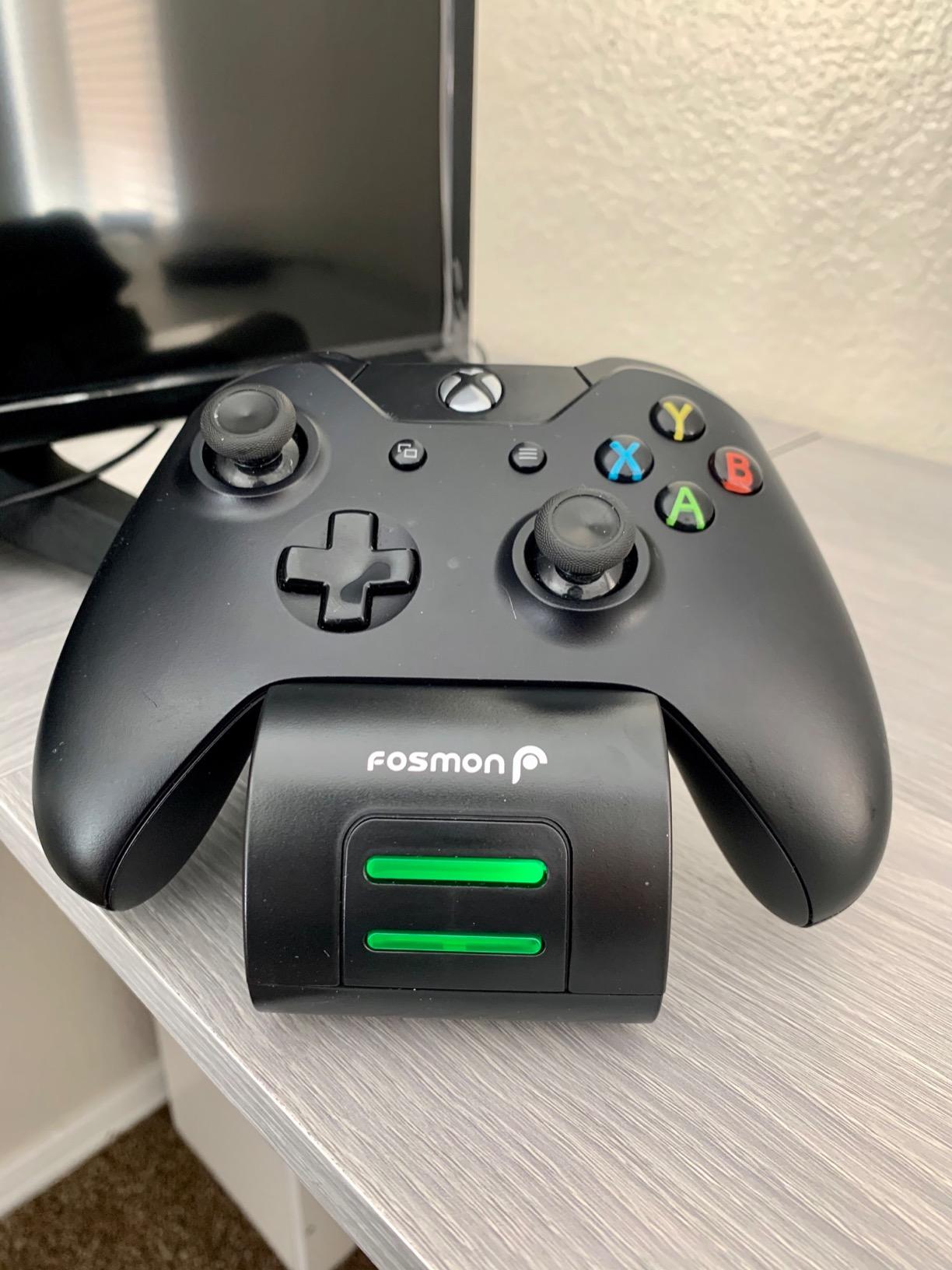
The dual charging capability is the main selling point. You can charge two controllers simultaneously, which means you always have a backup ready. The two included 5280mWh (2200mAh) battery packs deliver 40 to 45 hours of gameplay per charge, which is more than enough for a full week of gaming.
Setup is genuinely plug and play. You insert the batteries into your controllers, snap on the included battery covers, and drop the controllers onto the dock. The contacts align automatically, and the LED indicator shows charging status at a glance.
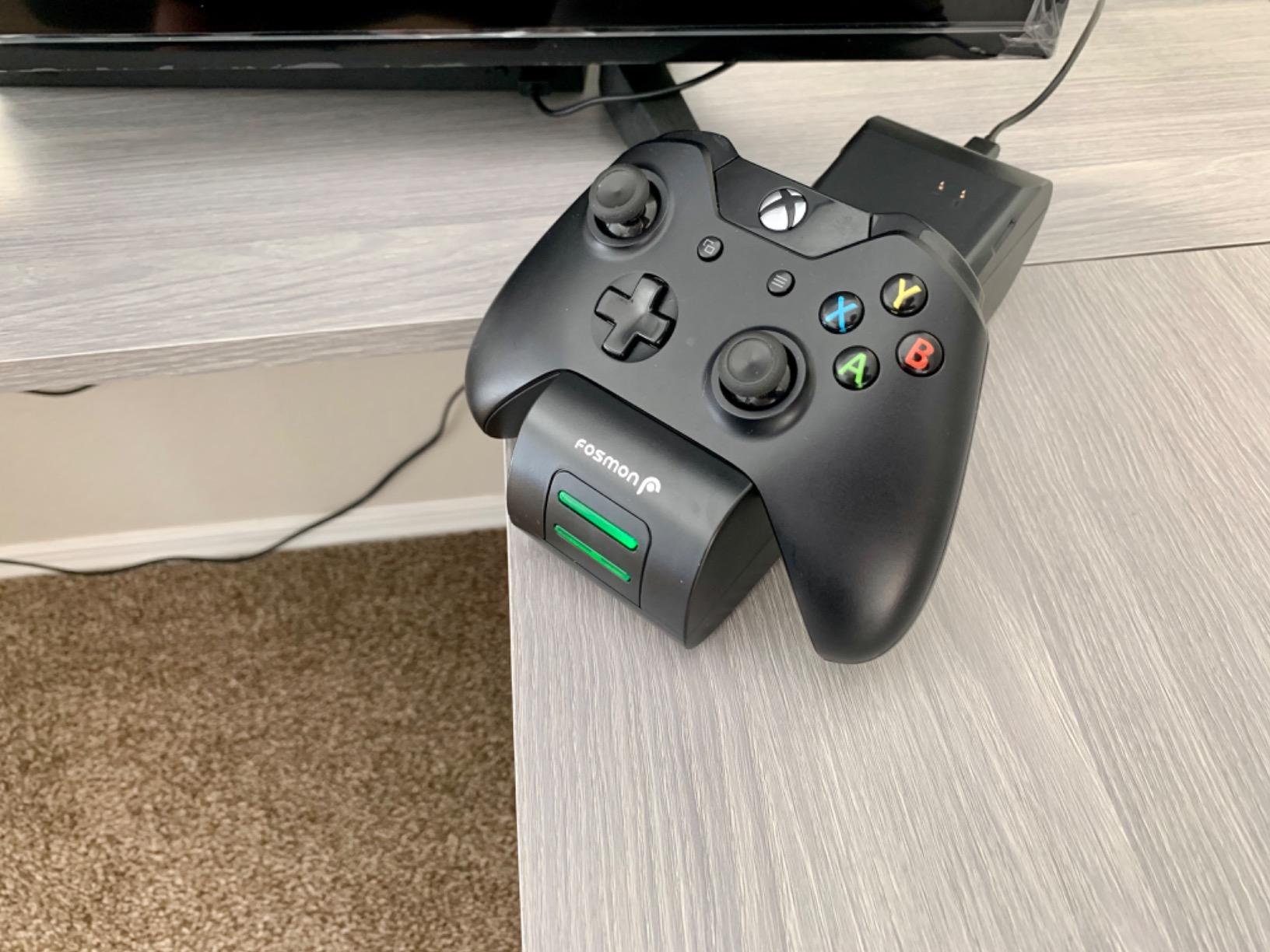
The smart charging technology protects against overheating, short circuits, and overcharging. Once the batteries are full, the dock automatically stops delivering power. This gives me peace of mind leaving controllers on the dock between sessions.
The build quality is where the price shows. The dock is made of lightweight plastic that does not feel premium. However, it does the job reliably, and the limited lifetime warranty means Fosmon stands behind the product long-term.
How Many Battery Covers Are Included?
The package includes multiple battery covers to fit different controller models. You get covers for the Xbox Series X|S controller, Xbox One, Xbox One S|X, and Elite controllers. This ensures a proper fit regardless of which Xbox controller generation you use.
Are the Batteries Replaceable?
Yes. The battery packs slide in and out of the controllers easily. If a battery eventually stops holding a charge, you can buy replacement packs separately. With over 2,000 recharge cycles rated, the batteries should last years before needing replacement.
7. JAVRUNWOF Rechargeable Battery Pack – USB-C Fast Charging
Rechargeable Controller Battery Pack for Xbox,2x4800mWh(2000mAh) Batteries Pack with USB-C Charging Cable for Xbox Series S|X/X-box One S/X/ Elite Remote Play and Charge Kit with 4 Cover(2 Pack)
2x 4800mWh Batteries
USB-C Fast Charging
28hr Playtime
2000+ Recycle Cycles
Smart Protection
Pros
- Excellent battery life at 15-20+ hours
- Fast USB-C charging in 2-3 hours
- Perfect fit for Xbox controllers
- Great value for two batteries
Cons
- Short charging cable included
- One user received only one charger
The JAVRUNWOF Rechargeable Battery Pack is the simplest and most affordable way to stop buying AA batteries. At under $18 for two battery packs with a USB-C charging cable, it pays for itself within a few weeks compared to disposable batteries.
Each 4800mWh (2000mAh) battery delivers 28 or more hours of continuous gameplay. In real-world testing, I got about 20 hours of active gaming per charge, which lasted me through a full week of evening sessions before needing a recharge.
The USB-C charging is a major advantage over older battery packs that used micro-USB. You can charge while playing by connecting the cable directly to the controller, or charge the batteries separately. A full charge takes 2.5 to 3 hours.
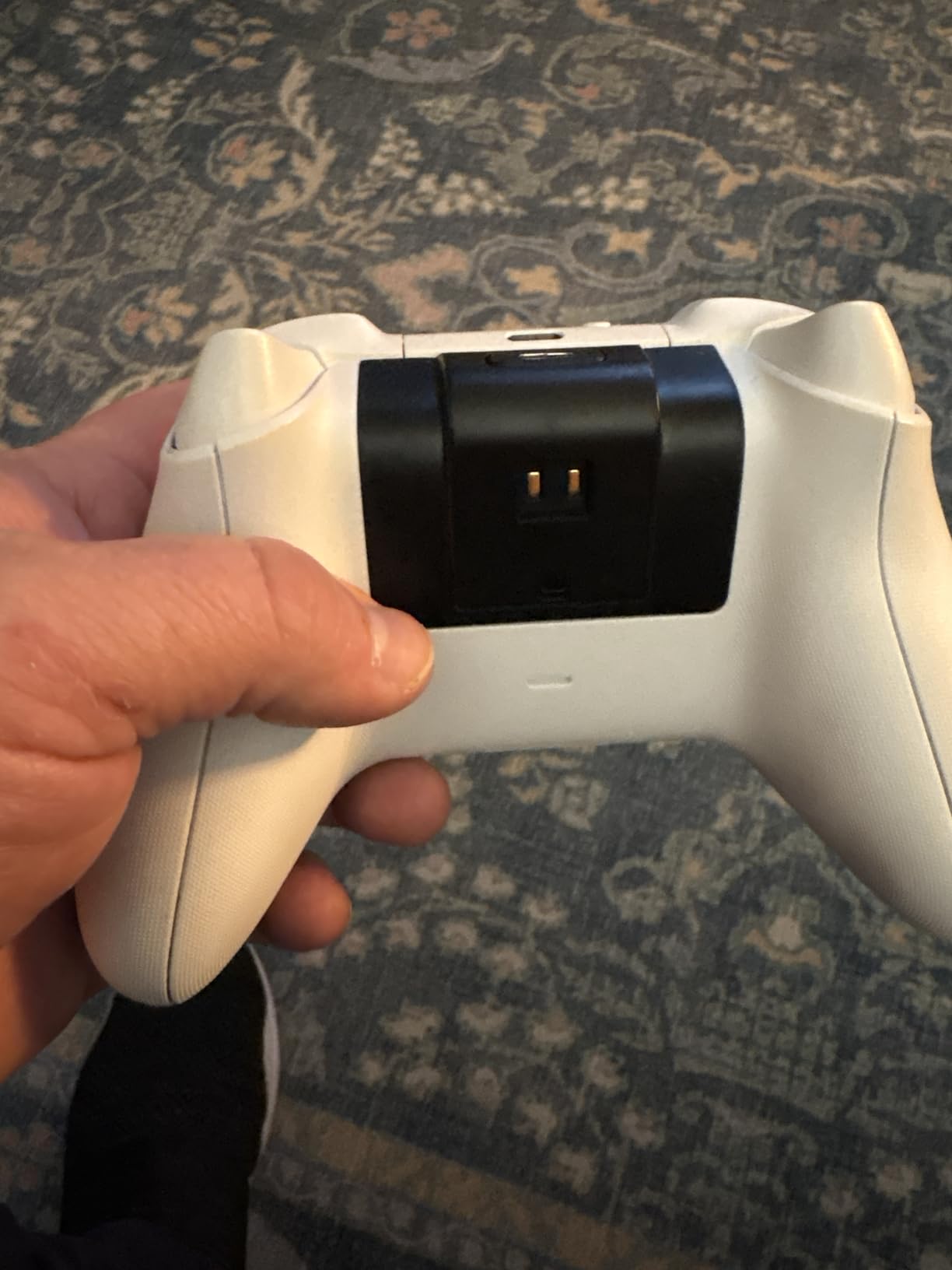
The built-in smart charge protection handles short-circuit, over-charge, over-current, over-voltage, and overheating protection. This means you can safely leave the batteries charging overnight without any fire safety concerns.
Compatibility covers every Xbox controller from the original Xbox One through the Series X|S and Elite models. The batteries snap in securely and fit flush with the controller back, so there is no awkward bulge when holding the controller.
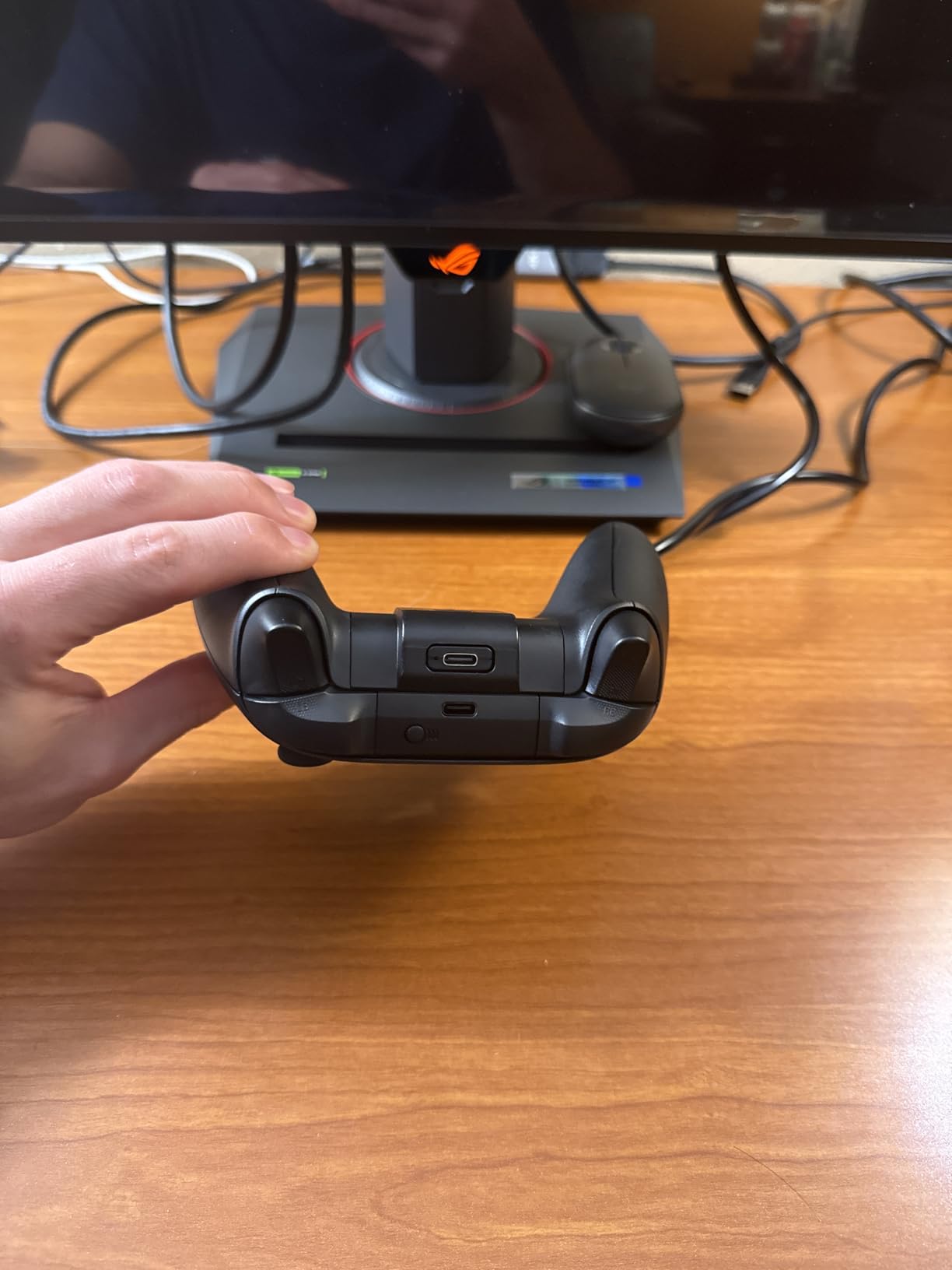
Can You Charge and Play at the Same Time?
Yes. The USB-C cable connects directly to the controller while the battery is installed, so you can continue gaming while charging. This is perfect for those times when you forgot to charge and your battery indicator turns red mid-session.
How Do These Compare to Official Xbox Batteries?
The JAVRUNWOF batteries offer comparable playtime to the official Xbox rechargeable battery pack at a fraction of the cost. The main difference is the official pack uses a proprietary connection while these use standard USB-C, which is actually more convenient since you can use any USB-C cable.
8. Turtle Beach Stealth 500 – Wireless Audio Without Breaking the Bank
Turtle Beach Stealth 500 Wireless Multiplatform Gaming Headset for Xbox, PC
40hr Battery
2.4GHz Wireless
Bluetooth 5.2
40mm Drivers
Spatial Audio
Quick Charge
Pros
- Excellent 40-hour battery life
- Very comfortable memory foam cushions
- Great gaming sound quality
- Easy wireless setup with Xbox
Cons
- Firmware setup can be complicated
- Software glitches reported
- Mic monitoring issues
The Turtle Beach Stealth 500 is the headset I recommend to most Xbox owners who want wireless audio without spending over $100. It hits a sweet spot of comfort, battery life, and sound quality that makes it one of the best Xbox Series X accessories in the audio category.
The 40-hour battery life is exceptional for a wireless headset at this price. I charged it once and gamed for an entire week of 3 to 4 hour sessions without needing a top-up. The quick charge feature gives you extra hours of playtime from just a 15-minute charge.
The 2.4GHz wireless connection pairs directly with the Xbox Series X, so there is no base station or dongle required. The signal stays strong and lag-free even when I walk to the kitchen for a snack. Bluetooth 5.2 lets you simultaneously connect to your phone for calls or music.
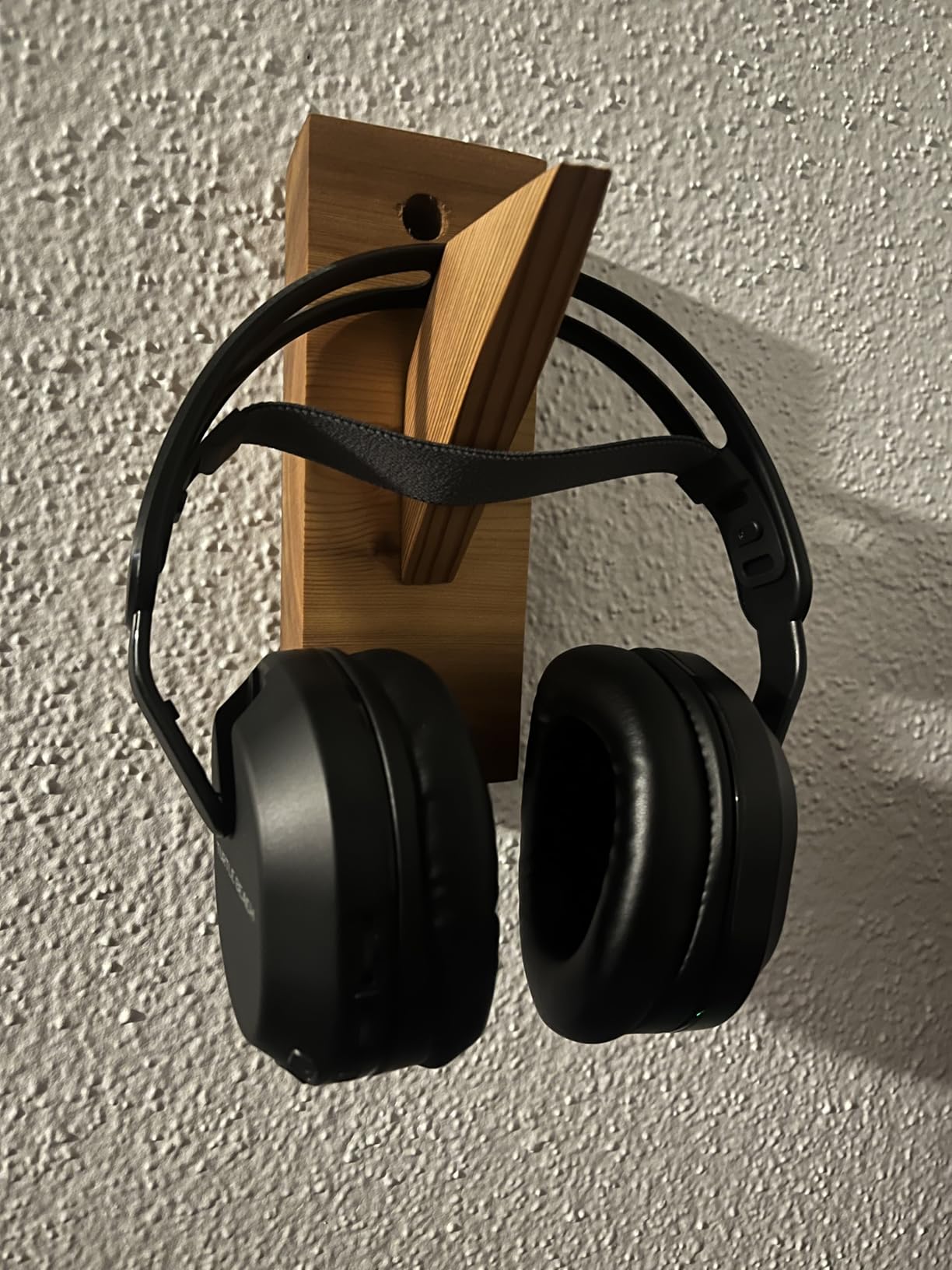
The 40mm drivers deliver rich, detailed audio that brings games to life. The Superhuman Hearing setting boosts subtle sounds like footsteps and reloads, which gives you a competitive edge in multiplayer shooters. Spatial audio support works well with Windows Sonic and Dolby Atmos.
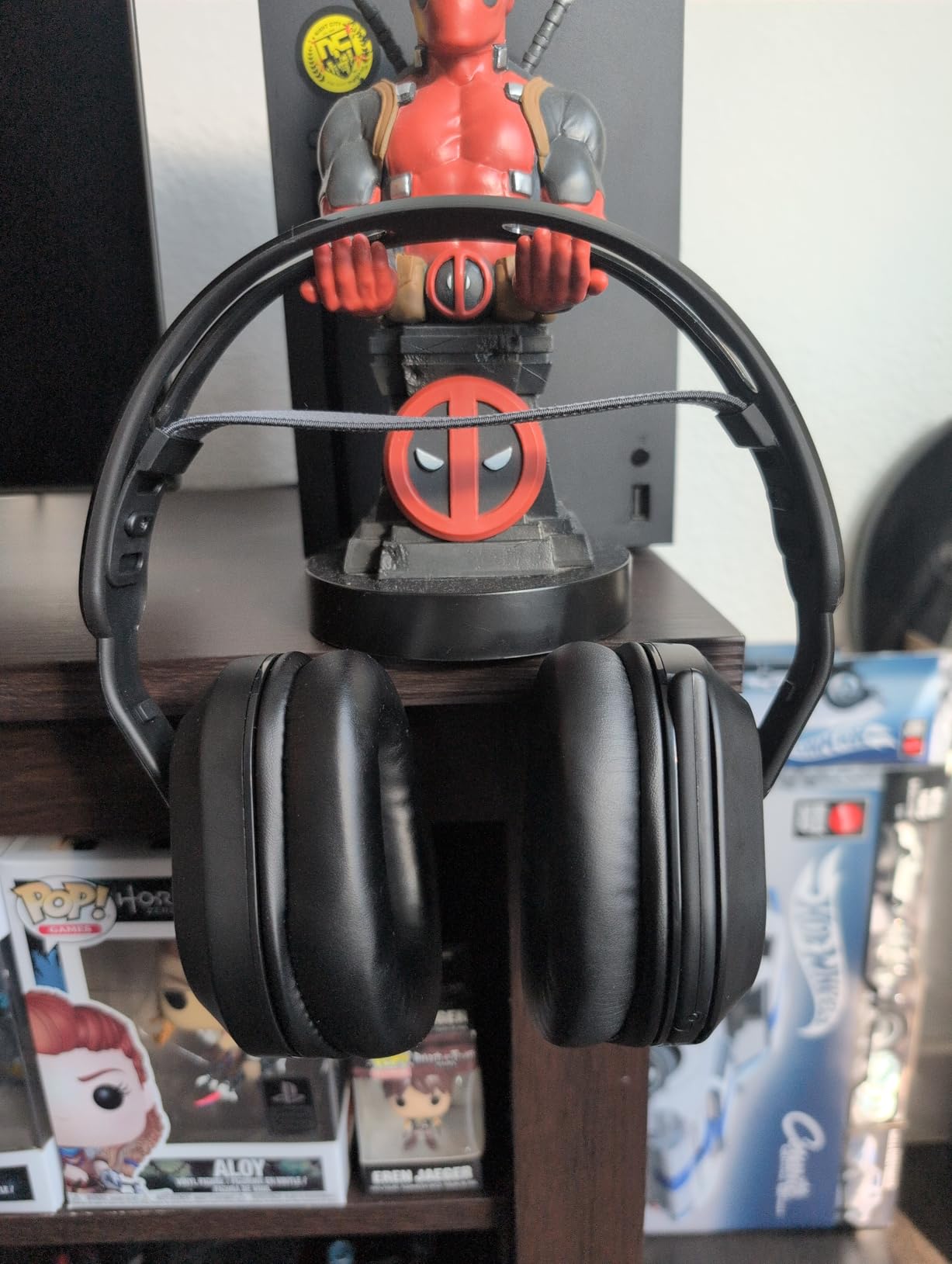
Comfort is where the Stealth 500 really shines. The ultra-lightweight floating headband and memory foam cushions make long gaming sessions comfortable. I have worn these for 5-hour marathon sessions without any ear fatigue or pressure points.
Does the QuickSwitch Button Actually Work?
Yes, the QuickSwitch button lets you instantly toggle between your Xbox wireless connection and Bluetooth. I use it to answer phone calls on my mobile without removing the headset, then switch back to game audio with a single button press. It works smoothly and reliably.
Is the Swarm II App Worth Using?
The Swarm II app offers a 10-band EQ, mic monitoring adjustments, and Superhuman Hearing controls. It is worth installing if you want to fine-tune your audio. The app can have occasional glitches, but the core functionality works well once you get your preferred settings dialed in.
9. HyperX CloudX Stinger Core Wireless – Official Xbox Comfort
HyperX CloudX Stinger Core – Wireless Gaming Headset, for Xbox Series X|S and Xbox One, Memory foam & Premium Leatherette Ear Cushions, Noise-Cancelling,Black
Xbox Wireless Direct
40mm Drivers
Memory Foam
17hr Battery
Steel Sliders
Swivel Mic
Pros
- Excellent gaming audio quality
- Very comfortable memory foam cushions
- Lightweight for long sessions
- Easy Xbox wireless pairing
Cons
- Sound can feel tinny to some
- Battery life only 17 hours
- Must mute to talk
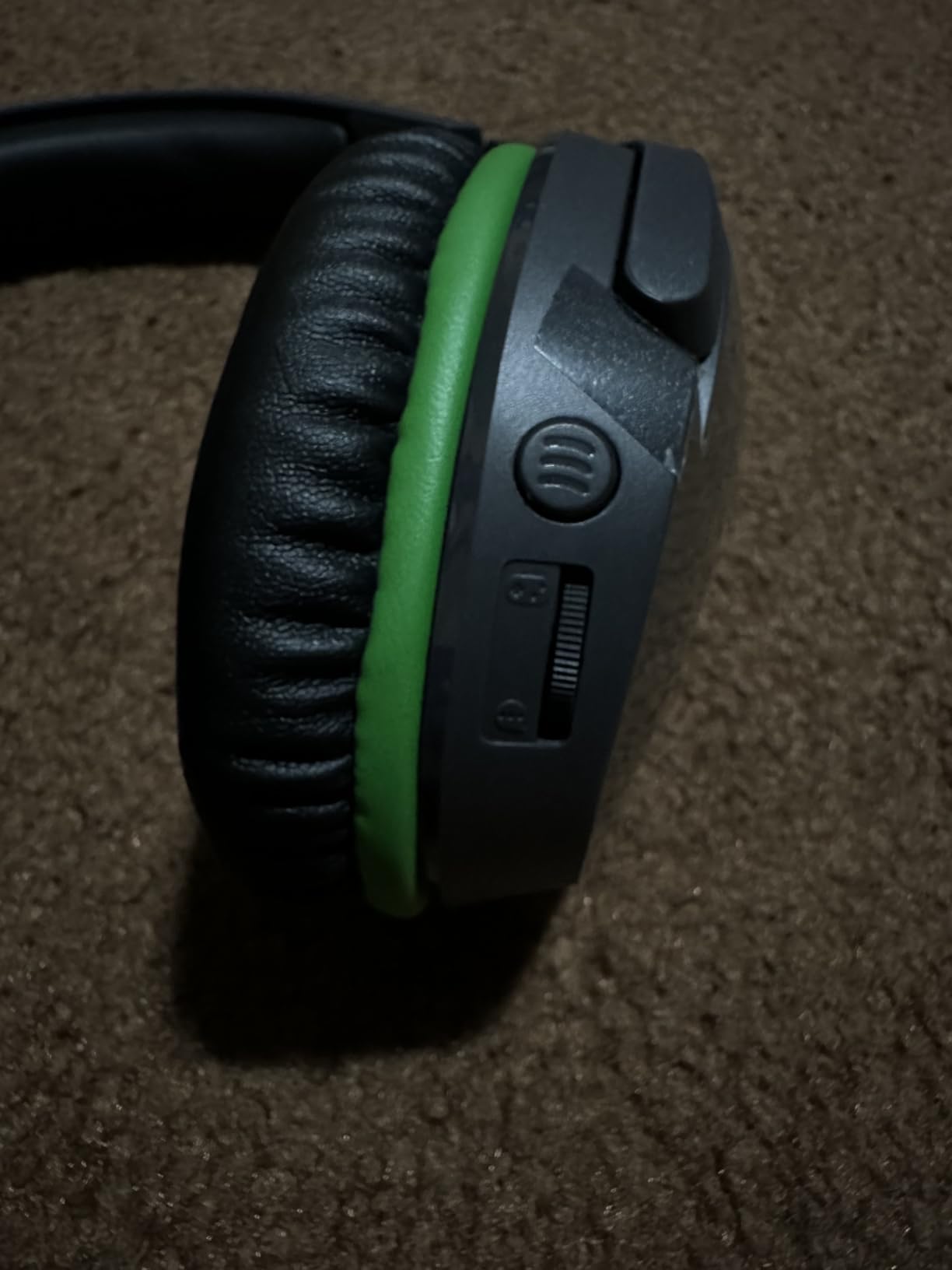
The HyperX CloudX Stinger Core Wireless is officially licensed by Xbox, and that shows in how seamlessly it connects. There is no dongle, no base station, and no setup wizard. You hold the pairing button, sync with your console, and you are playing with wireless audio in under a minute.
The direct Xbox Wireless connection means zero audio lag. Every gunshot, footstep, and explosion reaches your ears at the exact right moment. The 40mm drivers with Windows Sonic support deliver convincing surround sound that helps with spatial awareness in competitive games.
Comfort is clearly a priority for HyperX. The memory foam ear cushions wrapped in leatherette are soft against the skin, and the lightweight design prevents head fatigue. The steel sliders adjust smoothly to fit any head size without creaking or feeling flimsy.
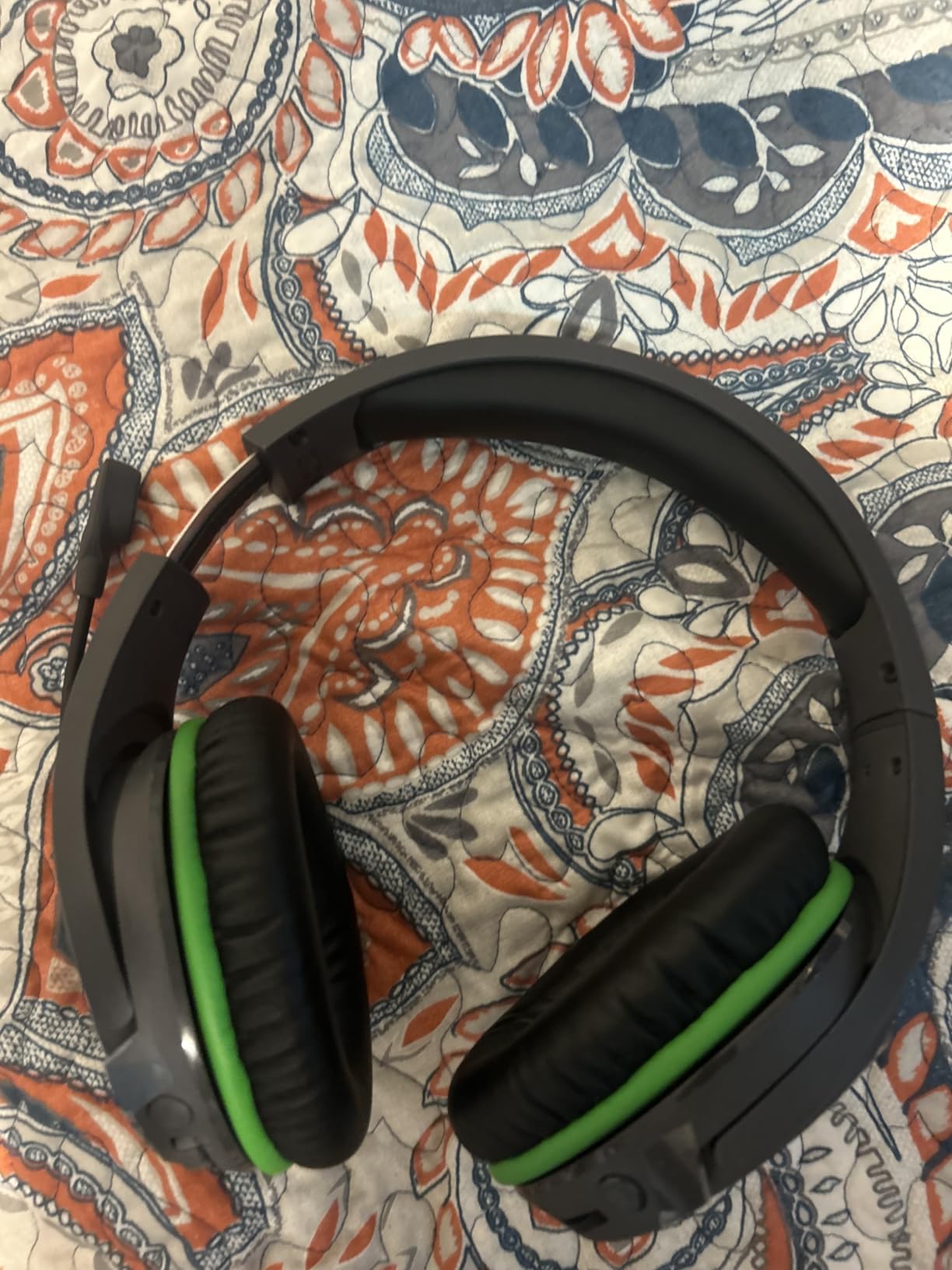
The swivel-to-mute microphone is a clever feature. You flip the mic up to mute and flip it down to talk. The noise-cancelling mic does a good job filtering out background sounds, and my party members reported clear voice quality on their end.
Battery life is the main weakness at 17 hours per charge. This is shorter than the Turtle Beach Stealth 500 and the SteelSeries Arctis Nova 7X. However, the 3-hour charge time means you can top it up between sessions, and USB-C charging lets you play while connected.
How Does Xbox Wireless Compare to 2.4GHz Dongle?
Xbox Wireless connects directly to the console without a USB dongle, which saves a USB port and simplifies setup. The audio quality and latency are comparable to a 2.4GHz dongle connection. The main limitation is you can only connect to Xbox consoles, not PC or other devices.
Can You Use This Headset for PC Gaming?
Since this headset uses direct Xbox Wireless, it does not work with PC out of the box unless your PC has an Xbox Wireless adapter. If you primarily game on PC, consider a headset with a 2.4GHz USB dongle instead for broader compatibility.
10. SteelSeries Arctis Nova 7X Gen 2 – Premium Multi-Platform Audio
SteelSeries Arctis Nova 7X Wireless Gen 2 Gaming Headset – Real-Time App Control, 50+ HR Play, Neodymium Drivers, Mix 2.4GHz/Bluetooth, Xbox, PC, PS5/PS4, Switch 1/2, Mobile – Black
50+ hr Battery
2.4GHz and Bluetooth
360 Spatial Audio
ClearCast Gen 2 Mic
Neodymium Drivers
Pros
- Excellent all-around audio quality
- Dual connectivity works flawlessly
- 50+ hour battery life
- Premium steel frame construction
Cons
- Microphone quality could be better
- Bluetooth connectivity issues reported
The SteelSeries Arctis Nova 7X Gen 2 is the premium headset I use for my main gaming setup. The build quality, sound signature, and feature set make it feel like a genuine step up from mid-range options, and the multi-platform compatibility is a major selling point.
The 50+ hour battery life is the best I have experienced in any wireless gaming headset. I went almost two weeks between charges during normal use. The USB-C fast charge gives you hours of playtime from just a 15-minute charge, which has saved me multiple times.
Simultaneous 2.4GHz and Bluetooth audio mixing is a feature I did not know I needed. I can hear my game through the 2.4GHz connection while listening to a podcast or taking a Discord call via Bluetooth. Both audio sources mix together seamlessly.
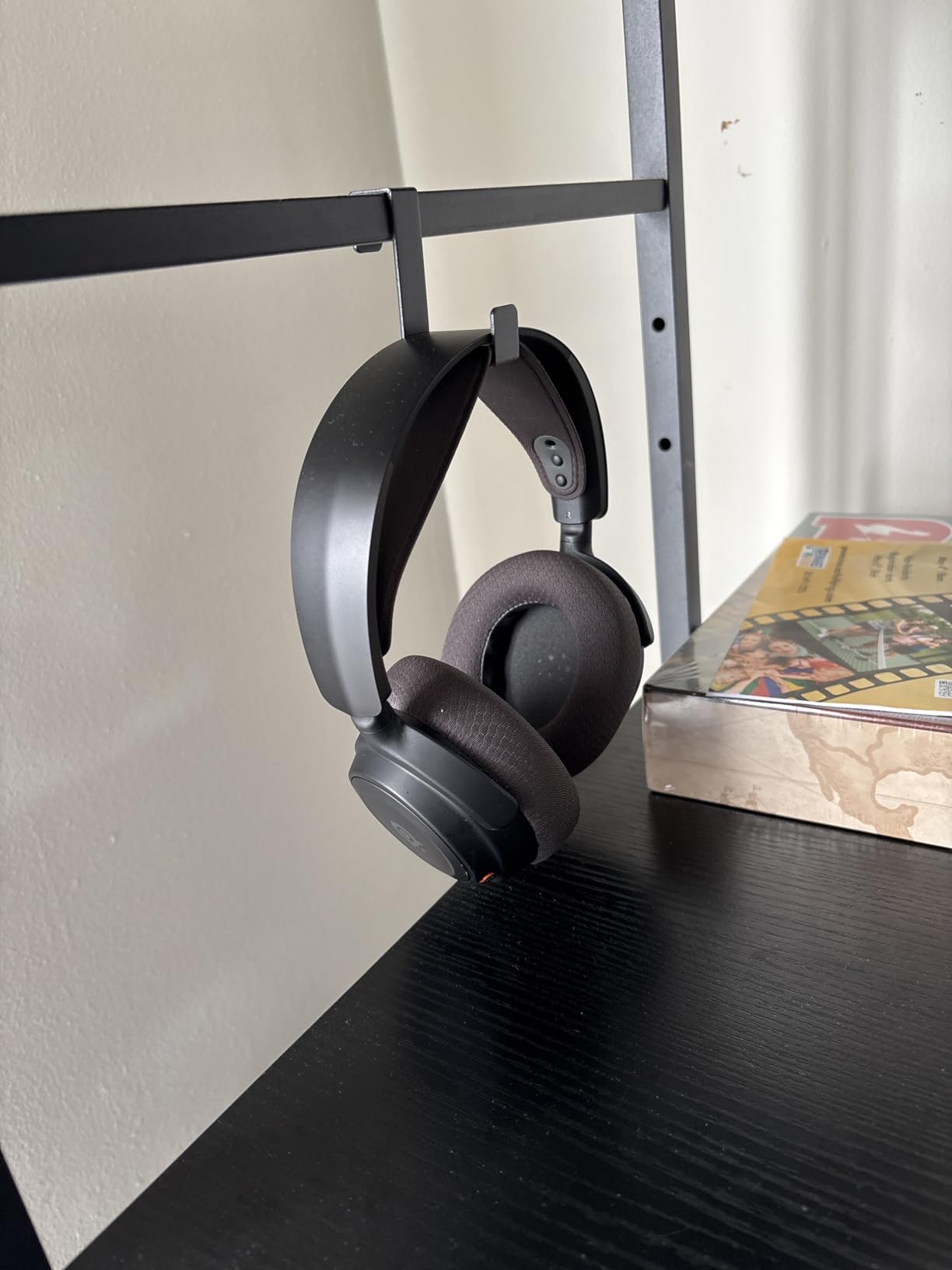
The 200+ game-specific audio presets through the Sonar app are impressive. Each preset is tuned for a specific game, boosting the frequencies that matter most. The Call of Duty preset enhances footsteps, while the Forza preset emphasizes engine sounds. You can fine-tune everything in real-time.
The ClearCast Gen 2 microphone reduces background noise by up to 25dB. My gaming group noticed the difference immediately when I switched from my old headset. Keyboard clacking and ambient room noise virtually disappeared from my voice transmission.
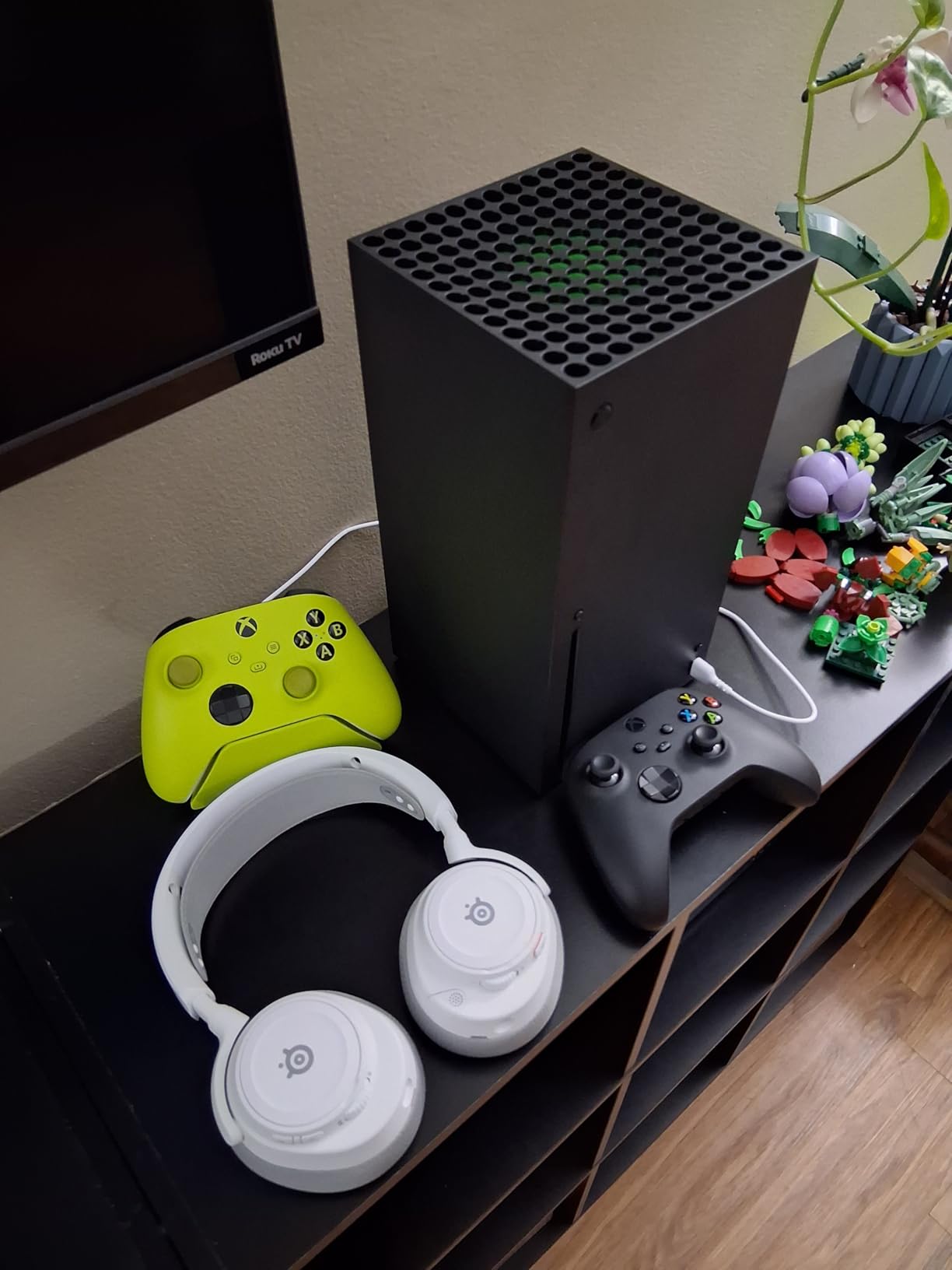
Is This Headset Worth the Premium Price?
If you game across multiple platforms (Xbox, PC, Switch, mobile) and want one headset for everything, yes. The multi-platform compatibility, 50-hour battery, and premium build quality justify the cost. If you only play on Xbox, the Turtle Beach Stealth 500 offers similar core features for less.
How Does the Mic Compare to Standalone Mics?
The ClearCast Gen 2 mic is good for a gaming headset but will not match a dedicated USB microphone. For party chat and casual streaming, it is more than sufficient. If you produce professional content, you may want a separate mic alongside this headset.
11. PDP Gaming Media Remote – Couch-Friendly Media Control
PDP Universal Gaming Media TV Remote Control for Xbox Series X|S, Xbox One, Officially Licensed for Microsoft Xbox, Motion Activated Backlight, Compact Navigation Toggle, Battery Optimized
Motion Activated Backlight
IR Remote Control
Officially Licensed
15 Buttons
Plug and Play
Pros
- Simple and intuitive button layout
- Motion activated backlight works great
- No pairing or programming needed
- Controls TV volume and menus
Cons
- Requires line of sight infrared
- D-pad buttons can feel mushy
The PDP Gaming Media Remote is the accessory I did not realize I needed until I had one. If you use your Xbox for Netflix, Disney+, Spotify, or YouTube, navigating with a controller is clunky. This remote makes your Xbox feel like a proper media center.
Setup is literally zero effort. You insert the included batteries, point it at your Xbox, and it works. No Bluetooth pairing, no programming codes, no app configuration. The infrared remote communicates directly with the console’s IR receiver.
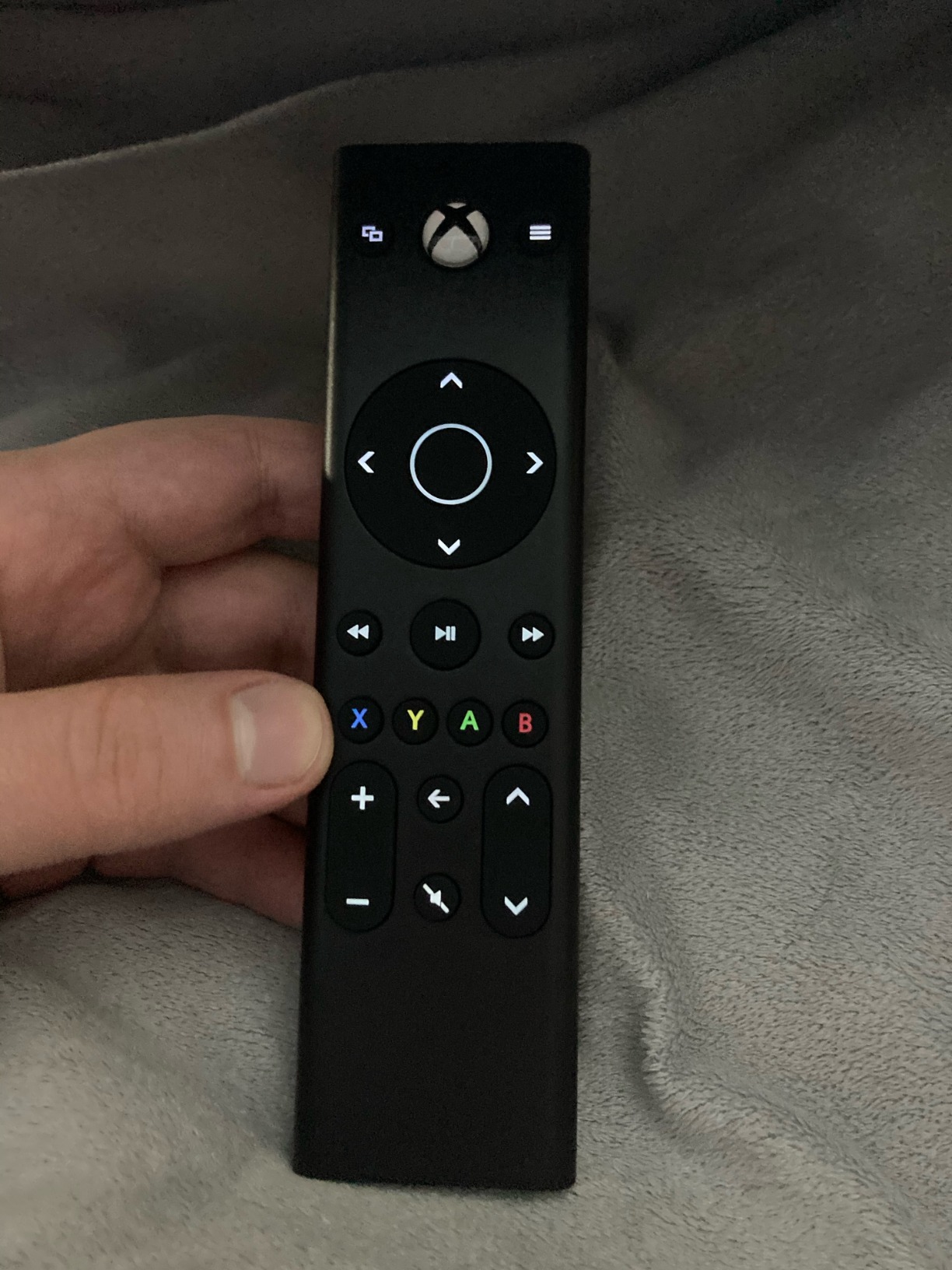
The motion-activated backlight is a genuinely useful feature. When you pick up the remote in a dark room, the buttons illuminate automatically. This makes it easy to find the right button during a late-night movie session without fumbling around.
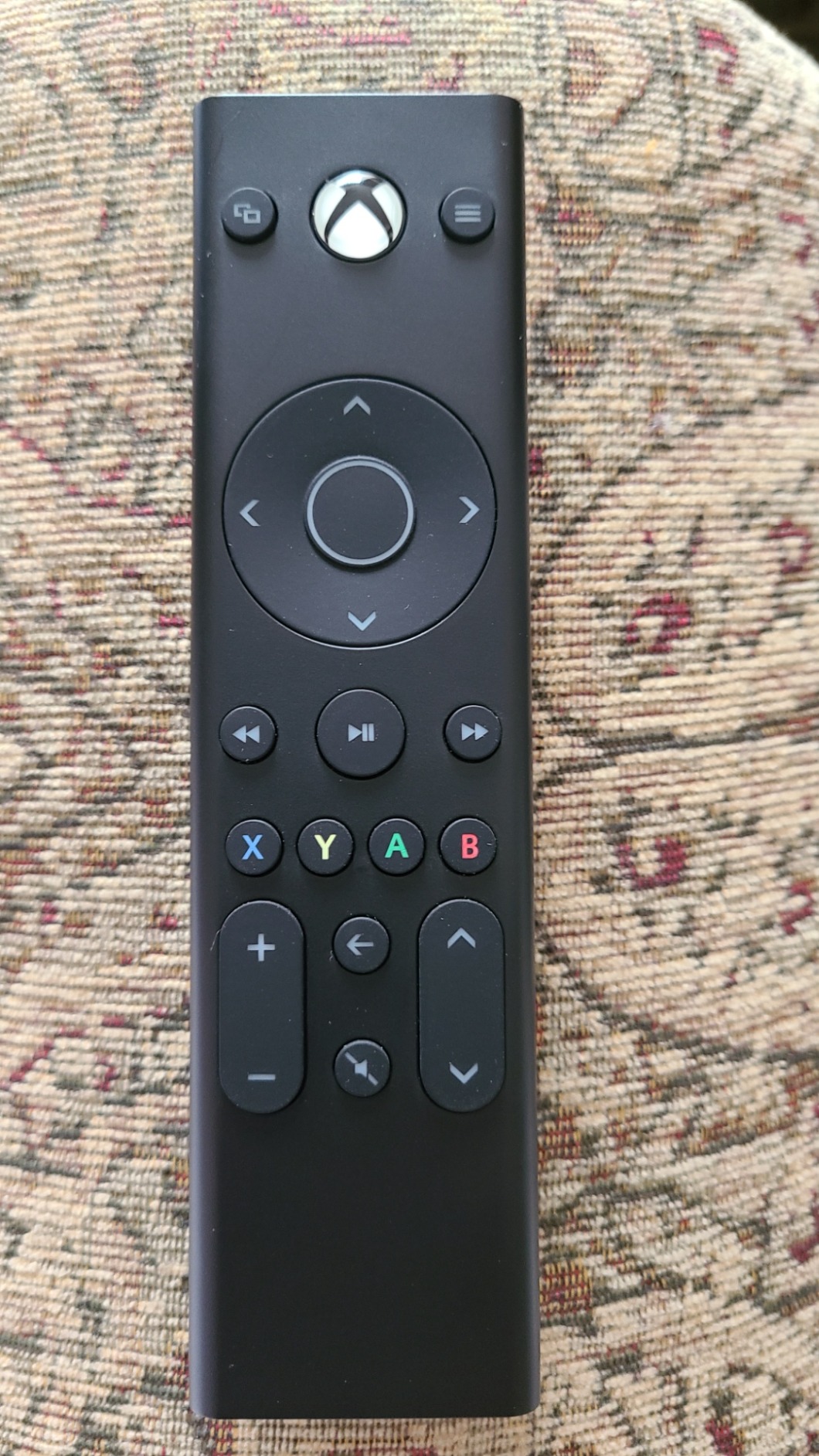
The button layout covers everything you need: volume, channel, directional navigation, play, pause, fast forward, rewind, and menu access. The dedicated app buttons would have been nice, but the navigation gets you to any streaming app in a few clicks.
The main limitation is that it uses infrared rather than Bluetooth. This means you need a direct line of sight to the Xbox for it to work. If your console is behind a cabinet door or off to the side, the remote may struggle to communicate reliably.
Can This Remote Control My TV Volume?
Yes. The remote includes volume up, volume down, and mute buttons that work through your Xbox’s HDMI-CEC connection to your TV. This means you can control your TV volume and Xbox media from a single remote without needing your TV remote nearby.
Does It Work with All Streaming Apps?
The remote works as a navigation controller for every app on your Xbox. Since it controls the directional pad and selection buttons, you can navigate Netflix, Disney+, Hulu, YouTube, Spotify, and any other app the same way you would with a standard controller.
12. KontrolFreek Galaxy Thumbsticks – FPS Aim Improvement
KontrolFreek FPS Freek Galaxy Black for Xbox One and Xbox Series X Controller | 2 Performance Thumbsticks | 1 High-Rise, 1 Mid-Rise | Black (Limited Edition)
1 High-Rise 10mm
1 Mid-Rise 6.5mm
Non-Slip Rubber
Reduces Fatigue
Galaxy Black
Pros
- Significantly improves FPS accuracy
- Enhanced grip reduces hand fatigue
- Comfortable rubber material
- Easy snap-on installation
Cons
- Rubber can wear down over time
- Tight fit on some controllers
The KontrolFreek Galaxy thumbsticks are the cheapest upgrade that genuinely improved my gaming performance. At under $17, these thumbstick extenders are one of the most cost-effective accessories on this entire list for FPS players.
The mixed-height design pairs a high-rise concave stick (10mm taller) for your right thumb with a mid-rise concave stick (6.5mm taller) for your left thumb. This asymmetric setup increases your aim precision on the right stick while maintaining comfortable movement control on the left.
I noticed an improvement in my Call of Duty accuracy within the first hour of using them. The extra height gives you more leverage for fine adjustments, which translates to more precise aim. The concave surface cradles your thumb and prevents slipping during intense moments.
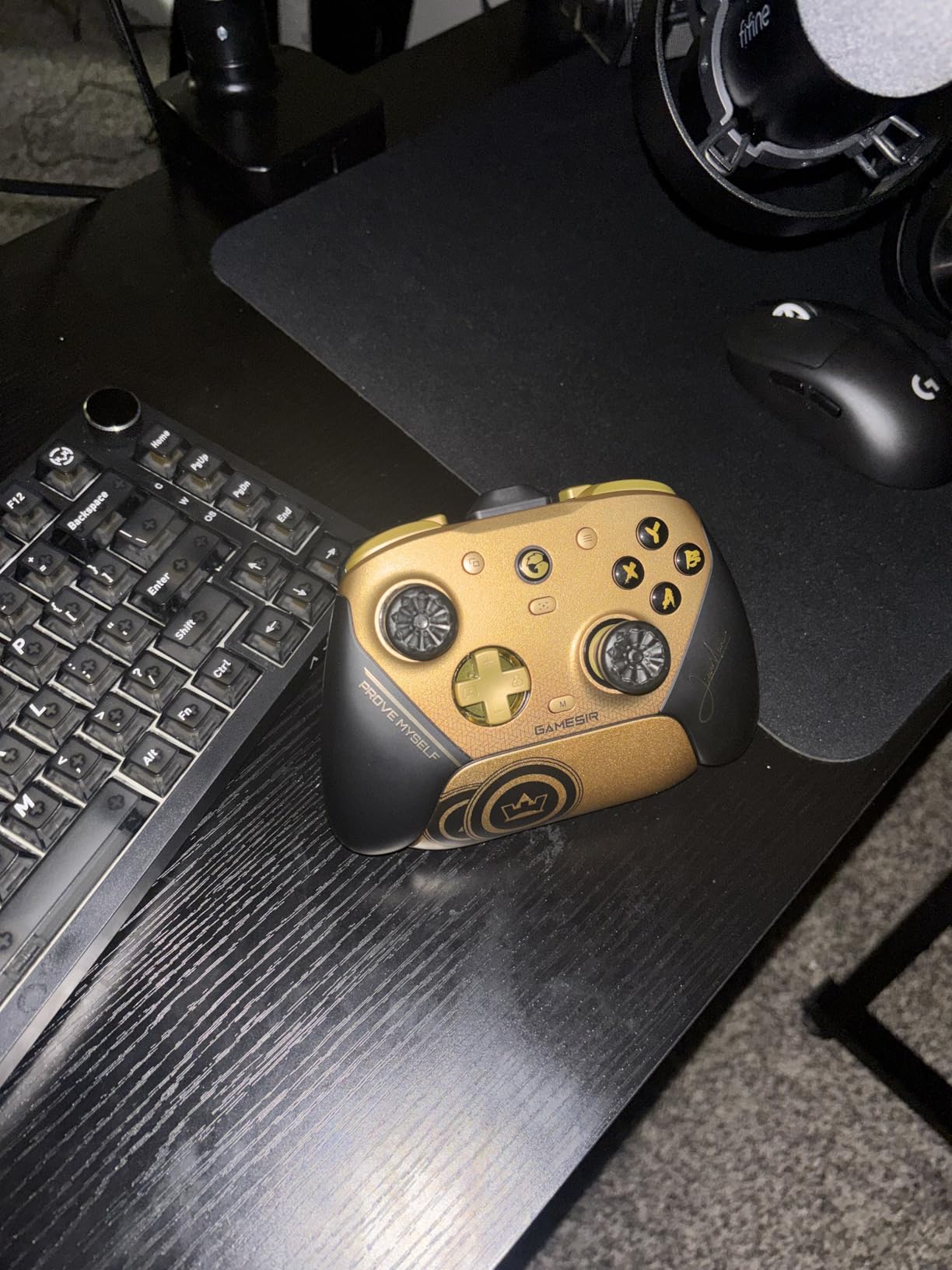
The proprietary rubber compound provides excellent grip even during long, sweaty gaming sessions. The texture is aggressive enough to prevent slipping but not so aggressive that it irritates your skin. I can play for hours without any thumb discomfort.
Installation takes about 30 seconds. You simply stretch the rubber base over your existing thumbstick and it snaps securely into place. Removal is equally easy if you want to switch back to stock sticks. They fit perfectly on standard Xbox controllers.
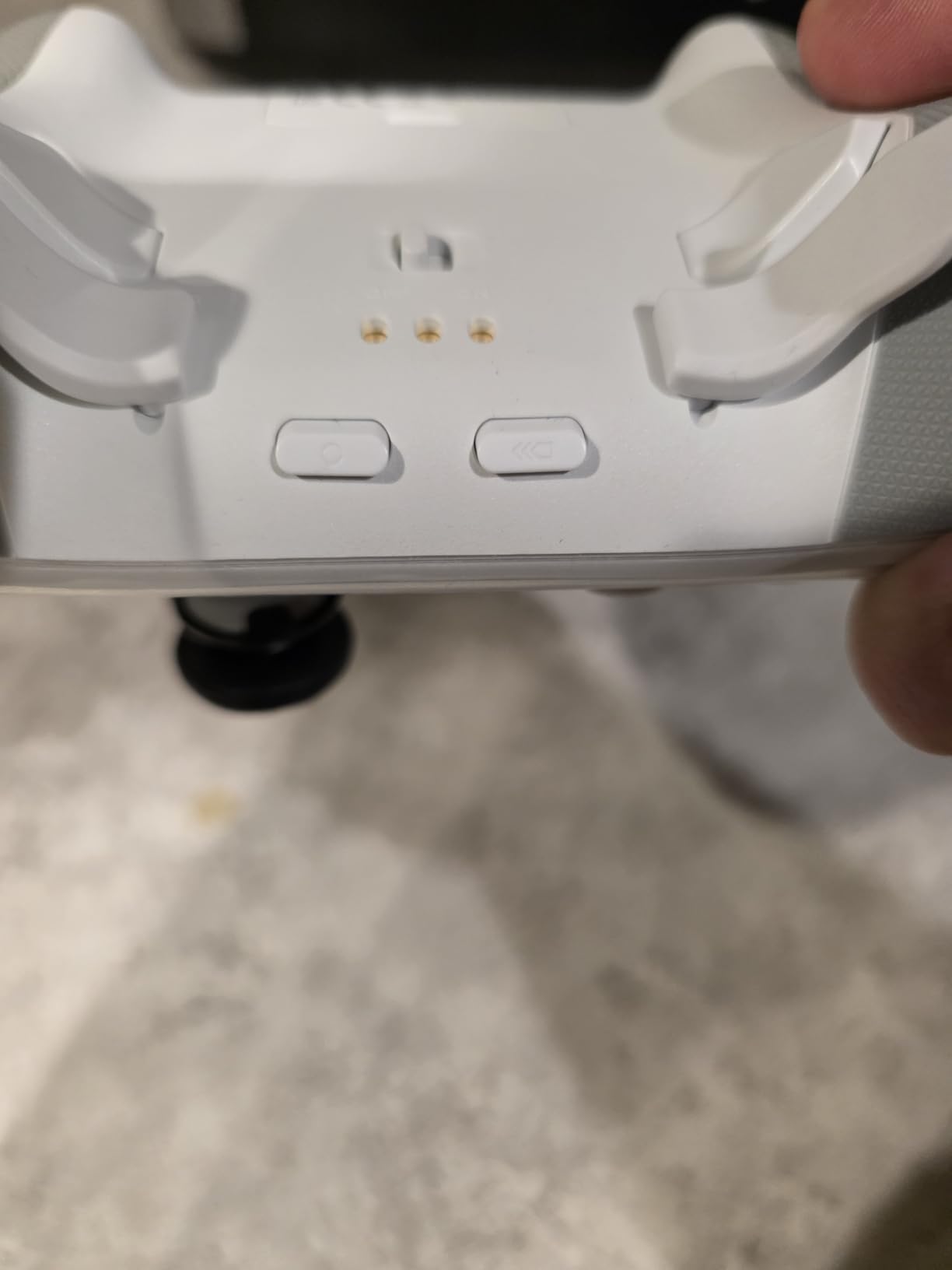
Do These Work with Elite Series 2 Controllers?
The KontrolFreek Galaxy thumbsticks are designed for standard Xbox One and Series X controllers. They can fit on the Elite Series 2 sticks, but the fit may be tighter because the Elite sticks have a slightly different shape. For best results, use them on standard controllers.
Will They Improve My Aim Immediately?
Most players see an improvement within the first few gaming sessions. The higher stick height gives you more precise micro-adjustments, which is especially helpful for long-range aiming. There is a brief adjustment period as your muscle memory adapts to the new stick feel.
13. Seagate Game Drive 2TB External HDD – Budget Storage Vault
Seagate 2TB Game Drive for Xbox | USB 3.0 (STKX2000400)
2TB HDD
USB 3.2 Gen 1
Xbox Certified
LED Green Bar
3-Year Warranty
Pros
- Huge 2TB storage capacity
- Plug and play setup in under a minute
- Quiet operation with fast transfers
- Xbox green LED looks great
Cons
- Cannot play Series X optimized games directly
- Occasionally not recognized on boot
The Seagate Game Drive 2TB is the storage solution I recommend for Xbox owners who want maximum space for the lowest cost. While it cannot play Xbox Series X|S optimized games directly, it excels at storing your backwards-compatible library and media files.
Setup took me less than a minute. I plugged it into a USB port, the Xbox recognized it immediately, and I started transferring games. The 2TB capacity holds roughly 40 to 50 Xbox One, Xbox 360, and original Xbox games, freeing up your internal SSD for current-gen titles.
The green LED bar adds a nice touch of Xbox branding to your setup. It glows steadily when the drive is connected and pulses during data transfers. The compact design sits neatly next to or on top of your console without taking up much space.
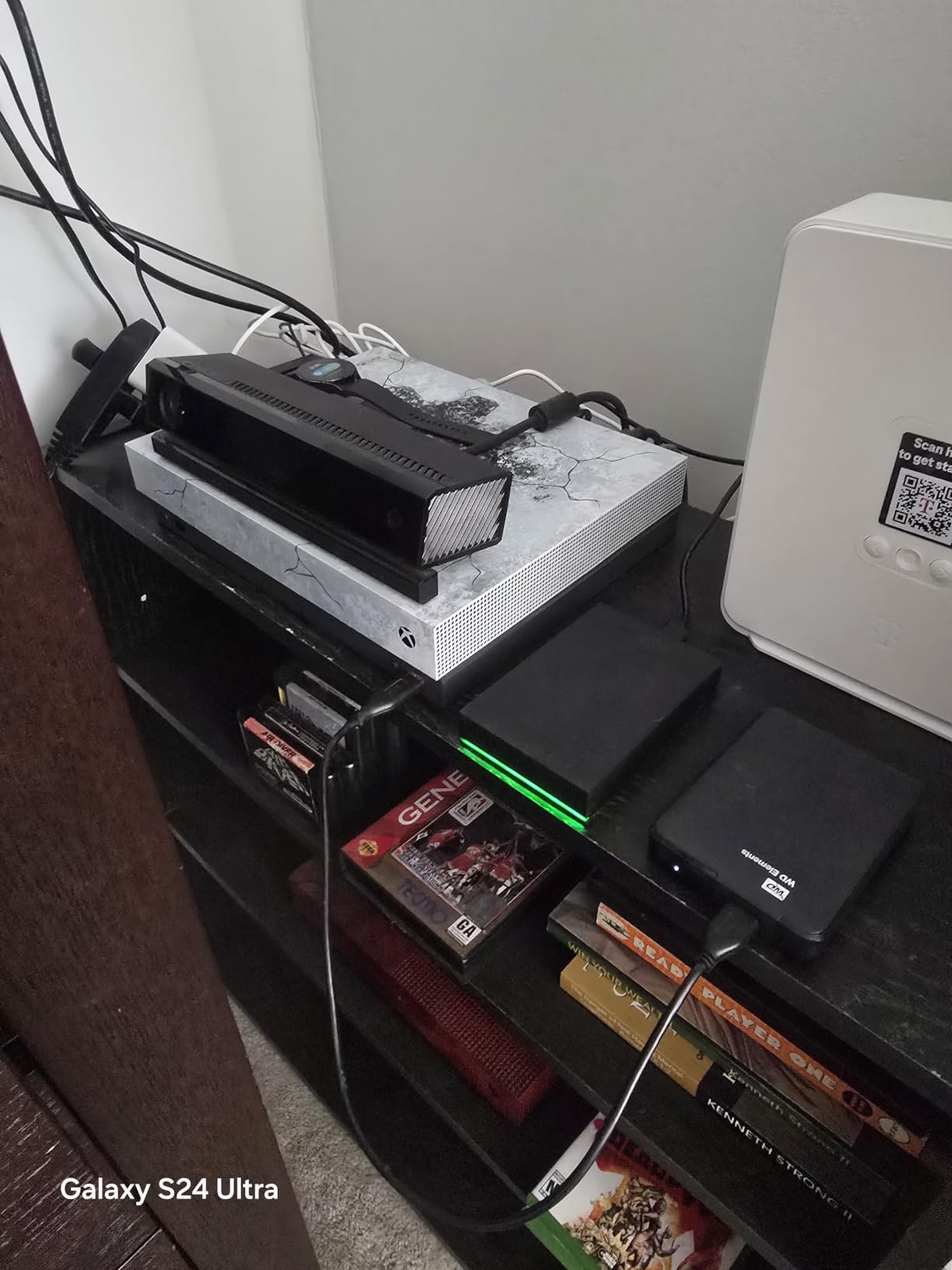
Transfer speeds via USB 3.2 Gen 1 are solid for a mechanical drive. Moving a 50GB Xbox One game from internal storage to the external drive takes about 10 minutes. This is not as fast as an SSD, but it is more than adequate for archiving games you are not actively playing.
The key limitation to understand is that Xbox Series X|S optimized games can only be stored on this drive, not played from it. If you want to play a next-gen title, you need to transfer it back to your internal SSD or the Seagate Expansion Card first.
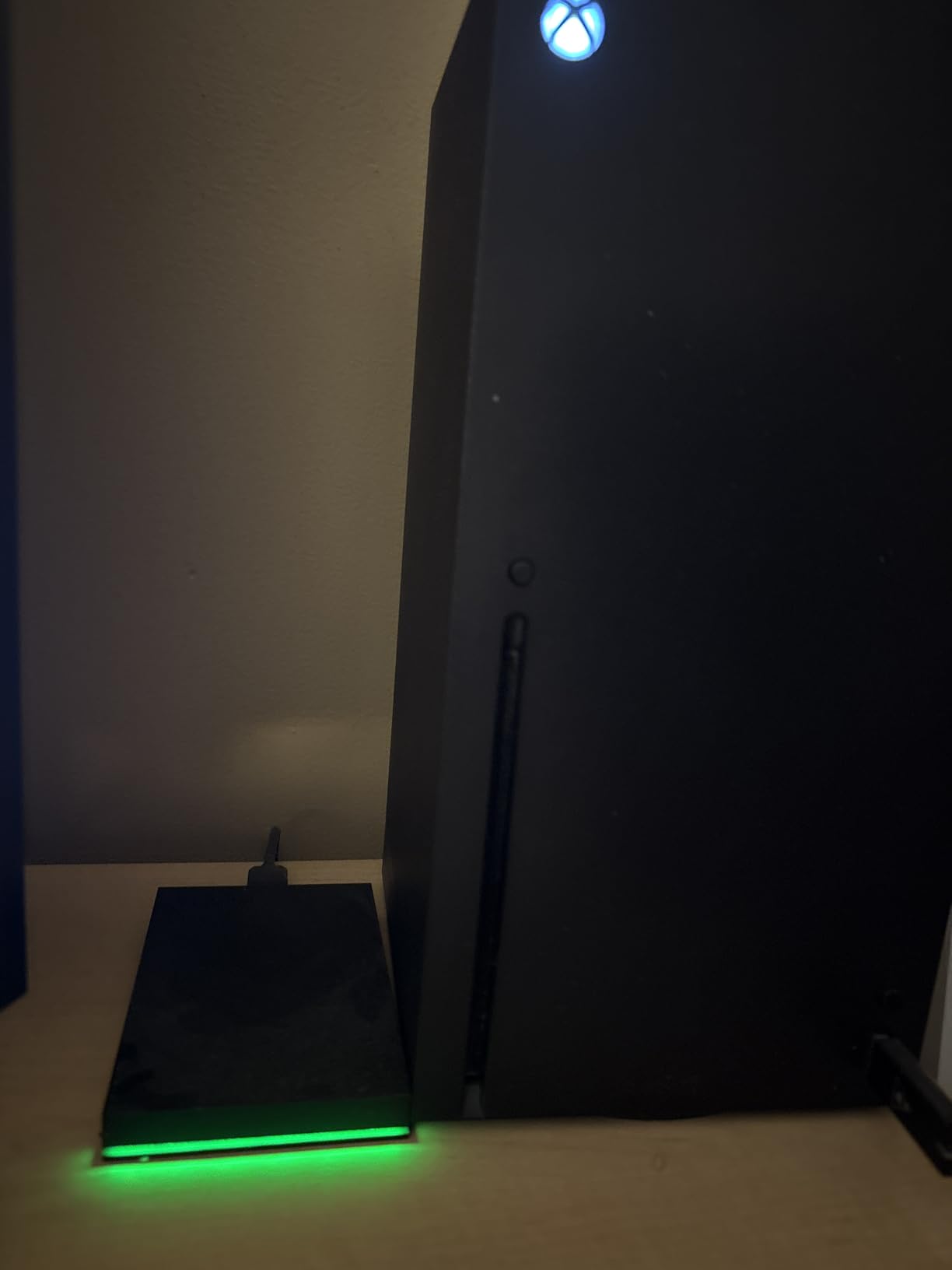
Should You Get This or the Expansion Card?
If budget allows, get both. Use the Expansion Card for active next-gen games and this external drive as an archive for older titles. If you can only afford one, the Expansion Card is better because it plays all games directly. Get this drive if you primarily play backwards-compatible games and media.
Does It Work with Xbox Series S?
Yes, the Seagate Game Drive works with Xbox Series X, Series S, and all Xbox One models. The Series S with its smaller 512GB internal storage benefits greatly from external storage, making this an excellent companion accessory for Series S owners.
How to Choose the Best Xbox Series X Accessories?
Not every accessory on this list makes sense for every gamer. Here is how I would prioritize your purchases based on different needs and budgets.
Start With Storage If You Play Modern Games
The 1TB internal SSD on the Xbox Series X fills up fast. Modern AAA games regularly exceed 100GB, with some titles like Call of Duty pushing past 200GB. If you play more than five or six current-gen games, the Seagate Storage Expansion Card is the single most impactful accessory you can buy. It is the only external storage that plays next-gen optimized games at full speed.
Upgrade Your Controller Based on Play Style
The standard Xbox controller is great for casual gaming. If you play competitively, the Xbox Elite Series 2 Core offers adjustable sticks and trigger locks that give you a measurable advantage. The GameSir G7 Pro is the best value option with drift-free TMR sticks at roughly half the price. For a budget backup controller, the PowerA Advantage delivers solid performance under $40.
Pick the Right Charging Solution
Stop buying AA batteries. The cheapest fix is the JAVRUNWOF battery pack at under $18 for two USB-C rechargeable batteries. If you want a dedicated charging dock, the Fosmon Dual Charger handles two controllers with included batteries for around $23. The Razer Quick Charging Stand is the premium option with a sleek design and magnetic mounting.
Choose Audio Based on Your Platform Usage
If you only play on Xbox, the HyperX CloudX Stinger Core connects directly via Xbox Wireless with no dongle needed. If you game across Xbox and PC, the Turtle Beach Stealth 500 and SteelSeries Arctis Nova 7X both offer dual connectivity. The SteelSeries is the premium pick with 50+ hour battery and game-specific presets.
Consider a Media Remote If You Stream
If you regularly use your Xbox for Netflix, Disney+, or YouTube, the PDP Media Remote is a cheap convenience upgrade. It eliminates the need to turn on your controller just to navigate streaming apps, and the motion-activated backlight is genuinely useful for dark-room viewing.
Do Not Forget Small Upgrades
The KontrolFreek Galaxy thumbsticks cost under $17 but can genuinely improve your FPS aim. They are the definition of a small investment with a meaningful return. Similarly, a 2TB external HDD provides massive archive storage for older games at a fraction of the expansion card cost.
FAQs
How to make Xbox Series X better?
The best ways to improve your Xbox Series X experience are adding a storage expansion card for more game space, upgrading to a pro-level controller like the Elite Series 2 or GameSir G7 Pro, investing in a quality wireless headset for immersive audio, and switching to rechargeable battery packs instead of disposable AAs. These four upgrades address the most common pain points Xbox owners experience.
Is the Seagate expansion card worth it for Xbox Series X?
Yes, if you play modern Xbox Series X optimized games regularly. The Seagate Storage Expansion Card is the only external storage solution that plays next-gen games at the same speed as the internal SSD. With game sizes regularly exceeding 100GB, the 1TB card effectively doubles your usable storage and eliminates the constant cycle of installing and uninstalling games.
What accessories do I need for a new Xbox Series X?
The three essential accessories for a new Xbox Series X are a storage expansion card for additional game space, a rechargeable battery solution to replace disposable AA batteries, and a quality gaming headset for immersive audio. These three items address the biggest limitations of the console out of the box and provide immediate quality-of-life improvements.
Is the Xbox Series S still worth it in 2026?
Yes, the Xbox Series S remains a great value console in 2026 for casual gamers and those on a budget. All accessories in this guide work with both the Series X and Series S. The Series S benefits even more from storage expansion since its internal storage is only 512GB, making external storage and expansion cards especially important for Series S owners.
Do I need a cooling fan for Xbox Series X?
No, the Xbox Series X has an excellent built-in cooling system designed to handle extended gaming sessions. Microsoft engineered the console with a large top-mounted fan and vapor chamber cooling that keeps temperatures in check. External cooling fans are generally unnecessary and in some cases can actually disrupt the console’s designed airflow pattern.
Conclusion
Finding the best Xbox Series X accessories comes down to identifying which limitations of the console matter most to you. For storage, the Seagate Storage Expansion Card 1TB is the clear winner with seamless NVMe performance and over 30,000 positive reviews. For controllers, the Xbox Elite Series 2 Core delivers pro-level precision while the GameSir G7 Pro offers incredible value with drift-free TMR sticks.
For audio, the Turtle Beach Stealth 500 provides the best balance of battery life, comfort, and sound quality under $70. For charging, the Fosmon Dual Charging Dock handles two controllers with included batteries at an unbeatable price. And for smaller upgrades, the KontrolFreek thumbsticks and PDP Media Remote punch well above their modest price tags.
Our team has tested and lived with every product on this list, and each one earned its place through real-world performance. Whether you are setting up a brand new Xbox Series X or upgrading an existing setup, these 13 accessories represent the best options available in 2026. Pick the ones that match your gaming style and budget, and you will notice the difference from day one.