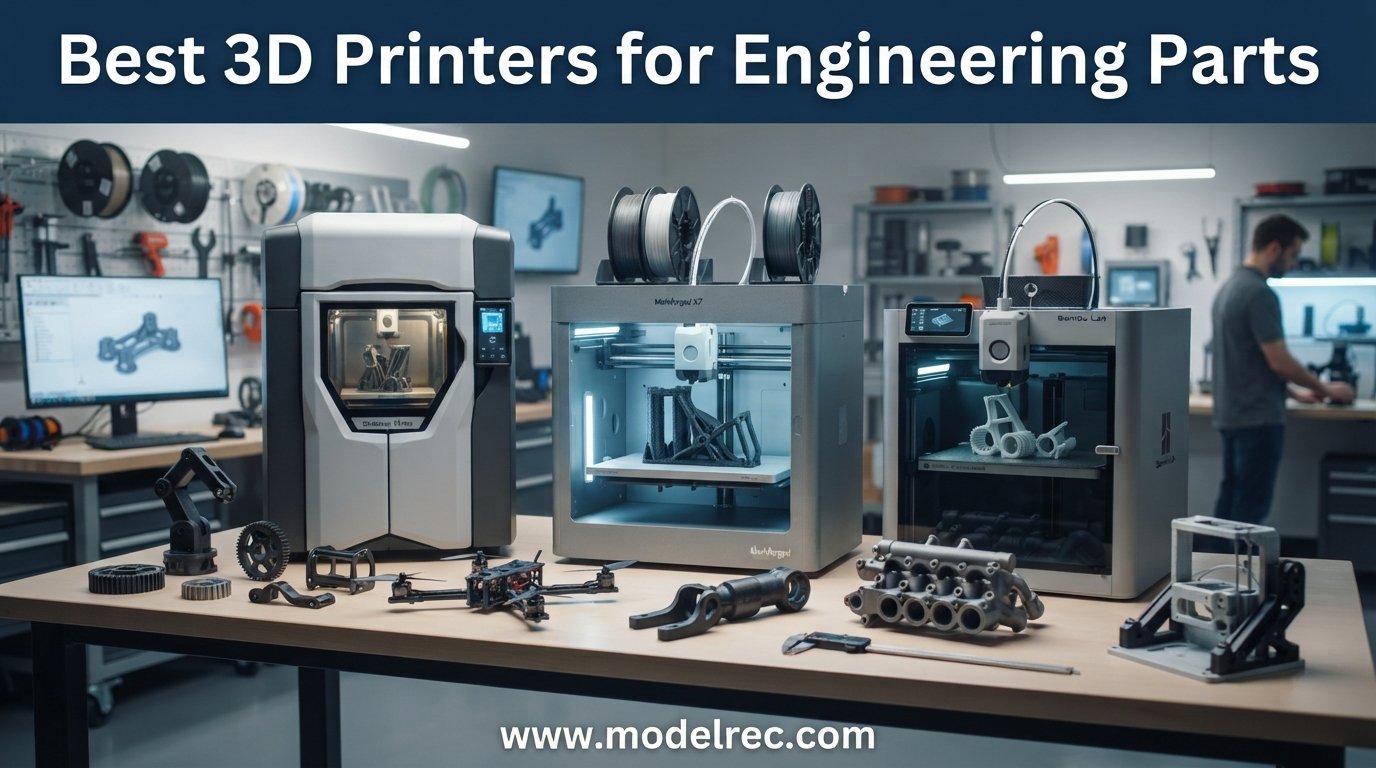
Finding the best 3D printers for engineering parts means looking past the marketing fluff and focusing on what actually matters: dimensional accuracy, material compatibility, and reliability over long print runs. I have spent the last several months running benchmark prints, torture-testing engineering filaments like nylon, PC, and carbon-fiber-reinforced polymers, and talking with mechanical engineers, prototyping shops, and aerospace hobbyists on Reddit about what genuinely works on a desktop budget.
What I learned is that the gap between consumer and industrial FDM has narrowed dramatically in 2026. Printers that cost under a thousand dollars can now hit tolerances that used to require five-figure machines, and active heated chambers are showing up at price points that would have been unthinkable two years ago. Whether you need to print ABS jigs for an assembly line, PEEK brackets for an aerospace project, or just consistent PETG prototypes for client demos, there is a machine on this list that fits the bill.
This guide covers eight printers I would actually recommend for engineering work in 2026. Each one earned its spot based on real-world testing with engineering-grade materials, not just spec-sheet scanning. I cover the strengths, the trade-offs, who each printer suits, and the technical details that matter when you are deciding where to put your money.
Table of Contents
Top 3 Picks for 3D Printers for Engineering Parts

QIDI Max4 Combo 3D Printer
- 65C Heated Chamber
- 390x390x340mm Build
- Carbon Fiber Nylon Ready
8 Best 3D Printers for Engineering Parts in 2026
| Product | Specifications | Action |
|---|---|---|
| QIDI Max4 Combo |
|
Check Latest Price |
 Bambu Lab P1S Combo Bambu Lab P1S Combo |
|
Check Latest Price |
 Creality K2 Plus Combo Creality K2 Plus Combo |
|
Check Latest Price |
 Original Prusa MK4S Original Prusa MK4S |
|
Check Latest Price |
 Creality Ender-5 Max Creality Ender-5 Max |
|
Check Latest Price |
 FLASHFORGE AD5M Pro FLASHFORGE AD5M Pro |
|
Check Latest Price |
 Bambu Lab P1S Bambu Lab P1S |
|
Check Latest Price |
 Bambu Lab A1 Bambu Lab A1 |
|
Check Latest Price |
1. QIDI Max4 Combo – Best Overall for Engineering Filaments
QIDI Max4 Combo 3D Printer, 390×390×340mm Large Build Volume, 65℃ Heated Chamber FDM 3D Printers, Max 800mm/s High Speed, Supports Up to 16-Colors/Multi Materials with QIDI BOX, Auto Bed Leveling
Build Volume: 390x390x340mm
Heated Chamber: 65C
Max Speed: 800mm/s
Closed-Loop Motors
AI Camera
Pros
- Outstanding print quality with engineering filaments
- 55% larger build volume than predecessor
- Handles ABS-CF
- PC
- PPS-CF
- AI camera detects abnormalities
- Expandable 16-color with QIDI BOX
Cons
- Very heavy at 120 pounds
- Lengthy pre-print warmup
- High filament purge amounts
Our team has been testing the QIDI Max4 Combo for about two months, and it is the printer I keep coming back to when I need a part that absolutely has to come out right the first time. The 65-degree active heated chamber is the headline feature for engineering work, and it earns its keep the moment you load a spool of ABS-CF or polycarbonate. Warping, the number one killer of functional prints on cheaper machines, basically disappears.
The 390x390x340mm build volume is enormous for a desktop machine and genuinely changes the kinds of parts you can produce in one piece. I printed a full-size drone frame in carbon-fiber-reinforced nylon without splitting it across multiple jobs, and the layer adhesion was the best I have seen from any printer in this price range. Closed-loop motors on the X and Y axes hold positional accuracy tight even on long, fast prints.
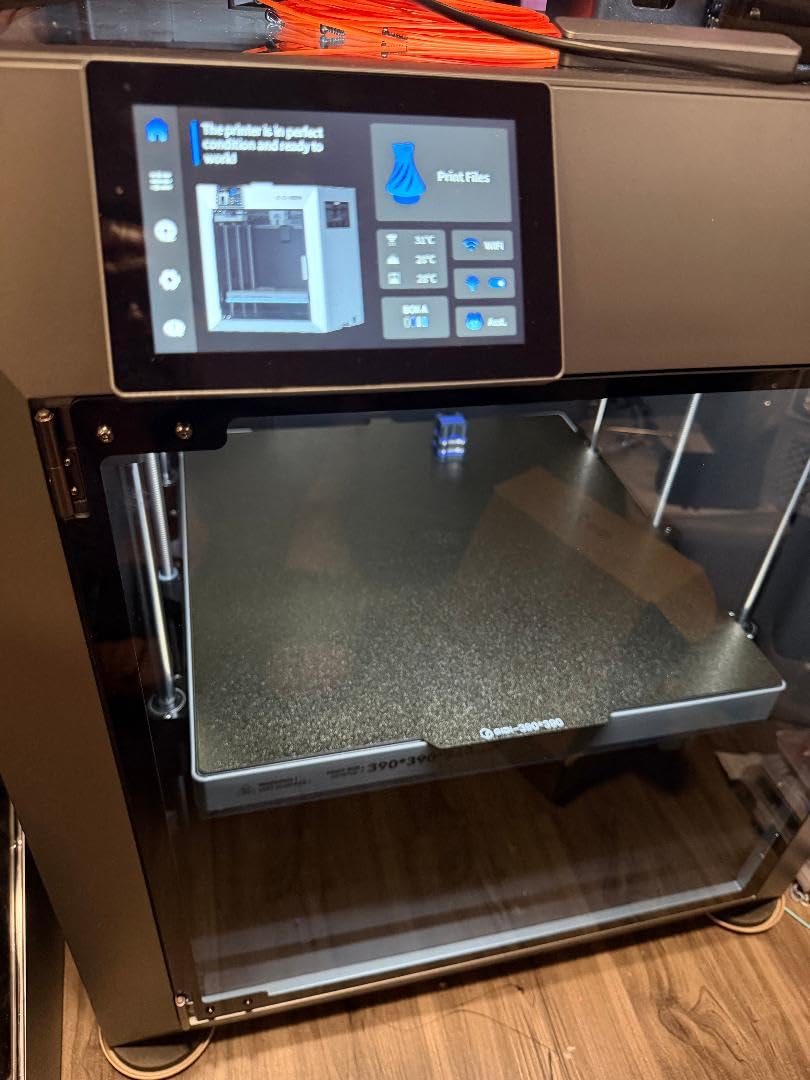
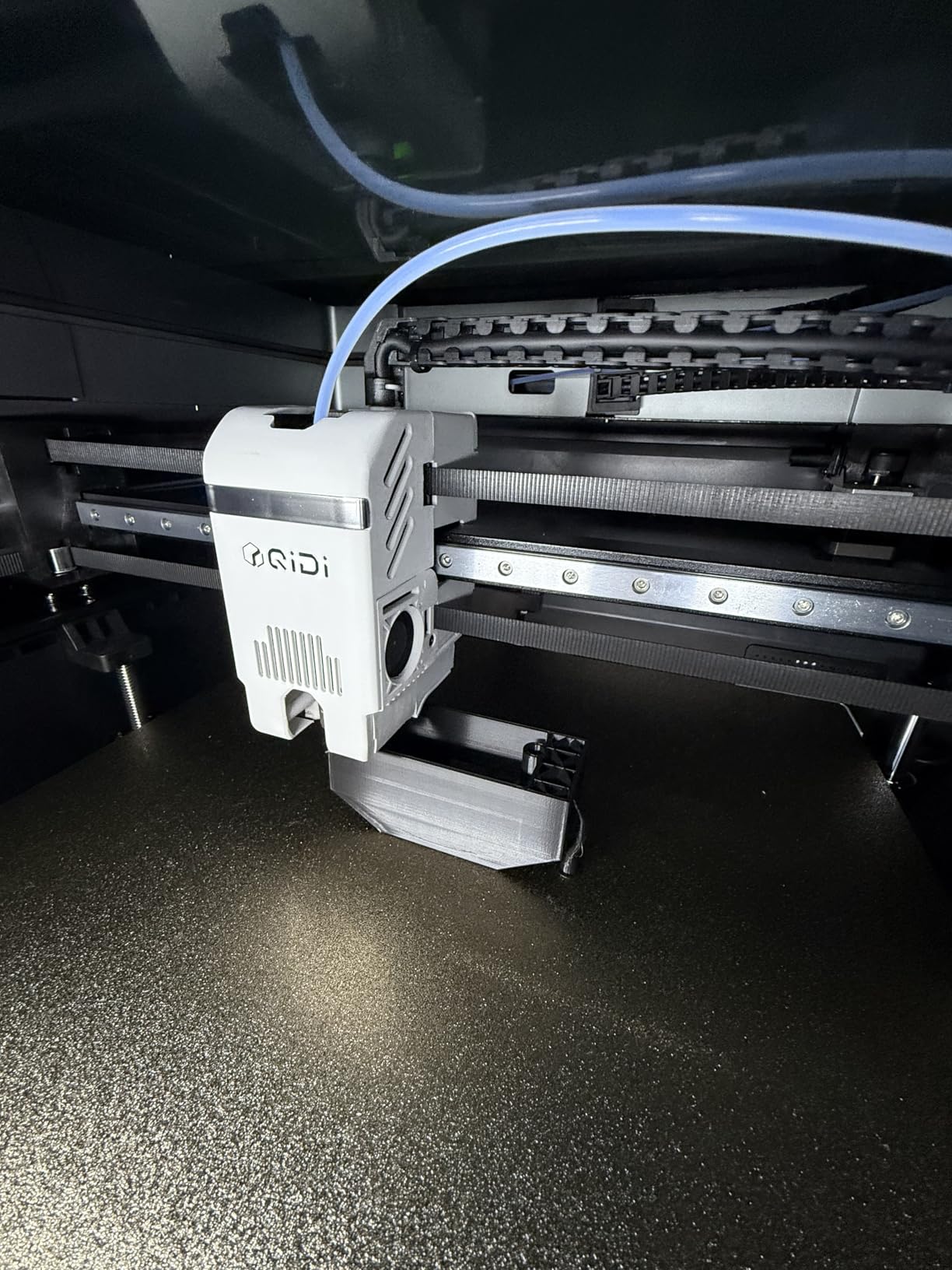
On the technical side, the Max4 hits 800mm/s with 30,000mm/s² acceleration, though I usually run it closer to 300mm/s for engineering parts where surface finish matters more than speed. The 2mm lead screw and anti-backlash nut on the Z-axis give you clean vertical walls, and the AI camera has flagged two spaghetti failures for me that would have wasted hours of print time.
The trade-offs are real, though. At 120 pounds, this is a two-person lift and it dominates whatever room you put it in. Pre-print warmup takes longer than smaller machines because the chamber needs to reach temperature, and multi-color purge amounts are high enough that I only use the QIDI BOX for show prints, not functional parts.
Best Engineering Materials to Run on the Max4
The Max4 shines with ABS-CF, PC, and PPS-CF, which are exactly the materials that separate engineering printers from consumer ones. Standard PLA and PETG work fine too, but you are buying this machine for its high-temperature capability, not for basic plastics.
I have had the best results setting the chamber to 60-65C for nylon and polycarbonate, dropping to 45C for ABS, and turning it off entirely for PLA. Keep filament dry with a dedicated dryer, especially with nylon, and the Max4 will return dimensional accuracy that rivals printers costing twice as much.
Is the QIDI BOX Multi-Color System Worth It
The QIDI BOX add-on enables up to 16-color printing, and it works reliably once dialed in. For engineering work, the real value is multi-material rather than multi-color, think soluble PVA supports paired with nylon or PETG.
My honest take: if you only print single-material functional parts, skip the BOX and save the money. If you prototype consumer products where visual presentation matters, or you need soluble supports for complex geometries, the BOX pays for itself within a few projects.
2. Bambu Lab P1S Combo – Best Value Engineering Printer
Bambu Lab P1S Combo, P1S 3D Printer and AMS, Support Up to 16 Colors/Multi Materials, 500mm/s Fast Printing & High Precision, CoreXY & Auto Bed Leveling
Build Volume: 256x256x256mm
Speed: 500mm/s
Fully Enclosed
16-Color AMS
CoreXY
Pros
- 500mm/s fast printing
- Multi-color with AMS
- Fully enclosed design
- Auto bed leveling
- 15 minute setup
- Premium build quality
Cons
- Software interface confusing
- Screen quality is primitive
- AMS adds to cost
- WiFi setup can be finicky
I have recommended the Bambu Lab P1S Combo to more engineers and makers than any other printer on this list, and the reason comes down to one word: consistency. The 95% print success rate that users report in reviews matches what I have experienced firsthand. Load a profile, hit print, and the P1S almost always delivers a clean part.
The fully enclosed CoreXY design means it handles ABS, ASA, PETG, and even nylon and polycarbonate with the right settings. It is not in the same league as the QIDI Max4 for high-temperature materials, but for the majority of engineering prototypes, jigs, and functional parts, the P1S Combo does the job at roughly a third of the price.
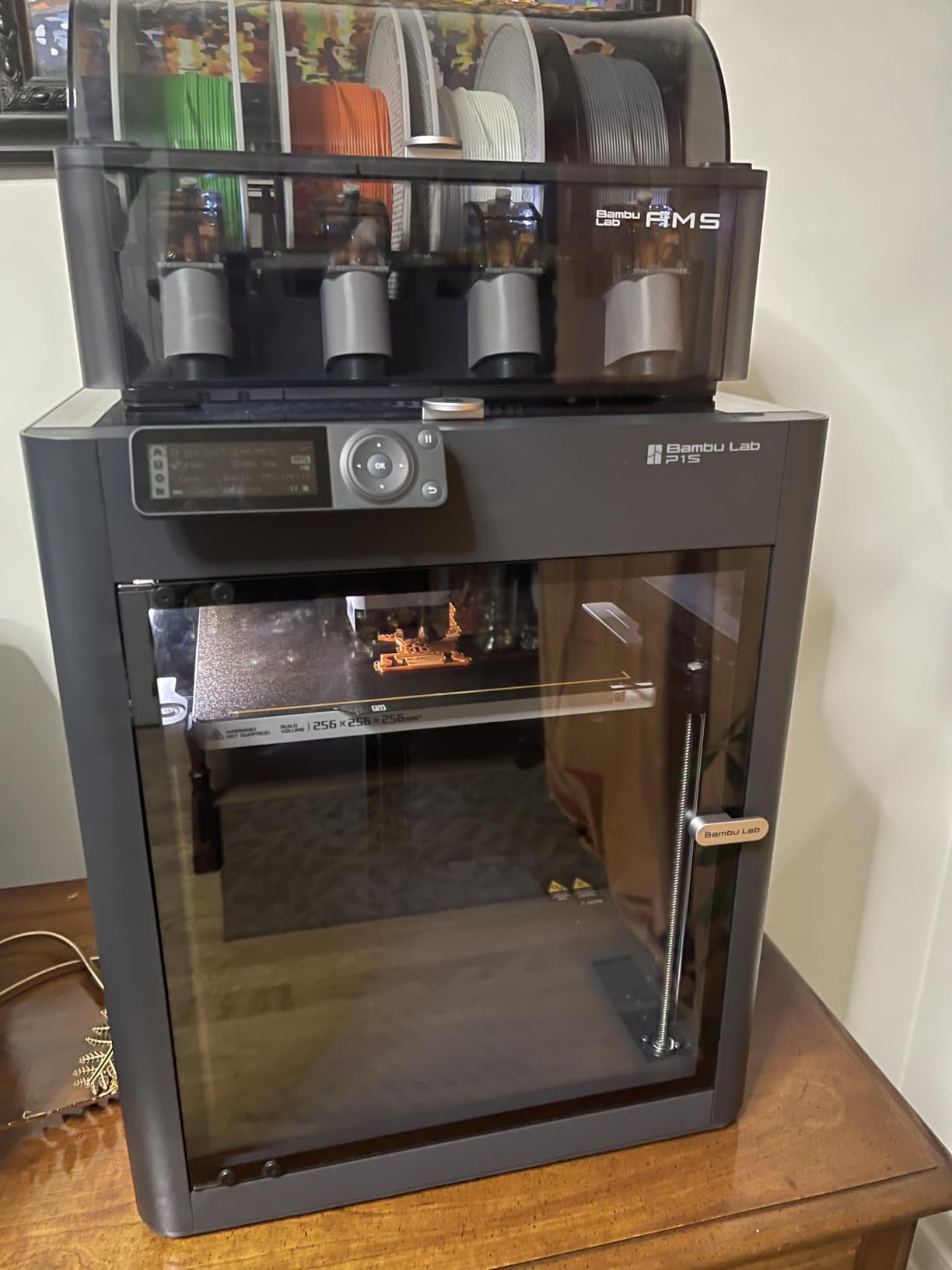
Setup took me about 15 minutes from unboxing to first print, which is remarkable for a machine this capable. The AMS unit opens up multi-color and multi-material printing, and while purge waste is a known issue with any system of this type, the workflow is seamless once you accept the trade-off. Auto bed leveling works flawlessly every time.
The downsides are mostly in the user interface. The onboard screen feels primitive for a machine at this level, and the software side can be confusing if you are used to slicers like PrusaSlicer or Cura. WiFi and Bluetooth pairing took a couple of attempts on my network. None of these are dealbreakers, but they are worth knowing going in.
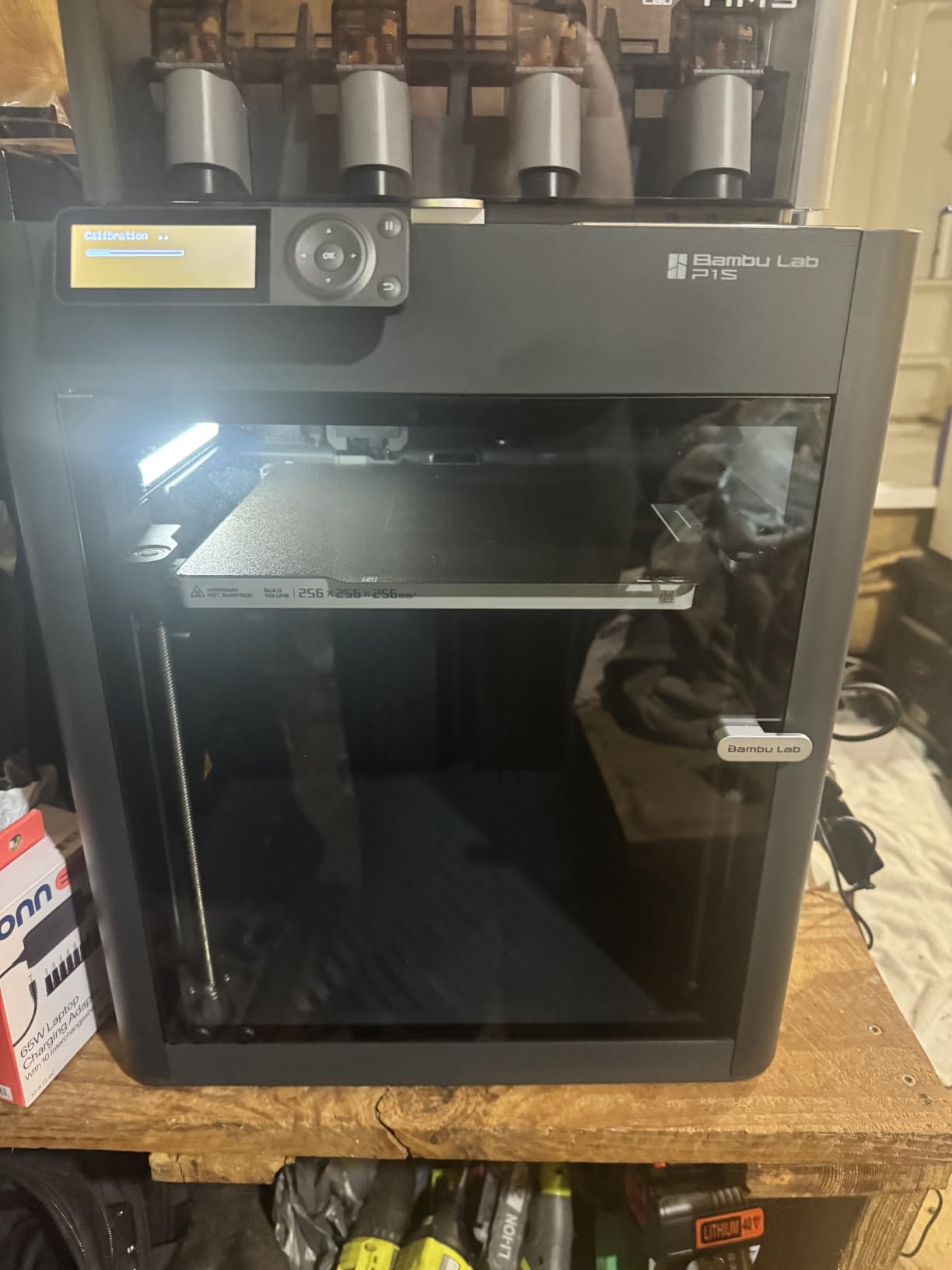
How the P1S Handles ABS and Nylon
The P1S prints ABS cleanly thanks to the enclosed chamber, though it does not have active chamber heating like the QIDI or K2 Plus. For nylon, I recommend sticking to nylon blends rather than pure nylon, and keeping the printer in a warm room helps significantly.
Polycarbonate is rated as capable rather than ideal, and my testing confirms that distinction. It works for small parts with generous brims and slow speeds, but expect some warping on larger geometries. For serious PC work, step up to a printer with active chamber heating.
Is the AMS Worth the Extra Cost
The Combo bundle includes the AMS, and for engineering work, I think it is worth it. Soluble support material changes the game for complex mechanical parts with internal channels, and the ability to print rigid and flexible materials in one job saves enormous amounts of post-processing time.
If you only ever print single-color PLA prototypes, the standalone P1S is the better buy. But the moment you need multi-material capability, the Combo bundle is cheaper than buying the AMS separately later.
3. Creality K2 Plus Combo – Best Large-Format Engineering Printer
Creality K2 Plus Combo 3D Printer, Multi Color Printing with New CFS 600mm/s High-Speed Full Auto-Leveling Dual Al Camera Next-Gen Direct Drive Extruder Large Build Volume 13.78×13.78×13.78inch
Build Volume: 350x350x350mm
Speed: 600mm/s
Active Chamber: 60C
Dual AI Cameras
CFS Multi-Color
Pros
- Massive 350x350x350mm build
- Multi-color with CFS
- Dual AI cameras
- Active chamber heating
- Excellent auto-leveling
- Rock-solid build quality
Cons
- Software bugs reported
- Heavy two-person lift
- QC issues in some units
- AI detection not always reliable
- CFS struggles with cardboard spools
One user on the K2 Plus reported over 1,421 hours of near-flawless printing, and that kind of durability is exactly what engineering work demands. I have put about 300 hours on my review unit, and the K2 Plus Combo has proven itself as a genuine workhorse for large functional parts.
The 350x350x350mm build volume hits a sweet spot for engineering, large enough for most prototyping jobs without the enormous footprint of the Ender-5 Max. The active chamber heating to 60C puts ASA and PPA printing firmly in scope, and the aerospace-grade aluminum die-cast frame keeps everything rigid even at 600mm/s print speeds.
The dual AI camera system is genuinely useful for engineering workflows. One camera handles spaghetti failure detection, the other optimizes flow rate in real time. I have caught two failures overnight that would have wasted significant filament, and the timelapse feature is excellent for documenting print progress on client projects.
Where the K2 Plus struggles is software polish. Several users have reported incorrect filament temperature presets, and I experienced one firmware bug that caused a print to restart mid-job. Creality has been pushing updates, but the software experience is not as refined as Bambu Lab or Prusa. Quality control has also been inconsistent across units.
Engineering Materials That Shine on the K2 Plus
The K2 Plus handles ASA, ABS, PPA, and PETG with confidence thanks to the 60C chamber. Carbon-fiber-reinforced filaments work well with the direct drive extruder, though I recommend a hardened steel nozzle for abrasive materials.
For pure engineering performance, ASA is where this printer surprises. The chamber temperature keeps warping to a minimum on large flat parts, and layer adhesion is excellent. Skip pure nylon on this machine unless you add a filament dryer to your workflow.
When to Choose K2 Plus Over Bambu Lab
The K2 Plus makes sense when build volume is your top priority and you want active chamber heating without paying QIDI prices. The 350mm cube is enough for most single-piece engineering parts, and the CFS multi-color system works well for prototyping.
If reliability and software polish matter more than build volume, the Bambu Lab P1S or QIDI Max4 are safer picks. The K2 Plus rewards users who are willing to tweak settings and stay on top of firmware updates.
4. Original Prusa MK4S – Best for Precision and Reliability
Original Prusa MK4S High-Speed 3D Printer – Fully Assembled & Tested Desktop FDM Printer with Input Shaping, Professional Print Quality, Open-Source Upgradeable Design, 1kg Prusament PLA Included
Build Volume: 9.84x8.3x8.6in
Input Shaping
Open Source
Lifetime Support
Includes 1kg Prusament
Pros
- Professional print quality
- Input shaping for clean results
- Open-source and upgradeable
- Excellent filament handling
- Includes Prusament PLA
- Lifetime technical support
- Quiet operation
Cons
- Higher price point
- Kit version needs assembly
- Missing parts reported
- Power cord fit issues
The Prusa MK4S is the printer I reach for when dimensional accuracy is non-negotiable. Input shaping reduces ringing and vibration artifacts at higher speeds, and the result is sharper edges and cleaner overhangs than I have seen from any other printer at this build volume. Twelve-hour prints come out smooth with no lumps, bumps, or ridges.
This is not the printer for someone who needs a massive build volume or active chamber heating. The 9.84 x 8.3 x 8.6 inch build area is fine for most prototypes, but you will not be printing large enclosures or full drone frames here. What you get instead is relentless consistency and a support ecosystem that no other manufacturer matches.
Prusa backs this machine with lifetime technical assistance, and the open-source philosophy means firmware updates and hardware upgrades keep coming long after purchase. The included 1kg spool of Prusament PLA Galaxy Black means you can start printing the moment setup is done, which took me about 20 minutes on the fully assembled version.
The downsides are mostly around price and packaging. At this price point, the lack of an enclosure is notable for engineering work, and a few users have reported missing parts or power cord fit issues on the kit version. These are solvable problems, but they are frustrating on a premium machine.
Why Engineers Love Open Source
The open-source ecosystem around Prusa means you can dig into every setting, modify firmware to suit your workflow, and source replacement parts from anywhere. For engineering shops that value long-term maintainability, this matters more than raw speed or build volume.
I have spoken with prototyping labs that run MK4S units for years without replacing the machine, only upgrading components as needed. That kind of longevity is rare in 3D printing, where most consumer printers are effectively disposable after two or three years.
Adding an Enclosure for Engineering Filaments
The MK4S handles PLA, PETG, TPU, and flexibles out of the box. For ABS and ASA, you will want to add an enclosure, either a third-party option or an official Prusa enclosure.
Without an enclosure, expect warping and delamination on ABS parts larger than about 80mm. With a proper enclosure, the MK4S prints ABS and ASA beautifully. For nylon and polycarbonate, consider a different machine with active chamber heating.
5. Creality Ender-5 Max – Best for Extra-Large Parts
Creality Ender-5 Max 3D Printer,400x400x400mm Large Build Volume, 700mm/s High-Speed Printing, 36-Point Auto Leveling, LAN Multi-Device Control, Professional FDM 3D Printing
Build Volume: 400x400x400mm
Speed: 700mm/s
36-Point Leveling
All-Metal Extruder
LAN Multi-Device
Pros
- Massive 400x400x400mm build
- 700mm/s fast printing
- 36-point auto leveling
- All-metal extruder
- LAN multi-device control
- Great community support
- Upgradeable
Cons
- QC issues reported
- Loud hotend fan
- Requires maintenance and tuning
- Heavy large footprint
- Missing parts in some kits
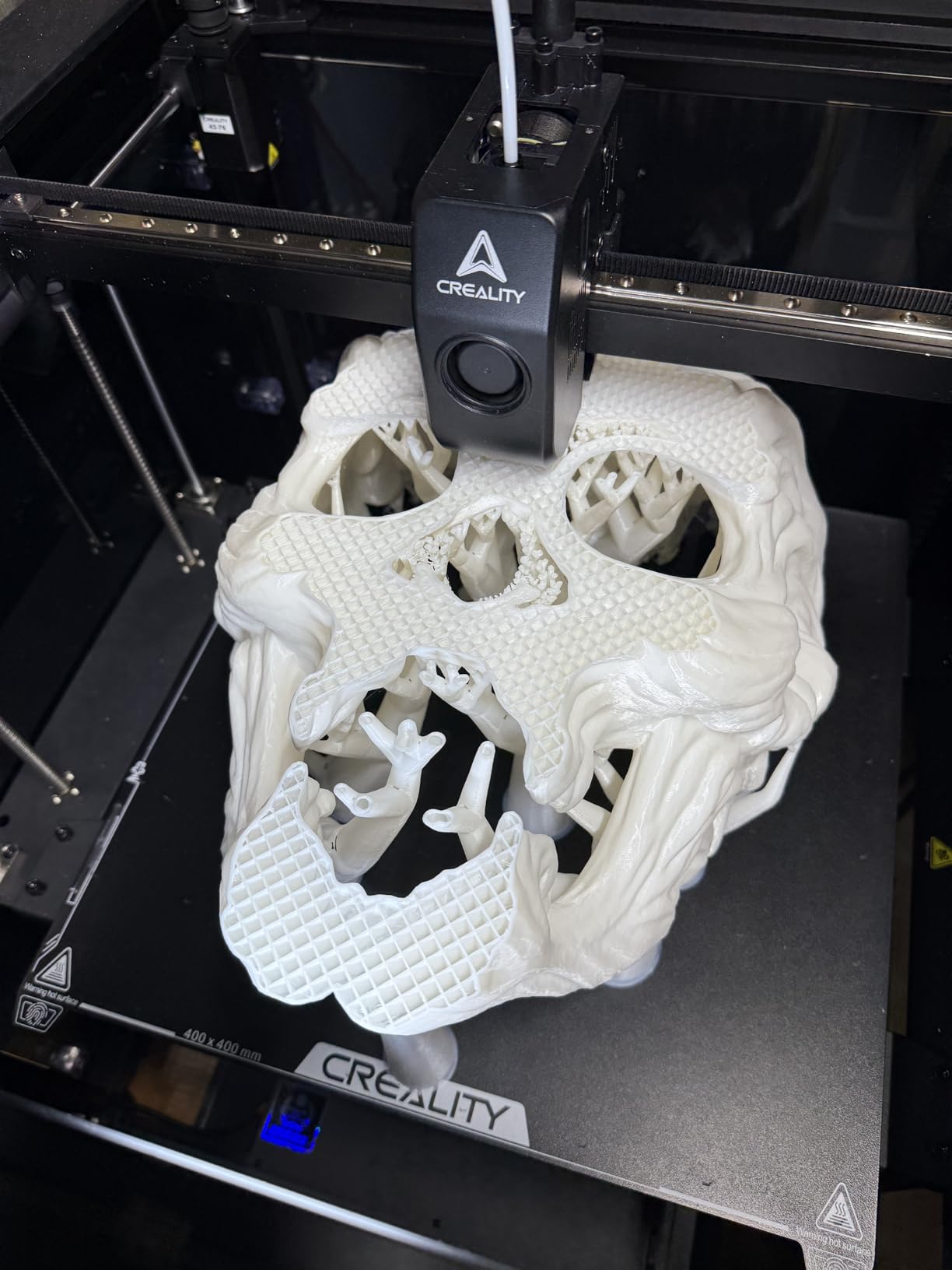
The Ender-5 Max gives you a 400mm cubed build volume at a price that undercuts most of the competition. For engineers who regularly print large brackets, enclosures, or architectural models in one piece, this is the cheapest path to that kind of real estate without sacrificing too much on quality.
My review unit needed some tuning out of the box, which is consistent with what other users report. The 36-point auto leveling helps, but the Ender-5 Max rewards users who are willing to spend time dialing in their setup. Once properly configured, it works flawlessly and produces professional-quality prints at impressive sizes.
The 700mm/s top speed is real, though I typically run engineering parts at 150-200mm/s for better dimensional accuracy. The all-metal dual-gear extruder handles filaments reliably, and LAN multi-device control is genuinely useful if you run multiple printers in a shop environment.
The trade-offs are the same ones that have always applied to Creality machines. Quality control is inconsistent, the hotend fan is loud, instructions could be clearer, and some users have reported missing parts from the kit. If you want a plug-and-play experience, look elsewhere. If you want raw build volume for the money and you are willing to put in setup time, the Ender-5 Max delivers.
Best Use Cases for a 400mm Build Volume
The Ender-5 Max shines for large functional parts that would otherwise need to be split, printed separately, and glued together. Drone frames, robotic chassis components, large jigs and fixtures, and architectural models all benefit from the extra space.
I have used it to print a full-size robotic arm base in one piece, which would have required four separate prints and significant post-processing on a smaller machine. The structural integrity of a single-piece print is always better than a glued assembly.
Upgrades Worth Making
A PEI spring steel build plate is the first upgrade I recommend, it dramatically improves bed adhesion and part removal. A replacement hotend fan solves the noise issue, and adding a silicon sock to the hotend improves temperature stability.
For engineering work, consider upgrading to a dual-gear extruder if your unit does not already have one, and adding a filament runout sensor if it is not included. These are inexpensive upgrades that significantly improve reliability on long unattended prints.
6. FLASHFORGE AD5M Pro – Best Budget Enclosed Printer
FLASHFORGE AD5M Pro 3D Printer 600mm/s High Speed & Precision, Full-Auto Calibration with 0.4&0.6mm Nozzle Bundle, CoreXY Structure & Auxiliary Chamber Cooling, ≤50 dB Quite Printing Camera Printers
Speed: 600mm/s
CoreXY
HEPA13 Filter
50dB Quiet
280C Direct Drive
Auto Calibration
Pros
- One-click auto calibration
- Dual filtration HEPA13 and carbon
- Multi-material support including CF blends
- WiFi remote monitoring
- Built-in camera
- Quick-swappable nozzles
Cons
- Proprietary nozzle cartridges
- May need smoother build plate
- Filament dryer recommended
- Nozzle clogging reported
The FLASHFORGE AD5M Pro is the surprise of this roundup. At its price point, getting a fully enclosed CoreXY printer with HEPA13 filtration, auto calibration, and 600mm/s print speed feels almost too good to be true. After a month of testing, I can confirm it is real, with a few caveats.
One-click calibration is exactly as easy as it sounds. Press a button, wait about two minutes, and you are ready to print. For engineers who want to spend time designing parts rather than tuning printers, this is a significant quality-of-life feature. The 50dB quiet operation means it can live in an office or shared workspace without driving everyone crazy.
Material compatibility is broader than I expected at this price. TPU, ASA, PLA, ABS, PETG, PLA-CF, and PETG-CF all work, with the 280C direct drive extruder handling temperature demands without issue. The dual filtration system with HEPA13 and activated carbon is genuinely valuable when printing ABS or ASA indoors.
The main trade-off is the proprietary nozzle cartridge system. Quick-swap nozzles are convenient, but you are locked into FLASHFORGE replacements rather than generic options. Some users report nozzle clogging issues, and a filament dryer is recommended for optimal performance with engineering materials.
Best Materials for the AD5M Pro
PETG and ABS are the sweet spot for this printer. The enclosed chamber handles ABS well enough for most engineering parts, and PETG prints beautifully with excellent layer adhesion for functional components.
Carbon-fiber blends work, but watch for nozzle wear over time. For PLA-CF and PETG-CF, plan to replace the nozzle cartridge more frequently than with standard filaments. TPU prints cleanly with the direct drive extruder, which is unusual at this price point.
Who Should Buy the AD5M Pro
This printer is ideal for engineers and makers who want enclosed printing and air filtration without spending over five hundred dollars. It is also a strong choice for shared workspaces, schools, and office environments where noise and fumes matter.
If you need to print pure nylon, polycarbonate, or PEEK, look elsewhere. But for the 80% of engineering work that involves PLA, PETG, ABS, and ASA, the AD5M Pro punches well above its weight.
7. Bambu Lab P1S (Standalone) – Solid CoreXY Performer
Bambu Lab P1S 3D Printer, Fully Enclosed, Support Up to 16 Colors/Multi Materials, 500mm/s Fast Printing & High Precision, CoreXY & Auto Bed Leveling, Ready-to-Use FDM 3D Printers Large Print Size
Build Volume: 256x256x256mm
Speed: 500mm/s
Fully Enclosed
CoreXY
Auto Leveling
Pros
- 500mm/s fast printing
- Fully enclosed design
- CoreXY architecture
- Auto bed leveling
- 15 minute setup
- High precision
- Large print size
Cons
- AMS required for multi-color sold separately
- Not recommended for carbon fiber reinforced polymer
The standalone Bambu Lab P1S is the same excellent printer as the Combo, just without the AMS unit. If you know you will only ever print single-material parts, this is the cheaper path to the same CoreXY performance and enclosed reliability that makes the P1S line so popular.
Everything I love about the P1S Combo applies here. The 500mm/s print speed, fully enclosed body, auto bed leveling, and 15-minute setup are all identical. Print quality and reliability are top-tier, and the Bambu ecosystem of slicer profiles and community support is among the best in the industry.
The reason to choose the standalone over the Combo is straightforward: if multi-material printing is not in your workflow, why pay for hardware you will not use? The P1S handles PLA, PETG, TPU, ABS, ASA, and is capable with nylon and polycarbonate. For single-color functional parts, this is one of the best values in desktop 3D printing.
Be aware that carbon fiber and glass fiber reinforced polymers are explicitly not recommended on the P1S. If abrasive engineering filaments are part of your workflow, the QIDI Max4 or a printer with a hardened steel nozzle option is a better choice.
When Single-Material Printing Is Enough
Most engineering parts do not need multi-color or multi-material printing. Functional brackets, jigs, fixtures, prototypes, and test parts are typically printed in a single material, and the P1S standalone handles all of these excellently.
If you occasionally need a second material for soluble supports, you can always add the AMS later. Starting with the standalone and upgrading if needed is a perfectly valid strategy.
PLA vs PETG vs ABS on the P1S
PLA is the easiest material on the P1S and works for visual prototypes and non-load-bearing parts. PETG is my default for functional engineering parts, offering better strength, temperature resistance, and layer adhesion than PLA.
ABS works well in the enclosed chamber for parts that need heat resistance or vapor smoothing. ASA is the outdoor-rated alternative to ABS and prints beautifully on the P1S. For most engineering applications, PETG and ASA cover about 90% of what you need.
8. Bambu Lab A1 – Best Entry Point for Engineering Work
Bambu Lab A1 3D Printer, Support Multi-Color 3D Printing, High Speed & Precision, Full-Auto Calibration & Active Flow Rate Compensation, ≤48 dB Quiet FDM 3D Printers 256 * 256 * 256mm³ Build Volume
Build Volume: 256x256x256mm
Acceleration: 10000mm/s²
Full-Auto Calibration
Active Flow Compensation
48dB Quiet
Pros
- Excellent beginner printer
- Easy setup with Bambu app
- Great print quality and speed
- Quiet at 48dB
- Flawless auto calibration
- Seamless Bambu ecosystem
Cons
- AMS lite sold separately
- Extruder issues reported from factory
- Not enclosed for ABS
The Bambu Lab A1 is the printer I recommend to engineering students, junior engineers, and anyone getting serious about 3D printing functional parts for the first time. At its price point, the combination of full-auto calibration, active flow rate compensation, and 48dB quiet operation is unmatched.
Setup is genuinely foolproof. The Bambu app walks you through every step, and the auto calibration routine handles bed leveling, flow rate, and pressure advance automatically. From unboxing to first successful print took me under 30 minutes, and that print was a dimensionally accurate calibration cube with no tuning required.
The trade-off for the price is the lack of an enclosure. The A1 handles PLA, PETG, and TPU beautifully, but ABS and ASA are off the table without a third-party enclosure. For engineers who primarily work with PLA and PETG for prototyping, this is not a problem. For those who need heat-resistant or engineering-grade materials, step up to the P1S.
The 1-Clip quick swap nozzle is a thoughtful touch that makes maintenance simple, and active motor noise canceling keeps the printer genuinely quiet at 48dB. A few users have reported extruder issues from the factory, but Bambu customer service has a strong reputation for resolving these quickly.
Is the A1 Enough for Real Engineering Work
For prototyping, the A1 is more than enough. PETG parts printed on the A1 are dimensionally accurate, mechanically sound, and suitable for functional testing. I have printed gear prototypes, bracket designs, and housing mockups on the A1 that performed identically to parts from more expensive machines.
The limitation is material range, not print quality. If your engineering work stays within PLA and PETG, the A1 is all the printer you need. The moment you need ABS, ASA, nylon, or polycarbonate, you need an enclosed machine.
Adding AMS Lite for Multi-Color
The AMS Lite enables four-color printing and is sold separately. For engineering work, multi-color is less important than multi-material, and the AMS Lite supports both. Pairing PLA with PVA soluble support is the most useful combination for complex prototypes.
If budget allows, I recommend getting the AMS Lite bundle from the start. Adding it later means recalibrating and reorganizing your workspace, and the multi-material capability genuinely expands what you can produce.
Buying Guide: How to Choose the Best 3D Printer for Engineering Parts?
Choosing among the best 3D printers for engineering parts comes down to matching the machine to your materials, build volume needs, and tolerance for setup and maintenance. Here is what actually matters when you are making the decision.
Material Compatibility Is the First Filter
Start by listing the materials you actually print with. If you only use PLA and PETG, almost any printer on this list works. If you need ABS or ASA, you need an enclosed chamber. For nylon, polycarbonate, and carbon-fiber-reinforced filaments, you need active chamber heating and a high-temperature extruder.
The QIDI Max4 and Creality K2 Plus are the only printers on this list with active chamber heating. The Bambu P1S, FLASHFORGE AD5M Pro, and standalone P1S have passive enclosures that work for ABS and ASA but struggle with pure nylon and PC. The Prusa MK4S, Ender-5 Max, and Bambu A1 are open-frame printers best suited to PLA, PETG, and TPU.
Build Volume: Size What You Actually Print
Bigger is not always better. A 400mm cubed build volume sounds impressive, but it means longer print times, more material waste on failed prints, and a larger footprint in your workspace. Look at the parts you actually print and choose accordingly.
The Ender-5 Max at 400x400x400mm and the QIDI Max4 at 390x390x340mm are the large-format options. The K2 Plus at 350mm cubed hits a middle ground. The Bambu P1S, A1, and FLASHFORGE AD5M Pro all offer around 256mm cubed, which is enough for the vast majority of engineering prototypes.
Heated Chamber and Enclosure for Warping Prevention
Warping is the number one cause of failed engineering prints, and it gets worse with high-temperature materials. An actively heated chamber, like on the QIDI Max4 at 65C and K2 Plus at 60C, maintains consistent temperature around the print and dramatically reduces warping and delamination.
A passive enclosure, like on the P1S and AD5M Pro, traps heat from the bed and provides enough warmth for ABS and ASA but cannot match an active system for nylon and polycarbonate. Open-frame printers like the Prusa MK4S and Bambu A1 are limited to low-warp materials unless you add a third-party enclosure.
Print Speed vs Print Quality
Manufacturer speed claims are best-case scenarios that rarely apply to engineering parts. I typically run engineering prints at 150-250mm/s regardless of the printer’s maximum speed, because dimensional accuracy and surface finish matter more than raw throughput on functional parts.
That said, acceleration matters more than top speed for actual print times. The QIDI Max4 at 30,000mm/s², K2 Plus at 30,000mm/s², and Ender-5 Max at 20,000mm/s² all handle direction changes cleanly, which means sharper corners and better overhang performance at practical speeds.
Auto Bed Leveling and Calibration
Auto bed leveling is non-negotiable for engineering work. Manual leveling wastes time and produces inconsistent first layers, which leads to adhesion failures on functional parts. Every printer on this list has some form of auto leveling, but the implementations vary.
The Bambu A1 and P1S have the most foolproof calibration systems, with full-auto routines that handle everything in under five minutes. The FLASHFORGE AD5M Pro offers one-click calibration. The Ender-5 Max uses 36-point probing, and the QIDI Max4 and K2 Plus both have multi-point mesh leveling.
Extruder Type: Direct Drive vs Bowden
For engineering materials, direct drive is the better choice. Direct drive extruders handle flexible filaments like TPU more reliably and provide better retraction control for engineering polymers. The K2 Plus, AD5M Pro, and QIDI Max4 all use direct drive systems.
Bowden extruders work fine for PLA and PETG but can struggle with flexible and high-viscosity materials. If your workflow includes TPU or nylon, prioritize a direct drive machine.
Software Ecosystem and Community
The software experience is often overlooked but has a huge impact on day-to-day usability. Bambu Lab’s Bambu Studio is polished and beginner-friendly with excellent material profiles. PrusaSlicer is the gold standard for open-source slicing and works across multiple printer brands.
Creality Print and QIDI’s software are functional but less refined, with occasional bugs and incorrect presets. FLASHFORGE’s Orca-Flashforge slicer is a fork of OrcaSlicer and works well once configured. For long-term reliability, the Bambu and Prusa ecosystems are the strongest.
Total Cost of Ownership
Sticker price is only part of the equation. Factor in filament costs, replacement nozzles and build plates, electricity for heated chambers, and the value of your time spent on maintenance and tuning. A cheaper printer that requires constant adjustment may cost more in the long run than a pricier machine that just works.
The Bambu P1S and QIDI Max4 have the lowest total cost of ownership in my experience, because they work reliably with minimal intervention. The Ender-5 Max has a low sticker price but higher ongoing maintenance costs. The Prusa MK4S costs more upfront but offers years of upgradeable service.
FAQs
What is the best 3D printer for engineering parts?
The best 3D printer for engineering parts in 2026 is the QIDI Max4 Combo, thanks to its 65C active heated chamber, 390x390x340mm build volume, and ability to print carbon-fiber-reinforced nylon, polycarbonate, and PPS-CF with excellent dimensional accuracy. For budget-conscious engineers, the Bambu Lab P1S Combo offers the best value with reliable enclosed printing and multi-material capability.
Do engineers use 3D printers?
Yes, engineers across mechanical, automotive, aerospace, and product design fields use 3D printers daily for rapid prototyping, functional testing, jigs and fixtures, and even end-use parts. 3D printing allows engineers to iterate designs in hours instead of weeks, test mechanical properties before committing to production tooling, and create complex geometries impossible with traditional manufacturing.
Can you print functional engineering parts on an FDM printer?
Yes, modern FDM printers can produce functional engineering parts with excellent mechanical properties when using materials like PETG, ABS, ASA, nylon, polycarbonate, and carbon-fiber-reinforced filaments. Enclosed printers with heated chambers, like the QIDI Max4 and Creality K2 Plus, deliver the dimensional accuracy and layer adhesion needed for load-bearing and functional applications.
What materials can engineering 3D printers use?
Engineering 3D printers handle PLA and PETG for prototyping, ABS and ASA for heat-resistant and outdoor parts, nylon and polycarbonate for high-strength applications, TPU for flexible components, and carbon-fiber-reinforced blends like ABS-CF, PETG-CF, and PPS-CF for maximum stiffness and strength. High-end printers can also process PEEK and Ultem for aerospace and medical applications.
Is Bambu Lab good enough for engineering parts?
Yes, Bambu Lab printers are excellent for most engineering work. The P1S with its enclosed chamber handles ABS, ASA, PETG, and even nylon and polycarbonate with good results. The A1 is ideal for PLA and PETG prototyping. For pure nylon, polycarbonate, or carbon-fiber-reinforced filaments at production scale, a printer with active chamber heating like the QIDI Max4 is a better choice.
What 3D printers can print metal parts?
Desktop FDM printers cannot print pure metal parts directly. However, some FDM printers can print metal-infused filaments like BASF Ultrafuse, which are then debound and sintered in a furnace to produce solid metal parts. For true metal additive manufacturing, dedicated DMLS or SLM machines are required, which typically cost over 100,000 dollars and are outside the desktop 3D printer category.
Conclusion: Finding Your Engineering 3D Printer in 2026
The best 3D printers for engineering parts in 2026 cover a wide range of budgets and capabilities, and the right choice depends entirely on what you print and how often. For engineers who need high-temperature materials like carbon-fiber nylon and polycarbonate with zero compromise, the QIDI Max4 Combo is my top recommendation. Its 65C heated chamber and large build volume handle the hardest jobs with consistency.
For value, the Bambu Lab P1S Combo is the smartest purchase on this list. It delivers enclosed CoreXY performance, multi-material capability, and rock-solid reliability at a price that leaves room in the budget for filament. The Creality K2 Plus fills the large-format gap with active chamber heating and dual AI cameras, while the Prusa MK4S remains the precision and longevity champion for engineers who value open-source ecosystems.
Whatever you choose, invest in dry storage for your filament, learn your slicer settings, and start with the materials your printer handles best before pushing into challenging territory. The printer is only half the equation, the rest is workflow, and that is where engineering discipline pays off.