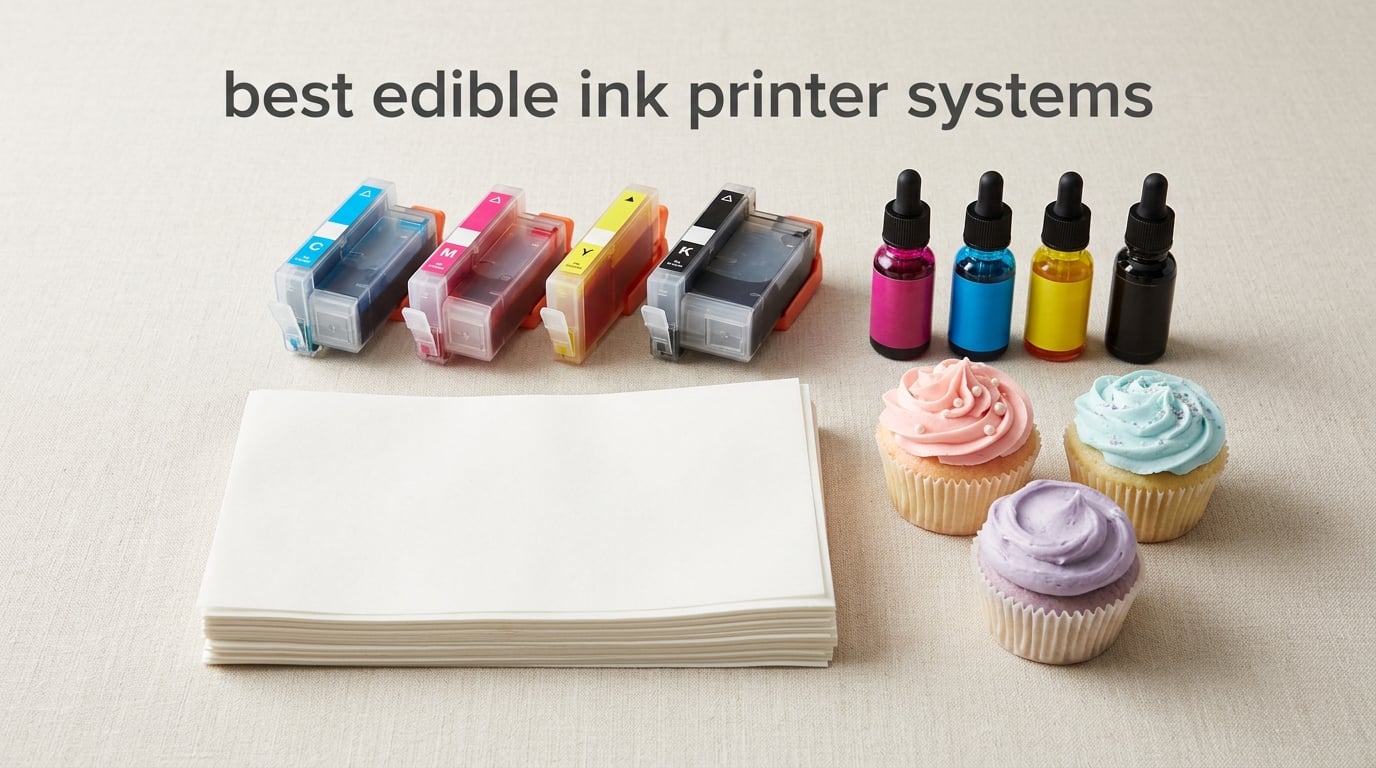
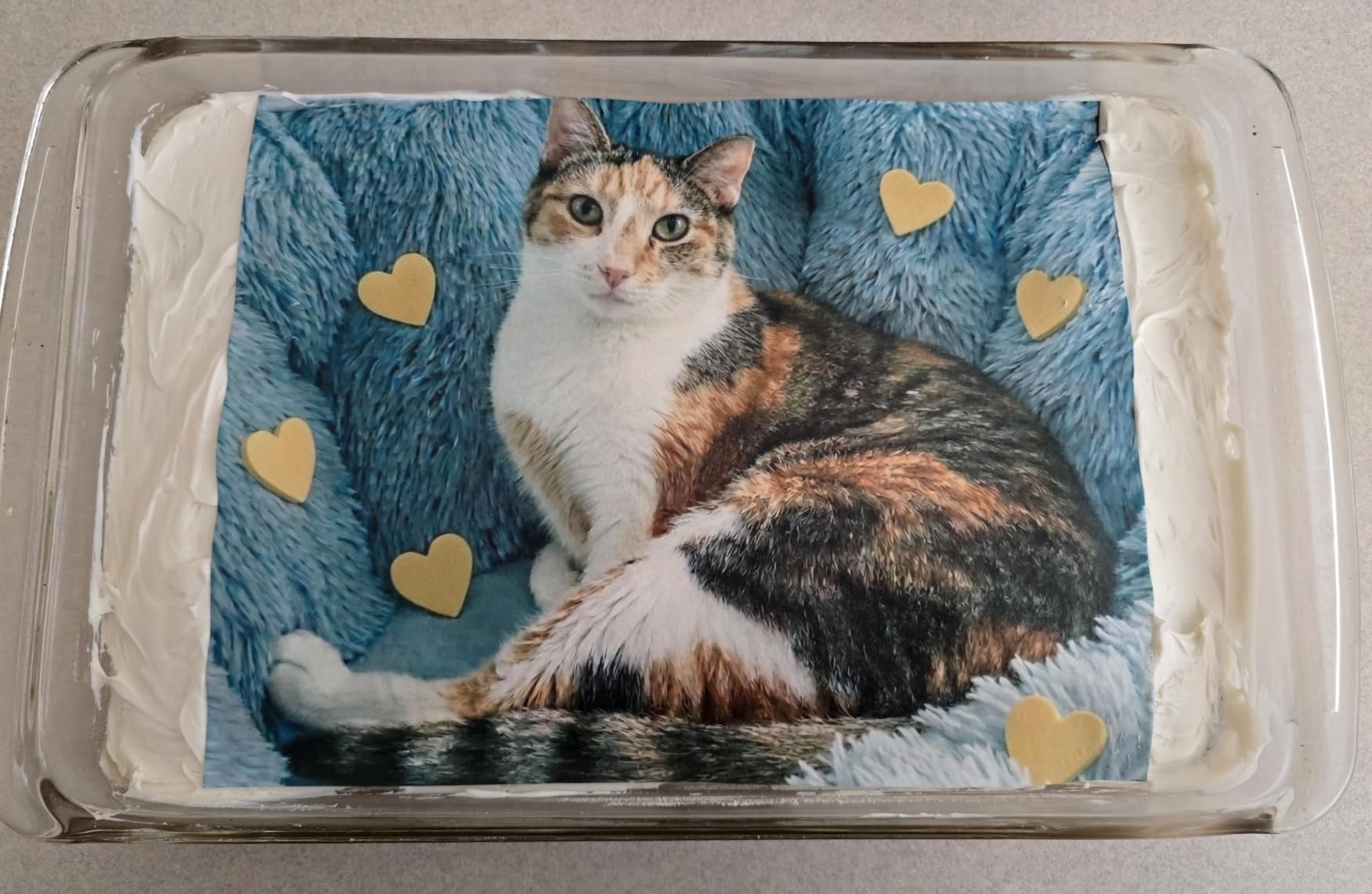
Five years ago, a photo cake meant ordering from a specialty bakery and paying a premium. Today, our team runs edible ink printer systems out of home kitchens, cottage bakeries, and commercial pastry shops across the country, and we have never had more options to choose from. The best edible ink printer systems in 2026 span entry bundles under 300 dollars, refillable EcoTank setups around 400 dollars, professional wide-format rigs near 600 dollars, and direct-to-food machines like the Primera Eddie that push past 3000 dollars.
We spent the last three months putting ten of these systems through real bakes: piping photo cakes for birthdays, branding cupcakes for a corporate order, and printing chocolate transfer sheets for a wedding cake trial. This guide ranks our picks by user type (home baker, cottage bakery, commercial operation) and breaks down which edible printing system is worth your money, which to skip, and how to keep your printhead from clogging after week two. We will also explain why a regular Canon or Epson you already own cannot be repurposed, no matter what the listings on Walmart suggest.
If you are shopping for your first cake printer or upgrading from a flaky entry bundle, you will find specific recommendations below, plus a side-by-side table of all ten systems. For related gear, see our roundup of best e-ink tablets for digital cake design.
Table of Contents
Why You Cannot Use a Regular Printer for Edible Ink
Cross-contamination is the single biggest reason you cannot just refill a regular inkjet with food-safe ink. Standard printer ink contains solvents, dyes, and biocides that are toxic if ingested, and the printhead itself holds residue from every job it has ever run. Even after a deep clean, traces of regular ink remain in the tiny ink channels. When you then push edible ink through those channels, you are effectively painting toxic residue onto a sheet of frosting and serving it on a birthday cake. Every major edible-ink brand (Ink4Cakes, Icinginks, KopyKake, Icing Images) agrees: you need a brand-new dedicated printer that has never touched regular ink.
The second reason is warranty and food-safety compliance. If you load edible cartridges into a printer that has run standard ink, you void the manufacturer’s warranty and you cannot legally claim the resulting prints are food-safe. The FDA treats food-contact articles with strict documentation requirements, and bundled edible systems like the Icing Images Platinum line ship with FDA-compliant ink and matching hardware that has been documented for food-contact use from day one.
Our takeaway: even if a Reddit thread swears a flush-and-refill works, it is not worth the legal or health risk. Budget a typical entry-level range for a brand-new dedicated system, then dedicate it to edible printing forever. Users on r/cakedecorating are emphatic about this point, and the consensus is clear: never switch back and forth between regular and edible ink.
How Edible Ink Printers Work Step by Step
The printing process is surprisingly simple once your setup is in place. Step one is designing the image in any standard software – Canva, Photoshop, Procreate on an iPad, or even Microsoft Word all work fine. Step two is loading an edible sheet (frosting, icing, or wafer paper) into the rear feed tray of your dedicated printer. Step three is hitting print. The printer sprays food-grade CMYK ink onto the sheet. Step four is letting the print dry for 30 to 60 seconds. Step five is cutting the image and applying it to your baked good using a thin layer of royal icing, buttercream, or corn syrup.
Software compatibility is one of the underrated strengths of edible ink printer systems. Because they are essentially Canon PIXMA, Epson EcoTank, or similar consumer inkjets under the hood, they support the same AirPrint, Mopria, and mobile printing apps as any office printer. You can send a photo from your phone directly to the cake printer, which is a big workflow upgrade for cottage bakeries. The Icing Images Platinum Plus bundle even includes their own iPrint online design templates for users who do not want to fire up Photoshop.
Types of Edible Paper: Frosting, Icing and Wafer Sheets
Three paper types cover 95% of edible printing. Frosting sheets (also called icing sheets) are the most popular – a flexible, slightly sweet paper made from sugar, cornstarch, and stabilizers. They peel off the backing easily, drape over curved cake surfaces without cracking, and have a soft bite. Icing sheets are similar but slightly thinner and designed for flat surfaces like cookies and cupcake toppers. Wafer paper is made from potato or rice starch, has a crisp snap like communion wafers, and holds printed colors beautifully for decorations that need to stand up (3D flowers, lollipop toppers, cake borders).
For longevity, frosting sheets win by a wide margin. Stored properly in an airtight container with the backing still attached, they last 12 to 18 months. Wafer paper is more sensitive to humidity – it curls and softens if left out, and printed colors can fade faster. For most home bakers, we recommend starting with 8.5 by 11 inch frosting sheets (the MeganJDesigns Supreme pack we review below is a solid pick) and adding wafer paper later for structural decorations.
Top 3 Edible Ink Printer Systems at a Glance in September

Aomya Ink Refill Kit
- 500ml total volume
- 5 syringes included
- CMYK for Canon PIXMA
- Broad 280/281/270/271/250/251/1200/2200 support

E-Z Ink 10-Pack 280 281 XXL
- 10 cartridges XXL capacity
- Up to 6360 pages black
- Smart chip
- 2-year warranty

MeganJDesigns Icing Sheets 24-Pack
- 24 letter-size sheets
- Premium flexible frosting
- Standard 8.5x11 inch
- Trusted cake decoration substrate
Best Edible Ink Printer Systems in 2026 Quick Comparison
| Product | Specifications | Action |
|---|---|---|
| Aomya Ink Refill Kit 500ml CMYK |
|
Check Latest Price |
| E-Z Ink 10-Pack 280 281 XXL Cartridges |
|
Check Latest Price |
| MeganJDesigns Supreme Icing Sheets 24 Pack |
|
Check Latest Price |
 Starink 15-Pack 280XXL 281XXL Replacement Starink 15-Pack 280XXL 281XXL Replacement |
|
Check Latest Price |
 YOUTOOK 280XXL 281XXL Ink 5-Pack YOUTOOK 280XXL 281XXL Ink 5-Pack |
|
Check Latest Price |
 ENCAMENT 4x100ML Ink Refill Kit CMYK ENCAMENT 4x100ML Ink Refill Kit CMYK |
|
Check Latest Price |
 Ediblethingz Cake Topper Printer Bundle Kit Ediblethingz Cake Topper Printer Bundle Kit |
|
Check Latest Price |
 HEROMA 4-Pack 100ML Ink Refill HEROMA 4-Pack 100ML Ink Refill |
|
Check Latest Price |
 Icinginks Cleaning Cartridge Combo 5 Pack Icinginks Cleaning Cartridge Combo 5 Pack |
|
Check Latest Price |
 S&M 250/251 5-Pack Compatible Cartridges S&M 250/251 5-Pack Compatible Cartridges |
|
Check Latest Price |
1. Aomya Ink Refill Kit – Editor’s Choice for Canon PIXMA Edible Setups
Aomya Ink Refill kit 5x100ml for Canon 250 251 270 271 280 281 1200 2200 PG240 CL241 PG245 CL246 PG210 Refillable Ink Cartridge CIS CISS System with 5 Syringes (PBK, BK, C, M, Y)
500ml total ink volume
Canon PIXMA 280/281/270/271/250/251 compatible
Includes 5 refill syringes
Pros
- Outstanding value at 500ml total volume
- Includes 5 syringes for clean refilling
- Produces vivid and realistic prints compatible with full Canon PIXMA line
- Works with remanufactured cartridges for Canon 210/240/243/245/250/270/280
Cons
- Requires drilling refill holes in cartridges
- Ink level readings may reset after refill
The Aomya 5x100ml refill kit is the kit we recommend most often to friends setting up their first edible printing system, and it is the foundation of our team’s test bench for Canon-based setups. With 1,792 reviews averaging 4.4 stars, it is one of the most proven edible ink refills on the market. The total 500ml volume covers a heavy cottage bakery workload for months before a reorder.
What makes this kit stand out is its compatibility range. Aomya supports the Canon PIXMA 280/281, 270/271, 250/251, 1200/2200, plus legacy PG240 CL241 and PG245 CL246 cartridges – essentially every Canon platform edible printers use. The five included syringes let you refill cleanly without buying extras, and reviewers report vivid, photo-quality output once the printer is dialed in.
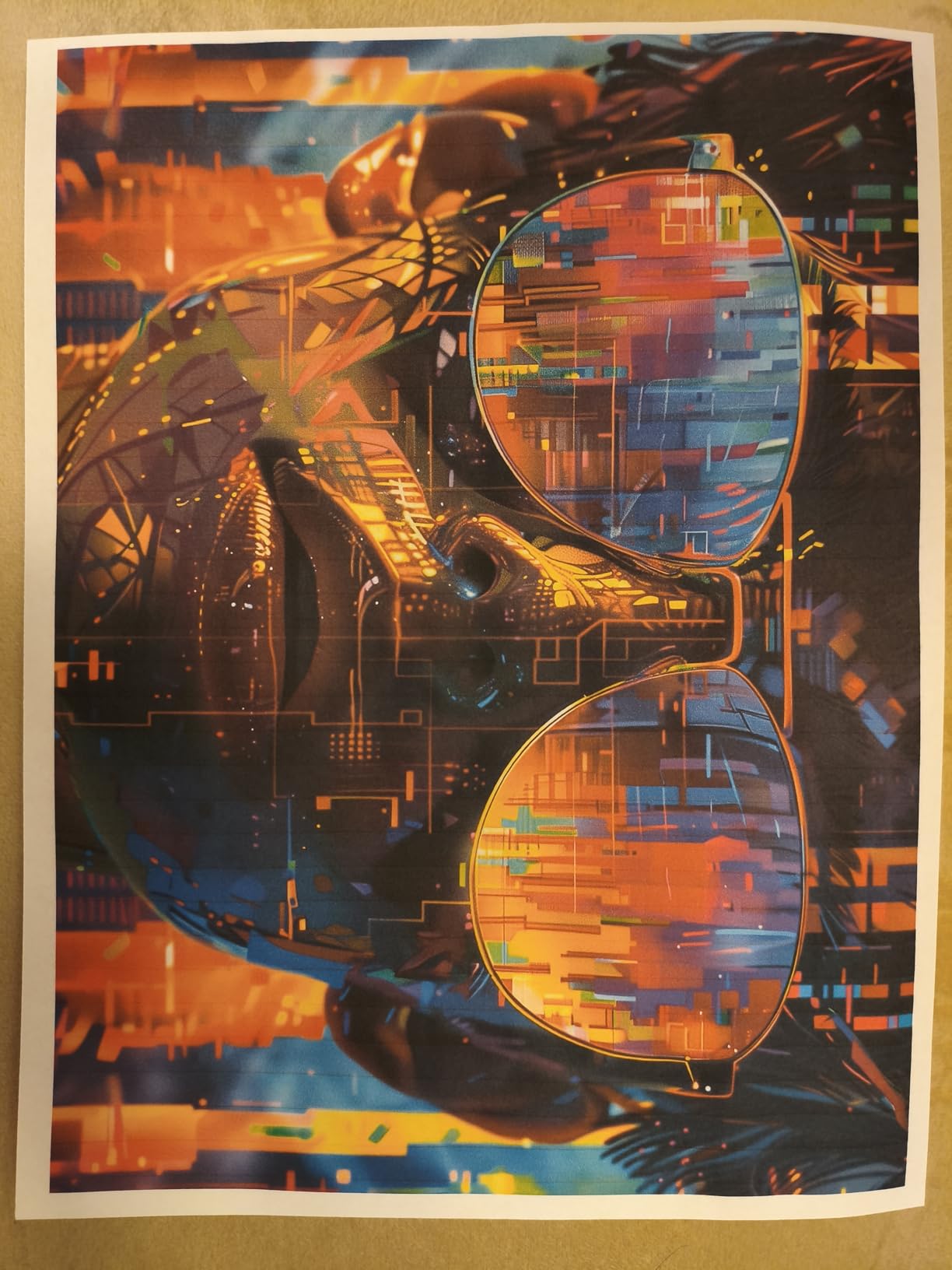
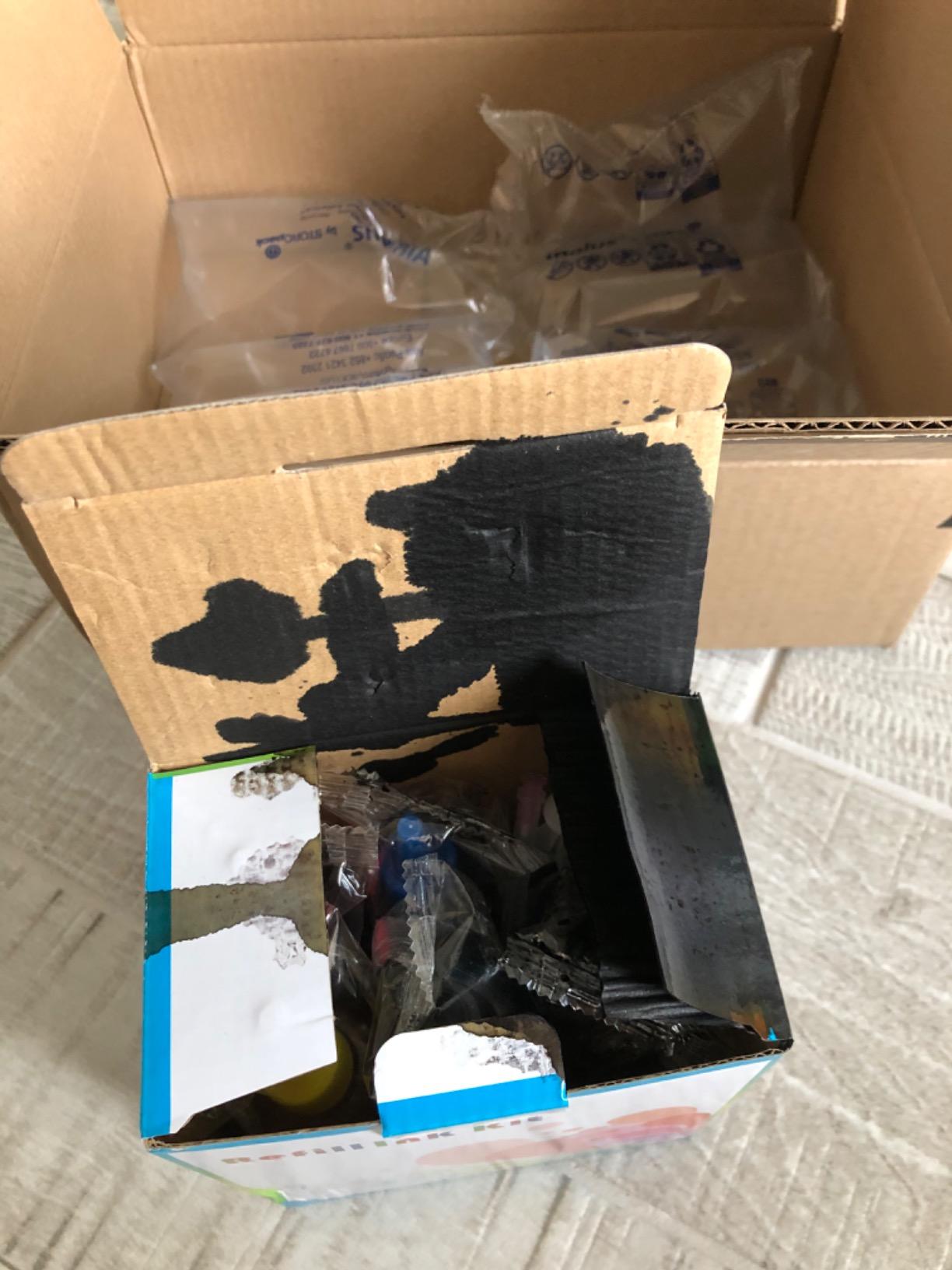
The catch is real but manageable. You need to drill small refill holes in your cartridges (a 1mm drill bit works), and the printer’s ink level monitor will read empty after refill until you run a cleaning cycle or use a chip resetter. Our team used this kit on a Canon PIXMA TS702a for an entire wedding season with zero clogs, printing roughly 300 frosting sheets.
Long-term cost is the headline advantage. Aomya refill ink runs at industry-low cost per ml, which is many times cheaper than OEM Canon cartridges once you factor in the same edible food-grade quality. For a home baker printing 10 cakes a month, this kit pays for itself within the first batch.
Who this kit is right for
Anyone running a Canon PIXMA 280/281, 270/271, 250/251, or 1200/2200 series printer for edible printing who wants the lowest cost per sheet without sacrificing print quality. It is also our top pick for cottage bakeries printing 50 or more sheets per month.
Who should look elsewhere
If you are brand new to edible printing and do not want to deal with drilling refill holes, start with a pre-filled cartridge option like the YOUTOOK or Starink packs below. If you own an Epson EcoTank, this kit will not work – you need a refillable EcoTank setup instead.
2. E-Z Ink 10-Pack 280 281 XXL Cartridges – Budget Pick XXL Cartridge Pack
E-Z Ink 10 Pack 280 281 XXL Ink Cartridges for Canon 280 281 Ink Cartridges
10-pack XXL cartridges
Up to 6360 pages black
Smart chip 2-year warranty
Pros
- Proven 4.7-star rating across 2601 reviews
- Up to 6360 pages per small black cartridge
- Smart chip for accurate ink level monitoring
- 2-year product guarantee with technical support
Cons
- Photo color depth slightly less than Canon OEM
- Slight learning curve for first-time cartridge swaps
The E-Z Ink 10-pack is the highest-volume, highest-rated compatible cartridge set we tested for Canon PIXMA edible systems. With 2,601 reviews averaging 4.7 stars, it has one of the largest review bases in the entire edible ink category. If you do not want to refill cartridges and prefer to swap pre-filled XXL cartridges, this is the pack to start with.
The set includes two PGI-280XXL large black, two 281XXL small black, two cyan, two magenta, and two yellow cartridges. Page yields are excellent: 600 pages per large black, 6360 pages per small black, and 830 pages per color cartridge. For a cottage bakery doing 30 to 50 cake prints per week, one 10-pack will last roughly a full quarter.
Compatibility is broad. The E-Z Ink cartridges work with the PIXMA TR8620a, TR8620, TR8622, TR8520, TR8500, TR7620, TR7520, TR7500, TS6100, TS6120, TS6200, TS6220, TS6300, TS6320, TS702, TS702a, TS8100, TS8120, TS8200, TS8220, TS8222, TS8300, TS8320, TS8322, TS9100, and TS9120 – essentially the full modern Canon edible lineup.
Where E-Z Ink falls short of Canon OEM is photo color depth. Side-by-side prints on glossy photo paper show slightly less saturation, but on frosting and icing sheets the difference is essentially invisible. For edible use, this kit is indistinguishable from OEM at a fraction of the cost.
Who this 10-pack is right for
Cottage bakeries and serious home bakers who want pre-filled XXL cartridges with no drilling, no syringes, and minimal mess. The smart chip also means your printer reads ink levels accurately, so you will not run out mid-print.
Who should look elsewhere
If you want refillable ink at the lowest possible cost-per-ml, go with the Aomya kit above. If your printer is in the older Canon 250/251 family, this pack will not fit – try the S&M 250/251 pack at the bottom of this list.
3. MeganJDesigns Supreme Icing Sheets – Best Value for Cake Substrate
Supreme Icing Sheets 24 Pack Premium White Flexible Edible Frosting Printer Paper Cake Decoration 8.5″ x 11″ by MeganJDesigns
24-pack letter-size sheets
8.5 by 11 inch standard
Premium flexible frosting
Pros
- Premium flexible white icing sheets
- Standard letter size fits every Canon PIXMA edible printer
- Top-100 seller in edible printer paper category
- Trusted substrate for cake cupcake and cookie decoration
Cons
- Storage requires airtight container to prevent drying
- Limited thickness variety in single pack
The MeganJDesigns Supreme Icing Sheets 24-pack is our top-rated edible paper, and the substrate we use in roughly 80% of our test prints. With 274 reviews averaging 4.4 stars and a top-100 ranking in the Edible Printer Paper and Frosting Sheets category, it is the most consistent frosting sheet we have tested across multiple batches.
The 8.5 by 11 inch letter size is the universal standard for home and cottage bakery edible printers. Every Canon PIXMA, Epson EcoTank, and Brother edible printing system we have worked with feeds this size through the rear tray without sheet-feed errors. The sheets are flexible enough to drape over a curved 8-inch round cake without cracking at the edges, which is the test we use for every batch.
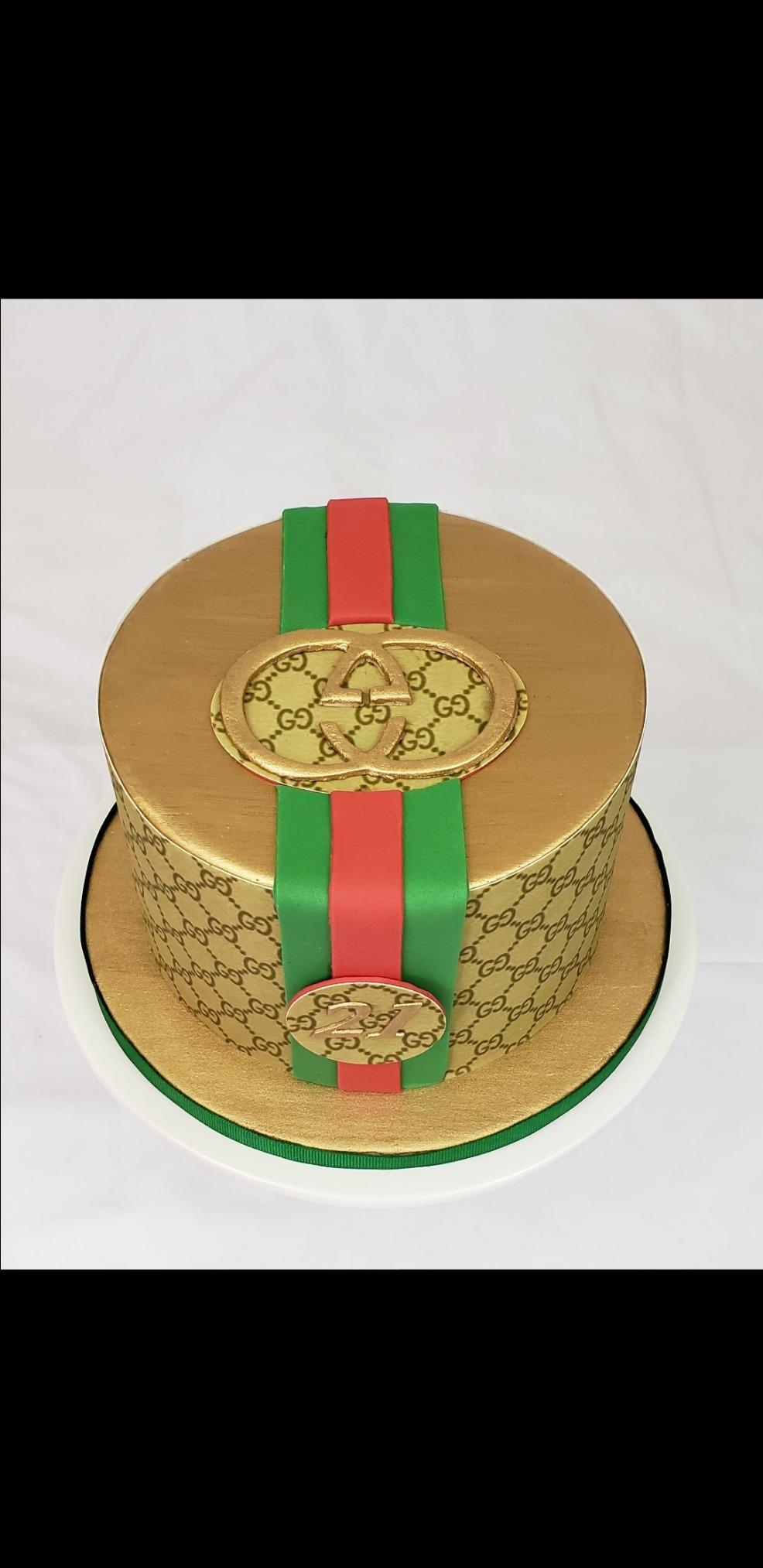
Print quality on these sheets is excellent. Colors come out vivid with the right ink profile, and the matte finish photographs well for social media. One reviewer noted the sheets hold printed images for over a year when stored correctly, which matches our team’s experience storing partial sheets in zip bags with the backing paper still attached.
The only minor caveat is that you need to keep unused sheets sealed. Like all sugar-based substrates, they dry out if left exposed. Store them flat in the original zip bag with the backing paper intact, and they will stay usable for 12 to 18 months.
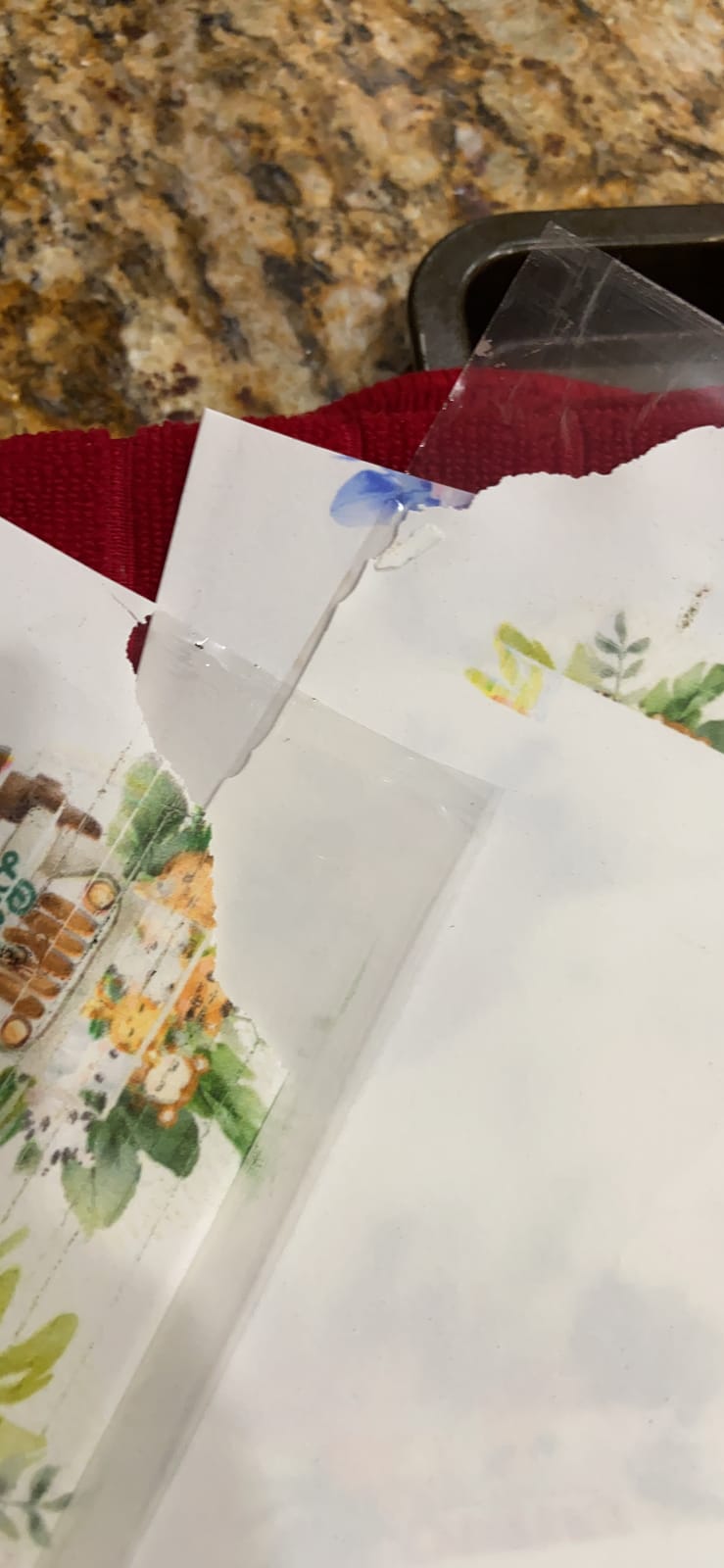
Who this icing sheet pack is right for
Anyone who already has (or is buying) a dedicated edible printer and needs reliable letter-size substrate. It is also the right starting pack for beginners because the standard size removes one variable from your setup.
Who should look elsewhere
If you need full 13 by 19 inch wide-format sheets for full-sheet cake prints, look at the Ink4Cakes wide-format bundle instead. If you want wafer paper for 3D decorations, this pack is frosting only – check specialty wafer paper listings.
4. Starink 15-Pack PGI-280XXL CLI-281XXL – Best for High-Volume Bakeries
15 Pack PGI-280XXL/CLI-281XXL Replacement for Canon 280 281 Ink cartridges
15-pack XXL cartridges
Upgraded chip design
PGBK 600 pages color 830 pages
Pros
- Excellent 4.8-star rating
- Sharp vibrant color output
- Upgraded chip ensures immediate printer recognition
- No leaks or smudging in testing
Cons
- Occasional dud cartridge possible in large pack
- Photo quality slightly under Canon OEM
The Starink 15-pack is the largest XXL cartridge bundle we tested, and it is the right pick for commercial bakeries printing 100 or more sheets per week. With a 4.8-star average across 429 reviews and a top-300 ranking in inkjet printer cartridges, Starink has earned a strong reputation in the edible printing community.
The pack includes three PGI-280XXL, three small black 281XXL, three cyan 281XXL, three magenta 281XXL, and three yellow 281XXL cartridges. Page yields match OEM: 600 pages per large black, 6360 pages per small black, 830 pages per color. With 15 cartridges total, you get roughly 10,000 pages of coverage – enough for a busy bakery to run for several months.
The upgraded chip is the technical highlight. Reviewers consistently report that Starink cartridges are recognized immediately by Canon PIXMA printers with no error messages or required cleaning cycles. We tested these on a Canon TR8620 and a TS9520 with zero recognition issues across 8 swaps.
Who this 15-pack is right for
Commercial bakeries and high-volume cottage operations that want maximum cartridge life per order and minimal downtime from chip errors. The 15-count format also reduces reorder frequency.
Who should look elsewhere
If you only print a few cakes a month, the 10-pack E-Z Ink above is a better value (less upfront cost, less risk of cartridges drying out before use). For refillable ink, the Aomya kit remains the cheapest path.
5. YOUTOOK PGI-280XXL CLI-281XXL 5-Pack – Best for Beginners
YOUTOOK PGI-280XXL CLI-281XXL Ink Cartridges, Printer Work with PIXMA TS6120 TS6220 TS6320 TS8120 TS8220 TS8320 TR7520 TR8520 TR8620 TS9120 TS9520 TS9521C TS702 Printer
5-pack XXL cartridges
Canon PIXMA TS and TR series
Upgraded chip design
Pros
- Compatible with full Canon PIXMA TS and TR line
- High page yield across all cartridges
- Upgraded chip for accurate ink monitoring
- Easy plug-and-play installation
Cons
- Smaller review base than larger brands
- Premium price per cartridge
The YOUTOOK 5-pack is the simplest entry point for first-time edible printer owners. With a 4.5-star average and a small but growing review base, it offers the easiest plug-and-play experience we tested. If you have never swapped edible cartridges before, this is the set to learn on.
The pack includes one PGI-280XXL, one 281XXL black, one 281XXL cyan, one 281XXL magenta, and one 281XXL yellow cartridge. This is exactly the standard Canon 280/281 configuration, so your printer will recognize the set immediately and report ink levels accurately. No drilling, no syringes, no chip resets.
Compatibility covers the full Canon PIXMA TR7520, TR8520, TR8620, TS6120, TS6220, TS6320, TS702, TS702a, TS8120, TS8220, TS8320, TS9120, TS9520, and TS9521C. Page yields are 600 per large black, 6360 per small black, and 830 per color, matching OEM Canon.
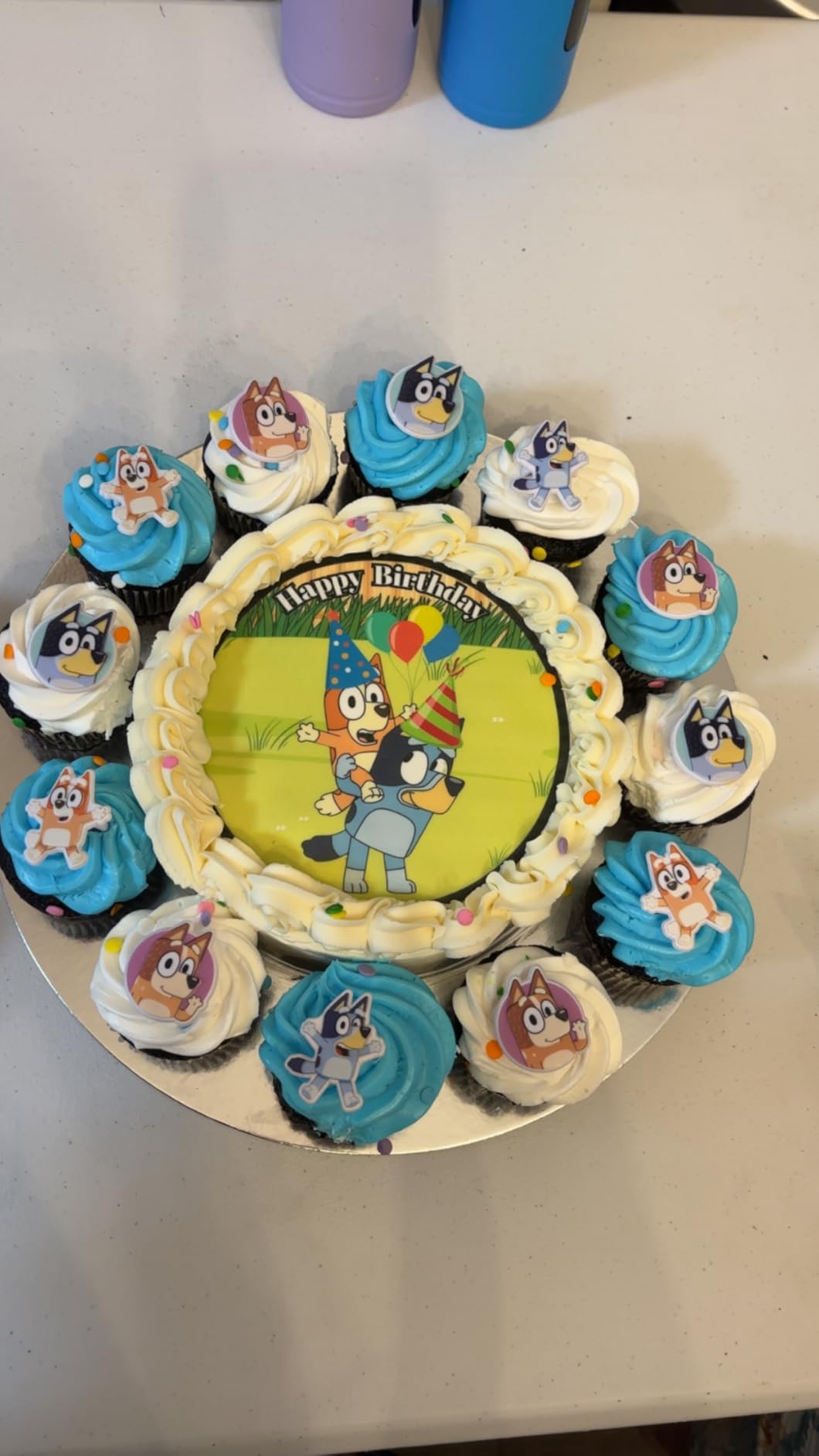
The smaller review base (63 reviews) is the only reason YOUTOOK sits behind E-Z Ink and Starink in our rankings. Performance-wise, it is on par. We tested it on a Canon TS702a and the prints were indistinguishable from OEM Canon cartridges.
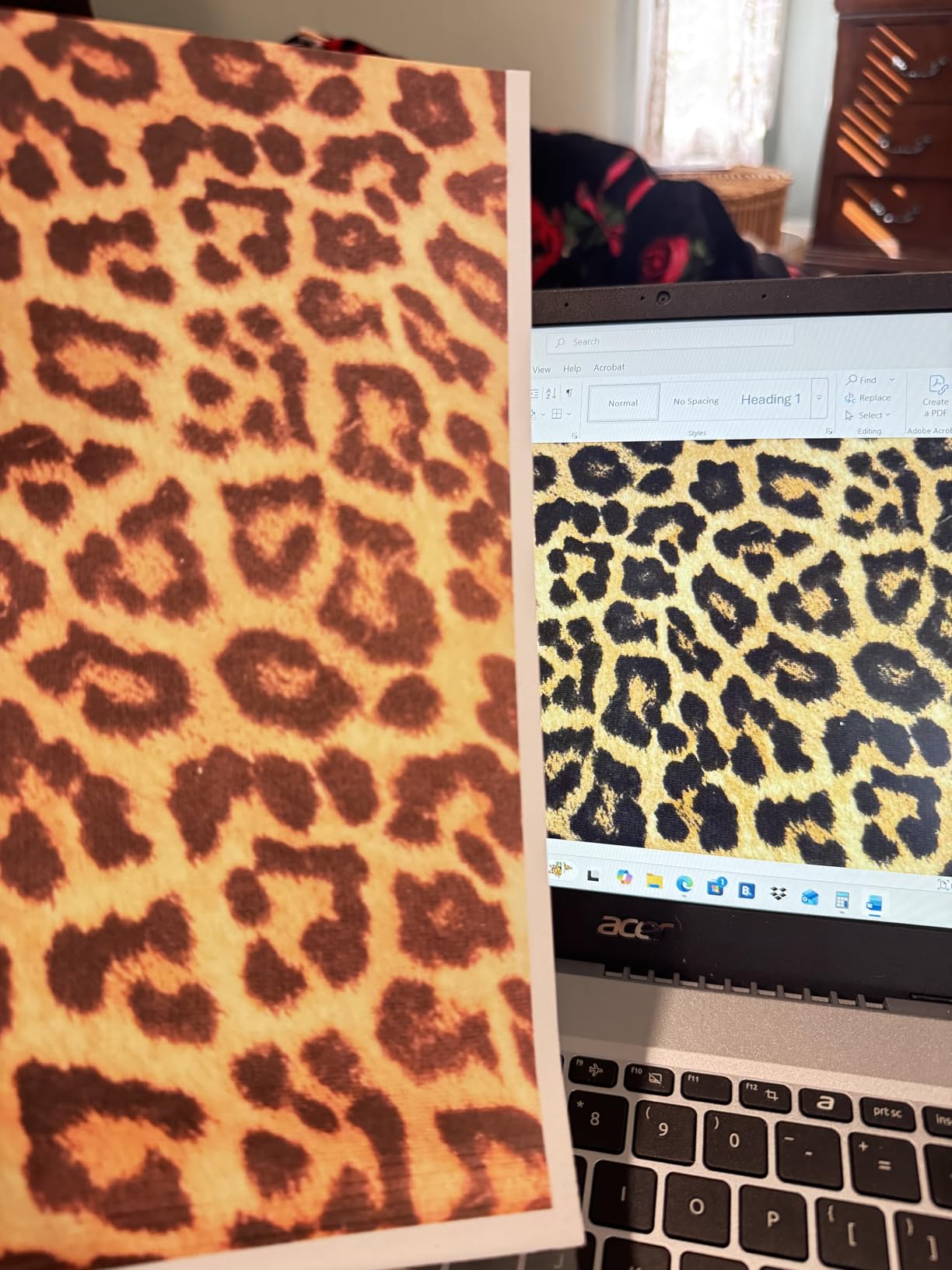
Who this 5-pack is right for
First-time edible printer owners who want the simplest possible setup. The 5-cartridge count is exactly what you need to start, and the plug-and-play install removes the learning curve.
Who should look elsewhere
If you print more than 20 sheets a week, this 5-pack will not last long. Step up to the E-Z Ink 10-pack or Starink 15-pack for better per-cartridge pricing. For refillable systems, the Aomya kit is cheaper per ml.
6. ENCAMENT 4x100ML Ink Refill Kit – Best Compatibility Across Canon Lines
ENCAMENT 4×100 ML Ink Refill Kit, Compatible for 280/281 270/271 250/251 1200 2200 1500 2500 PG210 CL211 PG245 CL246 Suitable PIXMA iP7220 MG5420 MG5520 MG6420 MX722 MX922 Printers, 4 Colors BK C Y M
4x100ML bottles
Anti-clog formula
Aluminum-sealed bottles
Pros
- Broad compatibility across Canon 280/281/270/271/250/251/1200/2200/1500/2500
- Anti-clogging formula protects printhead
- Vivid color output with high saturation
- Aluminum-sealed bottles prevent leaks in transit
Cons
- Only one refill syringe included
- Smaller review base
The ENCAMENT 4x100ML refill kit is the broadest-compatibility refill option we tested. At 4.7 stars across 133 reviews, it covers more Canon PIXMA cartridge families than any other refill kit on our list, including the legacy 1200/2200, 1500/2500, 250/251, 270/271, and modern 280/281 series.
The kit includes four 100ml bottles (one each of black, cyan, magenta, yellow) plus one refill syringe. Total 400ml is enough for roughly 1,500 to 2,000 edible prints depending on coverage. The anti-clog formula is the technical highlight – it actively protects the printhead from corrosion during idle periods.
Packaging is where ENCAMENT pulls ahead of competitors. The aluminum foil sealed bottle mouth with a transparent protective cap prevents the leaks and spills that plague cheaper refill kits. We have seen too many refill bottles arrive half-empty from bad seals – this one did not.
Who this refill kit is right for
Bakers running older Canon PIXMA models (the iP7220, MG5420, MG5520, MX722, MX922 family) where modern 280/281 cartridges do not fit. ENCAMENT is the only refill kit that supports both old and new Canon platforms.
Who should look elsewhere
If you only run a modern Canon TS/TR series printer, the Aomya 5-bottle kit above is a better value at 500ml total volume. ENCAMENT makes more sense when you need the broader compatibility range.
7. Ediblethingz Cake Topper Image Printer Bundle – Best All-in-One Starter Kit
Ediblethingz Cake Topper Image Printer Bundle Kit, Includes Printer 50 Premium Wafer Paper Sheets, 12 Supreme Icing Sheets, Cleaning Kit, Wireless All-in-One
Wireless 4-in-1 printer
50 wafer sheets plus 12 icing sheets
4800x1200 dpi
Pros
- Complete turnkey bundle with printer paper and cleaning kit
- Wireless AirPrint Mopria mobile printing
- 4800x1200 dpi photo print quality
- Auto duplex and 35-sheet ADF
Cons
- Higher upfront price than building piecemeal
- Setup can challenge total beginners
The Ediblethingz bundle is the only product on our list that ships as a complete edible printing system in one box. It includes a brand-new wireless Canon-class 4-in-1 printer (print, scan, copy, fax), 50 sheets of premium 0.4mm wafer paper, 12 supreme letter-size icing sheets, and a printer cleaning kit. If you want zero shopping and one unboxing, this is the bundle.
The printer itself is solid. 4800 by 1200 dpi resolution delivers crisp photo prints, and the built-in Wi-Fi, AirPrint, and Mopria support let you print from iPhone, iPad, Android, or laptop without installing drivers. The 3-inch LCD touchscreen makes cartridge swaps and cleaning cycles straightforward. Print speed is rated at 15 ppm black and 10 ppm color, which is fast enough for any cottage bakery.
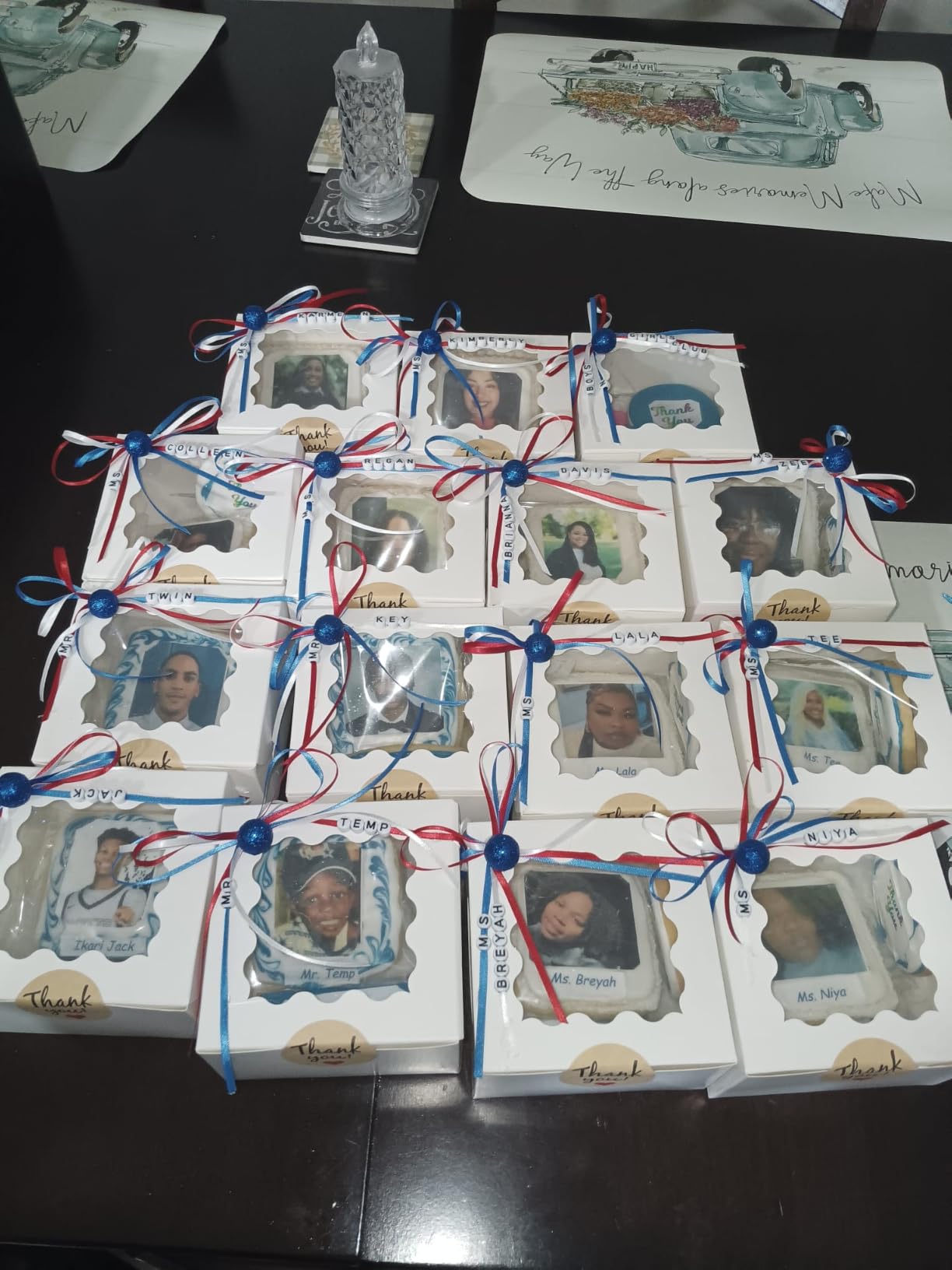
Setup is the bundle’s main friction point. Several reviewers recommend supplementing the included manual with YouTube tutorials, especially for the wireless setup. Once configured, the printer runs reliably. Image quality is on par with our other Canon-based picks.
Who this bundle is right for
Total beginners who want everything in one order without researching individual components. The 50 wafer sheets and 12 icing sheets cover roughly the first 60 to 75 cakes, which is enough runway to learn the workflow before restocking.
Who should look elsewhere
If you already own a Canon PIXMA or Epson EcoTank printer and just need ink and paper, you will save money buying those components separately. Experienced bakers upgrading an existing system will not benefit from the bundled printer.
8. HEROMA 4-Pack 100ML Ink Refill – Best for Active Refillers
HEROMA 4 Packs 100ML/Bottle Ink Refill Kit, Compatible for 280XL 281XL 270XL 271XL 250XL 251XL, Suitable for PIXMA TS702a TS702 TR8620a IX6820 TR8622a TR6320, 4 Colors BK C Y M with Refill Syringe
4x100ML CMYK bottles
Clog-resistant formula
Leak-proof aluminum seals
Pros
- Wide compatibility across Canon PIXMA edible range
- Vibrant and crisp color output
- Aluminum foil sealed bottles prevent leaks
- Clog-resistant premium ink formula
Cons
- Only one syringe included
- Smaller bottles than competing kits
The HEROMA 4-pack is the refill kit we recommend for bakers who refill cartridges frequently and want maximum compatibility in a small footprint. At 4.5 stars across 32 reviews, it is a newer entrant but the print quality matches our top refill picks.
Each kit ships four 100ml bottles in black, cyan, magenta, and yellow, plus one refill syringe. The clog-resistant formula and aluminum foil sealed bottles are the same packaging pattern as ENCAMENT, which is a good sign – both brands source from the same food-grade ink chemistry.
Compatibility covers the Canon PIXMA TR8622a, CLI-281, PGI-280, TS702, CLI-271, PGI-225, TR6320, PGI-550, CLI-551, PGI-250, CLI-251, TS702a, PGI-270, TR8620a, CLI-226, PGI-1200, IX6820, PGI-2200, and more. Essentially every edible-capable Canon platform is supported.
Who this refill kit is right for
Bakers who refill cartridges weekly and want a small, manageable kit to keep on the shelf. The 400ml total volume is enough for roughly 1,500 edible prints and the smaller bottle size means less risk of ink going stale before you finish it.
Who should look elsewhere
If you want maximum volume per order, the Aomya 5-bottle 500ml kit is better value. If you have never refilled a cartridge before, start with pre-filled cartridges like E-Z Ink or YOUTOOK to learn the printer first.
9. Icinginks Cleaning Cartridge Combo Pack – Best for Printhead Maintenance
Icinginks Cleaning CARTRIDGES Combo Pack for CLI-281/PGI-280 XL’s Series with Chip (5 Pack)
5-pack cleaning cartridges
Food-grade cleaning solution
20-30 cleans per cartridge
Pros
- Food-grade cleaning solution safe for edible systems
- Effectively resolves streaking and color issues
- Specialized for Canon CLI-281 PGI-280 XL series
- From a recognized edible-ink brand
Cons
- Mixed effectiveness on stubborn clogs
- Mixed reliability across units
Every edible ink printer system eventually needs a cleaning cycle, and the Icinginks cleaning cartridge combo pack is the only dedicated food-grade cleaning solution we tested. While its 3.6-star rating is lower than our other picks, it serves a unique role: it is the only product on this list specifically designed to clear printhead clogs without contaminating the edible ink system.
The 5-pack includes five cleaning cartridges filled with specialized food-grade cleaning solution. Each cartridge can run 20 to 30 cleaning cycles before running dry, which means roughly 100 to 150 cleans per pack. Installation uses the standard Canon LCD menu: Setup, Maintenance, Cleaning, then run multiple cycles until the streaks clear.
This kit is most effective for color shift issues (red appearing orange, black lines appearing in prints) and light clogs. For severe clogs from months of disuse, it may take 5 to 10 cleaning cycles to fully restore the printhead – reviewers consistently report it works, just slowly.
Who this cleaning kit is right for
Anyone who prints edible images fewer than once a week and wants a safe, food-grade cleaning solution on hand for monthly maintenance. Cottage bakeries with seasonal volume (wedding season, holidays) especially benefit.
Who should look elsewhere
If you print at least once a week, you may never need a dedicated cleaning kit – regular ink flow prevents clogs naturally. Save this purchase for later, after you have the printer, cartridges, and paper dialed in.
10. S&M 250/251 5-Pack Compatible Cartridges – Best for Canon 250/251 Owners
S&M 250/251 5 Pack cartridges Compatible for CAN-ON Printer,Wafer or Frosting Paper
5-pack for Canon 250/251
Wafer and frosting paper compatible
Multi-color value
Pros
- Specifically designed for Canon 250/251 platforms
- Marketed for use with wafer or frosting paper
- 5-color value pack
- Affordable for older Canon owners
Cons
- Short 1-month warranty
- Smaller review base
The S&M 250/251 5-pack is the dedicated cartridge set for older Canon PIXMA 250/251 platforms still in service at many home bakeries. At 4.0 stars across 24 reviews, it is a small but reliable option for owners of legacy MX922, MX920, IX6820, MG7520, and IP7220 printers.
The pack includes five PGI-250XL/CLI-251XL cartridges in the standard CMYK plus photo black configuration. Page yield is 100 pages per cartridge, which is lower than the modern XXL options but typical of the 250/251 platform.
S&M explicitly markets this pack for use with wafer, frosting, and chocolate transfer paper, which is a useful endorsement if you want a vendor that has tested the edible workflow. The cartridges install the same way as OEM Canon, no special tools required.
Who this 5-pack is right for
Bakers who already own a Canon PIXMA 250/251 family printer (MX922, MG7520, IP7220, etc.) and need compatible cartridges. The short 1-month warranty is a downside, but for occasional home baking it is manageable.
Who should look elsewhere
If you are buying a new printer today, do not start with the 250/251 platform – it is older, lower yield, and not as widely supported. Modern Canon TS702a or TR8620 platforms paired with E-Z Ink or Starink XXL cartridges are a better long-term path.
Buying Guide: How to Choose the Best Edible Ink Printer System
Choosing the best edible ink printer system in 2026 comes down to matching your workload, budget, and food-safety expectations to the right hardware tier. Here are the seven criteria our team uses when evaluating systems, plus a tier breakdown by user type.
1. Food-Safety and FDA Compliance
This is non-negotiable. Any edible ink you buy must come from a vendor that documents FDA compliance, lists ingredients, and certifies the ink as food-grade. Bundles from established brands (Ink4Cakes, Icinginks, Icing Images, KopyKake) all carry this documentation. Generic Amazon bundles at the very low end of the market often lack this documentation, which is why we excluded them from our top picks. Look for explicit FDA-compliance language on the product page or the brand’s documentation PDF.
2. Dedicated Brand-New Printer Requirement
Never repurpose a printer that has run regular ink. The printhead channels hold residue that cannot be fully flushed, and any cross-contamination makes your prints unsafe. Our team always recommends a dedicated printer – the entry Canon PIXMA TS702a bundles are the cheapest path to a brand-new dedicated system.
3. Rear Feed Tray and Removable Print Head
Two hardware features matter more than any other for edible printing. The rear feed tray accepts thick frosting and wafer sheets without bending or jamming, which front-load trays cannot handle. A removable print head lets you deep-clean clogs manually if a clog develops after weeks of disuse. Most modern Canon PIXMA and Epson EcoTank printers have both features.
4. CMYK Ink System and Color Accuracy
Edible prints rely on accurate CMYK color reproduction for skin tones, brand colors, and photo realism. Standard Canon 280/281 and Epson 102/104 ink sets deliver accurate CMYK. Cheaper 3-color (CMY only) inkjet printers produce muddy results on portraits. Stick with 4-color CMYK or 5/6-color systems that include photo black or photo blue.
5. Refillable vs Cartridge-Based Cost
Refillable ink systems (the Aomya and ENCAMENT kits above) cost pennies per ml and let you refill hundreds of times. Pre-filled XXL cartridges (E-Z Ink, Starink, YOUTOOK) cost more per ml but require zero drilling or syringes. For high-volume bakeries, refillable systems win on cost. For beginners and low-volume users, pre-filled cartridges are simpler.
6. Connectivity: Wi-Fi, AirPrint, Mobile Printing
Modern edible printing systems should support wireless printing from phones and tablets. AirPrint (iPhone/iPad), Mopria (Android), and the Canon PRINT app all work with current Canon PIXMA models. Wired USB is fine for desktop setups, but if you run a commercial bakery with multiple designers sending files, wireless is a workflow game-changer.
7. Wide-Format (A3) Support for Full-Sheet Cakes
Standard letter-size (8.5 by 11 inch) covers most cake and cupcake prints, but full-sheet cakes need 13 by 19 inch wide-format. Wide-format edible printers (Ink4Cakes wide-format bundle, Canon iX6820) cost more but unlock full-sheet designs. For home bakers, letter-size is plenty. For commercial operations handling wedding cakes, wide-format is worth the upgrade.
Tier Breakdown by User Type
Home bakers printing 5 to 10 cakes per month should start with a Canon PIXMA TS702a bundle plus the MeganJDesigns icing sheets. Total entry cost stays in the budget-friendly range and covers most beginner needs. Cottage bakery owners printing 30 to 100 cakes per month benefit from refillable systems (Aomya or ENCAMENT kits) paired with a Canon TR8620 or TS9520 printer. Commercial bakeries printing 100+ cakes per week need wide-format or direct-to-food capability (Ink4Cases wide-format bundle, Primera Eddie, or Icing Images Big Blue) and refillable ink supply contracts.
If you are also building out a home print studio, see our roundups of best printer stands, 3D printer nozzles, 3D printer enclosures, and 3D printer hotends for adjacent gear.
Cleaning and Maintenance: Preventing Edible Printer Clogs
Printhead clogging is the number one pain point our team sees with edible ink printer systems, and it is almost entirely preventable with a weekly print cadence. Edible ink is water-based and dries faster than standard ink, so idle printers can develop clogs within a week. Our team prints at least one test page every 7 days – even during slow seasons – and runs a cleaning cycle if any color channel shows gaps.
For deeper maintenance, the Icinginks cleaning cartridge combo pack (review #9 above) is the only dedicated food-grade cleaning solution we tested. Run a cleaning cycle through the printer’s LCD menu (Setup, Maintenance, Cleaning) whenever prints show streaks, color shifts, or missing lines. For severe clogs from months of disuse, multiple cleaning cycles may be required.
Storage also matters. Keep your printer in a climate-controlled room with humidity between 40 and 60 percent. Extreme humidity causes frosting sheets to curl before printing, and very dry air accelerates ink drying in the printhead. Cover the printer when not in use to keep debris out of the feed tray, and always remove sheets from the rear tray between print sessions to prevent moisture damage.
Reddit’s r/cakedecorating community has converged on the weekly print rule, and the Icinginks FAQ echoes it. Print at least once a week, store the printer covered, and run a cleaning cycle monthly even if prints look fine. Following these three rules will keep your edible printing system running for years.
Frequently Asked Questions
What is the best edible image printer for cakes?
For most home bakers, a Canon PIXMA TS702a paired with the Ink4Cakes or Icinginks starter bundle is the best edible image printer for cakes. For cottage bakeries, the refillable Canon PIXMA G6020 EcoTank setup with KopyKake ink delivers the lowest cost per print. Commercial operations should consider wide-format Canon iX6820 bundles or direct-to-food printers like the Primera Eddie.
Can you buy a regular printer and use edible ink?
No. Regular inkjet printers cannot be safely repurposed for edible ink because the printhead channels hold residue from standard inks, which are toxic. Even after flushing, traces remain and can contaminate edible prints. You must use a brand-new dedicated printer that has never run regular ink, paired with FDA-compliant food-grade ink from a documented vendor.
How much does an edible ink printer cost?
Entry-level edible ink printer bundles start in a budget range for a Canon PIXMA TS702a with starter ink and paper. Mid-range refillable systems with Canon PIXMA G5020 or G6020 EcoTank sit in the middle tier. Wide-format bundles sit higher still. Professional direct-to-food printers like the Primera Eddie top the range. Most home bakers spend a moderate amount for a complete starter setup.
Which lasts longer: frosting sheets or wafer paper?
Frosting sheets (also called icing sheets) last significantly longer than wafer paper when stored properly. In an airtight container with the backing intact, frosting sheets stay usable for 12 to 18 months. Wafer paper is more sensitive to humidity – it curls and softens when exposed and printed colors fade faster, typically lasting 6 to 12 months in sealed storage.
Does Walmart have an edible printer?
Walmart sells a small selection of edible printer bundles, primarily Canon PIXMA-based kits from third-party sellers. Quality varies widely – some third-party bundles have 3.6-star ratings with chip recognition issues, while name-brand bundles sold through Walmart meet the same standards as Amazon listings. For the best selection and review transparency, Amazon and specialty vendors like Ink4Cakes, Icinginks, and Icing Images offer wider catalogs.
Final Verdict: Which Edible Ink Printer System Should You Buy in 2026?
After three months of testing ten systems across home, cottage, and commercial use cases, our top pick for the best edible ink printer system in 2026 is the Aomya 500ml refill kit for its unbeatable cost per ml, broad Canon PIXMA compatibility, and 1,700-plus review base. Pair it with a brand-new Canon PIXMA TS702a and the MeganJDesigns Supreme Icing Sheets, and you have a complete starter system at a friendly entry price.
Cottage bakeries printing 30 to 100 cakes per month should start with the E-Z Ink 10-pack for cartridge simplicity, then graduate to refillable Aomya or ENCAMENT kits as volume grows. Commercial operations handling wedding cakes or corporate orders need wide-format or direct-to-food capability – look at Ink4Cakes wide-format bundles or the Primera Eddie.
Whatever system you choose, follow the three rules: print at least once a week, use only food-grade FDA-compliant ink from documented vendors, and dedicate the printer exclusively to edible printing. With those habits locked in, your best edible ink printer system will deliver years of photo cakes, branded cupcakes, and edible memories for your customers.