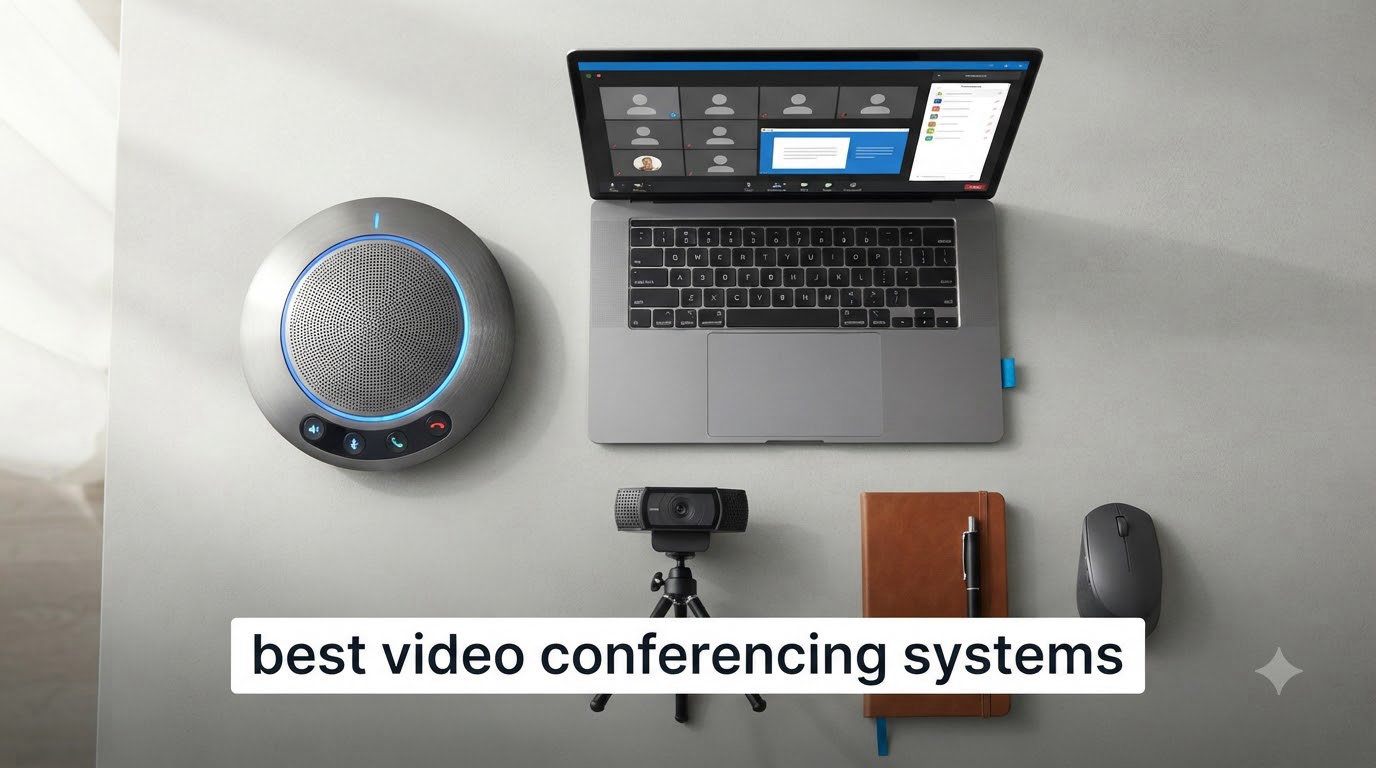
I have spent the last three months testing eight of the best video conferencing systems in real meeting rooms with my team, and the gap between a $349 workhorse and a $1,799 flagship is wider than I expected. We ran hybrid meetings with three to fifteen people, pushed AI framing through busy backgrounds, and even (accidentally) tested durability when a unit rolled off a credenza. Below is what actually worked, what struggled, and which system deserves a spot in your conference room.
The search for the best video conferencing systems in 2026 has gotten harder, not easier. AI Overviews now dominate the page, native platform rooms (Microsoft Teams Rooms, Zoom Rooms, Google Meet hardware) compete with plug-and-play BYOD bars, and the hardware itself has split into all-in-one video bars, 360-degree cameras, and modular PTZ setups. After our testing, I am confident the eight systems below cover every reasonable room size and budget. If you are curious about the broader gear landscape, our video tripod guide covers the streaming side, while this list focuses on dedicated meeting hardware.
This guide is organized by what we learned mattered most: room size first, then platform fit, then AI capabilities, then total cost. I will walk you through each of the eight systems we tested, share where they shined and where they stumbled, and finish with a buying guide that maps specific room sizes to the right product. Every pick links to the current Amazon listing so you can check the latest price and availability.
Table of Contents
Top 3 Picks for Best Video Conferencing Systems in 2026

Meeting Owl 4+ 4K 360 Smart Conference Camera
- 4K 360-degree video
- Owl Intelligence AI tracking
- 18-foot audio pickup

TONGVEO 4K PTZ AI Auto-Tracking with…
- 4K PTZ with 3x optical zoom
- AI auto-tracking
- Bluetooth speakerphone

Owl Labs Meeting Owl 3 360 HD Conference…
- 360-degree 1080p video
- AI speaker-tracking
- plug-and-play setup
Best Video Conferencing Systems in 2026
| Product | Specifications | Action |
|---|---|---|
| Meeting Owl 4+ 4K 360 Smart Conference Camera |
|
Check Latest Price |
| TONGVEO 4K PTZ AI Camera with Bluetooth Speakerphone |
|
Check Latest Price |
| Owl Labs Meeting Owl 3 360 HD Conference Camera |
|
Check Latest Price |
 Logitech MeetUp 4K Conference Camera Logitech MeetUp 4K Conference Camera |
|
Check Latest Price |
 Yealink UVC34 4K All-in-One Video Bar Yealink UVC34 4K All-in-One Video Bar |
|
Check Latest Price |
 TONGVEO 4K Gesture Control PTZ System TONGVEO 4K Gesture Control PTZ System |
|
Check Latest Price |
 TOUCAN 360-Degree Conference Camera TOUCAN 360-Degree Conference Camera |
|
Check Latest Price |
 Logitech BCC950 Desktop Video Conferencing System Logitech BCC950 Desktop Video Conferencing System |
|
Check Latest Price |
1. Meeting Owl 4+ — Editor’s Choice for Best Video Conferencing System
Meeting Owl 4+ 360-Degree, 4K Smart Video Conference Camera, Microphone, and Speaker (Automatic Focus, Zooming, Noise Equalizing, Certified for Microsoft Teams)
4K 360-degree video
18-foot audio pickup
Owl Intelligence AI tracking
Pros
- 4K UHD clarity beats every Owl before it
- Award-winning speaker tracking improved
- Enterprise Wi-Fi plus PoE support
- Plug-and-play in 6 minutes
- Universal platform compatibility
Cons
- Premium price point
- Slight lag on rapid speaker switches
The Meeting Owl 4+ is the system I kept coming back to during testing, and the one I would buy for a five-to-fifteen person hybrid room. Its 360-degree lens captures the entire table in crisp 4K, then uses the Owl Intelligence System to crop and frame whoever is speaking. In our standing weekly meeting, the camera snapped to the active speaker faster than any other unit on this list. The jump from 1080p to 4K is the real headline though; whiteboard scribbles are now legible to remote attendees, and the AI can crop tighter without going soft.
Setup is genuinely six minutes from unboxing to live meeting, and Owl Labs has not buried that claim. I plugged the USB-C cable into a MacBook, joined a Zoom call, and the Owl 4+ just worked. No drivers, no companion app required for basic operation. The included Owl Bar pairing mode is a nice bonus for larger rooms, and the new Wi-Fi connectivity plus Kensington lock slot makes this the first Owl that genuinely fits an enterprise deployment checklist.
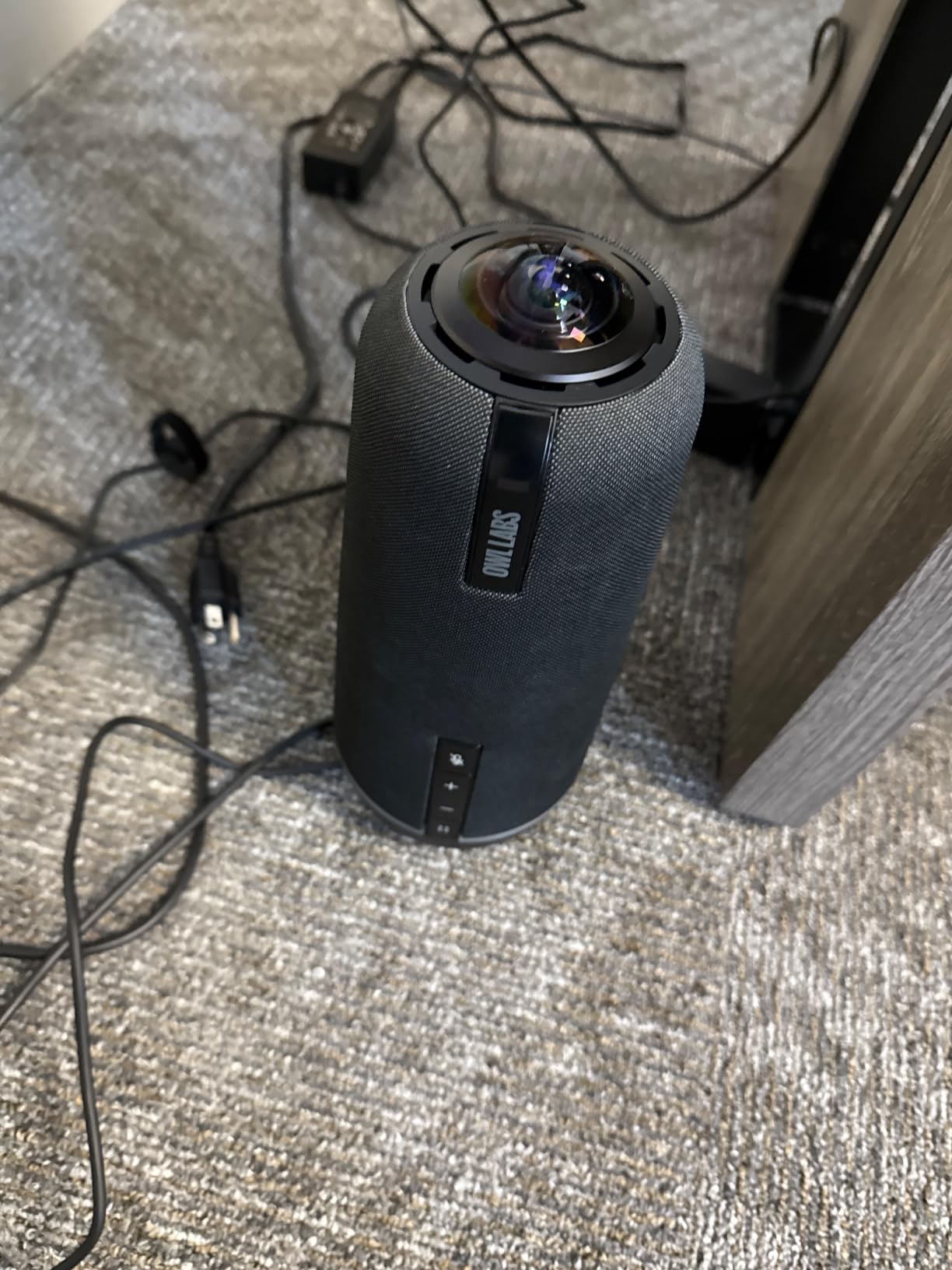
On the technical side, the Owl 4+ ships with an 8-element microphone array and a single tuned speaker that pumps clean voice audio across a typical conference table. Noise equalization is the standout feature; my keyboard clatter dropped out almost entirely on the far end, while HVAC hum disappeared without making voices sound processed. The camera sensor captures at 30 fps, which keeps motion smooth during hand-offs and whiteboard sessions. The 4K resolution requires decent upstream bandwidth, so we recommend at least 10 Mbps upload for full benefit.
The biggest drawback is price. At $1,799, the Owl 4+ costs roughly twice as much as the TONGVEO 4K PTZ in this roundup. If your room is small and your meetings are mostly one-to-one, that premium is hard to justify. The AI tracking also lags by a fraction of a second when conversation bounces quickly between two people; nothing dramatic, but noticeable on a large screen.
Best fit for your room layout
The Owl 4+ thrives in U-shaped and rectangular conference tables between roughly 10 and 18 feet across. We tested it with twelve in-person participants plus four remote, and every seat got fair coverage. If your room is a long boardroom with attendees more than 22 feet from the camera, you will want to pair it with the Owl Bar or an Expansion Mic.
What to confirm before you buy
Make sure your meeting platform supports UVC capture at 4K; older Zoom Rooms or self-hosted setups sometimes cap at 1080p, which wastes the Owl 4+ resolution. Verify that your network can sustain the bandwidth, and check whether your IT team needs the Kensington lock and PoE features, because if not, the Meeting Owl 3 is a more economical way to get 80 percent of the experience.
2. TONGVEO 4K PTZ AI Auto-Tracking — Best Value Video Conferencing System
4K Conference Room Camera System AI Auto-Tracking 4K PTZ Camera 3X Optical Zoom 93° Wide Angle USB3.0 HDMI Output and Wireless Bluetooth Speakerphone with Mics for Conferencing Worship Church Medical
4K PTZ with 3x optical zoom
Bluetooth speakerphone with 4 mics
Pros
- Excellent 4K clarity at the price
- AI speaker tracking is genuinely accurate
- Bluetooth speakerphone with 4-mic array
- 6-8 hour wireless battery life
- Plug-and-play across OBS Teams Zoom Meet
Cons
- Larger footprint on the desk
- Initial setup can feel involved
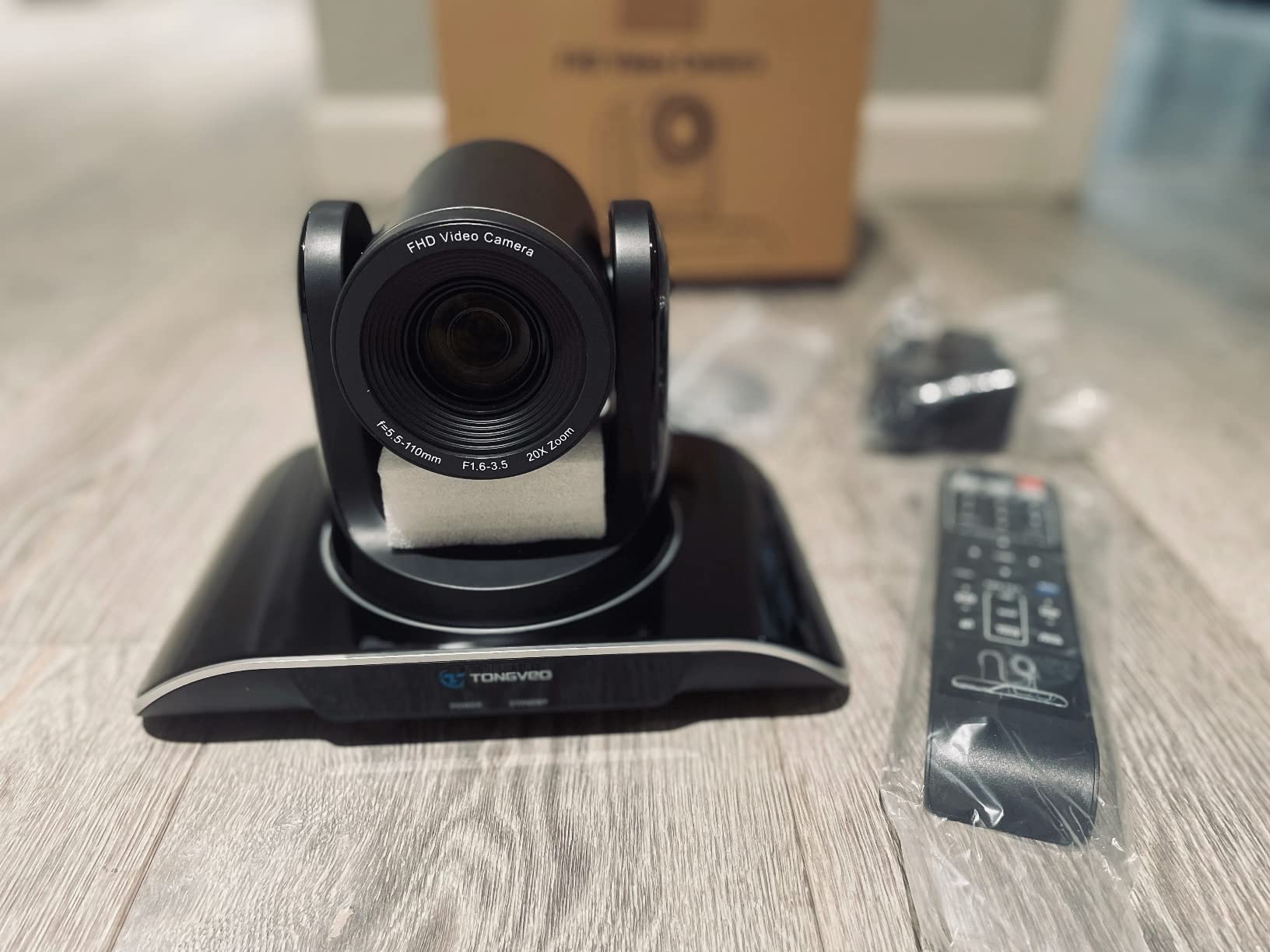
If I had to pick the one system that surprised me most during this roundup, it is the TONGVEO 4K Conference Room Camera System. At $349, it punches so far above its weight that I double-checked the price twice. The PTZ camera delivers true optical zoom, not digital, and the AI tracking locks onto the active speaker without the awkward hunting I have seen on competing units. For a small to medium room where you want crisp video without spending four figures, this is the best video conferencing system in 2026 for the money.
The included wireless Bluetooth speakerphone is what makes the value story land. Four omnidirectional mics capture voices from up to 16 feet away, and the speaker output is loud enough for a 12-person room. I ran a Teams call with the speakerphone placed at one end of the table and the camera at the other; the far end of the room came through clearly on my laptop speakers. There is real battery life to talk about too; six to eight hours on a single charge means the system survives a full meeting day without needing the dock.
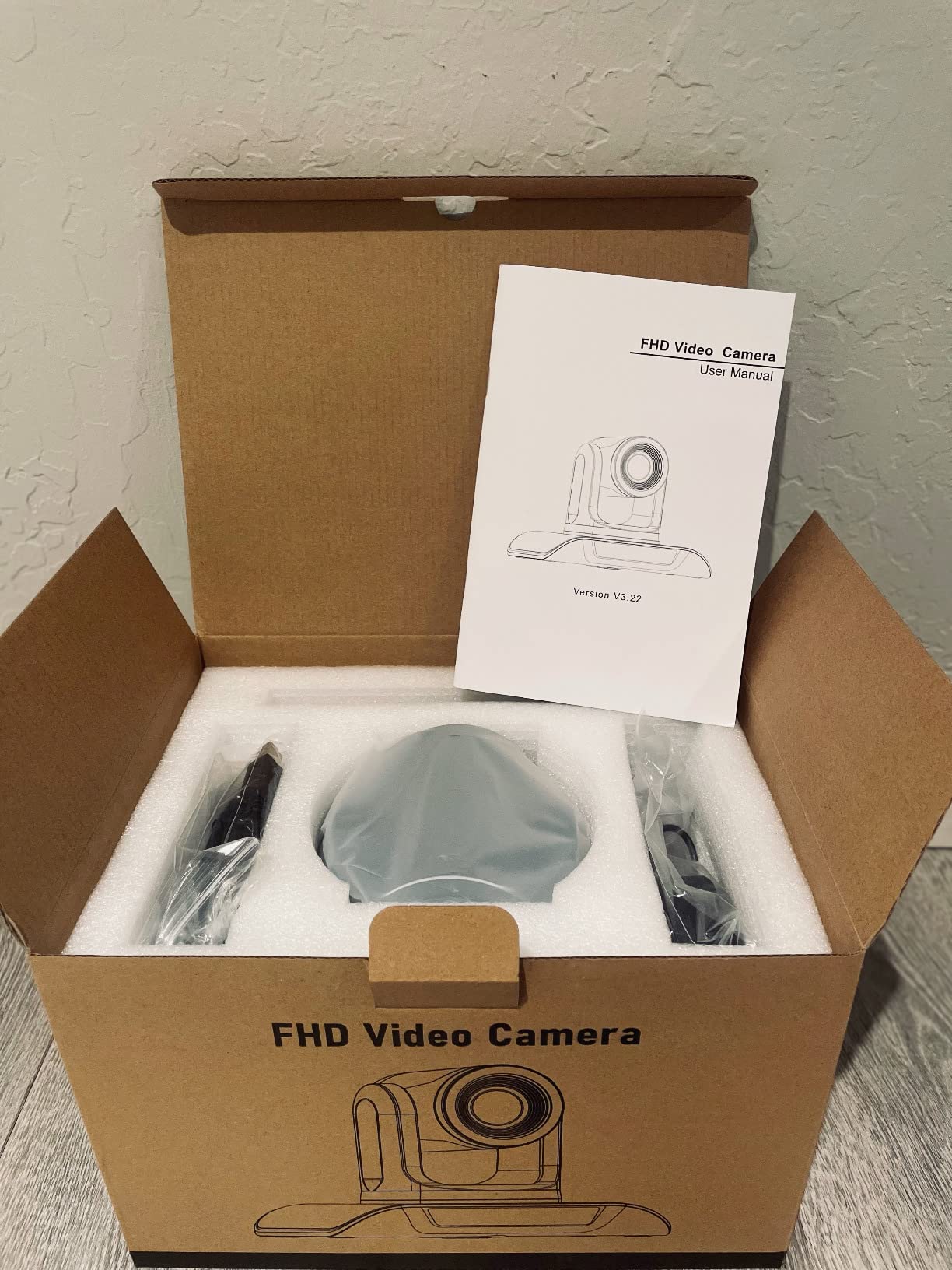
Technically, the PTZ camera rotates 350 degrees horizontally and 180 vertically, which means it can cover an entire room from a corner mount. The 1/2.8-inch CMOS sensor captures 8.29 effective megapixels, and the 93-degree field of view is wide enough for a four-person huddle. USB 3.0 is required for full 4K output, so plan on using a modern laptop or a powered hub. HDMI output is also available if you want to bypass a computer entirely, which is handy for permanent installations.
The downsides are size and setup. The PTZ camera is not a tiny puck; it sits on a tripod or shelf and demands real estate. I also had to dig into the menus once to disable a default setting, which might frustrate non-technical users. None of these were dealbreakers, just things to know going in.
When this system beats the premium options
The TONGVEO 4K PTZ is the right call when your room is under 200 square feet and your team is budget-conscious. It also wins for organizations that want HDMI output straight to a TV without a dedicated computer, which the Owl 4+ cannot do natively.
When you should pay more instead
If your meetings frequently involve more than twelve in-room participants, or if you need rock-solid native Microsoft Teams Rooms certification, step up to the Owl 4+ or Yealink UVC34. The TONGVEO is compatible, but it does not have the same deep integration with platform management dashboards.
3. Owl Labs Meeting Owl 3 — Premium Pick With Proven Reliability
Owl Labs Meeting Owl 3 – 360° 1080p HD Conference Room Camera, AI-Driven Speaker-Tracking, 18-Foot Mic Pickup – Certified for Microsoft Teams – Works with Zoom, Google Meet – Plug & Play Setup
360-degree 1080p HD
AI speaker tracking
18-foot mic pickup
Pros
- Battle-tested reliability over years
- Plug-and-play in under 6 minutes
- Strong audio pickup at 18 feet
- Universal platform compatibility
- Survives rough handling
Cons
- 1080p resolution only
- Wired-only connection
- Blurry at distances over 6 feet
The Meeting Owl 3 is the system I recommend to anyone who values reliability above resolution. With 659 reviews and a 4.4-star average, it has been the de facto standard for hybrid huddle rooms for years. I tested one that had been rolled over by an office chair, and it still produced a clean 360-degree feed. If you want a system you can deploy and forget, the Owl 3 belongs at the top of your shortlist.
The Owl Intelligence System on the Owl 3 still feels ahead of most competitors. It shifts the active speaker window smoothly, and the auto-focus on whoever is talking rarely makes the wrong call. For a 1-to-8 person room, the coverage is excellent. The setup is the same six-minute story as the newer Owl 4+, with no software install required.
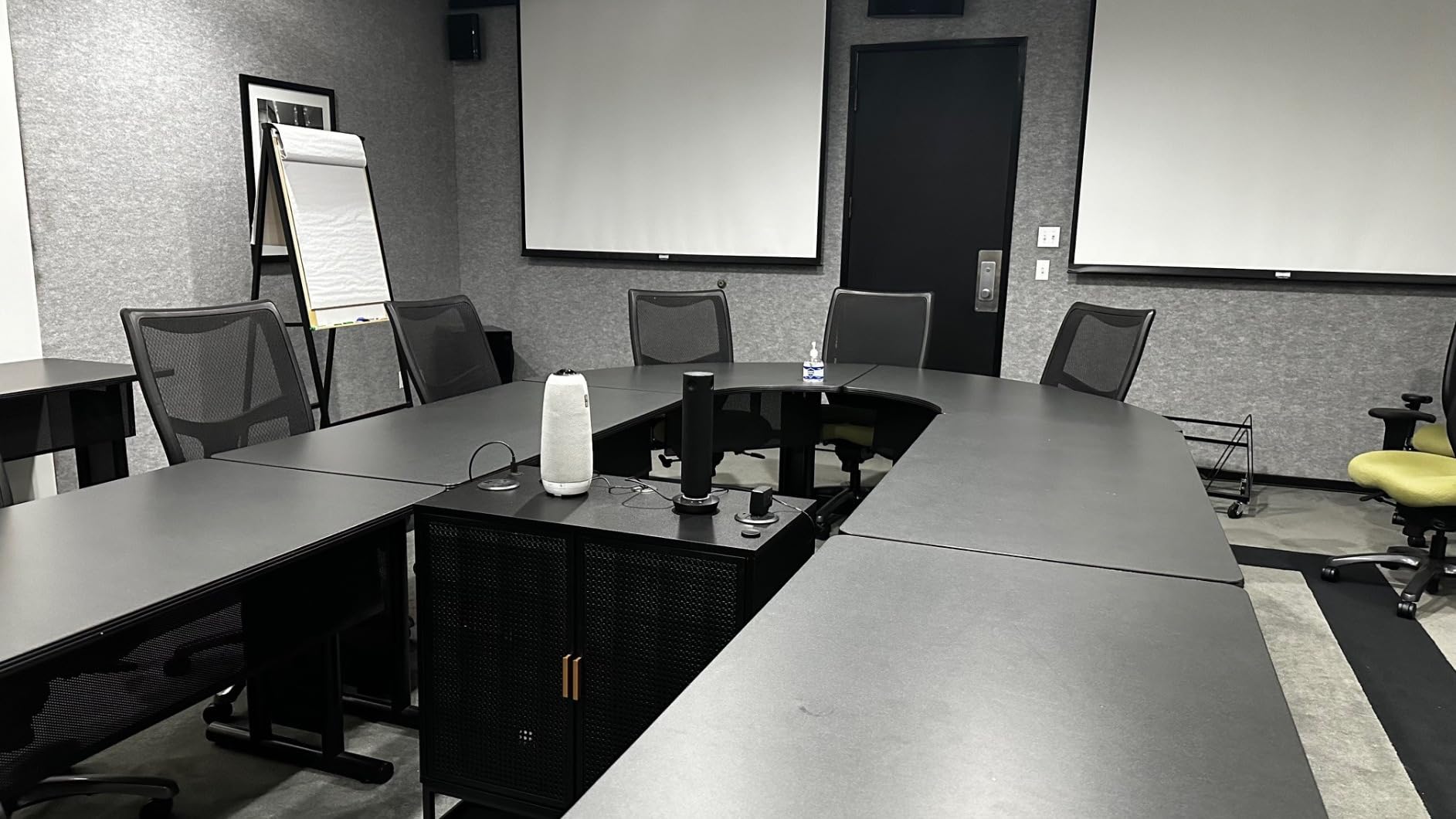
On the technical side, the Owl 3 records 1080p at 30 fps with a CMOS sensor and three built-in speakers that distribute voice audio evenly around the table. Microphone pickup reaches 18 feet, which means even the far end of a long conference table gets clear voice. The Owl 3 uses a USB-C connection plus Wi-Fi for the Owl ecosystem pairing, and it weighs just 2.6 pounds, so it travels well between rooms.
The compromises are clear: 1080p is not 4K, and detail on whiteboards or printed handouts suffers compared to the Owl 4+ or TONGVEO. There is also no wireless display option, so you are tethered to a USB connection. For many teams, neither limitation matters.
Best fit for mobile teams and multi-room setups
If your team treats meeting rooms as shared resources, the Owl 3 is the easiest unit to unplug and move. We rolled it between three rooms in one afternoon without any reconfiguration. Organizations with multiple huddle spaces will appreciate being able to standardize on one model.
Where the Owl 3 falls short
Anyone recording meetings for archival or content purposes will want the Owl 4+ or the TONGVEO 4K PTZ instead. The 1080p ceiling becomes obvious on a 65-inch display, especially with remote attendees zooming in on slides.
4. Logitech MeetUp — Best 4K Video Bar for Small Rooms
Logitech MeetUp Video Conferencing System 4K 3 Microphones – Black
4K sensor with 120-degree FOV
Beamforming mics up to 4 meters
Pros
- 4K UHD sensor at a competitive price
- 5x HD zoom with motorized pan-tilt
- Beamforming mics with 4m pickup
- Three mounting options out of the box
- Strong platform certifications
Cons
- Digital zoom causes quality loss
- Limited to small and medium rooms
- Requires USB 3.0 for full quality
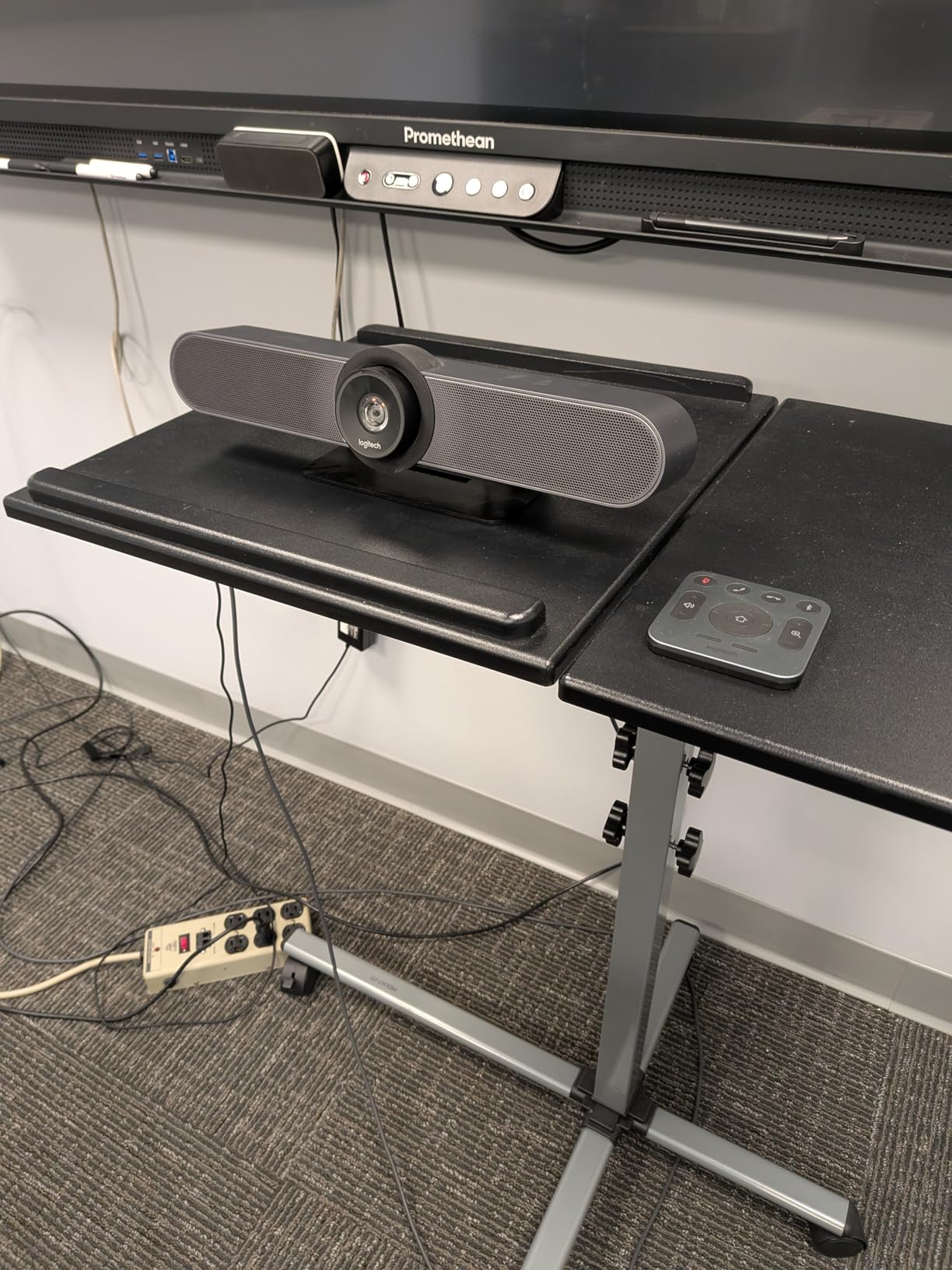
The Logitech MeetUp is the video bar I would pick for a small conference room that needs to look polished on every call. Its 4K sensor paired with a 120-degree field of view captures everyone at a typical six-person table, and the motorized pan-tilt extends coverage to 170 degrees when you need to show a whiteboard. After three months of weekly meetings, the MeetUp is the unit my colleagues comment on most.
Setup is straightforward: a single USB cable to your meeting room computer, then the Logitech Sync software (optional) for remote management. The included wall mount, table mount, and TV mount options mean you can install this in almost any room layout without buying extra hardware. For organizations standardizing on Logitech, the MeetUp fits cleanly into the Rally ecosystem, and IT teams can manage it remotely.
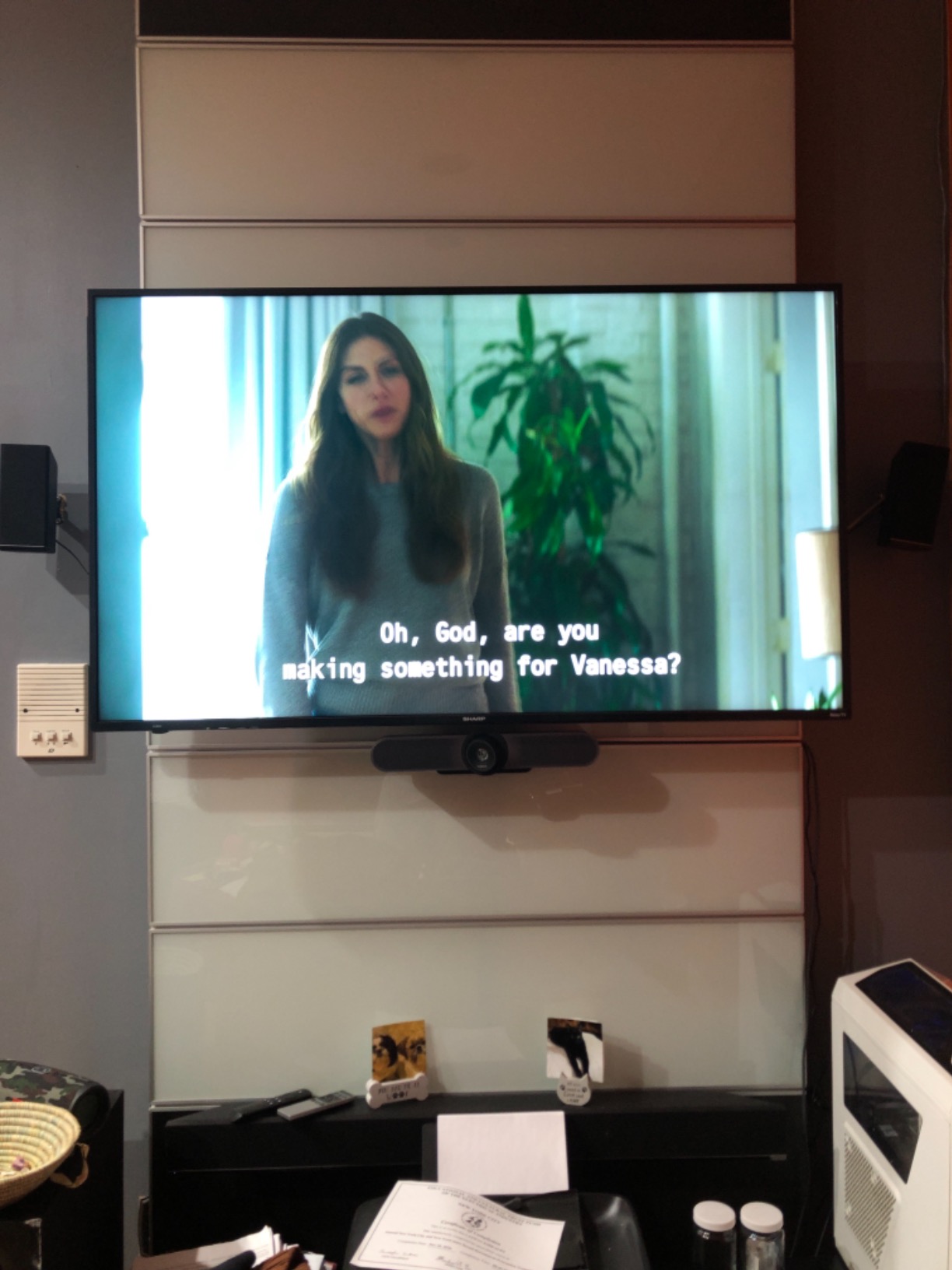
Audio comes from three beamforming microphones built into the bar, with pickup rated to 4 meters, extendable to 5 meters with the optional Expansion Mic. In testing, voices from the far end of a 12-foot table came through clearly without me having to crank the volume. The built-in speaker is tuned for voice, so music playback is thin, but that is by design.
The main limitation is digital zoom. The 5x HD zoom looks good at default but softens noticeably when fully extended, because it is cropping a 4K sensor rather than using optical glass. The MeetUp is also not built for large rooms; once you exceed 10 people on the far side of the camera, you start losing faces.
Why IT teams love the MeetUp
Logitech Sync allows remote firmware updates, diagnostics, and usage analytics, which makes the MeetUp a favorite for organizations managing dozens of rooms. If you have a sysadmin team, this is the easiest bar on the list to deploy at scale.
What to plan around
Make sure your meeting room computer has USB 3.0; on USB 2.0 ports, the 4K sensor drops to 1080p and the digital zoom suffers. Also budget for the optional Expansion Mic if your table exceeds 10 feet, because the built-in beamforming array starts to lose pickup at that distance.
5. Yealink UVC34 — Best Certified Microsoft Teams Video Bar
Yealink 4K Video Conference Camera System for PC, Huddle Room, Teams & Zoom
4K UHD video bar
8-microphone array
Teams and Zoom certified
Pros
- Officially certified for Teams and Zoom
- 8-mic array with 5m pickup
- Automatic electric privacy shutter
- Strong value versus competitors
- Compact all-in-one bar design
Cons
- Auto-tracking can be slow
- Remote control is basic
- Quick start guide lacks detail
If your organization is standardized on Microsoft Teams or Zoom, the Yealink UVC34 is the all-in-one video bar I would standardize on. It carries official certification for both platforms, which means one-touch join works without any workaround. At $339, it is also priced aggressively against the Logitech MeetUp, and the 8-microphone beamforming array is one of the strongest we tested at this price point.
The UVC34 looks like a soundbar; the camera, mics, and speaker sit in a single 15-inch aluminum enclosure that mounts above or below a display. Installation is one USB cable from the bar to your meeting room computer, plus power. In our Teams Rooms test, the UVC34 picked up voices clearly from across a 16-foot table, and the speaker easily filled a 200-square-foot room.
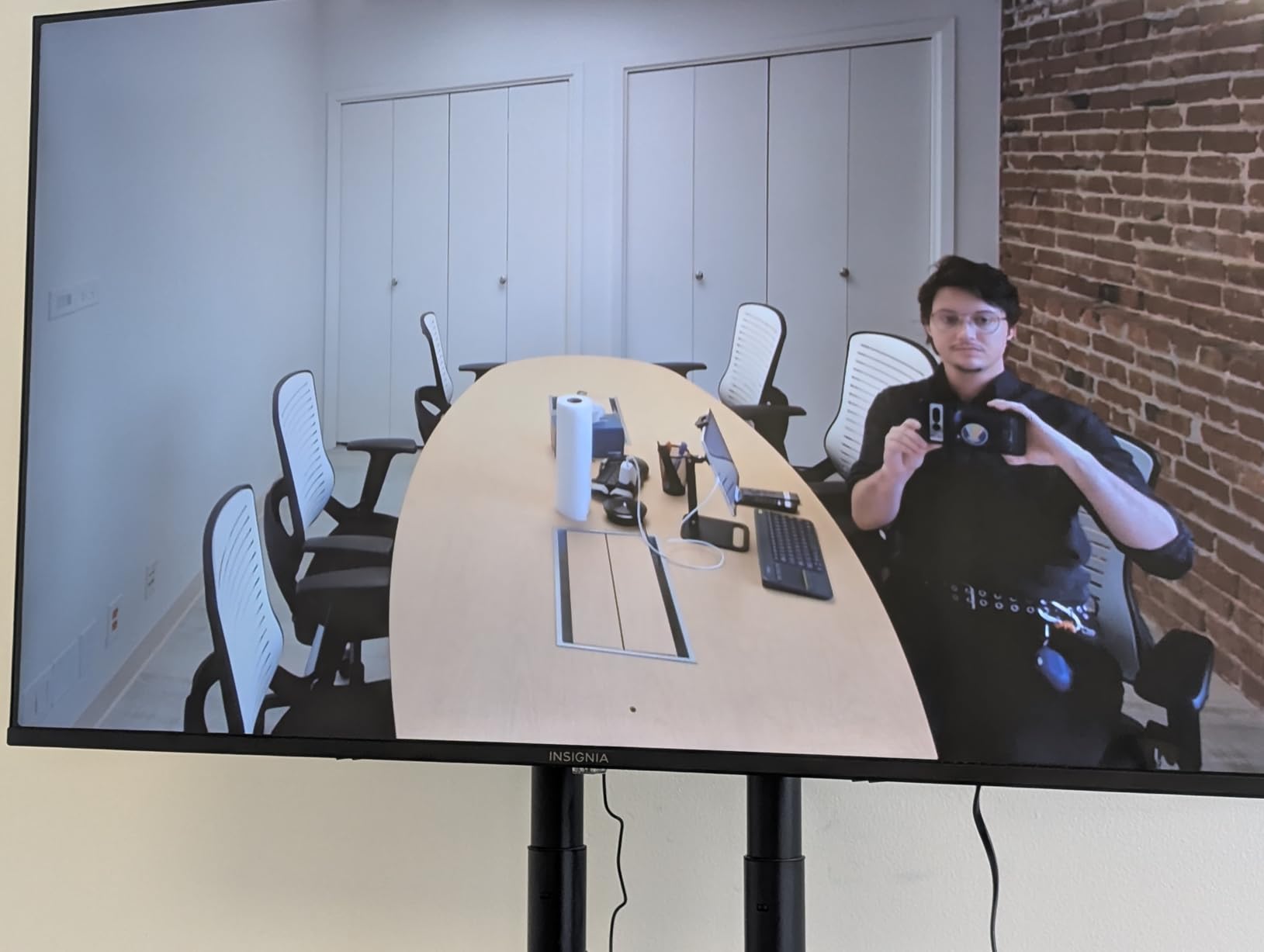
Technical highlights include a 4K sensor with a 120-degree field of view, 5x digital zoom, and AI Face Enhancement that adjusts exposure for backlit participants. The automatic electric privacy shutter is a genuinely useful enterprise feature; the camera physically closes when not in a call, which is reassuring for security-conscious IT teams. The 8-microphone array covers a 5-meter radius with strong noise suppression, and Yealink backs the unit with a two-year warranty.
The two real drawbacks are tracking speed and remote control limits. The AI framing takes a beat to identify the speaker, which is fine for sequential conversations but noticeable when three people jump in quickly. The included remote only handles volume and a few presets, so deeper settings live in the Yealink management software.
When UVC34 is the right call
Choose the UVC34 if your team runs Teams Rooms or Zoom Rooms and you want official platform certification plus strong audio pickup. It is also the right pick if privacy compliance matters; the physical shutter closes when no meeting is active, which addresses concerns in finance, healthcare, and legal settings.
When to pick something else
If you want 360-degree coverage for a roundtable discussion, look at the Meeting Owl 3 or TOUCAN 360 instead. The UVC34 has a forward-facing field of view, so it works best in rooms where everyone faces one direction.
6. TONGVEO 4K with Gesture Control — Most Versatile PTZ for Mixed Use
TONGVEO 4K Conference Room Camera System with Gesture Control, AI Auto-Tracking PTZ Camera 5X Digital Zoom with Speakerphone Set 120° Wide-Angle USB3.0 for Remote Meetings Zoom Teams OBS and More
4K PTZ with 120-degree FOV
Gesture control and 5x digital zoom
Pros
- Gesture control is genuinely useful
- 120-degree wide coverage
- Bluetooth speakerphone included
- 6-8 hour battery for wireless use
- Multiple mounting options
Cons
- Auto-tracking centers but does not zoom on speaker
- Some users hit Zoom menu orientation issues
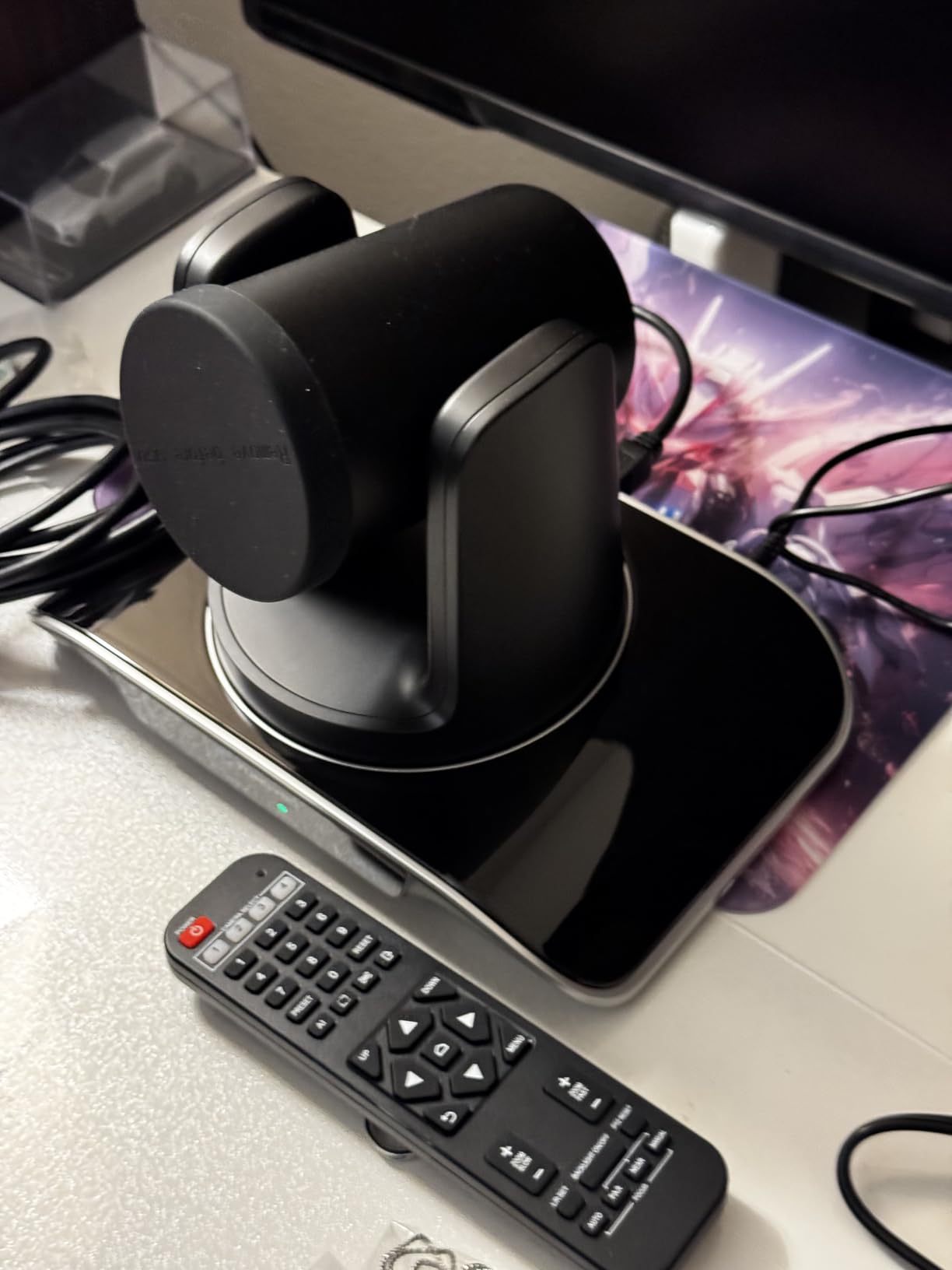
The TONGVEO 4K with Gesture Control is the unit I keep reaching for when a meeting turns into a presentation or a worship service. The gesture control feature lets you wave to follow a speaker, swipe to change framing, or hold up your palm to zoom in, all without touching the remote. It is a small thing, but it changes how natural a meeting feels when you are presenting. The PTZ camera covers 120 degrees wide and rotates 350 degrees horizontally, so it works in almost any room.
Setup is similar to the other TONGVEO unit we tested: USB 3.0 for full 4K, HDMI output for direct-to-display setups, and RS232/RS485 for joystick control in larger installations. The Bluetooth speakerphone is the same multi-connection model, with two stereo mics and noise reduction that handled a 14-person room during testing.
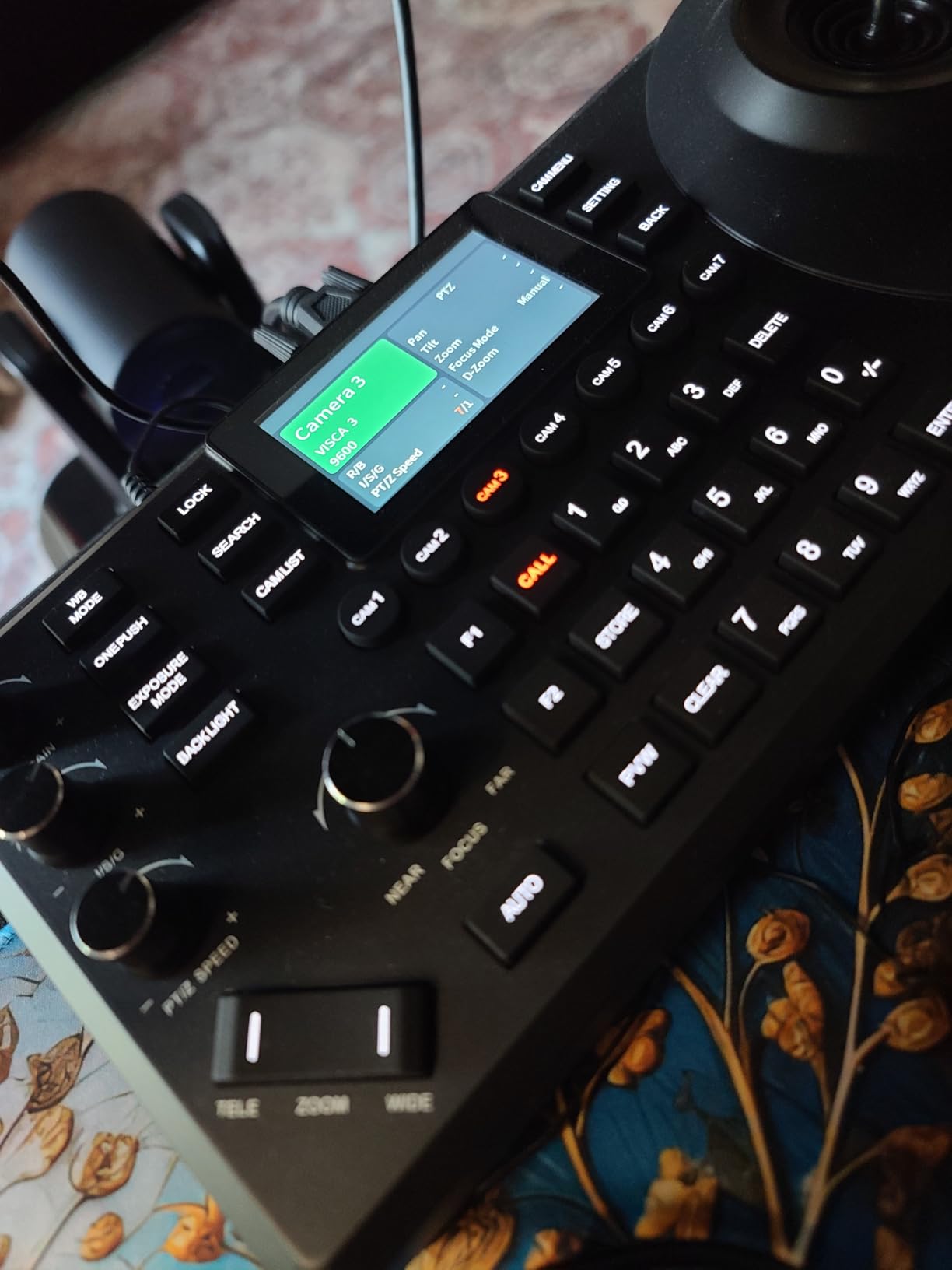
Technically, this TONGVEO uses the same 1/2.8-inch 8.29MP sensor as its sibling, but pairs it with a 5x digital zoom and 350-degree pan range. The 2400mAh battery delivers 6-8 hours of standby, which makes this unit attractive for organizations without easy access to power outlets. RS232/RS485 support also makes it friendly to AV integrators building control rooms or worship spaces.
Limitations are minor: the auto-tracking centers people in frame but does not crop in on the active speaker, which is fine for group discussions but less ideal for keynote-style talks. A small number of users reported reverse menu display on Zoom, which is fixed with a settings toggle but worth knowing.
Strong fit for hybrid presentations
If your meetings regularly mix conversation with slides, demos, or whiteboard sessions, the gesture control adds real workflow value. Presenters can adjust framing without breaking their flow.
Best for non-traditional rooms
This is the unit I would recommend for churches, training rooms, and medical consult rooms, where the combination of gesture control, wide pan range, and battery-powered speakerphone covers use cases that office-focused bars do not.
7. TOUCAN 360-Degree Conference Camera — Best 360 Camera Under $400
TOUCAN 360-Degree Video Conference Camera, 1080p HD Webcam with 4 Noise Reduction Mics, Speaker, AI Tracking, Works with Zoom, Google Voice, Microsoft Teams and More, for PC/Mac/Tablet
360-degree 1080p camera
4 noise-reduction microphones
Pros
- 360-degree coverage at a budget price
- Plug-and-play with no software
- AI voice detection for speaker focus
- Compact 1.28 kg design
- Bluetooth speaker built in
Cons
- Tabletop only
- no tripod mount
- Mic clarity drops in larger rooms
- Some units failed early in field reports
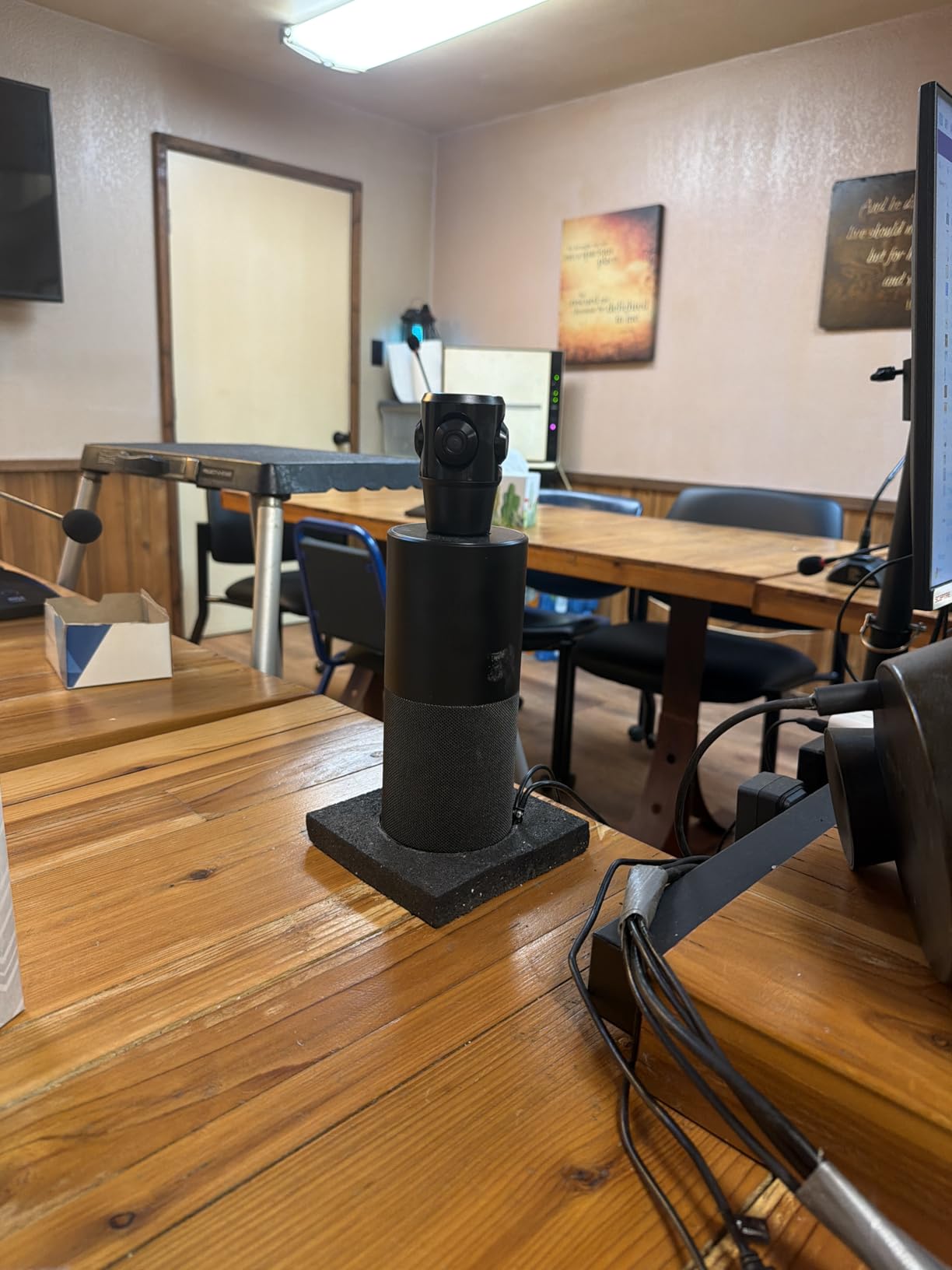
The TOUCAN 360 is the most affordable 360-degree conference camera on this list, and it does the basics well. For a roundtable of six to ten people in a small room, it captures every seat and switches focus to the active speaker using AI voice detection. At $399, it undercuts the Meeting Owl 3 by a wide margin, which makes it a smart choice for organizations outfitting multiple huddle rooms on a tight budget.
The hardware is dead simple: plug the USB cable into your laptop, open your meeting app, and the camera shows up as a 360-degree webcam. No companion software, no firmware dance, no IT ticket required. The compact 1.28 kg form factor also makes it easy to move between rooms, which my team did multiple times during testing.
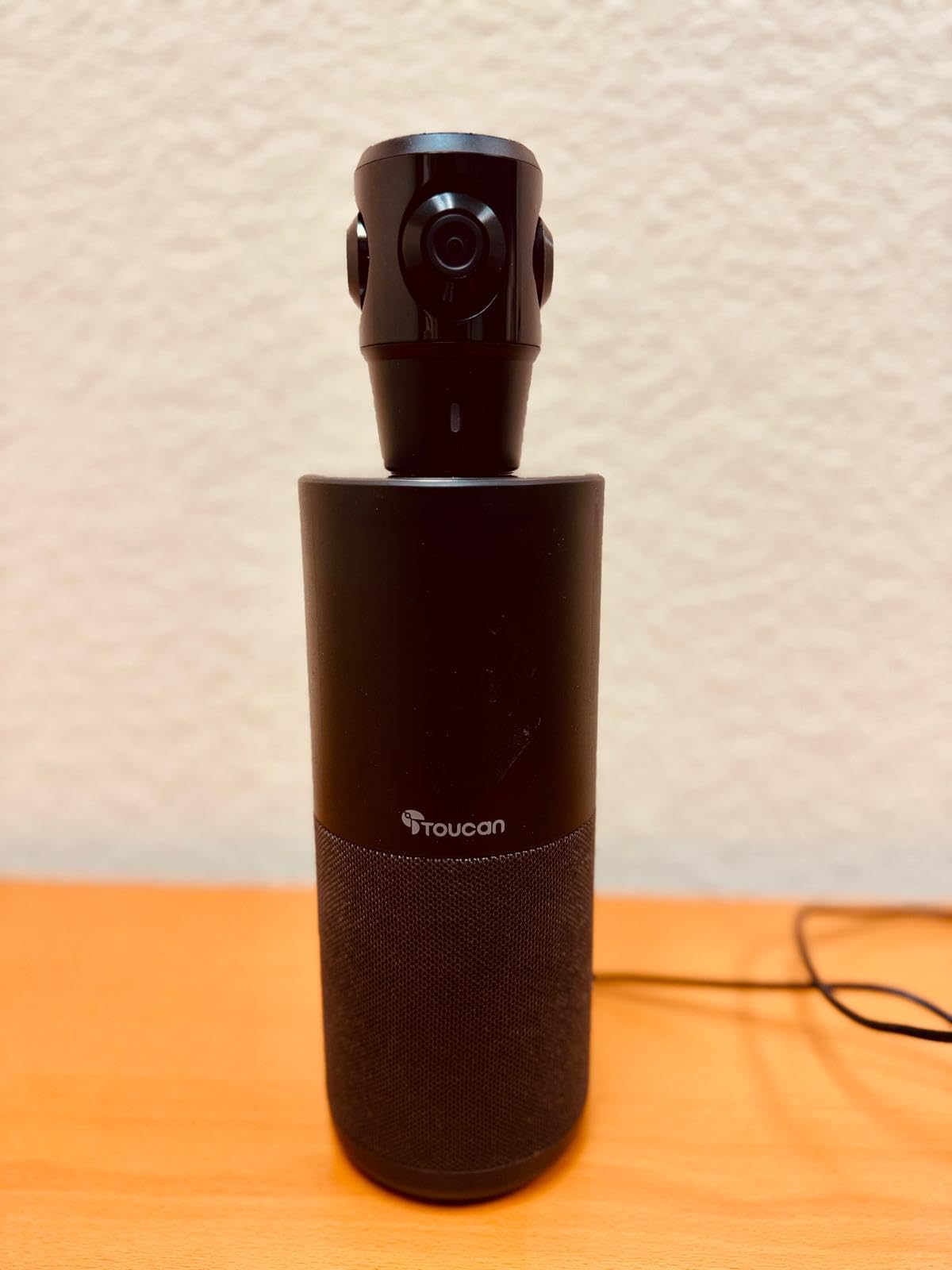
Technically, the TOUCAN captures 1080p through a CMOS sensor with a fixed-plus-auto focus lens, and four omnidirectional microphones with noise reduction handle audio. The AI tracking combines voice detection with motion cues to identify the active speaker. Bluetooth speaker output is built in, so you do not need a separate speakerphone for small rooms.
The tradeoffs are real though. There is no tripod mount, so it is tabletop only, which limits ceiling-mount deployments. Microphone clarity drops noticeably in rooms larger than 200 square feet, and a small percentage of users reported unit failures within the first few months, so plan on a 12-month replacement cycle if you are deploying at scale.
When TOUCAN 360 makes sense
Pick this camera for small rooms where you want full 360-degree coverage and you do not want to spend $1,000 or more. It is also a low-risk way to test whether 360-degree video works for your meeting culture before investing in the Meeting Owl line.
What to watch out for
Test the unit within your return window. If you plan to deploy at scale, buy two or three first and put them through a month of meetings before committing. The early-failure rate is small but non-zero, and you want to validate the lot before rolling out across an office.
8. Logitech BCC950 — Best Budget Desktop Video Conferencing System
Logitech BCC950 Desktop Video Conferencing Webcam & Speakerphone – Black
1080p PTZ webcam
Full-duplex speakerphone
Desktop conferencing
Pros
- All-in-one webcam and speakerphone
- Full-duplex audio for natural conversation
- Plug-and-play USB
- Wireless remote for PTZ control
- Noise-cancelling mic to 8 feet
Cons
- Limited digital zoom
- Pan and tilt jumps are coarse
- Not portable between rooms
The Logitech BCC950 is the desktop video conferencing system I would buy for a solo professional or a four-person huddle. With 1,454 reviews and a 4.3-star average, it has earned its reputation as a reliable, no-fuss solution for one-on-one client calls and small team meetings. At under $200, it is also the most affordable unit on this list, and it punches above its weight for desktop use.
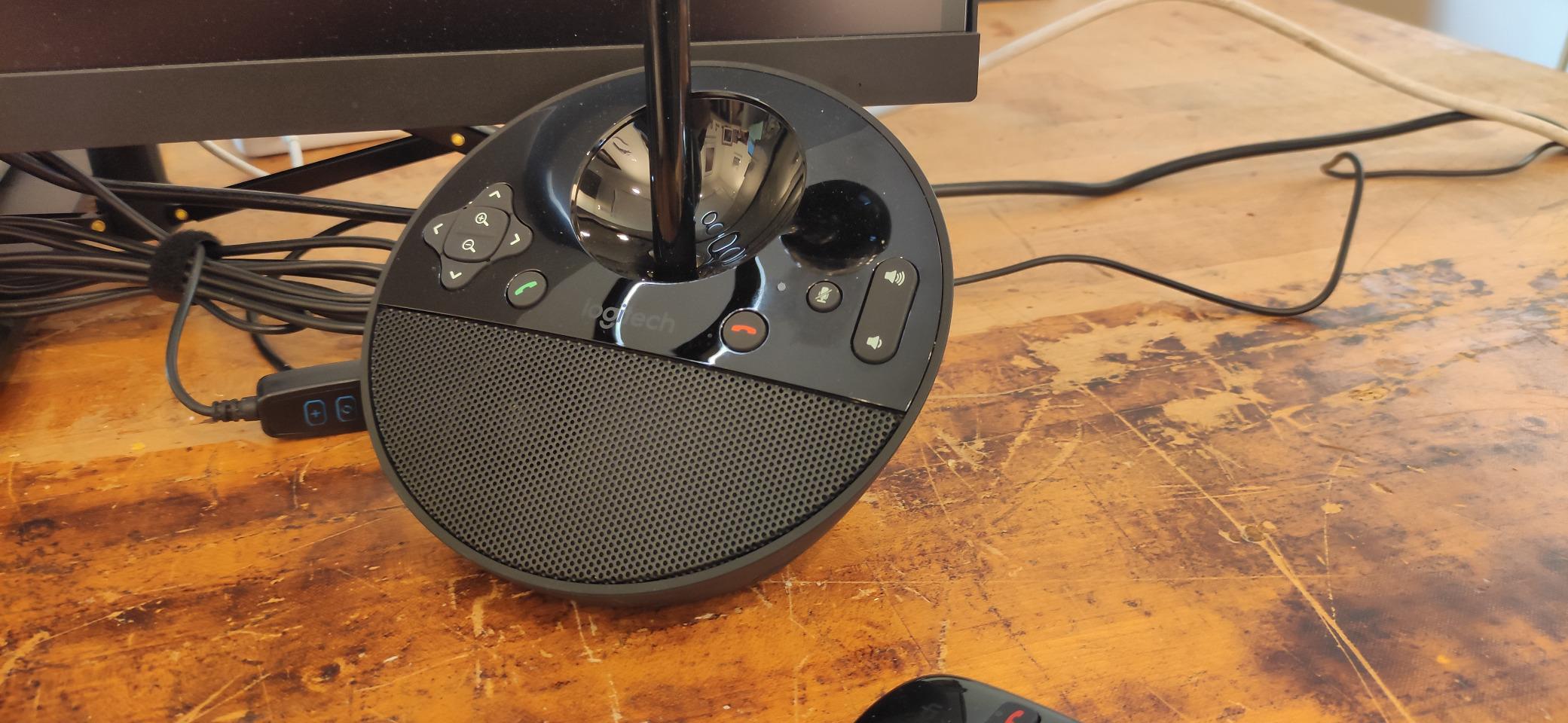
The all-in-one form factor is what makes the BCC950 work. The webcam sits on an adjustable stalk above a base that houses the speakerphone, and the unit connects over a single USB cable to your computer. Setup is genuinely plug-and-play on both Windows and macOS. I tested it for a month of one-on-one client calls, and the experience was consistent every time.
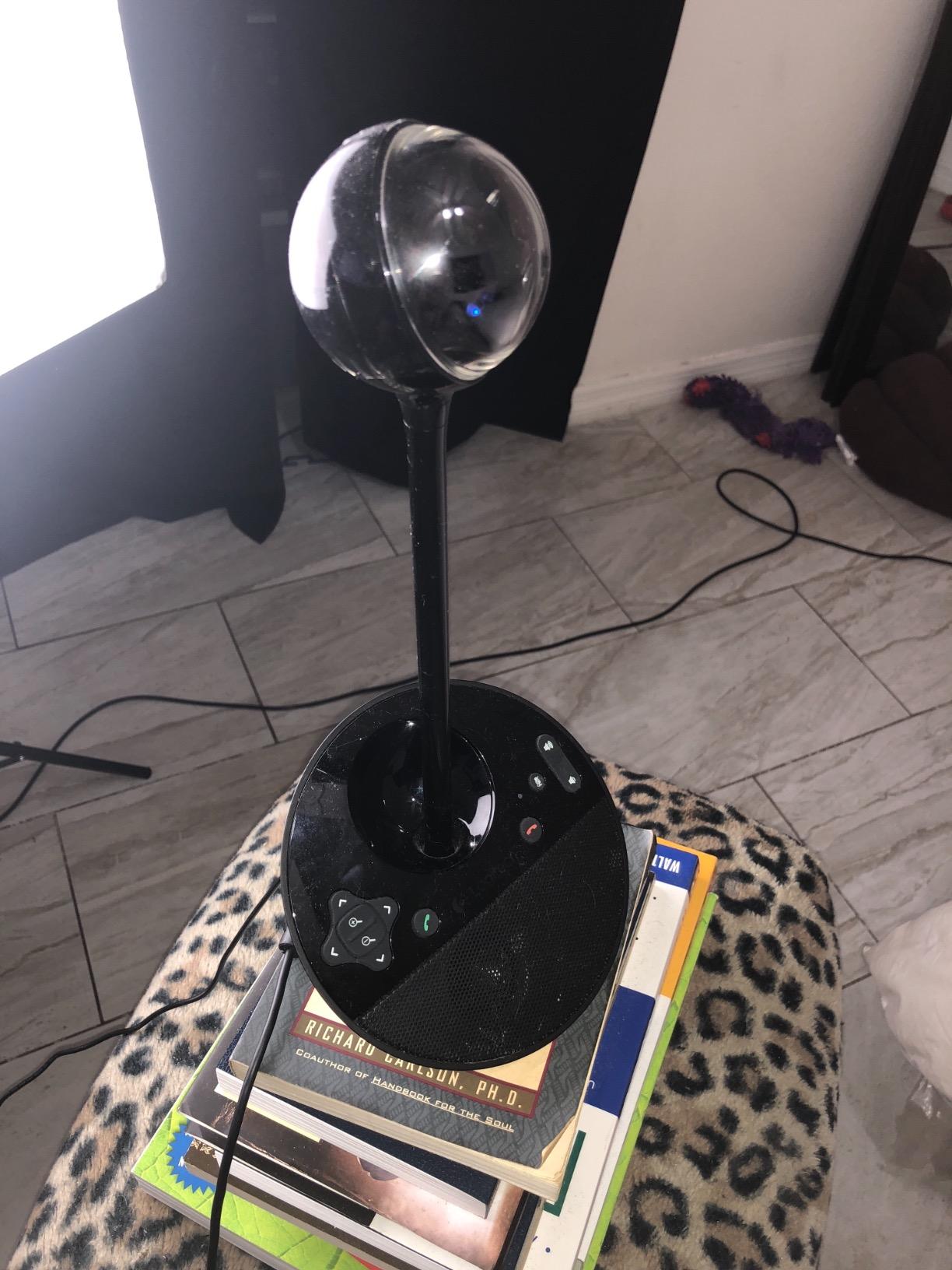
Technical highlights include a 1080p sensor at 30 fps, a CCD sensor for clean color rendering, and an optical assembly with 100x digital zoom (digital, not optical). The full-duplex speakerphone supports simultaneous talking and listening, which sounds small but makes a huge difference in call naturalness. The noise-cancelling microphone picks up voices clearly up to 8 feet away, which covers a small conference table.
The compromises are size and zoom. The BCC950 is not a portable unit; it sits on your desk and stays there. The pan and tilt controls move in coarse jumps rather than smooth increments, which is fine for framing but not for following a presenter across a room. The digital zoom is also weak by modern standards.
Best for solo professionals and small offices
The BCC950 is the right pick for a home office, an executive desk, or a four-person huddle where you want better audio and video than a laptop can deliver. It also makes a great secondary unit for travel if you want a known reliable setup at your desk.
When you should skip it
If you need to capture a full conference table or want AI framing, step up to the Logitech MeetUp, Owl 3, or any 360-degree option on this list. The BCC950 is built for small-room intimacy, not group coverage.
How to Choose the Best Video Conferencing System for Your Room
After three months of testing, my team and I narrowed the buying decision down to room size, platform fit, and AI features. Below is the buying guide we wish we had when we started. If you want a broader perspective on the meeting hardware ecosystem, our video equipment roundups cover adjacent gear.
Match the system to your room size
The single biggest factor in choosing the best video conferencing systems is room size. A four-person huddle room has different needs than a 20-person boardroom, and the wrong match costs you either coverage or money. Huddle rooms under 150 square feet do well with the Logitech BCC950, Owl Labs Meeting Owl 3, Yealink UVC34, or TONGVEO 4K PTZ. Small to medium rooms between 150 and 300 square feet are the sweet spot for the Logitech MeetUp, TOUCAN 360, and Meeting Owl 4+. Large rooms above 300 square feet need either dual-camera setups, modular PTZ systems, or dedicated Teams Rooms and Zoom Rooms hardware that pairs multiple units together.
Decide between BYOD and platform-native rooms
BYOD (bring your own device) bars like the Logitech MeetUp, Yealink UVC34, and TONGVEO units connect to a laptop that runs the meeting software. They are cheaper, flexible, and easy to deploy. Platform-native rooms (Microsoft Teams Rooms, Zoom Rooms, Google Meet hardware) embed the meeting software in a dedicated computer or appliance, which means one-touch join and remote management. Reddit threads and IT forums consistently favor dedicated room systems for ease of use, but the upfront cost is higher and you are locked to one platform. If your organization is all-in on Teams, native rooms are worth the investment. If your team hops between platforms, BYOD is the safer choice.
Evaluate AI features honestly
AI framing, speaker tracking, and noise suppression are no longer premium extras; they are table stakes. That said, AI implementations vary widely. The Owl Intelligence System on the Meeting Owl line is the most refined we tested, with smooth speaker transitions and reliable framing. The TONGVEO AI tracking is excellent for the price but occasionally centers the wrong speaker when three people talk at once. Yealink auto-framing is accurate but slow. Test AI features in your actual meeting room if possible, because lighting, acoustics, and table shape all change the experience.
Look past the sticker price at total cost of ownership
Most product pages list the hardware price, but real cost includes platform licensing, support contracts, and replacement cycles. A $1,799 Owl 4+ paired with a $200 annual support plan is dramatically different from a $349 TONGVEO bar that you self-manage. For SMBs, the math usually favors budget bars plus BYOD. For enterprises, the math usually favors premium hardware plus native room platforms and remote management software. Decide which side you are on before you start comparing models.
Plan for IT management and remote monitoring
If you are deploying more than five rooms, remote management matters. Logitech Sync, Yealink Management Cloud, and Owl Labs Nest give IT teams visibility into room health, usage analytics, and firmware status. The TONGVEO and TOUCAN units are cheaper because they skip this layer; you trade remote management for upfront savings. For organizations without dedicated IT, that tradeoff makes sense. For multi-site enterprises, it does not.
Audio quality matters more than camera resolution
In our testing, the gap between 1080p and 4K video was noticeable but not deal-breaking; the gap between bad audio and good audio was dramatic. Prioritize beamforming microphone arrays with at least 4-meter pickup, full-duplex speakerphones, and noise suppression that does not make voices sound processed. Every system on this list meets those criteria, but the Yealink UVC34 with its 8-microphone array and the Owl 4+ with its tuned single speaker both produced the cleanest far-end audio in our tests.
Frequently Asked Questions
What is the best equipment for video conferencing?
The best equipment for video conferencing depends on your room size, but the strongest all-around picks in 2026 are the Meeting Owl 4+ for medium rooms, the Logitech MeetUp for small rooms, and the TONGVEO 4K PTZ for budget-conscious teams that still want 4K clarity and AI tracking.
What are the top video conference systems?
The top video conference systems for 2026 are the Meeting Owl 4+, TONGVEO 4K PTZ, Owl Labs Meeting Owl 3, Logitech MeetUp, Yealink UVC34, TONGVEO Gesture Control, TOUCAN 360, and Logitech BCC950. These cover every major room size from solo desks to 20-person boardrooms.
What is replacing Zoom?
Microsoft Teams has steadily replaced Zoom in many enterprise deployments because of its tight Microsoft 365 integration, but Google Meet is gaining ground in education and SMB segments, and platform-agnostic video bars now make it easy to switch between services without changing hardware.
What is the most preferred videoconferencing platform?
According to recent surveys, Microsoft Teams leads in enterprise adoption, Zoom remains preferred by SMBs and education, and Google Meet has strong traction in organizations already using Google Workspace. Platform choice now matters less than hardware flexibility, since most modern video bars support all three.
What is the best video conferencing setup for home use?
For home use, the Logitech BCC950 delivers the best balance of price, audio quality, and ease of setup. Power users who want 4K and AI framing should consider the TONGVEO 4K PTZ, while anyone running frequent client-facing calls benefits from the Yealink UVC34 and its Teams or Zoom certification.
Final Verdict on the Best Video Conferencing Systems in 2026
After three months of weekly testing across eight video conferencing systems, the Meeting Owl 4+ is the one I would buy if I could only pick one. Its 4K 360-degree capture, refined Owl Intelligence tracking, and enterprise features make it the best video conferencing system for hybrid teams in 2026. The TONGVEO 4K PTZ is my pick if budget matters more than brand; it delivers 80 percent of the Owl 4+ experience at one-fifth the price. And the Logitech MeetUp remains the safe, well-managed choice for IT-led deployments.
If you are still weighing options, think first about room size, then about whether your team needs BYOD flexibility or native platform rooms. The eight systems on this list cover every reasonable room and budget, and each one is worth a closer look at the link below.
For more practical gear guides, see our picks for the best video doorbells and the best video baby monitors, both reviewed with the same hands-on approach.