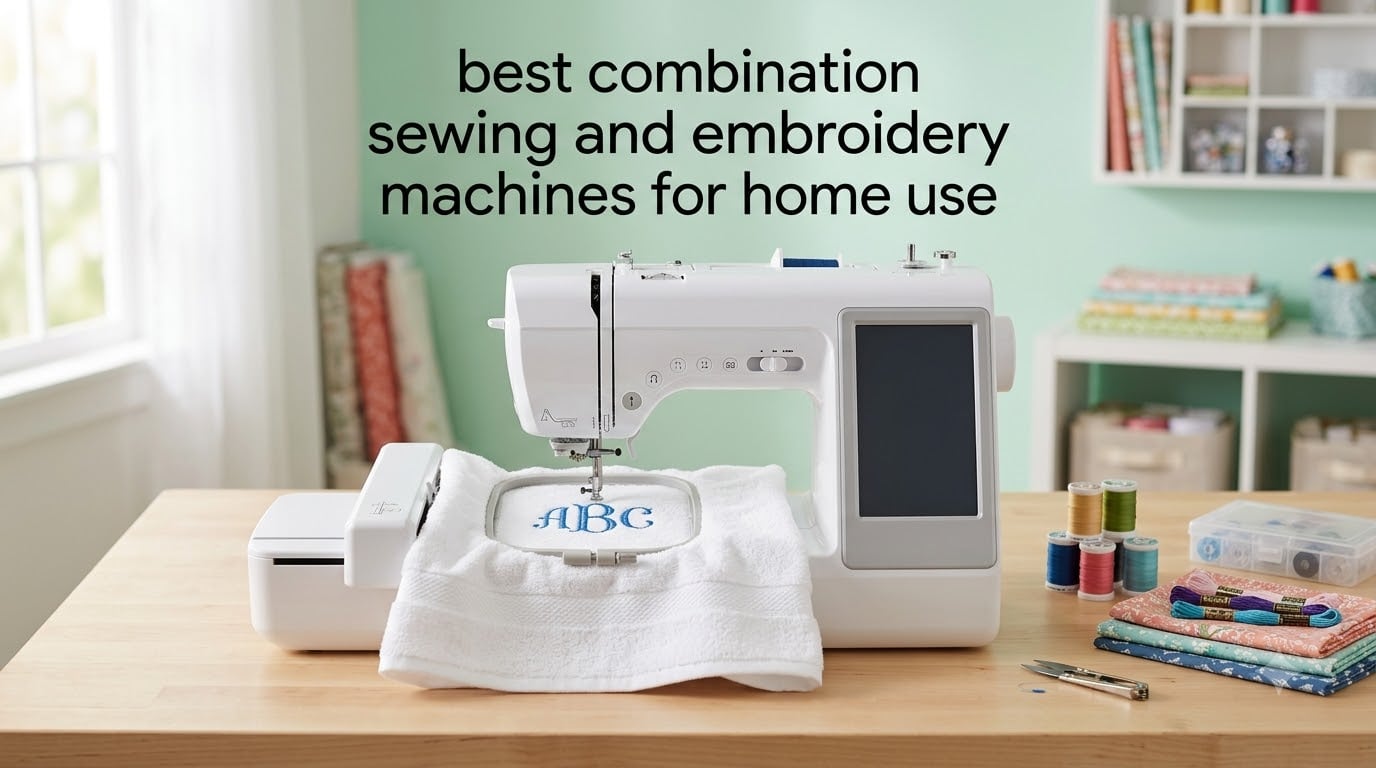
Yes, there is a machine that can sew and embroider. A combination sewing and embroidery machine runs the same needle and feed system in two modes: in sewing mode you pick a stitch and control length and width like a normal computerized machine, and in embroidery mode a motor-driven hoop moves the fabric under a stationary needle to stitch a pre-digitized design. That is the whole appeal of the category, and it is why the best combination sewing and embroidery machines for home use have overtaken single-purpose embroidery units in most sewing rooms.
We spent several weeks working through six of these machines, reading owner reviews and comparing the specification sheets line by line. What came out of that is a short list with a clear order to it. Two of the six do everything a home sewist needs and nothing they will regret. One costs noticeably less and gives up only a little. The rest earn their place for a specific reason, usually hoop size or workspace.
This roundup covers true combos only. We excluded embroidery-only machines that cannot sew a seam, and we excluded separate sewing machines that happen to sit near an embroidery unit in search results. Every machine below has an embroidery arm, a hoop and a full stitch library behind one body.
We also kept the comparison honest in one respect: we did not mix generations for the sake of a longer list. Four of the six here are current-generation machines. Two are older platforms, and we say so where it matters.
Table of Contents
Top 3 Best Combination Sewing and Embroidery Machines for Home Use in October

Brother SE600
- 4 x 4 inch embroidery field
- 80 built-in designs
- 103 sewing stitches
- 3.2 inch color touchscreen

Brother SE1900
- 5 x 7 inch embroidery field
- 138 designs
- 240 sewing stitches
- 25 year warranty

All Six Machines Side by Side
The table below is the fastest way to see where these machines separate. The columns that matter most for home use are embroidery field size, built-in design count, sewing stitch count and screen size, because those four numbers predict what you can actually make in the first year.
| Product | Specifications | Action |
|---|---|---|
| Brother SE600 |
|
Check Latest Price |
| Brother SE1900 |
|
Check Latest Price |
| Brother SE700 |
|
Check Latest Price |
 Poolin EOC05 Poolin EOC05 |
|
Check Latest Price |
 Janome Memory Craft 9850 Janome Memory Craft 9850 |
|
Check Latest Price |
 Janome Skyline S9 Indigo Janome Skyline S9 Indigo |
|
Check Latest Price |
1. Brother SE600: Best Overall Combo for Home Use
Brother SE600 Sewing and Embroidery Machine, 80 Designs, 103 Built-In Stitches, Computerized, 4″ x 4″ Hoop Area, 3.2″ LCD Touchscreen Display, 7 Included Feet
Embroidery field: 4 x 4 inch
80 built-in designs and 6 fonts
103 sewing stitches, 710 spm
3.2 inch color touchscreen
Pros
- Smooth quiet sewing that owners upgrading from mechanical machines notice immediately
- Automatic needle threader and thread cutter cut setup time
- Color touchscreen makes design preview simple
- USB port accepts downloaded or purchased designs
- Reliable monograms
- towels and applique
- Large accessory bundle in the box
Cons
- 4 x 4 inch field is the smallest here and limits design size
- Built-in designs are basic so digitizing software is often needed
- Horizontal spool pin is awkward for large cones
- Average feed dogs
- a walking foot helps on thick projects
The SE600 is the machine we kept coming back to. Reviewers describe it the same way: quiet, smooth sewing that feels a step up from a mechanical machine, with an embroidery unit attached that handles monogramming and towels without drama. At 26.2 pounds it is not a lightweight desktop, but it is a normal size for a machine with an embroidery arm attached.
On the sewing side you get 103 built-in stitches, including 10 auto-size buttonhole styles, and a maximum sewing speed of 710 stitches per minute. That is a library wide enough for garment construction, alterations and quilting seams. Owners moving from a basic mechanical machine tend to mention the automatic needle threader, the automatic thread cutter and needle up and down as the features that remove the most friction.
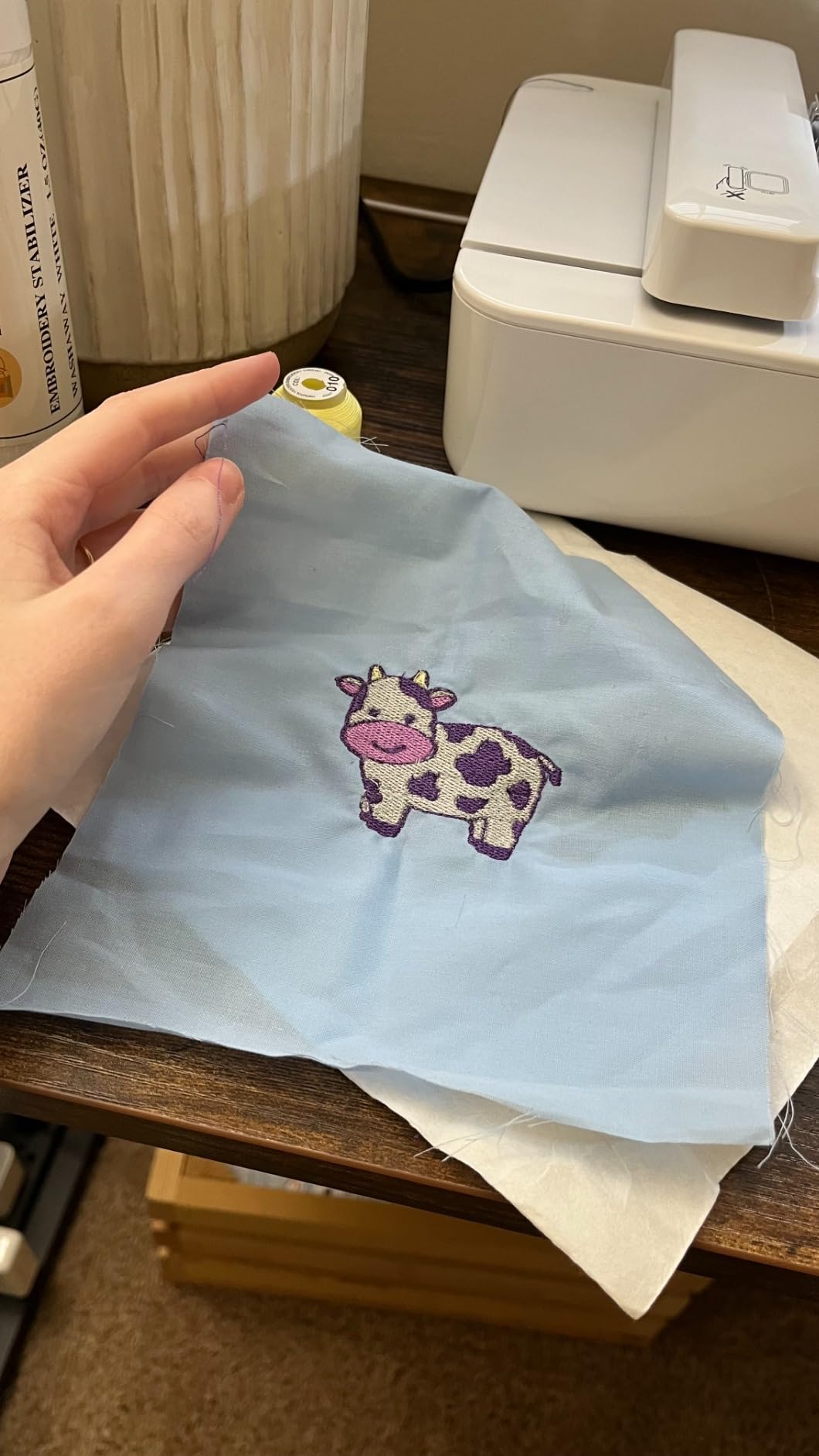
Embroidery output is where the design decisions bite. The field is 4 by 4 inches, and the machine runs up to 400 stitches per minute with 80 built-in designs and 6 lettering fonts. For towels, napkins, shirt fronts and free-standing lace that is genuinely enough. It is not enough for a large back panel or a wide chest logo, and that is the reason many owners eventually move up.
Two smaller things are worth knowing before you commit. The horizontal spool pin arrangement needs a workaround if you like to run large cones, and the feed dogs are unremarkable, so a walking foot earns its keep on heavy quilting cotton. Neither is a deal breaker for home use. Both are just facts of this platform.
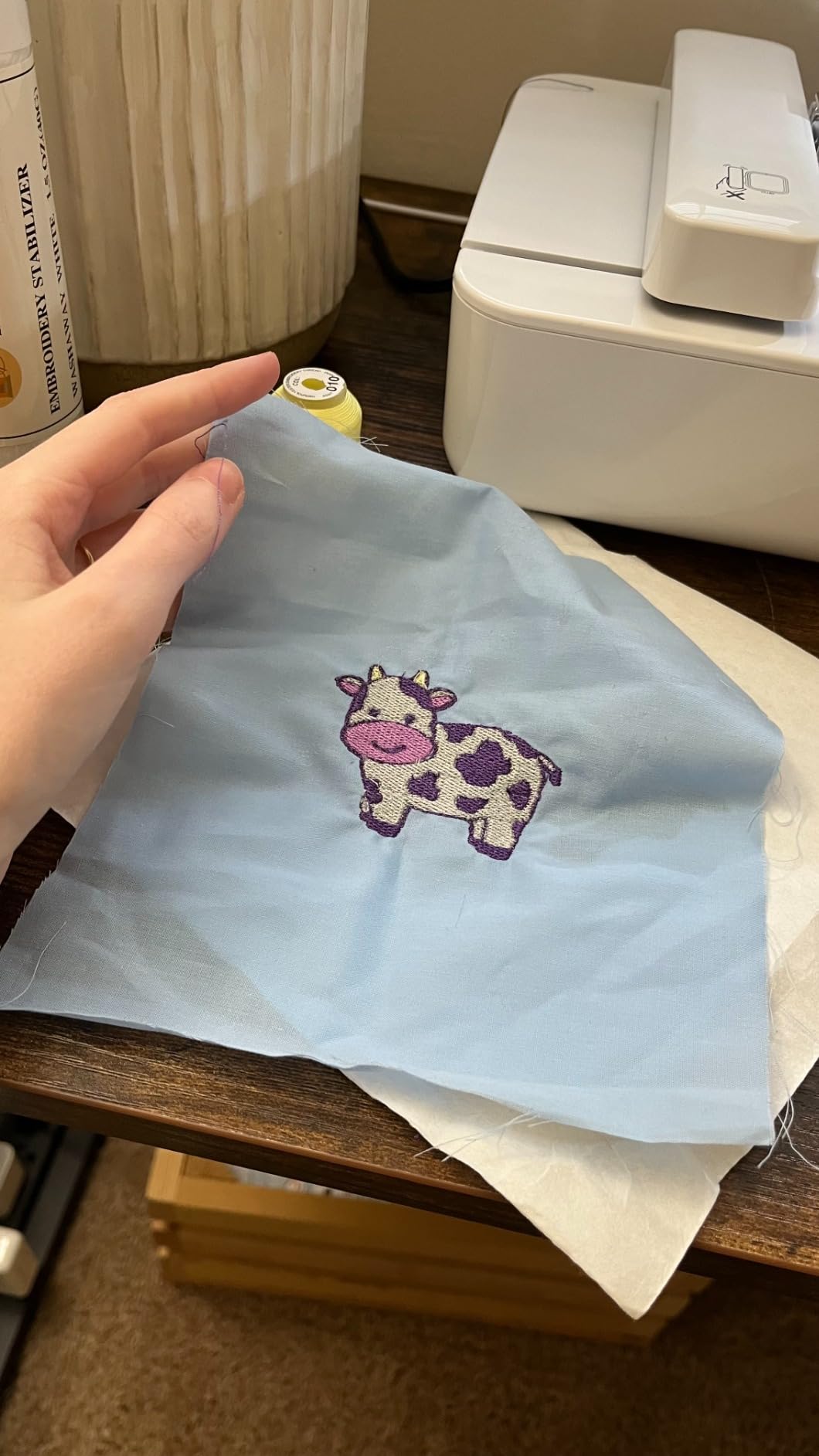
What the SE600 does well day to day
Threading and bobbin handling are the two things that decide whether a combo machine feels good or feels like a chore, and the SE600 handles both without drama. The automatic needle threader works, the jam-resistant drop-in top bobbin goes in and out easily, and the color touchscreen shows a design preview before you send it to the hoop. On screen editing you can resize, rotate and mirror without a computer.
The bundle in the box is unusually generous: seven presser feet, an embroidery hoop, four spare bobbins, three pre-wound bobbins with embroidery thread, a twin needle, a needle set, a seam ripper, an eyelet punch, a cleaning brush and a dust cover. That means most first-time buyers can start a project the same afternoon without ordering anything.
Where the SE600 will disappoint you
The 4 by 4 inch field is the honest limit. Owners in the review base consistently describe outgrowing it, and forum threads about this platform repeat the same complaint: anything wider than a monogram means re-hooping. If your plan is a full chest logo or a towel with a wide name, look at a 5 by 7 inch machine instead.
The 80 built-in designs are also plain compared with the newer models. Reviewers note that third-party digitizing software is often needed once you tire of the library. If you plan to buy designs rather than build your own, that is a cost line that never goes away.
2. Brother SE1900: Best Step Up with a 5 by 7 Inch Hoop
Brother SE1900 Sewing and Embroidery Machine, 138 Designs, 240 Built-in Stitches, Computerized, 5″ x 7″ Hoop Area, 3.2″ LCD Touchscreen Display, 8 Included Feet
Embroidery field: 5 x 7 inch
138 built-in designs and 11 fonts
240 sewing stitches
25 year limited warranty
Pros
- 5 x 7 inch field removes most re-hooping from home projects
- 240 sewing stitches and 138 embroidery designs
- Advanced needle threader and drop-in top bobbin
- 25 year limited warranty
- On-screen design editing on a 3.2 inch color touchscreen
Cons
- Highest cost of the three Brother machines here
- 3.2 inch screen is small next to newer models with larger displays
- 120V operation only
- limiting use in 220V regions
The SE1900 is the answer to the most common complaint about small combos. It carries a 5 by 7 inch embroidery field, which is the size most commercially sold designs are digitized for, and it does so on a body that is lighter than the SE600 at 22.1 pounds. That combination of bigger hoop and lower weight is unusual in this group.
On paper it is simply more machine. You get 138 built-in embroidery designs with 11 lettering fonts, 240 built-in sewing stitches including 10 auto-size buttonhole styles, and a 3.2 inch full color touchscreen with on-screen design editing. Reviewers describe it as the natural step up for quilters and project makers who need a larger hoop without moving to a machine costing several times as much.
The rating on this machine sits at the top of the group, and the review base is large enough to be meaningful rather than anecdotal. Owners frequently call out the advanced needle threader and the drop-in top bobbin as the two features that keep long sessions moving. Quilters mention that the wider field removes most of the re-hooping that makes a small hoop tiring to work with.
The honest reservations are about price and screen. It is the costliest of the three Brother machines here, and a 3.2 inch display feels modest on a machine at this level, particularly when you compare it with the 5 inch and 7 inch touchscreens on the premium picks further down. That is a screen you will notice every time you edit a design.
Why the 5 by 7 inch field changes your project list
A 5 by 7 inch hoop covers most designs sold for home embroidery, which means you stop re-hooping a name across a towel and start stitching it in one pass. Reviewers who moved up from a 4 by 4 inch machine describe the change as the single biggest quality-of-life improvement in the whole category, because a large share of re-hooping errors disappear.
The 240 sewing stitches matter too. That library covers decorative topstitching, quilting seams and garment work without hunting for a pattern, and the 138 built-in designs include monogramming fonts that most home projects actually need. The 25 year limited warranty is a real trust signal as well, and it is the longest published warranty in this group alongside the Janome Skyline S9.
Where the SE1900 falls short
Cost is the first limit. Owners weighing it against smaller Brother combos often conclude the extra spend is only worth it if you will use the larger field. If your projects are monograms and small linens, the SE600 and SE700 cover the same ground for considerably less.
The screen is the second. At 3.2 inches it is smaller than the 3.7 inch panel on the SE700 and far smaller than the 5 inch and 7 inch touchscreens on the Poolin EOC05 and Janome Skyline S9. It also operates on 120V for the US market, which rules it out in 220V regions without a transformer.
3. Brother SE700: Best Value Pick with Wireless Transfer
Brother SE700 Sewing and Embroidery Machine, Wireless LAN, 8 included Ft
Embroidery field: 4 x 4 inch
Wireless LAN plus Artspira app
135 designs and 10 fonts
3.7 inch color touchscreen
Pros
- Wireless LAN transfer with free Artspira app removes the USB step
- Largest touchscreen of the Brother models here at 3.7 inches
- Lightest and most compact body in the group at 15.6 pounds
- 135 built-in designs and 10 lettering fonts
- Ranks first in its category with a large owner base
Cons
- Embroidery field stays at 4 x 4 inch
- Wireless setup takes real configuration effort the first time
- Highest share of one-star reviews among the Brother models listed
- 120V operation only
The SE700 is the most modern machine in the Brother lineup we tested, and the reason is connectivity. Wireless LAN design transfer, plus the Artspira mobile app for drawing custom patterns and sending them to the machine, removes the USB drive step entirely. Reviewers who set it up describe it as worth the configuration effort on day one and invisible afterward.
It is also the lightest and most compact body here at 15.6 pounds, with dimensions of 16.5 inches deep by 7.76 inches wide by 12.09 inches high. If you share a craft room or want the machine to live on a shelf rather than a stand, that matters more than it sounds.
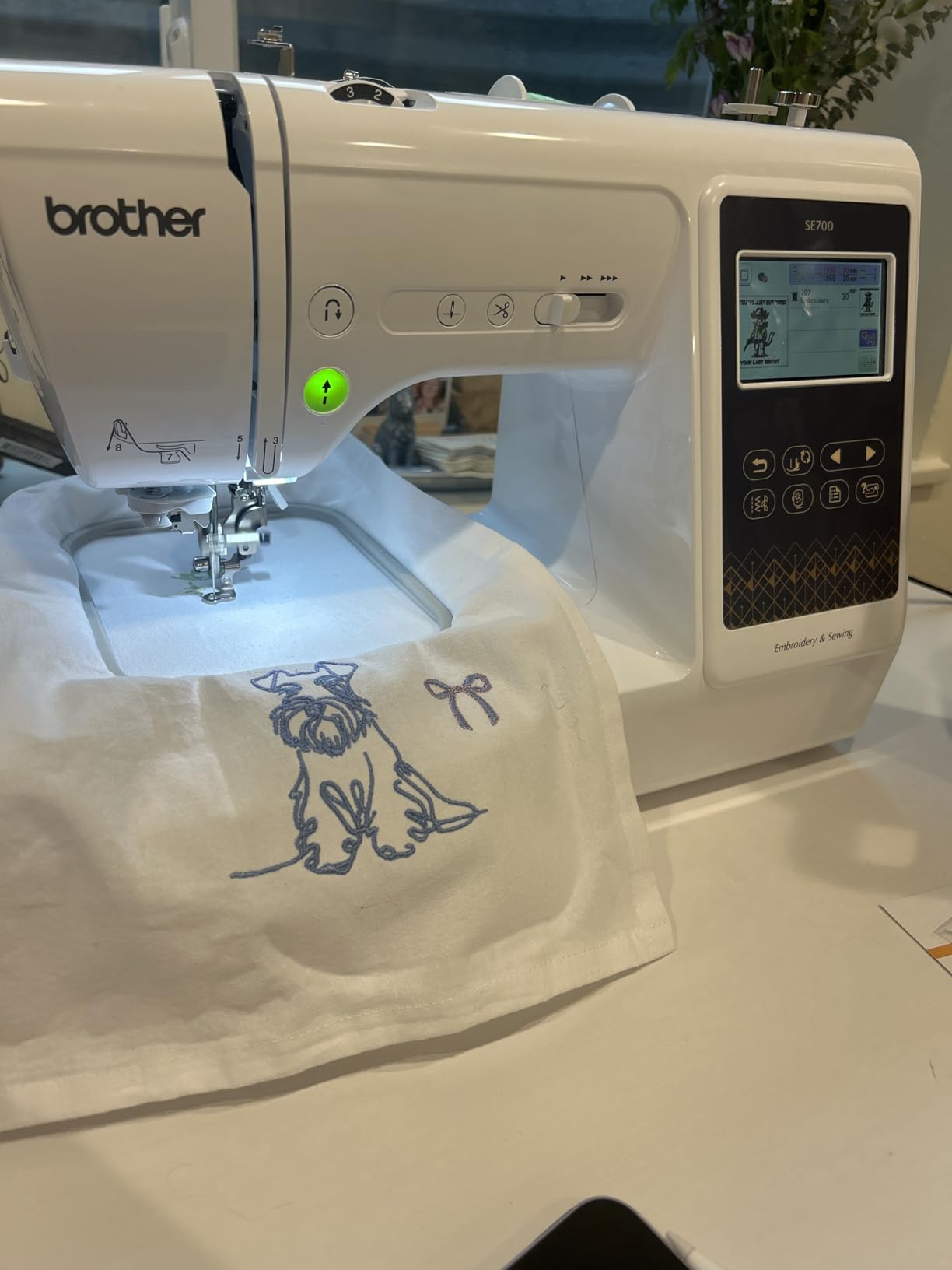
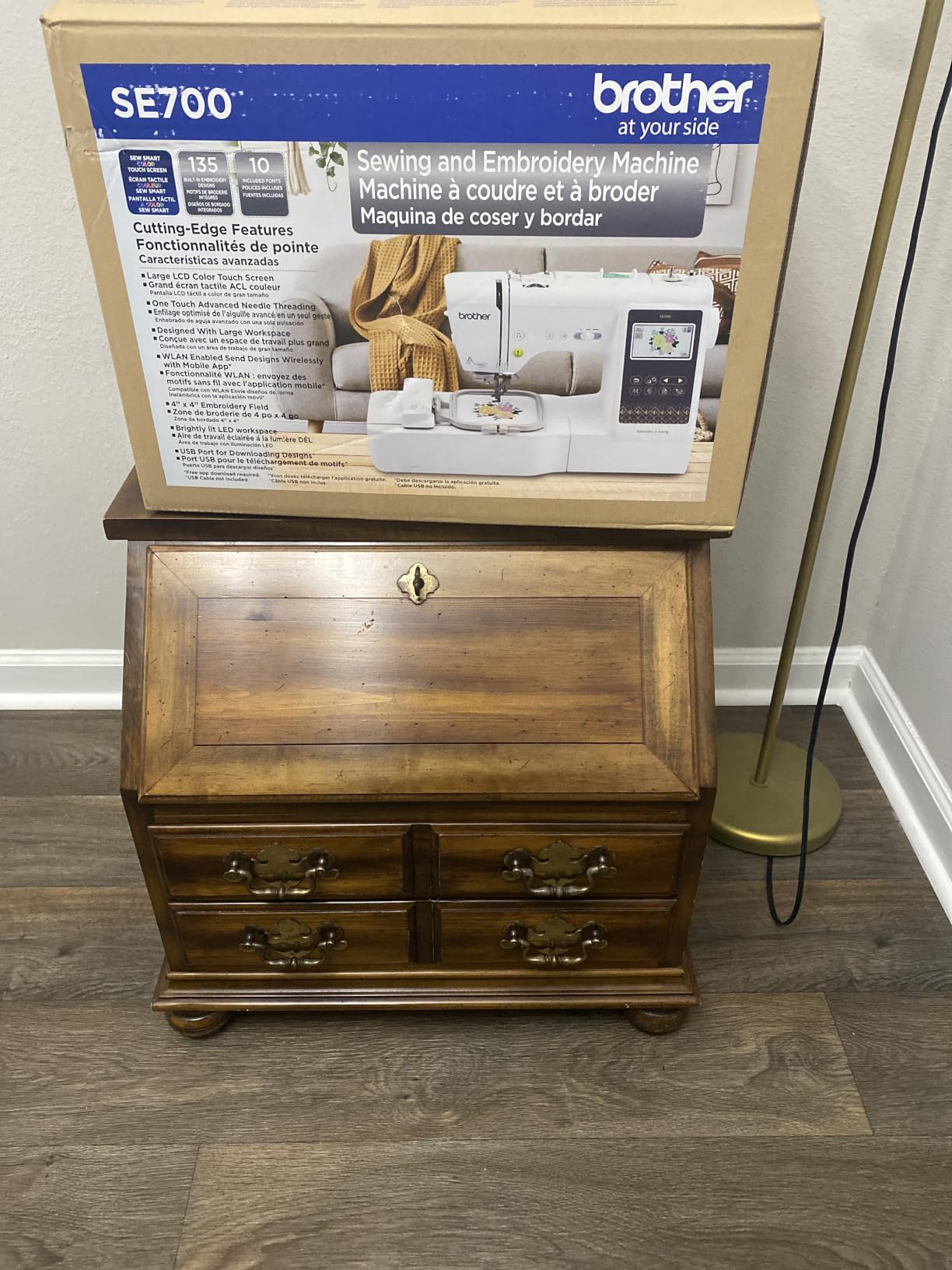
The numbers underneath are familiar territory. You get a 4 by 4 inch embroidery field, 135 built-in embroidery designs with 10 lettering fonts, 103 built-in sewing stitches including 10 one-step auto-size buttonholes, and a 3.7 inch LCD color touchscreen with on-screen editing. Eight presser feet come in the box along with the hoop, the embroidery arm, a needle set and a twin needle.
What stands out in the reviews is not any single feature but the combination. Owners like that the screen is bigger than the older Brother panels, that the weight is low, and that the wireless workflow means designs made on a phone can be stitched without touching a computer. The rank position in its category reflects how many people made that same choice.
Deciding between the SE700 and the SE600
These two are closer than any other pair here, and the decision is simple. If you like to create designs away from the machine and send them wirelessly, take the SE700. If you want the cheapest path into a dependable combo and do not care how designs reach the machine, take the SE600.
Reviewers also point to the built-in design library as a tiebreaker. The SE700 carries 135 designs against 80 on the SE600, and 10 lettering fonts against 6. For someone who wants ready-to-stitch personalization without buying anything else, that difference shows up in the first month.
Where the SE700 gets frustrating
The field is still 4 by 4 inches, so the re-hooping limitation is unchanged from the smaller Brother machines. That is a deliberate space saving rather than a flaw, but it is the reason the SE700 is not our top pick for a sewist who wants varied projects.
Two smaller gripes come up repeatedly. Wireless setup needs patience the first time, and the share of one-star reviews is the highest among the Brother models listed here at roughly 7 percent. At 120V it is also a US-market machine.
4. Poolin EOC05: Long Hoop and the Biggest Screen in the Group
POOLIN EOC05 2-in-1 Embroidery Machine with Sewing, 7″ Touchscreen, Wi-Fi
Embroidery sizes: 4 x 4 inch and 4 x 9.25 inch
7 inch touchscreen
Wi-Fi transfer with Institch software
130 built-in designs
Pros
- Long 4 x 9.25 inch hoop no other machine in this group offers
- 7 inch touchscreen is the largest here
- 130 built-in designs and 8 lettering fonts
- Wi-Fi transfer plus free Institch design software
- Video tutorials and one-on-one support for new users
Cons
- Only a 1 year warranty
- Much smaller installed base than Brother or Janome
- Newer platform with less long-term reliability feedback
- Costs about twice as much as the entry Brother combos
The EOC05 does something none of the other five do. It ships with two hoop sizes: 4 by 4 inches and a long 4 by 9.25 inch field. That narrow rectangle fits tall lettering, vertical names on towels and long strips that a square hoop would force you to re-hoop three or four times.
The other headline is the 7 inch touchscreen, the largest in this group by a wide margin. On a machine with Wi-Fi design transfer and free Institch software, a screen that size makes on-screen editing realistic rather than fiddly. Reviewers repeatedly single out the screen as the reason the machine feels approachable instead of intimidating.
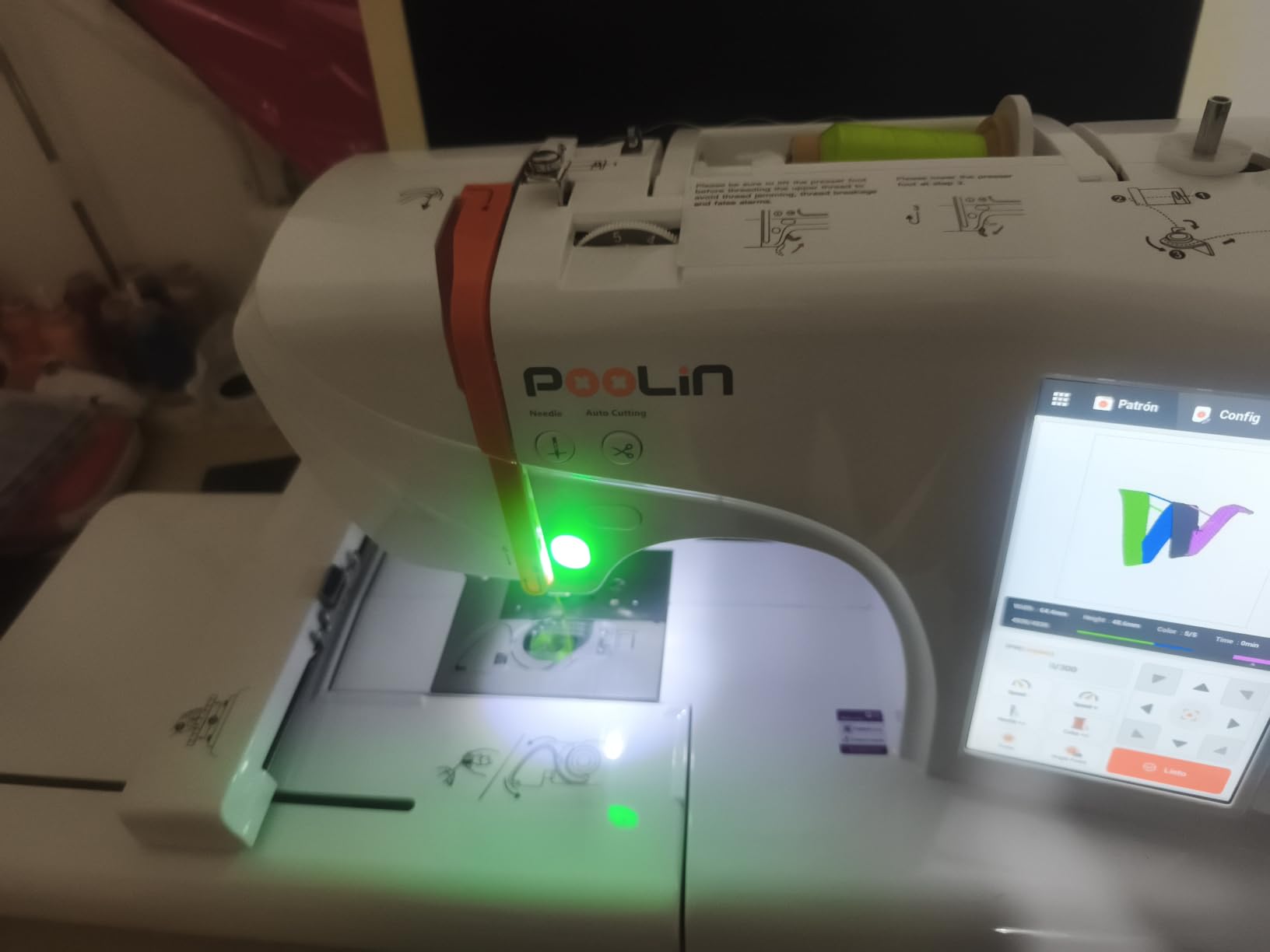
It is an embroidery-first machine that also sews well. There are 130 built-in embroidery designs and 8 lettering fonts, and 207 built-in sewing stitches with on-screen presser foot guidance, adjustable stitch width from 0 to 7 mm and stitch length from 0.2 to 5 mm, plus a one-step buttonhole. Modes swap by changing the working table, which is a physical step but a quick one.
The box is unusually generous for the money: an embroidery stabilizer, a sewing stabilizer, 6 embroidery threads, a sewing thread, 24 pre-wound bobbins, a supply kit and a tool kit. Owners who were not sure which thread and stabilizer to buy have everything needed for the first several projects on the table.
What makes the long hoop worth changing brands for
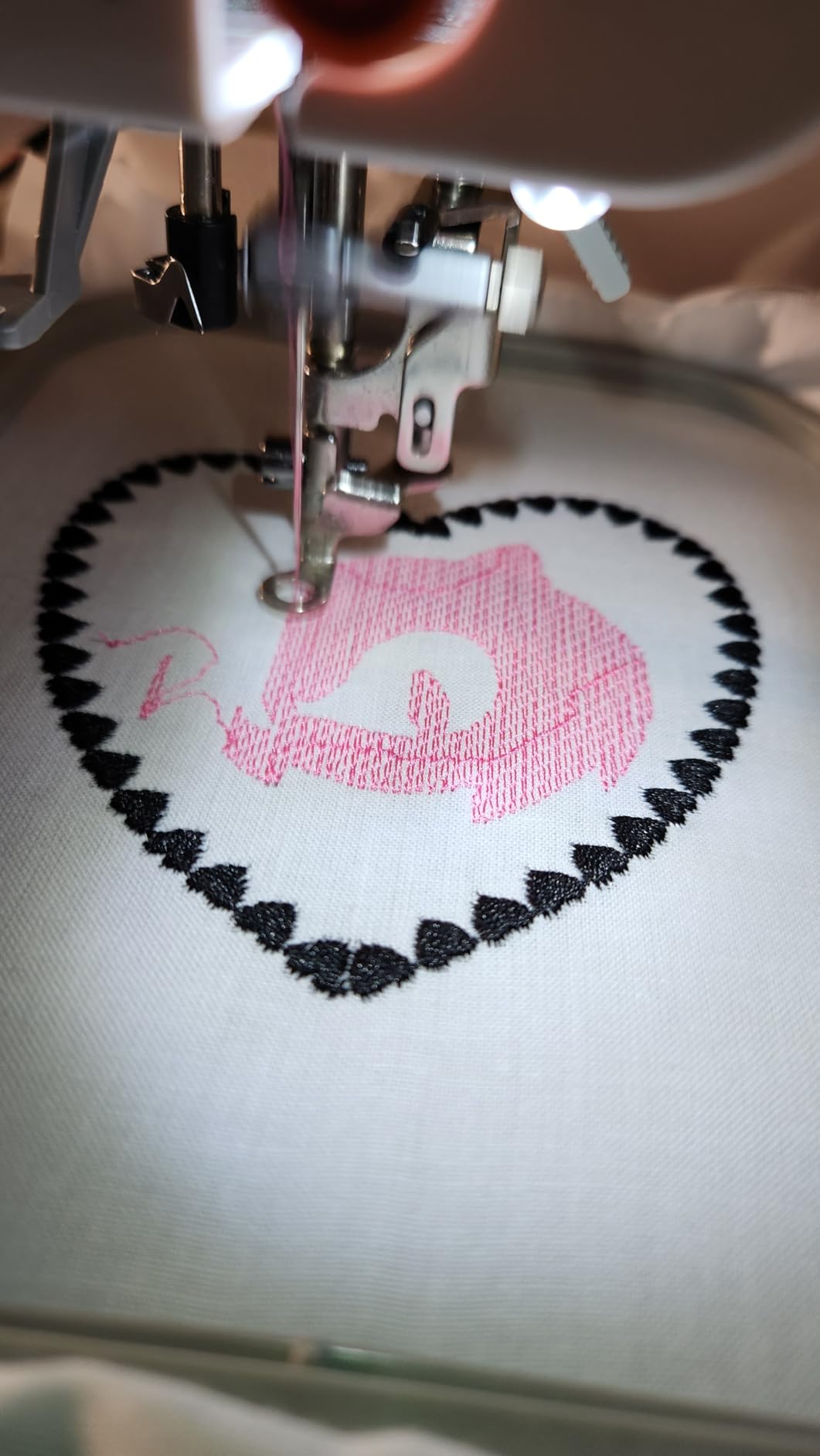
Long vertical designs are the honest reason. A name running down the side of a towel, a vertical logo on a bag panel, a long phrase across a pillow edge, all of these fit in one pass on this machine and need repeated re-hooping elsewhere. Reviewers who bought it for that reason report the result matches the specification.
The support layer also matters for a first machine. Step-by-step video tutorials, a community and one-on-one support are listed with the product. For buyers who have never digitized or hooped before, that guidance is part of what you are buying along with the hardware.
Where the EOC05 carries more risk
The warranty is one year. That is dramatically shorter than the 25 year limited warranty on the Brother SE1900 or the 25 year mechanical warranty on the Janome Skyline S9, and it is the single biggest difference between this machine and the rest of the field.
The brand is also younger, with 361 reviews rather than thousands, so long-term reliability evidence is thinner. Buyers who intend to keep a machine for a decade are trading some of that certainty for the long hoop and the screen. It is a fair trade, but it is a trade.
5. Janome Memory Craft 9850: Best Workspace for Quilting and Bulky Fabrics
Janome Horizon Memory Craft 9850 Embroidery and Sewing Machine
Extended arm and large work area
Memory storage for patterns and stitches
Sewing and embroidery combined
Touchscreen controls
Pros
- Long-running platform with an established owner community and service network
- Generous work area and extended arm suit quilts and bulky projects
- Memory storage recalls custom patterns
- stitch combinations and settings
- Switches cleanly between embroidery and precision sewing
Cons
- Softest rating in this group at 4.3 stars
- Oldest platform design with only 126 reviews
- Dated touchscreen compared with current machines
- High cost relative to the feature set and review volume
The Memory Craft 9850 is not the machine with the biggest numbers on the sheet. It is the machine with the most room. The extended arm and large work area are what buyers mention first, because a quilt that will not fit the free arm gets fought, and fighting a quilt is miserable.
It runs at 23 pounds with dimensions of 8.8 inches deep by 18.7 inches wide by 12.4 inches high. The Memory Craft computerized controls store custom embroidery patterns, stitch combinations and settings, so a sequence you build once is available every time you sit down. Reviewers describe the ability to move between embroidery and precision sewing on one body as the reason they stayed with this platform.
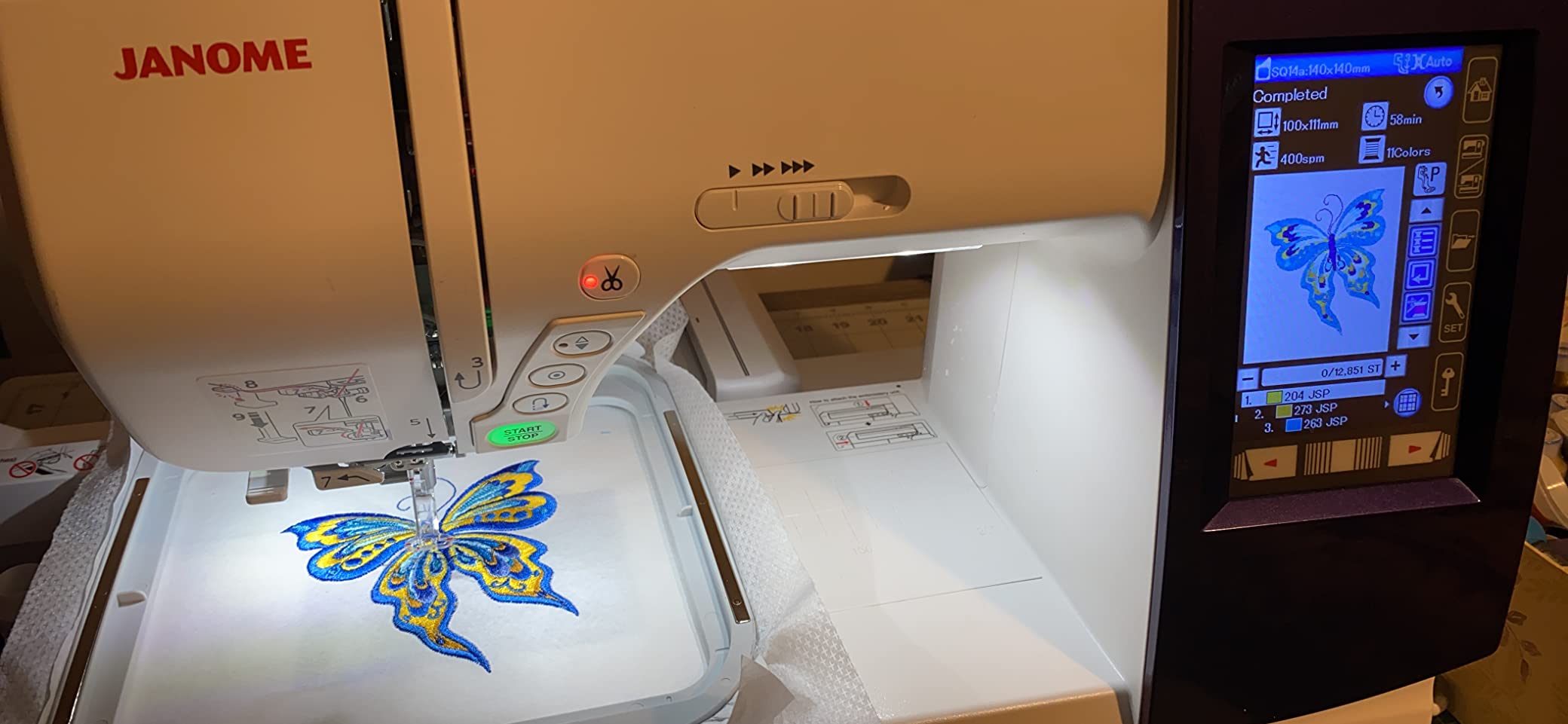
What you give up is freshness. The rating sits at 4.3, the lowest in this group, and the review base is 126, which is too small to draw strong conclusions from. Several reviewers describe the touchscreen interface as dated and the learning curve as steeper than on current machines with larger panels.
The design library and decorative stitch selection are described as extensive without specific counts, which itself is a hint that this listing predates the detailed specification style used on newer models. If you want a feature checklist you can verify line by line, that is harder to do here.
Who the extended arm actually helps
Quilters working in yardage, anyone sewing a heavy coat or a duvet cover, and anyone hooping a large piece of quilt fabric. The needle sits far enough from the vertical column that the fabric does not bunch against the machine body, which is the specific problem an extended arm solves. That is a real, physical advantage no screen size can match.
Pattern memory is the second quiet advantage. Owners who build their own layouts and store stitch combinations report that the recall function removes the setup time that makes a large project feel longer than it is.
Why some buyers pass on this platform
The rating is the softest here at 4.3 stars, and the review base of 126 is the second thinnest in the group. That combination usually points to a machine that works but asks more of the owner in setup and learning than a modern touchscreen does.
Then there is cost against output. You are paying a premium for the platform and the workspace rather than for headline specs, and the interface will not feel current next to the 5 inch or 7 inch panels on the machines below and above it. For a buyer starting fresh in 2026, that trade is harder to justify than it was a few years ago.
6. Janome Skyline S9 Indigo: Best Machine for Oversized Designs
Janome Skyline S9 Indigo Sewing and Embroidery Machine
Embroidery area: 6.7 x 7.9 inch
250 designs and 10 fonts
300 sewing stitches up to 1000 spm
5 inch color touchscreen
Pros
- Largest embroidery area in the roundup with three hoops included
- Highest stitch count at 300 built-in stitches and speeds to 1000 spm
- 5 inch color touchscreen with arc monogram and layout editing
- AcuFeed Flex layered fabric feeding system
- 23 presser feet plus knee lifter and AcuGuide cloth guide
Cons
- Most expensive machine in the roundup by a wide margin
- Only 28 reviews
- the thinnest evidence base here
- Large footprint at 26 pounds and 20 inches wide
- Steep learning curve coming from an entry-level combo
The Skyline S9 is the machine you buy when the question is how big. Its maximum embroidery area is 6.7 by 7.9 inches, the largest of anything here, and three hoops come in the box: a 3.9 by 1.6 inch strip, a 5.5 by 5.5 inch square and the 6.7 by 7.9 inch hoop. Three hoop sizes standard rather than optional changes what a design library can cover.
It is also the fastest. Up to 1000 stitches per minute on the sewing side with 300 built-in sewing stitches, plus 250 built-in embroidery designs including 40 exclusive Anna Maria Horner designs, 10 fonts and 48 border designs. The 5 inch full color touchscreen handles resize, rotate, flip, arc monogram and layout editing.
The workflow is app-driven. Wireless connectivity runs through AcuEdit, AcuMonitor and AcuSetter, so you can place a design remotely and monitor a run from another device. AcuFeed Flex handles layered fabrics with changeable feet, 23 presser feet are included, and the knee lifter plus AcuGuide cloth guide are standard. One-step needle plate conversion means no screwdriver when you switch between embroidery and heavy sewing work.
The warranty is the strongest published in this group: 25 years on mechanical parts, 2 years on electrical parts and 1 year on labor. That structure is worth reading carefully, because the labor term is where many long service plans differ from what owners expect.
What the larger hoop and 300 stitches buy you
A 6.7 by 7.9 inch field fits a full back panel, a wide chest placement or a large decorative block without re-hooping. That matters most if you make things for other people or sell them, because re-hooping introduces registration seams that read as mistakes on finished goods.
The 300 sewing stitches and AcuFeed Flex system also make this a serious quilting machine, not just an embroidery box with a sewing function attached. Experienced sewists are the buyers who rate it highly, and they tend to arrive from a background of real production work.
Why this is not the machine for most homes
Cost is the first barrier. It is by far the most expensive machine here, and it is priced against enthusiasts and small studios rather than against home sewists. The footprint follows: 26 pounds and 20 inches wide is the largest body in this group, so it needs a real stand and a real corner of a room.
Evidence is thin. With 28 reviews, this is the smallest review base of the six, so any long-term reliability judgment depends more on the Janome platform reputation than on owner feedback here. The learning curve is also a step up from any entry combo on this list.
How to Choose a Combination Sewing and Embroidery Machine
Buy the machine whose limitation you can live with, not the one with the longest specification list. Every combo here sews well and embroiders well; they differ in the size of what they can make, how designs get to the machine, and what happens when something breaks.
The seven specs that decide your purchase
Embroidery field size. This is the number that limits you most often. 4 by 4 inches handles monograms and small linens. 5 by 7 inches covers most commercially sold designs. Anything above that is for panels and back placements.
Built-in design and font count. Useful for your first month, less useful after that. More designs matter if you plan to buy nothing else.
Sewing stitch count and maximum sewing speed. Look for at least 100 stitches and a speed above 700 stitches per minute if you plan to sew garments as well as decorate.
Screen size. Bigger screens make on-screen editing real work rather than guesswork. The range here runs from 3.2 inches to 7 inches.
Design transfer method. USB only means a computer nearby. Wireless LAN and an app mean you can work from your phone.
Weight and footprint. Shared craft rooms and small shelves decide this more often than buyers expect.
Warranty and local dealer coverage. Dealer-serviced brands with long mechanical warranties are the safer long-term purchase.
Which embroidery hoop size do you actually need
A 5 by 7 inch hoop is 5 inches wide and 7 inches tall, and it is the size most designs are digitized for. For home use, that is the number to aim for, because it removes re-hooping from the majority of projects.
A 4 by 4 inch hoop is 4 inches on a side. It is fine for a single letter or a small motif, and it forces re-hooping for a full name in most script fonts. A long rectangle such as the 4 by 9.25 inch hoop on the Poolin EOC05 solves a different problem: vertical or linear designs that a square hoop splits into pieces. Hoops above 6 by 8 inches are for panels, and they come with a footprint cost.
If you are unsure, monogram size is the honest test. Buy the smallest hoop that fits the largest thing you want to make in one pass.
One combo machine or two separate machines
Two machines win when you sew far more than you embroider. A dedicated sewing machine has a larger throat, a better feed system for fabric and no mode switching, and it will not stop sewing because an embroidery problem needs solving.
One combo wins when space is the constraint and you want both skills on one body. The trade is mode switching: changing the working table, moving the presser foot, and rethreading between sewing and embroidery. Every owner here mentions this as a genuine part of the experience rather than a flaw, and it settles the debate in most homes.
If you are still unsure, read our broader guide to embroidery machines for the single-function options, or look at embroidery machines for home business if production volume is the deciding factor.
Setting up an embroidery hoop the first time
Hooping goes the same way on every machine here, and doing it well prevents most of the puckering complaints. Cut your stabilizer slightly larger than the hoop so it is held at the edges and nowhere in the middle. Lay the fabric right side down on a flat surface, place the hoop on top with the grain line running parallel to the long edge, and pull the fabric taut from the back with your hands only. The inner circle should sit flat with no ripples or a raised center.
Then fit the outer ring and tighten the screw a little at a time while you check the fabric again. Over-tightening stretches the fabric, and a stretched fabric distorts the lettering. Under-tightening lets the fabric shift mid-stitch-out, which is the usual reason a design looks off-center when the hoop comes off. The test is simple: lift the hoop, tap it gently, and the fabric should not move inside the ring.
Give it ten minutes. Most beginners move from a wrinkled hoop to a flat one within that window, and the difference shows up on the finished item rather than on the machine.
Your first five projects, in order of difficulty
Start with a two or three letter monogram on a towel corner. It is a small design, the hoop fits it without re-hooping, and it finishes in minutes, which keeps the first experience positive. Next, a single-color motif on a napkin or tea towel using one of the built-in designs, so you are still using a single thread color and not managing color changes.
Third, a name on the chest of a plain tee using a file you download and transfer, which introduces the transfer workflow. Fourth, a two or three color design on a polo shirt, where you meet your first thread changes and learn how long they actually take. Save the fifth for a hoop-bound towel with a full phrase, because that is the first project that shows whether your hoop size is right for how you actually sew.
That sequence matters because it front-loads the quick wins. A first project that takes four hours on re-hooping teaches you less than three monograms and a motif that each take fifteen minutes.
Warranty, dealer support and design software
Warranty length is the clearest quality signal on this list. The Brother SE1900 carries a 25 year limited warranty. The Janome Skyline S9 carries 25 years on mechanical parts, 2 years on electrical and 1 year on labor. The Poolin EOC05 carries one year, which is the outlier and worth weighing carefully.
Dealer support is the other half. Sewing machines are serviced locally by dealers in most markets, so a brand with an established dealer network in your area is worth more than a longer warranty on paper. Long-running platforms such as the Janome Memory Craft line have owner communities and service networks that have had time to grow.
Software is a quieter lock-in than people expect. Brother machines here use wireless LAN transfer with Artspira, Janome uses AcuEdit, AcuMonitor and AcuSetter, and the Poolin EOC05 uses Wi-Fi with Institch. Each family works best with its own app, so check that the software does what you need before you fall for a screen size.
What a combo machine costs to run after the purchase
Beyond the machine, a home sewist spends on stabilizer, 40-weight embroidery thread, needles and bobbins. Stabilizer is the line item that surprises people, because it depends on fabric: cut-away for knits and heavy items, tear-away for stable woven fabric, and a wash-away or no-show mesh for delicate pieces. Each hoop size also needs its own cut of stabilizer.
Needles are the second surprise. Embroidery needles wear faster than sewing needles because each design run pushes hard on the point, and a dull needle is the most common cause of thread breaks and puckering. If you are making gifts regularly, budget for periodic needle changes rather than treating the machine as a one-time cost.
If you plan to sell finished work, our guides to commercial embroidery machines and home business setups cover when a single-needle combo stops being enough.
Where combo machines frustrate new owners
Four problems show up in the first weeks of ownership with almost every machine in this category. Thread bunching under the bobbin usually means the bobbin was wound by hand or seated backwards, so rewind it on the machine and let it click into place. Tension that will not settle is usually the wrong needle type, and a fresh sharp or ballpoint needle in the correct size fixes more cases than any tension adjustment.
Puckering under dense fill areas means the top tension is too tight or the stabilizer is too light for the fabric, and hooping tension matters as much as machine tension. Finally, the automatic needle threader is the feature owners complain about most, particularly on entry models, where a retrying threader costs less time than fighting it. If you have ever rethreaded a machine by hand, you already know the workaround.
Frequently Asked Questions
Is there a machine that can sew and embroider?
Yes. A combination sewing and embroidery machine uses one needle and feed system in two modes: sewing mode works like a normal computerized machine with selectable stitches and adjustable length and width, while embroidery mode moves a motor-driven hoop under a stationary needle to stitch a digitized design. You get both functions in one footprint and one budget instead of two machines.
What is the best brand of embroidery machine for home use?
For most home sewists, Brother has the strongest combination of owner base, local dealer service and warranty coverage, with models spanning a 4 by 4 inch field up to a 5 by 7 inch field. Janome is the alternative if workspace and long mechanical warranty terms matter most to you. A younger brand such as Poolin offers a larger screen and a longer hoop but carries a much shorter warranty.
Which sewing machine is best for embroidery and stitching?
Choose based on hoop size rather than brand. The Brother SE600 suits monogramming and linens, the Brother SE1900 adds a 5 by 7 inch field for most full designs, and the Janome Skyline S9 covers oversized panels. All three sew with full stitch libraries, so the embroidery capacity is what separates them.
Which embroidery hoop is best?
A 5 by 7 inch hoop is the most useful starting point for home use because most designs are digitized for that size, which avoids re-hooping. A 4 by 4 inch hoop handles monograms and small motifs but splits wider work. A long rectangle hoop suits vertical lettering, and hoops above 6 by 8 inches are for panels rather than everyday projects.
What size is a 5×7 embroidery hoop?
A 5 by 7 inch embroidery hoop measures 5 inches wide by 7 inches tall, giving you 35 square inches of working area inside the hoop. It is the standard size for the majority of commercially sold designs, which is why it is the first size to look for when buying a combination machine for home use.
What kind of embroidery machine do I need?
You need a single-needle machine for home use, whether sewing and embroidery combined or embroidery only. Multi-needle machines exist because they stitch several colors without stopping to rethread, which matters for production volume rather than for gifts and personal projects. For most homes, a combo machine with a single needle is the right answer.
Are Brother sewing machines good quality?
Review data supports that: the Brother SE600 holds a 4.6 rating across 4676 reviews and the SE1900 holds 4.7 across 1659, with the SE1900 carrying a 25 year limited warranty. Owner complaints cluster around small hoop sizes, basic built-in design libraries and the automatic needle threader rather than around build quality or stitch consistency.
Our Verdict on the Best Combination Sewing and Embroidery Machines
The Brother SE600 is our pick for the best combination sewing and embroidery machines for home use, because it balances what most people actually make against what they can live without. A 4 by 4 inch field, 103 sewing stitches and 80 built-in designs cover towels, linens, shirt fronts and gifts, and 4676 reviews at 4.6 stars mean you will find answers to any problem before you buy.
If you need a larger field, step up to the Brother SE1900 and its 5 by 7 inch hoop. If you want wireless transfer and the lightest body, take the Brother SE700. For a long vertical hoop and the largest screen available, the Poolin EOC05 is worth its shorter warranty. For quilting workspace, look at the Janome Memory Craft 9850, and for oversized panels with a three-hoop package, the Janome Skyline S9.
Whichever you choose, buy the stabilizer, the right needle and the bobbin winding habit on day one. That is where the difference between a frustrating first month and a satisfying one comes from, not from the model name.