A Raspberry Pi is a credit-card-sized single-board computer that boots a full desktop, runs Python, drives motors and sensors, and doubles as a retro gaming machine or a small home server. The problem for a first-timer is that the board alone is not a computer. You also need a power supply matched to that board, a microSD card with an operating system already written to it, a case, and a way to plug it into a screen.
That is what a raspberry pi starter kit solves. We went through ten of them to find the best raspberry pi starter kits for beginners in 2026, reading the specifications against each other and cross-checking what buyers actually report after living with the hardware. The shortlist covers everything from a board bundle that boots in minutes to component libraries with 300-plus parts and video courses.
Before the list, here is what we weighted. Power supply quality came first, because a marginal adapter is the number-one cause of the random resets that scare new owners off. Storage and cooling came next, then how many guided projects the kit supports and whether the Raspberry Pi board is actually inside the box. Kits that only contain components and require a separate board got flagged in every section, because that is the detail most product blurbs bury.
If you already know you want the parts approach and not the board, our guide to the best Raspberry Pi kits covers component libraries in more depth. If you are weighing generations, see our picks for the best Raspberry Pi 5 starter kits for hobbyists.
All ten kits below were reviewed against the same checklist, and this roundup was last updated in October 2026. We earn a commission from qualifying purchases, which never changes the ranking order.
Table of Contents
Our Top 3 Best Raspberry Pi Starter Kits for Beginners in October

CanaKit Raspberry Pi 4 4GB Starter PRO
- Pi 4 4GB board
- Preloaded 32GB Class 10 card
- 3.5A USB-C supply
- Case and fan

Freenove Ultimate Starter Kit
- 223 components
- 128 guided projects
- 962-page tutorial
- Board not included

SunFounder Da Vinci Starter Kit
- 300-plus components
- 150-plus projects
- 70-plus video lessons
- Board not included
Quick Overview Best Raspberry Pi Starter Kits in 2026
Every kit in the table below, with the hardware that actually separates them. Note which ones include the Raspberry Pi board and which one ships without a microSD card at all.
| Product | Specifications | Action |
|---|---|---|
| CanaKit Raspberry Pi 4 4GB Starter PRO |
|
Check Latest Price |
 Vilros Raspberry Pi 4 Complete Starter Kit Vilros Raspberry Pi 4 Complete Starter Kit |
|
Check Latest Price |
| Freenove Ultimate Starter Kit |
|
Check Latest Price |
 Vilros Raspberry Pi 4 4GB Basic Starter Kit Vilros Raspberry Pi 4 4GB Basic Starter Kit |
|
Check Latest Price |
 SunFounder Raphael Ultimate Starter Kit SunFounder Raphael Ultimate Starter Kit |
|
Check Latest Price |
 RasTech Raspberry Pi 5 8GB Kit RasTech Raspberry Pi 5 8GB Kit |
|
Check Latest Price |
 ELECROW CrowPi Kit with 9inch Display ELECROW CrowPi Kit with 9inch Display |
|
Check Latest Price |
| SunFounder Da Vinci Starter Kit |
|
Check Latest Price |
 SunFounder Pico W Ultimate Starter Kit SunFounder Pico W Ultimate Starter Kit |
|
Check Latest Price |
 Freenove Complete Starter Kit Freenove Complete Starter Kit |
|
Check Latest Price |
1. CanaKit Raspberry Pi 4 4GB Starter PRO Kit Review
CanaKit Raspberry Pi 4 4GB Starter PRO Kit – 4GB RAM
Pi 4 4GB board
32GB Class 10 preloaded card
3.5A USB-C supply
Case, fan and heat sinks
Pros
- Complete ready-to-run bundle with board
- case
- fan
- supply
- card and reader
- 4.8 average across 6566 reviews
- Low-noise bearing fan in a case with an integrated fan mount
- 3.5A USB-C supply with noise filter plus an inline power switch
- Preloaded card removes the imaging step
Cons
- Case and fan add bulk compared with a bare board
- Supply and card are dated extras for later upgrades
- Display
- keyboard and mouse are not included
This is the kit we recommend to anyone who has never touched a Raspberry Pi. Unbox it, connect the micro HDMI cable, plug in a keyboard and mouse, and you have a working desktop. Nothing needs to be flashed, assembled or configured before that first boot, which is exactly what a first purchase should be.
The 4GB board runs a 1.5GHz 64-bit quad-core Broadcom processor with LPDDR4 memory, and the 32GB Samsung EVO+ card arrives preloaded so the Raspberry Pi OS install is already done. The 3.5A USB-C power supply is the detail that matters most here, and CanaKit adds a noise filter to it. In practice that combination has been the reason the kit stays up under load, where cheaper bare-board-plus-accessory builds often brown out.
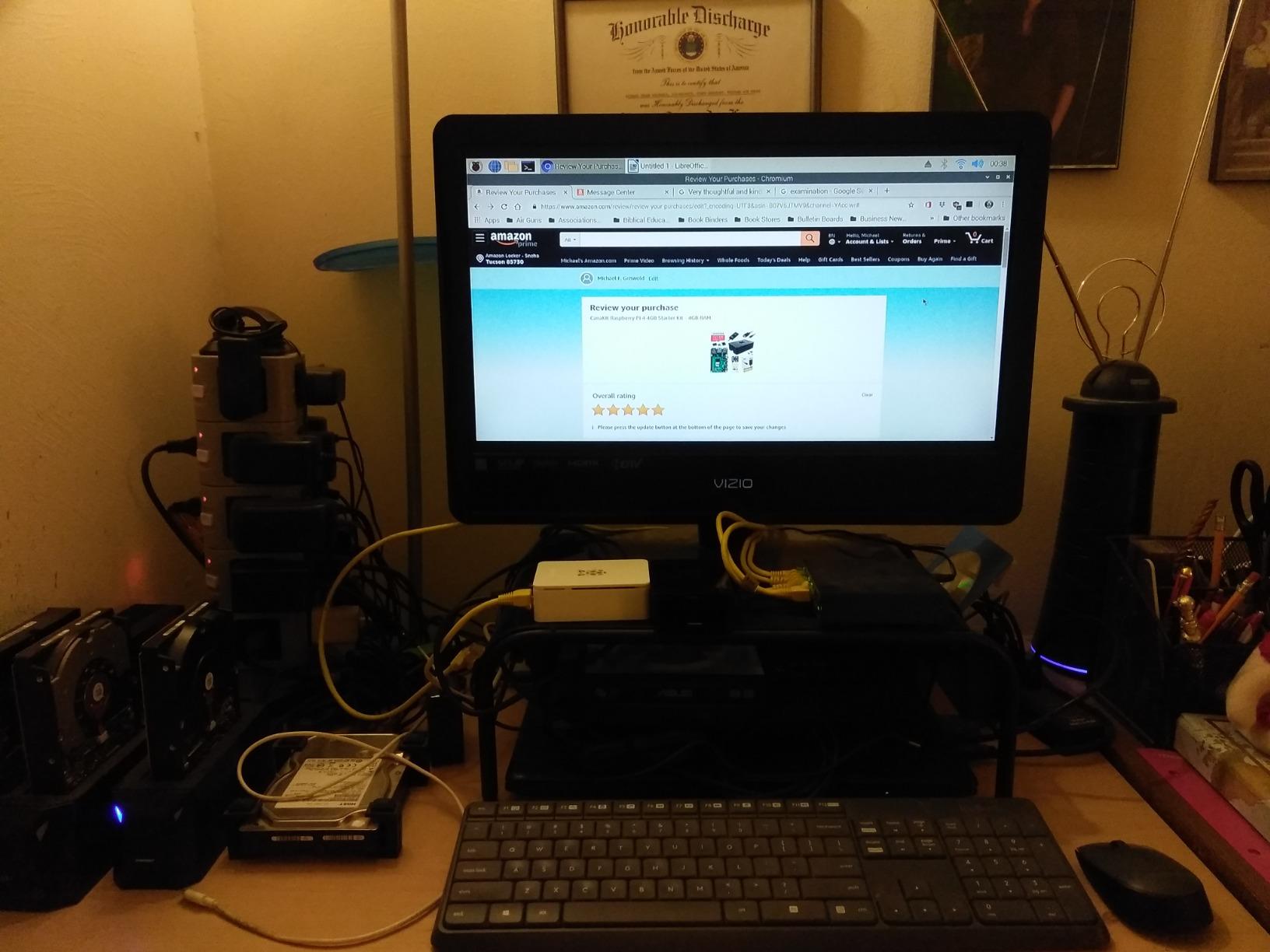
Cooling is handled by a high-gloss case with an integrated fan mount, a low-noise bearing fan and a set of heat sinks. The board is one of the best sellers in its category, sitting near the top of single board computers, and that volume of ownership means a lot of troubleshooting knowledge exists online for the exact model. CanaKit also throws in a quick-start guide and a GPIO reference card, which are thin but better than nothing.
The gaps are honest ones. This is a board-focused bundle, so a display, keyboard and mouse are still on your shopping list, and the included power supply and card are the parts you are most likely to replace within a couple of years. The USB-C PiSwitch gives you a proper on and off button instead of an abrupt cable pull, which is a small touch that matters more than it sounds.
What you can actually do with it out of the box
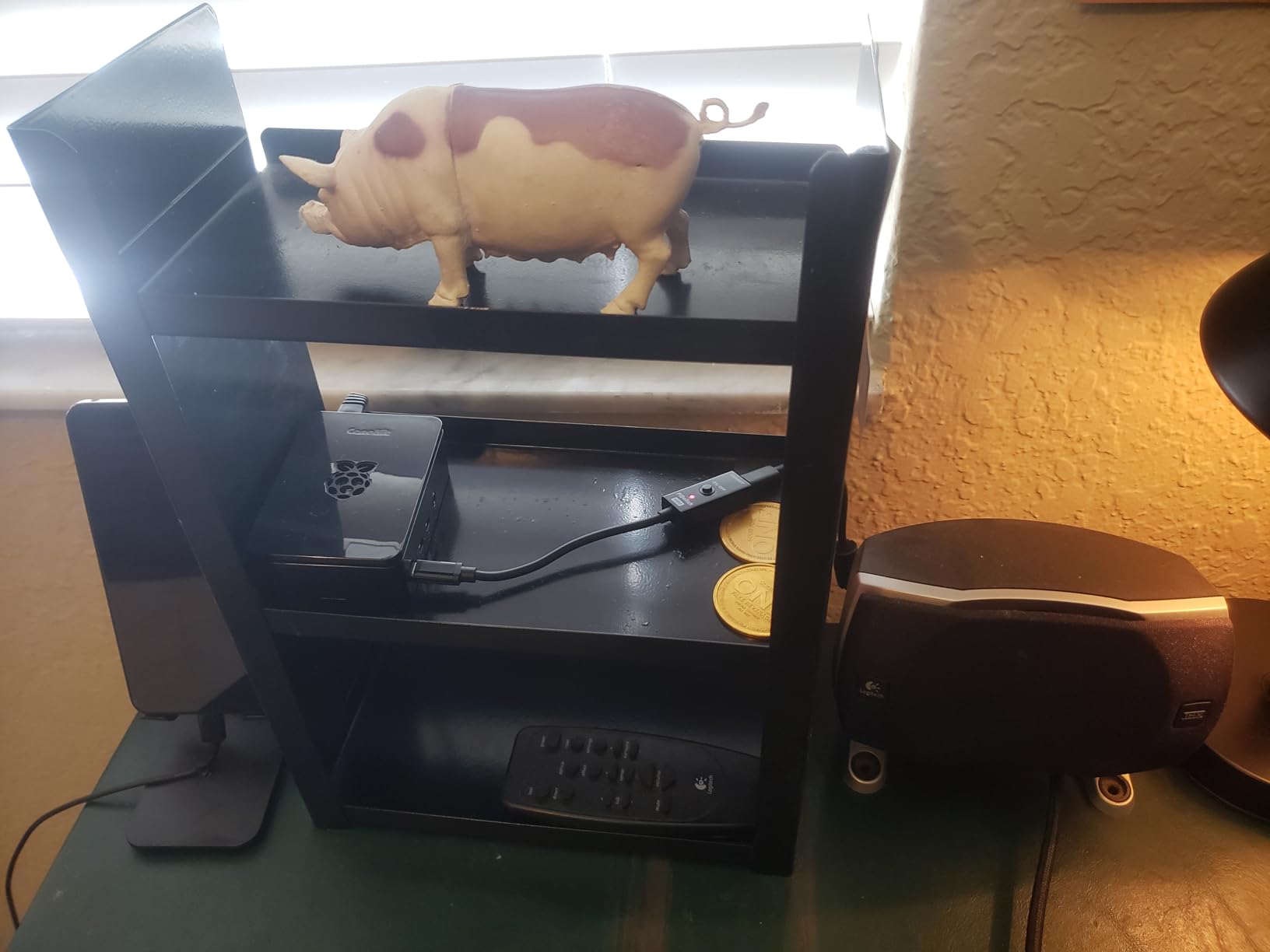
Treat the first two weeks as desktop and learning time. Boot into the Raspberry Pi OS desktop, open the code editor, and work through Python basics before touching a single wire. From there the 40-pin GPIO header is exposed and ready for a breadboard, so sensor and LED projects are the natural second step.
It also handles retro gaming and media playback well, and with 4GB of RAM you can run a lightweight file server alongside those tasks. Community advice on the Raspberry Pi forums consistently points to a complete kit like this as the default first purchase for exactly that reason.
Where it falls short for a total beginner
The Pi 4 is a generation behind the Pi 5, and the 4GB memory ceiling shows up if you plan to compile code, run containers or host anything with a database. If your goal is learning rather than a small desktop, a component kit with guided projects may be a better use of your time.
There is also no active cooler in this bundle, just a fan and passive heat sinks, so long compiles will run warm. Add the caveat that if you want the newest board generation instead, the Pi 5 bundle further down handles that better.
2. Vilros Raspberry Pi 4 Complete Starter Kit Review
Vilros Raspberry Pi 4 Complete Starter Kit- Includes Raspberry Pi 4 Board, Fan Cooled Case, 64GB Preloaded Micro SD Card and More (4GB, Clear Transparent Case)
Nine-piece bundle
Pi 4 4GB board
64GB preloaded card
Vented case with fan
Pros
- Nine-piece bundle that boots a working desktop in minutes
- Tool-free case assembly with fan and heat sinks that clip on in seconds
- 64GB card preloaded with Raspberry Pi OS
- Inline on and off switch on the power supply
- Neoprene storage bag protects the parts
Cons
- Case fan develops an audible buzz after a few weeks
- QuickStart instructions are thin for absolute newcomers
- No keyboard
- mouse or monitor included
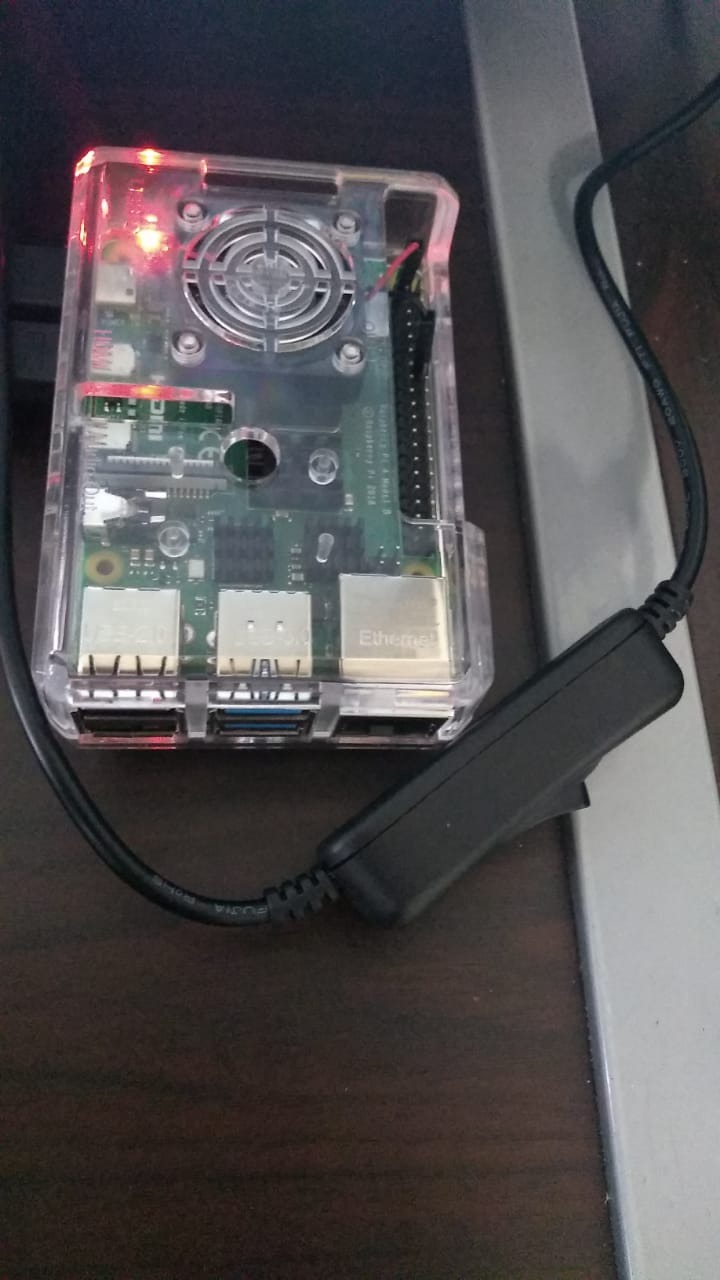
Vilros assembles a nine-part bundle and it is the most explicit list we found. You get the Raspberry Pi 4 Model B 4GB board, a case with a built-in fan, a 64GB card preloaded with Raspberry Pi OS, a power supply with an inline switch, a 5-foot micro HDMI to HDMI cable, a microSD to USB adapter, a neoprene storage bag, a set of four heat sinks and a quick-start guide. Nothing about the contents is a surprise.
Assembly took under two minutes on our side. The case clicks together without tools, the fan wires plug into the board header, and the heat sinks sit on the chip with the included thermal stickers. Buyers running this as a desktop replacement, a media server or a Home Assistant host report that it handles all three without drama, and thermals sit in the 40 to 50C range once the case and heat sinks are fitted.
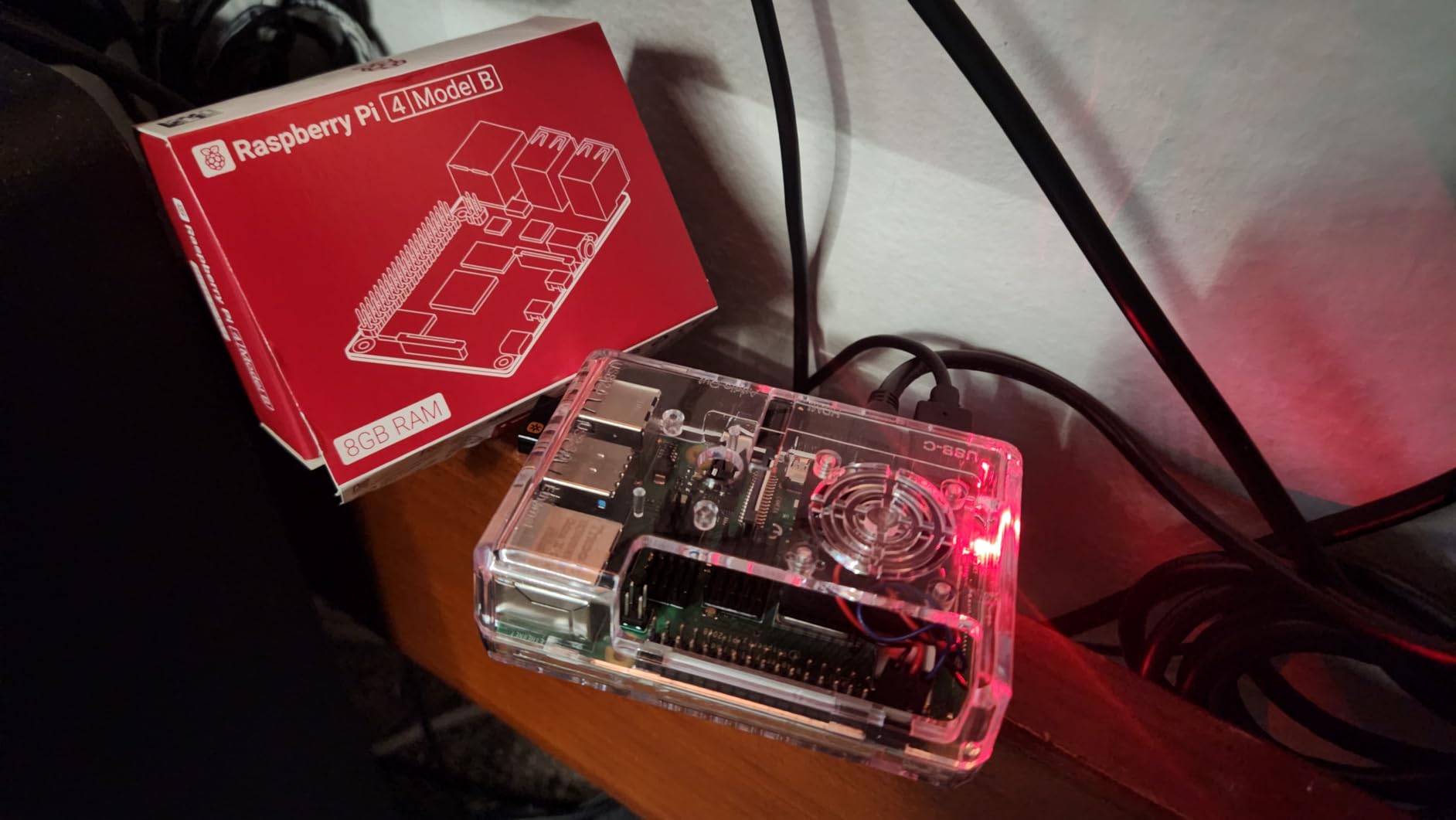
The 64GB card is the quiet advantage over most competitors here, and twice the capacity of the CanaKit bundle, so you can install extra desktops and libraries without constant swapping. The power supply is Pi 4 compatible with an inline on and off switch, which is easier than a bare cable for daily use.
Two drawbacks come up repeatedly. The case fan is reported to develop an audible buzz after a few weeks of use, and reviewers who hit that fixed it by tightening the fan screws. The written instructions are also thin, so an absolute beginner will still need forum threads or video walkthroughs for the first setup.
Why this one suits a first Raspberry Pi
Everything needed for a boot is in the box, and the storage headroom means you will not hit a full card in your first month. If your goal is a working desktop, a media centre under the television or a home automation hub, this is a straightforward pick.
The tool-free case also means you can get inside the board later without buying anything. That matters if you decide to add a camera module or an HAT board in six months.
What is missing that you will need soon
No keyboard, mouse or monitor ships with it, which Vilros states plainly on the listing. That is the normal situation for every kit here, but it is the line item that catches first-time buyers out when they budget.
The preloaded card image also needs a manual backup habit, because a card image is not automatically the same size on every card you might clone it to. Copy your work off the card rather than assuming a cloned image is safe.
3. Freenove Ultimate Starter Kit Review
Freenove Ultimate Starter Kit for Raspberry Pi 5 4 Zero 2 W (NOT Included)
223 components
128 guided projects
962-page tutorial
Board not included
Pros
- 223 components cover far more experiments than assembling parts yourself
- 128 projects with schematics
- wiring diagrams and full code
- Code supplied in Python
- C
- Java
- Scratch and Processing
- Multi-compartment storage box keeps parts organised
Cons
- No printed tutorial
- everything is a download
- Translated English is occasionally hard to parse
- Breadboard diagrams place the GPIO board inconsistently
This is not a computer kit. It is a learning kit, and it is the best value on this list for anyone who wants to understand electronics rather than just install an operating system. You get 223 components, modules, sensors and wires, a breadboard, a GPIO expansion board, motors, an LCD and a display, along with 128 projects and a 962-page tutorial you download online.
Compatibility is wide. Freenove lists the Raspberry Pi 5, 500, 400, 4B, 3B+, 3B, 3A+, 2B, 1B+, 1A+ and the Zero 2 W, so the same box of parts works across almost every current board. That makes it a long-lived purchase rather than something tied to one generation.
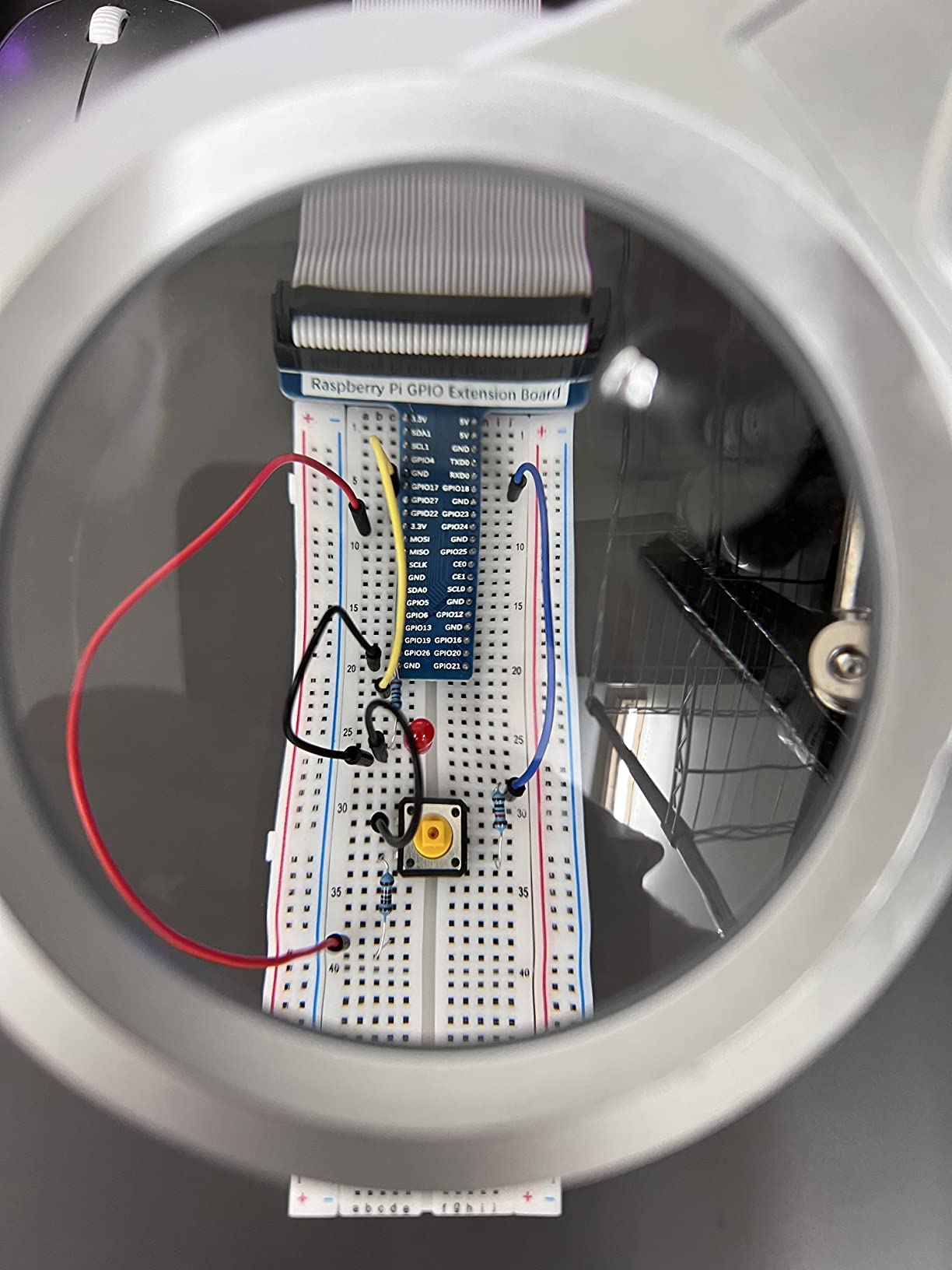
Five sets of code ship with the projects, covering Python, C, Java, Scratch and Processing. Scratch matters for a lot of families because a child can get a sensor reading on screen without reading English prose first. The projects run from a blinking LED up to motor control, and every step includes schematics and wiring diagrams, which is the part most free tutorials omit.
Customer support is a real strength here. Buyers report the team answering circuit questions within a day or two, and answering from photos of the setup rather than demanding a description. For a kit where most of the friction is physical wiring, that is worth more than the component count.
Who should buy the Freenove Ultimate
Buy it if you want to learn GPIO, sensors and wiring, or if you are buying for a child aged ten or older who will work through projects independently. The 223-item count means you will not stop for parts, which is the main reason this approach beats assembling a component list by hand.
It is also the right pairing for a Pi 5, a Pi 500 or a Pi 4 you already own, since it is designed to span those boards.
Where beginners get stuck
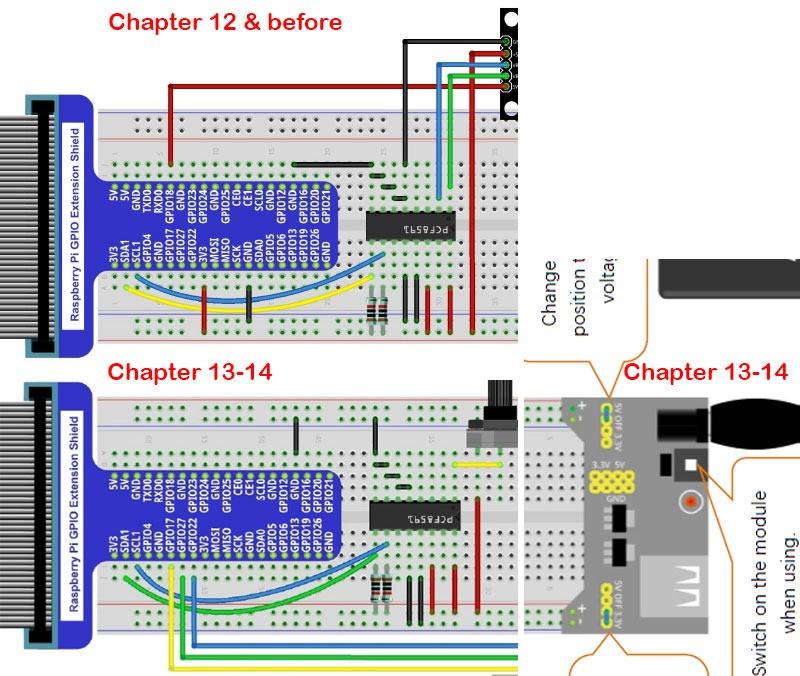
There is no printed tutorial. Everything is a download, so a learner without reliable internet is stuck at the first project, and translated English occasionally makes dense sections hard to follow. The breadboard diagrams also move the GPIO expansion board from one side to the other between illustrations, which costs beginners real time.
Most importantly, it is a large kit with 223 items. A motivated learner with some computing or electronics background gets a lot from it. A total beginner looking for a computer to type on will find it overwhelming and will not get a desktop from it at all.
4. Vilros Raspberry Pi 4 4GB Basic Starter Kit Review
Vilros Raspberry Pi 4 4GB Basic Starter Kit with Fan-Cooled Heavy-Duty Aluminum Alloy Case
Pi 4 4GB board
Aluminum alloy case with fan
USB-C supply with switch
No microSD card
Pros
- Aluminum alloy case with a pre-installed fan holds thermals down under load
- 4GB RAM handles retro gaming
- media playback and light desktop use
- USB-C power supply has a dedicated on and off switch
- Metal enclosure feels far more durable than plastic kits
Cons
- No microSD card
- you must supply and flash one before first use
- Fan noise is a recurring complaint on this case design
- You still need to add a card and reader before first use
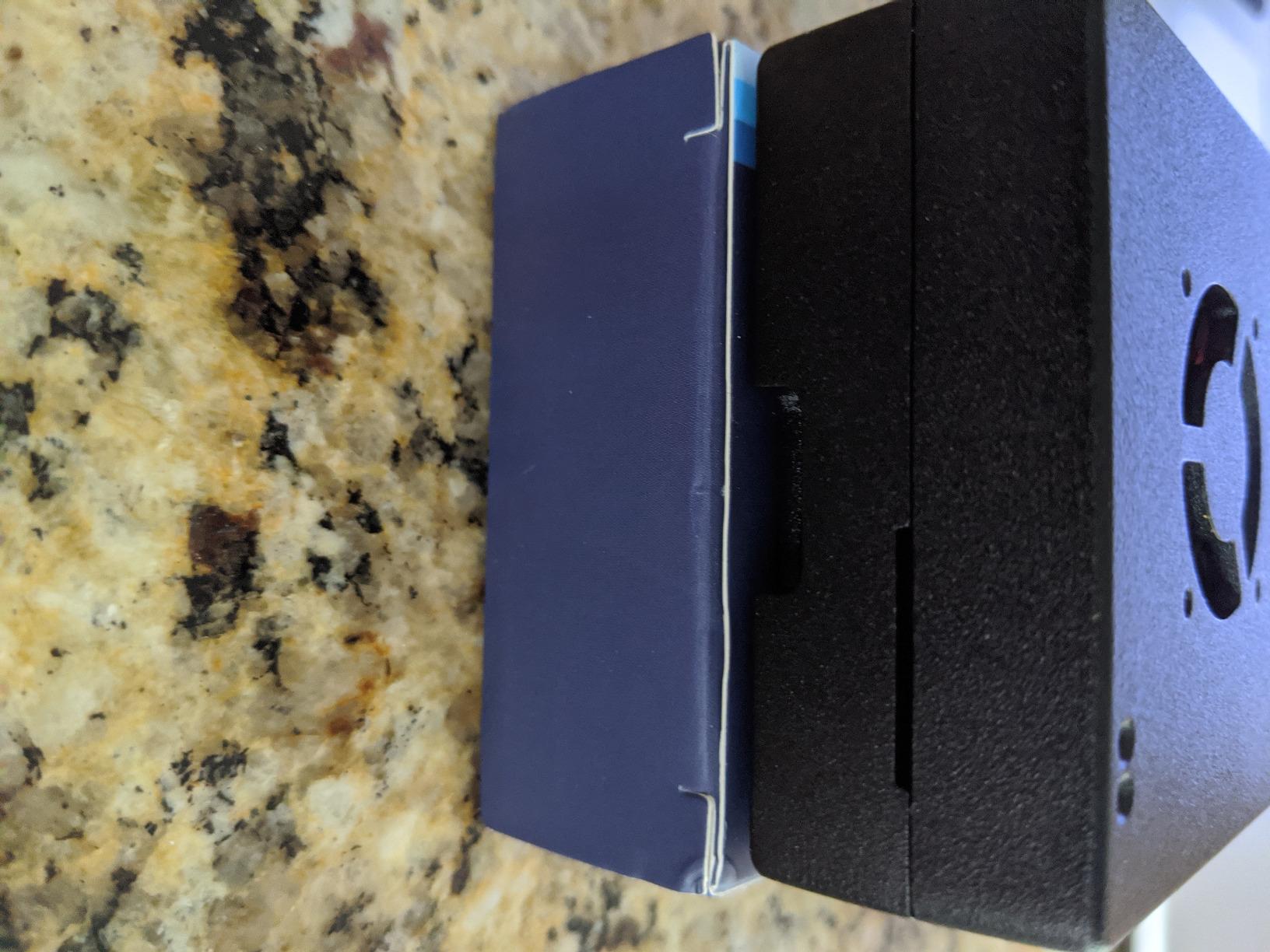
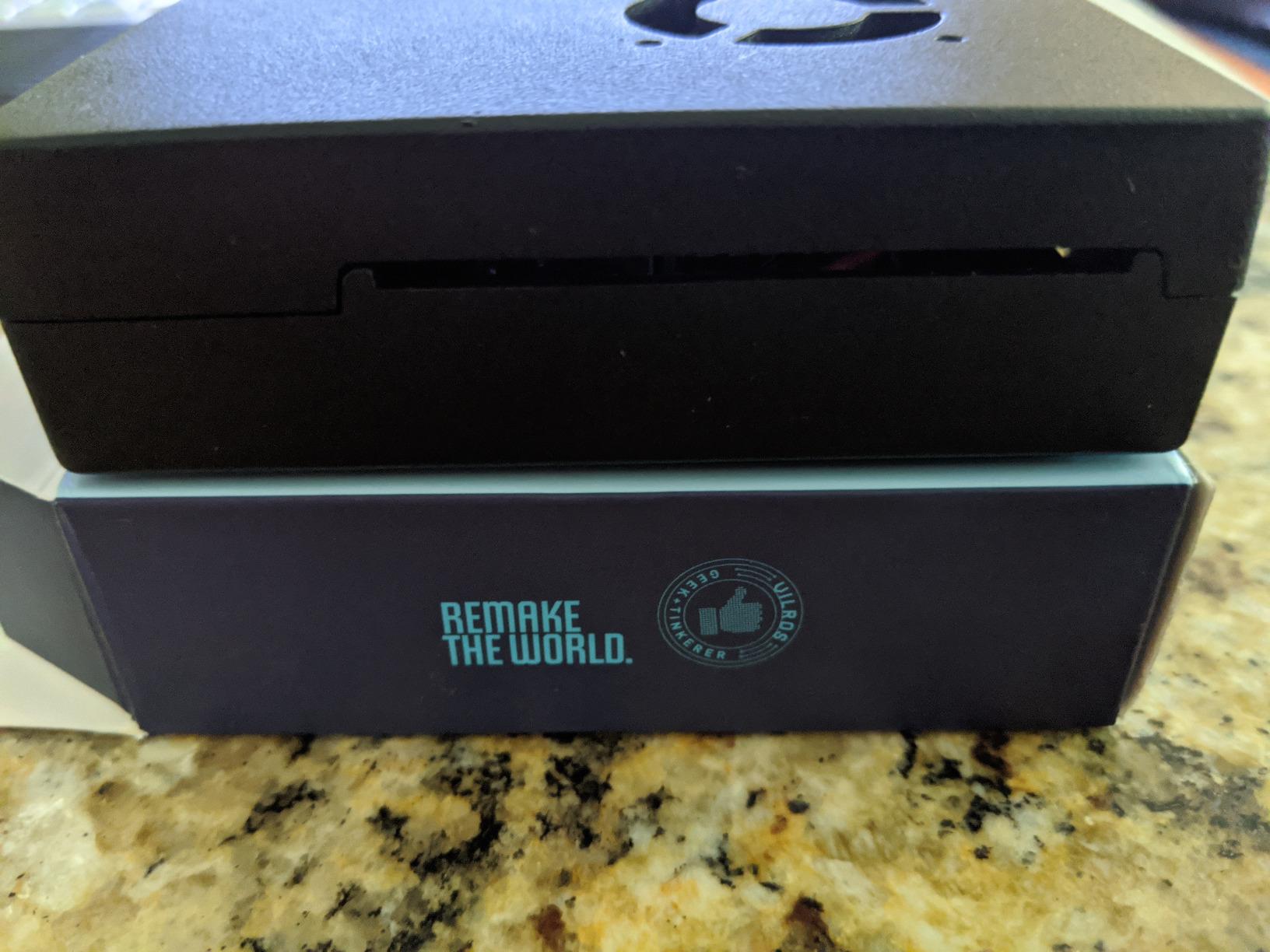
The distinguishing feature here is the metal. This Vilros kit uses a heavy-duty aluminum alloy case with a pre-installed fan, and reviewers consistently name that enclosure as the reason to pick it over plastic kits of the same generation. It dissipates heat passively, and the fan handles the sustained-load case.
Inside is a Raspberry Pi 4 Model B with 4GB of DDR4 memory. Vilros describes that as matching or exceeding many mainstream laptops, and in practice 4GB is enough for retro gaming, media players, an ad-blocking server, printing from older printers and time-lapse video work. It ranks in the top thirty of its category, so support material is plentiful.
The USB-C power supply has a physical on and off switch built into its body, which is a nicer daily experience than unplugging a cable. The 4GB board sits in the top of its range for value, and 83% of reviews are five-star.
Here is the catch, and it is a real one: no microSD card is included. You have to buy one and flash it before the first power-on, which is a fifteen-minute task if you have never imaged an SD card and a genuine obstacle if you have. Nothing else about the kit is undersupplied, so budget for the card and a reader.
Best use for this kit
Retro gaming and media playback. A metal case runs cooler, and a cool board is what you want when you are emulating or decoding video for hours at a time. It also suits a quiet desk setup because the case is a decent conductor of heat rather than a plastic trap.
If you already have a card and a reader, this is one of the more durable first builds. It is a kit that can sit on a shelf, powered on, doing something useful.
What to know before buying
The missing card is the item to budget around here. Add a Class 10 card of 32GB or more, because a slow card is the other classic cause of a Raspberry Pi that feels broken.
Fan noise is the recurring complaint on this case design, and it is the one reason we do not put it first. If your setup sits in a quiet room, check reviews for the current batch before committing.
5. SunFounder Raphael Ultimate Starter Kit Review
SunFounder Raphael Ultimate Starter Kit for Raspberry Pi 5 4 B 3B B+ 400, Zero 2 W, RoHS Compliant, Python, C Java, Online Tutorials & Video Courses for Beginners (Raspberry PI NOT Included)
337-plus components
161 projects
70-plus video lessons
Board not included
Pros
- 337-plus components covering camera
- speaker
- sensors
- actuators and displays
- 161 projects pitched at beginners aged ten and up
- 70-plus video lessons taught by Paul McWhorter
- Five languages supported from Python through Scratch
- Community forum and technical support
Cons
- Raspberry Pi board is not included
- All lessons and tutorials are online
- Translated documentation contains grammatical errors
- Some buyers report a small number of dead components
What separates this kit from the other component libraries is the video course. Seventy-plus lessons led by educator Paul McWhorter walk through the electronics and the code together, and buyers repeatedly say the video format is the reason a beginner can follow along rather than bouncing off a written tutorial.
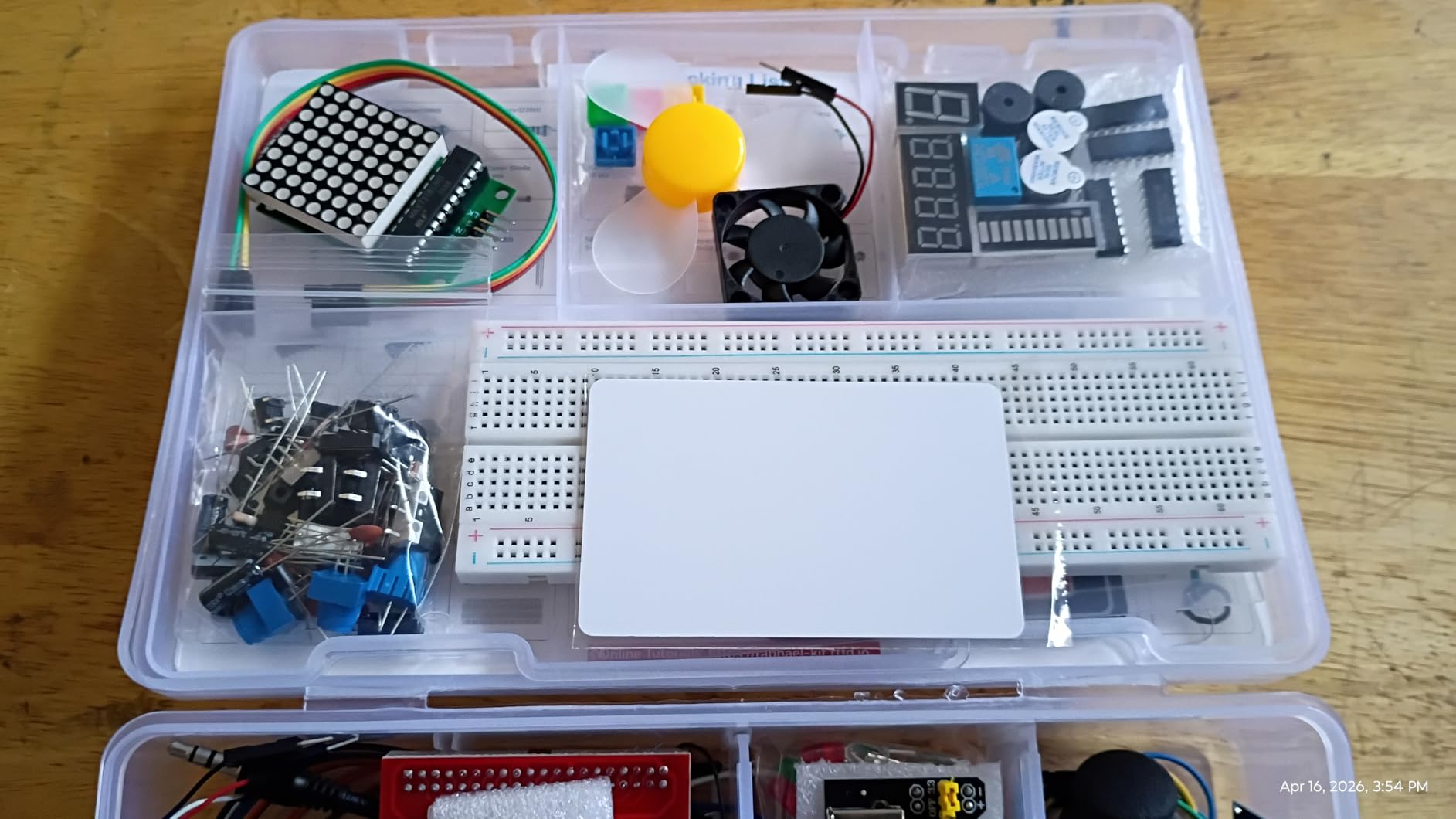
The hardware is substantial: 337-plus components at a listed weight of 0.72 kg, including a camera, a speaker, sensors, actuators, LEDs and LCDs across 161 progressive projects. Python, C, Java, Node.js and Scratch are all supported, so the same kit works for a child starting in Scratch and an adult moving into embedded work later.
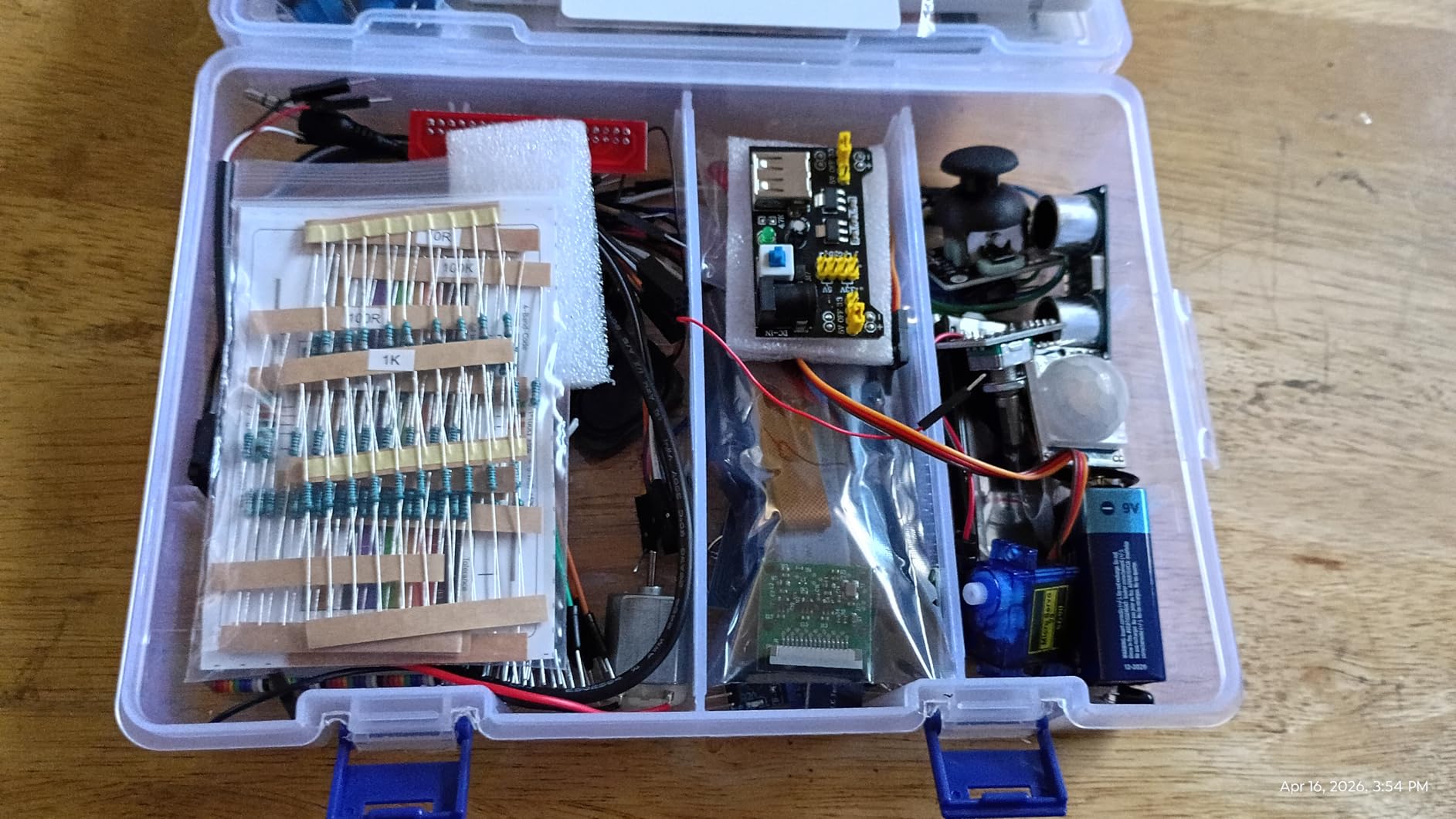
The component list also covers Raspberry Pi 5, 400, 4B, 3B+, 3B, 3A+, 2B, 1B+, 1A+ and the Zero 2 W, and the kit is RoHS compliant. That makes it a reasonable second purchase too, if you already own a board and want camera and speaker work, which the Pi 5 does not natively support in the same way as earlier models.
The Raspberry Pi board is not included. That is stated in the listing and repeated in reviews, so factor a board purchase into the total. Everything else is online-only, with no paper manual, and the documentation is translated, which shows up as awkward phrasing in places.
Where video instruction changes the outcome
For a learner who stalls on wiring diagrams, seeing a component placed and a wire run is the difference between finishing a project and abandoning it. That is why this kit earns a slot ahead of kits with similar component counts and fewer lessons.
It also pairs well with a child or a classroom, since the progression from simple to complex gives a natural term-long structure. The community forum adds another support layer when a project does not behave.
What to consider before you commit
You need a board, and the combination works out to more than a self-contained kit. You also need internet access for every lesson, which is a problem for classrooms with filtered networks.
A small number of buyers report components that did not work on arrival, so check the box on arrival. And if your real interest is a desktop or a server, none of these 337 components will help you, and you should buy a board kit instead.
6. RasTech Raspberry Pi 5 8GB Kit Review
RasTech Raspberry Pi 5 8GB Kit 64GB Edition with Active Cooler,27W GaN 5.1V5A USB-C Power Supply,Pi5 8GB Board,64GB Card Readers Kit,Pi 5 Case,Dual 4K Micro HD Out Cables and User Manual
Pi 5 8GB board
Active cooler
27W GaN 5.1V 5A supply
64GB card and two readers
Pros
- Genuine Pi 5 8GB bundled with cooler
- case
- two readers and a 27W GaN supply
- 27W GaN supply avoids the undervoltage warnings common with weaker adapters
- Active cooler holds temperatures steady under sustained load
- Two micro HDMI cables and two card readers support dual displays
- 64GB card arrives pre-flashed
Cons
- Manual does not say where the three thermal pads go
- Case power button cutout can clash with the Pi's own button
- Plastic case rather than metal
- One buyer's first card flashing attempt failed
One of the few kits here that pairs a current-generation Pi 5 with proper cooling, and that combination is much of the point. The board is the 8GB model with a 2.4GHz quad-core Arm Cortex-A76 processor and an 800MHz VideoCore VII GPU, plus dual 4Kp60 display outputs and dual 4-channel MIPI connectors for camera and display work.
The power supply is where this kit separates itself. It is a 27W GaN unit outputting 5.1V at 5A, with 9V, 12V and 15V alternatives, which is the supply class the Pi 5 actually wants. Buyers specifically call it out as the part that stops the undervoltage warnings that make cheaper Pi 5 builds feel unreliable.
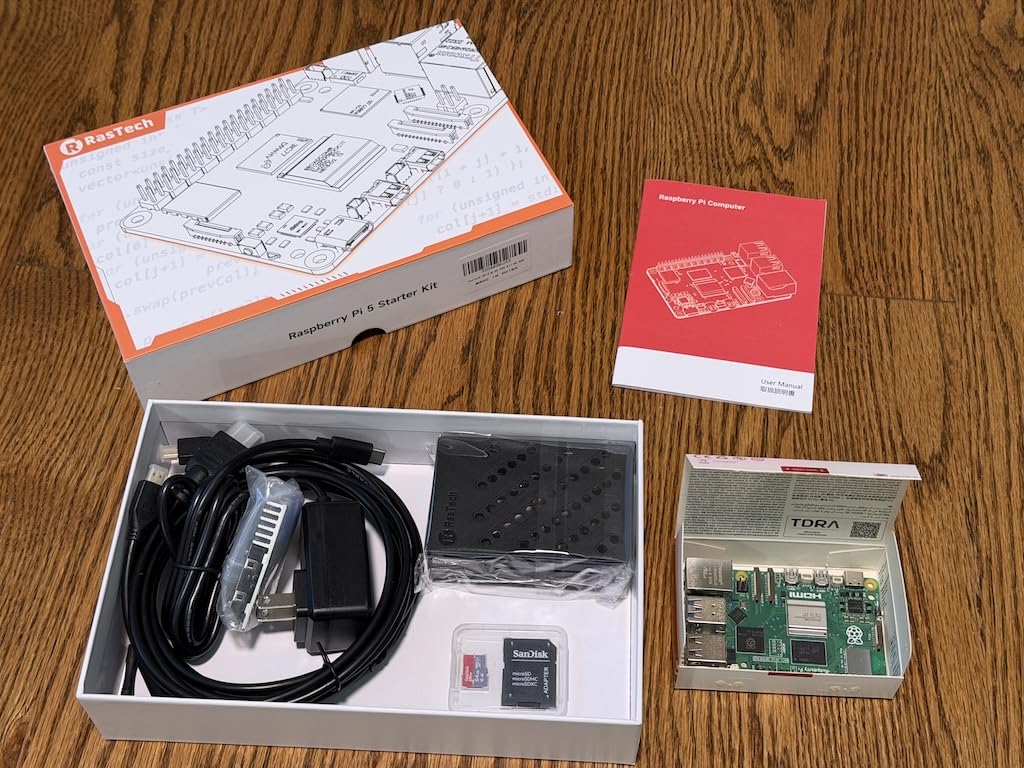
Cooling is handled properly too. The active cooler is included and holds temperatures steady under heavier sustained loads, and 8GB of LPDDR4X memory handles compiling and multiple projects at once without the strain that a 4GB board shows. You also get two micro HDMI to HDMI cables, two card readers, a 64GB card, a case with full port access and a screwdriver.
The documentation is the weak link. The manual does not state where the three thermal pads go, so users end up watching a third-party video to place them, and the case power button cutout can sit awkwardly against the board’s own button. It is a plastic case, not metal, and one reviewer had to repeat the first card flashing.
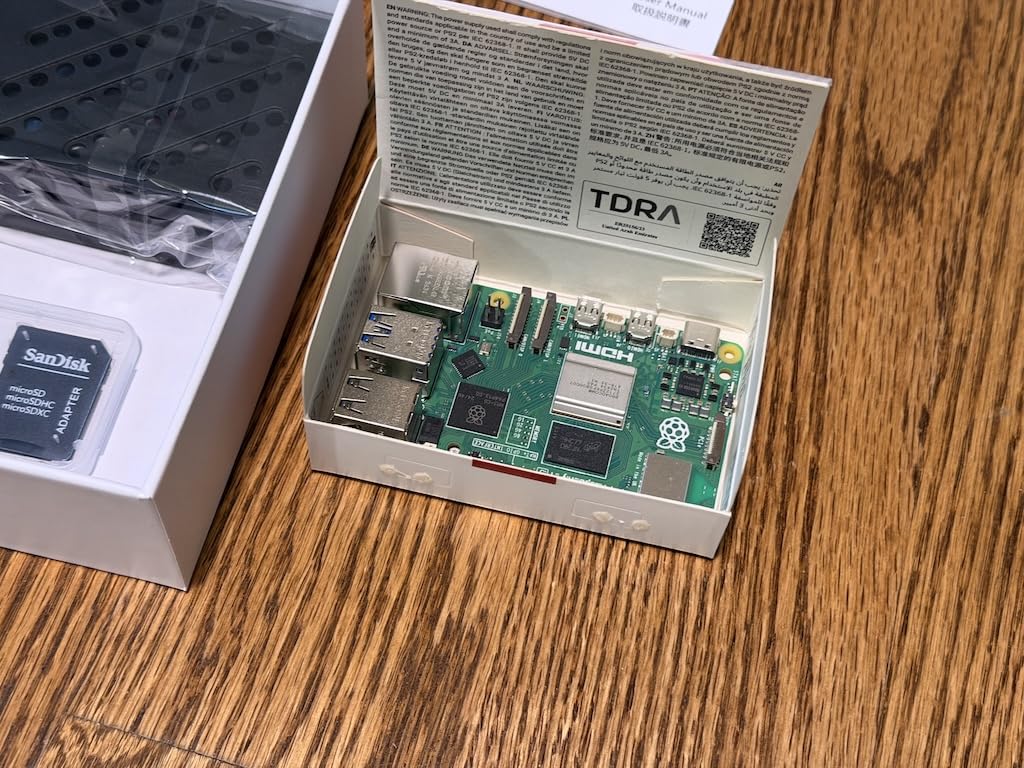
Who the Pi 5 8GB bundle suits
Pick this if you want headroom. Anyone running containers, compiling code, hosting a database, or planning a small home server will feel the difference between 8GB and 4GB within a month. The dual 4Kp60 outputs also make it a tidy dual-screen setup.
It also pairs naturally with a component kit. Eight gigabytes of memory means the Freenove or SunFounder projects on this list run without swapping a card.
Whether the Pi 5 is the right first board
Two things argue against it as a beginner purchase. The cooling and power demands are higher, which is why this kit bundles an active cooler and a 27W supply, and the documentation is thinner than the simpler board kits. Neither is a blocker, but both are reasons a first-timer might start lower.
The counterargument is that a Pi 5 will not need replacing in a year, while a Pi 4 kit will. If you know you will go beyond tutorials, this is the one we would buy.
7. ELECROW CrowPi Kit with 9-Inch Display Review
ELECROW for Raspberry Pi 5 8GB Kit, with Pi 5 8GB Single Board Computer, Crowpi Pi 5 Case Kit with 9inch Display, Compatible with Raspberry Pi 5 Learning Programming Kit with Sensors (8GB RAM)
Pi 5 8GB included
CrowPi 9-inch touchscreen and camera
19 pre-mounted sensors
21 structured lessons
Pros
- Integrated 9-inch HD touchscreen and camera remove the need to buy display peripherals
- 19 sensors and the CrowPi board are pre-mounted with no wiring
- 21 structured lessons move from part identification to terminal code
- Solid ABS shell makes the unit portable for classrooms
- Includes 32GB TF card
- earphones
- RFID card and wireless keyboard and mouse
Cons
- Warranty is only 180 days
- Fixed sensor board limits custom builds
- Closed 9-inch form factor is bulky when you need a bare board
- Lowest 4.4 average in this group
CrowPi takes a different approach. Instead of loose components and a breadboard, everything is mounted on a development board inside a closed case with a 9-inch HD touchscreen and a camera. Nineteen sensors, including light, PIR, ultrasonic and infrared units, sit pre-wired alongside an LED matrix, buzzer and LCD. There is no wiring to wait for, which is the entire selling point.
For a classroom or a child, that is a genuine advantage. A Pi 5 8GB is pre-installed, a 32GB TF card, earphones, an RFID card and a wireless keyboard and mouse are all in the box, and 21 lessons walk from identifying components to reading code and running it in the terminal. The solid ABS shell makes the unit portable, which matters when it moves between a cupboard and a classroom bench.
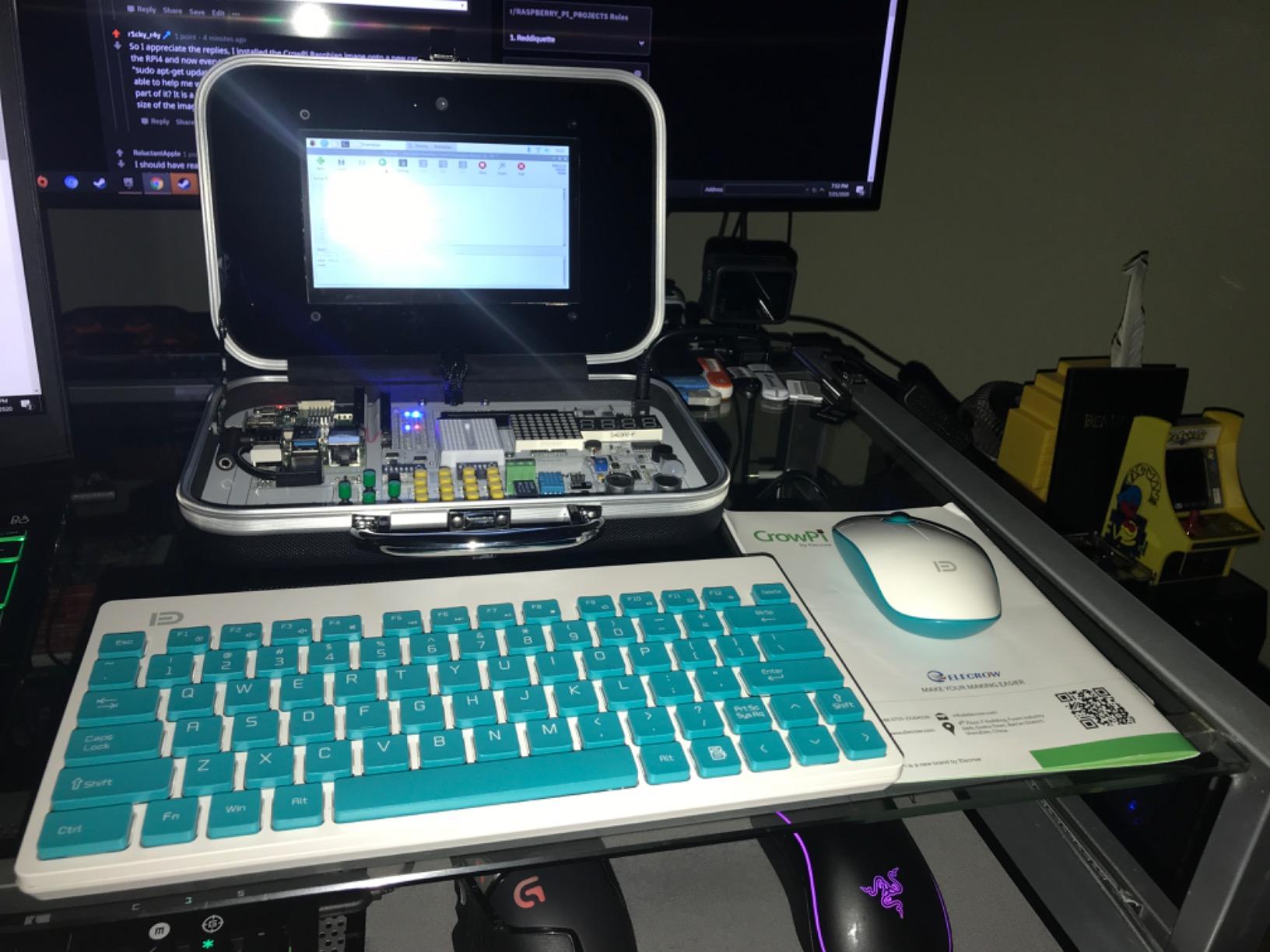
The 9.4 x 6.9 inch footprint is worth checking against your space, because this is a small computer with a screen attached, not a board. The operating system options listed include Debian, Ubuntu and Windows 10 IoT Core, and the warranty runs 180 days, which is shorter than the one-year terms most kits in this group offer.
Its 4.4 average with 70% five-star ratings reflects where it sits in this roundup: buyers value the zero-wiring design, but the fixed sensor board restricts advanced tinkering compared with a loose component kit. The rigid shell also means you cannot easily pull the Pi out and use it in a breadboard project.
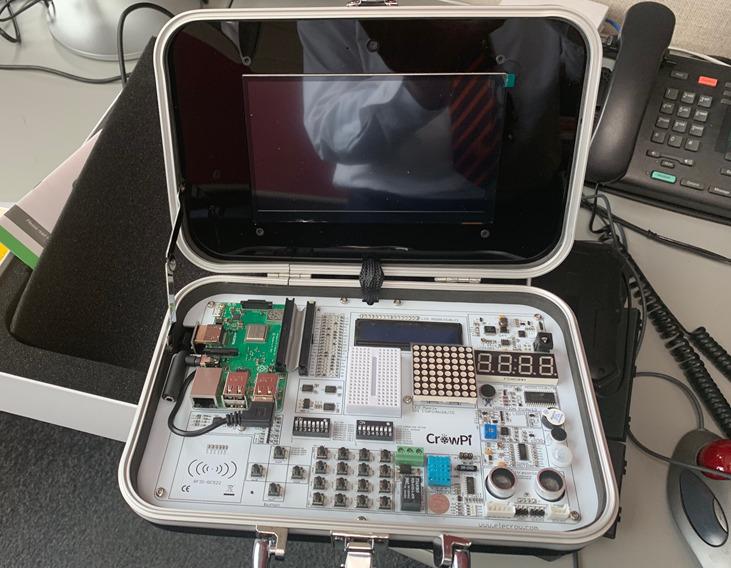
Best fit for teaching and kids
This is the kit we would put in front of a child who has never seen a breadboard. No wires fall out, every sensor is already reachable, and the screen gives immediate feedback on whatever the lesson is doing. The bundled keyboard and mouse mean it works on a television as a display too.
It also travels well. A single case with a handle-friendly shell is far easier to move between rooms than 300 loose components in a storage box.
Where it limits you later
Once you move past the 21 lessons, the closed design works against you. There is no way to add your own sensor to the fixed development board without breaking the tidy layout that made it attractive in the first place, and the 180-day warranty is a real consideration for a purchase of this size.
If you already know you will want GPIO experiments, spend the difference on a component kit and a cheaper board instead. This is a guided introduction, not an open workshop.
8. SunFounder Da Vinci Starter Kit Review
SunFounder Da Vinci Starter Kit for Raspberry Pi 5 4B 3B B+ 400, Zero 2 W, Python C Java Scratch Node.js, Online Tutorials & Video Courses for Beginners & Experts (Raspberry PI NOT Included)
300-plus components
150-plus projects
70-plus video lessons
Board not included
Pros
- 300-plus components and 150-plus projects at the entry point of this roundup
- Same 70-plus Paul McWhorter video lessons as the premium SunFounder kit
- Five languages supported including Python
- Node.js and Scratch
- Well-labelled compartments make parts easy to find
- Light at 0.41 kg
Cons
- Raspberry Pi board is not included
- Tutorial still references the removed WiringPi library
- Very weak LCD backlight
- Translated documentation with grammatical errors
This is our budget pick and the cheapest way on this list to get real GPIO hardware into your hands. You get 300-plus components, 150-plus progressive projects and the same 70-plus video lessons taught by Paul McWhorter that appear in the more expensive SunFounder kits, across a listed weight of 0.41 kg.
Coverage matches the Raphael closely for sensors, actuators, LEDs and LCDs, and language support runs to Python, C, Java, Node.js and Scratch. Compatibility lists the Raspberry Pi 5, 400, 4B, 3B+, 3B, 3A+, 2B, 1B+, 1A+ and Zero 2 W, so a board you already own will work with it. The 300-plus components sort into labelled compartments, which is a small thing that pays off when you are hunting for a specific sensor two months in.
Its 4.4 average with 72% five-star ratings carries the widest spread of the component kits here, and the documentation drift is the reason. Parts of the tutorial still reference the WiringPi library, which no longer installs on current Raspberry Pi OS, so some lessons will not run as written. The LCD backlight is also very weak and only just readable after adjusting the onboard potentiometer.
That is not fatal. It means a few projects need adapting, and for a learner following video lessons the video usually shows the fix. Buyers mostly rate it as good value, and the compartments are well labelled so parts are easy to find later.
What you get for the least outlay
If your goal is electronics practice rather than a desktop, this covers most of the same ground as the kits that cost a good deal more, and it suits a family buying for a child aged ten or older who will work through the projects with a parent nearby.
Pair it with a Pi Zero 2 W or a Pi 4 and you have a complete first electronics setup. The board is not included, so that purchase is on you.
What to watch out for
Check the tutorial before you commit to a project list. The WiringPi references mean some sensor examples need porting, and the dim LCD is disappointing next to the displays in kits that price similarly.
A small number of components and samples also do not work as documented, and the documentation is translated with grammatical errors throughout. Expect to debug rather than follow blindly.
9. SunFounder Pico W Ultimate Starter Kit Review
SunFounder Raspberry Pi Pico W Ultimate Starter Kit with Online Tutorials, RoHS Compliant, 450+ Items, 117 Projects, MicroPython, C/C++ (Compatible with Arduino IDE)
Pico W board included
450-plus components
117 IoT projects
27 video lessons
Pros
- Highest-rated kit here at 4.8 with 88% five-star ratings
- 450-plus components including the Pico W with pre-soldered headers
- Branded Tower Pro SG90 servos instead of generic ones
- 27 clear video tutorials on microcontroller programming
- Individually sealed components that feel solid
Cons
- This is a microcontroller kit
- not a full Raspberry Pi computer
- Everything is online and needs a second internet-connected machine
- Included 18650 battery is only 800mAh with no 5V step-up
- Occasional dead-on-arrival parts reported
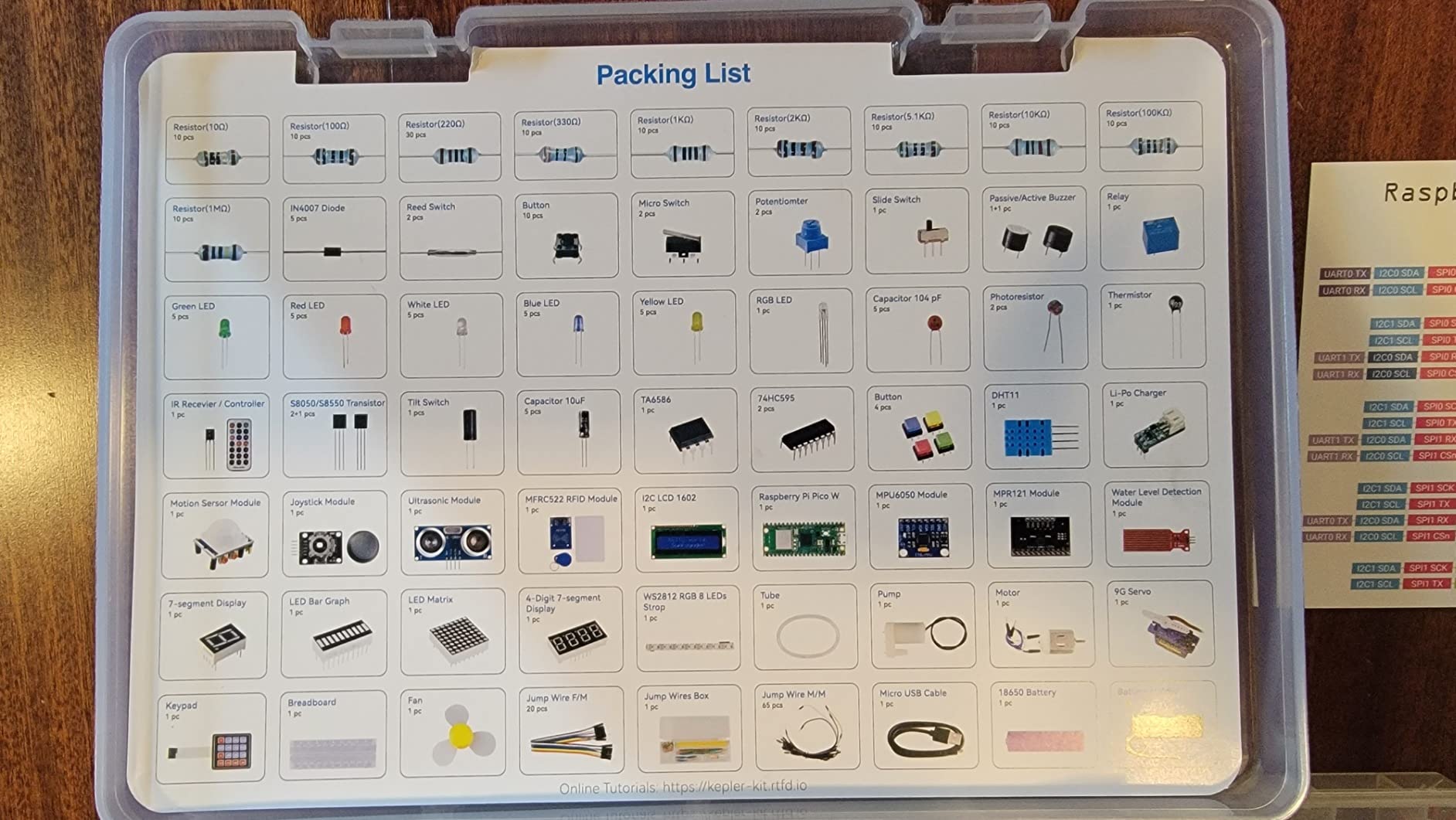
The Raspberry Pi Pico W is a microcontroller rather than a single-board computer, and that distinction defines this kit. It has no operating system, no desktop and no HDMI output. What it does have is a Pico W board with pre-soldered headers, Wi-Fi, and 450-plus components covering 117 IoT projects with 27 video lessons from the same educator behind the SunFounder courses above.
It carries a 4.8 average with 88% five-star ratings, and the component quality is unusually good for the tier. Reviewers single out the branded Tower Pro SG90 servos, which are a known failure point in cheaper kits, and the parts are individually sealed and feel solid rather than fragile.
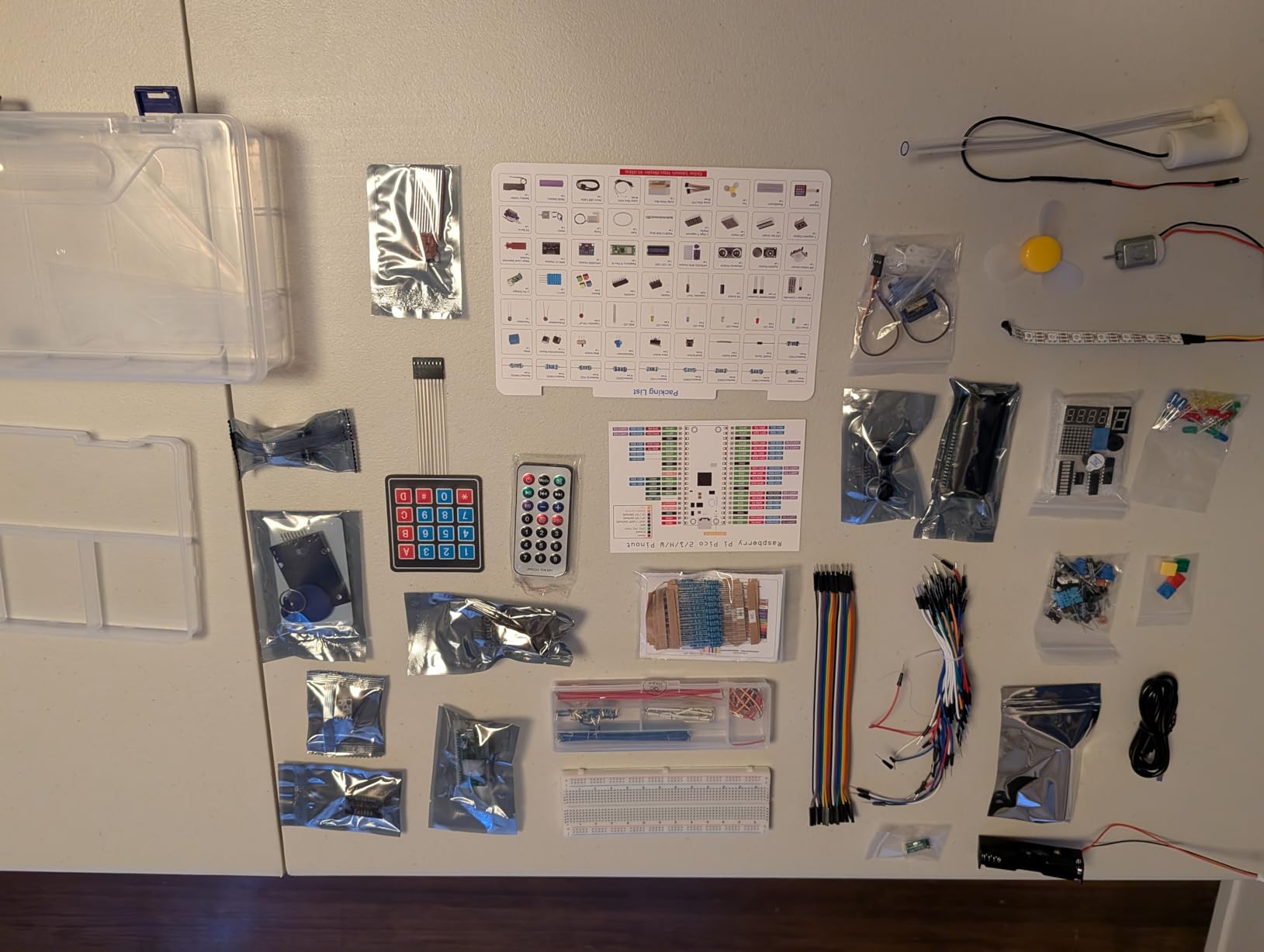
Programming runs through MicroPython, C and C++, plus Piper Make, and the kit works with the Arduino IDE. That is a genuinely different skill set from Python on a Linux board, and it is the right one for embedded work, sensors that report to the cloud, and any project where you need precise timing rather than a general-purpose operating system.
The Raspberry Pi Pico W weighs 18.14 g, so the whole thing is a desk project rather than a portable one. The catch that catches people out is the workflow: no printed manual, and all content is online, which means you need a second internet-connected machine to read the lessons while the Pico is connected to your computer.
Why younger learners do well here
The age guidance starts at eight, lower than the ten-plus rating on the other SunFounder kits, and the MicroPython route means a child is writing real code without setting up a Linux system first. RFID modules, LCDs, servos and sensors give visible results quickly.
It is also one of the few kits here that arrives complete, since the board is in the box. For a first purchase that removes an entire step and an entire decision.
Where it will not fit your plans
Do not buy it expecting a computer. There is no browser, no desktop and no general-purpose Linux, and a project that needs a web server or heavy processing belongs on a Pi 5. The included 18650 battery is only 800mAh and the charger module has no step-up for 5V output, so treat it as a demonstration part rather than a power solution.
Quality control is not perfect. One reviewer received a dead-on-arrival Pico W and another a DHT11 sensor with unsoldered legs, and the breadboard can be tight enough to fight the pre-soldered headers on first units. Check everything on arrival.
10. Freenove Complete Starter Kit Review
Freenove Complete Starter Kit for Raspberry Pi 5 4 Zero 2 W (NOT Included)
386 components
164 projects
1170-page tutorial
Board not included
Pros
- Largest component count among the component kits at 386 items
- Includes a camera and speaker alongside sensors
- 164 projects backed by a 1170-page tutorial
- Five language code sets with 51 Python and 46 C examples
- Breadboard and GPIO expansion board included
Cons
- Raspberry Pi board is not included
- All documentation is a download with no paper tutorial
- Lowest five-star share among the component kits at 68%
- Pi 5
- 500
- 400 and Zero support reduced for camera and speaker
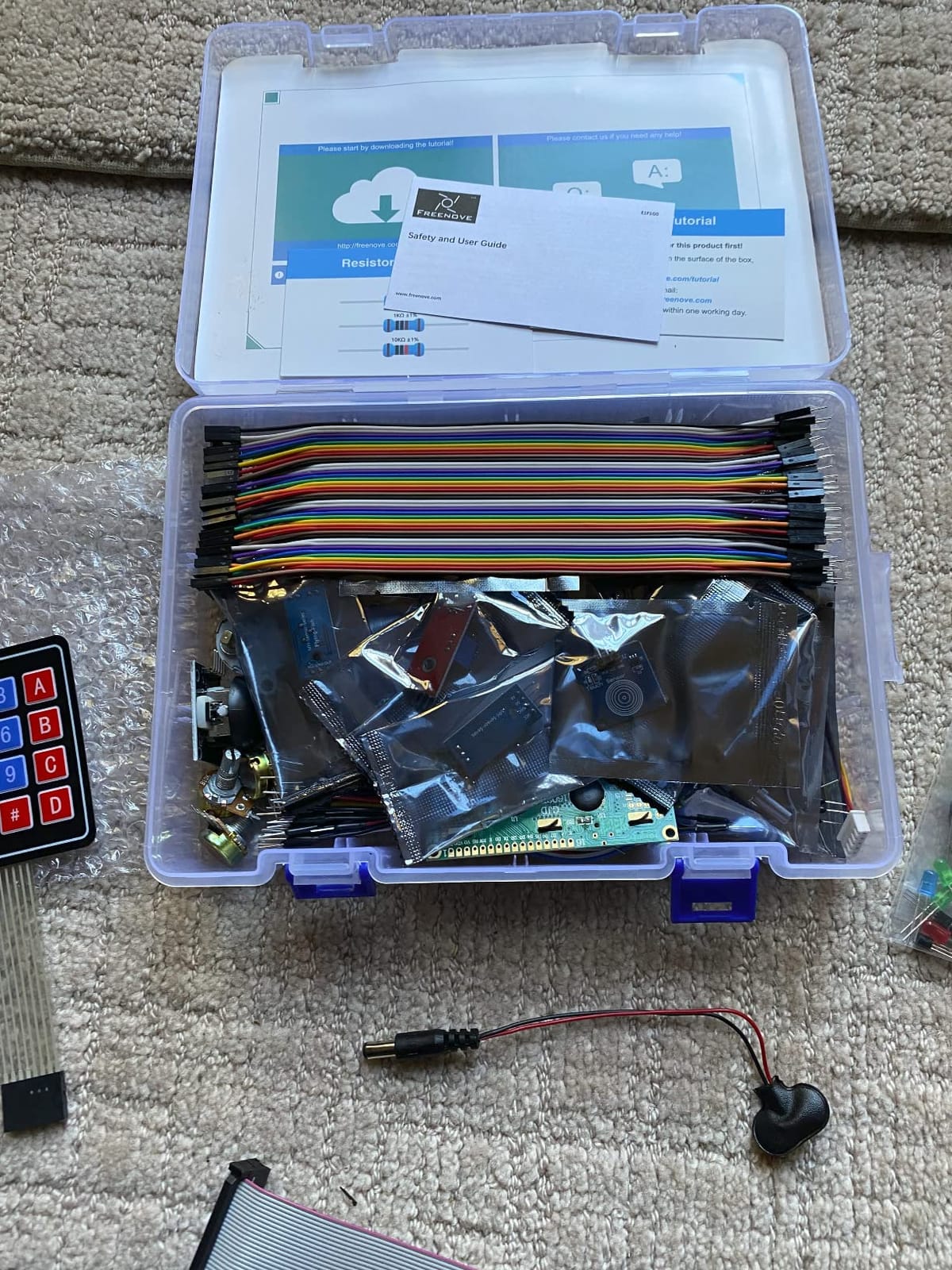
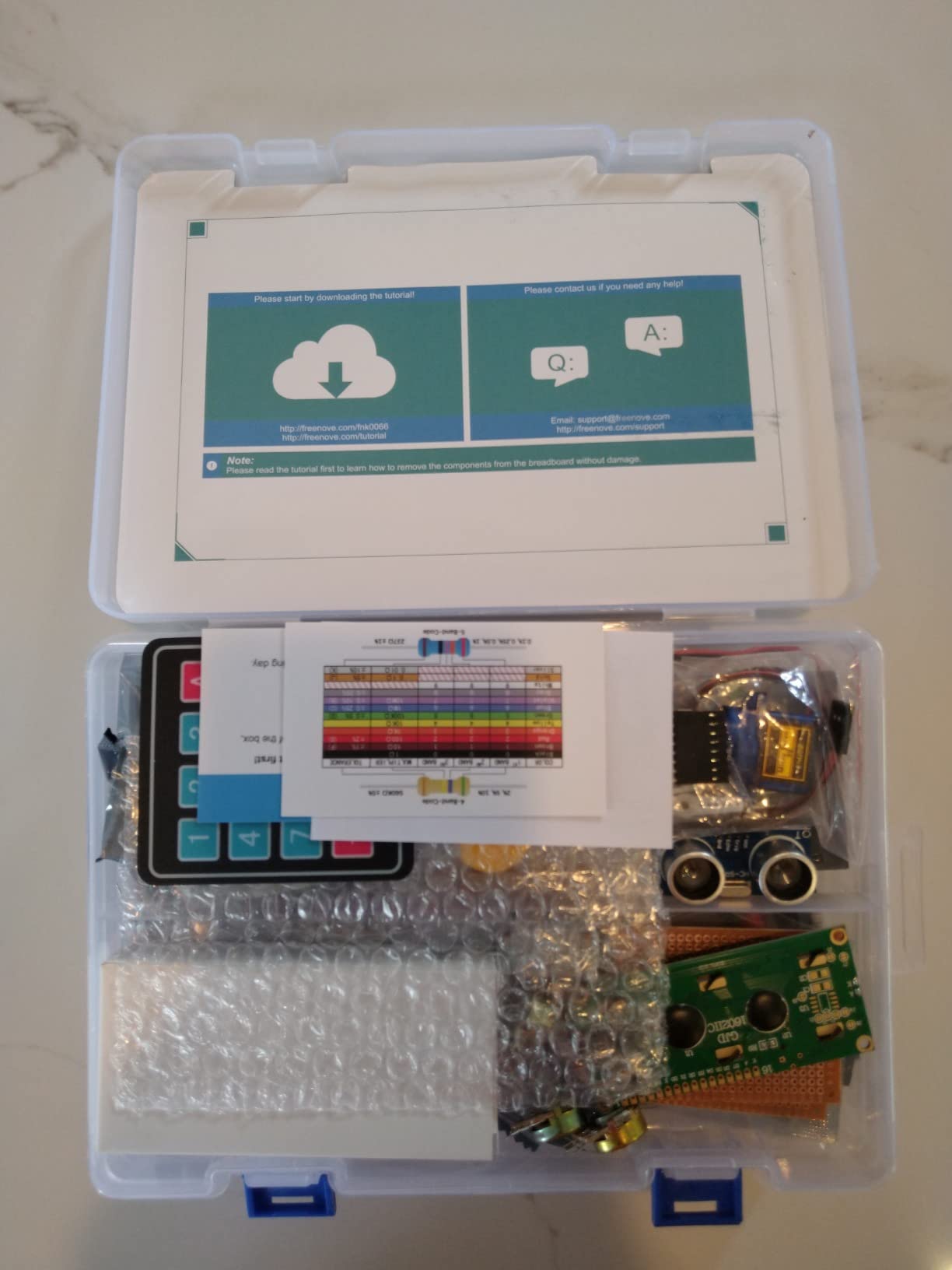
The Complete is the Freenove Ultimate scaled up, and the difference is depth. You get 386 components against 223, 164 projects against 128, and a 1170-page tutorial against 962 pages. The camera and speaker are the notable additions, and they are the reason this kit appeals to people who already know they want vision and audio projects.
Code sets are broader too, with 51 Python examples, 46 C examples, 27 Java examples, 15 Scratch examples and 25 Processing examples. Every project includes schematics, wiring diagrams, complete code and an explanation, and the breadboard and GPIO expansion board let you build a circuit the same day the box opens.
Compatibility stretches from the Pi 5, 500 and 400 down to the Zero and Zero W. One limitation is documented clearly and worth reading: the Pi 5, 500, 400 and Zero series are not compatible with the camera and speaker modules, which is precisely why those boards need an adapter that is not in this box.
Its 4.4 average with 68% five-star ratings is the lowest five-star share among the component kits here, and the reasons are consistent rather than alarming. The board is not included, the documentation is download-only and translated, and 386 loose components in a storage box is a lot of small parts to keep organised.
When the bigger library pays off
If you plan to work through projects for a year rather than a month, the extra 163 components and 36 projects cost less per exercise than buying them individually. It suits a classroom, a coding club or an adult who wants a reference library on the shelf rather than a quick win.
It is also a good second purchase once you have outgrown a smaller kit, since the projects build on each other and the component list is largely a superset.
What to consider first
It is the least finished-out option in this roundup for a first-timer. You need a board, a power supply matched to that board, a case, a microSD card and a display before you see anything on a screen, and none of that is in the box.
Also budget for the two things you will add later anyway. A Class 10 card of 32GB or more, and a USB card reader, because you will want to rewrite the card more than once. And confirm which Pi model you plan to buy before ordering, because the camera and speaker limitation changes what you can build.
How to Choose a Raspberry Pi Starter Kit
The right kit depends on one question: do you want a computer that boots, or a box of electronics to learn with? Answer that first and the rest of the choice is easy. Everything below is the criteria we applied when ranking the ten kits above.
Check the power supply before anything else
Adequate power is the deal breaker that most product pages skip. A Pi 4 wants a 5V 3A supply, and a Pi 5 wants a 5V 5A USB-C PD supply. When a board is underpowered you get a low-voltage warning on the corner of the screen, random resets, or a board that will not boot with a USB device plugged in. Power supply amperage and quality is the most cited deal breaker in buyer discussions, and it is the reason we rank the RasTech Pi 5 bundle above cheaper Pi 5 builds.
Look for the current rating printed on the unit itself, not just the word fast. A kit that omits the supply entirely, or ships a generic one, will cost you a replacement later.
Confirm the microSD card and its speed class
You need Class 10 or better and 32GB or more as a practical floor. Slow cards are the other classic reason a Raspberry Pi feels broken, and several kits here address the problem properly: the CanaKit bundle includes a preloaded 32GB Samsung EVO+, the Vilros Complete includes 64GB, and the RasTech bundle includes a 64GB card plus two readers.
One kit in this list bundles no memory card at all. The Vilros Basic kit states plainly that the customer must supply one, already flashed, and the component-only kits assume you have a working setup to add parts to. Check the contents list before you order, because imaging a card is straightforward but not instant for a first-timer.
Decide between a board kit and a component kit
A board kit gives you a working computer. A component kit gives you parts to learn electronics with, and no board. They serve different purposes and the mistake most first-timers make is buying a 300-part component kit expecting a desktop.
Buy the board kit if you want to learn Python, browse, use a keyboard, or run a media centre or server. Buy the component kit if your interest is GPIO, sensors, motors and wiring. Several people try to do both at once and end up with neither, so pick one for the first three months.
Match cooling to the board
Passive heat sinks handle light desktop use on a Pi 4, and an active fan covers sustained loads. The Pi 5 needs more than that, and the 2.4GHz Cortex-A76 board in the RasTech kit here runs hot enough under sustained load that the active cooler is not optional. That is the reason that bundle ranks where it does.
The difference is simple to spot. If a kit claims to be for the Pi 5 and includes only heat sticks, budget for a cooler before your first long compile.
Is the Raspberry Pi 5 overkill?
No, not for most people, but it is overkill for the first month. A Pi 5 with 8GB handles containers, compiling, a small database and dual 4Kp60 displays without strain, and it will not need replacing for years. A Pi 4 with 4GB, which is what most of the board kits here ship with, is a genuinely capable first machine and the parts are cheaper and easier to cool.
The case against starting on the Pi 5 is the power and cooling overhead. It demands a 5V 5A supply and an active cooler, and if a kit does not include both, you will be shopping again. If you know you will go beyond tutorials into real workloads, the Pi 5 bundle is the better long-term buy. If you want a desktop to learn on, the Pi 4 kits are the lower-friction start.
Count the tutorials, then check the format
Tutorial volume is the top differentiator among component kits, and raw page counts mislead. A 1170-page tutorial full of translated diagrams will be harder to follow than 70 video lessons that show each wire being placed. The SunFounder kits differentiate on video precisely for that reason, and Freenove differentiates on the number of projects with schematics and wiring diagrams.
Check whether the material is online-only. Every component kit in this roundup is download-only, which means your first project depends on a working internet connection. Also note the language support: Scratch is the friendliest entry point for a child, Python for an adult beginner, and C and Java matter only if you are already comfortable programming.
What a starter kit does not include
This is the detail that catches first-time buyers, and none of the kits in this roundup includes a display, a keyboard or a mouse. Vilros states it explicitly in its own listing. You will need a monitor or television with a micro HDMI input, a keyboard, a mouse, and a way to read the SD card. Some component kits also exclude the board, and the Vilros Basic kit excludes the power supply, case and card as well.
Plan for that extra list on day one or the kit will sit in a box wondering why it will not turn on.
Pi model rundown for first-time buyers
Five boards come up in starter kit discussions, and they are not interchangeable. The Raspberry Pi 5 is the current flagship, with the fastest processor and 8GB options, and it needs a 5V 5A supply plus active cooling. The Raspberry Pi 4 Model B is the sweet spot for a first computer, widely supported by kits, cheap to cool and available in 2GB, 4GB and 8GB.
The Raspberry Pi 500 is a complete desktop built into a keyboard, so it arrives ready to use with a display and needs no case at all. The Raspberry Pi Zero 2 W is a much smaller board with the same processor family as the Pi 3, and it needs micro HDMI and micro USB adapters before it is usable, which is why most beginner advice points away from it as a first purchase. The Raspberry Pi Pico is a microcontroller with no operating system, used for embedded and IoT projects rather than computing, and it is what the ninth kit in this roundup is built around.
Common beginner mistakes to avoid
The three that cause almost all early frustration are all cheap to prevent. An underpowered supply produces resets and low-voltage warnings, so match the rating to the board. A slow SD card makes everything feel sluggish, so use Class 10 or better. And missing cooling turns a Pi 5 into a throttling board during a compile, so fit the active cooler from the start.
The fourth is trying to learn everything at once. Master one board, work through a handful of projects, and resist upgrading to a bigger model until you have hit a real limit. That advice comes up more than any other in the communities we read, and it is the reason we ranked ten kits rather than fifty.
Frequently Asked Questions
Are Raspberry Pi starter kits worth it?
For a first purchase, yes. A starter kit bundles the board with a matched power supply, a preloaded microSD card, a case and usually cooling and an HDMI cable, so you can boot without researching compatibility. The main cost is the parts you will not use, particularly the case and cooling if you only want a desktop. If you already own a power supply, a card and a case, buy a bare board instead.
What Raspberry Pi should I buy as a beginner?
A Raspberry Pi 4 Model B with 4GB of memory is the easiest first board, and it is what most of the complete kits in this roundup ship. It is cheap to cool, widely supported and more than capable for learning Python, running a media centre or acting as a small server. Choose a Pi 5 with 8GB instead if you already know you will run containers, compile code or host a database.
Is the Raspberry Pi 5 overkill?
It is overkill for the first month but not a mistake. A Pi 4 with 4GB handles tutorials, Python and desktop use comfortably, and its power and cooling requirements are simpler. The Pi 5 earns its place when you need more memory, faster compiling, dual 4Kp60 displays or a small server, and it will outlast a Pi 4. If you buy one, pair it with a 5V 5A supply and an active cooler.
What does a Raspberry Pi starter kit include?
A complete kit includes the Raspberry Pi board, a power supply matched to that board, a preloaded microSD card and reader, a case, cooling and usually a micro HDMI cable. Component kits are different: they include a breadboard, jumper wires, sensors, motors, displays and a tutorial, but no Raspberry Pi board. Almost no kit includes a monitor, keyboard or mouse, so budget for those separately.
Do I need a starter kit or just the Raspberry Pi board?
Buy the kit if this is your first board, because choosing a compatible power supply, card, case and cooling is the hardest part of getting started. Buy a bare board only if you already own those accessories or you want a specific case or enclosure. Component kits are a third option and are worth it for learning electronics, but they need a board bought separately.
Is Python or C++ better for Raspberry Pi?
Python, without much argument. It is the default language in almost every Raspberry Pi tutorial, the libraries for sensors and GPIO are mature, and you get a working result with the least code. C and C++ make sense when you need precise timing or low latency on a microcontroller such as the Pico, or when you already know one of them. Start in Python, then add MicroPython or C later if a project needs it.
Conclusion
The best raspberry pi starter kit for beginners is the CanaKit Raspberry Pi 4 4GB Starter PRO, because it is the only option here where every compatibility decision has already been made for you: matched 3.5A supply, preloaded 32GB Class 10 card, case with fan, heat sinks, HDMI cable and a power switch. If your interest is electronics rather than a desktop, the Freenove Ultimate gives you 223 parts and 128 guided projects for less than the board kits, and the SunFounder Da Vinci is the entry point if that budget matters most.
For a Pi 5 from the start, the RasTech 8GB bundle is the one that gets the power supply and active cooling right. For a child aged ten or older, the SunFounder Pico W kit arrives complete, carries the best rating in this roundup, and works down to age eight.
Whichever you pick, budget for a display, keyboard and mouse, and check the not-included list before you order. Our guide to the best Raspberry Pi starter kits is updated as new boards land, and the Raspberry Pi Pico kits roundup covers microcontroller builds in more detail.