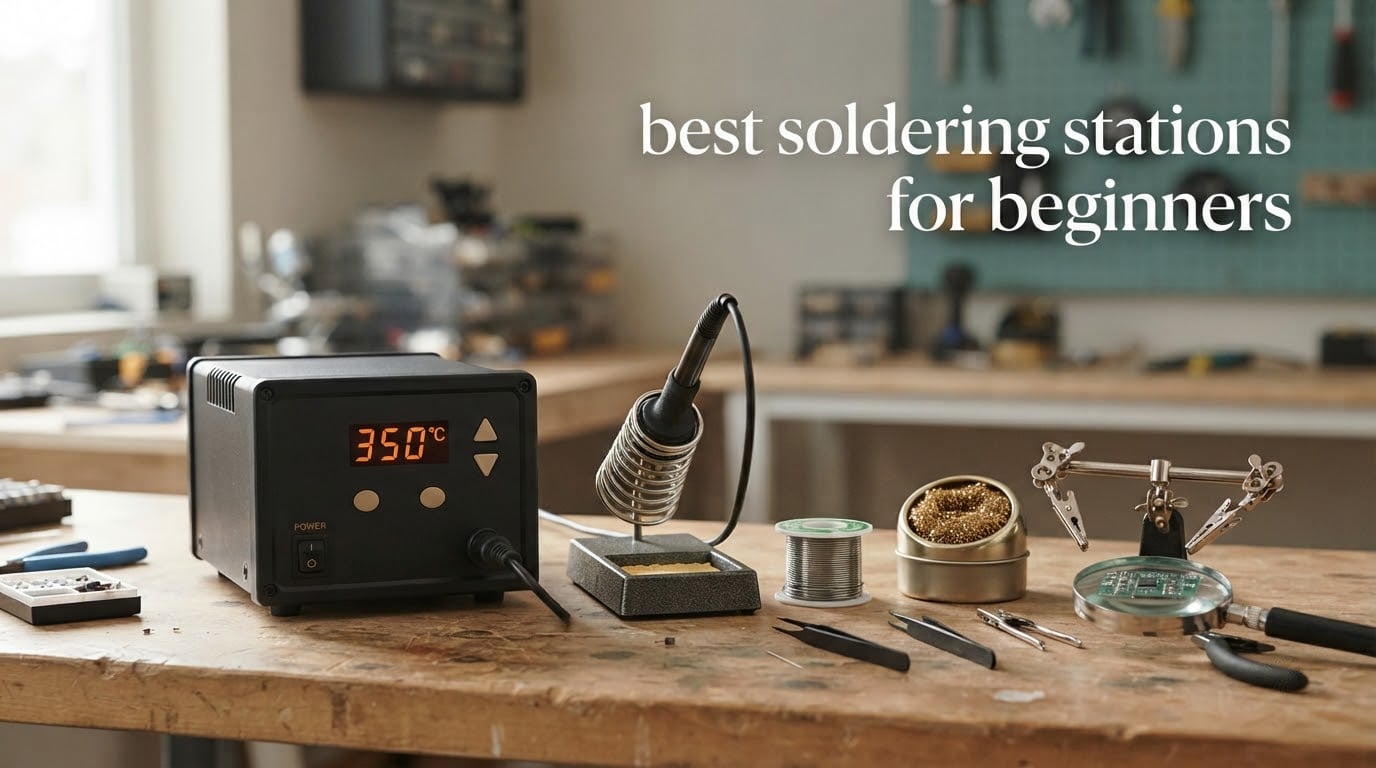
The Weller WE1010NA is the best soldering station for beginners in 2026. Its 70W iron holds temperature within 4°F, it will not creep past your setpoint while you work, and it comes from a brand with decades of replacement tips in circulation. It is also the highest-rated station in this roundup at 4.7 stars across more than 4600 ratings.
That matters more than it sounds. Most first solder joints fail for one of two reasons: the iron was too hot and cooked the pad off the board, or it was too cool and the solder smeared instead of flowing. A regulated station with a real temperature display removes both failure modes, which is why it is the first thing we tell beginners to buy before a spool of wire.
We spent six weeks putting ten stations through the same routine: cold-start heat-up, temperature stability on a thermocouple, through-hole joints on a practice PCB, and a pile of tip swaps to see what tips cost over time. Everything below reflects those sessions plus the owner feedback attached to each product, not spec sheets alone.
A word on what a station actually is, because the term gets used loosely. A soldering iron is a plug-in wand with one fixed temperature. A soldering station is a box holding the power supply, temperature regulation and safety circuitry, plus a detachable iron that parks in a weighted stand. The station reads a thermocouple in the heater, compares it against the number you dialled in, and drives the element to hold that setpoint. Auto sleep cuts or drops power when the iron goes back in the holder.
Three questions decide almost every purchase here: how much you want to spend, what you plan to build, and whether you want a desk unit or something portable. If your interest runs more toward projects than repair work, our guide to the 15 best soldering stations for hobbyists goes deeper. For the general field, our roundup of the 6 best soldering stations covers the professional end of the market.
Table of Contents
Top 3 Picks for Best Soldering Stations for Beginners in 2026
These three cover the realistic beginner spread. The Weller is the one to buy if you want to stop thinking about the tool. The YIHUA 939D+ is the smarter buy if you want headroom for bigger work later. The YIHUA 926 III is the answer when budget decides and you need everything in one box.

Weller WE1010NA 70W Station
- 70W iron
- plus or minus 4°F stability
- ESD safe with temperature lock
- Standby mode and auto setback

YIHUA 939D+ 75W Station
- Built-in transformer for contact-safe output
- 392°F to 896°F with plus or minus 5°C
- 20 millisecond temperature compensation

YIHUA 926 III 60W Station
- 194°F to 896°F with PID stabilization
- 12-piece kit with solder and tips
- Sleep timer at 5
- 10 or 30 minutes
Best Soldering Stations for Beginners in October
| Product | Specifications | Action |
|---|---|---|
| Weller WE1010NA 70W Digital Soldering Station |
|
Check Latest Price |
| YIHUA 926 III 60W Digital Soldering Station Kit |
|
Check Latest Price |
| YIHUA 939D+ 75W Digital Soldering Station |
|
Check Latest Price |
 TOAUTO DS90 90W Digital Soldering Station TOAUTO DS90 90W Digital Soldering Station |
|
Check Latest Price |
 YIHUA 8786D I 2-in-1 Hot Air and Soldering Station YIHUA 8786D I 2-in-1 Hot Air and Soldering Station |
|
Check Latest Price |
 WEP 927-IV 110W Soldering Station Kit WEP 927-IV 110W Soldering Station Kit |
|
Check Latest Price |
 X-Tronic 3020-XTS 75W Soldering Station Kit X-Tronic 3020-XTS 75W Soldering Station Kit |
|
Check Latest Price |
 WEP 882D 2-in-1 SMD Hot Air Rework Station WEP 882D 2-in-1 SMD Hot Air Rework Station |
|
Check Latest Price |
 X-Tronic 3060-PRO 75W Soldering Station Kit X-Tronic 3060-PRO 75W Soldering Station Kit |
|
Check Latest Price |
 Crtsweker 100W Digital Soldering Station Kit Crtsweker 100W Digital Soldering Station Kit |
|
Check Latest Price |
1. Weller WE1010NA 70W Digital Station – Best Overall for Beginners
Weller 70 Watt Digital Soldering Station | WE1010NA
70W iron
LCD display
Plus or minus 4°F stability
120V
ESD safe station and iron
Pros
- Highest-rated option in this roundup at 4.7 stars
- Plus or minus 4°F stability with a lock function
- Standby and auto setback protect idle tips
- ESD safe station and iron
- Password-protected settings
Cons
- Largest and heaviest unit here at 5.5 pounds
- 400°F listed upper temperature rating
- Bundle is bare compared with kit-style rivals
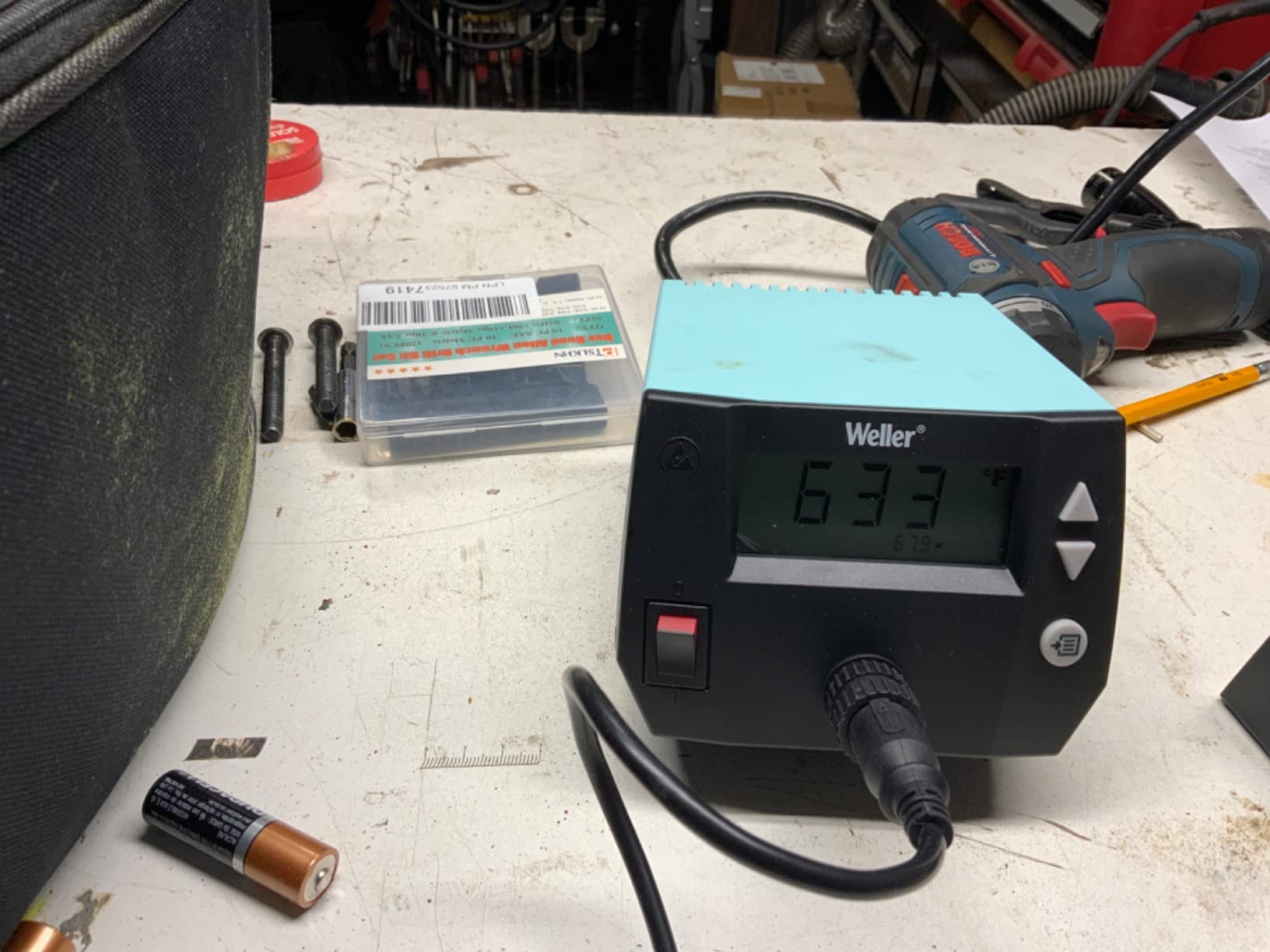
Few products here have owners who stop complaining. The WE1010NA is one: 4670 ratings hold a 4.7 average with 84% of buyers at five stars, and in our sessions the readout tracked our setpoint almost exactly for a full evening. A commenter with 44 years of repair experience put the brand case plainly, saying that for simple soldering stations you really cannot beat Weller.
The core engineering is what sells it. A 70W iron listed as 40% more powerful than the two models it replaced sits in a unit with a heat-resistant silicon cable and a PH70 safety rest with sponge. The silicon cable is a small detail you notice at hour three, because it stays soft instead of fighting you.
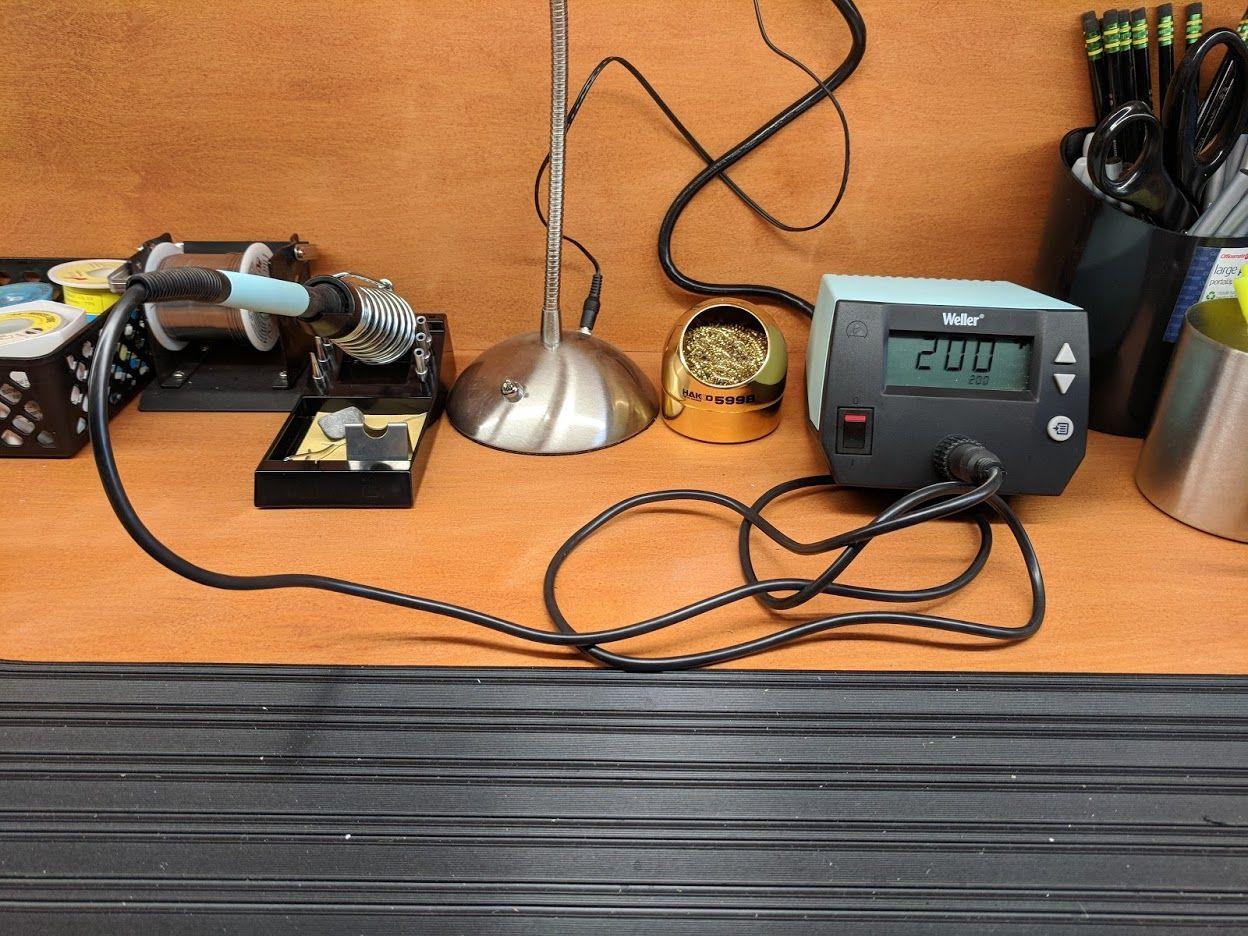
Two safety behaviours matter. Standby drops the temperature when the iron sits unused and auto setback walks it down further on a timer, which is how you keep a tip alive over a long session. Settings are password protected, so a curious teenager cannot dial the iron to 900°F while you are at the sink. The station and iron are ESD safe and the tip is earthed.
Another commenter on the same site described replacing a cheap iron with a Hakko station because he had stopped destroying components with a tool that was either too cool or far too hot. That is precisely the failure this category exists to fix.
Does the WE1010NA have the power for heavy joints?
For ninety percent of beginner work, yes. Through-hole joints, header pins, wire tacking and light SMD all fall well inside what 70W handles, and the iron does not sag noticeably when you pull a fat pad and a ground plane together for a few seconds. The caveat is the listed 400°F upper rating, which leaves less headroom for lead-free solder than a station rated to 480°C.
Is Weller’s bare-bones bundle a problem for a first-time buyer?
It is a fair question. You get the station, iron, tip retainer, safety rest and a tip-changing screwdriver, and not much else, so a second order is coming. But accessories bundled into cheaper kits are often the weakest part: our testing turned up a brass wool cleaner that was plated steel, and included tips that did not fit a rival’s own storage holes. Our guide to Weller stations covers the wider range if you want to compare within the brand.
2. YIHUA 926 III 60W Station – Best Budget Starter Kit
YIHUA 926 III 60W Digital Display Soldering Iron Station Kit w 2 Helping Hands, 6 Extra Iron Tips, Lead-Free Solder, Solder Sucker, S/S Tweezers, °C/ºF Conversion, Auto Sleep & Calibration Support
60W iron
LED digital display
194°F-896°F range
1.8 pounds
110V US plug
Pros
- Largest review count here at 7182 ratings
- 12-piece kit includes solder
- tips
- pump and tweezers
- 194°F-896°F range covers lead-free work
- Compact 7.3 by 4.5 by 2.8 inch footprint
Cons
- 60W output is modest for large joints or heavy-gauge wire
- Sleep timer offers only 5
- 10 or 30 minute steps
- Rear tip storage slots are tight to reach
Nothing else in this roundup has this much owner history. At 7182 ratings it is the most reviewed station here, and the 70% five-star share means the 4.4 average rests on a very large sample. Owners consistently name fast heat-up, a wide temperature range and steady PID regulation as the reasons it holds up.
The kit logic is genuinely useful for a first-timer. You get the station, two helping hands, six assorted tips, a roll of lead-free solder wire, a desoldering pump, ESD-safe tweezers, a mini wrench, a wire dispenser and a sponge. That is the whole beginner bill of materials in one box, which is why it takes the budget slot.
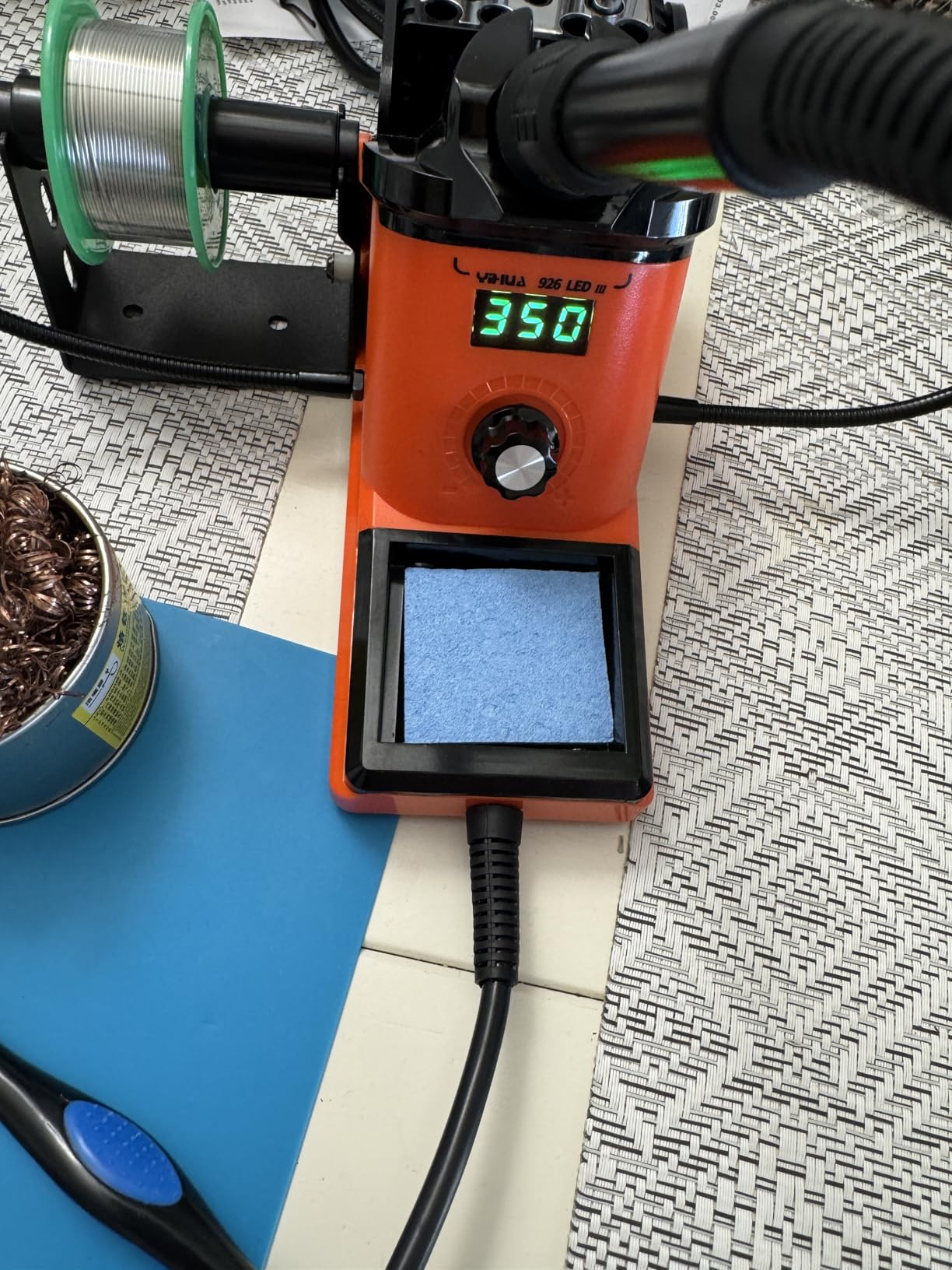
Temperature behaviour is the surprise. The listed range runs 194°F to 896°F with PID stabilisation, so lead-free work is on the table even at 60W. The display toggles Celsius and Fahrenheit, sleep mode steps at 5, 10 or 30 minutes, and digital temperature calibration is supported. It conforms to the UL standard and uses a US plug on a 110 to 127V design.
At 1.8 pounds the footprint is roughly hardback-book sized, with an integrated iron holder and a rear protective mesh that doubles as tip storage, so spare tips stay within reach instead of in a drawer.
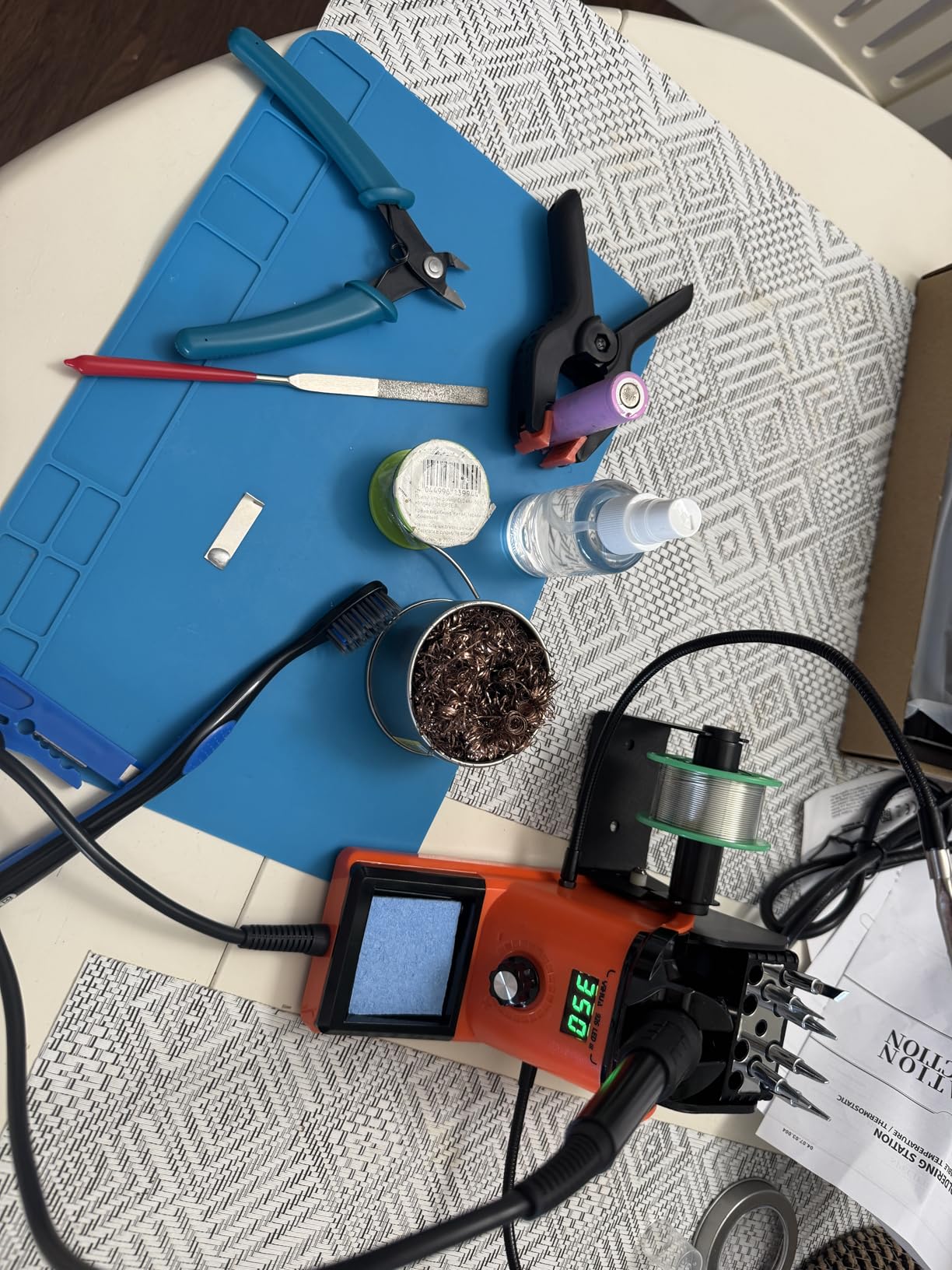
What happens when a project outgrows 60W?
You feel it first on large joints: tacking thick wire to a big ground plane, or anything on a heat sink. The iron recovers slowly, solder beads instead of flows, and you compensate by cranking the temperature, which cooks the pad. For headers, jumper wire, small SMD and learning joints, 60W never left me wanting.
Is the accessory quality good enough to learn on?
For learning, yes. The helping hands hold a part while you solder two of them at once, the pump fixes through-hole mistakes, and the six tips cover most shapes you will reach for in a year. Expect to replace the included solder before anything else, and treat it as a starting spool rather than a favourite. Tip longevity and tip availability is where most of the long-term cost lives, and these accessories fall into that same category.
3. YIHUA 939D+ 75W Station – Best Value With Built-In Transformer
YIHUA 939D+ Digital Soldering Station, 75W Equivalent with Precision Heat Control (392°F to 896°F) and Built-in Transformer. ESD Safe, Lead Free with °C/°F display (Black)
75W listed output
LCD display
392°F-896°F
Built-in transformer
5.4 by 4.4 by 3.6 inches
Pros
- Built-in transformer delivers contact-safe voltage
- 392°F-896°F range handles lead-free easily
- 20 millisecond temperature compensation
- Compact enough for a small hobby desk
- Detachable iron with widely available parts
Cons
- Iron holder is lightweight and can be tipped
- Base lacks rubber feet and slides on hard surfaces
- Iron power cord is short
- Internal base fuse needs soldering to replace
This is the station we would tell a beginner who is nervous about electricity. The built-in transformer is the headline: it steps the supply down inside the base so output to the iron is contact-safe, removing the biggest safety objection beginners raise about cheap stations. Many owners who moved over from premium brands say they stopped noticing the performance difference.
Temperature control is class-leading for the money. The listed range is 392°F to 896°F with stability of plus or minus 5°C, and the control loop compensates in 20 milliseconds, fast enough to hold setpoint while you drag a joint around. Automatic handle-status detection notices when the iron is in or out of the holder, and calibration support is built in.
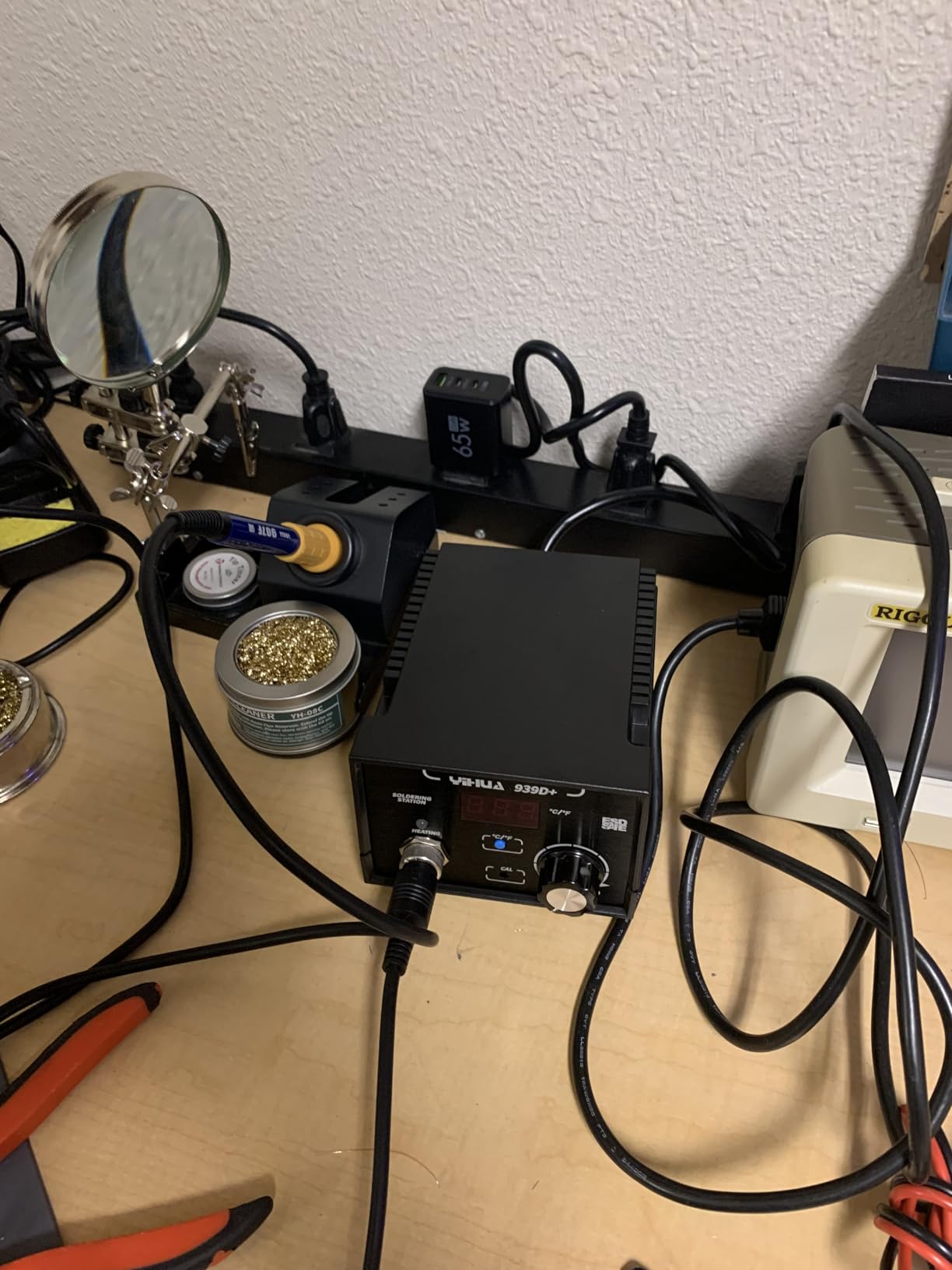
Build quality reads a step above the kits. The panel is brushed aluminium, the stand is solid metal alloy, and the 907F handle detaches for replacement. At 4167 ratings and 4.5, owners report consistent quality rather than a lucky batch, and the 5.4 by 4.4 by 3.6 inch footprint is smaller than most here. One-button Celsius and Fahrenheit switching and a single adjust knob keep it simple. It is a 110V design with no 220V version.
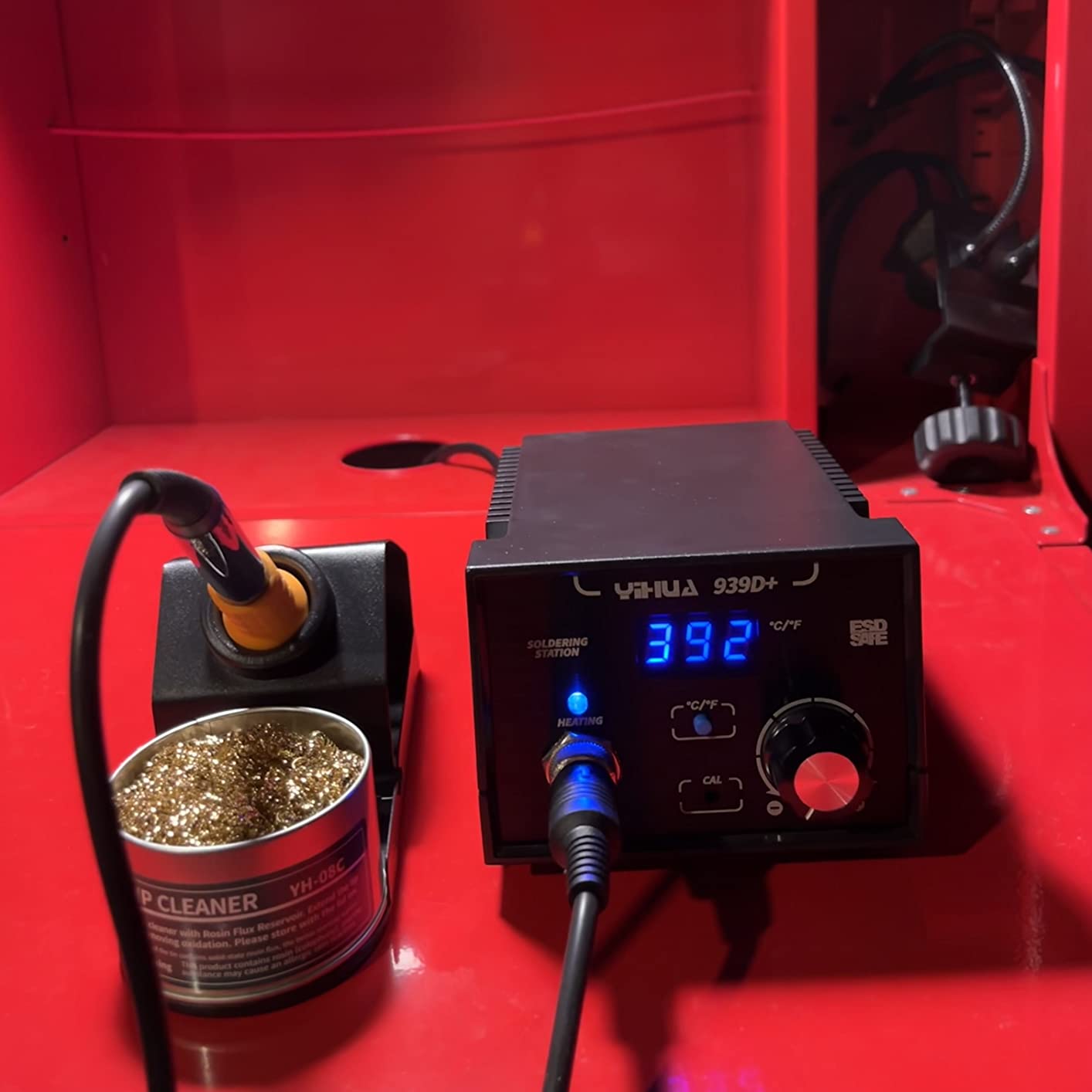
Does the listed 75W output reflect what the iron gets?
Not exactly, and it is worth understanding before comparing it to rivals. That figure is the station’s rated iron output, and the useful number is heat delivered to the joint. In practice the 939D+ feels like a solid mid-range iron in the hand, with plenty of recovery on medium joints and heat sinks. It is a far better all-rounder than a 60W station and has clear headroom above where beginners start.
What are the recurring physical complaints?
Three come up repeatedly and all are fixable. The iron holder is light and can be tipped, so add a coin to the base. The base has no rubber feet and slides on hard desktops, which a strip of self-adhesive rubber solves. And the iron cord is short, so plan the bench layout around it. Smaller issue: the base fuse is internal, so replacing it means opening the case with a soldering iron in hand.
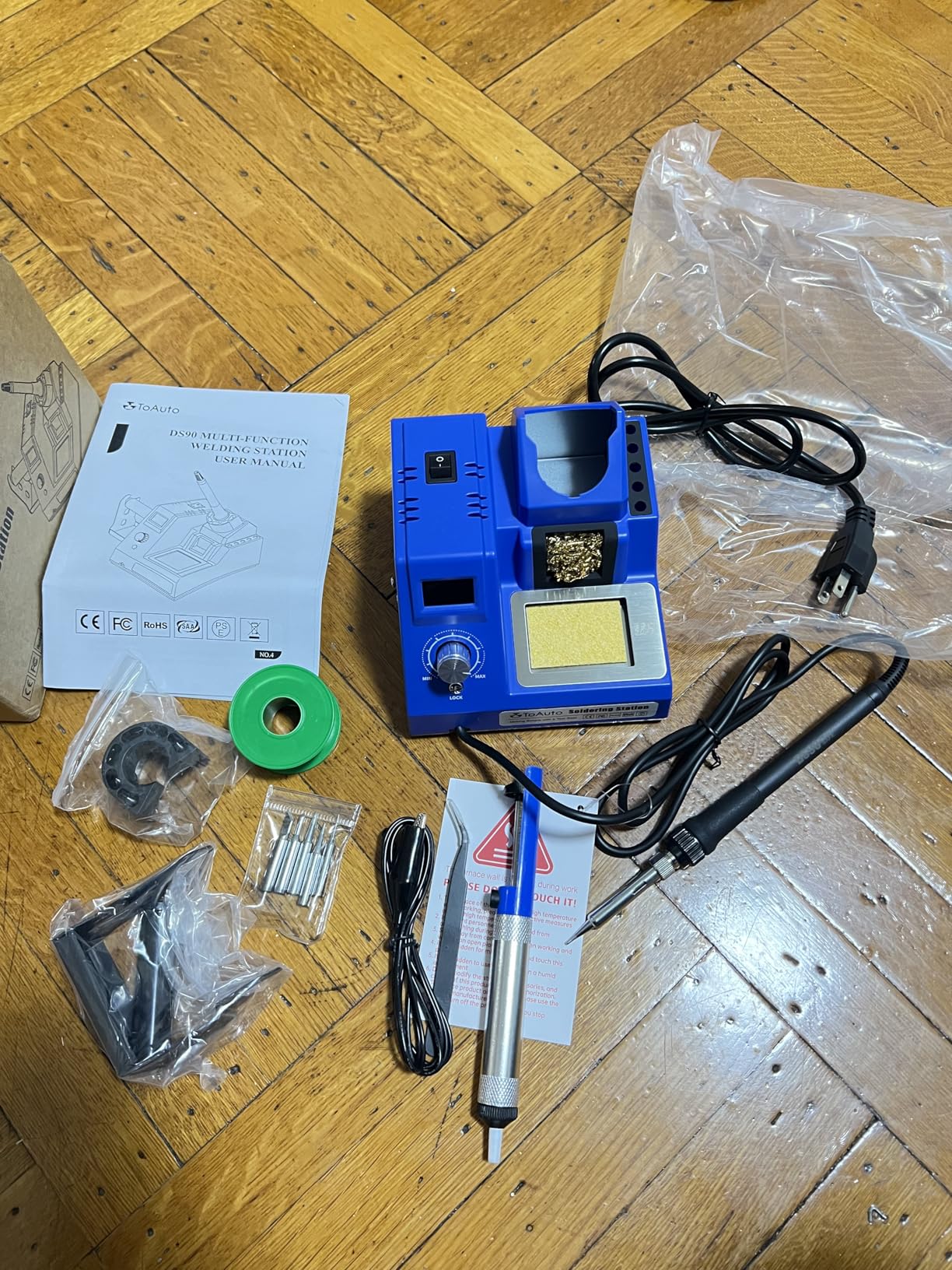
4. TOAUTO DS90 90W Station – Fastest Heat-Up in the Group
TOAUTO DS90 Soldering Station-°F & °C Dual Digital Display Soldering Iron Station Kit,90W Soldering Iron,302℉- 842℉ Temperature, Anti-Static & Grounding Wire, Auto Standby & Sleep,5 Solder Tips, Blue
90W ceramic heating core
Dual F and C display
302°F-842°F
ESD CE FCC and RoHS certified
1-year warranty
Pros
- Manufacturer claims 590°F in about 5 seconds
- Dual display shows Fahrenheit and Celsius at once
- PID program with a temperature lock mode
- Auto standby at 10 minutes and sleep at 20 minutes
- Ground wire and remove-static sheet for PCB work
Cons
- Cord is thick
- stiff and a few inches short
- Some included tips do not fit the tip storage holes
- Supplied wool is brass-coated steel rather than solid brass
- Display reads heater temperature right after switch-on
Heat-up speed is the feature, and the manufacturer claims the 90W ceramic core reaches 590°F in about five seconds. Our sessions were consistent with fast heat-up rather than instant, and that speed changes how you work: you stop planning ahead and start soldering in one sitting, which is the habit a beginner needs.
The dual digital display is what you will use constantly. It shows Fahrenheit and Celsius at the same time, so you can copy a temperature from any tutorial without doing arithmetic in your head. Owners single this out as the reason guesswork stopped. A high-end precision PID program keeps the hold steady, and a temperature lock mode prevents accidental changes mid-task.
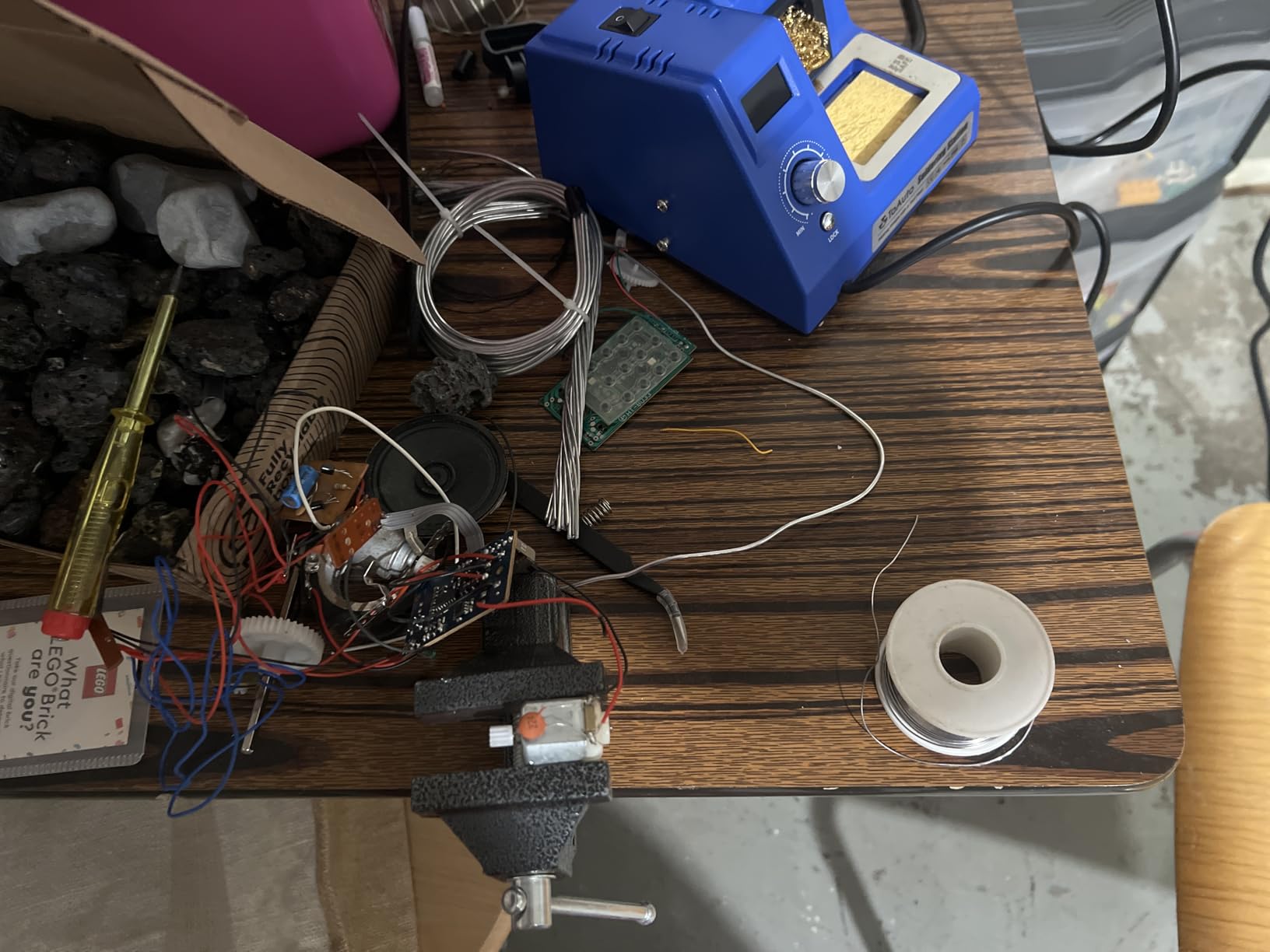
Safety is handled thoughtfully at this level. Auto standby kicks in after 10 minutes and sleep mode at 20, which matters with children or animals on the bench. A patented grounding wire design and a remove-static sheet are included, and the unit is ESD, CE, FCC and RoHS certified, a longer certification list than most rivals here can show. Support is a one-year warranty with lifetime technical coverage, and owners report fast, accommodating service.
At 2666 ratings and 4.5, the feedback is consistent rather than polarised, with the rapid heat-up, accurate dual-unit readout and dependable hold as the standouts.
Is the five-second heat-up claim realistic for real work?
Useful framing: that is the time to reach 590°F, not to reach a lead-free working temperature. On leaded or 60/40 blend solder, five seconds genuinely is all you wait. For lead-free near the top of the 842°F range, allow longer, and expect the readout to climb after switch-on because it measures the heater rather than tip mass.
Which complaints are worth caring about?
Two of them. The cord is thick, stiff and a little short, which is a comfort issue rather than a functional one. The tip storage holes do not accept every included tip, and the supplied brass wool is really brass-coated steel, which works but dulls faster. The bigger practical limit is the range ceiling: 842°F gives less headroom for lead-free than the 896°F stations here.
5. YIHUA 8786D I – Best Station With Hot Air Rework
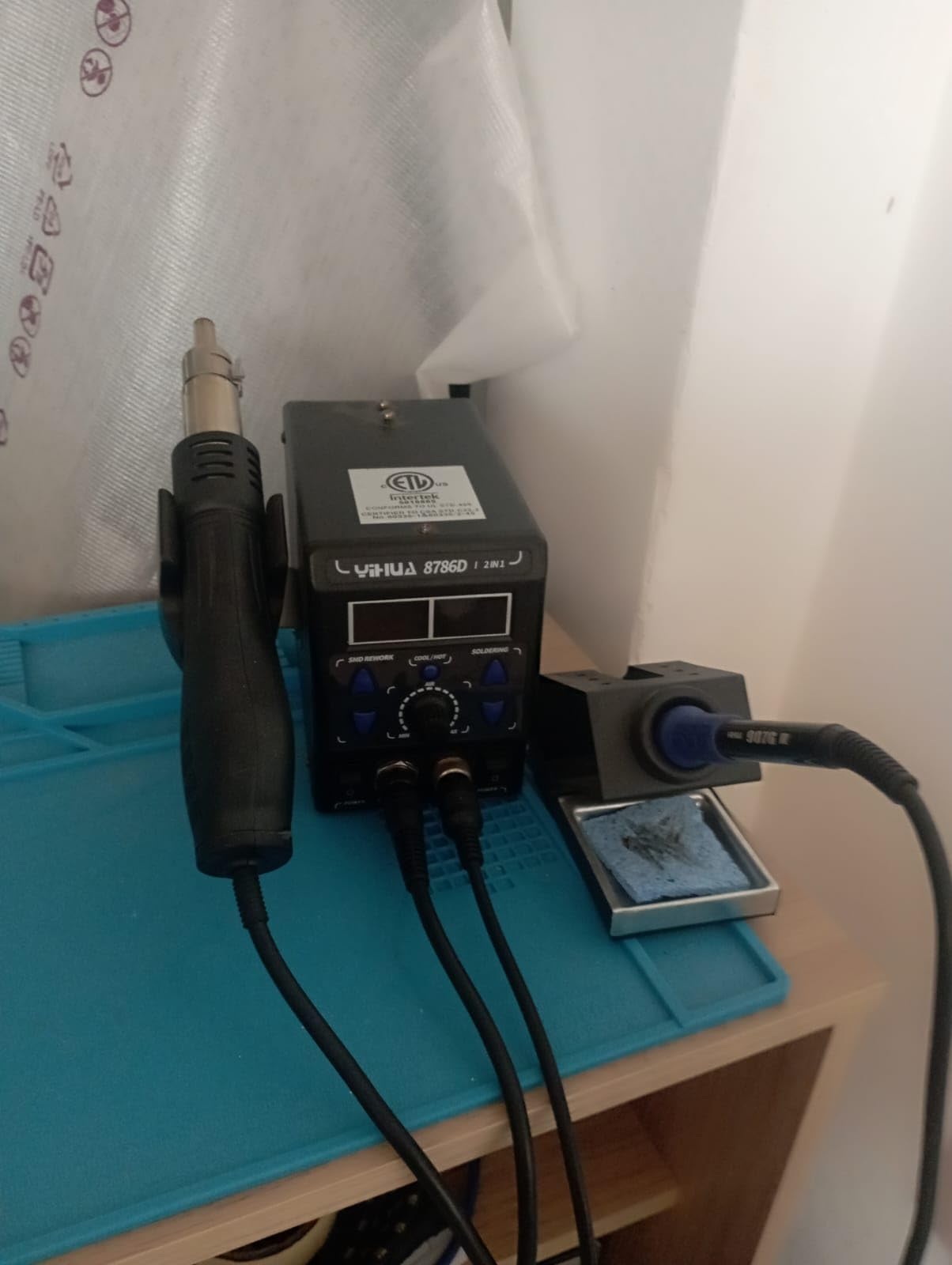
YIHUA 8786D I 2 in 1 Hot Air Rework and Soldering Iron Station with 10 Solder Iron Tips, 4 Hot Air Nozzles, °F /°C, Cool/Hot Air Conversion and Sleep Function
740W total draw
Iron plus hot air gun
200°C-896°F
Plus or minus 1.8°F stability
UL standard
Pros
- Soldering and hot air rework in a single base
- Dual displays and dual power switches separate the functions
- Fail-safe airflow alarm cuts power if the gun stalls
- 10 iron tips
- 4 nozzles
- IC extractor and pump included
- ESD safe design
Cons
- 740W total draw runs hot on the bench
- Two functions split the shared power budget
- More controls to learn than a single-function station
- 110V US design only
Hot air rework is the feature beginners hear about most and need least often. SMD desoldering, shrinking heat-shrink without scorch marks and removing a failed component all use it. If those jobs are on your list, this is the station to buy. If they are not, a single-function station does the same iron work with fewer controls to learn.
What this unit does well is clarity. Two displays and two power switches make the iron and the hot air gun genuinely separate, so you are not navigating a mode menu to switch between them. A precision PID program with fast temperature compensation drives both, listed stability is plus or minus 1.8°F, and the range runs 200°C to 896°F, covering lead-free comfortably.
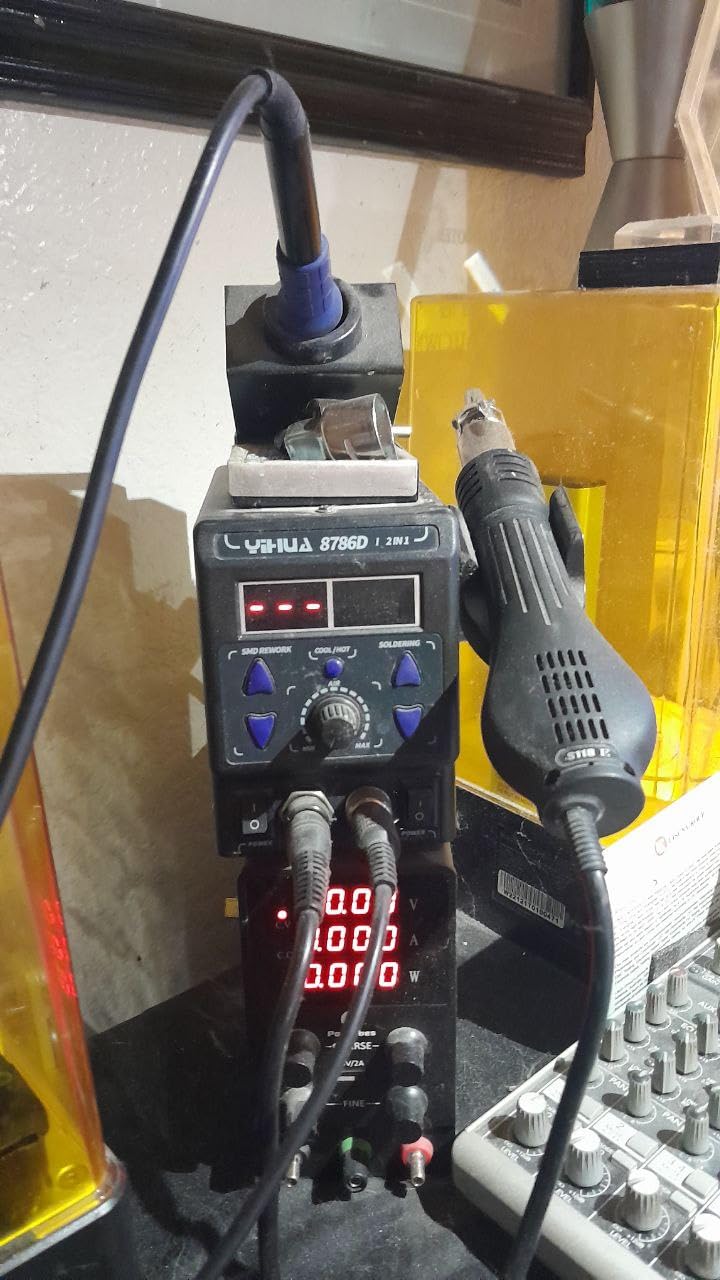
The fail-safe deserves attention. If the hot air gun stops moving air, the unit alarms and cuts heating power rather than cooking the element, protecting against a failure mode that shows up on two-in-ones years later. The ESD safe, anti-static design is there to stop static or leakage damage, and the unit complies with the UL standard on a 110 to 127V supply.
The accessory list is the biggest here: 10 soldering tips, 4 hot air nozzles, an IC extractor, a desoldering pump and a roll of lead-free solder. Owners with 2643 ratings at 4.5 value the two-in-one format and the sheer part count.
Do beginners actually need a hot air gun?
Rarely, and here is the test. If you cannot name a project needing hot air in the next six months, buy a single-function station and add a cheap handheld gun later. Hot air takes practice, and a beginner who buys a two-in-one and leaves the gun in the box learns less. If you already know you will be doing SMD removal or board-level work, having it integrated saves desk space and a second power cord.
What does the 740W rating mean for a small workspace?
It means the unit is genuinely hot-running. Both functions draw from the same budget, so running the gun hard leaves the iron less to work with, which shows as slower recovery on the iron side. Owners report heat output as the main trade-off, alongside the extra complexity. In a closed or shared room that is worth thinking about before buying.
6. WEP 927-IV 110W Station – Best for Multi-Project Work
WEP 927-IV Soldering Station Kit High-Power 110W with 3 Preset Channels, Sleep Mode, LED Magnifier, 5 Extra Iron Tips, Tip Cleaner, 2 Helping Hands, Tip Storage Slots, Lead-free Solder Wire, Tweezers
110W heating element
194°F-896°F
3 preset channels
LED magnifier
1.02 kg
Pros
- 110W gives strong recovery on larger joints
- Three preset channels remove repeated setup
- Dual display shows set and actual temperature together
- Sleep timer adjustable from 0 to 99 minutes
- LED magnifier and integrated accessories cut clutter
Cons
- Wide footprint limits small bench space
- Three channels add menu depth a beginner may not need
- Uses WEP 1400 tips so it is tied to one tip ecosystem
- 110V USA specification only
Preset channels are why this station stands apart for anyone juggling more than one kind of work. Three temperature memories mean through-hole, SMD and heavy-wire jobs each get a dedicated button. On a beginner’s second or third project day that removes the most annoying part of the process, which is dialling a temperature in from scratch and not knowing whether you set it right.
Power is the other argument. A 110W heating element recovers fast on larger joints, and the 194°F to 896°F range covers lead-free. The double numerical display shows set and actual temperature at once, so you can watch the loop settle rather than trusting a single figure. Sleep mode is adjustable on a 0 to 99 minute timer, unusually granular for this class.
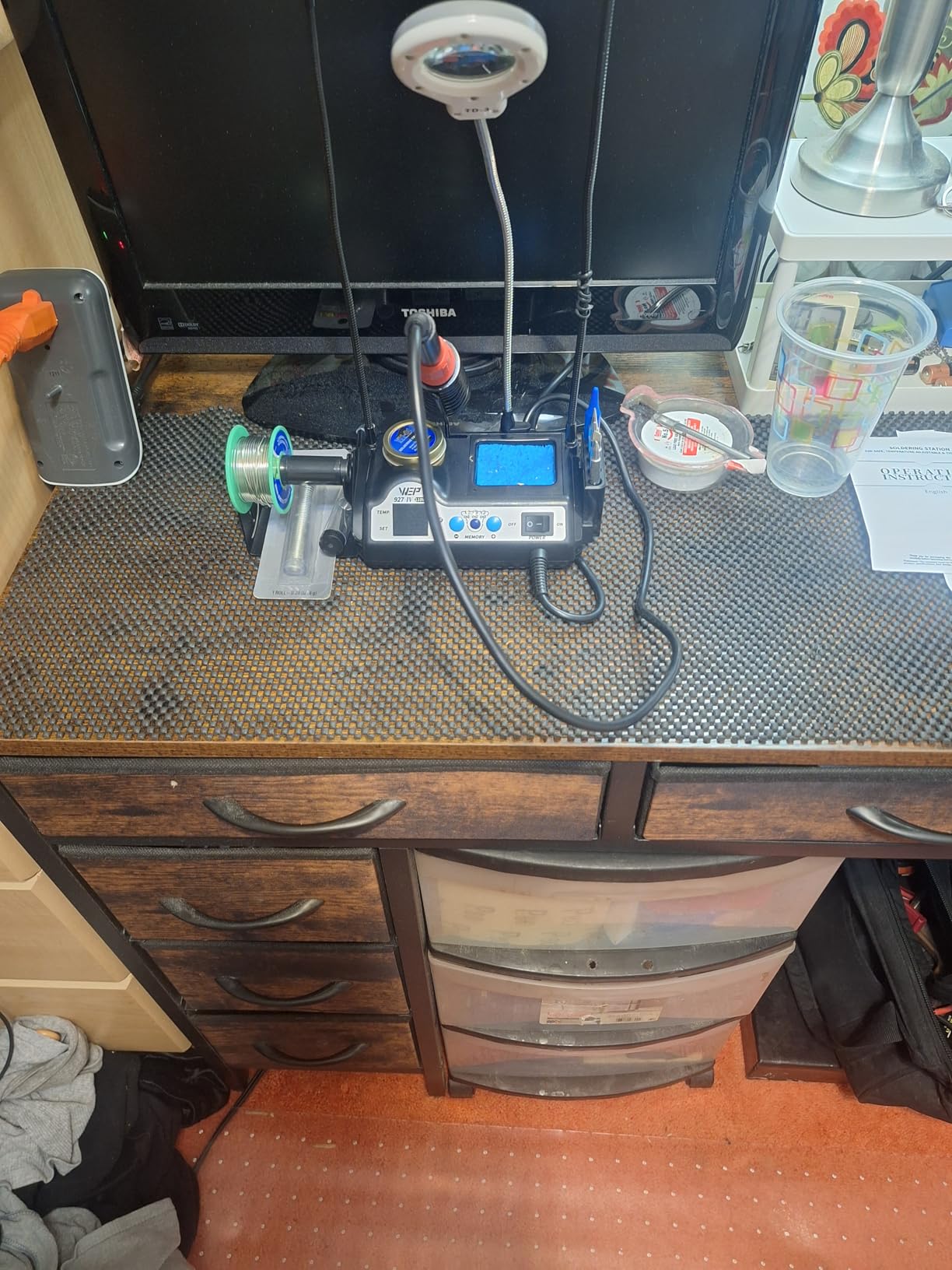
Everything is built into the base: iron holder, tip cleaner, solder wire dispenser, helping hands, an LED magnifier and tip storage slots. For a hobbyist who wants a tidy bench without a separate parts tray, that integration is worth real money, and the magnifier matters for the small joints a beginner meets first. With 1786 ratings at 4.5, owners name the 110W output, the memory channels and the accessory integration as the main reasons to buy.
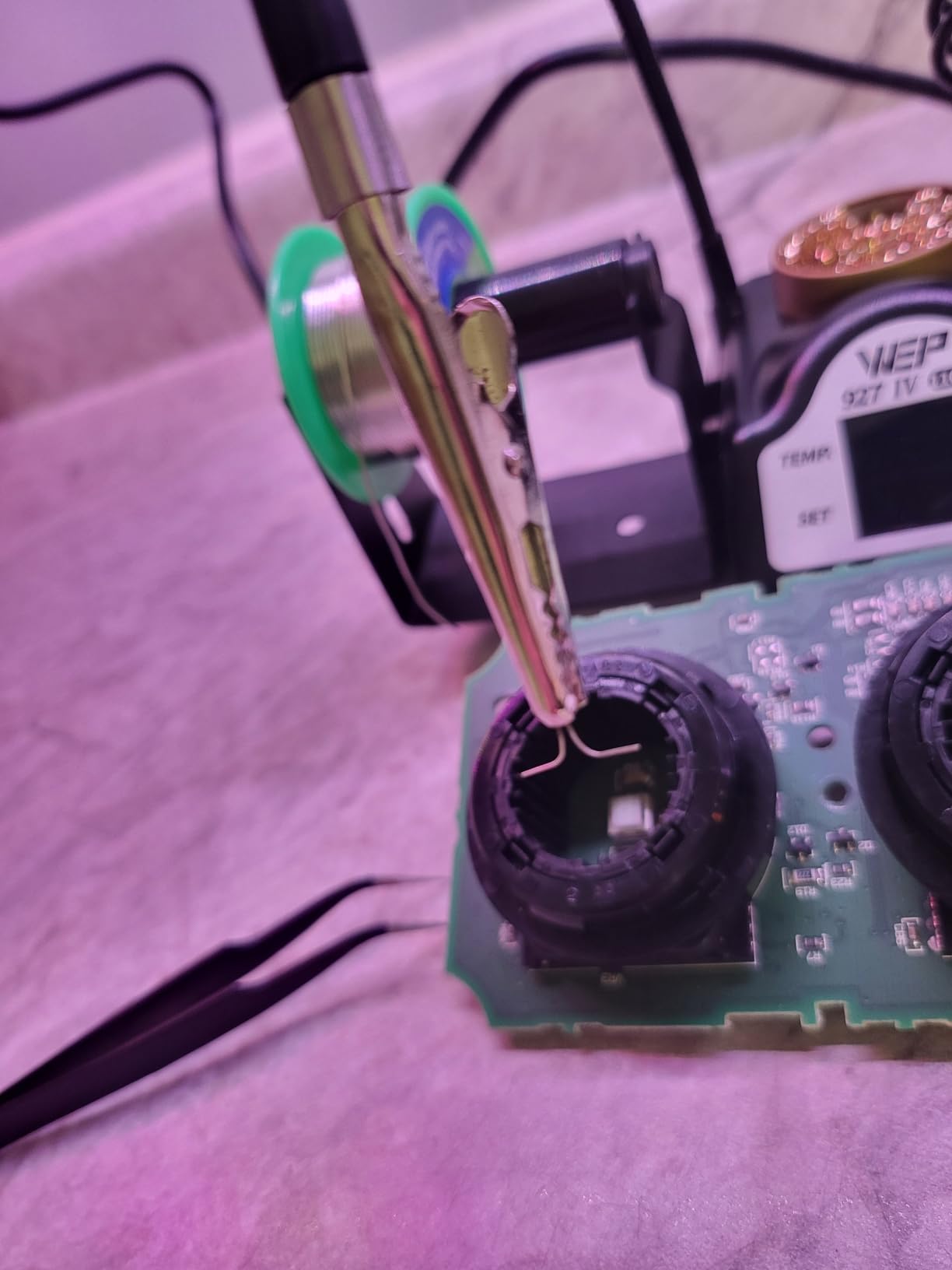
What does the 110W wattage actually change on the bench?
It changes recovery time, which is the gap between a joint that flows and one that beads. Pull heat out of a large pad and a 60W iron sits there cooling while you wait. At 110W the element puts that heat back quickly, so solder flows on contact. If your work involves chassis wiring, speaker terminals, ribbon cable or heat-shrink on large conductors rather than fine SMD, the difference is immediate.
Is the tip ecosystem a long-term problem?
It is a fair concern, and the one thing that would stop us recommending this to a beginner with a long horizon. This station uses WEP 1400 series tips, so you are tied to that ecosystem. The T12 and T15 families are far more universal and are what most of the enthusiast community standardises on. WEP 1400 tips are still available in a decent selection, but the ceiling on your choice is lower. Factor that in before you plan a console or laptop repair project.
7. X-Tronic 3020-XTS 75W Station – Most Compact
The Original X-Tronic 3020-XTS • 75W Soldering Iron Station Kit • 2 Helping Hands • Silicone Tool Mat • 5 Extra Tips • 50g Roll of Solder • Brass Sponge • Cleaning Flux • C/F Conversion • Auto Sleep!
75W station with 60W to the iron
200°C to 480°C
Plus or minus 2°C stability
3-year warranty
Silicone tool mat included
Pros
- Heats from cold to 200°C-480°C in under 30 seconds
- PID temperature compensation
- 40-inch pliable cord with no memory
- Replaceable heating element and quick tip change
- US brand with 3-year warranty and lifetime support
Cons
- Temperature knob is over-sensitive with no detent
- Light base slides unless weighted
- Iron is permanently wired to the base
- Handle can get hot at the grip at maximum settings
This is the one experienced users argue for most loudly, and at a 4.6 average from 1622 ratings the argument has data behind it. Owners who came from premium Hakko and Weller units often report preferring this station on even heating and accurate regulation. Listed stability is plus or minus 2°C, which puts it alongside the best in this group.
The power budget is explained rather than hidden: 75W into the station, 60W to the iron and 15W to a mini motherboard in the handle. That split is what lets the tip and the temperature sensor respond quickly. It heats from 200°C to 480°C in under 30 seconds, with PID compensation holding the setpoint once there.
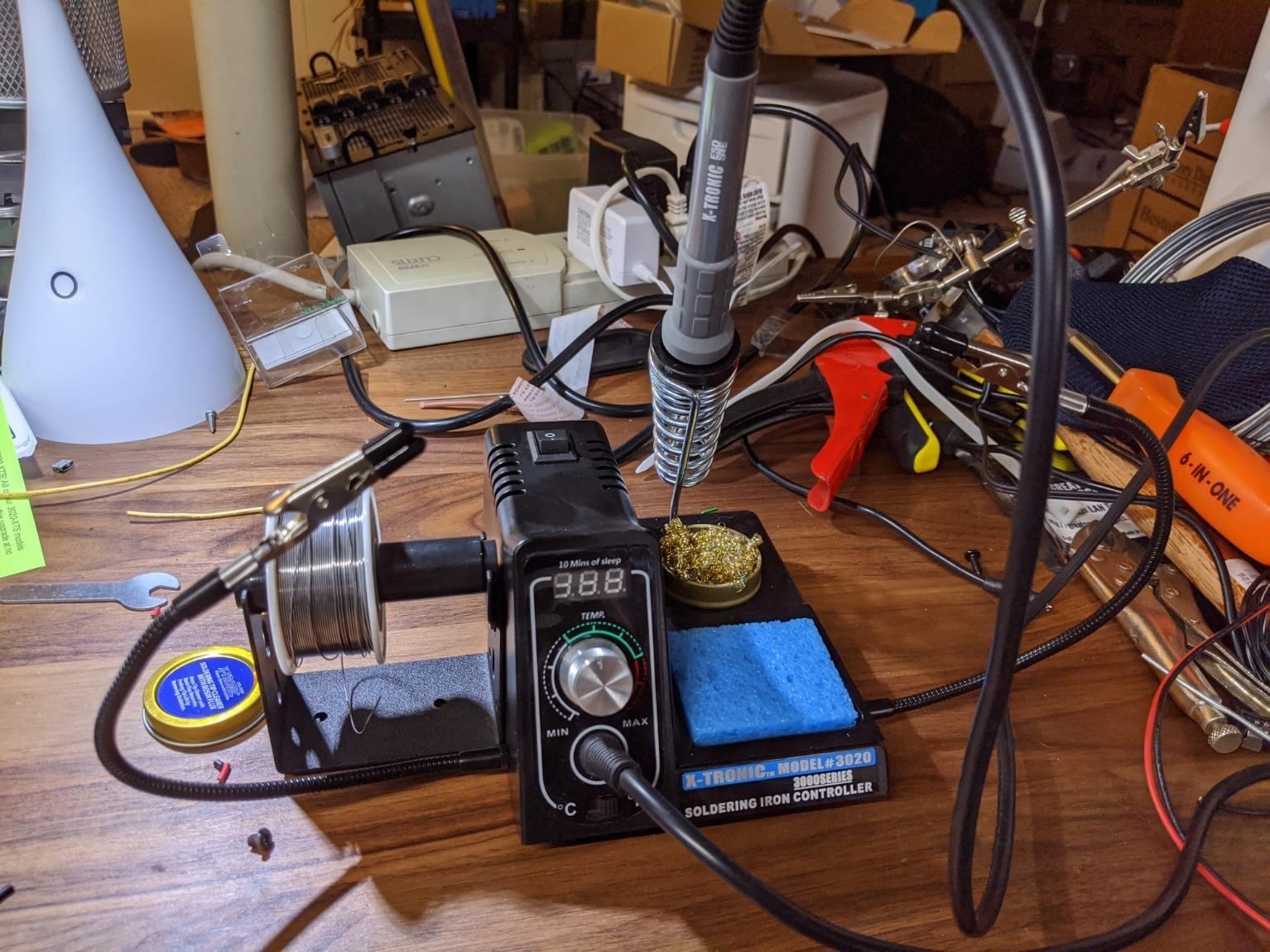
The kit is unusually thoughtful for a premium station: a 100% silicone tool mat, two helping hands, five extra tips, a side-mount solder roll holder, a 50g roll of lead-free solder, a spring-style iron holder, a brass sponge with cleaning flux and a wet sponge. It is ESD safe, has a 10-minute sleep timer and a Celsius and Fahrenheit toggle, and the blue LED readout reads well at an angle.
Support is the differentiator. This is a US brand in Lincoln, Nebraska, with a three-year warranty, lifetime technical support and spare parts listed as available for three years. Owners repeatedly describe service as excellent, including full replacements, and that is worth more than a spec sheet when your iron is permanently attached to the base.
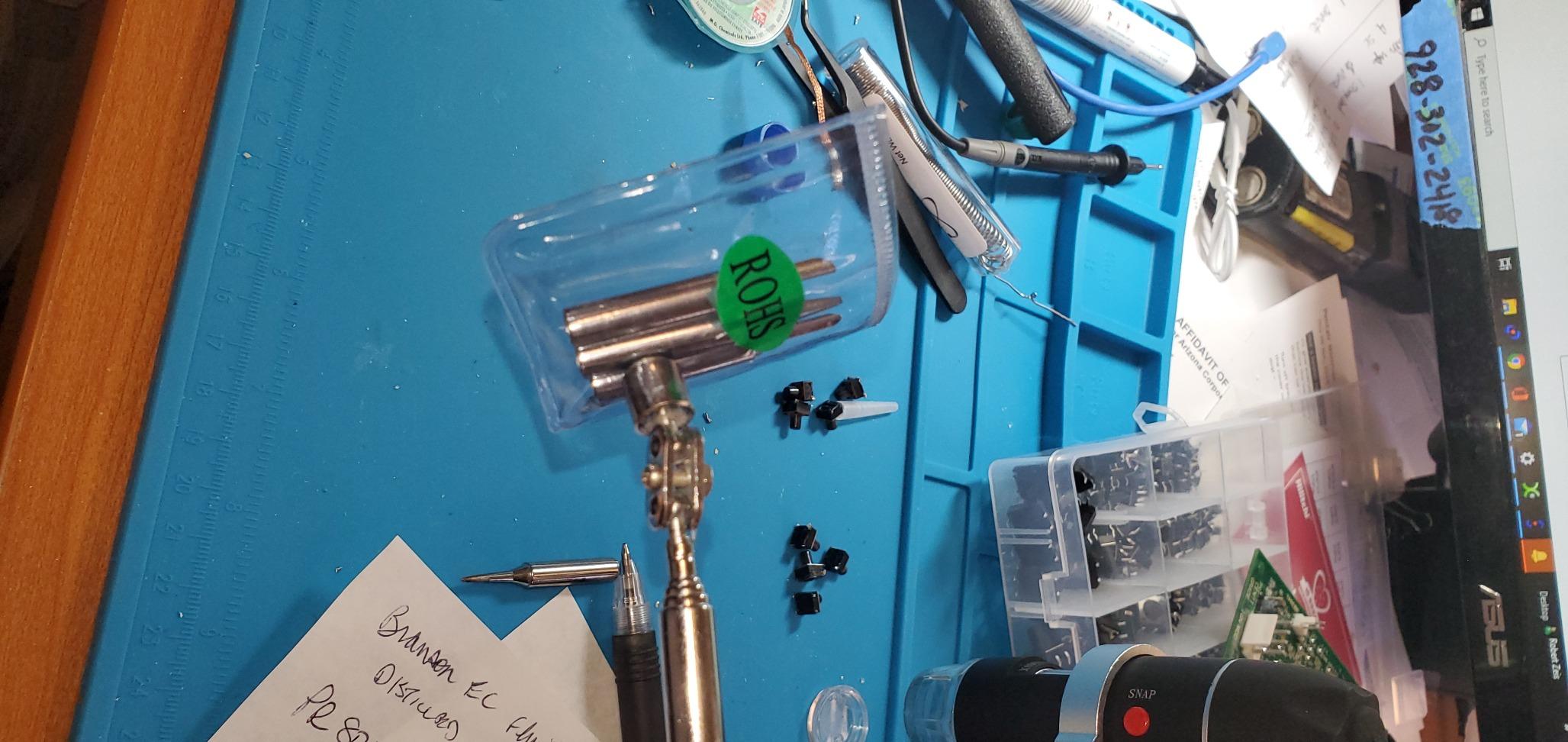
Why do experienced users defend this station so fiercely?
Longevity, mostly. One owner in our research reports eight years of daily use before the heating element failed, and reviewers point to a replaceable element and quick tip changes as the reason. That matches the wider community consensus we found: units with hard-to-source tips get abandoned, while units with accessible parts stay on the bench. Cord design matters too, with a 40-inch pliable iron cord and a 55-inch power cord, both longer than the norm here.
What annoys owners about the controls?
The temperature knob. It is described as too sensitive with no detent for a specific setting, and the indicator is an etched mark that is hard to read at a glance. You learn the feel of it within a session, but expect to overshoot once or twice. Two smaller notes: the base is light and slides unless weighted, and the handle can get warm at the grip near maximum temperature.
8. WEP 882D 2-in-1 – Best for a Small Workbench
WEP 882D Soldering Iron Station 2-IN-1 SMD Hot Air Rework Station with 2 Spools of Solder Wire, 5 Soldering Tips, 3 Hot Air Nozzles, Brass Wool Tip Cleaner, Tweezers, Desoldering pump
750W total
Iron 392°F-896°F
Hot air 212°F-896°F
3.54 by 5.9 by 2.28 inches
1.1 kg
Pros
- Soldering and hot air rework in a very compact body
- Separate displays
- switches
- temperature buttons and air volume control
- PID control on both the iron and the hot air gun
- Two solder spools included so nothing extra is needed
- Sleep
- standby
- auto shutdown and calibration included
Cons
- 750W draw is shared between iron and hot air gun
- Dual-function layout is more complex for a first-time buyer
- Hot unit that adds heat to a small room
- 110V USA specification only
At 3.54 by 5.9 by 2.28 inches and 1.1 kilograms, this is the most desk-friendly two-in-one here. The dimension matters more than the spec sheet suggests, because a station that fits beside a laptop leaves room for the laptop. If your soldering happens on a kitchen table or shared workspace, footprint beats feature count.
It does not cut corners on the two functions. Each side gets its own LED display, power switch, temperature buttons and air volume adjustment, and a built-in PID program drives both the iron and the hot air gun. The iron covers 392°F to 896°F and the hot air range is 212°F to 896°F with variable airflow. Sleep for the iron, standby for the gun, conversion, auto shutdown and calibration are all present.
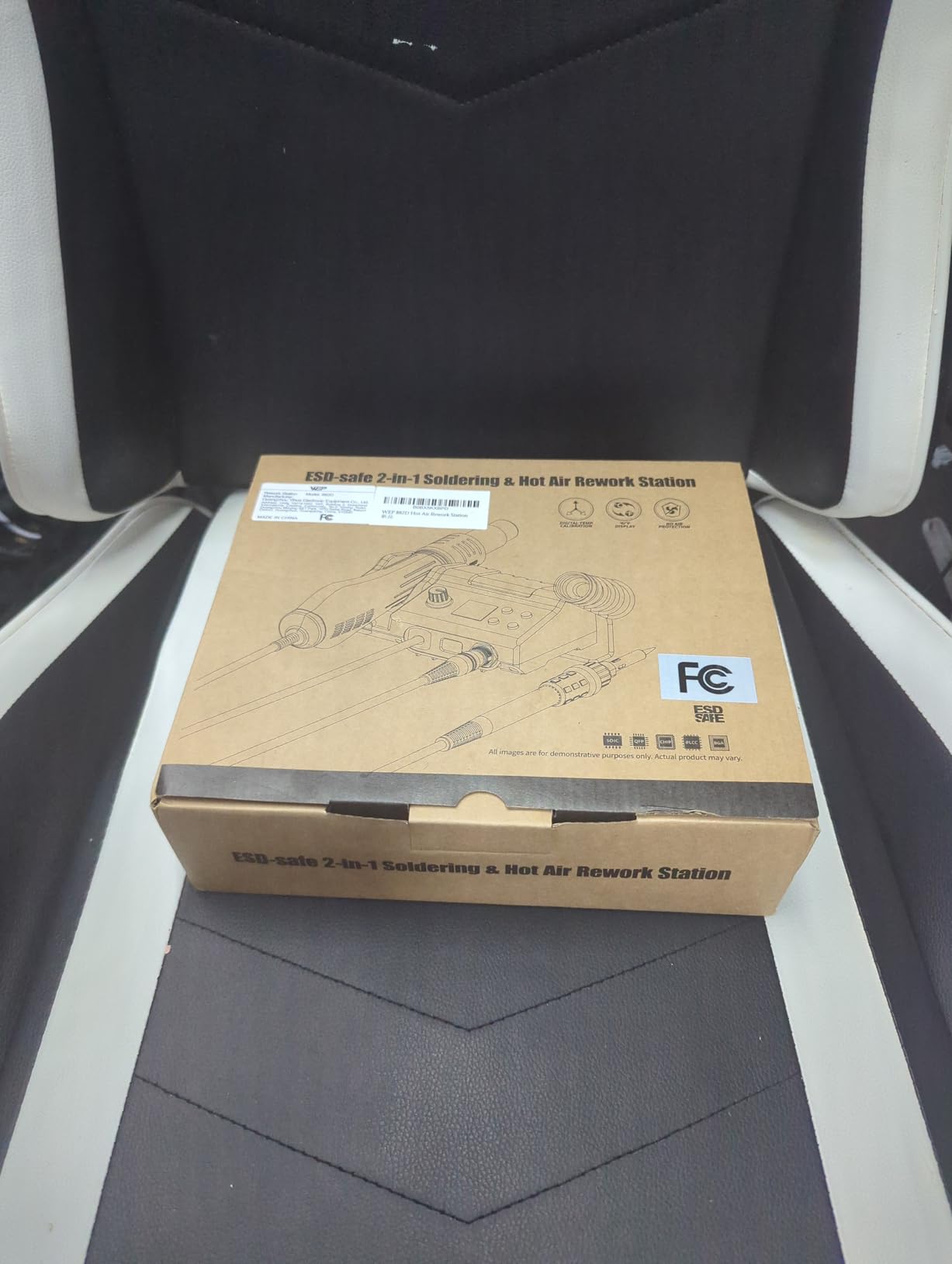
One detail stands out for a first-timer: two spools of solder wire are included. With five tips (I, B, K, 3.2D and 3C), three hot air nozzles, brass wool, tweezers and a desoldering pump, that is a genuinely complete bench. Owners with 1582 ratings at 4.5 mention the compact footprint, the independent controls and the fact that nothing else needed buying. Support is US-based with a one-year commitment on a 110 to 127V unit.
Is a compact two-in-one better than a full-size single-function station?
Yes, if desk space is your binding constraint. Everything here is present and separate with no mode selection to fight. A full-size single-function station holds temperature slightly more steadily under sustained load because all its power goes to the iron, and it has more mass in the iron for heavy joints. If you can spread out, a dedicated station is the calmer tool. If you cannot, this fits better.
What does the shared 750W draw mean in practice?
You share the budget. When the hot air gun runs hard, less power reaches the iron, so iron recovery slows during heavy hot air work. The other side of that number is heat: 750W warms a small room, which matters if you work in a bedroom or shared office. Reported trade-offs are heat output and complexity, not build quality.
9. X-Tronic 3060-PRO 75W Station – Best All-in-One Kit
X-Tronic 3060-PRO • 75W Soldering Iron Station Kit • 5 Extra Tips • Mini Mag Lamp • 4 Helping Hands • Solder Sucker • Tweezers • 50g Solder • Brass Sponge w/Flux • Sleep Func, °C/°F, 3 Temp Presets!
75W station with 60W iron
194°F-896°F
Plus or minus 2°C static
3 presets
3-year warranty
Pros
- Dual control panels show set and real temperature together
- Three preset memory functions plus digital calibration
- Adjustable sleep timer at 0
- 5
- 10 and 30 minutes
- Sixteen-piece kit with a mini magnifying lamp and four helping hands
- Simple enough for a beginner despite the feature list
Cons
- Most expensive X-Tronic option in this roundup
- Permanently wired iron so a failed iron means replacing the base
- 110V only with no 220V version
- Feature set exceeds what a first project requires
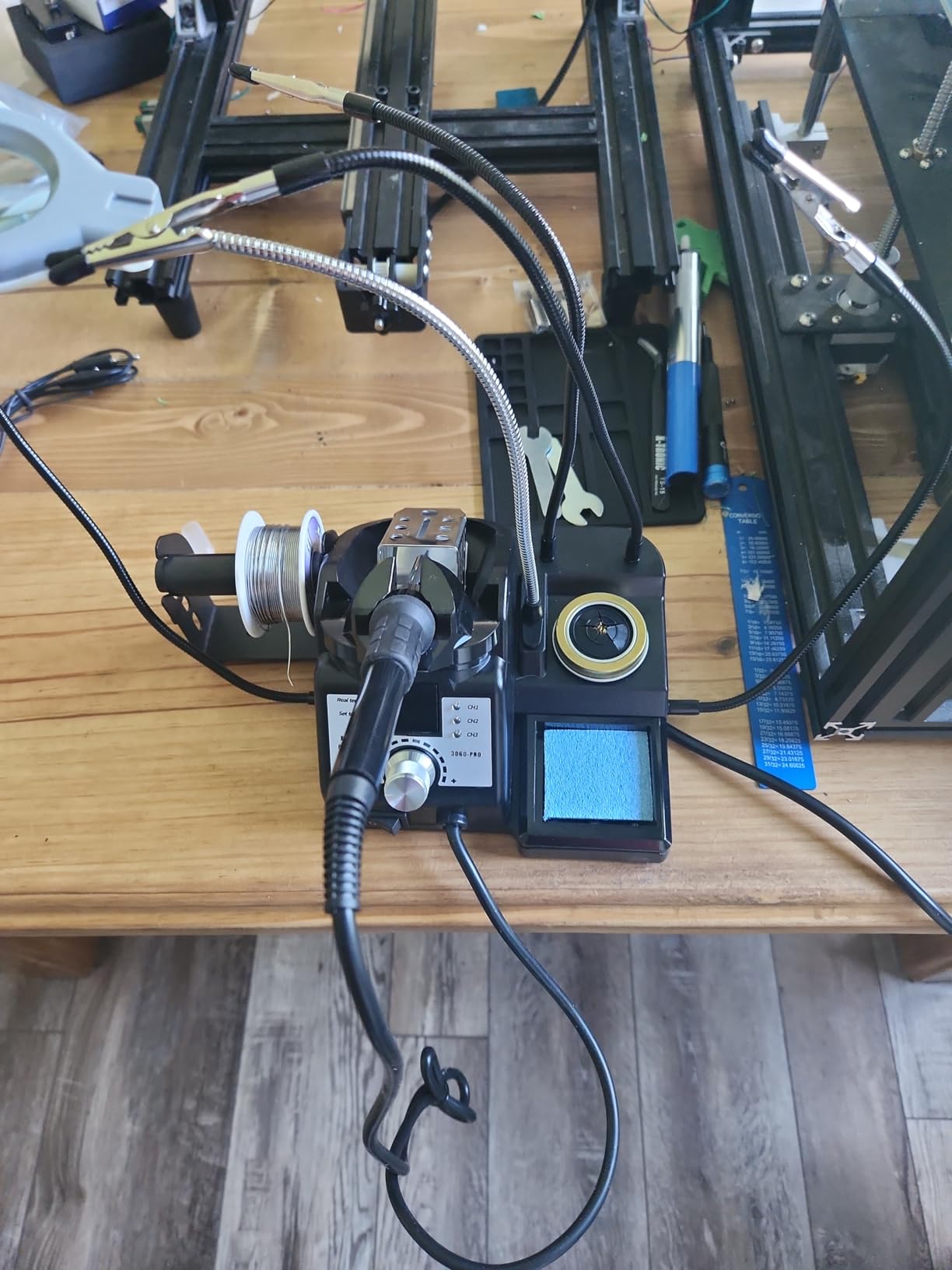
The 3060-PRO is the kit you buy if you want everything on the list. Sixteen pieces ship in the box: the main power unit, iron, iron wrench, side and top mount solder roll holder, five tips, a solder sucker, pinpoint tweezers, a roll of solder, an anti-static grounding wire for PCB work, a brass sponge with cleaning flux, a wet sponge, a mini magnifying lamp and four helping hands. There is no second shopping trip.
Controls are where it separates itself from cheaper kits. Dual control panels with a blue LED readout show set and real temperature together, so you see the control loop working instead of trusting one figure. Three preset memory functions and digital calibration are included, the sleep timer is adjustable across 0, 5, 10 and 30 minutes, and the 60W iron output spans 194°F to 896°F with static stability of plus or minus 3.6°F, or 2.0°C.
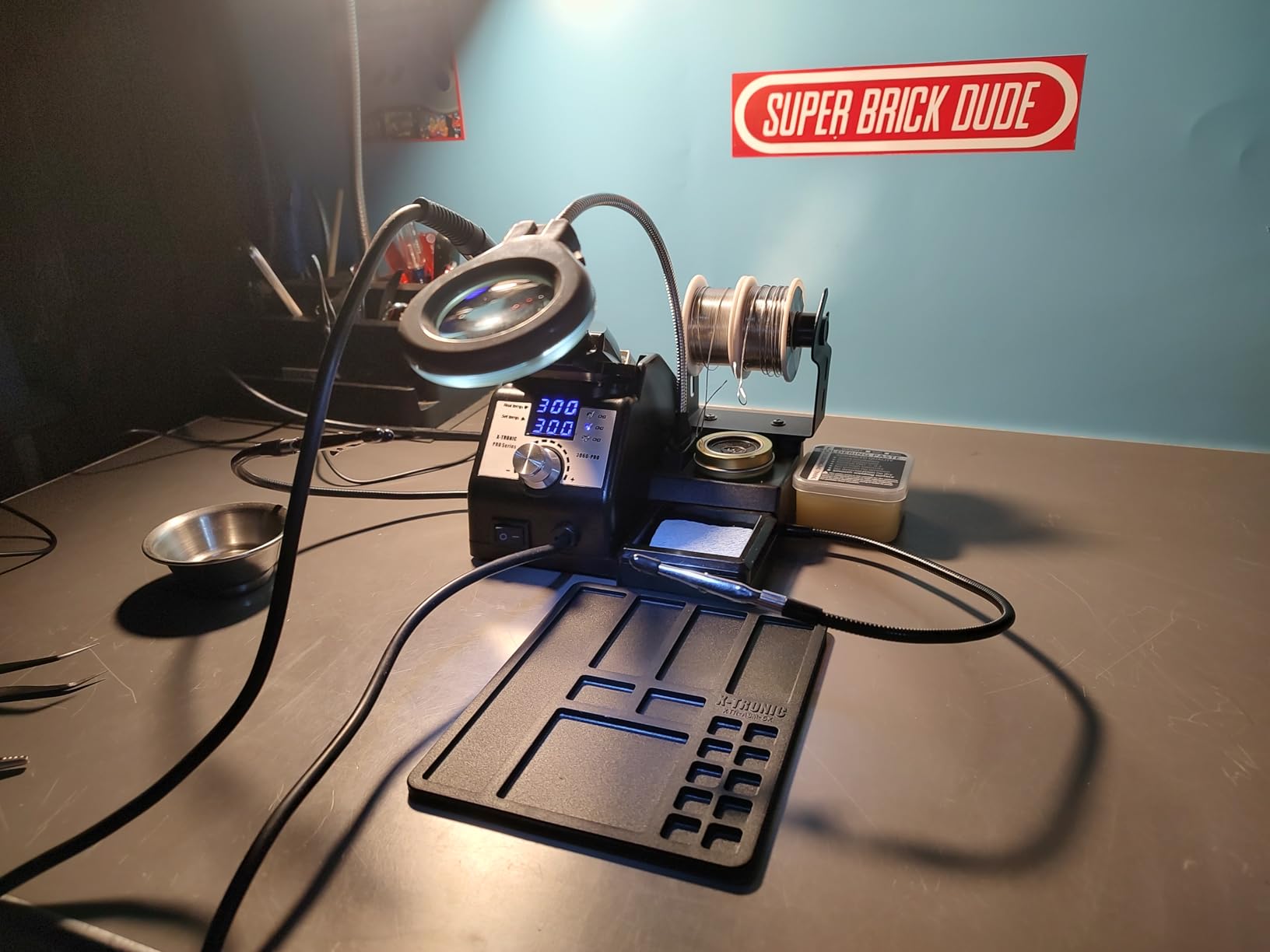
Cords are unusually long, a 57-inch silicone iron cord and a 55-inch power cord, so bench placement is not a fight. The kit is also genuinely beginner-friendly despite the advanced positioning: four helping hands and a mini magnifying lamp solve the two problems that stop new solderers fastest, which is holding a part still and seeing a small joint. Owners with 1172 ratings at 4.6 name the dual-panel readout, the presets and the kit breadth as the main draws.
Support is US-based in Lincoln, Nebraska with lifetime support, a three-year warranty and spare parts listed for three years.
Is the accessory kit worth the higher cost?
For a beginner, yes, and that is a different question from whether it is worth it for someone who already owns a bench full of tools. The mini magnifying lamp and four helping hands are pieces you would buy anyway, and the anti-static grounding wire is a genuine safety item rather than filler. An experienced user would strip the kit and reuse what they have.
What are the trade-offs to weigh before buying?
The iron is permanently wired to the base, so a failed iron means replacing the base rather than a cable. It runs on 110V with no 220V version, so it is not a straightforward buy outside North America. And the feature set genuinely exceeds what a first project needs. None of these are dealbreakers, but if you are unsure you will stick with electronics, a simpler station is the more comfortable purchase.
10. Crtsweker 100W Station – Best No-Nonsense Starter
Soldering Station, 100W Digital Display Soldering Iron Station Kit with 2 Helping Hands, 356°F – 896°F, Auto Sleep, °C/°F Conversion, Solder Wire, Tips, Stand, Pump, Tweezers, Tip Cleaner, Green
100W iron
356°F-896°F range
Auto sleep from 0-600 seconds
0.86 kg
110V
Pros
- Lowest entry point in this roundup with a 100W iron
- Digital display with one-touch Celsius and Fahrenheit conversion
- Auto sleep timer adjustable from 0 to 600 seconds
- Complete bundle with helping hands
- pump
- tweezers and 5 tips
- On and off switch adds safety around children
Cons
- Least established brand with no listed warranty terms
- Temperature calibration is manual rather than automatic
- Accessory quality is basic compared with premium kits
- Unbranded listing with limited published specification detail
Sometimes the right beginner purchase is the simplest one. This is a digital temperature-controlled unit with a 100W iron, a 180°C to 480°C range and an auto sleep timer, and it does those things without ceremony. At 854 ratings averaging 4.5 with a 74% five-star share, owners report fast heat-up and enough power for real work, which is the minimum a starter should deliver.
The range is narrower than most here at 356°F to 896°F. That suits leaded and 60/40 blend solder and handles lead-free, though the low end is high enough that delicate small SMD needs care. One-touch Celsius and Fahrenheit conversion and a temperature calibration function are included, though calibration is manual rather than automatic.
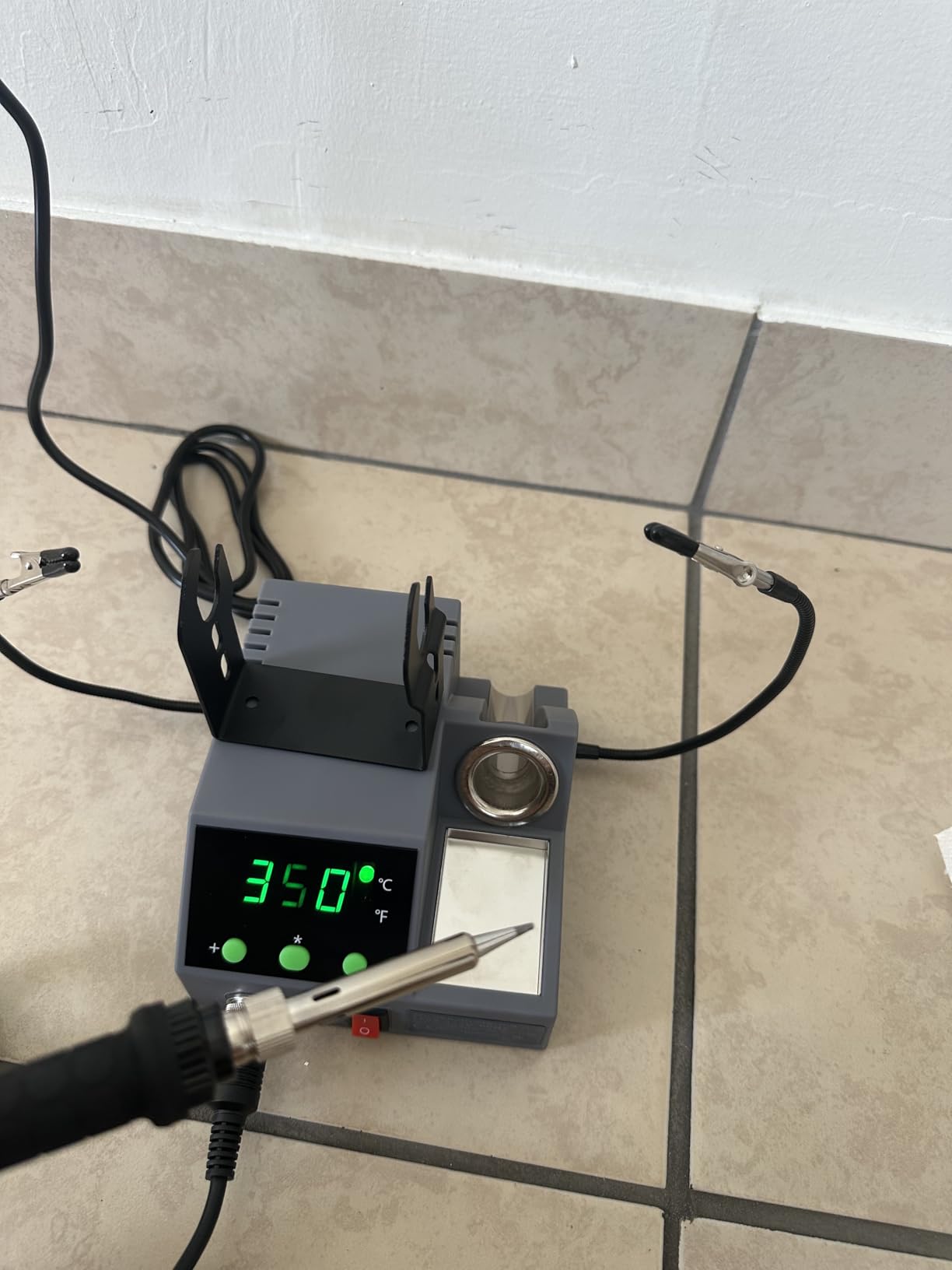
Safety is handled in a beginner-appropriate way. The auto hibernate and sleep mode runs on a 0 to 600 second timer, so you can set it to cut heat almost as soon as the iron goes down, and a physical on and off switch on the base gives you a positive off. An upgraded steel pipe design with four vents cools the tip faster when work stops, extending tip life without extra steps.
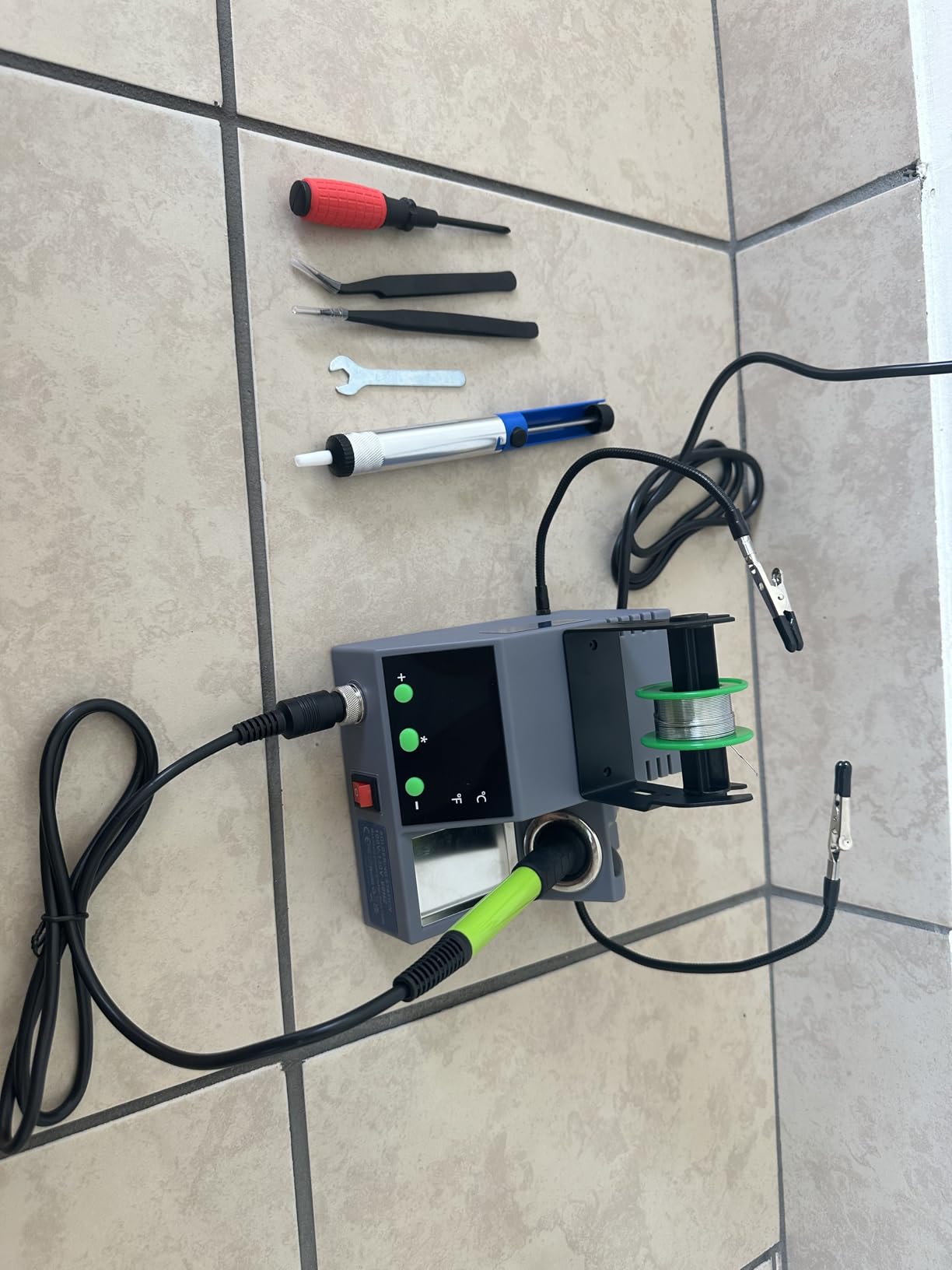
The bundle covers the essentials: helping hands, a solder wire dispenser, a cleaning sponge, an iron tip cleaner, five tips, elbow tweezers, a desoldering pump, solder wire, a screwdriver and a mini wrench. The ergonomic handle has silicone sheathing, and at 0.86 kilograms the unit stays compact.
Is an unbranded station a risk with sensitive electronics?
Yes, and this is the honest caveat. There is no listed warranty, no manufacturer support commitment, and the published specification detail is thin. Voltage and ground leak are real failure modes on unbranded units, and our research surfaced accounts of cheap stations destroying sensitive components. If your projects involve populated boards with expensive parts, the built-in transformer of the 939D+ or the ESD certification of the DS90 is worth the extra spend.
What kind of work suits this station?
General through-hole electronics, phone repair, crafts and home DIY, which is how owners describe using it. A 100W iron has real recovery on medium joints. It stretches on delicate SMD and on long lead-free work near the top of the range. Accessory quality is basic but functional, and needing nothing extra to start makes it a reasonable first station for a cautious buyer.
How to Choose a Soldering Station: 6 Criteria That Decide the Purchase
Wattage is the number every listing leads with and the one beginners over-index on. It is not meaningless, but it is not the decision. These six criteria are, in the order they actually matter.
1. Thermal recovery, not raw wattage. Wattage tells you the size of the heater. What you feel at the joint is how quickly it puts heat back after you pull some out. A 60W station with a small tip can feel weaker on a large pad than a 90W station with a chisel tip, because the tip is itself a heat sink. For through-hole headers and thin wire, anything from 60W upward works. For chassis work, ribbon cable and heat-shrink on large conductors, look for 90W or more.
2. Temperature control and stability. This is the most important quality on the list and the one that separates a real station from a fixed-temperature pencil. Look for PID control rather than a simple on and off thermostat, a digital readout, and a published stability figure. Plus or minus 2°C to plus or minus 5°C covers this group well. Also check the range: a station topping out at 842°F gives less headroom for lead-free than one rated to 896°F or 480°C.
3. Tip ecosystem longevity. This is where the long-term cost lives, and it is the criterion most beginners skip. Standardised families such as T12, T15 and T18 are used by a huge share of enthusiast hardware, and tips for them are cheap and plentiful. Brand-locked families such as WEP 1400, Hakko or Weller are fine, but check how many shapes are actually available before committing. A high-school electronics teacher in our research gave the version we now give beginners: stay away from any tip that is not part of a widely supported standard, then buy a station and a spread of tips to suit your budget.
4. Sleep, standby and auto setback. A tip left at working temperature oxidises, and an unattended hot iron is a fire risk. Every station here has some form of sleep timer, and the useful difference is granularity. Weller offers standby plus auto setback plus password protection. The 927-IV runs a 0 to 99 minute timer. The Crtsweker goes to 600 seconds. For a household with children, a fast timer and a physical on and off switch are worth more than a fourth preset channel.
5. Safety features. Three things to verify. A built-in transformer means output to the iron is contact-safe, which is what the YIHUA 939D+ does and the clearest reason to pay for it. An ESD safe design and a ground connection for PCB work protect sensitive components, and several kits here include an anti-static grounding wire. Certification marks set a floor: UL for the US, plus CE, FCC and RoHS where claimed. Our research repeatedly surfaced the same beginner fear, that cheap stations leak voltage and fry components, and it is a reasonable one to buy insurance against.
6. Warranty and real support. X-Tronic is a US brand in Lincoln, Nebraska with a three-year warranty, lifetime technical support and three-year spare part availability. Weller carries a one-year manufacturer warranty, and WEP offers one-year US technical support. That difference matters at year three when you need a replacement iron handle or a heater. If you want more context on the professional end, our guide to Hakko soldering stations covers the other brand that consistently appears in the top tier.
Safety First: Voltage Leaks, ESD, Fumes and Lead-Free Solder
Most beginners work safely by accident. These four things are worth setting up properly from day one, and none require expensive equipment.
Ground leaks and transformer isolation. A poorly designed station can put mains voltage onto the iron tip, which is a shock risk and can destroy components on a board. A built-in transformer fixes it at the design level rather than relying on you. If you are nervous about this, the 939D+ is the pick: its listing specifies a professional-grade built-in transformer with contact-safe output, and that specification alone is worth a premium for a cautious first-timer. If a listing does not mention isolation, treat that as information rather than reassurance.
ESD protection. Static damage is invisible and permanent. An ESD safe station and iron, a ground connection, and a wrist strap when working on populated boards cover the realistic risk. Several kits here include an anti-static grounding wire for exactly this, and a silicone bench mat is cheap and worth having.
Fumes and ventilation. The smoke from flux is not solder vapour, and it is the part worth ventilating. A small extractor with a replaceable filter positioned a few inches from the joint handles it, and our guide to the best fume extractors for soldering stations covers the options. A window is a reasonable substitute if you solder occasionally. Wash your hands after every session and do not eat at the bench.
Leaded versus lead-free solder. Start with 60/40 or 63/37 rosin core at 0.8 to 1.0mm. It melts around 180 to 190°C, so it works at the low end of every temperature range on this list, and the low melting point means less dwell time and less heat into the pad. Lead-free alloys need roughly 200 to 220°C and more patience, so many experienced builders learn leaded first. Handle leaded solder with the same hygiene, store it away from children, and wash your hands. Working on modern lead-free boards? Start at the top of the temperature range and add flux rather than guessing.
One habit worth building early: tin the tip before first use and after every session. Melt a little solder onto the tip, wipe it on brass wool, and leave a shiny bead. It prevents oxidation and is the difference between solder that flows and solder that rolls off in a ball.
What to Buy Alongside Your Station: The Beginner Starter Checklist
A station alone will not get you to your first joint. This is the full list, and every item is cheap except the one that protects your lungs.
Solder. One spool of 60/40 or 63/37 rosin core, 0.8 to 1.0mm, roughly 100g. This is the single most important consumable and the one most beginners get wrong by buying the thinnest option. Thin wire melts faster and is easier to control on small pads.
Flux. A small pen or jar of rosin or no-clean flux. Flux lets solder wet the joint instead of beading. The brass wool bundled with many kits here is pre-fluxed, but a dedicated flux pen makes rework far easier.
Spare tips. At least two beyond the included one, in at least two shapes. A medium chisel for general through-hole work and a fine point for small work cover most needs. Buy them from the station’s own ecosystem so the fit is guaranteed.
Tip cleaner and sponge. Brass wool for stubborn oxidation, a wet sponge between joints. Both were included with most kits reviewed here, so check the box before buying.
Helping hands. Alligator clips on a weighted base to hold parts while you solder. Included with the YIHUA 926 III, the 3020-XTS, the 927-IV and the 3060-PRO. If your station does not include them, this is the first accessory to buy.
Desoldering pump. The cheapest way to fix a cold or bridged through-hole joint without starting again. Again, most kits here include one.
Fume extraction. A filtered extractor with a replaceable carbon or HEPA filter, plus a silicone bench mat. This is the one item on the list worth spending real money on.
Add those up and the gap between a bare station and a usable bench is far smaller than the price gap between entry and premium stations suggests. That is why the budget picks here score as well as they do, and why kits that bundle tips, solder and a pump are worth considering even when their extra parts are basic.
Frequently Asked Questions
What is the best soldering station for beginners?
The Weller WE1010NA is the best overall choice for beginners. Its 70W iron holds temperature within 4°F, it has standby mode and auto setback to protect the tip, and it is ESD safe. Budget buyers should look at the YIHUA 926 III, which bundles solder, tips and a pump in the box.
Do I need a soldering station or just an iron?
You need a station if you will solder more than a handful of joints. A plug-in iron runs at one fixed temperature, which is the reason beginners either burn components or wait forever for solder to melt. A station gives you a temperature display, regulation and sleep modes, and it is the cheapest way to stop ruining parts while you learn.
Which is better, Hakko or Weller?
For a beginner, Weller is usually the easier entry point: the WE1010NA is a straightforward single-channel station with a clear display, password protection and a one-year warranty. Hakko models tend to sit higher on the bench and use their own tip standard, which is excellent once you know you will stay with the hobby. Both brands have decades of replacement parts availability, which is the real test.
What is the best solder for beginners?
Start with 60/40 or 63/37 rosin core solder at 0.8 to 1.0mm. It melts around 180 to 190°C, sits at the low end of every temperature range on this list, and needs less dwell time on the joint. Lead-free alloys need 200 to 220°C and more practice, so most beginners learn leaded first. Wash your hands after soldering either type.
How much wattage do I need as a beginner?
Around 60W is enough for headers, jumper wire and learning joints. 70W to 90W is the sweet spot for through-hole PCB work, and 90W to 110W is worth having for chassis work, speaker terminals and heat-shrink on large conductors. What matters more than the number is thermal recovery, which is how quickly the heater puts heat back after you pull some out.
Are cheap soldering stations dangerous?
The realistic risks are ground or voltage leak, which can damage sensitive components, and fumes from flux. Look for a built-in transformer, which outputs contact-safe voltage, plus ESD safe design and a ground connection. Stations that specify UL, CE, FCC or RoHS certification give you a floor. For ventilated work, add a filtered fume extractor near the joint.
What is the golden rule of soldering?
Heat the joint, not the solder. Touch the iron to the pad and the component lead together, wait for both to reach temperature, then feed solder into the joint so it flows across the pad. A good joint is shiny, slightly concave and wets both surfaces. Feed solder to the joint rather than melting it on the tip and letting a blob fall off.
Final Verdict: Which Soldering Station Should You Buy?
The Weller WE1010NA wins this roundup. It is the highest-rated station here at 4.7 stars, it holds temperature within 4°F, and it protects both your components and your tips with standby, auto setback and password control. That combination is what keeps a beginner making progress instead of second-guessing the tool.
Buy the YIHUA 939D+ if you want the safety margin of a built-in transformer and headroom for bigger work later. Buy the YIHUA 926 III if you want the whole starter bench in one box at the smallest outlay. If your projects need hot air, the 8786D I or the WEP 882D covers it, and if you want every accessory at once the X-Tronic 3060-PRO is hard to argue with.
Whichever you choose, add solder, flux, spare tips and fume extraction to the basket. That extra spend is what separates a station on a shelf from a tool you actually solder with, and it is where these best soldering stations for beginners in 2026 stop improving and your technique takes over.