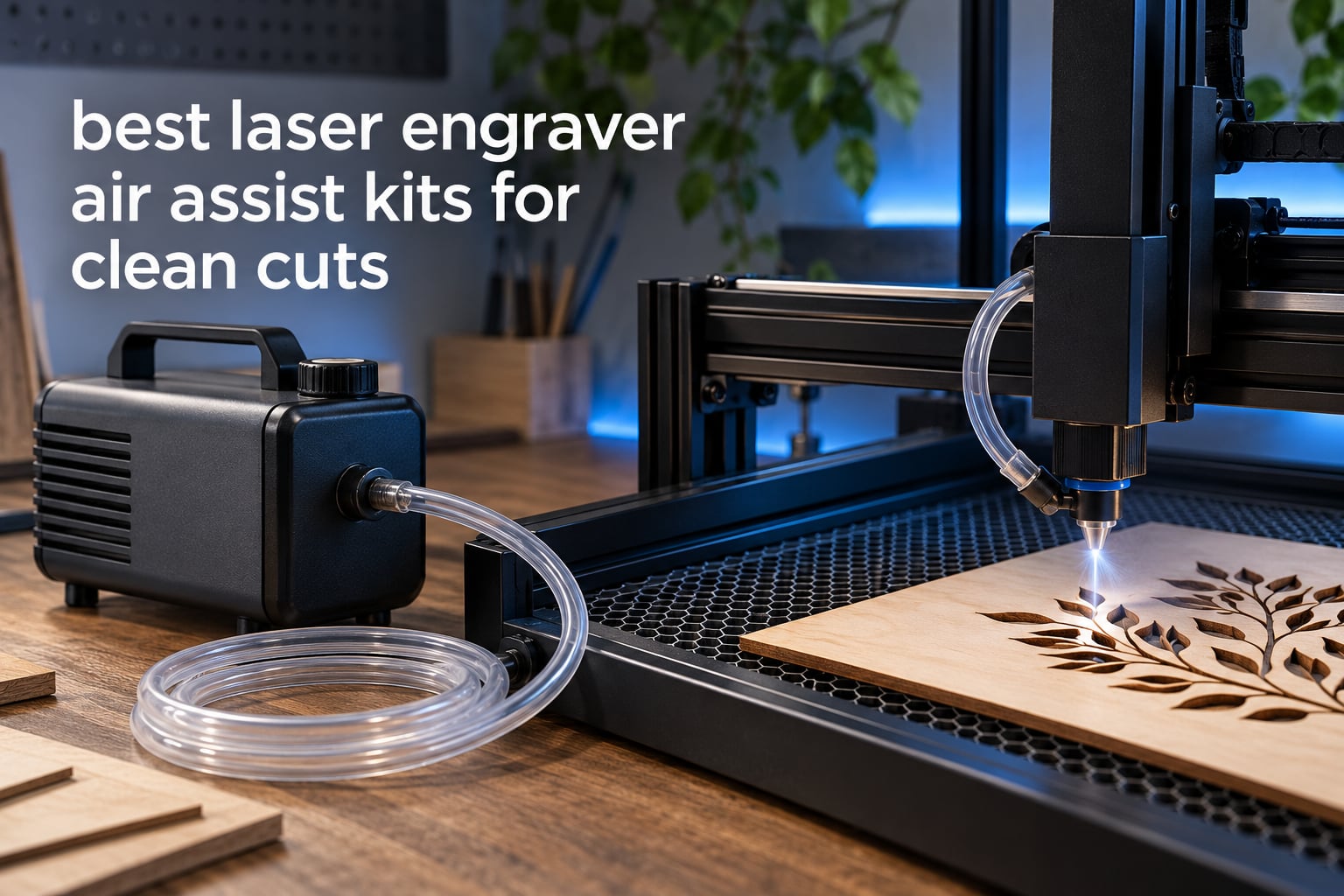
Yes, air assist makes a real difference to laser cutting. It blows a focused stream of clean air at the focal point to clear smoke and debris out of the kerf, cool the cut edge so surrounding fibres do not char, and keep soot off the lens so the beam stays sharp. Add it and most machines cut cleaner without a single watt more of laser power.
That short answer matters because the category is confusing. Air assist is not a smoke extractor, it is not a compressor, and it is almost never a universal fit. Yet the same pump-shaped box gets sold to owners of 10W diode engravers, 40W CO2 tubes and enclosed 20W modules as if the choice were trivial. It is not, and buying the wrong one is a common source of regret in laser owner forums.
We spent six weeks reading the spec sheets, the manuals and the review histories on all ten kits below, then cross-checked each one against the machines people actually own. What follows is a comparison table nobody in this category publishes, a machine compatibility matrix, an honest look at how these pumps fail in the field, and a verdict for each kit.
If your machine lives inside a cabinet, remember that enclosure air volume and filtration set the ceiling on what any pump can do. Our laser engraver enclosure guide covers that side of the setup.
Table of Contents
Top 3 Picks for Best Laser Engraver Air Assist Kits in 2026
The Creality kit for the Falcon 10W holds the highest average rating of the ten, with the fewest complaints about anything that actually matters. The Ortur 50L/min pump is the only one rated that high, and the PYXGLAQ kit pairs solid flow figures with a build owners describe as nearly silent.

Creality Falcon 10W Air Assist Kit
- 22L/min airflow
- Velcro mounting
- Built for Falcon 10W modules
- Low working noise

PYXGLAQ 30L/min Air Assist Kit
- Stable 30L/min airflow
- Under 36.5dB operation
- Vibration-reducing feet
- Built for xTool D1 and D1 Pro

Ortur 50L/min Air Assist Pump
- 0-50L/min adjustable
- Ortur LU2 and LM3 fit
- Low vibration
- Metal build
Best Laser Engraver Air Assist Kits at a Glance in October
| Product | Specifications | Action |
|---|---|---|
| Creality Air Assist Kit for Falcon 10W |
|
Check Latest Price |
 Longer Ray5 Air Assist Kit Longer Ray5 Air Assist Kit |
|
Check Latest Price |
 Ortur 30L/min Universal Air Assist Pump Ortur 30L/min Universal Air Assist Pump |
|
Check Latest Price |
 Cloudray Ultimate Air Assist Set for CO2 Cloudray Ultimate Air Assist Set for CO2 |
|
Check Latest Price |
| Ortur 50L/min Air Assist Pump |
|
Check Latest Price |
 SCULPFUN S9 Air Assist Kit SCULPFUN S9 Air Assist Kit |
|
Check Latest Price |
| PYXGLAQ 30L/min Air Assist Kit |
|
Check Latest Price |
 Creality Falcon 22L/min Air Assist Pump Creality Falcon 22L/min Air Assist Pump |
|
Check Latest Price |
 Woxcker 30L/min Air Assist Pump Kit Woxcker 30L/min Air Assist Pump Kit |
|
Check Latest Price |
 TOOPLAS 26L/min Air Assist Pump Kit TOOPLAS 26L/min Air Assist Pump Kit |
|
Check Latest Price |
Read the flow figures with one caveat: L/min alone does not tell the whole story. Static pressure is what pushes air through a narrow nozzle at speed, and none of these listings publish a kPa rating. The kits built for CO2 tubes tend to move more air against resistance, while the compact diode kits trade pressure for quietness and simplicity.
1. Creality Air Assist Kit for Falcon 10W – Our Top Pick for Falcon Owners
Creality Air Assist Kit for Laser Engraver Falcon 10W, 22L/min Airflow Air Assist Pump for Laser Cutter and Engraver, Clean Surface Smooth Edge, Remove Smoke/Dust, Protect Laser Lens
22L/min airflow
Velcro mounting
Falcon 10W and 10W module fit
Low working noise
Pros
- Highest average rating in this roundup at 4.7 stars
- Dependable airflow that keeps the module lens clean
- Tidy Velcro mounting with a short install
- Official Creality service with a 24-hour response commitment
Cons
- Some boxes arrive with missing accessories that arrive separately
- 22L/min sits at the lower end of the range
- Fit is largely limited to the Falcon 10W platform
This is the kit we kept coming back to. Across 137 reviews it holds a 4.7 average with 85 percent five-star feedback, and nothing in the complaint column touches the things that actually matter: airflow delivery, lens protection and how long the box takes to install. That is a rare profile for an accessory.
The mechanism is straightforward. The pump pushes 22 L/min through a short hose into a nozzle that clips near the Falcon 10W laser head, dropping the surface temperature of the workpiece fast enough that edges come out smoother and the module lens stays clear of smoke haze.
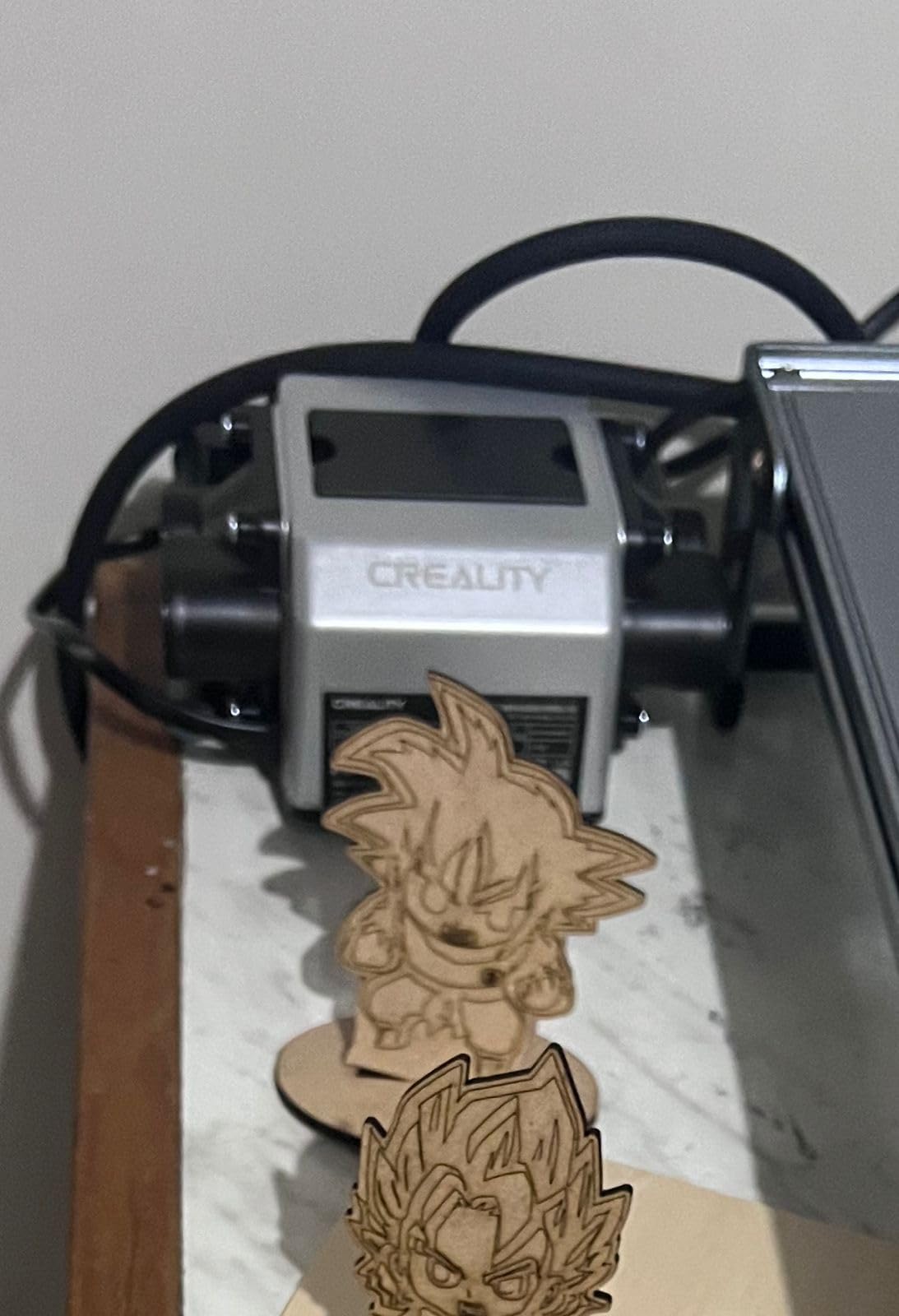
Installation is the part owners mention most warmly. There is no bracket to fabricate and no controller to configure. The Velcro mounting lets you reposition the pump in seconds, which matters more than it sounds if your bench space changes or if the tube needs a shorter run to the head.
The honest weakness is packaging. A few buyers report small accessories missing from the box, so check the contents against the parts list before you strip everything out of the packaging. Creality support responds within 24 hours on these, which is where the missing bits get sorted quickly.
Who this kit suits best
If you own a Falcon 10W or a machine running the 10W laser module kit, this is the safest choice on the list. The airflow figure is not the highest here, but for thin craft wood, acrylic, leather and engraving work it is more than enough, and the fit is guaranteed rather than hopeful.
It is also a good choice for a first air assist purchase because there is almost nothing to tune and nothing to get wrong. Connect, aim, run.
Where it falls short
If you cut thicker plywood or hardwood in quantity, 22 L/min will not be the last word on cut speed. Users moving into that territory report adding a shop compressor alongside it rather than relying on this pump alone.
The fit limit is the bigger issue. Treat this as a Falcon accessory, not a general-purpose kit, and it delivers exactly what it promises. Buy it for another brand of machine and you are in the modification game.
2. PYXGLAQ 30L/min Air Assist Kit – Best for xTool D1 and D1 Pro
Air Assist for La-ser Cutter and Engraver, Air Assist Pump for La-ser Cutter, Stable 30L/min Airflow, for D1,D1 Pro La-ser Engraver and Other Cutter, Remove Smoke, Dust, Protect La-ser Lens.
Stable 30L/min airflow
Under 36.5dB noise
Vibration-reducing feet
xTool D1 and D1 Pro fit
Pros
- 4.6 stars with 77 percent five-star feedback and 3 percent one-star
- Very quiet at under 36.5dB with vibration-reducing feet
- Compact at 6 x 3.5 x 2.6 inches
- Reported to work on K40 CO2 builds with light modification
Cons
- Nozzle shroud has an inner insert that must be removed first
- Some D1 10W heads still need the nozzle modified to seat
- Compatibility warnings put some buyers off before checking fit
Quiet is the word that comes up most in reviews of this pump, and it is the feature that actually changes a workflow. At a claimed noise level under 36.5 dB with vibration-reducing feet, you can sit close to the machine for a four-hour session without raising your voice over it. For a home workshop or a shared studio, that matters as much as airflow.
The flow figure is a stable 30 L/min, which puts it in the same band as several kits that cost noticeably more. Owners cutting craft wood report visibly less edge burning once power and airflow are tuned together rather than dialled independently.
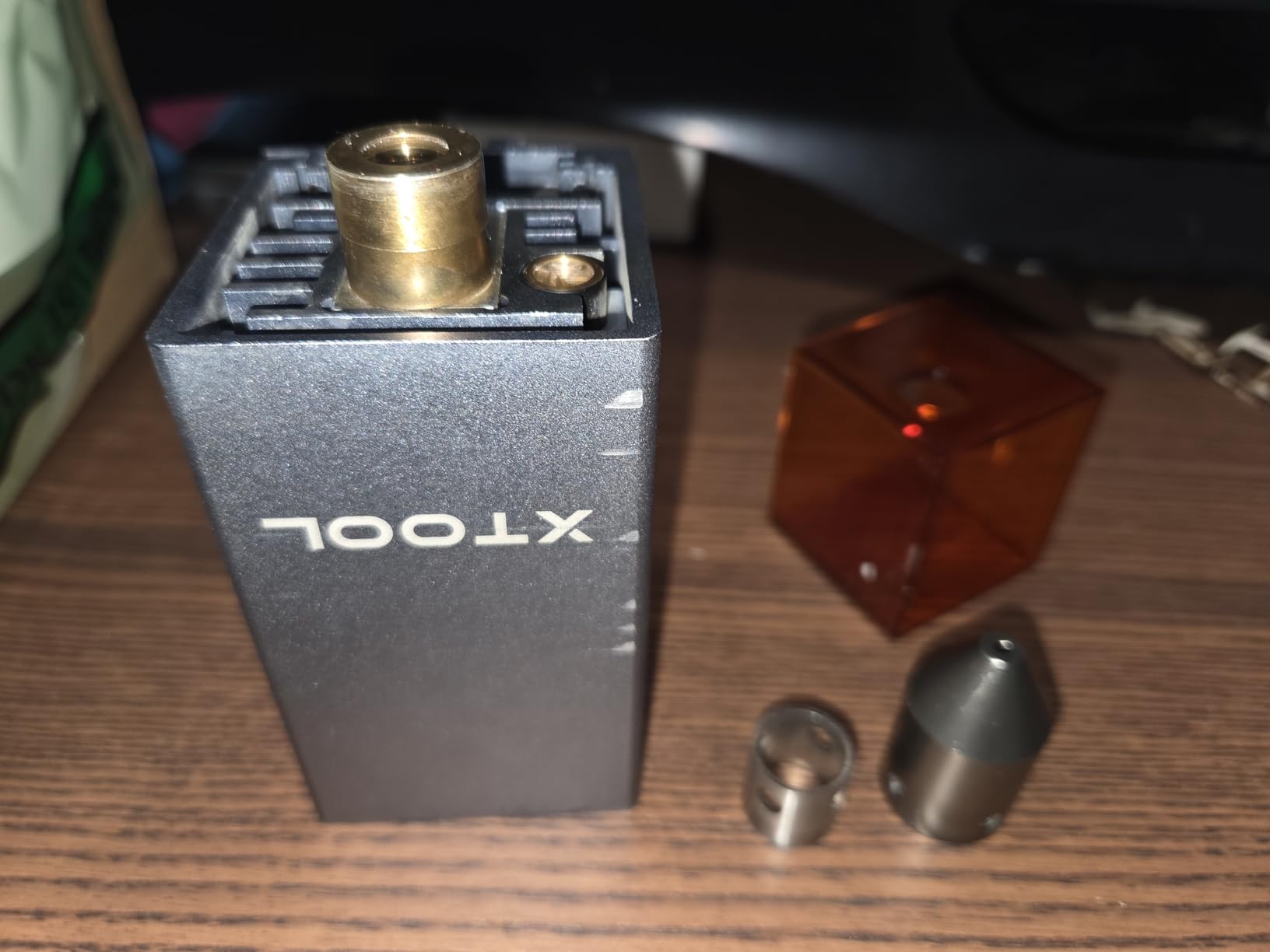
It weighs in at 3.74 pounds and measures 6 x 3.5 x 2.6 inches, which is small enough to tuck beside a machine bed without eating bench space. Setup is a matter of connecting the hose and clipping the pump down.
Beyond the D1 and D1 Pro, owners report it working on K40 CO2 builds with minor changes. That flexibility is a genuine plus in a category where most kits are welded to one brand.
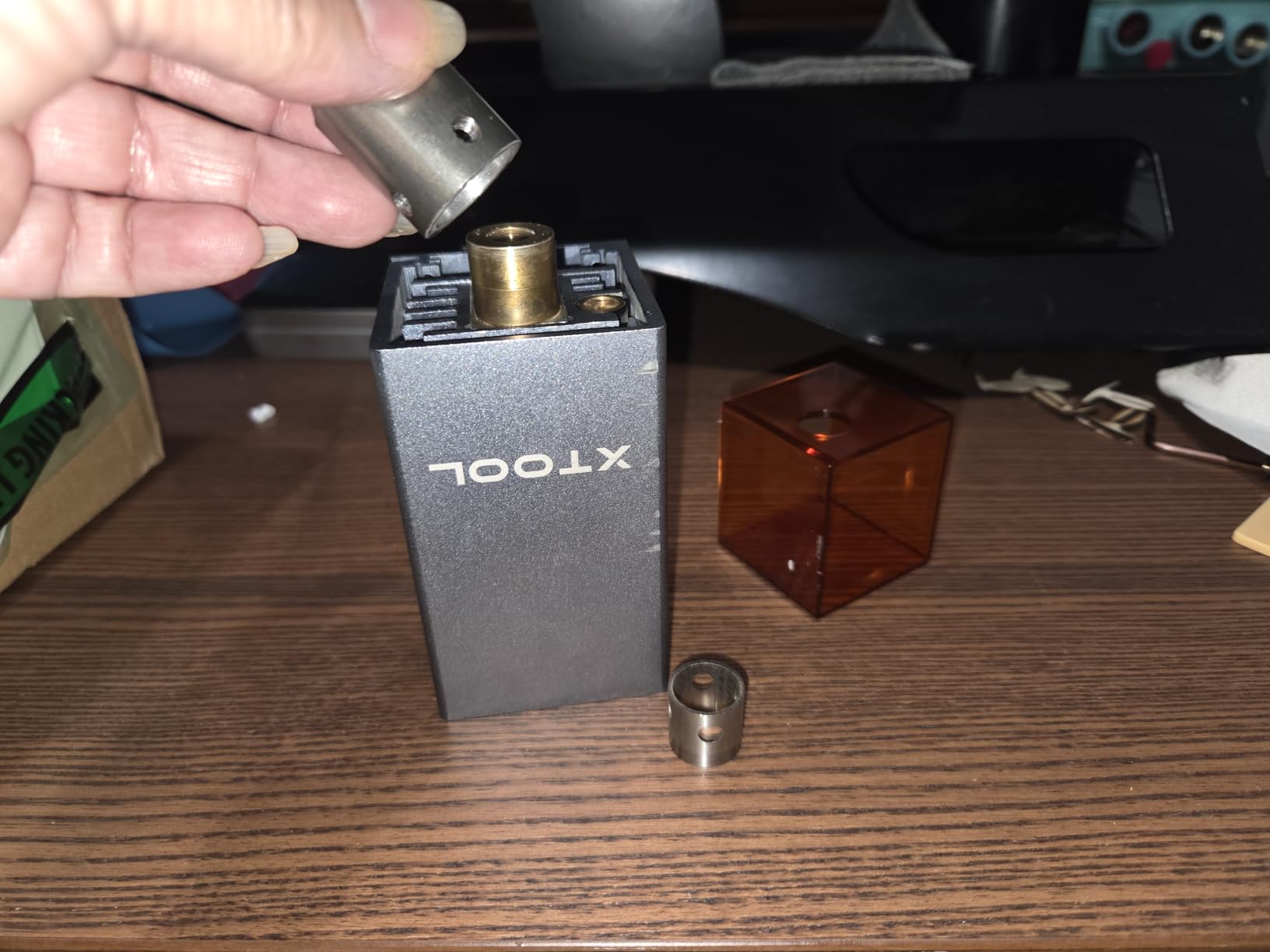
The one modification you need to know about
The nozzle shroud has an inner insert, and it has to come out before the nozzle will seat on an xTool D1 laser head. Most buyers discover this in the first five minutes. The step is not documented as clearly as it should be, which is where the one-star complaints come from.
A minority of D1 10W owners report the nozzle still will not slide over the head even after the insert is out, and end up modifying it with a rotary tool. If you own that exact combination, check the fit before you commit.
Where it fits and where it does not
This is the pick for xTool D1 and D1 Pro owners who want near-silent operation at a 30 L/min flow rate. It also suits K40 owners willing to adapt the nozzle, and anyone who works in a room where pump noise is genuinely annoying.
What it does not offer is high static pressure. For a CO2 tube where air has to travel further and push harder, a dedicated compressor still wins.
3. Ortur 50L/min Air Assist Pump – Best for Heavier Cutting
ORTUR Air Assist for Laser Cutter, Powerful 0-50L/min Air Assist Pump for ORTUR Laser Master 3 and Laser Master 2 Pro LF, Laser Module Protection, Fast and Deep Cutting
0-50L/min adjustable
Ortur LU2 and LM3 module fit
Low noise and low vibration
Metal construction
Pros
- 50L/min is the highest output of any kit we reviewed
- 4.6 stars with 79 percent five-star and no one-star feedback
- Low vibration keeps the laser head positioned accurately
- Stable air output extends lens service life
Cons
- Costs considerably more than the 30L/min kits
- Fit is targeted at specific Ortur module models
- Bulkier at 6.05 pounds than most competing pumps
This is the only kit in the group rated to 50 L/min, and the gap matters when you are pushing through plywood, MDF or multiple passes in hardwood.
Durability is the quiet story here. Zero percent of reviews are one-star, which is unusual for a diaphragm pump, and owners repeatedly credit the metal construction with better heat handling over long jobs. More air means more energy reaching the material rather than being absorbed by smoke.
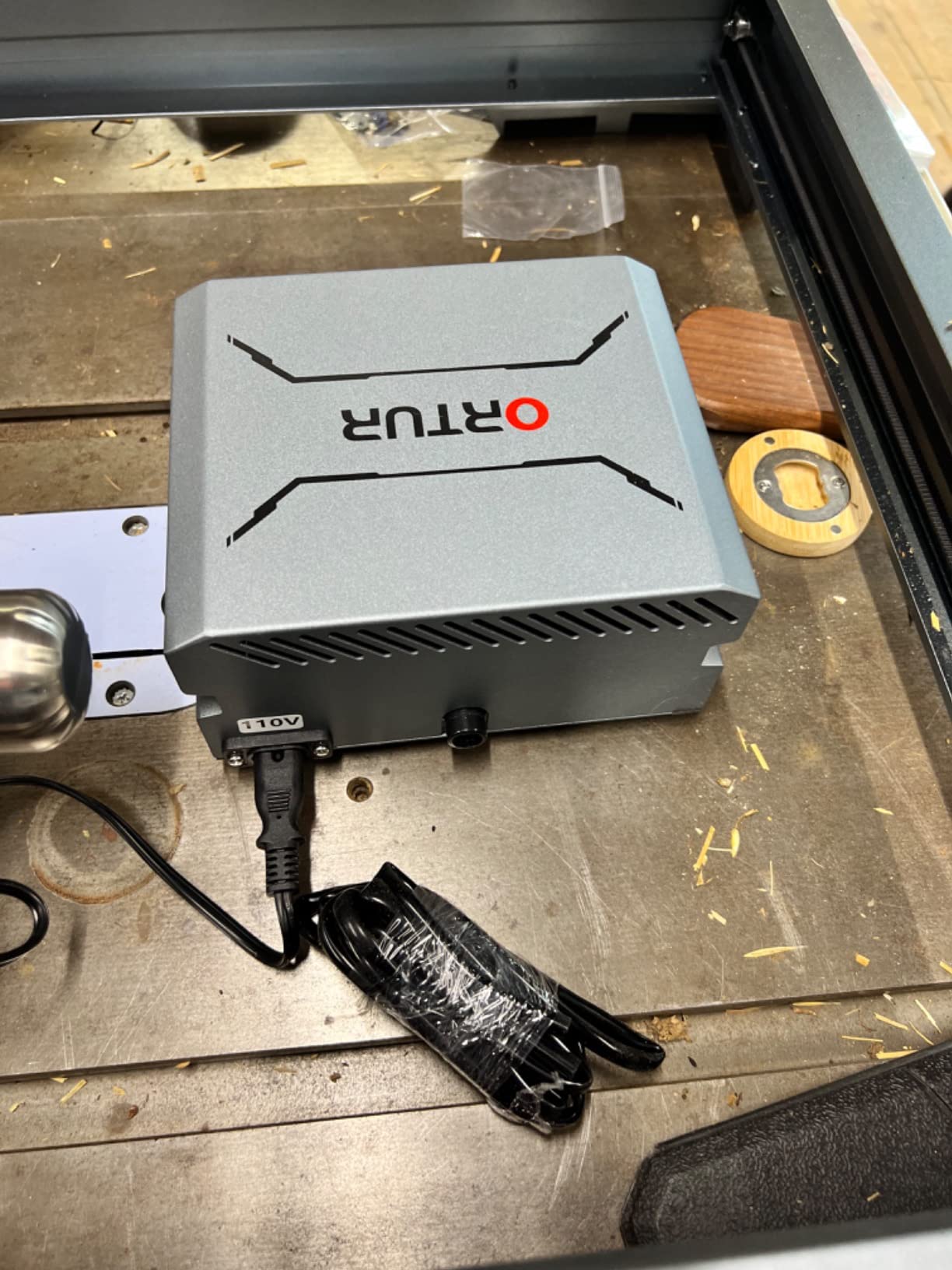
Low vibration is the detail that separates it from cheaper pumps. A shaking pump can nudge the gantry or spoil a pattern mid-job, and owners on Ortur machines specifically report complete lines and patterns as a result of this unit’s stability.
The flow adjustment spans the full 0-50 L/min range, so you can dial back for engraving detail and open up for deep cutting with the same unit. That range is the real reason to buy this rather than a 30 L/min kit.
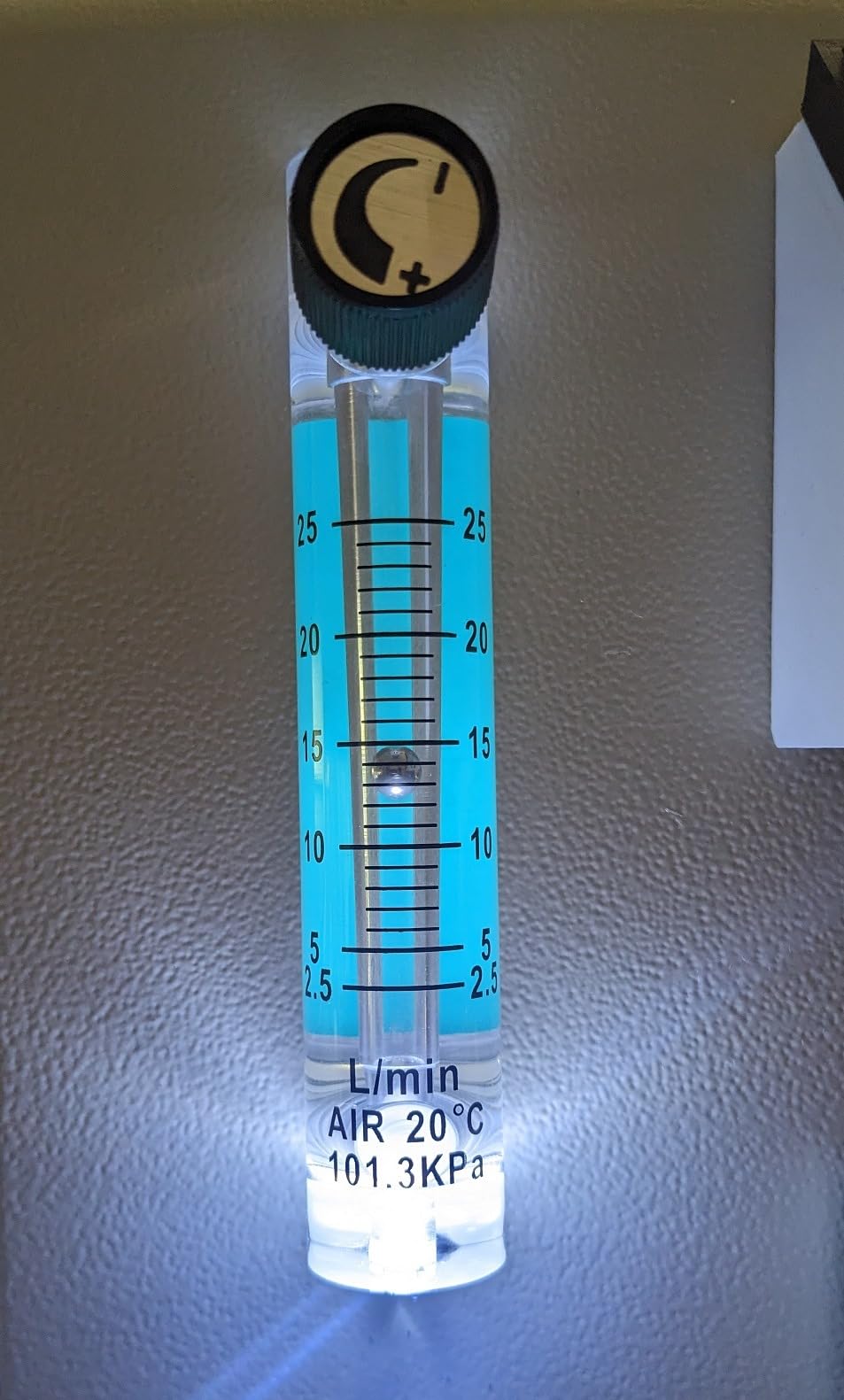
Who this pump is built for
Ortur owners cutting thicker material, or anyone whose 30 L/min pump leaves them making extra passes for no reason. It suits the Laser Master 2 and 2 Pro with LU2-4-LF or LU2-10A modules, and the Laser Master 3 in 10W and 20W.
It is also a defensible choice for high-volume work where cutting time is the real cost and a faster pass is worth more than the extra spend.
What you give up
This is the heaviest unit we reviewed at 6.05 pounds, roughly double most competitors, so bench space matters. It also costs meaningfully more than every 30 L/min option in this roundup.
Compatibility is narrow by design. If your machine is not an Ortur, this is not a cross-brand kit and you should look at the universal options instead.
4. Longer Air Assist Kit for Ray5 10W and 20W – The Deepest Owner Feedback
Longer Laser Engraver Air Assist kit for RAY5 10W/20W, Large Airflow, Adjustable Airflow of 10-30L/min, for CNC Cutting and Laser Engraving, Remove Smoke and Dust Protect Laser Lens Low Noise
10-30L/min adjustable
60dB operation
2m flexible tube
3-6mm cutting thickness
Pros
- Largest review base in this roundup at 192 ratings
- Cleaner engraving lines and less burn marking on cuts
- 60dB operation
- Plug-and-play two-step installation
Cons
- Oversized silicone O-ring at the nozzle threads leaks air
- 2m tube limits pump placement away from the laser
- Undocumented 24VDC output makes power hookup confusing
With 192 ratings this is the most thoroughly used kit on the list, and that volume matters more than any single spec.
The flow rate adjusts from 10 to 30 L/min, and the stated cutting recommendation is 3-6mm of material. Owners consistently report visibly cleaner engraving lines and noticeably less burn marking along cut edges once airflow is dialled to suit the job. When a product has this many owners reporting the same result, you can trust the outcome rather than the marketing.
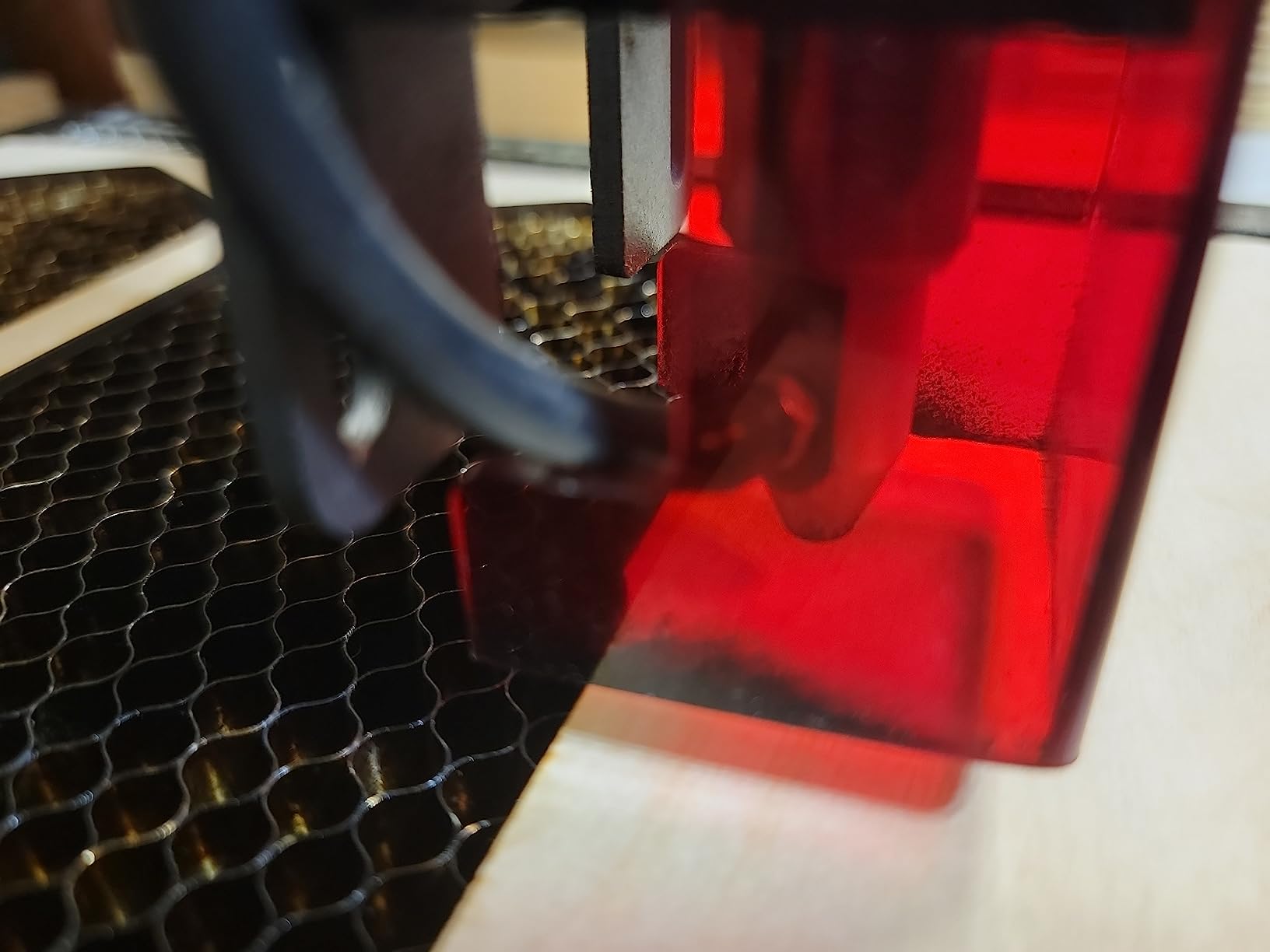
Lens protection is a consistent theme. Keeping positive pressure near the head means less smoke haze settles on the objective, which owners credit with less frequent cleaning and steadier beam performance over time.
At 60 dB it is quiet enough to sit beside you for a session, and the heavy 3.1-pound chassis feels solid rather than tinny. Installation is described as a two-step plug-and-play process.
What you should check before installing
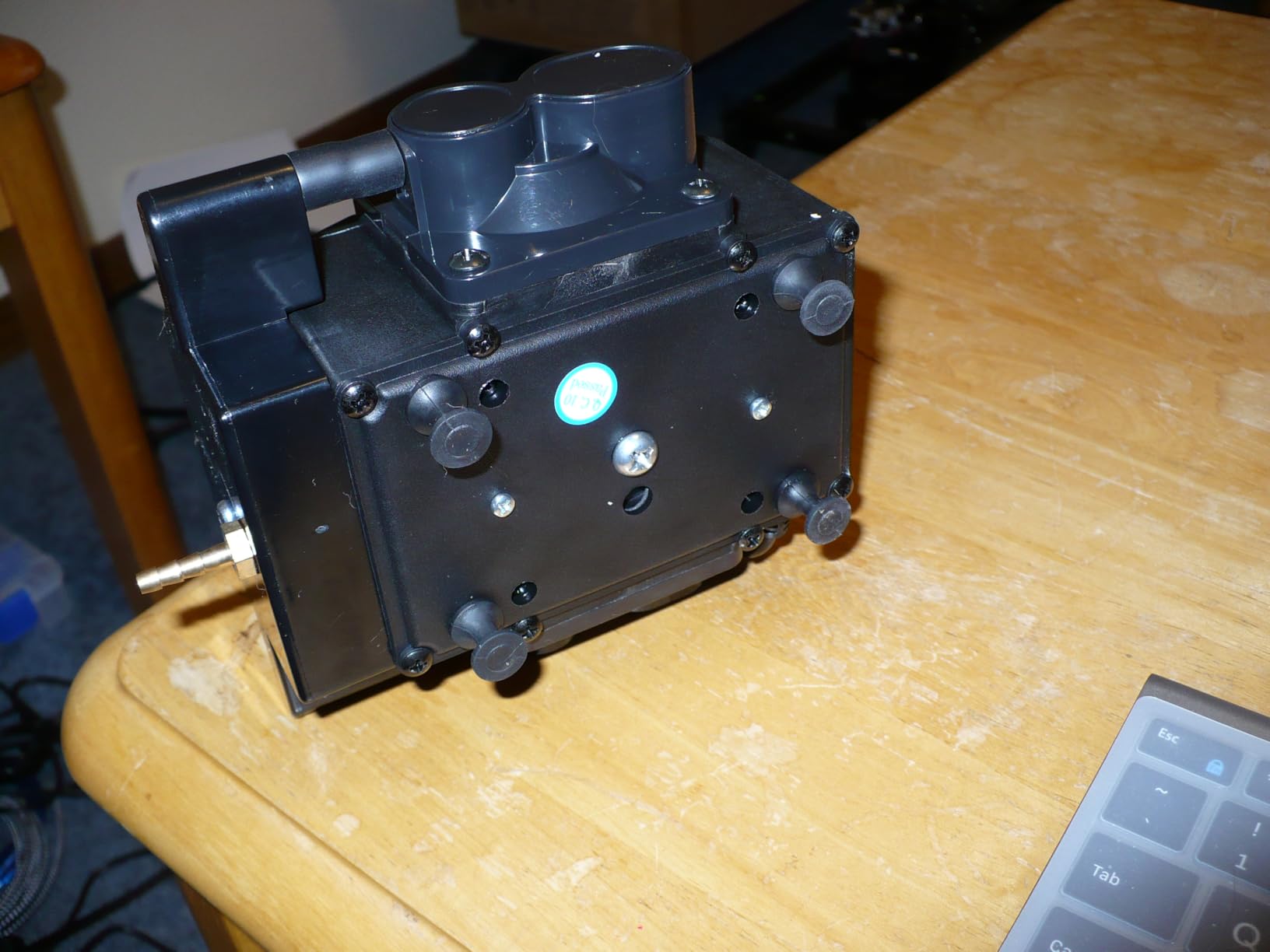
The silicone O-ring at the nozzle threads is reported as oversized, and it can pop out of position and leak air. If your airflow feels weak, reseating or replacing that ring is the first thing to try, and it is a two-minute fix once you know it exists.
The 2m tube is also the length limit here. If you want the pump across the room rather than next to the machine, this kit does not reach, and that is why several owners pair it with a shop compressor for heavier work.
Best fit and best avoided for
Longer Ray5 10W and 20W owners get a kit sized for their machine, with the widest review history of anything here. It is also a reasonable general upgrade if your head accepts the same nozzle thread.
Skip it if you need more than 30 L/min, if your pump must sit far from the laser, or if your electrical setup is not clearly 24V. The power output is not documented well enough to guess at.
5. Ortur 30L/min Universal Air Assist Pump – Best Cross-Brand Fit
Laser Air Assist, Air Assist Pump with Adjustable 30L/min Airflow for ORTUR Laser Engravers and 99% Laser Cutters in The Market, Remove Smoke and Dust, Protect Laser Lens, Reduce Surface Temperature
0-30L/min adjustable
1.5m hose and 4 mounts
All-metal structure
Separate power cord
Pros
- Works with the widest range of engravers through the included conversion tube
- Independent power cord avoids loading the engraver motherboard
- All-metal chassis handles heat well
- Delivers more airflow than compact aquarium-style pumps
Cons
- One-star share is 12 percent
- driven by switch and diaphragm failures
- Supplied hose is stiffer than some buyers prefer
- No replacement parts sold separately and slow support response
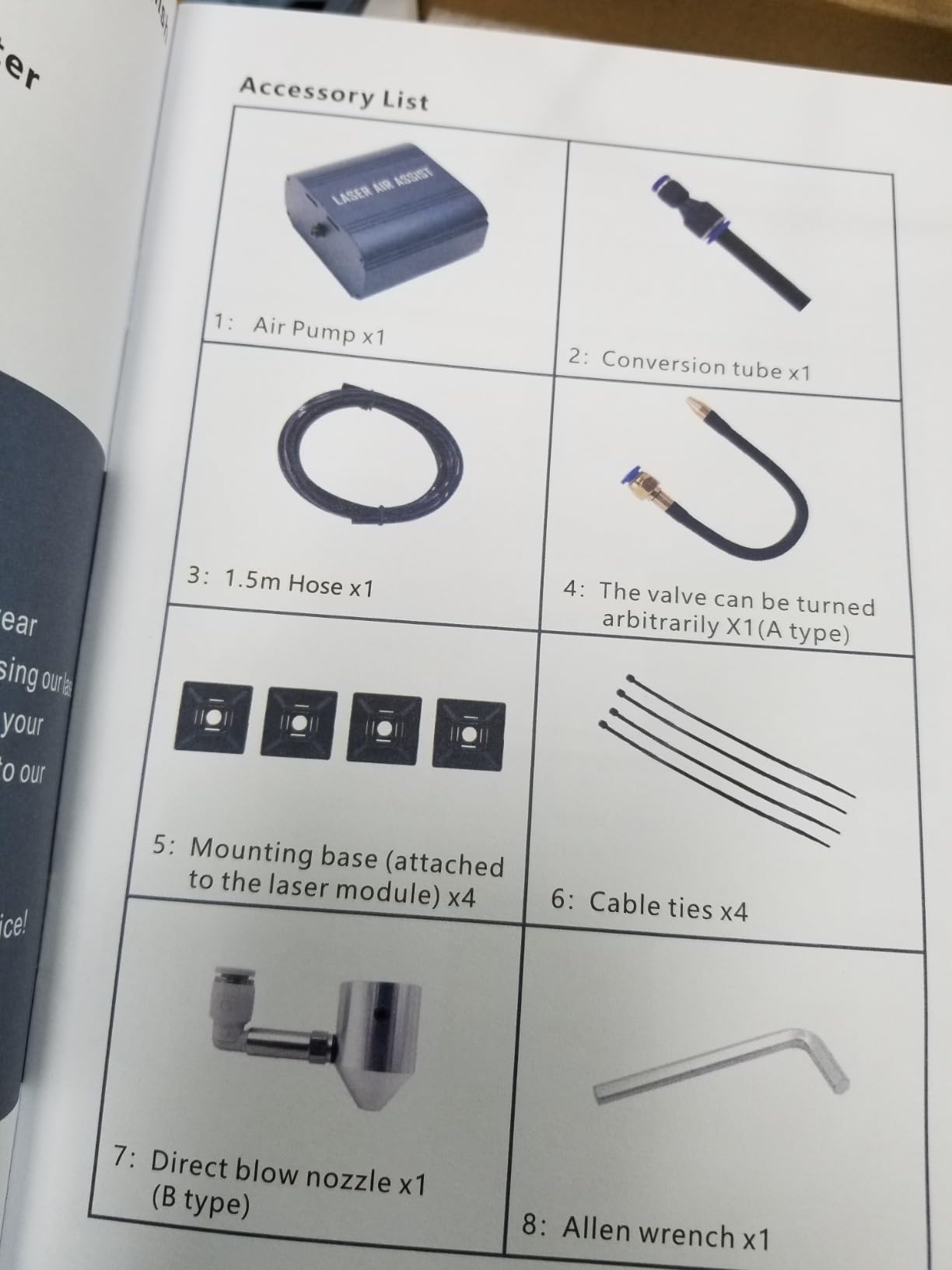
If your machine brand is not on any other list in this roundup, this is where to start. The included conversion tube, adjustable valve, four mounting bases and direct-blow nozzle let the same pump serve almost any engraver head.
Owners report noticeably more airflow than the small aquarium-style pumps people often start with, and the resulting cuts are visibly cleaner. The 0-30 L/min adjustment is easy to dial in.
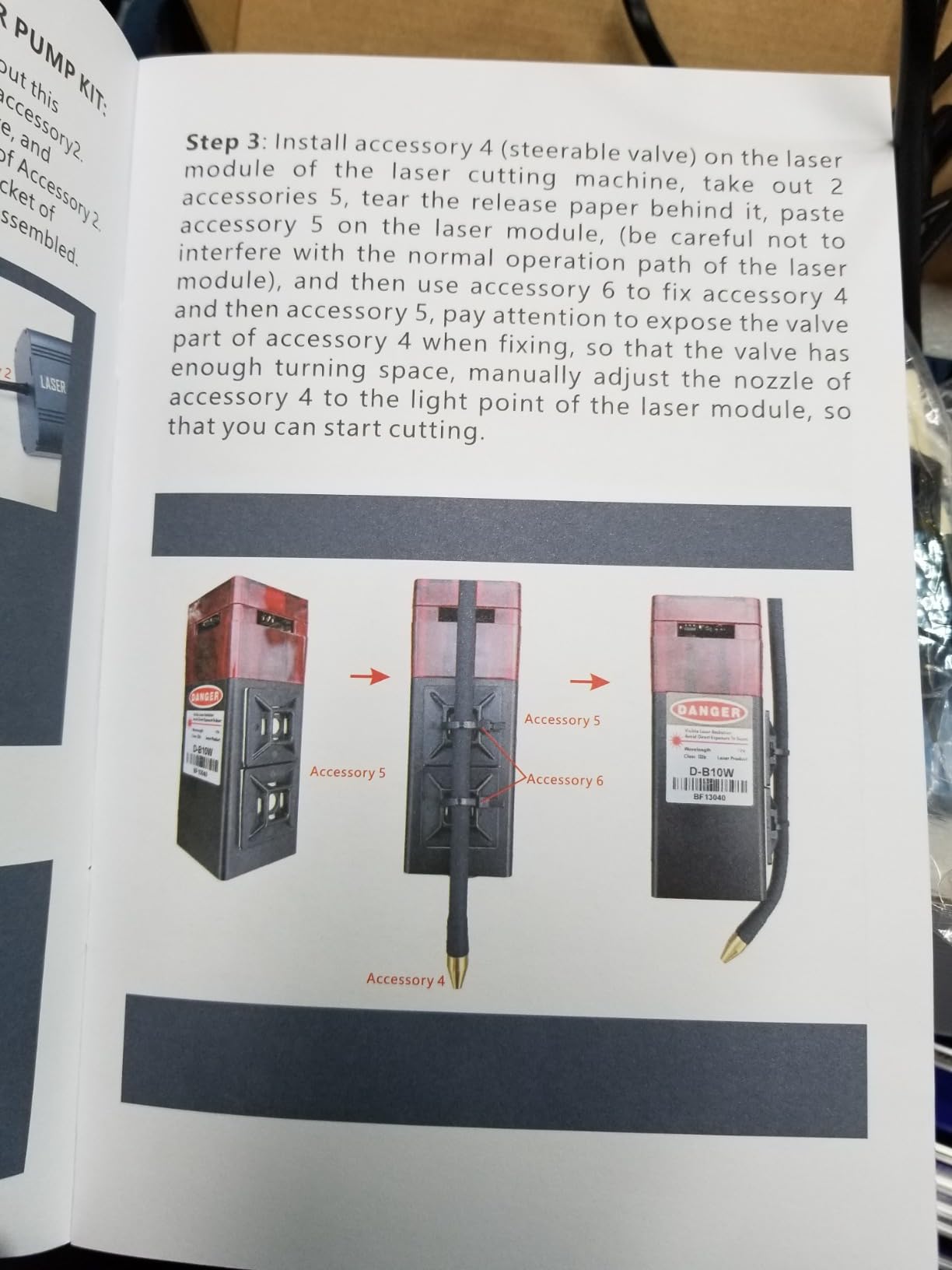
Two construction details justify the design. The all-metal chassis with a black spray finish dissipates heat well, which matters for a pump that runs through a full cutting session. And the independent power cord means the pump never draws from the engraver motherboard, removing a failure path some owners worry about.
It is also quieter than expected once the tubing is fitted and secured, because hose vibration is a common noise source that many cheap pumps ignore.
Where reliability gets tested
This is the weakest part of the kit and you should weigh it before buying. Twelve percent of reviews are one-star, the highest share in this group, driven by power switch failures within weeks and a diaphragm that tore after several months, sometimes outside the warranty window.
No replacement parts are sold separately, so a torn diaphragm means a new pump rather than a repair. That is the trade you make for cross-brand compatibility.
Best fit and best avoided for
Choose it if you own an engraver no brand-specific kit covers, or if you move the pump between machines. The four mounting bases and the direct-blow nozzle make it genuinely flexible.
Look elsewhere if reliability is your priority over fit, or if a warranty-backed brand service network matters to you. The 1.5m hose is also stiffer than some users like to route.
6. Cloudray Ultimate Air Assist Set for CO2 Laser Cutters – Best for Ruida-Controlled CO2 Machines
Cloudray Ultimate Air Assist Set Engraving Tool for CO2 Laser Cutter Laser Engraving Machine
Automatic switch function
Adapts to Ruida controllers
Cut and engrave auto adjust
Manual and auto mode
Pros
- The only CO2-specific
- controller-aware option in this roundup
- Automatic cut and engrave airflow switching cuts idle noise sharply
- Works with Ruida controllers including clones
- Complete kit with everything needed for a full install
Cons
- Box includes the wrong flow restrictor part
- No printed instructions
- Some arrived missing diodes and wiring
This is the only kit here built around a CO2 tube and a Ruida controller, and that specificity is its whole point. Automatic airflow switching between cut and engrave modes lets the compressor stay off when the machine is only idling, which is a meaningful noise saving on a machine that sits beside you all day.
The controller list is broad, covering RDC6445S, RDC6442, RDC5121G, RDC6232G, RDC6332M, RDC6344G, RDC6432G, RDC644XG-A, RDC6585G and RDC7132G, plus similar models and clones.
Owners who already run compressed air on a CO2 cutter rate the completeness highly. Everything needed for a full install is in the box, and the reported improvement is in cut cleanliness and easier cleanup after a job.
One setup requirement is real: the blower checkbox has to be enabled in vendor settings for the WIND and STATUS controller outputs to function. That step is easy to miss and produces a pump that appears dead.
The flow restrictor mistake
This kit includes an Airtac PSL601B restrictor, which is directional and does not restrict properly when fitted as the directions describe. The correct part is the PSL601A. Several reviewers only found this after struggling with inconsistent flow, so swap it before you judge the pump.
Documentation is the other gap. No printed manual is included, so installation depends on a video walkthrough, and some buyers received boxes missing diodes and wiring.
Best fit and best avoided for
Buy it if you run a Ruida-controlled CO2 cutter, particularly a K40-style machine, and want airflow that switches with the job. Owners of those machines describe it as completing an install they otherwise had to source parts for.
Skip it for a diode engraver, where all that controller capability is wasted on a machine that does not talk to Ruida hardware.
7. SCULPFUN S9 Air Assist Kit – Best for SCULPFUN S9 and S6 Pro Owners
SCULPFUN S9 Air Assist Kit, S9 Laser Engraving Machine Perfect Upgrade S10, with Air Pump 0-30 L/min, Adjustable Air Flow, Clean Cut Engraving Edge
30L/min pump at 13.5 m/s
High-speed nozzle
S9 and S6 Pro post-October 2021
Sealing ring
Pros
- Air-assisted nozzle reaches 13.5 m/s air flow speed
- Reportedly two to three times faster plywood and MDF cutting
- Sealing ring prevents air leaks and keeps dust off the lens
- Complete package with pump
- nozzle
- air pipe
- tool kit and manual
Cons
- Only fits S9 and S6 Pro machines built after October 2021 with the tapered cone case
- Listing text contradicts itself on whether the pump is included
- No fit for diode machines outside the S9 and S6 Pro family
The selling point here is speed. The 30 L/min pump pushes air at a claimed 13.5 m/s through a dedicated high-speed nozzle, and owners with the correct machine report cutting plywood and MDF two to three times faster with cleaner, smokeless surfaces.
That is a different claim from the others on this list. Most kits promise cleaner edges. This one promises fewer passes, which matters when you are cutting sheet material for a project.
The sealing ring is worth noting separately. It stops air leaking at the nozzle gap, and it also keeps dust out of the lens, so the same part handles airflow efficiency and optics protection.
The fitment trap to check first
This kit fits only S9 and S6 Pro machines built after October 2021 that have the tapered cone case. Older machines lack that housing and will not accept the nozzle, no matter how close the model number looks.
Check your machine before ordering. It is the single most common reason owners of this kit end up disappointed, and no amount of airflow fixes a nozzle that will not seat.
Best fit and best avoided for
If you run an SCULPFUN S9 or a post-October 2021 S6 Pro, this is a complete upgrade path. The box includes the 30 L/min pump, nozzle kit, air pipe, tool kit and manual, so there are no separate accessory purchases to make.
Avoid it for any other diode machine. The listing text is also contradictory, stating in one place that the air pump is not included and elsewhere that a 30 L/min pump is, so verify the box contents when it arrives.
8. Creality Falcon 22L/min Air Assist Pump – Best Compact Daily Driver
Air Assist for Laser Cutter, Laser Air Assist Laser Engraver for Wood and Metal 22L/min Air Output for Laser Air Assist Protect Laser Lens Reduce Surface Temperature
0-22L/min adjustable
Silicone vibration feet
Compact 7.28 inch body
Suitable for wood and metal
Pros
- Long-term owners describe it as a workhorse running 12 hours a day
- Significantly reduces burn marks once airflow and power are tuned
- Very compact and quiet with effective vibration isolation
- Simple setup with hose and a dial
Cons
- Does not fit every engraver and one buyer reported no effect at all
- Some boxes arrive with missing parts or a damaged protector
- Only 22L/min at the low end of the range
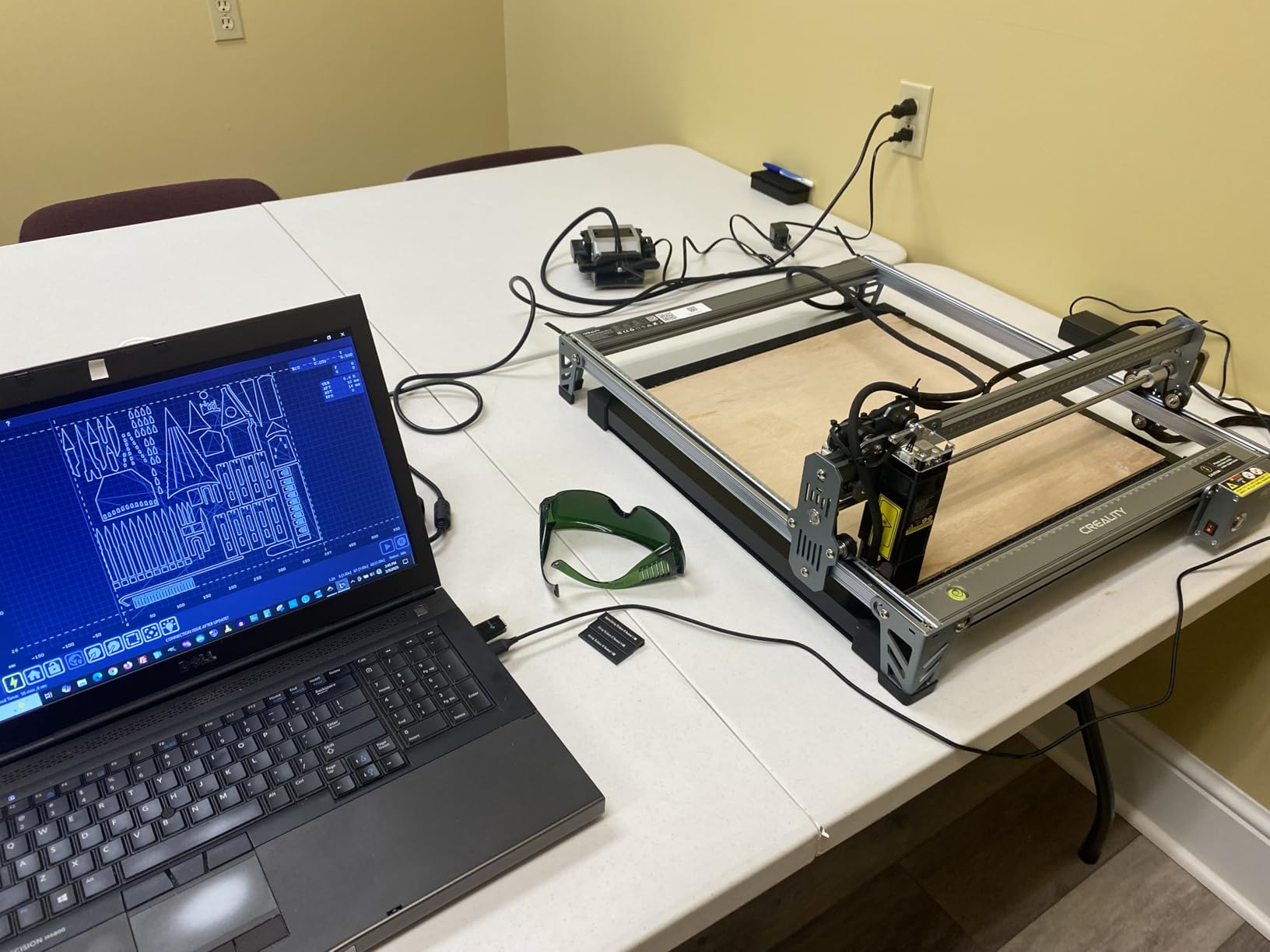
This one earns its place through longevity. Owners describe it as a workhorse that runs twelve hours a day without trouble, and at 22 L/min the output is enough for the kind of steady everyday cutting most hobby engravers actually do.
The cleanest result comes from tuning airflow and power together rather than separately. Buyers who report dramatic scorch reduction typically started by turning airflow down from maximum, which is the opposite of the instinct most new owners have.
Its rank in the engraving tools category signals how established it is with hobby users. At 7.28 x 7.09 x 3.35 inches it takes up very little bench space, and the soft silicone feet damp vibration well enough that the machine stays positioned through a job.
Setup takes about two minutes
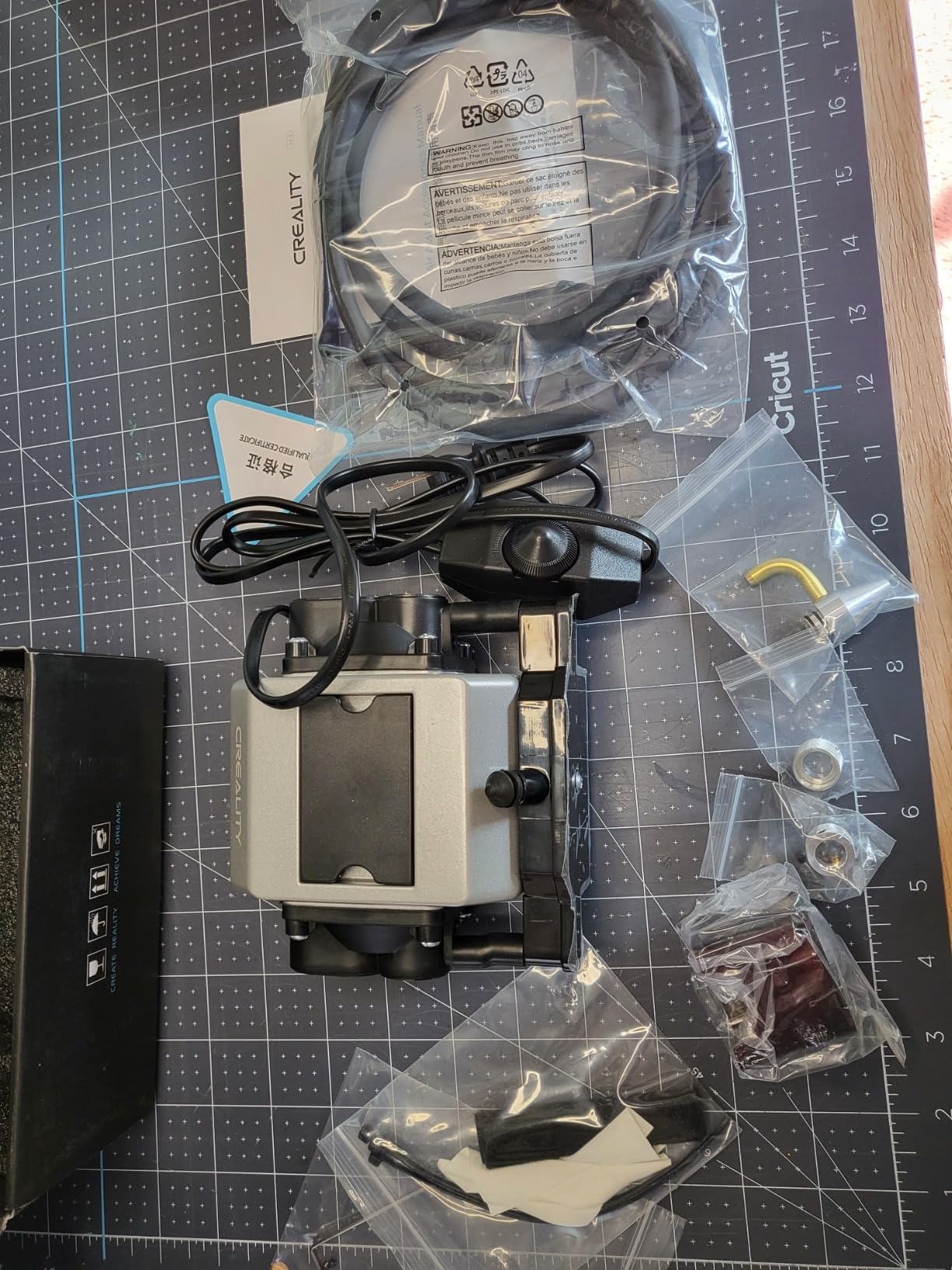
Connect the hose, plug the pump in, turn the dial. There is no bracket assembly and no software step, which makes this a good first upgrade for someone who does not want a project.
Several owners reuse it on a second machine, including a 40W CO2 build, which tells you the flow rating is not as limited in practice as it sounds on paper.
Best fit and best avoided for
Good for daily engraving and light-to-medium cutting in a small space, and for anyone who wants a compact option rather than maximum flow. The build feels solid and tolerates handling.
Two cautions. It does not fit every engraver, and one buyer reported it simply did not work on their machine. The negatives also include missing parts and a damaged laser protector on arrival. Check the box before you start.
9. Woxcker 30L/min Air Assist Pump Kit – Best All-In-One Package
Woxcker Air Assist 30L/min Adjustable Air Assist Pump Kit for Cutting and Engravers, Removes Smoke and Dust/Reduces Surface Temperature/Protects Module, Suitable for Most Engravers
0-30L/min rotary adjustment
Metal body with 4 rubber feet
24V with power adapter
Fits JL7 and JL5
Pros
- Power adapter included
- which several competing pumps omit
- Substantially reduces burn and soot marks on craft wood
- Solid aluminium shell with thick rubber feet that dampen vibration
- Works beyond its own machines when adapted with a fitting nozzle
Cons
- Lowest average rating here at 4.0 with multiple early-failure reports
- Instructions are very sparse and settings do not match real results
- Warranty support was unreachable for at least one buyer
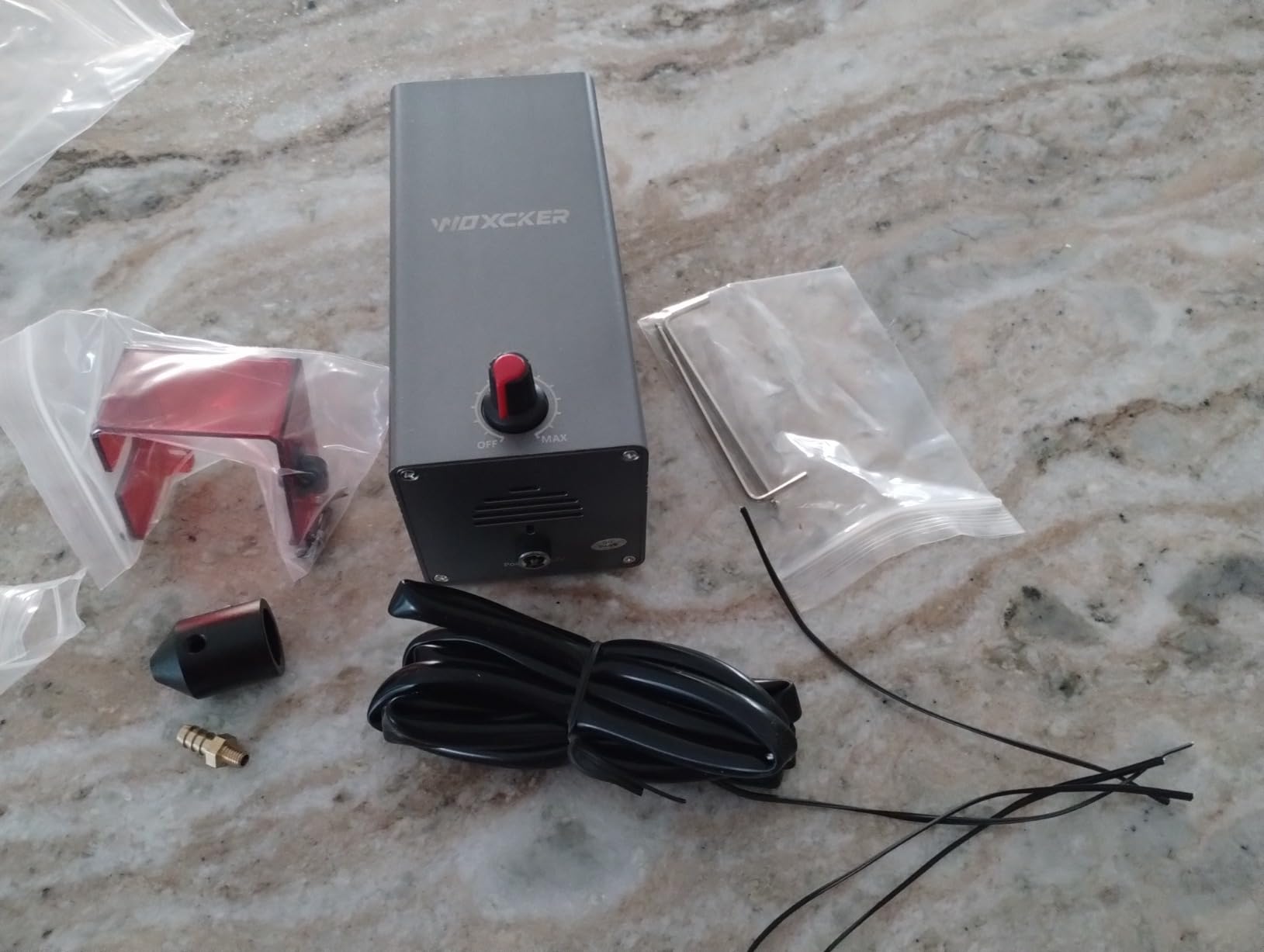
The reason to pick this kit is simple: everything is in the box. Pump, air tube, nozzle, pipe connector, screwdriver, screws, power adapter, protective cover and instructions. Several competing pumps in this roundup arrive without a power supply, and hunting down a matching 24V adapter is an avoidable afternoon.
Owners report a substantial reduction in burn and soot marks when cutting craft wood, and better results on multi-pass cuts. The 0-30 L/min range is set by a rotary switch, which is coarser than a fine-adjusting dial but perfectly workable.
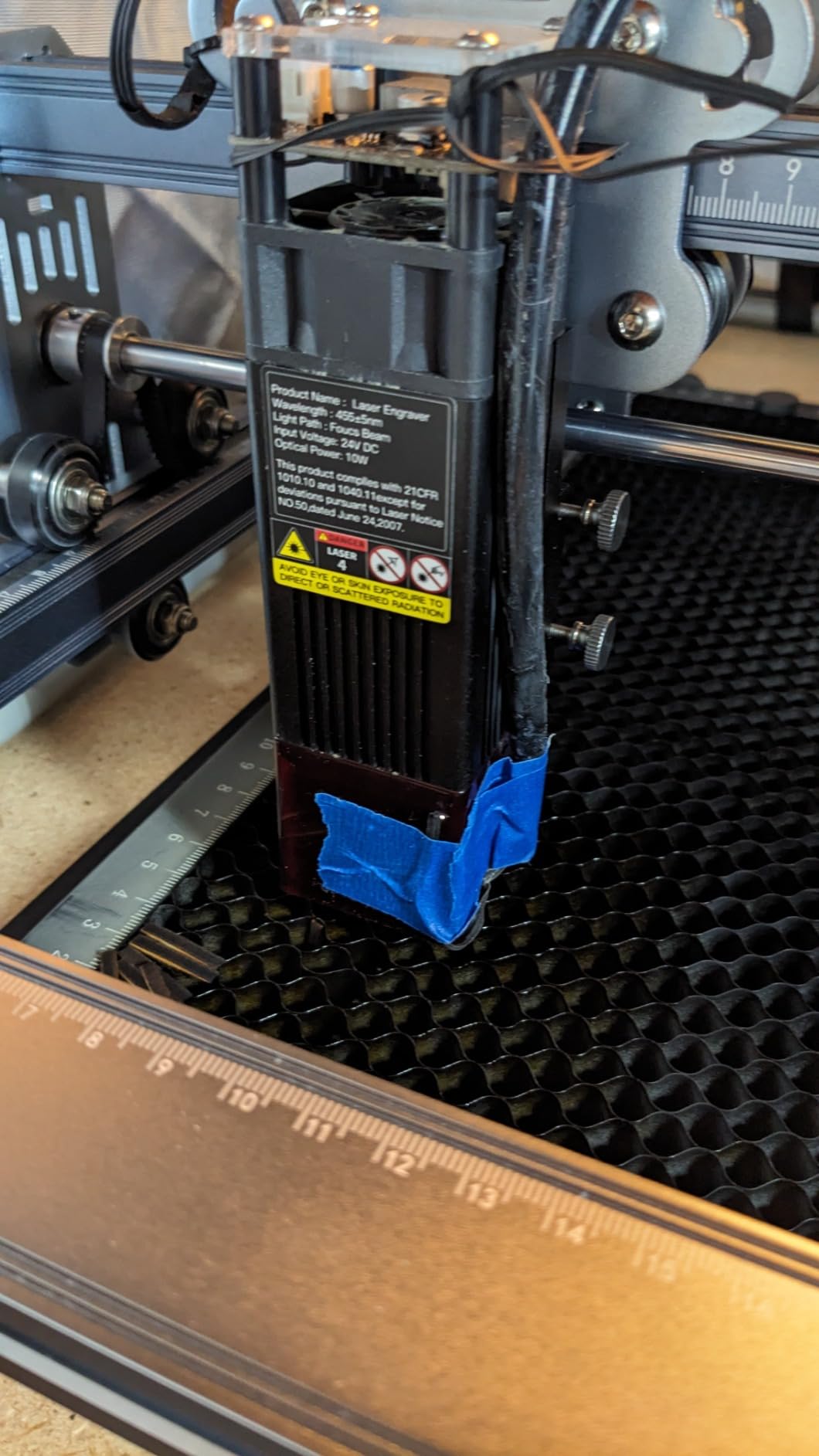
The aluminium body with four rubber feet is a genuinely good design choice. Vibration damping keeps the head steady, and the metal shell dissipates heat better than the plastic shells used by some cheaper pumps.
Where the rating drops
This kit scores lowest in the roundup at 4.0 stars, and the nineteen percent three-star share points at two separate problems. Several owners report the unit failing within about a month of use, which is a durability concern rather than a preference.
Documentation is the other issue. Instructions are sparse enough that users piece setup together from video guides, and the settings in the manual did not match real-world experience. Plan on tuning by trial and error on scrap material.
Best fit and best avoided for
Choose it if you want one box that contains everything and you work on Woxcker JL7 or JL5 modules, or on other engraving modules given a compatible nozzle. Noise is low enough not to bother sensitive users.
Look elsewhere if early-life reliability matters most, or if you want published settings you can dial in rather than discover. One buyer could not reach warranty support despite repeated emails.
10. TOOPLAS 26L/min Air Assist Pump Kit – Best Budget Starting Point
TOOPLAS 26L/min Air Assist Pump Kit for Laser Cutter Engraver
Up to 26L/min output
Swappable 8mm hoses
Machine interface control
Compact and portable
Pros
- Quiet for its size with rubber feet and low vibration
- Reported to have extinguished flames during a 40W CO2 build
- Compact and portable with a minimal bench footprint
- Also used by mini CNC owners to clear toolpath debris
Cons
- Roughly six-second startup delay after power-on
- Somewhat louder than buyers prefer in a workshop
- Hose diameter larger than some laser modules accept
This is the entry-level option, and buyers confirm the core promise holds. Smoke and debris clearing works, edges come out smoother, and one owner reports it extinguishing flames during a 40W CO2 build.
At up to 26 L/min it sits between the 22 L/min compact pumps and the 30 L/min mainstream kits. That middle position is a reasonable compromise for engraving-heavy work with occasional cutting.
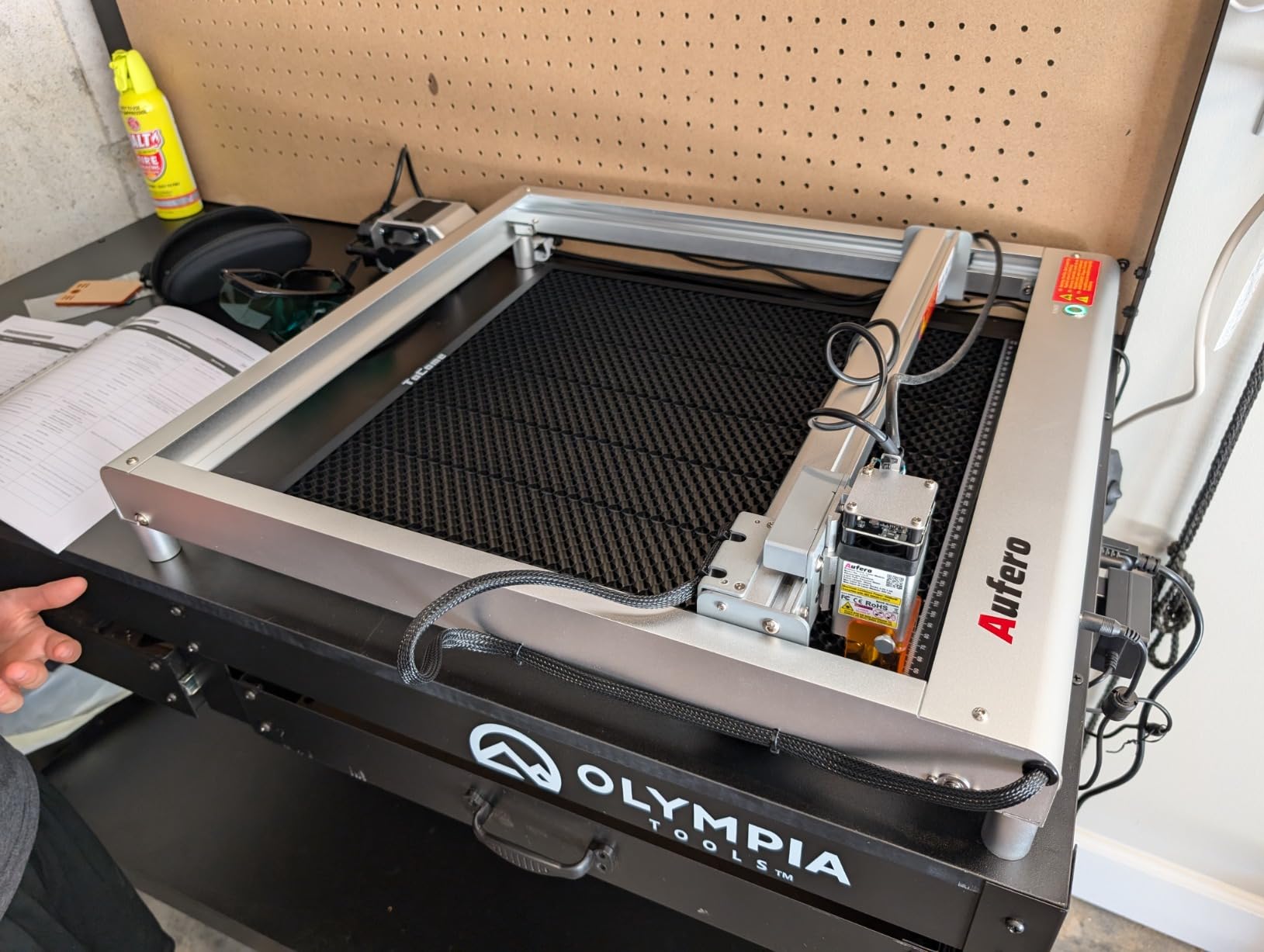
It has uses outside lasers too. Mini CNC owners use it to clear debris from the toolpath, and the swappable 8mm hoses and nozzles mean it adapts to other air-delivery tasks.
Two quirks to plan around
The pump takes roughly six seconds to start after power-on. For intermittent jobs where you cut a small piece, step away, then cut again, that delay becomes irritating fast. For continuous runs it is irrelevant.
Some buyers find it louder than they would like for a workshop, so it is not the pick if noise is your main concern. The hose diameter is also larger than some laser modules accept, which means trimming or swapping tubing.
Best fit and best avoided for
Connection is either the machine interface for software control or the included external power supply, and software control is not supported by every controller, so verify your machine speaks to it before relying on that mode. One pump arrived with a defective electrical contact, and another did not power on at all.
Machine Compatibility: Which Kit Fits Which Laser
Fitment causes more returns in this category than price or performance ever will. A pump that pushes beautiful air past a nozzle that will not seat on your laser head is an expensive box that sits on a shelf, so check this list before anything else.
If you own an xTool D1 or D1 Pro: the PYXGLAQ 30L/min kit is designed for these heads. Remove the inner insert from the nozzle shroud first, and expect to modify the nozzle on some D1 10W units.
If you own a Longer Ray5 10W or 20W: the Longer air assist kit threads directly into the laser head. Check that the silicone O-ring seats properly, since a leaking ring is the most common fitment complaint on this kit.
If you own a Creality Falcon 10W or a 10W laser module kit: the Creality Falcon air assist kit is built around that platform with Velcro mounting. The separate Creality Falcon 22L/min pump is a more generic option that some owners move between machines.
If you own an Ortur Laser Master 2, 2 Pro or Laser Master 3: the Ortur 50L/min pump covers LU2-4-LF, LU2-10A and LU3-20A modules. If you want broader fit, the Ortur 30L/min universal pump ships with a conversion tube and four mounting bases.
If you own an SCULPFUN S9 or S6 Pro: the SCULPFUN air assist kit fits, but only on machines built after October 2021 with the tapered cone case. Older housings will not accept the nozzle.
If you own a Woxcker JL7 or JL5: the Woxcker kit fits as supplied, and other engraving modules work with a compatible nozzle.
If you own a Ruida-controlled CO2 cutter, including K40-style machines: the Cloudray Ultimate Air Assist Set is the controller-aware option, supporting RDC6445S and the other listed Ruida models. The PYXGLAQ pump is also reported to work on K40 builds with light modification.
If you own anything else: the Ortur 30L/min universal pump with its conversion tube, valve, four mounting bases and direct-blow nozzle is the safest cross-brand choice. The TOOPLAS kit is another adaptable option with swappable tubing.
One quick check before any purchase: look at whether your machine already has an air assist port on the back of the controller box. If it does, you can feed an external pump through it rather than clamping a nozzle to the head, which sidesteps most fitment problems entirely.
Air Assist vs Exhaust: Two Different Jobs
These two get confused constantly, and buying one expecting the other is the most common misunderstanding we read about. Air assist improves the cut. Exhaust protects the person operating the machine. Neither substitutes for the other.
Air assist blows air toward the workpiece along the beam path. Its job is to clear smoke and carbonised particles out of the kerf so the laser keeps its energy on the material, cool the cut edge, and deflect soot away from the lens. It is a quality and performance tool.
Exhaust and fume filtration pulls air away from the machine and through a filter before releasing it. Its job is to capture smoke, gases and fine particulate so you are not breathing them and so your workspace is not coated in residue. It is a safety tool.
The practical distinction shows up when one is missing. Without air assist, edges char, cuts take more passes and the lens soils quickly. Without exhaust, the room fills with smoke and the residue settles on every surface, including inside the machine where a failed pump has already left soot on the frame.
The airflow direction tells you which one you are looking at. Air assist pushes toward the cut through a small nozzle mounted near the head. Exhaust pulls away from the cut through a wide duct or hood. If air is being drawn into your machine from the room, that is extraction, not air assist.
A note on feed air: only filtered compressed ambient air is safe to feed into a laser head. Do not connect an oil-compressed air line, and be careful with cheap compressors that can carry moisture and oil droplets into the optics path.
How We Picked These 10 Kits
We did not have a laboratory bench for this roundup, so we selected on evidence rather than impressions. Four things decided the list.
First, published specifications. A stated flow rate in L/min, a power input, a package weight and a compatible machine list are the minimum for inclusion. Kits that publish none of these were not ranked highly, because unverifiable claims cannot help you decide.
Second, review volume and distribution. We weighted the average rating but read the full spread behind it, because a 4.4 with no one-star reviews tells a different story from a 4.4 with a heavy one-star tail. That is how the Ortur 50 L/min pump and the TOOPLAS kit ended up on opposite ends of the reliability conversation.
Third, failure-mode evidence. We looked specifically for reports of pump burnout, connector fires, diaphragm tears and switch failures, because those determine whether a kit lasts a year or a month.
Fourth, fit clarity. Kits that state exactly which machines they fit scored better than kits that claim to suit everything, because a specific claim can be checked and a vague one cannot.
How to Choose an Air Assist Kit: 7 Criteria
Use these in order. The first two decide whether a kit is a candidate at all, and the rest decide between the candidates.
Confirm the machine fit before anything else. Check the manufacturer list against your exact model and, where relevant, your production year. The SCULPFUN kit is the clearest example of a kit that works beautifully or not at all based on build date.
Match airflow to your thickest material. Engraving and thin craft stock are handled by anything from 22 L/min upward. Plywood, MDF and hardwood cutting want 30 L/min or more, and a CO2 tube at 40W and above benefits from the highest flow available.
Look for a serviceable intake filter. A pump with no replaceable filter element is a sealed unit that eventually overworks and fails. This is the single most common cause of the burnout reports in forum threads.
Check whether fittings can handle heat near the focal point. Hose connectors and adapters near the beam path are documented ignition points. Metal fittings and a secure connection beat thin plastic.
Prefer adjustable flow over fixed output. Engraving wants gentle airflow that does not blow debris off the workpiece. Cutting wants more. A pump covering both ranges serves the whole job list on one machine.
Factor in noise and vibration, not just airflow. These pumps run beside you for entire sessions, and vibration can disturb head positioning mid-pattern. Published dB figures vary in reliability, so treat them as a hint rather than a measurement.
Check the warranty and parts situation. A one-year warranty is standard. Replacement parts sold separately is not, and it determines whether a small failure ends the pump.
And one question that saves money before any of the above: does your machine already have a built-in air assist? Many enclosed and semi-enclosed engravers ship with a factory pump. If yours does and it delivers steady airflow at your working distance, you may not need to buy anything at all.
Engraving vs Cutting: Where to Start With Flow
Too much airflow and you blow lightweight debris off the workpiece, which wrecks contrast on engraving and can shift small parts mid-job. Too little and smoke stays in the kerf, edges char and cuts take extra passes. The window is narrower than most listings suggest.
For engraving, start at the bottom of the adjustment range and raise it only until the smoke plume stops drifting back into the beam path. Fine detail work rarely needs more than a third of the pump’s maximum. If material is lifting or blowing away, you are past the useful point.
For cutting thin wood, acrylic and craft board, roughly half to two-thirds of maximum is a sensible starting range on a 30 L/min pump. For plywood, MDF and hardwood, open the adjustment up and let the airflow support your power and speed settings.
Users on r/lasercutting give a useful shortcut: set airflow only as high as it visibly moves the smoke away from the cut. That heuristic adapts to any pump and any material.
Longer-service CO2 owners on r/lasercutting also reference around 25 psi as a reference point for serious cutting work, noting it all but eliminates the need to clean pieces or mask them afterwards. No hobby pump in this roundup publishes a pressure figure, so treat that as context for high-static-pressure setups rather than a dial setting for a compact pump.
Always test on scrap material first. Every machine, lens and material combination behaves differently, and the settings that work on thin plywood will scorch basswood.
Installation: Mounting the Nozzle and Connecting the Air
Most installs take under ten minutes if you know the two decisions involved: where the air comes from, and where the nozzle points.
Decide your air source. If your controller has a dedicated air assist port, you can run a pump into that port and control it from your software, which is the cleanest setup. If it does not, connect the pump directly with its own hose and switch it on manually or wire it to a relay.
Wire to the aux air control if you have one. Several owners have improved on the stock setup by wiring their pump into the machine’s aux air control relay, so the pump starts and stops with the machine instead of running all day. On CO2 machines this is a meaningful saving on both noise and pump life.
Mount the nozzle near the head. Clamp or stick the nozzle holder to the gantry rail close to the laser head, with the tip aimed at the focal point rather than at the surface. Air hitting the material instead of the focal point wastes most of the flow.
Set your standoff distance. The nozzle should sit close enough that the jet is focused at the cut plane. Follow the kit’s stated distance for your material thickness, and re-check it if you switch between thin stock and thick board.
Secure the hose. Loose tubing is the most common source of unexpected noise and of fittings working loose under vibration. Clip it to the gantry so the run is short and supported.
If you have a honeycomb bed, work with it rather than against it. The cell structure lets air move through the underside and pulls smoke away from the kerf, which pairs well with air assist. Do not block the cells with a solid spoilboard directly under the cut.
Maintenance and Failure Modes
No vendor in this category publishes failure data, which is why the most useful information comes from owner reports. Here is what actually goes wrong.
Clogged intake filters. This is the leading cause of pump failure and the one most owners never see coming. A widely shared post in r/Laserengraving described an air assist hose connector catching fire during a 9mm plywood cut, with the compressor burnt out and the machine interior covered in soot. The root cause was an intake filter clogged badly enough to scrape off, on a machine with under 50 hours on it.
On OMTech-style CO2 machines, the same owner found the filter at the rear near the water pump power outlet, clearly labelled. Most people simply do not know it exists. Check yours before your next cut.
Connector fires. Hose connectors and adapters near the focal point are a documented ignition point. This happens when airflow is restricted, heat builds at a fitting, and the material around it ignites. Metal fittings, a clean connection and unclogged filters all reduce the risk.
Compressor burnout mid-cut. A pump that overheats during a job leaves you with a workpiece that is only half cut, soot through the machine interior, and a bill to replace the pump plus a deep clean. This is the scenario that makes regular filter checks non-negotiable.
Switch and diaphragm failures. In this roundup, 12 percent of reviews on the Ortur 30L/min universal pump are one-star, driven by power switch failures within weeks and a diaphragm that tore after several months. Parts are not sold separately for that kit, so a tear means a replacement.
Early-life failures in premium kits. The Woxcker kit carries multiple reports of units failing within about a month. Higher price did not correlate with better longevity in this group, which is worth knowing before you upgrade.
A simple routine covers most of this. Check the intake filter weekly if you cut often, clean it monthly, and replace the element when airflow drops or it will not clean back to original. Keep a Class ABC extinguisher near the machine, and never leave a running laser unattended.
Fire Safety: What Air Assist Cannot Do
Air assist reduces fire risk materially. It does not eliminate it, and anyone selling you a pump as fire prevention is overselling it.
What it genuinely does is remove the smoke and hot debris that let a small flame travel back along the cut line. Dry, fibrous material such as thin plywood and craft wood still burns at the kerf under sustained energy, and airflow only shifts where the heat goes.
The rules that matter do not change with a better pump. Keep a Class ABC fire extinguisher within reach. Never leave a running laser unattended, even for a two-minute job. Keep the workspace clear of offcuts, and empty your scrap bin regularly, because loose material in a bin is a fire waiting for a stray spark.
Feed only filtered compressed ambient air. An oil-compressed line can carry oil and moisture into the optics path, and moisture near a hot beam is its own hazard.
For hobby CO2 machines, run the pump for the whole session. Vendor setup guides for 45W and 40W CO2 machines are explicit that the air pump must be running during operation to help prevent fire, and that the machine should never be left unattended while it runs.
Frequently Asked Questions
Does air assist help with laser cutting?
Yes. Air assist blows a focused stream of clean air at the focal point to clear smoke and debris out of the kerf, cool the cut edge so surrounding fibres do not char, and deflect soot away from the lens. Because smoke no longer scatters and defocuses the beam, more laser energy reaches the material, which often feels like a power upgrade.
Do I need air assist if my laser engraver already has one built in?
Check the airflow first. Many enclosed and semi-enclosed engravers ship with a factory pump that is adequate for engraving and thin material. You only need an external kit if the built-in flow is weak, intermittent, or aimed poorly. Test with a scrap cut before buying anything.
Is air assist the same as a smoke extractor?
No. Air assist pushes air toward the cut to improve cut quality. An exhaust or smoke extractor pulls air away from the machine through a filter to protect the operator. They are not interchangeable and you need both for a safe, clean workflow.
How much airflow do I need for plywood versus acrylic?
Around 22 to 30 L/min handles engraving, thin craft wood and acrylic well. Plywood, MDF and hardwood cutting want 30 L/min or more, and a 40W-plus CO2 tube benefits from the highest flow available. Start low for engraving and raise it only until smoke clears the kerf.
Why did my laser air assist stop working?
A clogged intake filter is the leading cause, followed by burnt hose connectors and compressor overload from restricted airflow. Check and clean the filter first, then inspect fittings near the focal point for heat damage. A pump that fails mid-job also leaves soot throughout the machine interior.
Will air assist stop my laser from starting a fire?
No, it only reduces the risk. Air assist removes smoke and hot debris that let a flame travel back along the cut line, but fibrous material can still burn at the kerf under sustained energy. Keep a Class ABC extinguisher nearby and never leave a running laser unattended.
Final Verdict: Which Air Assist Kit Should You Buy
The best laser engraver air assist kits are chosen by fit first and airflow second. Check the machine list, confirm the nozzle will seat, then pick the flow rate your thickest material needs.
Falcon 10W and 10W module owners get the most reliable package here in the Creality kit, which is why it is our editor’s choice: the highest average rating in the group and no complaints about the things that matter. xTool D1 and D1 Pro owners should take the PYXGLAQ kit for its 30 L/min output and near-silent running, after removing the nozzle insert. Ortur owners cutting thicker material get the 50 L/min pump, the only one rated that high.
For everything else: the Ortur 30L/min universal pump fits the widest range of machines but carries the weakest reliability record, and the Cloudray set is the right answer for Ruida-controlled CO2 cutters. Whatever you buy, find that intake filter before your next cut.
Related reading: if you are organising the rest of your workshop, our best laser engraver enclosures and cable sleeving kits guides cover the unglamorous parts of a tidy setup.
This roundup was updated in 2026 and reflects the 2026 accessory landscape. Machine compatibility shifts with new releases, so check the fit list against your specific model before ordering.