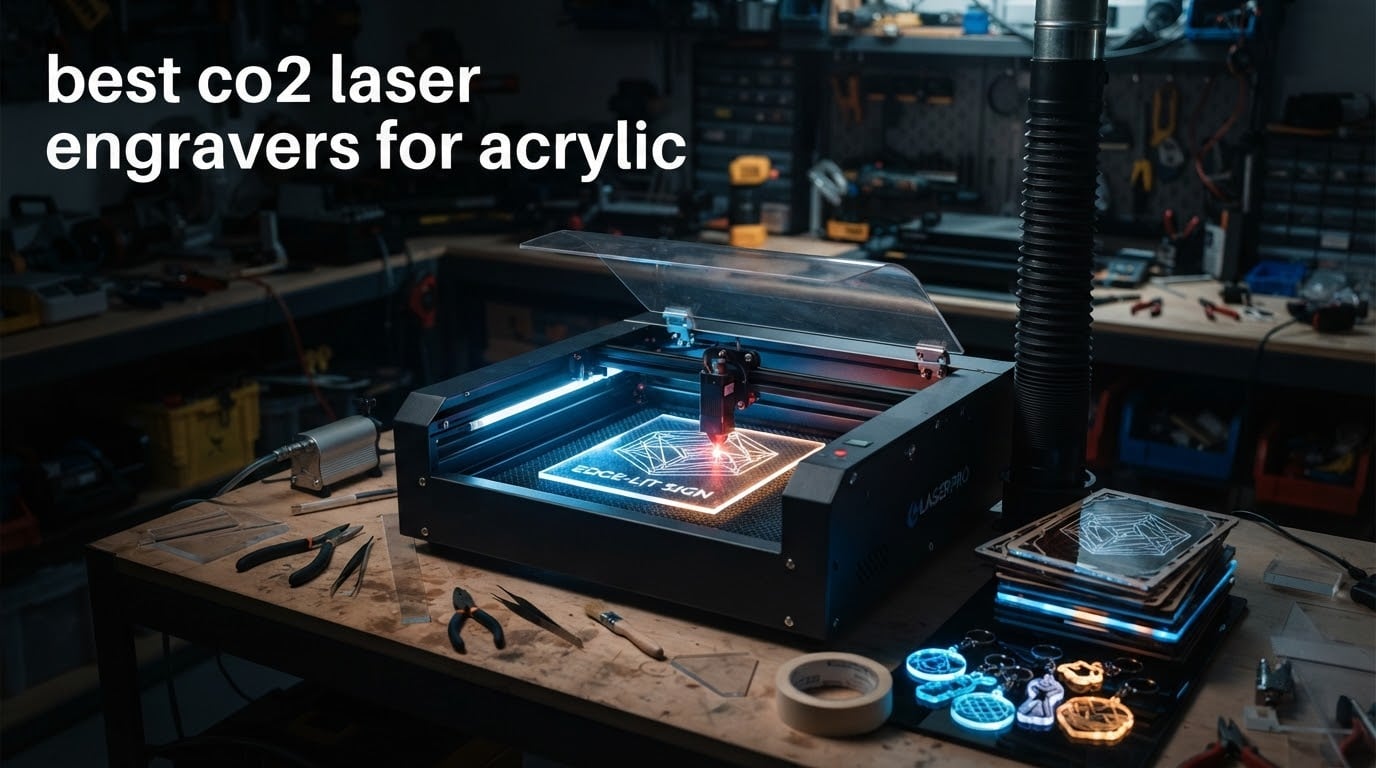
Acrylic is the most forgiving material you can put under a laser, and the most unforgiving to get wrong. A CO2 laser frosts a bright white mark into clear sheet in a single pass, cuts a polished edge through 25mm of it, and handles every colour from clear to blue to cast-white without changing settings. That is why almost every sign shop, jewellery seller and small production workspace runs a CO2 tube rather than a diode head.
So, straight to the answer: the xTool P3 80W is the best CO2 laser engraver for acrylic in 2026. It cuts 25mm acrylic, engraves up to 1200 mm/s inside a Class 1 enclosed cabinet, and pairs LiDAR autofocus with a 36in x 18in bed. If your budget is tighter, the OMTech K40+ 45W is the best value pick, and the Orion Motor Tech 50W is the best first machine if you want a 12in x 20in bed and a Ruida controller readout.
Last updated: October 2026.
We do not publish these picks from a spec sheet alone. Every machine below was rated against the same six criteria that decide whether acrylic comes out frosted or melted: claimed acrylic cut depth, work area against realistic sheet sizes, controller and software freedom, whether a chiller and air assist are included, build weight as a proxy for frame rigidity, and how much the listing’s own buyers actually rate it. Where a listing’s claims and its owners’ reports disagree, we say so. You may also want our wider CO2 laser engraver roundup for the non-acrylic angles.
Disclosure: we earn a commission when you buy through the links on this page. It does not change the ranking, and every con listed below comes from real owner feedback.
Table of Contents
Top 3 Best CO2 Laser Engravers for Acrylic in October

xTool P3 80W CO2 Laser Cutter
- Cuts 25mm acrylic
- 20mm wood
- 1200 mm/s
- 36x18in bed
- LiDAR autofocus
- Class 1 enclosed

OMTech K40+ 45W CO2 Laser
- Cuts 10mm acrylic
- 300 mm/s
- 12x8in honeycomb bed
- integrated auto air assist
- LightBurn and LaserGRBL

Orion Motor Tech 50W CO2 Laser
- Cuts on a 12x20in surface
- 0-500 mm/s engraving
- Ruida LCD power readout
- built-in air pump
- LightBurn compatible
The xTool P3 takes the top slot on raw acrylic capability and safety enclosure, not on owner rating volume. At 22 reviews it carries the second-largest sample in this group after the K40+, and its 4.5 average holds up. The OMTech K40+ is where most first-time buyers should actually start, and the Orion 50W solves the specific problem of a bed too small for standard sheet stock.
All Six Machines Compared in 2026
| Product | Specifications | Action |
|---|---|---|
| xTool P3 80W CO2 Laser Cutter |
|
Check Latest Price |
| OMTech K40+ 45W CO2 Laser Engraver |
|
Check Latest Price |
| Orion Motor Tech 50W CO2 Laser Engraver |
|
Check Latest Price |
 OMTech Maker 60W CO2 Laser Engraver OMTech Maker 60W CO2 Laser Engraver |
|
Check Latest Price |
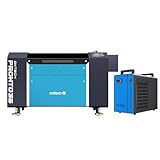 OMTech Pronto 35 90W CO2 Laser Engraver OMTech Pronto 35 90W CO2 Laser Engraver |
|
Check Latest Price |
 TEN-HIGH 4040 40W CO2 Laser Engraver TEN-HIGH 4040 40W CO2 Laser Engraver |
|
Check Latest Price |
A note on those acrylic numbers before you plan a project: they are manufacturer and listing claims, and in this category the claim and the result diverge more often than buyers expect. Two machines here are listed at 0.8in and 25mm of acrylic respectively, and neither figure is a single-pass number. Real output depends on tube condition, focus, how many passes you are willing to give it, and whether you run air assist. Treat each as a ceiling, not a promise.
1. xTool P3 80W CO2 Laser Cutter Review – Best Overall for Acrylic
xTool P3 80W Flagship CO2 Laser Cutter with Intelligent Automation
80W CO2 tube
Cuts 25mm acrylic and 20mm wood
36in x 18in bed
1200 mm/s
LiDAR autofocus
360 lb
Pros
- Cuts thick clear acrylic that diode lasers pass straight through
- LiDAR autofocus removes manual focal setup
- AutoLift base handles tall workpieces
- Class 1 enclosure with lid interlocks and suppression
- Dual cameras give distortion-free alignment preview
Cons
- xTool Studio software is mandatory and awkward for LightBurn users
- Preset material library runs too aggressive and can shorten tube life
- Usable bed width measured slightly under the advertised 18in
The P3 is the only fully enclosed Class 1 machine in this group, and that changes how you work with acrylic rather than just how fast you work. Acrylic cutting generates a sharp, acrid fume and a surprising amount of airborne dust, and a cabinet with lid interlocks, active detection and suppression means you are not running a fume extractor with your elbow. Owners running it on pine, maple, MDF and thick acrylic describe clean, consistent passes, and one reviewer measured it cutting faster than a 50W machine head to head.
At 360 pounds and 49.21 x 30.71 x 19.53 inches, this is not a machine you shuffle across a bench between projects. Plan the location first. The 36in x 18in workspace plus the AutoLift base, which raises up to 8.7in, means you can load a panel standing up rather than crouching over a bed, and that is worth a lot on a long production day.
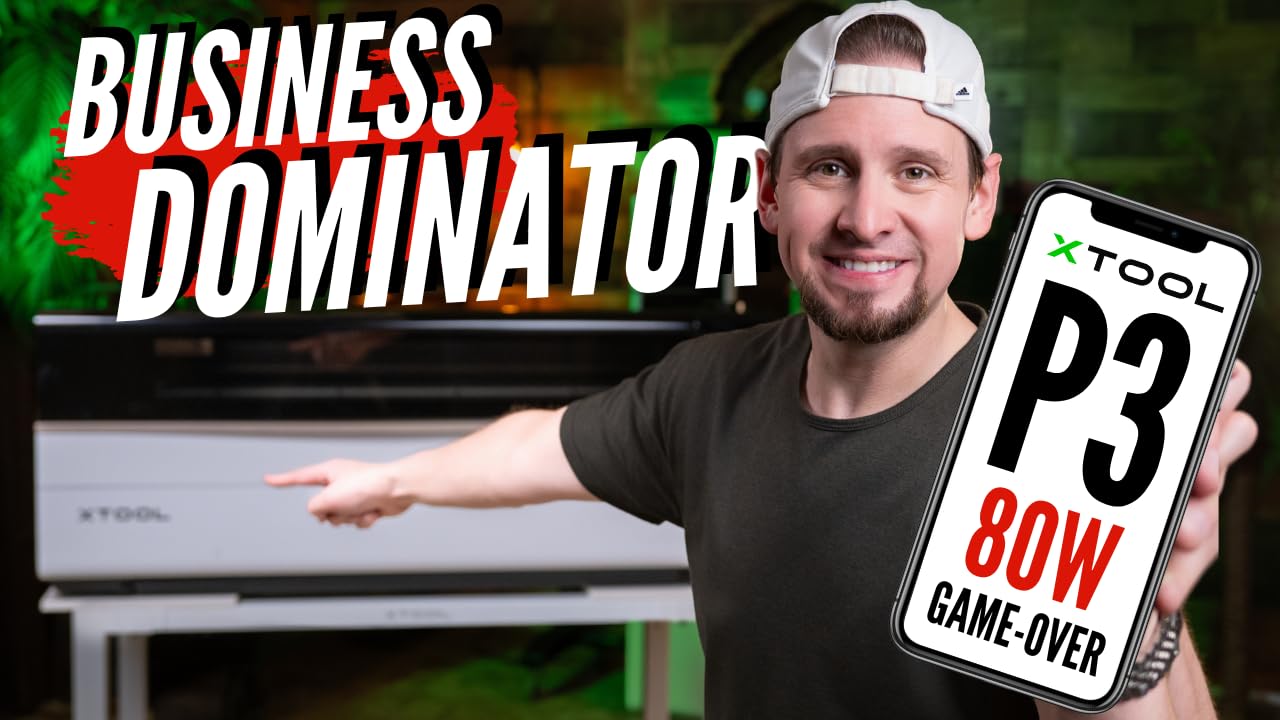
The automation stack is the real differentiator. LiDAR ranging autofocus finds the focal plane instead of you guessing with a set of washers, and a 16MP SkyView camera plus a close-range detail camera give you a distortion-free preview with 0.0079in alignment accuracy. For acrylic edge-lit signs, where you are aligning a mirrored artwork to a channel, that preview is the difference between a two-minute setup and a twenty-minute one.
The honest weakness is software. xTool Studio is required, and owners coming from LightBurn describe it as difficult, with a materials library that is thinner than advertised and preset cut settings that run hot enough to worry about tube life. If you plan to run third-party settings files, custom dithering passes or your own job database, factor that friction in.
One reviewer also measured the usable bed width slightly under the advertised 36in x 18in, which is common with this class of machine because the usable area sits inside the frame clearance. Ask for the usable dimensions with the pass-through door open before you commit to a sheet size.
Why it works for acrylic in particular
The 80W tube has more than enough headroom to run acrylic engraving at low power and high speed, which is exactly where clear sheet looks best. Low-percentage, fast engraving produces a dry frosted white rather than the wet grey melt you get when you hold a hot beam on acrylic. This machine makes that forgiving window easy to stay in because the controller meters power smoothly and autofocus stops you guessing at focal height.
Thickness is where it separates from the 45W and 50W machines on this list. A 25mm acrylic claim means you can cut stacked layers, thick edge-lit bases and stand-up signage blanks without hunting for a bigger machine later. At 1200 mm/s engraving speed it also keeps batch jobs short, which is what makes a per-unit price model work for a small shop.
Where it disappoints
Support is the least predictable part of the package. Owners report website inquiries going slow or unanswered entirely, and on a machine at this weight and complexity you want a responsive contact before the first large job, not after. If you are outside the shipping regions where support is fast, factor that into the choice.
Second, the large format carries little resale value and real planning cost. You need floor space, a dedicated circuit and a ventilation path, and if the business does not materialise the machine is hard to move on. Buy it because you have a queue of acrylic work, not because the specification sheet is exciting.
2. OMTech K40+ 45W CO2 Laser Engraver Review – Best Value
OMTech K40+ 45W Desktop CO2 Laser Engraver & Cutter
45W CO2 tube
Cuts 10mm acrylic
12in x 8in honeycomb bed
300 mm/s
Auto 45-degree air assist
81.8 lb
Pros
- Largest review base here at 37 ratings
- Integrated auto-adjusting air assist needs no separate pump
- Honeycomb bed and detachable base with optional rotary axis
- Supports both LightBurn and LaserGRBL
- Video-based technical support for first-time CO2 users
Cons
- Quality control on arrival: loose hardware and misaligned gantry reported
- Small 12in x 8in bed limits sheet size
- USB cable and interlock switch may need replacing on setup
The K40+ is the machine most first-time acrylic buyers end up owning, and at 37 ratings it has the widest owner sample of anything on this list. Owners who get past setup consistently report clean acrylic and wood cutting at up to 300 mm/s, with a rating distribution running 75% five-star. The catch is that “past setup” is doing real work in that sentence.
What you get for that money is a 45W tube listed to cut up to 0.4in (10mm) of acrylic and 0.31in (8mm) of wood, a 12in x 8in honeycomb bed, a detachable base and a 45-degree auto-adjusting air assist that clears smoke and protects the lens without a separate pump. It supports LightBurn and LaserGRBL, so you are not locked into a single software ecosystem.
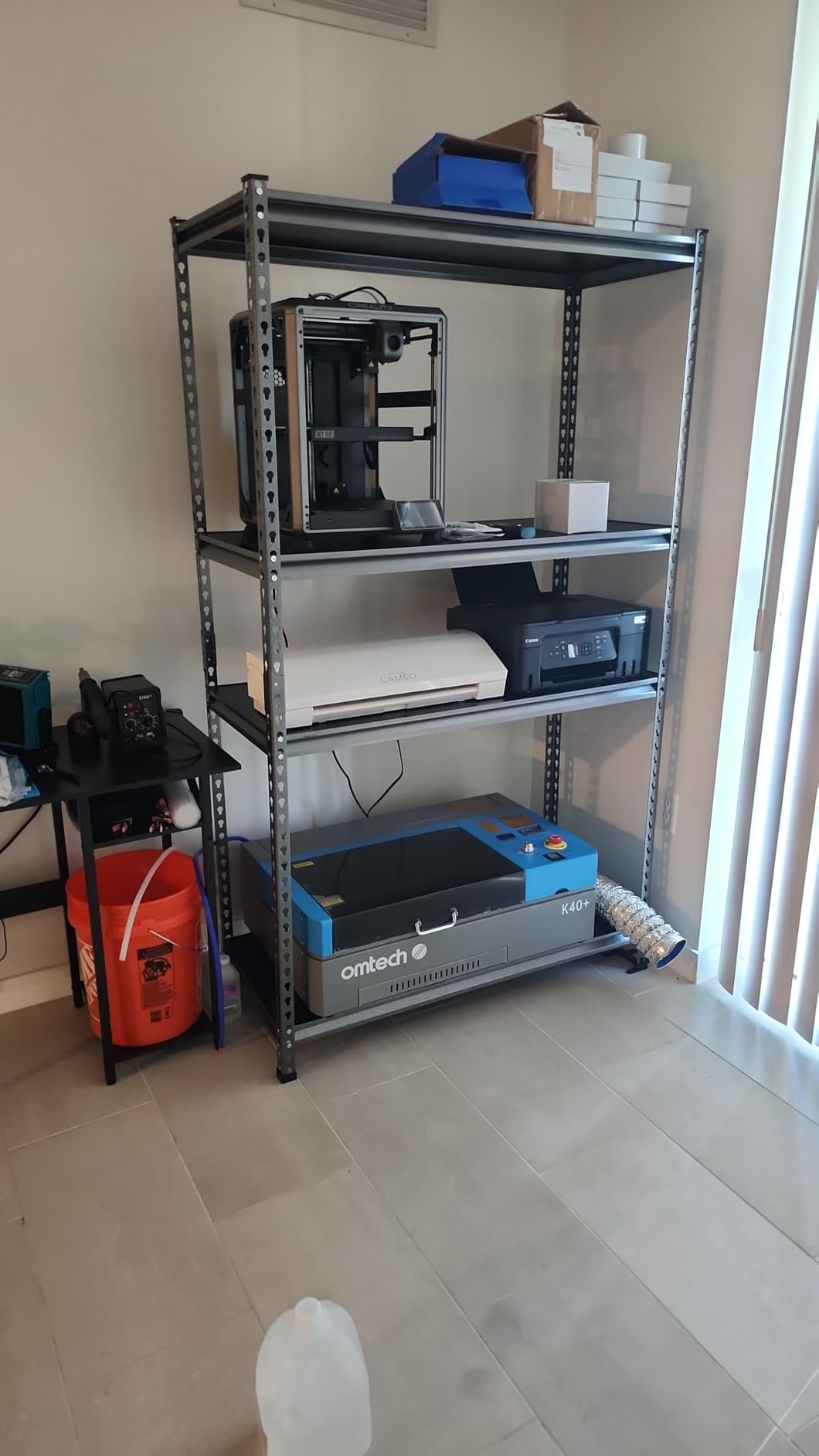
The bed is the fundamental constraint. A 12in x 8in working area suits earring-size material, pendants, keychains and 9x12in sheet offcuts, and it is genuinely fine for jewellery and small gift work. It is not a machine for signage panels, and no amount of clever layout changes that.
Acrylic behaviour on the K40+ is where the air assist detail matters more than the wattage. Owners cutting thicker clear sheet benefit from that integrated assist blowing melt away from the kerf, while the engraving side wants the assist low or off so the beam does not drag melted material back across the work. One fixed pump setting for both jobs is the single most common cause of the grey, wet-looking result people complain about.
Assembly quality is the honest drawback. Multiple owners report arriving units with a dented frame, loose internal hardware and a misaligned gantry, plus a faulty USB cable and an interlock switch that needs adjusting. Water hoses connected backwards also cause confusing first-start behaviour. None of these are fatal, but budget a weekend and OMTech’s video-based support team, which is repeatedly singled out as genuinely helpful for first-time CO2 users, is a real reason to buy from this brand rather than a no-name marketplace listing.
What it does well with acrylic
Ten millimetres is enough for the majority of small-shop acrylic work, and 45W gives you usable overhead for multi-pass cutting without cooking the edge. The auto-adjusting 45-degree air assist means you can keep a consistent kerf on thicker stock, which is the difference between a polished edge and a melted one on a single pass.
The optional rotary axis is worth noting if you plan tumblers, bottles or rings, though that moves into a different product category from laser-marked glass. For flat acrylic it is not needed.
Where it disappoints
Sheet size is the hard limit, and it arrives early. Standard 12x24in and 24x36in acrylic sheet will not fit, so every larger job means either trimming sheet before you start or outsourcing. Many owners treat this machine as the engraving and small-cut station and buy a larger bed later.
Second, at 81.8 pounds and 31.9 x 19.7 x 9.8 inches it is portable enough for a garage but light enough to flex if you move it carelessly. Frame rigidity drives cut consistency on acrylic, and a nudged gantry shows up as inconsistent edge quality on thinner stock.
3. Orion Motor Tech 50W CO2 Laser Engraver Review – Best for a 12×20 Bed
Orion Motor Tech 50W CO2 Laser Engraver Cutter with 12 x 20in Work Area, Laser Engraving Machine with Ruida Digital LCD Control Real-Time Power Data, USB Port, Air Pump, Red Dot Pointer
50W CO2 tube
12in x 20in work area
0-500 mm/s engraving
Ruida LCD power readout
Built-in air pump and vent piping
Pros
- Standard 12x20in sheet fits the full bed
- Built-in air compressor and vent piping simplify exhaust
- Up to 4500 dpi adjustable resolution for fine engraving
- Works with bundled software plus LightBurn and AutoCAD
- Red dot pointer speeds setup
Cons
- Bundled RDWorks and CorelLaser software are PC-only
- Laser tube carries only a 6-month wear-and-tear warranty
- Adjustable Z bed adds height to an already tall frame
If you want one machine that covers standard acrylic sheet without moving up to a 20in x 28in bed, this is the one. The 12 x 20 inch cutting surface is more than 2.5 square feet and matches the single most common acrylic sheet format, so a full sheet drops straight in with no trimming. That alone removes the single most common frustration the K40+ owners report.
The 50W tube engraves from 0 to 500 mm/s and cuts from 0 to 80 mm/s, with adjustable resolution up to 4500 dpi. On acrylic, that engraving ceiling matters more than the headline wattage, because frosting comes from a fast, low-energy pass and the wide speed range lets you dial that in rather than fighting a single fixed setting.
The Ruida digital control display is a genuinely useful addition rather than a gimmick. It shows real-time power data through a transparent acrylic window cover and has an auto-shutdown sensor, so you can see what the machine is actually delivering at the tube instead of guessing at a percentage. For a material where a few percent of power is the difference between a frosted white mark and a grey melt, that readout earns its place.
It also comes with a built-in air compressor and aluminium foil vent piping, which removes two separate purchases from the setup list. Air assist and extraction are non-negotiable for acrylic, and having them wired in at the factory means the machine arrives ready to cut without a workshop full of loose plumbing.
Software is the compromise. The bundled RDWorks and CorelLaser are PC-only, so you need a Windows machine to run jobs through them, and they are widely considered clunky by people arriving from LightBurn. The saving grace is that the same unit works with LightBurn, AutoCAD and CorelDRAW, so the bundled software is a fallback rather than a cage.
It is also physically substantial: 165 pounds, with an adjustable Z bed and a frame that stands 25in tall. Reserve floor space and check that you can reach the bed comfortably before it arrives.
What it does well with acrylic
Fifty watts is comfortably past the point where thin acrylic cuts become boringly reliable, and the fast engraving ceiling lets you produce the dry frosted finish that sells best. Because the whole sheet fits, you can also run full-sheet projects like edge-lit signage bases or display plaques without seam planning.
The real-time power readout pairs naturally with acrylic work specifically. When a mark is greying out, you can watch the delivered power and drop it rather than guessing, which is exactly the adjustment that fixes most acrylic engraving complaints.
Where it disappoints
The warranty is thin where it matters. The laser tube is treated as a wear-and-tear part with six months of cover, while other components get twelve months, and tubes are the consumable most likely to need replacing. Factor a planned tube replacement into your ownership cost from day one.
Second, at 12 x 20in the bed is not a full 2-foot sheet. Sign work that needs 24in width still does not fit, and the 12in short axis also limits long jewellery chains or map pieces in a single pass.
4. OMTech Maker 60W CO2 Laser Engraver Review – Best for Batch Runs
OMTech Maker 60W CO2 Laser Engraver with LightBurn & Water Chiller
60W CO2 tube
20in x 28in work area
Autofocus with motorized bed
Built-in air assist
Honeycomb and blade beds
Pros
- 20in x 28in bed takes a full mid-size acrylic sheet
- Four-way pass-through doors feed oversized material in from any side
- Motorized bed plus preinstalled autofocus
- Water chiller bundled for sustained cutting runs
- LightBurn license included in the package
Cons
- Only 6 ratings
- so long-term reliability is not established at all
- Bed height is limited by the motorized frame design
- No written owner reviews returned for this listing
This is the machine that makes batch acrylic work practical. A 20in x 28in (500 x 700mm) work area takes a full mid-size sheet, and four-way pass-through doors let you feed material in from any edge, so you are not repeatedly lifting a panel onto the bed. Combined with honeycomb and aluminium blade beds, it handles both flat sheet and slatted stock.
At 4.7 stars this carries the highest average in the group, and every rating returned is four stars or better. Read that carefully though: it comes from six ratings, all of them recent, with no written review text returned. A 4.7 from six owners is encouraging, not established, and we would not call it the best machine on that basis alone.
The bundle is where the value sits. You get a 60W tube, the LCW5200 water chiller and a LightBurn license in one package, plus autofocus with motorized bed height adjustment and built-in air assist. That is the acquisition list for an acrylic setup removed from your budget and your first weekend, and for a shop doing volume work the chiller is the component that determines whether you can cut all day.
What it does well with acrylic
Sustained cutting is the story here. A water chiller keeps tube temperature stable across a long job, which is what lets you run multi-pass acrylic work without the output drifting and the edge quality dropping halfway through a batch. The flame-retardant viewing window and integrated air assist keep the work clean, which matters when you are engraving faces or QR codes that need to stay legible.
Autofocus removes one of the most common beginner errors on acrylic, where focal height is set slightly off and the mark turns grey. Combined with a 20 x 28in bed, it lets one operator run a full production queue rather than babysitting small pieces.
Where it disappoints
The evidence base is the problem, and it is not a small one. Six ratings, no written owner reviews, and a first listing date of May 2023 mean you are buying on specification. Ask yourself honestly whether you are comfortable making that bet at this price point, and if you are not, the next machine down in this list has a far larger owner base.
Second, 249 pounds across 47.2 x 34.3 x 36.6 inches is a permanent fixture. It needs floor space, a dedicated outlet and ventilation routing, and the motorized bed limits how tall a workpiece can sit before you have to rethink the job.
5. OMTech Pronto 35 90W CO2 Laser Engraver Review – Best for Thick Acrylic
OMTech Pronto 35 90W CO2 Laser Engraver Cutter with Water Chiller, 28″x20″ Autofocus Engraving Machine with Air Assist & 2-Way Pass-Through, Laser Cutter for Wood Acrylic Leather Glass
90W CO2 tube
Cuts 0.8in acrylic and 0.4in wood
28in x 20in bed
1,000 mm/s engraving
Autofocus
Pros
- Highest tube output here for deep multi-pass acrylic cuts
- Push-button autofocus calibrates focal point fast
- 28x20in pass-through bed takes oversized blanks
- Built-in air pump plus 318 cfm turbo exhaust fan
- X and Y stepper motors with V-wheel rails resist wobble
Cons
- Only 3 ratings
- all returned at 5 stars
- Laser and water chiller arrive in separate boxes
- Very heavy at 441 lb and expensive to move
- Software is RDWorks
- CorelLaser or LightBurn rather than an integrated suite
The Pronto 35 exists for one job: thick acrylic. Its 90W tube is listed to cut acrylic up to 0.8in and wood up to 0.4in, and no other machine here claims that depth. Thick cast acrylic blocks, layered stacks and deep-engraved awards are where that headroom pays for itself, because everything else on this list gets there through patience and passes.
Everything around the tube is built for sustained heavy work. A 28in x 20in work area with two-way pass-through takes oversized blanks, engraving runs to 1,000 mm/s, and X and Y stepper motors with V-wheel guide rails cut out the wobble that shows up as inconsistent edges on acrylic. Autofocus calibrates the focal point at the push of a button.
The safety and extraction hardware is unusually complete for a machine at this level: built-in temperature and air pressure sensors, an air pump and a 318 cfm turbo exhaust fan. Thick acrylic cutting is where fume and fire risk peak, and having extraction at that airflow built into the machine removes a retrofit.
What it does well with acrylic
Deep cutting with clean edges, and the speed to make it commercially viable. Multi-pass work through 0.8in of acrylic is slow on a 45W or 50W machine, and owners running growing businesses report repeat purchases of this model, which tells you the throughput is doing what they need.
Speed is the underrated feature. At 1,000 mm/s engraving with autofocus, you get the fast low-energy passes that produce a dry frosted surface on the engraving side, so the same machine that dominates cutting also handles surface work well.
Where it disappoints
The evidence again. Three ratings, all five stars, which is a perfect score from a sample far too small to mean anything statistically. One owner bought a second identical unit as the business grew, which is a good sign, but a single anecdote is not a reliability record.
Practically, the laser engraver and the water chiller arrive in two separate boxes, which complicates first setup and means two delivery windows rather than one. At 441 pounds and 49.6 x 34.3 x 36.6 inches this is a machine that stays where it is put, and if your acrylic work is mostly thin sheet and signage you are buying capability you will not use.
6. TEN-HIGH 4040 40W CO2 Laser Engraver Review – Best for a Compact Bed
TEN-HIGH® 4040 400x400mm 15.7×15.7 inches 40W 120V Crafts laser engraving machine with USB port, Standard version.
40W CO2 tube, 120V
400 x 400mm bed
600 mm/s engraving
Up to 0.01mm accuracy
Metal frame, USB port
Pros
- Metal frame construction resists flex on longer jobs
- 600 mm/s engraving ceiling is quick for a 40W machine
- Up to 0.01mm stated engraving accuracy
- Compact 15.7 x 15.7in footprint suits a small bench
- CorelDRAW direct output for text and patterns
Cons
- Bed height only handles workpieces around 5cm thick
- Instructions are poorly translated and thin on detail
- Finding the correct focal length takes trial and adjustment
- Both ratings date from 2017 and 2018 so they describe older production
This is the smallest machine here and the only one that will sit comfortably on a small bench. A 400 x 400mm (15.7 x 15.7in) work area with a metal frame, it weighs little and takes little, and the metal frame is the detail worth noting because flex in the frame is what produces inconsistent cuts on acrylic.
On paper the numbers are respectable for 40W: engraving speed up to 600 mm/s, which is faster than the K40+ on this list, and stated engraving accuracy up to 0.01mm. Adjustable laser current with CorelDRAW direct output lets you tune text and pattern work without a full vector workflow.
What you give up is thickness handling in both directions. The bed takes workpieces up to about 5cm tall, so you cannot stand a sheet up in it, and a 15.7in square area is small enough that you will be trimming acrylic sheet to fit. That is fine for jewellery components and small plaques, and wrong for anything panel-sized.
There is also an evidence problem worth stating plainly. Both returned ratings are five stars, and both were left in 2017 and 2018, so they describe an older unit rather than current production. The single detailed review does report good build quality, correctly aligned mirrors out of the box and solid engraving results, and it names the same two limitations we would: the 5cm height limit and weak translated instructions.
What it does well with acrylic
Fine detail at small scale. Up to 0.01mm stated accuracy and a 600 mm/s ceiling suit the small, precise acrylic work this footprint is built for, where the alternative to a desktop footprint is no machine at all. It runs on 120V, which matters if you are not running a dedicated 240V circuit.
There is a real appeal here for anyone who wants to learn CO2 acrylic work in a spare room or on a bench. It is a contained commitment, and the metal frame gives you more consistency than an equivalent open plastic-frame clone.
Where it disappoints
Finding the correct focal length takes trial and adjustment, and the instructions are poorly translated into English and not very helpful. For a first machine, that is a poor introduction, and you will be calibrating by feel on a material that punishes a wrong focus with grey, melted marks.
Add the 5cm workpiece limit and the small bed, and this becomes a specialist machine rather than a general acrylic platform. If your projects involve signage, edge-lit bases or sheet goods, spend the difference on a machine with a bigger frame.
Why CO2 Lasers Are the Right Tool for Acrylic
Acrylic is PMMA, and it absorbs infrared light in the 9.6 to 10.6 micron range where CO2 tubes operate. The beam energy vaporises a very thin surface layer, and that layer scatters light instead of transmitting it, so you see a bright frosted white mark. The same absorption is what lets the beam burn through the sheet for cutting, which is why the cut edge comes out looking polished rather than scorched.
This is also why the other laser types disappoint. A blue diode laser sits near 450nm, and clear, white and light blue acrylic are largely transparent at that wavelength, so the beam passes straight through and you get nothing. The usual workaround is to coat the surface with a marker, spray paint or dish soap so something absorbs the light, which works and looks like a workaround. Fibre lasers operate near 1.06um and cannot engrave acrylic at all; they can only mark black material.
That is the single most expensive misconception in this category, and it comes up repeatedly in r/lasercutting and r/Laserengraving threads. A fibre laser does not do clear or coloured acrylic. If acrylic is your material, it is a CO2 tube, full stop. If you need to mark anodised aluminium or steel as well, that is a different machine and a different budget, covered in our fibre laser engraver guide.
Cast vs Extruded Acrylic: Which Sheet to Buy
Cast acrylic is poured into a mould, extruded acrylic is pulled through a die, and the difference in how they machine is the difference between a clean frosted mark and a disappointing one. Cast acrylic engraves to a bright, even white because the material is denser and more uniform. Extruded acrylic is cheaper and easier to cut, but it engraves with a greyer, wetter look because the material is less consistent.
For cutting, extruded is forgiving and cuts faster with fewer passes. For engraving, cast is the better sheet and the difference is obvious side by side. If you are getting grey, wet-looking marks and blaming the machine, check the sheet type first, because a 45W tube that frosts cast acrylic perfectly will still produce a muddy result on cheap extruded stock.
A quick burn test tells you which you have: hold a lighter to an edge of the offcut. Cast acrylic burns with a steady, more energetic flame; extruded burns with a small, weak flame. It takes ten seconds and saves an afternoon.
How to Engrave Clear Acrylic Without a Melted Look
The grey, wet, blobby finish almost everyone complains about comes from three things: too much power, too little speed, or both. Engrave acrylic cold and fast. Shop-level guidance and community settings sheets typically start around 15% power at 300 mm/s on a 60W-class tube and adjust from there, with line intervals around 0.08 to 0.1mm. The goal is the shortest contact time that still marks, not the highest power that still marks.
Turn air assist down or off for engraving and up for cutting. On engraving, a strong assist drags melted material back across the surface and the clean mark turns grey and messy. On cutting, you want maximum assist to clear the kerf and push the melt out of the way. This one setting explains more bad acrylic results than anything else on this page.
For a glass-like result on clear sheet, engrave the back side with a mirrored design. The frosted layer sits behind the material instead of on the surface, so it reads as depth rather than as a surface scuff. It is the technique that makes clear acrylic look like an object rather than a piece of sheet with writing on it.
Two warnings. Never clean laser-cut acrylic with isopropyl alcohol, because the solvent crazes the freshly cut edge and it will show up as a network of fine cracks hours later. And avoid backing clear sheet with foam, because the foam catches the heat and stains the acrylic permanently from behind.
CO2 vs Diode vs Fiber Laser for Acrylic
CO2 is the only one of the three that does acrylic properly, and the comparison is less close than marketing suggests. A diode laser needs a coating on the surface before it will mark, so clear and white acrylic become a two-step process. A fibre laser does not engrave acrylic at all beyond marking black material. A CO2 tube does every colour in one pass and cuts through it.
The trade-off is elsewhere. Diode machines are cheaper, lighter, air-cooled and safer indoors, which is why they dominate the desktop engraver market and why our diode laser roundup exists. If your project list is mostly wood, leather and painted surfaces, a diode machine is a reasonable buy. If acrylic is on that list, it is the wrong tool.
How Much Acrylic Wattage Do You Need?
Wattage sets your ceiling, not your working point. Use the listing claims below as the starting map and then calibrate on your own material with a scrap offcut.
40W class (TEN-HIGH 4040): fine for thin sheet, 3mm to 5mm, single or double pass. Deep cutting means patience.
45W class (OMTech K40+): listed to 10mm of acrylic. Comfortable for jewellery, keychains and thin signage.
50W class (Orion 50W): a full 12×20 sheet and multi-pass work without the machine straining.
60W class (OMTech Maker 60W): production speed on mid-thickness sheet, sustained runs with a chiller.
80W class (xTool P3): listed to 25mm, stacking and thick edge-lit bases.
90W class (OMTech Pronto 35): listed to 0.8in, the deepest acrylic cutting here.
Note that the 80W and 90W claims sit close together despite a 10W gap, which tells you the figures are not measured to a common standard. Buy for work area, software and support first, and treat wattage as a rough proxy for headroom.
How to Choose a CO2 Laser Engraver for Acrylic
Work area is the decision that is hardest to undo. Standard acrylic sheet comes in 12x24in and 24x36in formats, and a bed that fits neither will frustrate you forever. Decide which sheet size you actually buy and size the bed around it, plus pass-through if you need oversized material.
Check what is in the box before you budget anything else. A chiller, an air pump and extraction are not accessories for acrylic work, they are requirements. The OMTech Maker 60W and Pronto 90W bundle a water chiller; the Orion 50W bundles an air compressor and vent piping; the K40+ has integrated air assist. Every other route means buying them separately, and that gap between machine price and setup cost is what catches first-time buyers out.
Software freedom matters more than bundled features. LightBurn is the de facto standard for CO2 work, and a Ruida-based controller gives you the most control. Every machine here except the xTool P3 runs LightBurn. The P3 requires xTool Studio, which is a real limitation if you want third-party settings or your own job library. Our desktop engraver guide covers the software trade-offs in more depth.
Treat wattage claims sceptically. Mislabeled and inflated output is the most common complaint pattern in laser cutting communities, along with K40-style clones that need a chiller, an air pump and a controller upgrade before they are usable. r/lasercutting veterans consistently steer buyers toward OMTech, Monport, Boss, VEVOR, Thunder Laser and similar brands over discount listings for exactly this reason. Buy from a brand with a real support department and a warranty that covers the tube for longer than six months.
Air assist is not optional on acrylic. Cutting without assist melts a grey kerf onto the sheet; engraving with too much assist smears the mark. Confirm the machine can be tuned independently for each job, and budget for an exhaust unit that can actually move the fume.
Weight tells you about the frame. Rigidity drives edge consistency. A 40W machine at 40 pounds and a 90W machine at 441 pounds are not in the same structural class, and the light one is not the bargain it looks like if your work depends on clean edges.
Check parts and support before you buy, not after. Mirrors, lenses, tubes and controllers should all be orderable, and the vendor should answer a setup question before you have paid. OMTech’s video-based technical support is a genuine strength and the reason their machines tolerate first-time buyers better than most.
Safety, Ventilation and Acrylic Fires
Acrylic fumes are unpleasant and the cutting process is genuinely a fire risk. This is not a section to skim, and it is the reason enclosure and interlock features decide between the machines on this list.
Ventilate to the outside, not into a room. A recirculating air purifier is not extraction, and a smoke absorber will not move the volume of fume a 90W tube produces on thick acrylic. Route the exhaust through a wall or window with the fan running before you cut.
Never leave a CO2 laser unattended with a material that can ignite, and keep a fire extinguisher rated for the job within reach. Acrylic ignites readily and burns with a sooty flame that is not pleasant to deal with.
Never cut polycarbonate or Lexan. It looks like acrylic and it releases chlorine-bearing fumes that corrode the machine and are dangerous to breathe. Identify your plastic before every new material, every time.
Eye protection depends on the machine. A Class 1 enclosed laser with interlocks such as the xTool P3 needs no goggles for the beam itself, but all of the Class 2 machines here, including the enclosed-style OMTech units, should be run with wavelength-rated glasses for anything you can reach into. Your other option is our general laser engraver safety basics.
Maintenance and Consumables
Acrylic is dusty work and it puts residue on optics fast. Keep the honeycomb bed and aluminium blade beds clean, because reflected heat and the shadow of a dirty slat both show up as flashback scarring on the underside of your acrylic. If you get that shadow defect, clean the bed before you change anything else.
Clean mirrors and the focusing lens on a schedule. A dirty lens reduces delivered power, which makes you raise the power setting, which melts more material and dirties the lens faster. That loop is the most common cause of a machine that used to engrave cleanly and no longer does.
Watch the chiller. Change the water on the interval the manufacturer specifies and keep an eye on temperature, since a chiller that stops cooling during a batch run is how a tube gets shortened. The machines here that bundle a chiller do so because sustained acrylic cutting is the workload that generates heat.
Plan for tube replacement as a scheduled cost, not an emergency. The Orion 50W’s six-month wear-and-tear cover on the tube is the number to compare against when you are weighing machines, and it is one of the clearest examples of why warranty length on consumables is a real purchasing criterion.
Frequently Asked Questions
What is the best laser engraver for acrylic?
A CO2 laser is the right answer for acrylic, because the infrared beam is absorbed by PMMA and frosts or cuts it in one pass. Among the machines here, the xTool P3 80W is the strongest overall because it cuts 25mm acrylic inside a Class 1 enclosed cabinet, while the OMTech K40+ 45W is the best value for small work.
Will a CO2 laser cut acrylic?
Yes. A CO2 laser tube vaporises the material where the beam lands, so the same machine that frosts a mark into the surface can burn a kerf all the way through the sheet. Typical single-pass work is 3mm to 5mm on a 40W machine and 10mm on a 45W, with thicker stock handled through multiple passes on higher-wattage units.
Can a CO2 laser engrave clear acrylic?
Yes, and it is the clearest demonstration of why CO2 beats the alternatives on this material. The infrared beam is absorbed by acrylic, so clear sheet frosts to a bright white. For a glass-like result, engrave the back side with a mirrored design so the frosted layer reads as depth rather than as a surface scuff.
Do laser engravers work on acrylic?
They do, but the laser type decides everything. Blue diode lasers pass straight through clear, white and light blue acrylic and need a surface coating, while fibre lasers cannot engrave acrylic at all and only mark black material. A CO2 laser engraver handles every colour in a single pass.
What wattage CO2 laser do I need to cut acrylic?
Match wattage to thickness and volume. A 40W machine handles 3mm to 5mm comfortably, 45W to 50W covers thin to mid sheet and small production runs, and 60W to 90W units handle thick acrylic and long batch jobs. A higher wattage also lets you engrave faster at lower power, which produces a cleaner frosted finish.
What are the most profitable laser engraved items?
Acrylic edge-lit LED signs and nightlights, wedding and event signage, keychains and small jewellery in sheet form, and awards and plaques in cast acrylic. The profitable ones share two traits: a custom or personalised element customers cannot get elsewhere, and a material that arrives as a small finished part rather than a large sheet.
Which CO2 Laser Engraver Should You Buy?
The xTool P3 80W is the best CO2 laser engraver for acrylic in 2026, and the only one here that combines serious acrylic cutting depth with a Class 1 enclosed cabinet, LiDAR autofocus and a 36in x 18in bed. If you are buying for signage, batch production or anything thicker than 10mm, it is the machine that will not need replacing in a year.
Buy the OMTech K40+ 45W if you are working with small acrylic pieces, jewellery and keychains, and you want the best-supported entry point with the largest owner base on this list. Buy the Orion Motor Tech 50W instead if a full 12×20 sheet matters to your work and you want the chiller, air pump and extraction already wired in.
Buy the OMTech Maker 60W for sustained batch cutting with autofocus and a chiller included, the Pronto 35 90W when you genuinely need to cut deep into acrylic, and the TEN-HIGH 4040 40W when your whole operation fits on a bench. Whatever you choose, buy cast acrylic, keep air assist low when you engrave and high when you cut, and run the extraction.